
ആമുഖം
വാങ്ങിയതിന് നന്ദി.asing the Greadio GB-W18 Portable CD Player Boombox. This device offers multiple audio playback options including CD, cassette, FM radio, Bluetooth, USB, AUX, and TF/SD card. Please read this manual carefully before using the product to ensure proper operation and to maximize your listening experience. Keep this manual for future reference.
സുരക്ഷാ വിവരങ്ങൾ
- തീയോ വൈദ്യുതാഘാതമോ തടയാൻ യൂണിറ്റ് മഴയിലോ ഈർപ്പത്തിലോ തുറന്നുകാട്ടരുത്.
- സി തുറക്കരുത്.asing. എല്ലാ സേവനങ്ങളും യോഗ്യതയുള്ള ഉദ്യോഗസ്ഥർക്ക് റഫർ ചെയ്യുക.
- താപ സ്രോതസ്സുകൾക്ക് സമീപമോ നേരിട്ടുള്ള സൂര്യപ്രകാശത്തിലോ യൂണിറ്റ് സ്ഥാപിക്കുന്നത് ഒഴിവാക്കുക.
- യൂണിറ്റിന് ചുറ്റും ശരിയായ വായുസഞ്ചാരം ഉറപ്പാക്കുക.
- Use only the specified power adapter (if applicable) or charge with a compatible 5V/2A Type-C charger.
- കുട്ടികൾക്ക് ലഭ്യമാകാതെ സൂക്ഷിക്കുക.
പാക്കേജ് ഉള്ളടക്കം
എല്ലാ ഇനങ്ങളും നിലവിലുണ്ടോ എന്ന് ദയവായി പരിശോധിക്കുക:
- Greadio GB-W18 Portable CD Player Boombox
- വിദൂര നിയന്ത്രണം (1)
- ഉപയോക്തൃ മാനുവൽ (ഈ പ്രമാണം)
- യുഎസ്ബി ചാർജിംഗ് കേബിൾ (ടൈപ്പ്-സി)
ഉൽപ്പന്നം കഴിഞ്ഞുview
Familiarize yourself with the various parts and controls of your Greadio GB-W18 boombox.
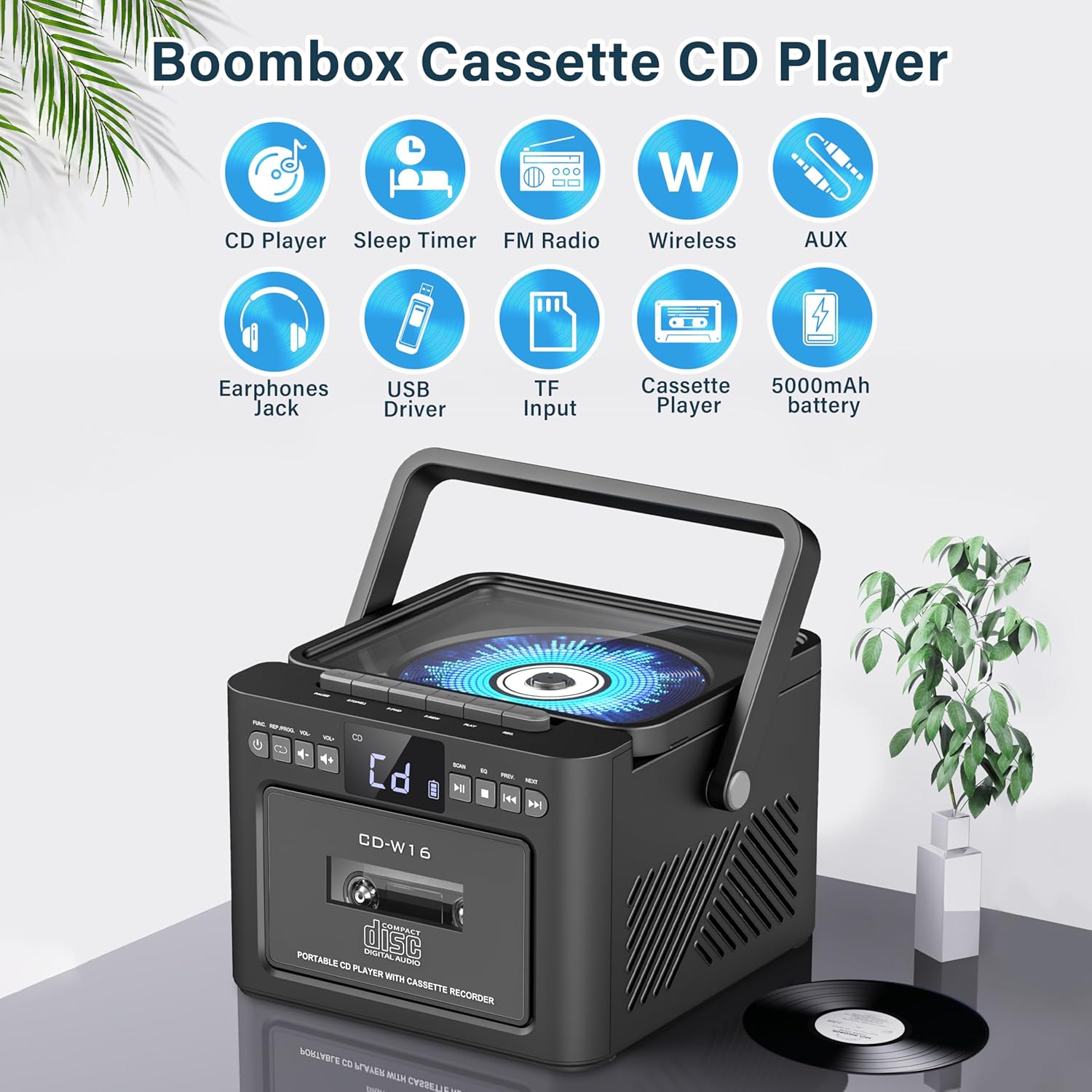
ചിത്രം: കഴിഞ്ഞുview of the Greadio GB-W18 Portable CD Player Boombox, highlighting its multi-functional capabilities including CD, cassette, FM radio, Bluetooth, USB, TF/SD card, AUX, and a built-in 5000mAh rechargeable battery.
ഫ്രണ്ട് പാനൽ നിയന്ത്രണങ്ങൾ
- LED ഡിസ്പ്ലേ: നിലവിലെ മോഡ്, ട്രാക്ക് നമ്പർ, ഫ്രീക്വൻസി മുതലായവ കാണിക്കുന്നു.
- പവർ ബട്ടൺ: യൂണിറ്റ് ഓൺ/ഓഫ് ചെയ്യുന്നു.
- മോഡ് ബട്ടൺ: Switches between CD, Cassette, FM, Bluetooth, USB, AUX, TF/SD modes.
- വോളിയം നിയന്ത്രണം: ഓഡിയോ ഔട്ട്പുട്ട് ലെവൽ ക്രമീകരിക്കുന്നു.
- പ്ലേ/താൽക്കാലികമായി നിർത്തുക ബട്ടൺ: Controls playback for CD, USB, TF/SD, Bluetooth.
- ബട്ടൺ നിർത്തുക: പ്ലേബാക്ക് നിർത്തുന്നു.
- ബട്ടണുകൾ ഒഴിവാക്കുക/തിരയുക: Skips tracks or searches radio frequencies.
- റെക്കോർഡ് ബട്ടൺ: Initiates cassette recording.
Side/Rear Panel Ports
- സിഡി കമ്പാർട്ട്മെന്റ്: മുകളിൽ ലോഡുചെയ്യുന്ന സിഡി പ്ലെയർ.
- കാസറ്റ് ഡെക്ക്: Front-loading cassette player/recorder.
- USB പോർട്ട്: യുഎസ്ബി ഡ്രൈവ് പ്ലേബാക്കിനായി.
- TF/SD Card Slot: For TF/SD card playback.
- AUX ഇൻപുട്ട്: ബാഹ്യ ഓഡിയോ ഉപകരണങ്ങൾക്കായി 3.5mm ജാക്ക്.
- ഹെഡ്ഫോൺ ജാക്ക്: സ്വകാര്യ ശ്രവണത്തിനായി 3.5mm ജാക്ക്.
- DC 5V Input (Type-C): ആന്തരിക ബാറ്ററി ചാർജ് ചെയ്യുന്നതിന്.
- എഫ്എം ആന്റിന: Telescopic antenna for radio reception.
സജ്ജമാക്കുക
യൂണിറ്റ് പവർ ചെയ്യുന്നു
The Greadio GB-W18 can be powered by its built-in rechargeable battery or via a Type-C USB power source.
- ബാറ്ററി ചാർജ് ചെയ്യുന്നു: Connect the provided USB Type-C cable to the DC 5V input port on the unit and the other end to a compatible USB power adapter (e.g., car charger, power bank, computer USB port). The LED display will indicate charging status. A full charge provides extended portable use.

ചിത്രം: The Greadio GB-W18 boombox with its USB and TF/SD card slots highlighted, along with illustrations of various 5V Type-C charging methods: car charger, power bank, and computer.
പ്രാരംഭ പവർ അപ്പ്
അമർത്തുക ശക്തി button to turn on the unit. The LED display will light up, and the unit will typically default to the last used mode or CD mode.
പ്രവർത്തന നിർദ്ദേശങ്ങൾ
ഉപയോഗിക്കുക മോഡ് button to switch between different playback sources.
സിഡി പ്ലേബാക്ക്
- അമർത്തുക മോഡ് button until 'CD' appears on the display.
- സിഡി കമ്പാർട്ട്മെന്റ് ലിഡ് തുറക്കുക.
- Place a CD (CD, CD-R, CD-RW) with the label side facing up onto the spindle.
- Close the CD compartment lid. The CD will begin to play automatically.
- ഉപയോഗിക്കുക പ്ലേ/താൽക്കാലികമായി നിർത്തുക, നിർത്തുക, ഒപ്പം ഒഴിവാക്കുക/തിരയുക പ്ലേബാക്ക് നിയന്ത്രിക്കുന്നതിനുള്ള ബട്ടണുകൾ.

ചിത്രം: A user operating the Greadio GB-W18 boombox, demonstrating CD playback and the use of the remote control for convenient operation.
Cassette Playback and Recording
- അമർത്തുക മോഡ് button until 'TAPE' appears on the display.
- കാസറ്റ് ഡെക്കിന്റെ വാതിൽ തുറക്കൂ.
- തുറന്ന അറ്റം മുകളിലേക്ക് അഭിമുഖമായി ഒരു കാസറ്റ് ടേപ്പ് തിരുകുക.
- കാസറ്റ് ഡെക്കിന്റെ വാതിൽ അടയ്ക്കുക.
- അമർത്തുക കളിക്കുക button on the cassette deck controls to start playback.
- ലേക്ക് രേഖപ്പെടുത്തുക: Ensure a blank or recordable cassette is inserted. Select your desired input source (e.g., FM radio, AUX, Bluetooth). Press the രേഖപ്പെടുത്തുക button on the unit. Press നിർത്തുക റെക്കോർഡിംഗ് അവസാനിപ്പിക്കാൻ.

ചിത്രം: The Greadio GB-W18 boombox in a social setting, illustrating the cassette player function with a hand inserting a tape.
എഫ്എം റേഡിയോ ഓപ്പറേഷൻ
- Extend the telescopic FM antenna for optimal reception.
- അമർത്തുക മോഡ് button until 'FM' appears on the display.
- അമർത്തിപ്പിടിക്കുക ഒഴിവാക്കുക/തിരയുക buttons to automatically scan for available stations. The unit can preset up to 30 stations.
- അമർത്തുക ഒഴിവാക്കുക/തിരയുക buttons briefly to manually tune or cycle through preset stations.
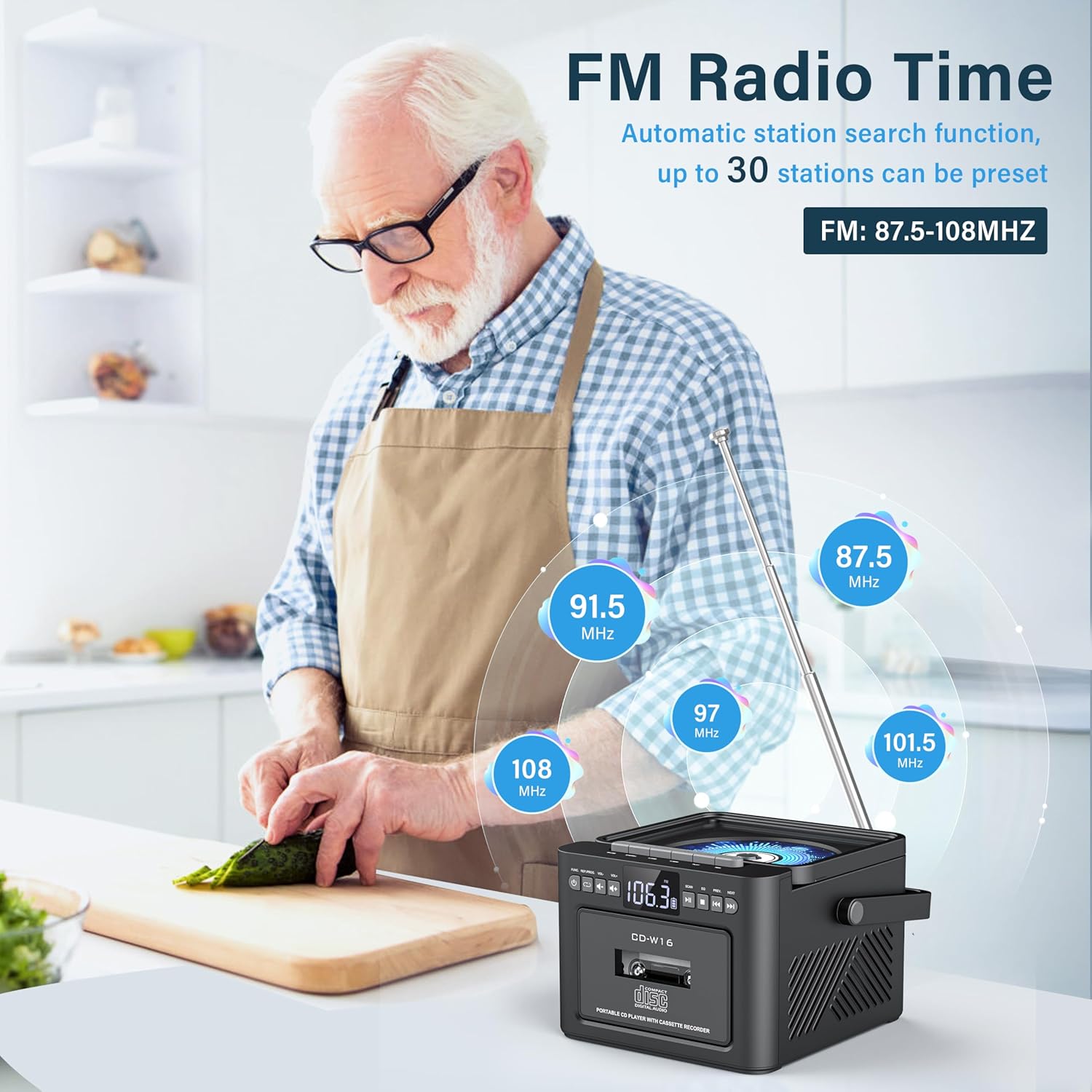
ചിത്രം: A user in a kitchen setting with the Greadio GB-W18 boombox, demonstrating its FM radio capabilities and the range of frequencies it can receive.
Bluetooth (Wireless Receiver)
- അമർത്തുക മോഡ് button until 'BLUE' or 'BT' appears on the display. The unit will enter pairing mode, indicated by a flashing Bluetooth icon.
- നിങ്ങളുടെ മൊബൈൽ ഉപകരണത്തിൽ (സ്മാർട്ട്ഫോൺ, ടാബ്ലെറ്റ് മുതലായവ), ബ്ലൂടൂത്ത് പ്രവർത്തനക്ഷമമാക്കി ലഭ്യമായ ഉപകരണങ്ങൾക്കായി തിരയുക.
- Select 'Greadio GB-W18' (or similar name) from the list to pair.
- Once paired, you can play audio from your device through the boombox.
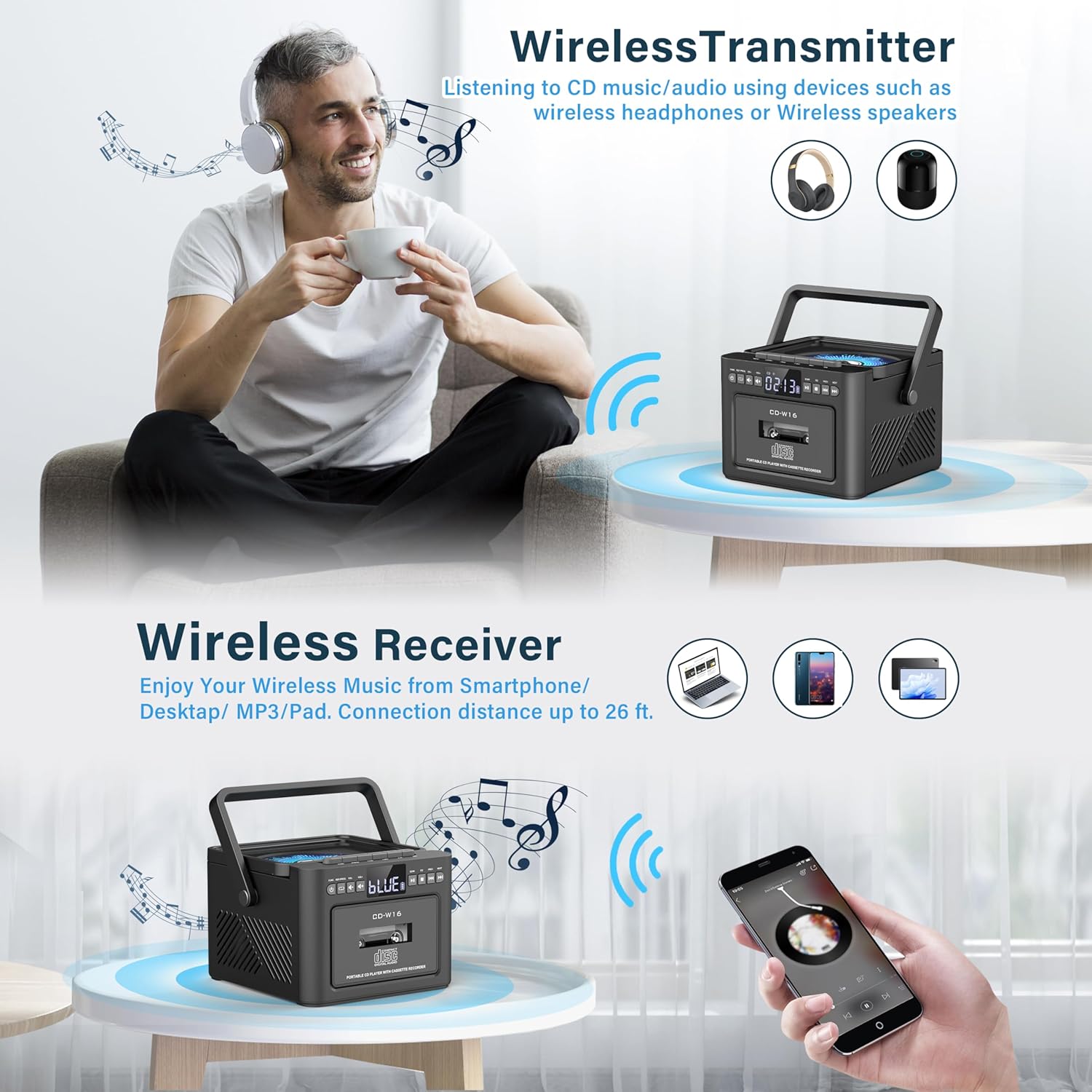
ചിത്രം: The Greadio GB-W18 boombox demonstrating its wireless capabilities, functioning as both a wireless transmitter (for headphones/speakers) and a wireless receiver (for streaming from smartphones/tablets).
USB Drive & TF/SD Card Playback
- Insert a USB drive into the USB port or a TF/SD card into the TF/SD card slot.
- അമർത്തുക മോഡ് ഡിസ്പ്ലേയിൽ 'USB' അല്ലെങ്കിൽ 'TF' ദൃശ്യമാകുന്നതുവരെ ബട്ടൺ അമർത്തുക.
- The unit will automatically detect and play MP3 fileസ്റ്റോറേജ് ഉപകരണത്തിൽ നിന്ന് എസ്.
- ഉപയോഗിക്കുക പ്ലേ/താൽക്കാലികമായി നിർത്തുക, നിർത്തുക, ഒപ്പം ഒഴിവാക്കുക/തിരയുക പ്ലേബാക്ക് നിയന്ത്രിക്കുന്നതിനുള്ള ബട്ടണുകൾ.
AUX ഇൻപുട്ട്
- Connect an external audio device (e.g., MP3 player, smartphone) to the AUX input jack using a 3.5mm audio cable (not included).
- അമർത്തുക മോഡ് button until 'AUX' appears on the display.
- നിങ്ങളുടെ ബാഹ്യ ഉപകരണത്തിൽ നിന്ന് ഓഡിയോ പ്ലേ ചെയ്യുക. ബൂംബോക്സ് സ്പീക്കറുകൾ വഴി ശബ്ദം ഔട്ട്പുട്ട് ചെയ്യപ്പെടും.
റിമോട്ട് കൺട്രോൾ
The included remote control allows for convenient operation of most functions from a distance. Point the remote control directly at the front panel of the boombox. Functions include power on/off, mode selection, volume adjustment, playback controls (play, pause, stop, skip), and radio tuning.
സ്ലീപ്പ് ടൈമർ
The unit features a sleep timer function. Refer to the remote control or specific button on the unit (if available) to set a timer for automatic power-off. This feature is useful for falling asleep to music.
മെയിൻ്റനൻസ്
- വൃത്തിയാക്കൽ: യൂണിറ്റിന്റെ പുറംഭാഗം വൃത്തിയാക്കാൻ മൃദുവായതും ഉണങ്ങിയതുമായ തുണി ഉപയോഗിക്കുക. അബ്രസീവ് ക്ലീനറുകളോ ലായകങ്ങളോ ഉപയോഗിക്കരുത്.
- സിഡി ലെൻസ് കെയർ: If CD playback issues occur, use a specialized CD lens cleaner disc.
- കാസറ്റ് ഹെഡ് ക്ലീനിംഗ്: Regularly clean the cassette heads with a cotton swab lightly dampഒപ്റ്റിമൽ ശബ്ദ നിലവാരം ഉറപ്പാക്കുന്നതിനും ടേപ്പ് കേടുപാടുകൾ തടയുന്നതിനും ഐസോപ്രോപൈൽ ആൽക്കഹോൾ ഉപയോഗിച്ച് നിർമ്മിച്ചിരിക്കുന്നത്.
- ബാറ്ററി കെയർ: For optimal battery life, avoid fully discharging the battery frequently. Charge the unit regularly, even if not in use for extended periods.
- സംഭരണം: When not in use for a long time, store the unit in a cool, dry place away from direct sunlight and extreme temperatures.
ട്രബിൾഷൂട്ടിംഗ്
| പ്രശ്നം | സാധ്യമായ കാരണം | പരിഹാരം |
|---|---|---|
| യൂണിറ്റ് പവർ ഓണാക്കുന്നില്ല. | ബാറ്ററി തീർന്നു. | Connect the unit to a power source using the Type-C USB cable and allow it to charge. |
| സ്പീക്കറുകളിൽ നിന്ന് ശബ്ദമില്ല. | Volume is too low or muted. Incorrect mode selected. Headphones connected. | Increase volume. Press the മോഡ് button to select the correct source. Disconnect headphones. |
| സിഡി പ്ലേ ചെയ്യുന്നില്ല അല്ലെങ്കിൽ ഒഴിവാക്കുന്നു. | സിഡി വൃത്തികെട്ടതോ, പോറലുകളുള്ളതോ, തെറ്റായി ചേർത്തതോ ആണ്. സിഡി ലെൻസ് വൃത്തികെട്ടതാണ്. | Clean the CD. Reinsert the CD correctly. Use a CD lens cleaner. |
| മോശം എഫ്എം റേഡിയോ സ്വീകരണം. | ആന്റിന നീട്ടിയിട്ടില്ല. ദുർബലമായ സിഗ്നൽ. | എഫ്എം ആന്റിന പൂർണ്ണമായും നീട്ടുക. മികച്ച സ്വീകരണത്തിനായി യൂണിറ്റ് പുനഃസ്ഥാപിക്കുക. |
| ബ്ലൂടൂത്ത് ഉപകരണം ജോടിയാക്കാൻ കഴിയില്ല. | Boombox not in pairing mode. Device too far. | Ensure boombox is in Bluetooth mode and flashing. Move device closer (within 26 ft). |
| Cassette playback distorted. | Cassette heads are dirty. Tape is old or damaged. | Clean cassette heads. Try a different tape. |
സ്പെസിഫിക്കേഷനുകൾ
- മോഡൽ നമ്പർ: GB-W18
- ഉൽപ്പന്ന അളവുകൾ: 7.56 x 7.56 x 5.16 ഇഞ്ച്
- ഇനത്തിൻ്റെ ഭാരം: 2.99 പൗണ്ട്
- കണക്റ്റിവിറ്റി ടെക്നോളജി: ബ്ലൂടൂത്ത് 5.0
- സ്പീക്കർ തരം: ഡ്യുവൽ സ്റ്റീരിയോ സ്പീക്കർ
- ബാറ്ററി: Built-in 5000mAh Rechargeable Lithium Ion Battery
- പവർ ഇൻപുട്ട്: DC 5V (ടൈപ്പ്-സി)
- പിന്തുണയ്ക്കുന്ന മീഡിയ: CD, CD-R, CD-RW, Cassette Tape, USB Drive (MP3 format, up to 32GB), TF/SD Card (MP3 format, up to 32GB), AUX Input
- എഫ്എം റേഡിയോ ഫ്രീക്വൻസി: 87.5-108 MHz
വാറൻ്റിയും പിന്തുണയും
Greadio products are designed for reliability and performance. For any questions, technical support, or warranty inquiries, please refer to the contact information provided with your purchase or visit the official Greadio webസൈറ്റ്. വാറന്റി ക്ലെയിമുകൾക്കായി നിങ്ങളുടെ വാങ്ങലിന്റെ തെളിവ് സൂക്ഷിക്കുക.