
1. ആമുഖം
The BORUIT U6 is a compact and powerful Everyday Carry (EDC) flashlight designed for versatility and durability. Constructed from hardened aluminum alloy, it features dual main lights with high-performance LED beads, providing exceptional brightness. The U6 also includes multi-functional sidelights, a magnetic tail, a two-way clip, and IP68 waterproof rating, making it suitable for various environments and tasks.

Figure 1: BORUIT U6 Mini EDC Flashlight, showcasing its compact design and dual main lights.
2. പാക്കേജ് ഉള്ളടക്കം
പാക്കേജിൽ എല്ലാ ഇനങ്ങളും ഉണ്ടെന്ന് ഉറപ്പാക്കുക:
- BORUIT U6 Flashlight (with built-in battery)
- USB-C ചാർജിംഗ് കേബിൾ
- Belt Clip (pre-installed or separate)
- ലാനിയാർഡ്
3. ഉൽപ്പന്ന സവിശേഷതകൾ
- ഉയർന്ന തെളിച്ചം: Up to 1600 lumens with a beam distance of 260 meters.
- നീണ്ടുനിൽക്കുന്ന നിർമ്മാണം: Made from hardened aluminum alloy.
- വാട്ടർപ്രൂഫ് റേറ്റിംഗ്: IP68 rated for dust and water resistance, suitable for all weather conditions.
- Multi-functional Sidelights: Offers white, warm, red, and red flash modes for various uses.
- Magnetic Tail: Strong magnetic base for attachment to metal surfaces.
- Two-way Clip: Allows attachment to pockets, hats, belts, or backpacks.
- റീചാർജ് ചെയ്യാവുന്ന ബാറ്ററി: Built-in 1100 mAh Lithium Polymer battery with USB-C charging.
- മെമ്മറി പ്രവർത്തനം: Remembers the last used mode for convenience.

Figure 2: Illustration of the BORUIT U6's super brightness and long-range illumination.
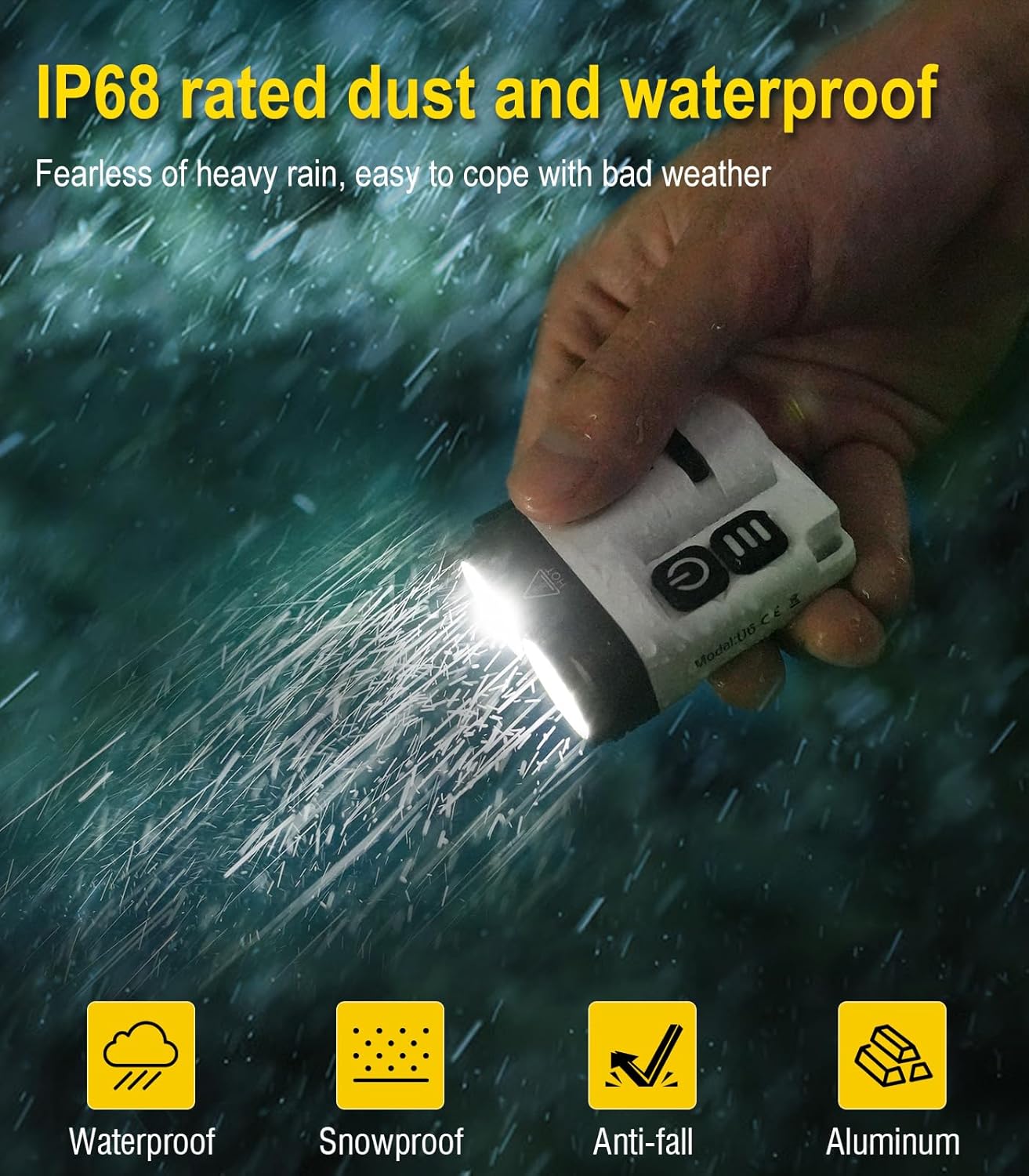
Figure 3: The BORUIT U6 demonstrating its IP68 waterproof capability in rainy conditions.
4. സജ്ജീകരണം
4.1 പ്രാരംഭ ചാർജിംഗ്
Before first use, fully charge the BORUIT U6 flashlight. Connect the provided USB-C cable to the charging port on the flashlight and to a USB power source (e.g., wall adapter, computer, power bank). The charging indicator will show a red light flash during charging and turn green when fully charged. A full charge typically takes approximately 2.5 hours.

Figure 4: Diagram illustrating the USB-C charging process and indicator lights.
4.2 Attaching Lanyard and Clip
Attach the included lanyard to the designated loop on the flashlight for easy carrying. The two-way clip can be rotated 180 degrees and attached to pockets, belts, or hat brims for hands-free operation.

ചിത്രം 5: ഉദാamples of using the rotatable two-way clip for various carrying options.

Figure 6: The BORUIT U6 with its portable lanyard, demonstrating ease of carrying and hanging.
5. പ്രവർത്തന നിർദ്ദേശങ്ങൾ
5.1 Main Light Operation
The main light features multiple brightness levels and a strobe mode.
- ഓൺ/ഓഫ് ചെയ്യുക: Long press the main light button (power symbol) to turn on or off.
- സ്വിച്ച് മോഡുകൾ: Once on, click the main light button to cycle through Economic (10LM), Low (20LM), Medium (160LM), and High (800LM).
- ടർബോ മോഡ്: Double-click the main light button for Turbo mode (1600LM).
- സ്ട്രോബ് മോഡ്: Triple-click the main light button for Strobe mode (800LM).

Figure 7: Visual guide for operating the main light modes and their respective brightness and runtime.
5.2 Sidelight Operation
The sidelights offer various colored and functional light options.
- ഓൺ/ഓഫ് ചെയ്യുക: Long press the sidelight button (three lines symbol) to turn on or off.
- സ്വിച്ച് മോഡുകൾ: Once on, click the sidelight button to cycle through White Light (45LM), Warm Light (30LM), and Red Light (10LM).
- റെഡ് ഫ്ലാഷ്: Double-click the sidelight button to activate the Red Flash mode (10LM).

Figure 8: Visual guide for operating the sidelight modes and their respective brightness and runtime.
5.3 കാന്തിക അറ്റാച്ച്മെന്റ്
Utilize the strong magnetic tail to attach the flashlight to ferrous metal surfaces, providing hands-free illumination for tasks such as vehicle maintenance or camping.

Figure 9: The BORUIT U6 attached magnetically to a metal surface, providing hands-free lighting.
6. പരിപാലനം
- വൃത്തിയാക്കൽ: ഫ്ലാഷ്ലൈറ്റ് ഒരു സോഫ്റ്റ് ഉപയോഗിച്ച് തുടയ്ക്കുക, ഡിamp തുണി. ഉരച്ചിലുകൾ ഉണ്ടാക്കുന്ന ക്ലീനറുകളോ ലായകങ്ങളോ ഒഴിവാക്കുക.
- ചാർജിംഗ്: Recharge the battery regularly, especially if the flashlight will not be used for an extended period, to maintain battery health.
- സംഭരണം: നേരിട്ടുള്ള സൂര്യപ്രകാശത്തിൽ നിന്നും തീവ്രമായ താപനിലയിൽ നിന്നും അകലെ തണുത്തതും വരണ്ടതുമായ സ്ഥലത്ത് ഫ്ലാഷ്ലൈറ്റ് സൂക്ഷിക്കുക.
- വാട്ടർ എക്സ്പോഷർ: While IP68 rated, ensure the USB-C port cover is securely closed after charging or if exposed to water.
7. പ്രശ്നപരിഹാരം
| പ്രശ്നം | സാധ്യമായ കാരണം | പരിഹാരം |
|---|---|---|
| ടോർച്ച് ഓണാകുന്നില്ല. | കുറഞ്ഞ ബാറ്ററി. | ഫ്ലാഷ്ലൈറ്റ് പൂർണ്ണമായും ചാർജ് ചെയ്യുക. |
| ടോർച്ച് ഓണാകുന്നില്ല. | Button not pressed correctly. | Ensure a long press for on/off, or correct number of clicks for mode changes. |
| ചാർജിംഗ് ഇൻഡിക്കേറ്റർ പ്രവർത്തിക്കുന്നില്ല. | കേബിളിലോ പവർ സ്രോതസ്സിലോ തകരാറ്. | മറ്റൊരു USB-C കേബിളോ പവർ അഡാപ്റ്ററോ പരീക്ഷിച്ചുനോക്കൂ. |
| Reduced brightness or runtime. | കാലക്രമേണ ബാറ്ററിയുടെ നാശത്തിന് കാരണമാകുന്നു. | This is normal for rechargeable batteries. Ensure full charges. |
8 സ്പെസിഫിക്കേഷനുകൾ
| ഫീച്ചർ | വിശദാംശങ്ങൾ |
|---|---|
| മോഡൽ | U6 |
| മെറ്റീരിയൽ | അലുമിനിയം |
| പ്രകാശ സ്രോതസ്സ് തരം | എൽഇഡി |
| പവർ ഉറവിടം | ബാറ്ററി പവർ |
| നിറം | വെള്ള |
| പ്രത്യേക സവിശേഷതകൾ | Colored, High Power, Impact Resistant, Long Range, Rechargeable |
| വെളുത്ത തെളിച്ചം | 1600 ല്യൂമെൻസ് |
| പരമാവധി ബീം ദൂരം | 260 മീറ്റർ |
| ബാറ്ററി ശേഷി | 1100 mAh ലിഥിയം പോളിമർ |
| ചാർജിംഗ് സമയം | ഏകദേശം 2.5 മണിക്കൂർ |
| ജല പ്രതിരോധ നില | IP68 |
| ഉൽപ്പന്ന അളവുകൾ | 1.77"D x 1.2"W x 2.24"H |
| ഇനത്തിൻ്റെ ഭാരം | 2.75 ഔൺസ് (78 ഗ്രാം) |

Figure 10: Detailed chart of battery capacity and estimated runtimes for various light modes.
9. വാറൻ്റിയും പിന്തുണയും
For warranty information or technical support, please refer to the product packaging or contact BORUIT customer service through the retailer where the product was purchased. Keep your purchase receipt as proof of purchase.