
Turtle Beach TBM-1104-05
Turtle Beach Kone II Air Wireless Gaming Mouse User Manual
Model: TBM-1104-05
ആമുഖം
The Turtle Beach Kone II Air is an ergonomic wireless gaming mouse designed for unparalleled gaming freedom. It features exceptional battery life, precise tracking, and extensive customization options. This manual provides detailed instructions for setting up, operating, maintaining, and troubleshooting your Kone II Air mouse to ensure optimal performance.
ബോക്സിൽ എന്താണുള്ളത്

Image: The retail package contents, including the mouse, USB receiver, charging cable, adapter, and grip tape.
- Turtle Beach Kone II Air Wireless Gaming Mouse
- USB-A വയർലെസ് റിസീവർ
- PhantomFlex USB-C to USB-A Charging Cable
- USB-A to USB-C Receiver Adapter
- ഗ്രിപ്പ് ടേപ്പ്
- ദ്രുത ആരംഭ ഗൈഡ്
സജ്ജമാക്കുക
1. പ്രാരംഭ ചാർജിംഗ്
Before first use, it is recommended to fully charge your Kone II Air mouse. Connect the PhantomFlex USB-C to USB-A charging cable to the USB-C port located at the front of the mouse and to a powered USB-A port on your computer or a USB wall adapter.
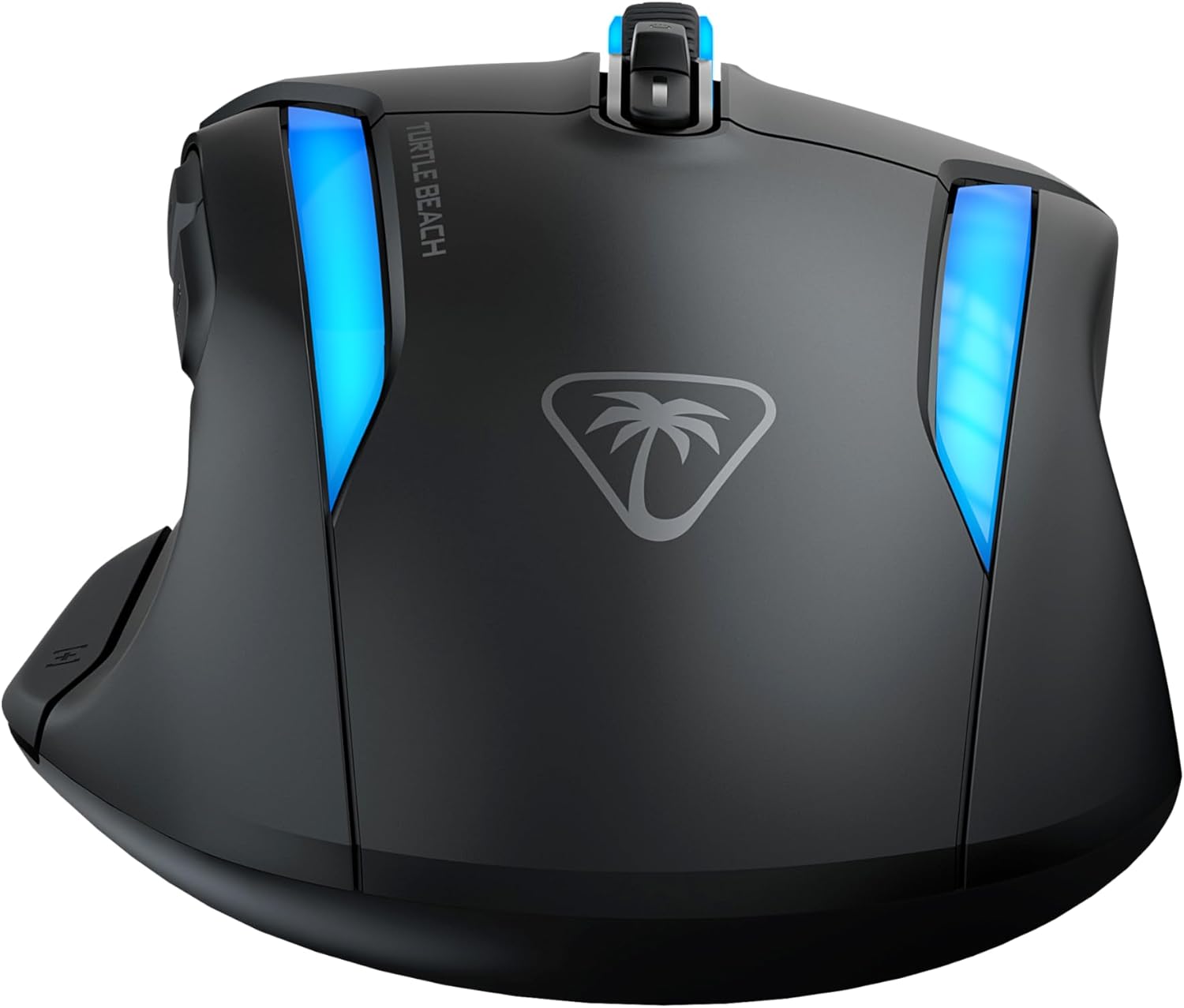
Image: The front of the mouse with the USB-C charging port visible.
2. നിങ്ങളുടെ മൗസ് ബന്ധിപ്പിക്കുന്നു
The Kone II Air offers two wireless connection modes: 2.4 GHz Wireless and Bluetooth.
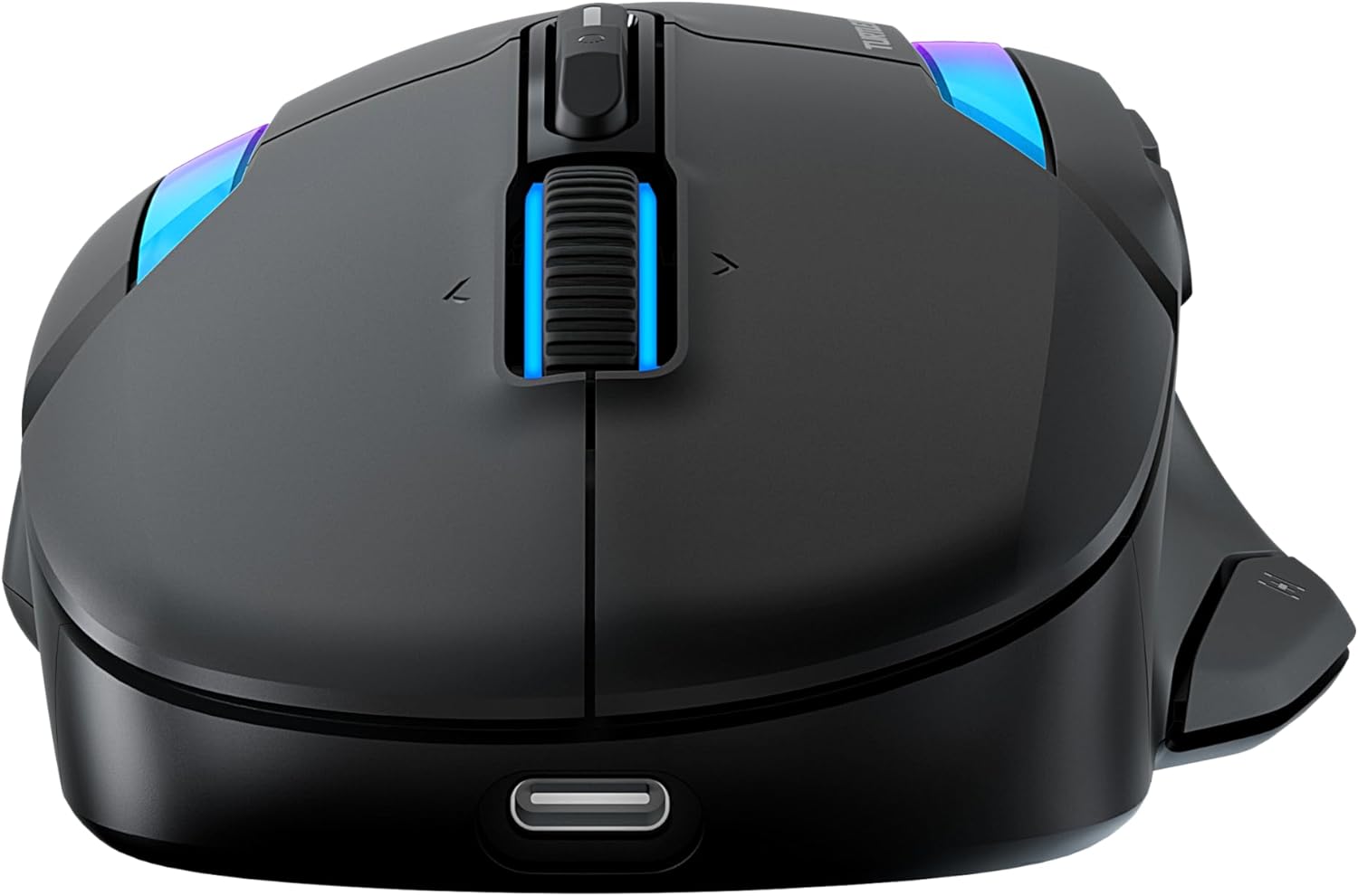
Image: The bottom of the mouse, highlighting the switch for 2.4GHz wireless and Bluetooth modes.
2.1. 2.4 GHz Wireless Connection (Low Latency)
- Locate the USB-A wireless receiver stored in the compartment on the underside of the mouse.
- Plug the USB-A wireless receiver directly into an available USB-A port on your computer. For convenience, you can use the included USB-A to USB-C adapter if your computer only has USB-C ports.
- Slide the switch on the underside of the mouse to the 2.4 GHz wireless icon.
- Your computer should automatically detect and install the necessary drivers. The mouse is ready for use.
2.2. Bluetooth Connection (Low Latency)
- Slide the switch on the underside of the mouse to the Bluetooth icon.
- നിങ്ങളുടെ കമ്പ്യൂട്ടറിൽ, Bluetooth ക്രമീകരണങ്ങളിലേക്ക് നാവിഗേറ്റ് ചെയ്യുക.
- "ഒരു ഉപകരണം ചേർക്കുക" അല്ലെങ്കിൽ "പുതിയ ഉപകരണം ജോടിയാക്കുക" തിരഞ്ഞെടുക്കുക.
- Select "Turtle Beach Kone II Air" from the list of available devices.
- ജോടിയാക്കൽ പ്രക്രിയ പൂർത്തിയാക്കാൻ ഏതെങ്കിലും ഓൺ-സ്ക്രീൻ നിർദ്ദേശങ്ങൾ പാലിക്കുക.
3. Applying Grip Tape (Optional)
For enhanced control and grip, you can apply the included grip tape to the sides of the mouse. Ensure the mouse surface is clean and dry before applying for optimal adhesion.
നിങ്ങളുടെ മൗസ് പ്രവർത്തിപ്പിക്കൽ
1. Ergonomic Design and Grip
The Kone II Air is ergonomically designed to fit medium to large hands, accommodating various grip styles including palm, claw, and fingertip grips.
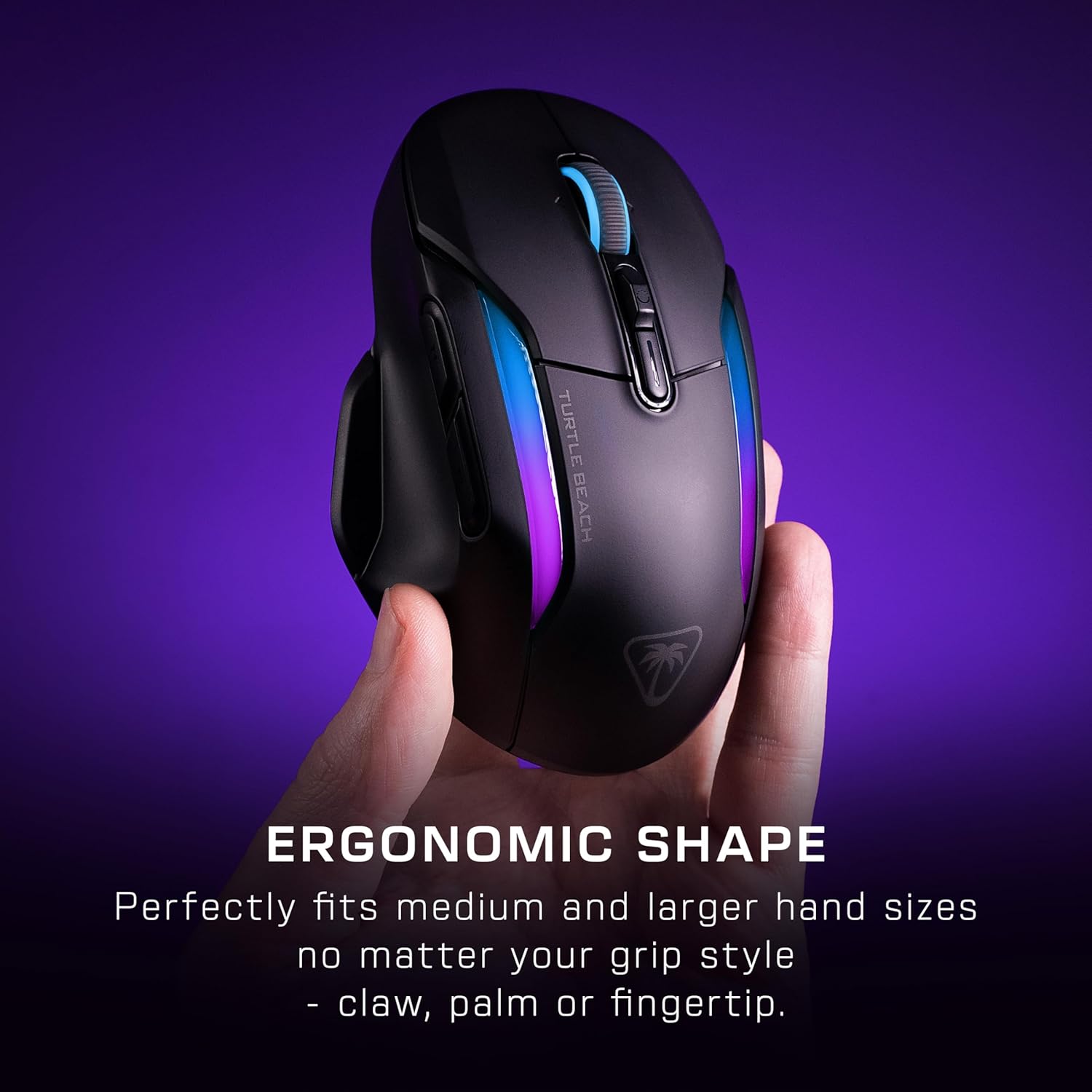
Image: A hand gripping the Kone II Air mouse, illustrating its comfortable ergonomic design.
2. Customizable Buttons and Easy-Shift[+]
The mouse features 7 programmable buttons and a 4D scroll wheel. With Easy-Shift[+] technology, you can expand these into 21 customizable functions, allowing for extensive personalization of your gaming experience.

ചിത്രം: ഒരു ഓവർഹെഡ് view of the mouse with circles highlighting the 7 primary buttons and the Easy-Shift[+] button, indicating their customizability.
3. 4D Multifunction Scroll Wheel
The 4D scroll wheel offers both free-spin and tactile scrolling options, along with fully customizable tilt controls for fluid content navigation and additional in-game commands.
4. DPI Adjustment and Tracking
Equipped with the Owl-Eye 26,000 DPI optical sensor, the mouse provides exceptional tracking performance. DPI settings can be adjusted to suit your preference, ranging from 50 to 26,000 DPI, with a tracking speed of 650 IPS (16.5 m/s).
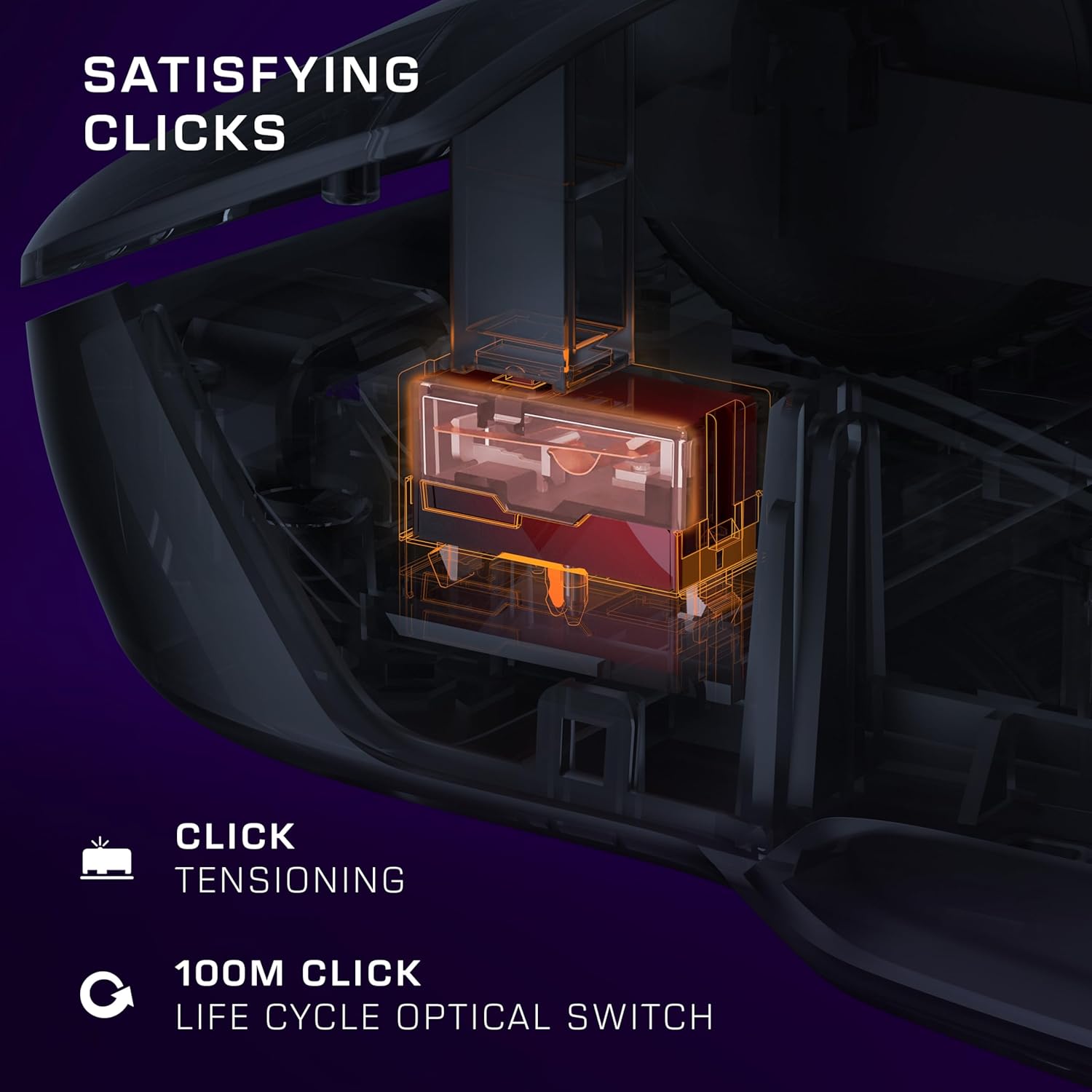
Image: A transparent overlay showing the internal components of the mouse, focusing on the 26K DPI optical sensor for smooth tracking.
5. Optical Switches and Click Tensioning
The Kone II Air features TITAN optical switches, ensuring precise and reliable clicks with a lifecycle of 100 million clicks. The pre-tensioned buttons provide satisfying and rapid click responses.
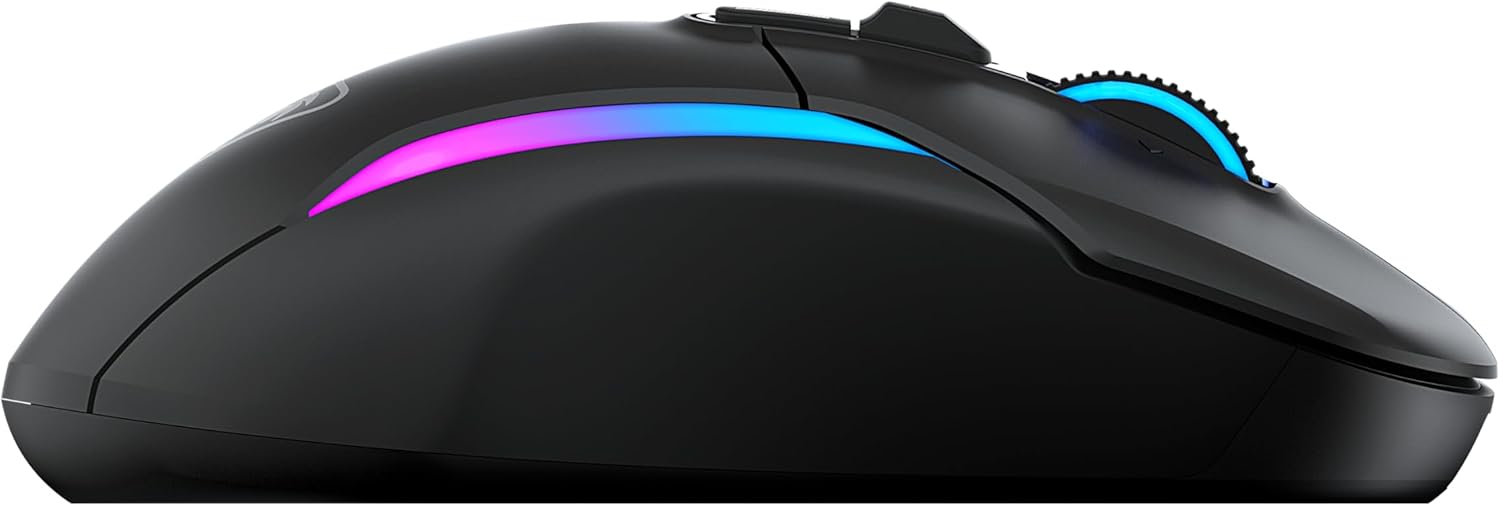
Image: A detailed internal view of the mouse, illustrating the optical switch mechanism responsible for click responsiveness and durability.
6. ആർജിബി ലൈറ്റിംഗ്
Personalize your gaming setup with the dual-zone programmable RGB lighting. Settings can be adjusted via the companion software (if available, check Turtle Beach website for software downloads).
7 ബാറ്ററി ലൈഫ്
Enjoy extended gaming sessions with up to 350 hours of battery life in low-latency Bluetooth connection or up to 130 hours in high-performance 2.4 GHz wireless mode.

Image: The mouse illuminated with RGB lighting, accompanied by icons indicating battery life for both 2.4GHz wireless and Bluetooth connections.
മെയിൻ്റനൻസ്
1. വൃത്തിയാക്കൽ
To maintain optimal performance and appearance, regularly clean your mouse. Use a soft, dry, lint-free cloth to wipe down the surface. For stubborn dirt, slightly dampതുണിയിൽ വെള്ളം ഒഴിക്കുക. കഠിനമായ രാസവസ്തുക്കൾ, അബ്രസീവ് ക്ലീനറുകൾ അല്ലെങ്കിൽ ലായകങ്ങൾ ഉപയോഗിക്കുന്നത് ഒഴിവാക്കുക.
2. ബാറ്ററി പരിചരണം
To maximize battery lifespan, avoid fully discharging the mouse frequently. Recharge the mouse when the battery indicator suggests low power. Store the mouse in a cool, dry place when not in use for extended periods.
3. PTFE Feet
The mouse features pure, heat-treated PTFE feet for incredible glide. Keep the mousepad surface clean to prevent debris from accumulating on the feet, which can affect glide performance. Replacement feet may be available from Turtle Beach support if they wear out over time.

Image: The underside of the mouse, clearly showing the smooth, white PTFE feet designed for effortless gliding.
ട്രബിൾഷൂട്ടിംഗ്
1. മൗസ് പ്രതികരിക്കുന്നില്ല
- ബാറ്ററി പരിശോധിക്കുക: മൗസ് ചാർജ് ചെയ്തിട്ടുണ്ടെന്ന് ഉറപ്പാക്കുക. ചാർജിംഗ് കേബിളുമായി അത് ബന്ധിപ്പിക്കുക.
- കണക്ഷൻ മോഡ് പരിശോധിക്കുക: Verify the switch on the underside of the mouse is set to the correct mode (2.4 GHz or Bluetooth) for your connection type.
- 2.4 GHz വയർലെസ്: പ്രവർത്തിക്കുന്ന ഒരു USB പോർട്ടിലേക്ക് USB റിസീവർ സുരക്ഷിതമായി പ്ലഗ് ചെയ്തിട്ടുണ്ടെന്ന് ഉറപ്പാക്കുക. മറ്റൊരു USB പോർട്ട് പരീക്ഷിക്കുക.
- ബ്ലൂടൂത്ത്: Ensure Bluetooth is enabled on your computer and the mouse is paired. Try unpairing and re-pairing the mouse.
- പുനരാരംഭിക്കുക: നിങ്ങളുടെ കമ്പ്യൂട്ടർ പുനരാരംഭിക്കുക.
2. Erratic Tracking or Cursor Movement
- ക്ലീൻ സെൻസർ: മൗസിന്റെ അടിവശത്തുള്ള ഒപ്റ്റിക്കൽ സെൻസർ വൃത്തിയുള്ളതും പൊടിയോ അവശിഷ്ടങ്ങളോ ഇല്ലാത്തതുമാണെന്ന് ഉറപ്പാക്കുക.
- ഉപരിതലം: Use the mouse on a clean, uniform, non-reflective surface. A good quality mousepad is recommended.
- DPI ക്രമീകരണം: കഴ്സർ വളരെ സെൻസിറ്റീവ് ആണെങ്കിൽ DPI ക്രമീകരണം താഴ്ന്ന മൂല്യത്തിലേക്ക് ക്രമീകരിക്കുക.
3. ബട്ടണുകൾ പ്രതികരിക്കുന്നില്ല.
- സോഫ്റ്റ്വെയർ വൈരുദ്ധ്യം: If you have other mouse software installed, it might conflict. Try uninstalling other mouse drivers/software.
- പുന et സജ്ജമാക്കുക: Refer to the Quick Start Guide or Turtle Beach support for instructions on how to reset the mouse to factory settings, if available.
സ്പെസിഫിക്കേഷനുകൾ
| ഫീച്ചർ | വിശദാംശങ്ങൾ |
|---|---|
| മോഡൽ നമ്പർ | TBM-1104-05 |
| കണക്റ്റിവിറ്റി | 2.4 GHz Wireless, Bluetooth |
| സെൻസർ | Owl-Eye Optical Sensor |
| ഡിപിഐ ശ്രേണി | 50 - 26,000 ഡിപിഐ |
| ട്രാക്കിംഗ് സ്പീഡ് | 650 IPS (16.5 m/s) |
| സ്വിച്ചുകൾ | TITAN Optical Switches (100M click lifecycle) |
| പ്രോഗ്രാം ചെയ്യാവുന്ന ബട്ടണുകൾ | 7 buttons, 21 functions with Easy-Shift[+] |
| സ്ക്രോൾ വീൽ | 4D Multifunction (Free-spin & Tactile, Tilt) |
| Battery Life (2.4 GHz) | 130 മണിക്കൂർ വരെ |
| ബാറ്ററി ലൈഫ് (ബ്ലൂടൂത്ത്) | 350 മണിക്കൂർ വരെ |
| അളവുകൾ (L x W x H) | 17.9 x 11.5 x 0.3 സെ.മീ (ഉൽപ്പന്ന ഡാറ്റയെ അടിസ്ഥാനമാക്കി ഏകദേശം) |
| ഭാരം | നൽകിയിരിക്കുന്ന ഡാറ്റയിൽ വ്യക്തമാക്കിയിട്ടില്ല |
| അനുയോജ്യത | PC (Windows 7, Windows XP, Linux), Personal Computer |
വാറൻ്റി വിവരങ്ങൾ
The Turtle Beach Kone II Air Wireless Gaming Mouse comes with a 2 വർഷത്തെ നിർമ്മാതാവിന്റെ വാറന്റി. Please retain your proof of purchase for warranty claims. For detailed warranty terms and conditions, refer to the official Turtle Beach webസൈറ്റ് അല്ലെങ്കിൽ അവരുടെ ഉപഭോക്തൃ പിന്തുണയുമായി ബന്ധപ്പെടുക.
പിന്തുണ
For further assistance, technical support, or to download the latest software and drivers for your Turtle Beach Kone II Air mouse, please visit the official Turtle Beach support webസൈറ്റ്. നിങ്ങൾക്ക് അവിടെ പതിവുചോദ്യങ്ങളും കമ്മ്യൂണിറ്റി ഫോറങ്ങളും കണ്ടെത്താനാകും.
Official Turtle Beach Webസൈറ്റ്: www.turtlebeach.com
Ask a question about this manual
Ask about setup, troubleshooting, compatibility, parts, safety, or missing instructions. Manuals+ will review the question and use this page’s manual context to help answer it.