
ആമുഖം
This manual provides detailed instructions for the proper use and care of your Casio G-Shock GW-9500MEC-1JF MUDMAN watch. Please read this manual thoroughly to ensure optimal performance and longevity of your timepiece. Keep this manual for future reference.
ഉൽപ്പന്നം കഴിഞ്ഞുview
The Casio G-Shock GW-9500MEC-1JF MUDMAN is a robust digital watch designed for outdoor enthusiasts, featuring a durable resin construction and advanced sensor capabilities. It includes a digital display, multiple timekeeping modes, and environmental sensors.
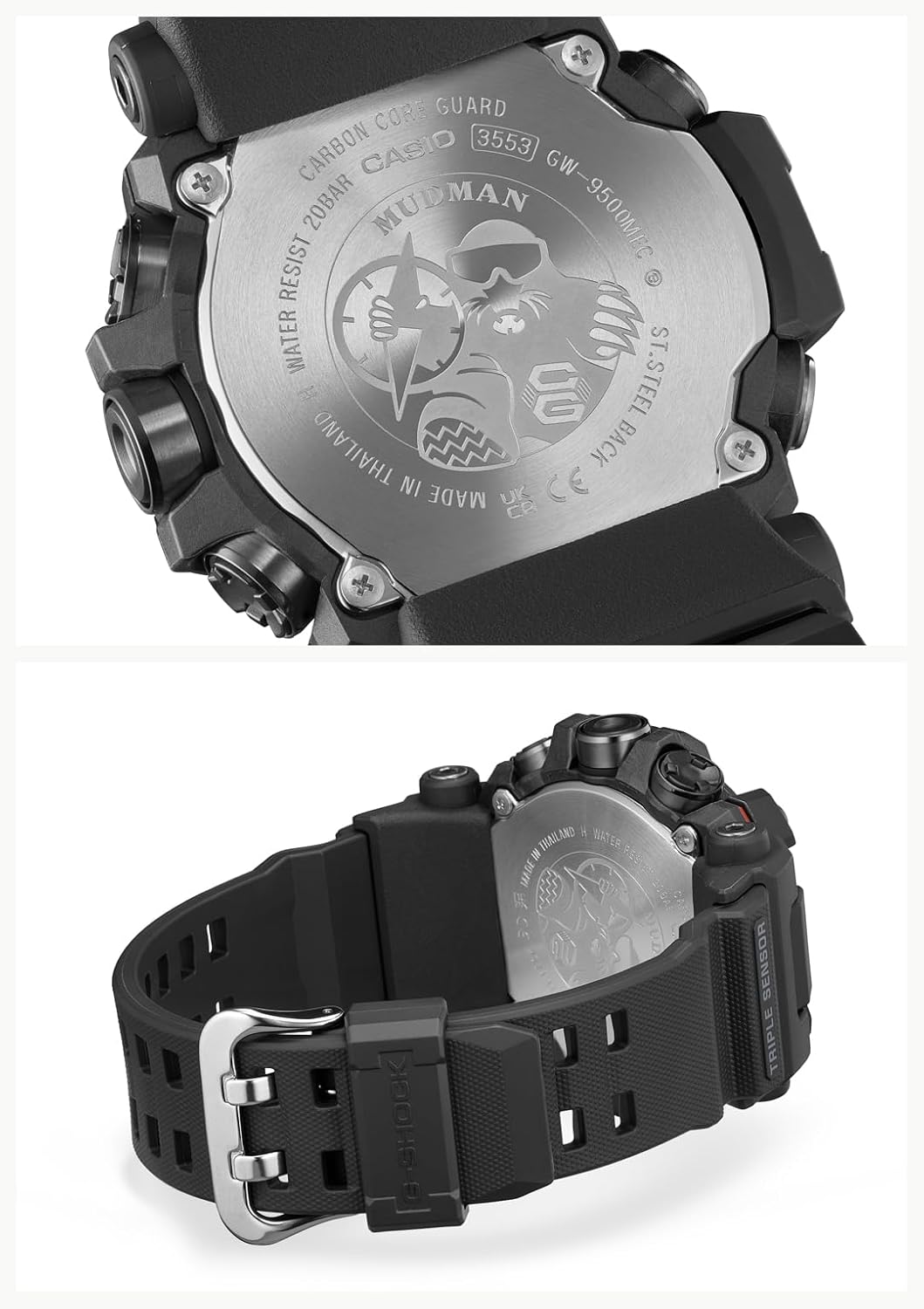
ചിത്രം: പിൻഭാഗം view of the Casio G-Shock GW-9500MEC-1JF MUDMAN watch, highlighting the stainless steel backplate with engraved details including the model number GW-9500MEC and 20 BAR water resistance.
പ്രാരംഭ സജ്ജീകരണം
Upon first use or after a battery change, perform the following steps to set up your watch:
- ഹോം സിറ്റി ക്രമീകരണം: In Timekeeping Mode, hold down the ADJUST button (usually top-left) until the city code starts flashing. Use the COMPASS (top-right) and ALTIMETER (bottom-right) buttons to select your desired home city.
- സമയവും തീയതിയും ക്രമീകരണം: After setting the home city, press the MODE button (bottom-left) to cycle through settings like DST (Daylight Saving Time), 12/24-hour format, seconds, hour, minute, year, month, and day. Use the COMPASS and ALTIMETER buttons to adjust values. Press ADJUST to exit.
- Atomic Time Signal Reception (Multi-Band 6): This watch is equipped with Multi-Band 6 technology for automatic time calibration. Ensure your home city is correctly set. The watch will attempt to receive the time calibration signal automatically overnight. For manual reception, refer to the detailed instructions in the full Casio module manual. Note that signal reception can be affected by location, weather, and electromagnetic interference.
- ബാറ്ററി ലെവൽ പരിശോധന: The watch is powered by a Lithium Ion battery (included). Check the battery indicator on the display to ensure sufficient charge. If the battery level is low, expose the watch to light for charging.
വാച്ച് പ്രവർത്തിപ്പിക്കുന്നു
Your MUDMAN watch features various modes and sensor functions. Use the MODE button (bottom-left) to navigate between them.
ടൈംകീപ്പിംഗ് മോഡ്
This is the default mode, displaying the current time, day of the week, and date. Press the LIGHT button (top-right, usually) to illuminate the display in low light conditions.
Sensor Functions (ABC)
The watch is equipped with a Triple Sensor for Altimeter, Barometer/Thermometer, and Compass readings.

Image: The watch display in various modes. Top left shows Timekeeping (SU 30, 10:58). Top right shows Compass (WNW, 283°). Bottom left shows Altimeter (1228 meters). Bottom right shows Barometer/Thermometer (1013 hPa, 24.5°C). A separate image shows the timekeeping display with the backlight activated.
- കോമ്പസ് മോഡ്: Press the COMPASS button (top-right) to enter Compass Mode. The watch will display the current direction (e.g., N, NE, E) and a bearing in degrees. Hold the watch level for accurate readings.
- ആൾട്ടിമീറ്റർ മോഡ്: Press the ALTIMETER button (bottom-right) to enter Altimeter Mode. The watch measures relative altitude based on atmospheric pressure. Calibrate the altimeter regularly using a known altitude reference point for best accuracy.
- Barometer/Thermometer Mode: From Altimeter Mode, press the MODE button to switch to Barometer/Thermometer Mode. It displays atmospheric pressure and temperature. For accurate temperature readings, remove the watch from your wrist for at least 20-30 minutes to avoid body heat interference.
- Sunrise and Sunset Time Display: This feature displays the sunrise and sunset times for your current home city. Access this function via the MODE button or a dedicated button, depending on the specific module.
മറ്റ് മോഡുകൾ
- ലോക സമയം: Displays the current time in various major cities around the world.
- സ്റ്റോപ്പ് വാച്ച്: കഴിഞ്ഞുപോയ സമയം, വിഭജന സമയങ്ങൾ, രണ്ട് ഫിനിഷുകൾ എന്നിവ അളക്കുന്നു.
- ടൈമർ: A countdown timer function.
- അലാറങ്ങൾ: ദൈനംദിന അലാറങ്ങൾ സജ്ജമാക്കുക.
മെയിൻ്റനൻസ്
Proper maintenance ensures the longevity and reliability of your G-Shock watch.
- വൃത്തിയാക്കൽ: Wipe the watch regularly with a soft, dry cloth. For stubborn dirt, use a soft brush and mild soap solution, then rinse thoroughly with fresh water and dry. Avoid using chemical cleaners.
- ജല പ്രതിരോധം: Your watch is water resistant to 200 meters (20 BAR). This means it is suitable for swimming, showering, and snorkeling. Do not operate buttons underwater. After exposure to saltwater, rinse the watch thoroughly with fresh water.
- താപനില എക്സ്പോഷർ: Avoid exposing the watch to extreme temperatures, both hot and cold, for extended periods.
- Resin Components: The resin band and case are durable but can degrade over time with exposure to strong chemicals, solvents, or prolonged direct sunlight.
- ബാറ്ററി: The watch uses a rechargeable Lithium Ion battery. If the battery indicator shows low charge, expose the watch to bright light (natural sunlight is best) to recharge it. Avoid leaving the watch in dark places for extended periods.

ചിത്രം: വശം view of the Casio G-Shock GW-9500MEC-1JF MUDMAN watch, illustrating the robust resin band and the secure buckle clasp. This view also shows the 'TRIPLE SENSOR' marking on the side of the case.
ട്രബിൾഷൂട്ടിംഗ്
| പ്രശ്നം | സാധ്യമായ കാരണം | പരിഹാരം |
|---|---|---|
| Incorrect Time/Date | Home city not set correctly, manual adjustment error, or failed atomic time signal reception. | Verify home city setting. Manually adjust time/date. Ensure watch is in a location conducive to signal reception (e.g., near a window at night). |
| Inaccurate Sensor Readings (Altimeter, Barometer, Compass) | Lack of calibration, external interference, or body heat affecting temperature sensor. | Calibrate altimeter with a known altitude. Remove watch from wrist for 20-30 minutes for accurate temperature. Ensure no strong magnetic fields near the watch for compass. |
| ഡിസ്പ്ലേ ശൂന്യമാണ് അല്ലെങ്കിൽ മങ്ങിയതാണ് | കുറഞ്ഞ ബാറ്ററി ചാർജ്. | Expose the watch to bright light for several hours to recharge the battery. |
| ബട്ടണുകൾ പ്രതികരിക്കുന്നില്ല | Dirt or debris lodged in buttons, or watch is in a frozen state. | Rinse buttons under fresh water. If unresponsive, try a full reset (refer to the full Casio module manual for specific reset procedures, as this may vary). |
സ്പെസിഫിക്കേഷനുകൾ
| ഫീച്ചർ | വിശദാംശങ്ങൾ |
|---|---|
| മോഡൽ നമ്പർ | GW-9500MEC-1JF |
| ബ്രാൻഡ് | G-Shock (Casio) |
| ഡിസ്പ്ലേ തരം | ഡിജിറ്റൽ |
| ചലന തരം | ക്വാർട്സ് |
| പവർ ഉറവിടം | Battery Powered (Lithium Ion, rechargeable) |
| കേസ് മെറ്റീരിയൽ | റെസിൻ |
| ബാൻഡ് മെറ്റീരിയൽ | റെസിൻ |
| ക്രിസ്റ്റൽ തരം | മിനറൽ ഗ്ലാസ് |
| ജല പ്രതിരോധം | 200 മീറ്റർ (20 ബാർ) |
| കേസ് വ്യാസം | 52.7 മില്ലിമീറ്റർ |
| കേസ് കനം | 14.8 മില്ലിമീറ്റർ |
| ഇനത്തിൻ്റെ ഭാരം | 88 ഗ്രാം |
| പ്രത്യേക സവിശേഷതകൾ | Sunrise and sunset time display, Triple Sensor (Altimeter, Barometer, Compass), Multi-Band 6 Atomic Timekeeping. |
വാറൻ്റിയും പിന്തുണയും
Your Casio G-Shock GW-9500MEC-1JF MUDMAN watch comes with a പരിമിത വാറൻ്റി. For specific terms and conditions, please refer to the warranty card included with your purchase or visit the official Casio webസൈറ്റ്.
For technical support, repairs, or further inquiries, please contact Casio customer service. Contact information can typically be found on the official Casio webസൈറ്റ് അല്ലെങ്കിൽ നിങ്ങളുടെ വാച്ചിനൊപ്പം നൽകിയിരിക്കുന്ന ഡോക്യുമെന്റേഷനിൽ.