
1. ഉൽപ്പന്നം കഴിഞ്ഞുview
This manual provides essential information for the safe and effective use of your Morpilot 25.2V 6500mAh Li-ion Replacement Battery for Dyson V10 series vacuum cleaners. This high-capacity battery is designed to extend the operational time of your vacuum, offering a reliable power source for various cleaning tasks.

Image: The Morpilot replacement battery for Dyson V10, showing its sleek design and the included screws for installation.
2 പ്രധാന സവിശേഷതകൾ
The Morpilot V10 replacement battery incorporates several features designed for enhanced performance and user experience:
- LED Breathing Light: Provides clear visual indication of charging status and battery health.
- High-Quality ABS Material: Ensures durability and a robust build for long-term use.
- Precise Charging Port: Designed for seamless compatibility with original Dyson V10 chargers and docking stations.

ചിത്രം: വിശദമായ ഒരു ചിത്രം view highlighting the LED breathing light, the high-quality ABS material construction, and the precisely engineered charging port of the Morpilot replacement battery.
3 അനുയോജ്യത
The Morpilot replacement battery is designed for perfect compatibility with the following Dyson V10 series vacuum cleaner models:
- Dyson Cyclone V10 Animal
- Dyson V10 സമ്പൂർണ്ണ
- Dyson V10 മോട്ടോർഹെഡ്
- Dyson V10 ഫ്ലഫി
- Dyson V10 Allergy
- Dyson V10 Total Clean
- Dyson V10 SV12
It is engineered to fit the original V10 charger and charging station.

Image: Visual representation of the Morpilot battery's compatibility with various Dyson V10 vacuum models, including V10 Animal, Absolute, Fluffy, Motorhead, Total Clean, and Cyclone.
4. Specifications and Performance
| ഫീച്ചർ | വിശദാംശങ്ങൾ |
|---|---|
| വാല്യംtage | 25.2V |
| ശേഷി | 6500mAh |
| ബാറ്ററി തരം | ലിഥിയം-അയൺ |
| Estimated Cycles | 600+ സൈക്കിളുകൾ |
| ഇനത്തിൻ്റെ ഭാരം | 1.26 പൗണ്ട് |
| പാക്കേജ് അളവുകൾ | 6.97 x 4.21 x 3.98 ഇഞ്ച് |
| മെറ്റീരിയൽ | ഉയർന്ന നിലവാരമുള്ള എബിഎസ് മെറ്റീരിയൽ |
കണക്കാക്കിയ പ്രവർത്തന സമയം:
- സ്റ്റാൻഡേർഡ് മോഡ്: ഏകദേശം 65-67 മിനിറ്റ്
- പരമാവധി മോഡ്: ഏകദേശം 6-7 മിനിറ്റ്

Image: A graphic illustrating the improved battery endurance of the Morpilot battery, showing estimated run times for both standard and MAX power modes.

ചിത്രം: ഒരു എക്സ്-റേ ശൈലി view of the battery, highlighting its internal structure, 6500mAh capacity, 25.2V voltage, and over 600 charge cycles, indicating its durable construction.
5. Safety Information and Protection System
Your Morpilot replacement battery is equipped with an advanced intelligent protection design to ensure safe and reliable operation. This system includes:
- ഓവർചാർജ് പരിരക്ഷണം: അമിത ചാർജിംഗ് മൂലമുണ്ടാകുന്ന കേടുപാടുകൾ തടയുന്നു.
- ആഴത്തിലുള്ള ഡിസ്ചാർജ് സംരക്ഷണം: Protects the battery from being fully depleted, which can reduce lifespan.
- ഓവർ വോൾtagഇ സംരക്ഷണം: വോളിയത്തിനെതിരായ സുരക്ഷാ മുൻകരുതലുകൾtagഇ സ്പൈക്കുകൾ.
- ഓവർകറന്റ് സംരക്ഷണം: അമിതമായ വൈദ്യുത പ്രവാഹം മൂലമുണ്ടാകുന്ന കേടുപാടുകൾ തടയുന്നു.
- അമിത ചൂടാക്കൽ സംരക്ഷണം: Monitors and regulates battery temperature to prevent overheating.
- Output Short-circuit Protection: ഷോർട്ട് സർക്യൂട്ട് ഉണ്ടായാൽ യാന്ത്രികമായി വൈദ്യുതി വിച്ഛേദിക്കുന്നു.
- Charging Undervoltagഇ സംരക്ഷണം: Ensures safe charging voltagഇ ലെവലുകൾ.
- ഡിസ്ചാർജ് ഓവർകറന്റ് സംരക്ഷണം: Protects during high power discharge.
- Discharge High Temperature Protection: Prevents overheating during discharge.
പ്രധാന സുരക്ഷാ മുൻകരുതലുകൾ:
- Do not disassemble, modify, or repair the battery.
- ബാറ്ററി തീ, ഉയർന്ന താപനില, നേരിട്ടുള്ള സൂര്യപ്രകാശം എന്നിവയിൽ തുറന്നുകാട്ടരുത്.
- ബാറ്ററി ടെർമിനലുകൾ ഷോർട്ട് സർക്യൂട്ട് ചെയ്യരുത്.
- ബാറ്ററി വെള്ളത്തിൽ നിന്നോ മറ്റ് ദ്രാവകങ്ങളിൽ നിന്നോ അകറ്റി നിർത്തുക.
- ഉപയോഗത്തിലില്ലാത്തപ്പോൾ തണുത്തതും ഉണങ്ങിയതുമായ സ്ഥലത്ത് ബാറ്ററി സൂക്ഷിക്കുക.
- ബാറ്ററിയിൽ കേടുപാടുകൾ, വീക്കം അല്ലെങ്കിൽ ചോർച്ച എന്നിവയുടെ ലക്ഷണങ്ങൾ കണ്ടാൽ, ഉടൻ ഉപയോഗം നിർത്തി ശരിയായി സംസ്കരിക്കുക.

Image: Diagram illustrating the "Smart Protect System" with various safety features like overcharge, deep discharge, overvoltage, overcurrent, and overheating protection, ensuring the battery's longevity and safety.
6. ഇൻസ്റ്റാളേഷൻ ഗൈഡ്
Replacing your Dyson V10 battery is a straightforward process. Follow these steps carefully:
- വാക്വം ക്ലീനർ തയ്യാറാക്കുക: Ensure your Dyson V10 vacuum cleaner is turned off and unplugged from any power source.
- Locate Screws: Identify the two screws securing the existing battery to the vacuum cleaner. One screw is typically visible on the handle, and the other might be located near the dustbin or motor housing. You may need to remove the dustbin to access the second screw.
- Unscrew and Remove: Using an appropriate screwdriver (often a Phillips head), carefully unscrew both screws. Once loosened, gently pull out the primary (old) battery from its housing.
- പുതിയ ബാറ്ററി ഇടുക: Align the Morpilot replacement battery with the battery slot in your Dyson V10. Gently push it into place until it sits flush.
- സ്ക്രൂകൾ മുറുക്കുക: Reinsert the screws and tighten them securely. Do not overtighten, as this can damage the plastic housing.
- ടെസ്റ്റ്: Once installed, reattach the dustbin (if removed) and attempt to power on your vacuum cleaner to confirm proper installation.
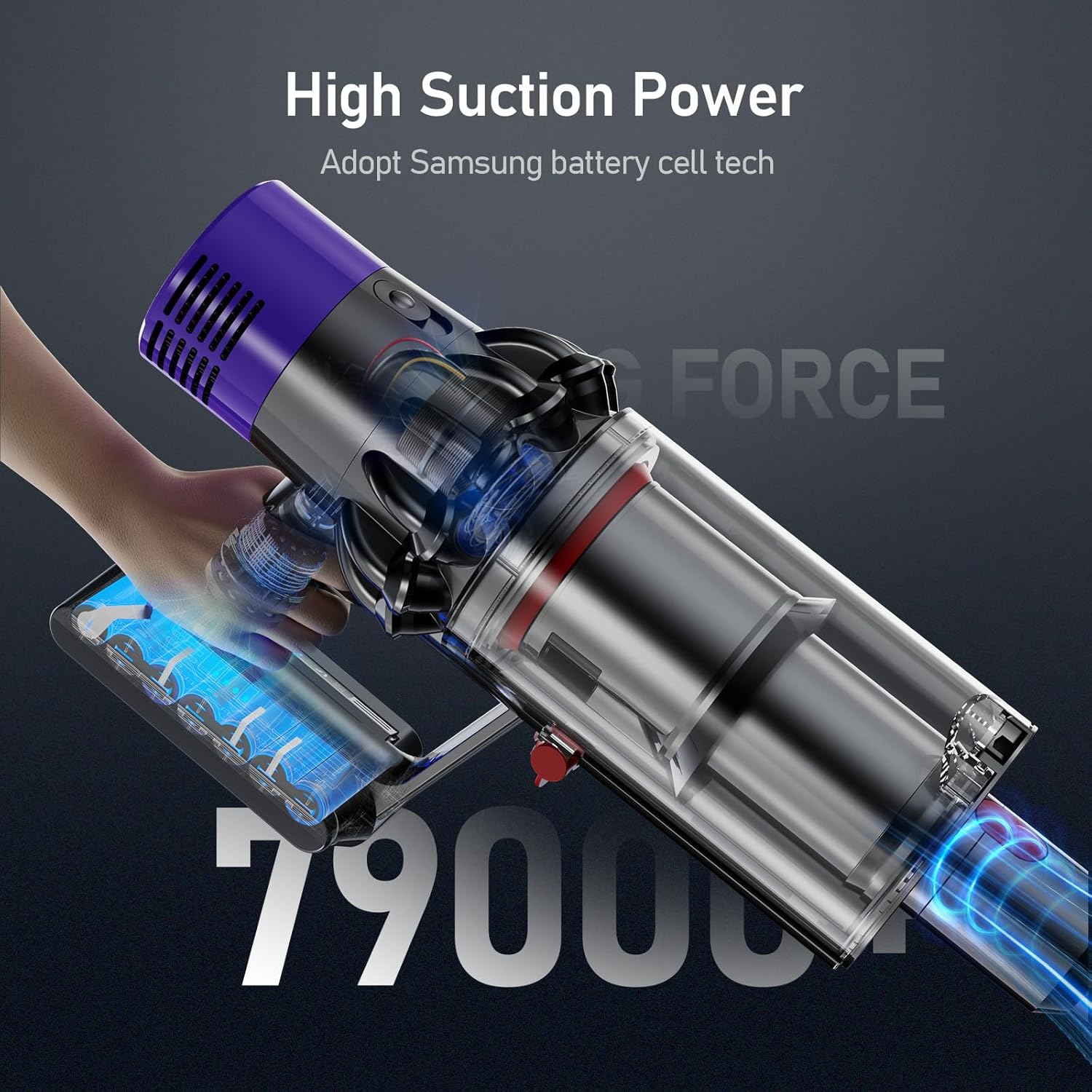
Image: A Dyson V10 vacuum cleaner with the Morpilot replacement battery attached, demonstrating the seamless fit and high suction power.
7. ചാർജിംഗ് നിർദ്ദേശങ്ങൾ
The Morpilot replacement battery is designed to be charged using your original Dyson V10 charger and charging station. The battery features an LED breathing light indicator for charging status.
ചാർജ് ചെയ്യുന്ന രീതികൾ:
- Direct Plug-in Charging: Connect the original Dyson charger directly to the charging port on the battery.
- Drop-in Docking: Place the vacuum cleaner with the installed battery into its wall-mounted docking station.
The LED indicators on the battery will show the charging status:
- നീല വിളക്കുകൾ: ചാർജിംഗ് പുരോഗമിക്കുന്നു.
- All Blue Lights Solid: ഫുൾ ചാർജായി.
- മഞ്ഞ വെളിച്ചം: High temperature protection activated (charging paused).
- ചുവന്ന വെളിച്ചം: Battery fault protection activated.

Image: Illustration of the two charging methods for the Morpilot battery: direct connection to the charger and charging via the wall-mounted docking station, along with LED indicator meanings.
8. പരിപാലനവും പരിചരണവും
To maximize the lifespan and performance of your Morpilot replacement battery, follow these maintenance guidelines:
- പതിവ് ചാർജിംഗ്: Charge the battery fully after each use to maintain optimal performance. Avoid leaving the battery completely discharged for extended periods.
- താപനില നിയന്ത്രണം: Operate and store the battery within recommended temperature ranges (typically 0°C to 40°C or 32°F to 104°F). Extreme temperatures can degrade battery performance and lifespan.
- കോൺടാക്റ്റുകൾ വൃത്തിയാക്കുക: Periodically inspect and clean the battery contacts on both the battery and the vacuum cleaner to ensure a good connection. Use a dry, clean cloth.
- ദീർഘകാല സംഭരണം: If storing the battery for an extended period (e.g., several months), charge it to approximately 50-60% capacity and store it in a cool, dry place. Recharge it every 3-6 months to prevent deep discharge.
- ശാരീരിക നാശം ഒഴിവാക്കുക: Protect the battery from drops, impacts, and excessive vibration, which can damage internal components.
9. പ്രശ്നപരിഹാരം
If you encounter issues with your Morpilot replacement battery, refer to the following common problems and solutions:
| പ്രശ്നം | സാധ്യമായ കാരണം | പരിഹാരം |
|---|---|---|
| ബാറ്ററി ചാർജ് ചെയ്യുന്നില്ല |
|
|
| ചെറിയ റൺ സമയം |
|
|
| Vacuum not powering on |
|
|
10. വാറണ്ടിയും ഉപഭോക്തൃ പിന്തുണയും
Morpilot provides a warranty for this V10 replacement battery for 12 മാസം from the date of purchase. We are committed to ensuring your satisfaction with our product.
For any problems, questions, or concerns, please do not hesitate to contact our friendly customer support team. We offer 24 മണിക്കൂറും ആഴ്ചയിൽ 7 ദിവസവും support to assist you.
നിങ്ങളുടെ വാങ്ങൽ ഡോക്യുമെന്റേഷൻ അല്ലെങ്കിൽ റീട്ടെയിലറുടെ website for specific contact methods (e.g., email, phone number).