
VILTROX EF-M1 Pro
VILTROX EF-M1 Pro Auto Focus Lens Adapter User Manual
Model: EF-M1 Pro
1. ആമുഖം
The VILTROX EF-M1 Pro Auto Focus Lens Adapter is designed to allow Canon EF/EF-S series lenses to be used on Micro Four Thirds (M4/3) series cameras. This adapter facilitates electronic communication between the lens and camera body, supporting auto-focus, aperture control, EXIF signal transmission, and image stabilization functions. It features a robust metal construction and a secure rotating lock design for reliable performance.
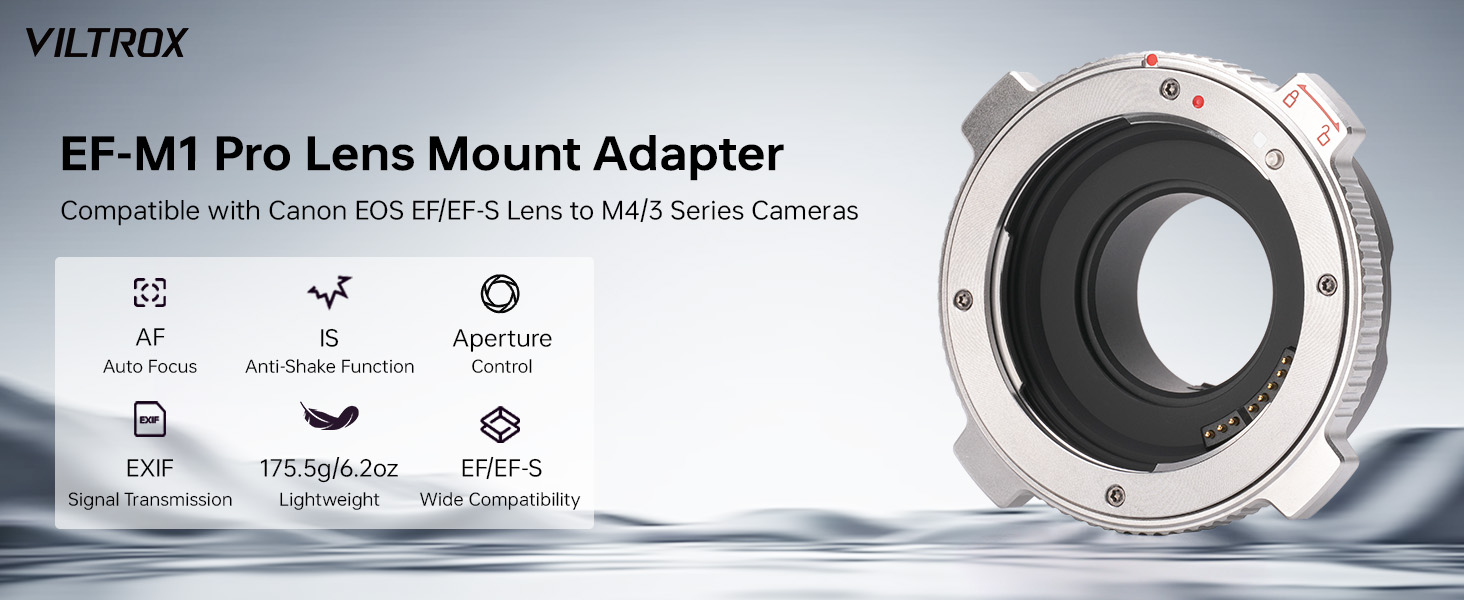
Image 1.1: VILTROX EF-M1 Pro Lens Mount Adapter highlighting Auto Focus, Anti-Shake Function, Aperture Control, EXIF, Lightweight design, and Wide Compatibility.
2. സുരക്ഷാ മുൻകരുതലുകൾ
- Do not expose the adapter to water or extreme humidity.
- അഡാപ്റ്റർ താഴെയിടുകയോ ശക്തമായ ആഘാതങ്ങൾക്ക് വിധേയമാക്കുകയോ ചെയ്യുന്നത് ഒഴിവാക്കുക.
- Keep the electronic contacts clean and free from dust or debris.
- Do not attempt to disassemble or modify the adapter, as this may void the warranty and cause damage.
- Store the adapter in a dry, cool place when not in use, preferably with protective caps installed.
3. പാക്കേജ് ഉള്ളടക്കം
പാക്കേജിൽ എല്ലാ ഇനങ്ങളും ഉണ്ടെന്ന് ഉറപ്പാക്കുക:
- VILTROX EF-M1 Pro Auto Focus Lens Adapter
- ഫ്രണ്ട് ലെൻസ് ക്യാപ്
- പിൻ ലെൻസ് തൊപ്പി
- ഉപയോക്തൃ മാനുവൽ (ഈ പ്രമാണം)
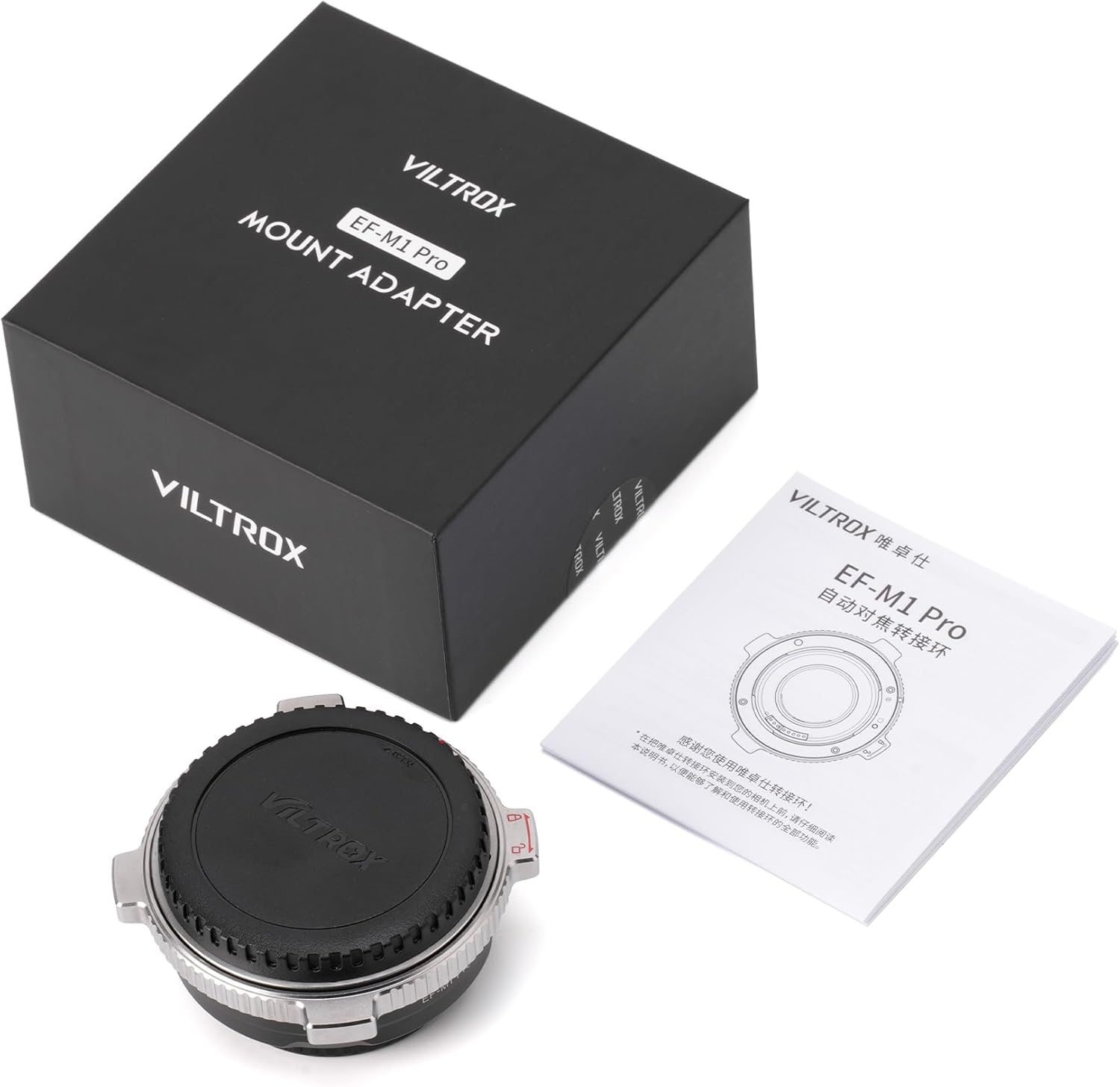
Image 3.1: The VILTROX EF-M1 Pro Lens Adapter, protective caps, and user manual as typically found in the product packaging.
4. ഉൽപ്പന്നം കഴിഞ്ഞുview
Familiarize yourself with the components of the VILTROX EF-M1 Pro adapter:

ചിത്രം 4.1: വിശദമായ view of the VILTROX EF-M1 Pro Auto Focus Lens Adapter, showing its metal construction and electronic contacts.

Image 4.2: Diagram illustrating the various parts of the VILTROX EF-M1 Pro adapter, including camera installation mark, USB Type-C upgrade interface, lens lock red dot, lens lock switch, EF lens installation mark, EF-S lens installation mark, locking pin, and contacts for both lens and camera ends.
- Metal Material Ring Body: Durable construction with surface electroplating treatment.
- Metal Electronic Contacts: Ensures reliable communication between lens and camera for parameter information.
- Precision Bayonet Design: Guarantees accurate and secure matching between lens and camera.
- യുഎസ്ബി ടൈപ്പ്-സി പോർട്ട്: ഫേംവെയർ നവീകരണത്തിനായി.
- Rotating Lock Design: Secures the lens to the adapter, preventing accidental detachment.
5. സജ്ജീകരണം
5.1 Attaching the Adapter to the Camera
- Ensure both your camera and the adapter are powered off.
- Remove the body cap from your M4/3 camera and the rear cap from the VILTROX EF-M1 Pro adapter.
- Align the red dot on the adapter with the corresponding red dot on your camera's lens mount.
- Insert the adapter into the camera mount and rotate it clockwise until it clicks into place, indicating it is securely locked.
5.2 Attaching the Lens to the Adapter
- Remove the rear cap from your Canon EF/EF-S lens and the front cap from the VILTROX EF-M1 Pro adapter.
- Align the red dot on the lens with the red dot on the adapter's lens mount.
- Insert the lens into the adapter mount and rotate it clockwise until it clicks into place.
- Engage the rotating lock buckle on the adapter to further secure the lens. This prevents accidental detachment during use.

Image 5.1: Visual representation of connecting an EF/EF-S lens to a Micro Four Thirds camera using the VILTROX EF-M1 Pro adapter.

Image 5.2: The rotating lock design ensures the lens is securely fastened to the adapter, preventing movement during operation.
6. പ്രവർത്തിക്കുന്നു
6.1 Auto Focus and Aperture Control
The VILTROX EF-M1 Pro adapter features strengthened copper electronic contacts that enable fast and smooth auto-focusing with compatible EF/EF-S lenses on your M4/3 camera. Aperture adjustments can be made directly through your camera body, just as with native M4/3 lenses.

Image 6.1: The adapter supports accurate and automatic identification for quick and easy portrait focusing, including eye focus.
6.2 EXIF Signal Transmission
Gold-plated contacts ensure excellent signal transmission, allowing EXIF information (such as aperture, shutter speed, ISO, and exposure compensation) from the lens to be accurately recorded by the camera body.
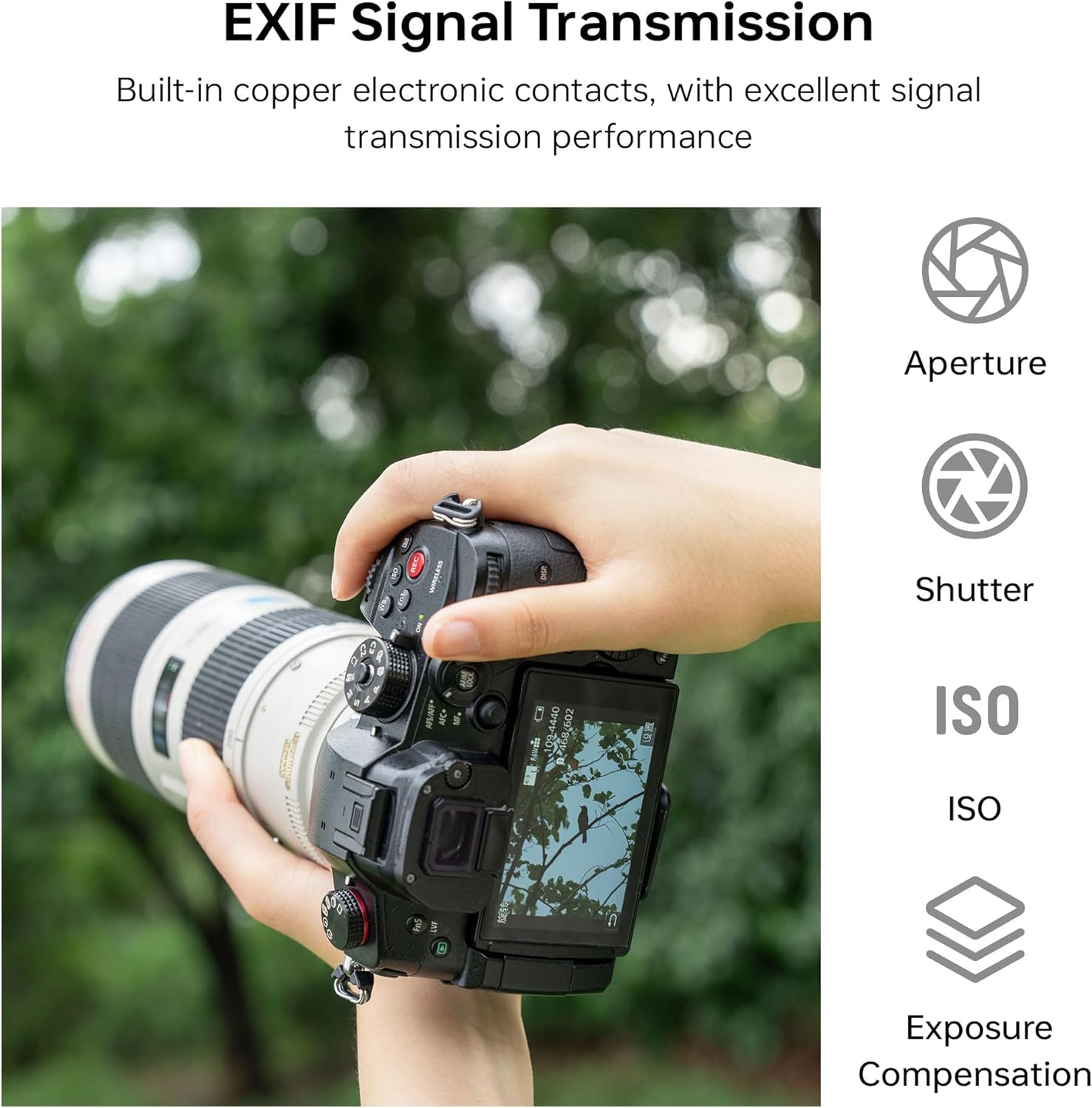
Image 6.2: The adapter facilitates seamless EXIF data transmission, displaying aperture, shutter, ISO, and exposure compensation on the camera screen.
6.3 Image Stabilization (IS) Function
The adapter supports the Image Stabilization function of compatible lenses, helping to prevent blur caused by camera shake and ensuring clearer, higher-quality images and video.

Image 6.3: A visual comparison demonstrating the effectiveness of the anti-shake function supported by the VILTROX EF-M1 Pro adapter, resulting in sharper images.
7 അനുയോജ്യത
The VILTROX EF-M1 Pro adapter is compatible with a wide range of Canon EF/EF-S lenses and Micro Four Thirds cameras. Please refer to the lists below for specific models.
7.1 അനുയോജ്യമായ ക്യാമറകൾ
- പാനസോണിക്: GH4, GH5, GH6, GH5S, GF5, GF1, GX9, G9, GX7, GF7, GM5
- ഒളിമ്പസ്: OM-D E-M1 II, E-M5 III, E-M10 III, E-PL5
- മറ്റുള്ളവ: BMPCC4K, Z CAM E2
കുറിപ്പ്: Continuous focus and video focus are not supported yet on some models. BMPCC4K camera does not support 1.4 aperture lenses.

ചിത്രം 7.1: ഉദാamples of M4/3 series cameras compatible with the VILTROX EF-M1 Pro lens adapter.
7.2 Compatible Lenses
The adapter supports a wide range of Canon EF/EF-S lenses, as well as select Tamron, Sigma, and Tokina lenses. For a comprehensive list, please refer to the images below.

Image 7.2: The VILTROX EF-M1 Pro adapter allows the use of a wide array of Canon EF/EF-S lenses on M4/3 cameras.

Image 7.3: Detailed compatibility list for Canon Prime and Zoom lenses with the VILTROX EF-M1 Pro adapter.

Image 7.4: Detailed compatibility list for Tamron, Sigma, and Tokina lenses with the VILTROX EF-M1 Pro adapter.
8. പരിപാലനം
- വൃത്തിയാക്കൽ: Use a clean, dry microfiber cloth to wipe the exterior of the adapter. For electronic contacts, use a clean cotton swab with a small amount of lens cleaning solution, ensuring no residue is left behind.
- സംഭരണം: When not in use, attach the front and rear caps to the adapter to protect the mounts and electronic contacts from dust and damage. Store in a cool, dry environment.
- മലിനീകരണം ഒഴിവാക്കുക: Prevent dust, dirt, and moisture from entering the adapter, as this can affect performance and longevity.
9. പ്രശ്നപരിഹാരം
- Lens not recognized / No electronic communication:
- Ensure the adapter and lens are securely mounted and locked.
- Clean the electronic contacts on both the adapter and the lens with a clean, dry cloth.
- ക്യാമറ പുനരാരംഭിക്കുക.
- Check for available firmware updates for the adapter.
- Auto-focus is slow or inaccurate:
- മതിയായ വെളിച്ചം ഉറപ്പാക്കുക.
- Verify that the lens is compatible with the adapter's auto-focus function (refer to compatibility lists).
- Update the adapter's firmware to the latest version.
- Image Stabilization not working:
- Confirm that the lens itself has an IS function and it is enabled.
- Check camera settings for image stabilization.
- Lens feels loose on the adapter:
- Ensure the lens is fully rotated and clicked into place.
- Verify that the rotating lock buckle is engaged.
10 ഫേംവെയർ അപ്ഡേറ്റ്
The VILTROX EF-M1 Pro adapter is equipped with a USB Type-C port for continuous software upgrades. Firmware updates can improve compatibility, fix bugs, and enhance performance with new lenses and camera models.
- Visit the official VILTROX website to download the latest firmware for the EF-M1 Pro adapter.
- Connect the adapter to your computer using a USB Type-C cable.
- അപ്ഡേറ്റ് പ്രക്രിയ പൂർത്തിയാക്കാൻ ഫേംവെയർ ഡൗൺലോഡിനൊപ്പം നൽകിയിരിക്കുന്ന നിർദ്ദേശങ്ങൾ പാലിക്കുക.

Image 10.1: The USB Type-C port on the VILTROX EF-M1 Pro adapter, used for firmware upgrades.
11 സ്പെസിഫിക്കേഷനുകൾ
| ഫീച്ചർ | വിവരണം |
|---|---|
| ബ്രാൻഡ് | വിൽട്രോക്സ് |
| മോഡൽ | EF-M1 Pro |
| അനുയോജ്യമായ ലെൻസുകൾ | Canon EF/EF-S series lenses |
| അനുയോജ്യമായ ക്യാമറകൾ | M4/3 Series cameras |
| ഫോക്കസ് മോഡ് | ഓട്ടോഫോക്കസ് |
| ഫേംവെയർ അപ്ഗ്രേഡ് | യുഎസ്ബി ടൈപ്പ്-സി ഇന്റർഫേസ് |
| അളവുകൾ | 83 x 83 x 29.8 മിമി (3.26 x 3.26 x 1.17 ഇഞ്ച്) |
| ഇനത്തിൻ്റെ ഭാരം | ഏകദേശം. 175.5 ഗ്രാം (6.2 ഔൺസ്) |
| മെറ്റീരിയൽ | ലോഹം |
12. വാറൻ്റിയും പിന്തുണയും
VILTROX products are covered by a limited warranty. For detailed warranty information, technical support, or service inquiries, please refer to the warranty card included with your product or visit the official VILTROX webസൈറ്റ്. വാറന്റി ക്ലെയിമുകൾക്കായി നിങ്ങളുടെ വാങ്ങലിന്റെ തെളിവ് സൂക്ഷിക്കുക.
Ask a question about this manual
Ask about setup, troubleshooting, compatibility, parts, safety, or missing instructions. Manuals+ will review the question and use this page’s manual context to help answer it.