
1. ആമുഖം
The Phomemo M250 is a versatile and portable thermal label maker designed for a wide range of labeling needs, from business to home organization. This device offers inkless printing, high definition output, and supports various label sizes. It connects seamlessly with smartphones via Bluetooth and with PCs via USB, providing a flexible and efficient labeling solution.

Figure 1.1: Phomemo M250 Label Maker and exampലെ ലേബലുകൾ.
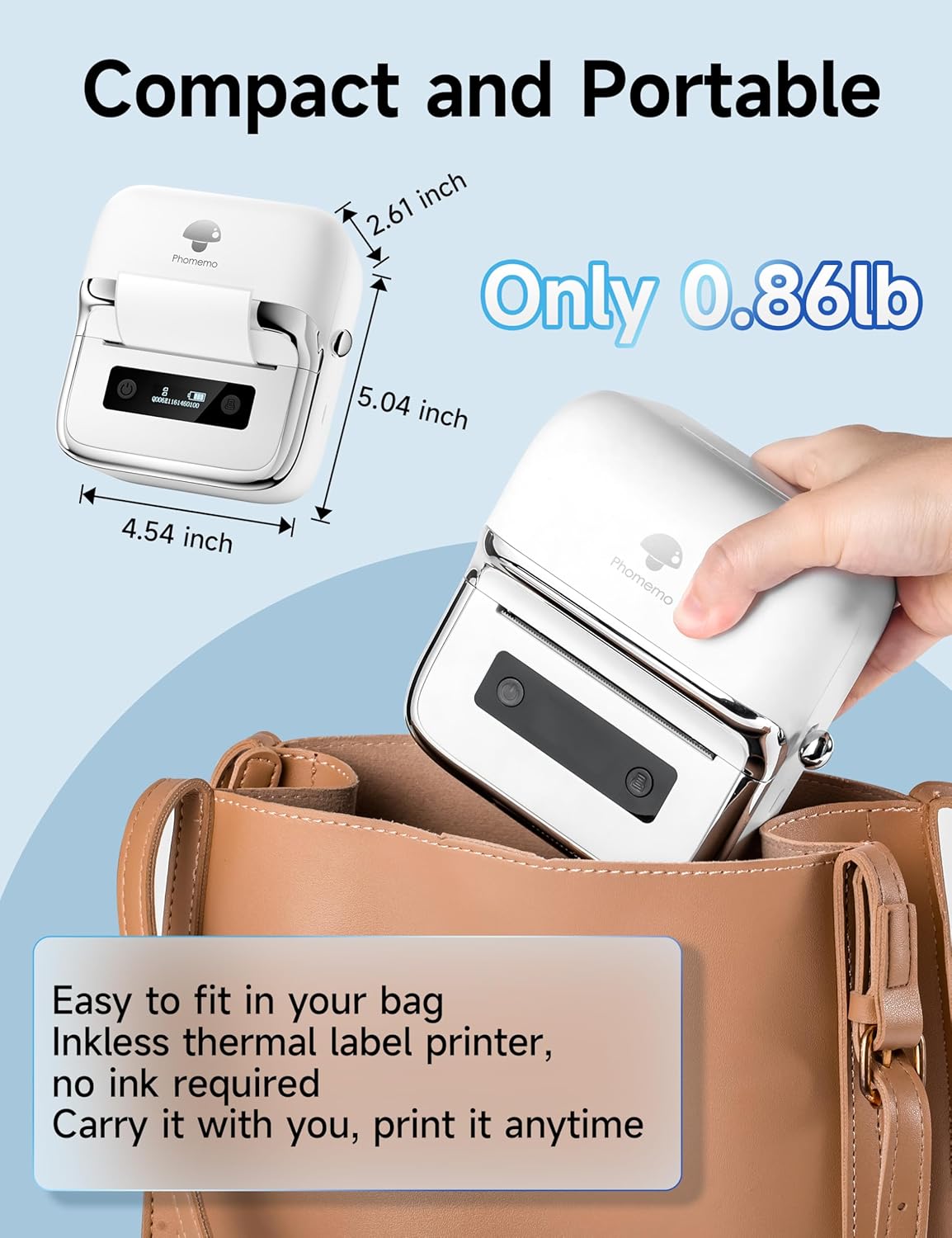
Figure 1.2: The compact and portable design of the Phomemo M250, easily fitting into a bag.
2. സജ്ജീകരണ ഗൈഡ്
2.1. ബോക്സിൽ എന്താണുള്ളത്?
- 1 x Phomemo M250 Label Maker
- 100 Sheets x 1.57'' x 1.18'' Thermal Labels (Starter Roll)
- 1 x ഉപയോക്തൃ മാനുവൽ
- 1 x യുഎസ്ബി ടൈപ്പ്-സി ഡാറ്റ കേബിൾ
2.2. Initial Setup and Label Loading
Follow these steps to prepare your Phomemo M250 for first use:
- Press the button to open the M250 top cover.
- Insert the label roll with the print side facing down and adjust it to the appropriate size. Ensure the roll is centered for proper printing.
- മുകളിലെ കവർ സുരക്ഷിതമായി അടയ്ക്കുക.
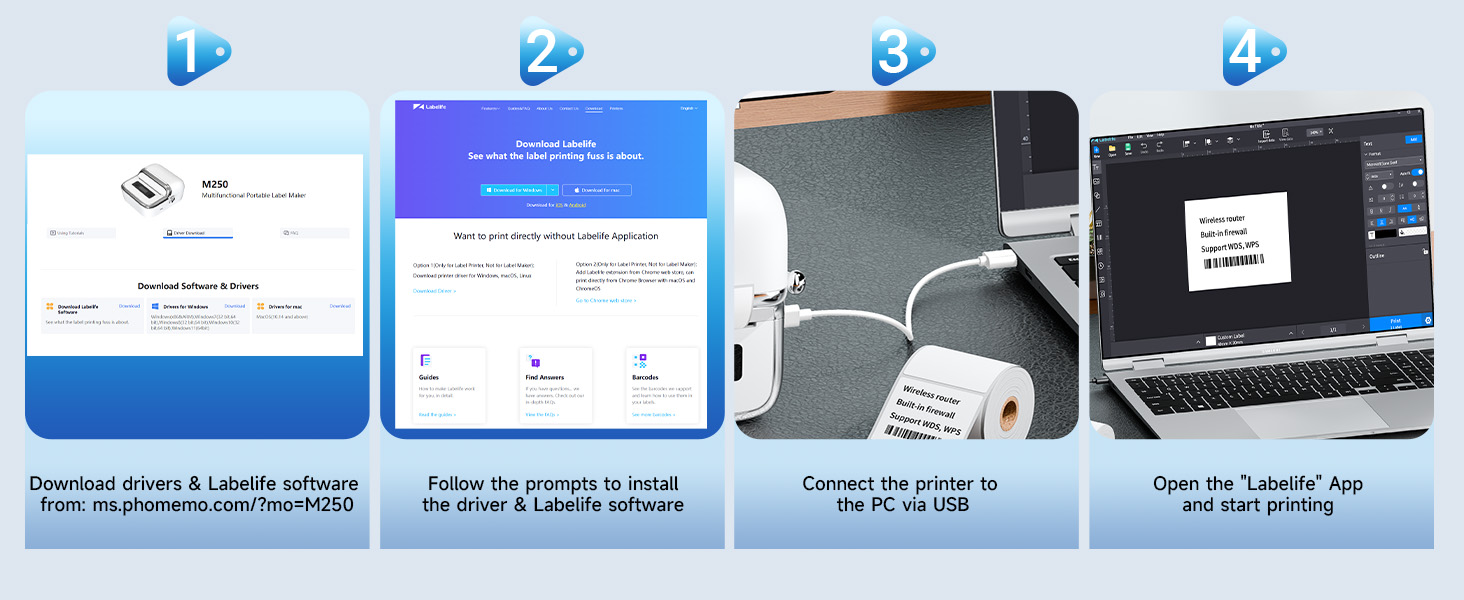
Figure 2.1: Easy setup steps for the Phomemo M250, including label installation.
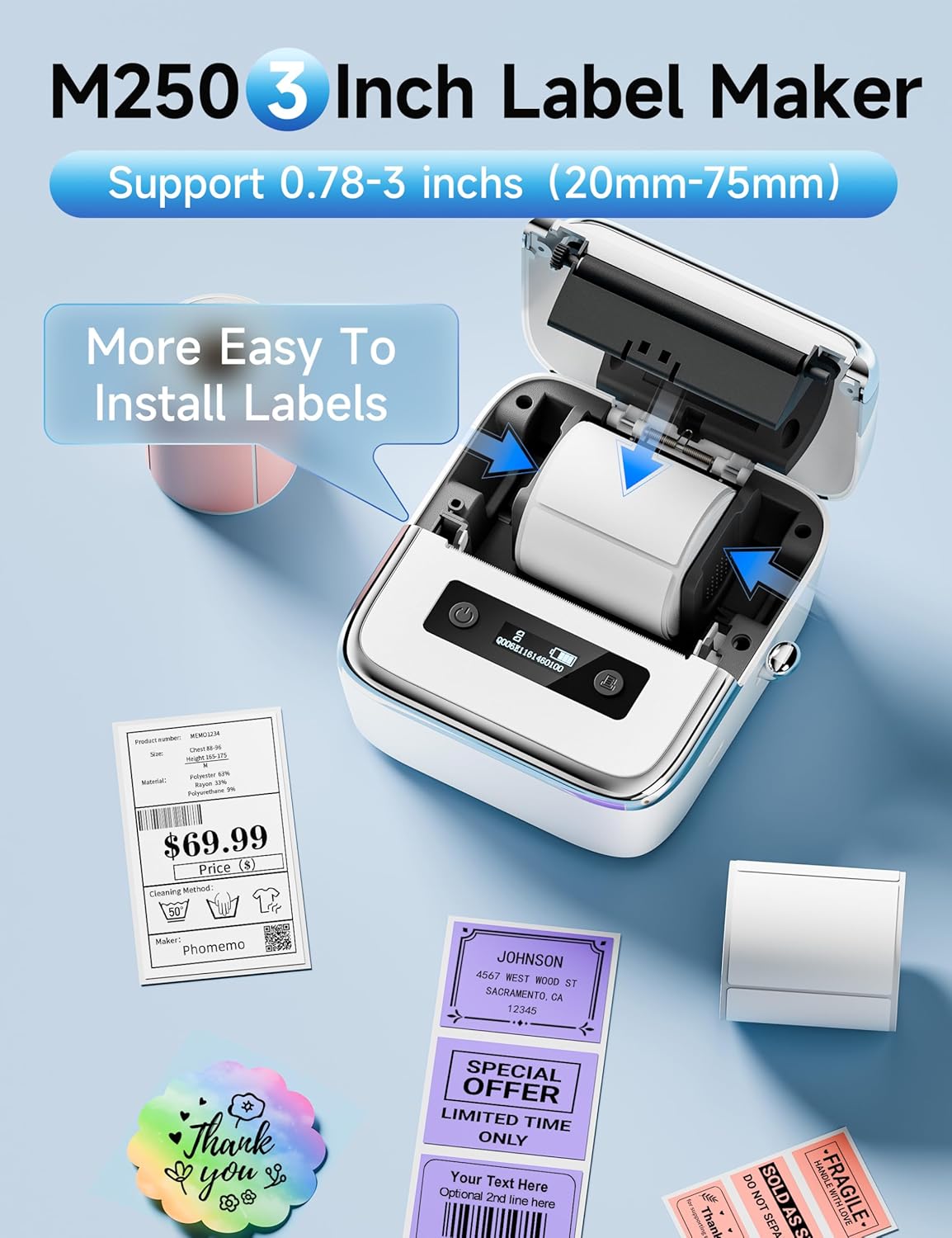
ചിത്രം 2.2: വിശദമായി view of label installation within the M250 printer.
2.3. Mobile App Setup (Print Master)
The Phomemo M250 connects to your smartphone or tablet via Bluetooth using the 'Print Master' app. This app is compatible with Android and iOS devices.
- Download the 'Print Master' app from your device's app store (Google Play Store for Android, Apple App Store for iOS).
- നിങ്ങളുടെ മൊബൈൽ ഉപകരണത്തിൽ ബ്ലൂടൂത്ത് പ്രവർത്തനക്ഷമമാക്കിയിട്ടുണ്ടെന്ന് ഉറപ്പാക്കുക.
- Open the 'Print Master' app and follow the on-screen prompts to connect to your Phomemo M250 printer.
- Once connected, you can begin creating and printing labels.
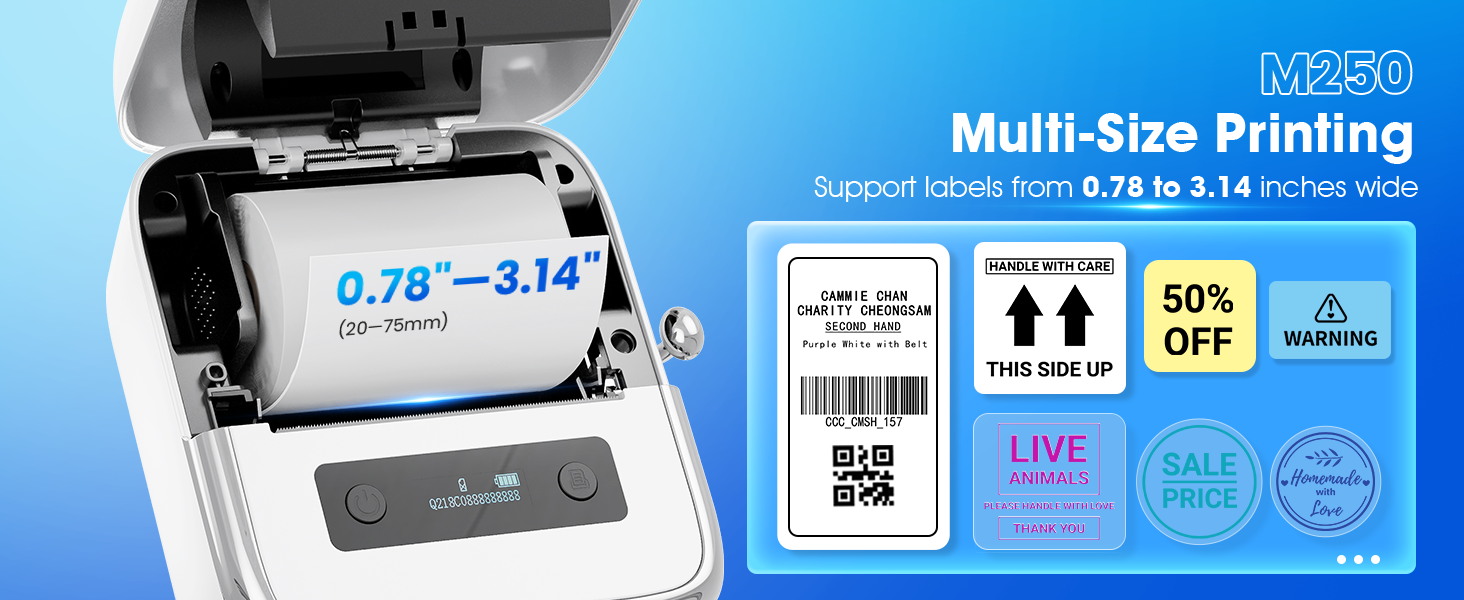
Figure 2.3: Steps for connecting and using the 'Print Master' app with the M250.
2.4. PC Software Setup (Labelife)
For computer connectivity, the Phomemo M250 uses the 'Labelife' software and requires driver installation. It is compatible with macOS and Windows 7 or above.
- Download the drivers and 'Labelife' software from the official Phomemo webസൈറ്റ്: ms.phomemo.com/?mo=M250.
- Follow the on-screen prompts to install the driver and software on your computer.
- Connect the Phomemo M250 printer to your PC using the provided USB Type-C cable.
- Open the 'Labelife' app and begin printing.
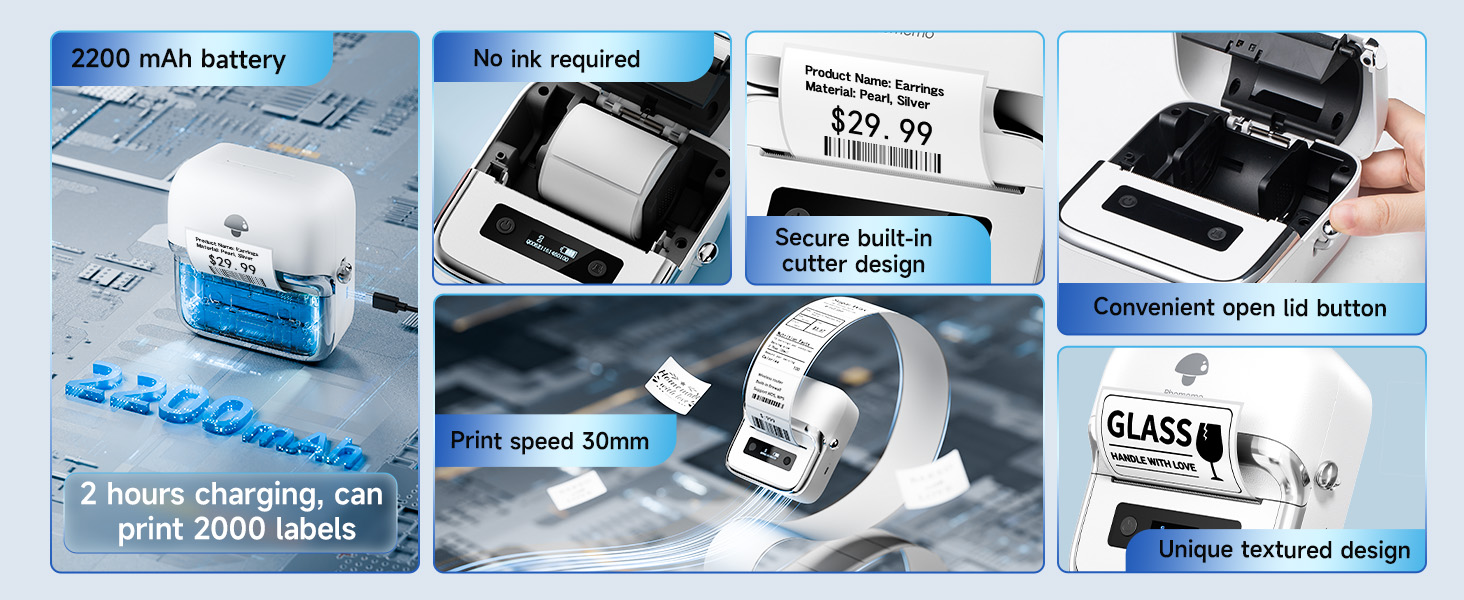
Figure 2.4: Steps for setting up the Phomemo M250 with a PC using the 'Labelife' software.

Figure 2.5: The M250 supports both Bluetooth for mobile devices and USB for PC connections.
3. ഓപ്പറേഷൻ
3.1. അടിസ്ഥാന പ്രിന്റിംഗ്
Once connected to the 'Print Master' app or 'Labelife' software, you can design and print your labels. The M250 supports a wide printing width of 0.78"-3.14" (20mm-75mm).
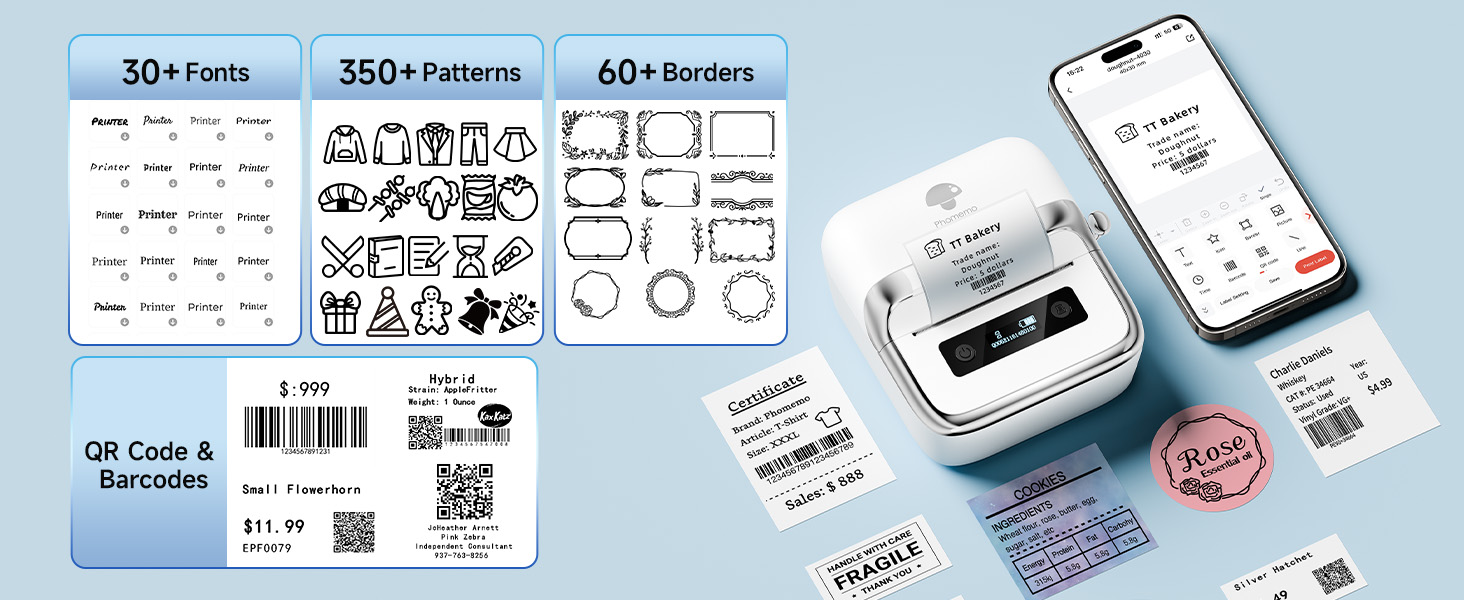
Figure 3.1: The M250 supports multi-size printing for labels ranging from 0.78 to 3.14 inches wide.
3.2. Advanced Features (Print Master App)
The 'Print Master' app offers extensive customization options for your labels:
- ഉള്ളടക്ക സൃഷ്ടി: Generate QR codes, text, OCR (Optical Character Recognition), images, and utilize voice recognition for label content.
- ബാച്ച് പ്രിൻ്റിംഗ്: ഒന്നിലധികം ലേബലുകൾ കാര്യക്ഷമമായി പ്രിന്റ് ചെയ്യുക.
- ഡിസൈൻ ഉറവിടങ്ങൾ: Access over 1500 symbols, 200+ templates, 110+ fonts, and support for 20+ languages.
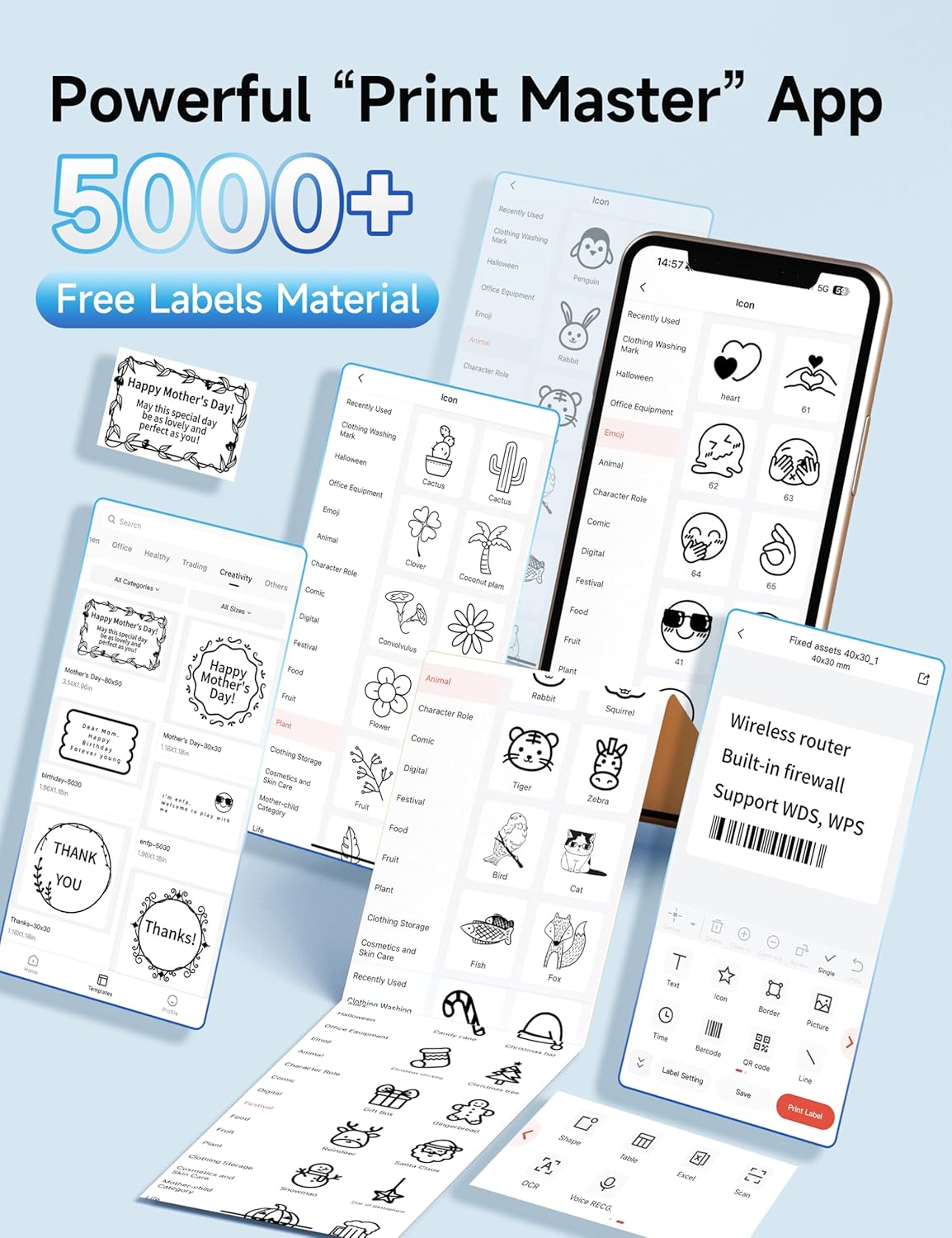
Figure 3.2: The 'Print Master' app provides a rich library of design elements and customization tools.

Figure 3.3: Customize labels with a variety of fonts, patterns, borders, and integrate QR codes or barcodes.
3.3. ബാറ്ററിയും പ്രകടനവും
The Phomemo M250 features an extended 2200mAh battery, allowing it to print up to 5000 labels on a single charge. It boasts a printing speed of 30-50mm per second. An automatic sleep mode conserves energy by shutting down after 5 minutes of inactivity.

Figure 3.4: Key performance metrics of the M250, including battery life and print speed.
3.4. ഉപയോഗ സാഹചര്യങ്ങൾ
The M250 is suitable for various applications, including:
- Barcode and QR code printing
- Address and mailing labels
- Jar and food labels
- Office and home organization (e.g., files, storage bins)
- Product labeling for small businesses

ചിത്രം 3.5: ഉദാamples of multiple usage scenarios for the Phomemo M250 label maker.
4. പരിപാലനം
To ensure optimal performance and longevity of your Phomemo M250 label maker, regular maintenance is recommended.
4.1. പ്രിന്റ് ഹെഡ് വൃത്തിയാക്കൽ
Dust and adhesive residue can accumulate on the print head, affecting print quality. Clean the print head periodically:
- പ്രിന്റർ ഓഫ് ചെയ്ത് പവർ കേബിൾ വിച്ഛേദിക്കുക.
- മുകളിലെ കവർ തുറക്കുക.
- പ്രിന്റ് ഹെഡ് ഒരു കോട്ടൺ സ്വാബ് ഉപയോഗിച്ച് മൃദുവായി തുടയ്ക്കുക dampഐസോപ്രോപൈൽ ആൽക്കഹോൾ ഉപയോഗിച്ചാണ് നിർവഹിച്ചത്.
- Allow the print head to dry completely before closing the cover and resuming use.
4.2. Label Roll Handling and Storage
Proper handling of label rolls is crucial for consistent printing:
- Always ensure the label roll is properly centered when loading to prevent off-center prints.
- Store unused label rolls in a cool, dry place away from direct sunlight and excessive heat to preserve their adhesive and thermal properties.
- Avoid touching the thermal printing surface of the labels with bare hands, as oils can affect print quality.
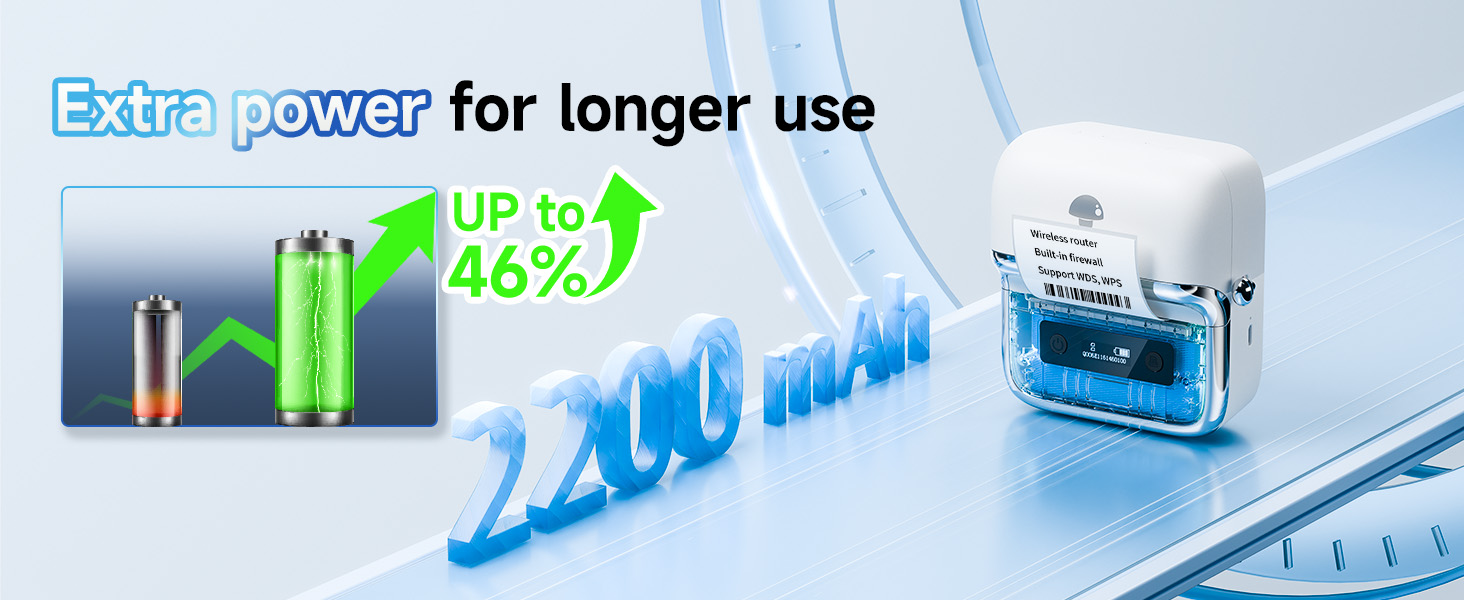
Figure 4.1: Features like the secure built-in cutter design contribute to ease of maintenance and use.
5. പ്രശ്നപരിഹാരം
If you encounter issues with your Phomemo M250, refer to the following common problems and solutions:
| പ്രശ്നം | സാധ്യമായ കാരണം | പരിഹാരം |
|---|---|---|
| പ്രിന്റർ ബ്ലൂടൂത്ത് വഴി കണക്റ്റ് ചെയ്യുന്നില്ല. | Bluetooth is off on device; Printer is out of range; App not recognizing printer. | Ensure Bluetooth is on and the printer is within range. Restart the app and printer. Try re-pairing the device. |
| Poor print quality (faded, lines, incomplete) | Print head is dirty; Incorrect label orientation; Low battery. | Clean the print head (see Maintenance section). Ensure labels are inserted print-side down. Charge the printer fully. |
| Labels not feeding correctly or printing off-center | Label roll not centered; Labels jammed; Incorrect label size setting in app/software. | Open the cover and ensure the label roll is properly centered and not jammed. Verify the label size settings in the 'Print Master' or 'Labelife' app match your physical labels. |
| പ്രിന്റർ പ്രതികരിക്കുന്നില്ല | Printer is off; Low battery; Software/app crash. | Turn on the printer. Charge the printer. Restart the app/software and the printer. |
6 സ്പെസിഫിക്കേഷനുകൾ
Detailed technical specifications for the Phomemo M250 Label Maker:
| ഫീച്ചർ | വിവരണം |
|---|---|
| മോഡലിൻ്റെ പേര് | Phomemo M250 ലേബൽ മേക്കർ |
| പ്രിൻ്റിംഗ് ടെക്നോളജി | തെർമൽ |
| കണക്റ്റിവിറ്റി ടെക്നോളജി | ബ്ലൂടൂത്ത്, യുഎസ്ബി ടൈപ്പ്-സി |
| അനുയോജ്യമായ ഉപകരണങ്ങൾ | Smartphones (iOS, Android), PC (macOS, Windows 7 or above), Tablets, Laptops |
| പരമാവധി മീഡിയ വലുപ്പം | 0.78'' - 3.14'' (20mm - 75mm) width |
| പ്രിൻ്റ് വേഗത | 30-50 മിമി / സെ |
| പ്രിൻ്റർ ഔട്ട്പുട്ട് | Monochrome (Black) |
| ബാറ്ററി | 2200mAh ലിഥിയം പോളിമർ (ഉൾപ്പെടുത്തിയിരിക്കുന്നു) |
| ഇനത്തിൻ്റെ ഭാരം | 13.8 ഔൺസ് (390.3 ഗ്രാം) |
| ഉൽപ്പന്ന അളവുകൾ | 6.3 x 6.3 x 3.54 ഇഞ്ച് (5.05"D x 4.54"W x 2.61"H) |
| മെമ്മറി സ്റ്റോറേജ് കപ്പാസിറ്റി | 64 MB |
| നിയന്ത്രണ രീതി | ആപ്പ് |
| നിർമ്മാതാവ് | ഫേമോമോ |
7. വാറൻ്റിയും പിന്തുണയും
The Phomemo M250 Label Maker comes with a Limited Warranty provided by the manufacturer, Phomemo. For specific warranty terms and conditions, please refer to the documentation included with your product or visit the official Phomemo webസൈറ്റ്.
For technical support, troubleshooting assistance, or inquiries regarding your product, please contact Phomemo customer service through their official channels. You can often find support contact information on the manufacturer's website or within the 'Print Master' or 'Labelife' applications.
Additionally, protection plans may be available for purchase to extend coverage beyond the standard manufacturer's warranty. Please check with your retailer for available options.