
ആമുഖം
The Talkpod A36SE is a versatile GMRS handheld radio designed for reliable communication. It features multi-band reception, NOAA weather alerts, and a durable design suitable for various outdoor and professional environments. This manual provides detailed instructions for the proper setup, operation, and maintenance of your A36SE radio.
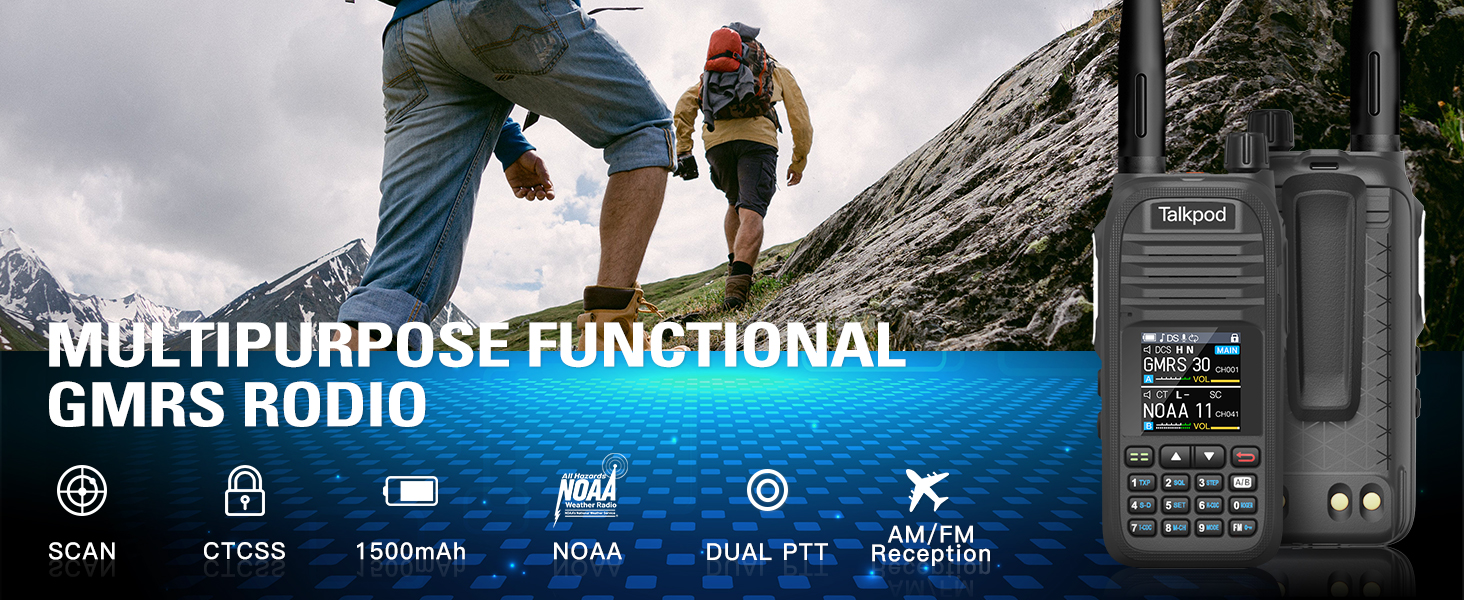
ചിത്രം: കഴിഞ്ഞുview of the Talkpod A36SE's exceptional performance features.
സജ്ജമാക്കുക
ഉൾപ്പെടുത്തിയ ഘടകങ്ങൾ
നിങ്ങളുടെ പാക്കേജിൽ ഇനിപ്പറയുന്ന എല്ലാ ഇനങ്ങളും ഉൾപ്പെടുത്തിയിട്ടുണ്ടെന്ന് ഉറപ്പാക്കുക:
- 1 x Talkpod A36SE GMRS Radio Handheld
- 1 x 1500mAh ടൈപ്പ്-സി ബാറ്ററി
- 1 x 805 Short Antenna
- 1 x 15.12-ഇഞ്ച് 771 AM ആന്റിന (120/300MHz)
- 1 x ഇയർപീസ്
- 1 x Desk Charger
- 1 x USB-C Charger & Cable
- 1 x K-Port Cable
- 1 x ബാക്ക് ക്ലിപ്പ്
- 1 x ഉപയോക്തൃ മാനുവൽ
- 1 x ലാനിയാർഡ്
ഉൽപ്പന്നം കഴിഞ്ഞുview

Image: Detailed diagram of the Talkpod A36SE radio with all components labeled and dimensions.
ബാറ്ററി ഇൻസ്റ്റാളേഷനും ചാർജിംഗും
To install the battery, align the battery pack with the compartment on the back of the radio and slide it into place until it clicks. To remove, press the release latch and slide the battery out.

Image: The 1500mAh Type-C rechargeable battery.
The A36SE radio can be charged using the included desk charger or directly via a USB-C cable. Ensure the radio is powered off during charging for optimal battery life.

Image: Multiple charging options for the Talkpod A36SE, including desk charger and USB-C direct charging.
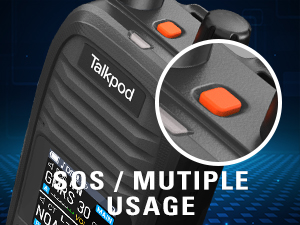
Image: Detail of the Type-C charging port on the Talkpod A36SE.
ആന്റിന അറ്റാച്ച്മെന്റ്
റേഡിയോയുടെ മുകളിലുള്ള ആന്റിന കണക്ടറിൽ വിരൽ കൊണ്ട് മുറുക്കുന്നതുവരെ ആവശ്യമുള്ള ആന്റിന ഘടികാരദിശയിൽ സ്ക്രൂ ചെയ്യുക. അമിതമായി മുറുക്കരുത്.

Image: The 771 long antenna for extended range and the 805 short antenna for compact use.
The A36SE includes both a 771 long antenna for extended range communication and an 805 short antenna for situations where a compact size is preferred, such as indoor use or when ultra-long-distance communication is not required.
പ്രവർത്തന നിർദ്ദേശങ്ങൾ
അടിസ്ഥാന നിയന്ത്രണങ്ങൾ
- പവർ/വോളിയം നോബ്: റേഡിയോ ഓൺ/ഓഫ് ചെയ്യാൻ തിരിക്കുക, ശബ്ദം ക്രമീകരിക്കുക.
- PTT (പുഷ്-ടു-ടോക്ക്) ബട്ടൺ: അയയ്ക്കാൻ അമർത്തിപ്പിടിക്കുക, സ്വീകരിക്കാൻ വിടുക.
- SOS ബട്ടൺ: Press for emergency alert functions.
- Side Buttons (1 & 2): Customizable functions, refer to the programming section.
- കീപാഡ്: Used for frequency input, menu navigation, and feature activation.
- Menu/Confirm Key: Accesses the menu and confirms selections.
- മുകളിലേക്ക്/താഴ്ന്ന കീകൾ: Navigate through menu options and channels.
Channel and Frequency Management
The A36SE supports 512 channels. It operates on GMRS frequencies (Tx: 462/467MHz) and has a wide receive range (Rx: 136-520MHz).
Entering Your Favorite Channel
- Press and hold the Menu button to switch to VFO mode.
- Enter the desired channel number on the keypad. The channel will be displayed on the screen.
- Briefly press the Menu button and use the "Up" key to navigate to menu option 09.
- Press the "Up" key to find the channel (e.g., CH-011) and then press the Menu button to save.

Image: Step-by-step guide for entering and saving a favorite channel.
Clearing Memory Channels
- Press the Menu button briefly and press the Up button to go to menu option 20.
- Press the Up button to find the channel you want to delete.
- Press the Menu Key to save the deletion.

Image: Step-by-step guide for clearing memory channels.
വിപുലമായ സവിശേഷതകൾ
- മൾട്ടി-ബാൻഡ് റിസപ്ഷൻ: Enjoy AM/FM radio reception, NOAA Weather alerts, and Air Band receiving capabilities.
- DTMF Lock & Roger Beep: Enhance communication control and signal confirmation.
- സ്ക്രാമ്പ്ളർ: അടിസ്ഥാന ശബ്ദ സ്വകാര്യത നൽകുന്നു.
- VOX (വോയ്സ് ഓപ്പറേറ്റഡ് എക്സ്ചേഞ്ച്): Allows hands-free transmission.
- റിപ്പീറ്റർ പ്രവർത്തനം: Extends communication range through repeaters.
- സ്കാൻ ചെയ്യുക: ചാനലുകളിലൂടെയോ ഫ്രീക്വൻസികളിലൂടെയോ യാന്ത്രികമായി സ്കാൻ ചെയ്യുന്നു.

Image: The Talkpod A36SE supports Aviation Band receiving.
Single-Key Frequency Matching (Crack Frequency)
This feature allows you to quickly capture and match frequencies during transmission.
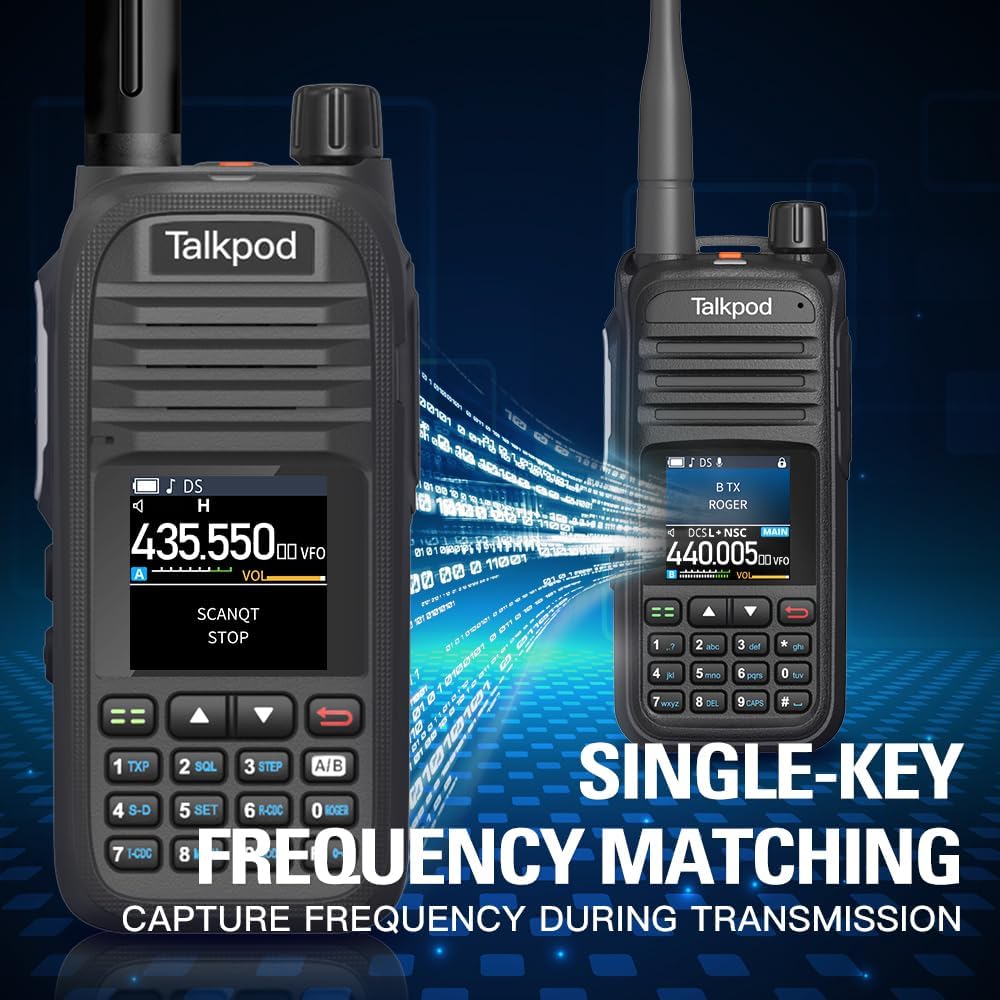
Image: Single-Key Frequency Matching for quick frequency capture.
മോണിറ്റർ മോഡ്
To monitor other radios, press and hold Side Key 3 to enter Monitor mode, which instantly opens the squelch.

Image: Using Monitor mode to listen to other radios.
റേഡിയോ പ്രോഗ്രാമിംഗ്
The A36SE can be programmed using a K-Port Cable with CHIRP software or Talkpod's dedicated programming software. This allows for advanced customization of channels, frequencies, and features.
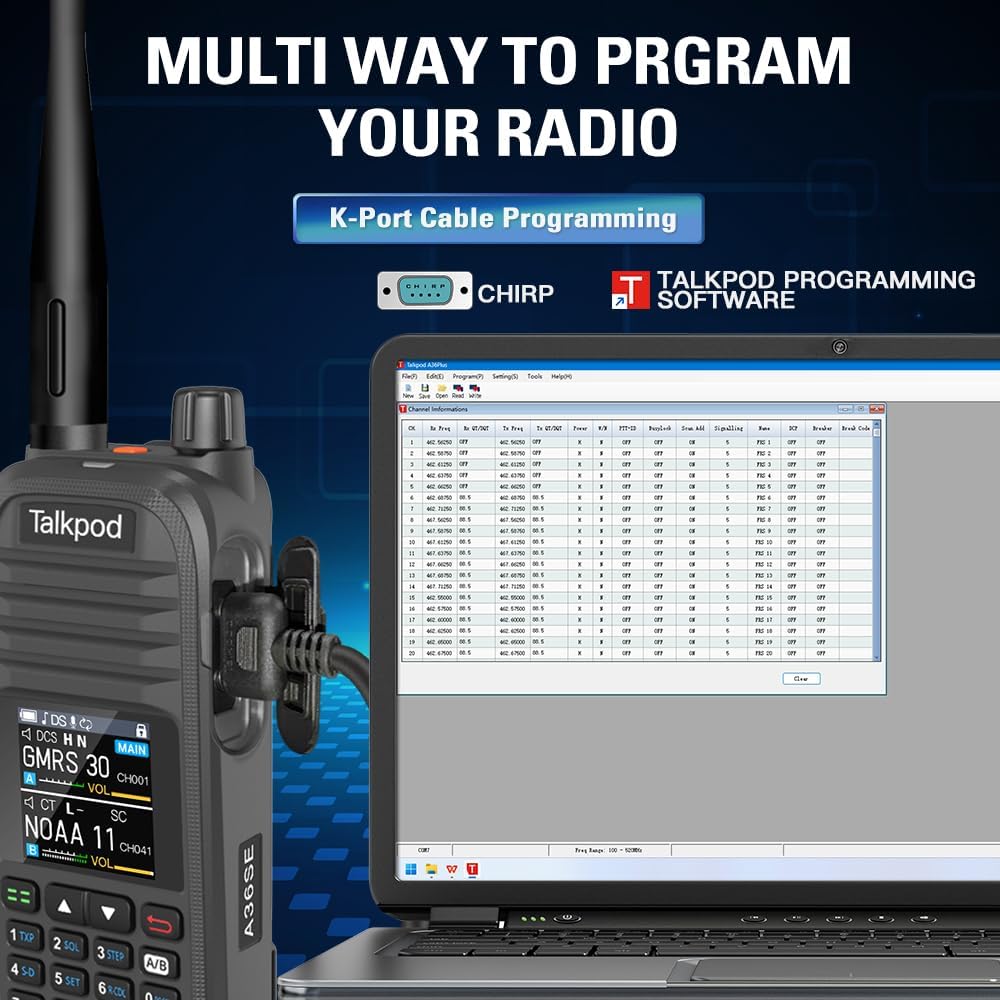
Image: Programming the Talkpod A36SE using a K-Port cable and CHIRP software.
ഉൽപ്പന്ന വീഡിയോ കഴിഞ്ഞുview
Video: An official product video demonstrating various features and uses of the Talkpod A36SE GMRS Handheld Radio.
മെയിൻ്റനൻസ്
ബാറ്ററി കെയർ
- ആദ്യ ഉപയോഗത്തിന് മുമ്പ് ബാറ്ററി പൂർണ്ണമായും ചാർജ് ചെയ്യുക.
- ബാറ്ററിയുടെ ആയുസ്സ് വർദ്ധിപ്പിക്കുന്നതിന് അമിതമായി ചാർജ് ചെയ്യുന്നതോ പൂർണ്ണമായും കളയുന്നതോ ഒഴിവാക്കുക.
- ബാറ്ററി ദീർഘനേരം ഉപയോഗിക്കാത്തപ്പോൾ തണുത്തതും വരണ്ടതുമായ സ്ഥലത്ത് സൂക്ഷിക്കുക.
വൃത്തിയാക്കലും സംഭരണവും
- റേഡിയോയുടെ പുറംഭാഗം മൃദുവായ, ഡി-ക്ലാസ് ഉപയോഗിച്ച് വൃത്തിയാക്കുക.amp തുണി. കഠിനമായ രാസവസ്തുക്കളോ ലായകങ്ങളോ ഉപയോഗിക്കരുത്.
- ആക്സസറികൾ ചാർജ് ചെയ്യുന്നതിനോ ബന്ധിപ്പിക്കുന്നതിനോ മുമ്പ് എല്ലാ പോർട്ടുകളും വരണ്ടതാണെന്ന് ഉറപ്പാക്കുക.
- തീവ്രമായ താപനിലയിൽ നിന്നും നേരിട്ടുള്ള സൂര്യപ്രകാശത്തിൽ നിന്നും അകന്ന് വരണ്ട അന്തരീക്ഷത്തിൽ റേഡിയോ സൂക്ഷിക്കുക.
ട്രബിൾഷൂട്ടിംഗ്
If you encounter issues with your Talkpod A36SE radio, consider the following basic troubleshooting steps:
- ശക്തിയില്ല: Ensure the battery is properly installed and charged. Check the power/volume knob.
- കൈമാറാൻ/സ്വീകരിക്കാൻ കഴിയില്ല: Verify the antenna is securely attached. Check the selected channel/frequency. Ensure you are within range of other radios or repeaters.
- മോശം ഓഡിയോ നിലവാരം: Adjust the volume. Check the antenna connection. Ensure there is no interference.
- പ്രോഗ്രാമിംഗ് പ്രശ്നങ്ങൾ: Ensure the K-Port cable is correctly connected and the programming software is compatible and up-to-date.
For more complex issues, refer to the Customer Support section.
സ്പെസിഫിക്കേഷനുകൾ
| ഫീച്ചർ | സ്പെസിഫിക്കേഷൻ |
|---|---|
| മോഡൽ നമ്പർ | A36SE |
| FCC ഐഡി | 2ADQZGMRS1 (Part 15B and Part 95E) |
| ഇനത്തിൻ്റെ ഭാരം | 1.28 പൗണ്ട് |
| പാക്കേജ് അളവുകൾ | 9.21 x 7.01 x 2.52 ഇഞ്ച് |
| ബാറ്ററികൾ | 1 ലിഥിയം അയോൺ ബാറ്ററി ആവശ്യമാണ് (ഉൾപ്പെടുത്തിയിരിക്കുന്നു) |
| ചാനലുകളുടെ എണ്ണം | 512 |
| പ്രത്യേക ഫീച്ചർ | Dual Band, Multi-band Receiving (AM/FM, NOAA, Air Band) |
| ഫ്രീക്വൻസി ശ്രേണി (Tx) | 462/467MHz |
| Frequency Range (Rx) | 136-520MHz |
| പരമാവധി സംസാര ശ്രേണി | 10 മൈൽ (ഏകദേശം, ഭൂപ്രദേശം അനുസരിച്ച് വ്യത്യാസപ്പെടുന്നു) |
| ജല പ്രതിരോധ നില | വാട്ടർ റെസിസ്റ്റൻ്റ് അല്ല |
| അനുയോജ്യമായ ഉപകരണങ്ങൾ | Earpieces, Antennas, Devices supporting DTMF and Roger Beep features |
വാറൻ്റി വിവരങ്ങൾ
Talkpod products are manufactured to high-quality standards. This product comes with a standard manufacturer's warranty against defects in materials and workmanship. Please retain your proof of purchase for warranty claims. Specific warranty duration and terms may vary by region and retailer. For detailed warranty information, please contact Talkpod customer support.
ഉപഭോക്തൃ പിന്തുണ
Should you encounter any problems while using your Talkpod A36SE two-way radio, our professional technical team is available to provide assistance. Please do not hesitate to contact us for a satisfactory solution.
ബന്ധപ്പെടാനുള്ള വിവരങ്ങൾ:
- Via Amazon messaging system (if purchased through Amazon)
- Via email (refer to product packaging or official Talkpod webഇമെയിൽ വിലാസത്തിനുള്ള സൈറ്റ്)