
CelsusSound s800
CelsusSound Bone Conduction Headphones User Manual
Model: s800
ആമുഖം
Thank you for choosing CelsusSound Bone Conduction Headphones. These open-ear headphones utilize advanced bone conduction technology to deliver audio through your cheekbones, allowing you to remain aware of your surroundings while enjoying your music or calls. Designed for comfort and durability, they are ideal for various activities including running, cycling, hiking, and daily use.
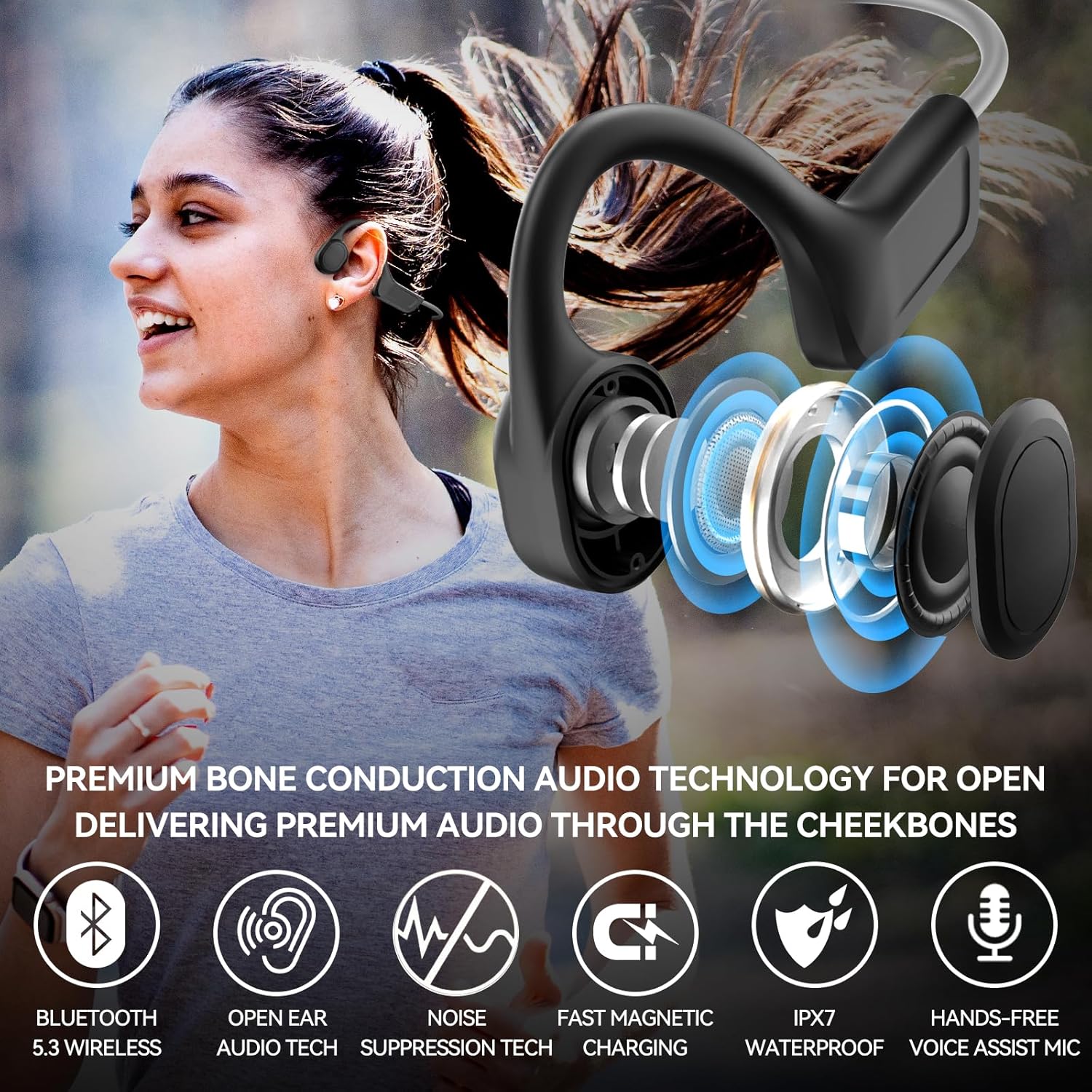
Image: Bone Conduction Technology - Sound is transmitted to the auditory nerve through the skull and jaw, providing an open-ear listening experience.
ബോക്സിൽ എന്താണുള്ളത്
എല്ലാ ഇനങ്ങളും ഉണ്ടെന്ന് ഉറപ്പാക്കാൻ പാക്കേജ് ഉള്ളടക്കങ്ങൾ പരിശോധിക്കുക:
- 1 x CelsusSound Bone Conduction Headphones
- 1 x മാഗ്നറ്റിക് ചാർജിംഗ് കേബിൾ
- 1 x ഉപയോക്തൃ മാനുവൽ (ഈ പ്രമാണം)

Image: Package contents showing the headphones, magnetic charging cable, and user manual.
ഉൽപ്പന്നം കഴിഞ്ഞുview
Familiarize yourself with the headphone's components and controls:

Image: Control layout of the headphones, indicating buttons for Power ON/OFF, Voice Control, Volume Up/Down, Play/Pause Music, Previous/Next song, and Answer/Hang Up call.
- പവർ ബട്ടൺ: Used for Power ON/OFF and Voice Control activation.
- വോളിയം കൂട്ടുക (+): Increases volume, also used for Play/Pause Music.
- വോളിയം ഡൗൺ (-): Decreases volume, also used for Previous/Next song.
- മൾട്ടി-ഫംഗ്ഷൻ ബട്ടൺ: Used for Answer/Hang Up calls.
- മാഗ്നറ്റിക് ചാർജിംഗ് പോർട്ട്: For connecting the magnetic charging cable.
സജ്ജമാക്കുക
1. ഹെഡ്ഫോണുകൾ ചാർജ് ചെയ്യുന്നു
ആദ്യമായി ഉപയോഗിക്കുന്നതിന് മുമ്പ്, നിങ്ങളുടെ ഹെഡ്ഫോണുകൾ പൂർണ്ണമായും ചാർജ് ചെയ്യുക. പൂർണ്ണമായി ചാർജ് ചെയ്യാൻ ഏകദേശം 1.5 മണിക്കൂർ എടുക്കും.
- ഹെഡ്ഫോണുകളിലെ ചാർജിംഗ് പോർട്ടിലേക്ക് മാഗ്നറ്റിക് ചാർജിംഗ് കേബിൾ ബന്ധിപ്പിക്കുക.
- കേബിളിന്റെ USB അറ്റം ഒരു സ്റ്റാൻഡേർഡ് USB പവർ അഡാപ്റ്ററുമായി (ഉൾപ്പെടുത്തിയിട്ടില്ല) അല്ലെങ്കിൽ ഒരു കമ്പ്യൂട്ടറിന്റെ USB പോർട്ടുമായി ബന്ധിപ്പിക്കുക.
- ഇൻഡിക്കേറ്റർ ലൈറ്റ് ചാർജിംഗ് സ്റ്റാറ്റസ് കാണിക്കും (ഉദാ: ചാർജ് ചെയ്യുന്നതിന് ചുവപ്പ്, പൂർണ്ണമായും ചാർജ് ചെയ്തതിന് നീല).

Image: Magnetic charging design, allowing for instant connection and charging.
2. ബ്ലൂടൂത്ത് ജോടിയാക്കൽ
Pair your headphones with your Bluetooth-enabled device (smartphone, tablet, etc.).
- ഹെഡ്ഫോണുകൾ ഓഫാണെന്ന് ഉറപ്പാക്കുക.
- Press and hold the Power button until the indicator light flashes red and blue, indicating pairing mode.
- നിങ്ങളുടെ ഉപകരണത്തിൽ, ബ്ലൂടൂത്ത് പ്രവർത്തനക്ഷമമാക്കി പുതിയ ഉപകരണങ്ങൾക്കായി തിരയുക.
- Select "CelsusSound s800" (or similar name) from the list of available devices.
- Once connected, the indicator light will turn solid blue, and you will hear a confirmation tone.
പ്രവർത്തന നിർദ്ദേശങ്ങൾ
പവർ ഓൺ/ഓഫ്
- പവർ ഓൺ: പവർ ബട്ടൺ 3 സെക്കൻഡ് അമർത്തിപ്പിടിക്കുക.
- പവർ ഓഫ്: പവർ ബട്ടൺ 5 സെക്കൻഡ് അമർത്തിപ്പിടിക്കുക.
സംഗീത പ്ലേബാക്ക്
- പ്ലേ/താൽക്കാലികമായി നിർത്തുക: വോളിയം അപ്പ് (+) ബട്ടൺ ചുരുക്കി അമർത്തുക.
- അടുത്ത ഗാനം: Short press the Volume Down (-) button twice.
- മുൻ ഗാനം: Short press the Volume Down (-) button three times.
- വോളിയം കൂട്ടുക: വോളിയം അപ്പ് (+) ബട്ടൺ ദീർഘനേരം അമർത്തുക.
- വോളിയം താഴേക്ക്: വോളിയം ഡൗൺ (-) ബട്ടൺ ദീർഘനേരം അമർത്തുക.
കോൾ മാനേജുമെന്റ്
- മറുപടി കോൾ: മൾട്ടി-ഫംഗ്ഷൻ ബട്ടൺ ചുരുക്കി അമർത്തുക.
- കോൾ അവസാനിപ്പിക്കുക: കോൾ ചെയ്യുമ്പോൾ മൾട്ടി-ഫംഗ്ഷൻ ബട്ടൺ ഹ്രസ്വമായി അമർത്തുക.
- കോൾ നിരസിക്കുക: മൾട്ടി-ഫംഗ്ഷൻ ബട്ടൺ 2 സെക്കൻഡ് ദീർഘനേരം അമർത്തിപ്പിടിക്കുക.
ശബ്ദ നിയന്ത്രണം
- വോയ്സ് അസിസ്റ്റന്റിനെ സജീവമാക്കുക: പവർ ബട്ടൺ ചെറുതായി അമർത്തുക.
മെയിൻ്റനൻസ്
ശരിയായ പരിചരണം നിങ്ങളുടെ ഹെഡ്ഫോണുകളുടെ ആയുസ്സ് വർദ്ധിപ്പിക്കും.
- വൃത്തിയാക്കൽ: ഒരു സോഫ്റ്റ്, ഡി ഉപയോഗിച്ച് ഹെഡ്ഫോണുകൾ തുടയ്ക്കുകamp തുണി. കഠിനമായ രാസവസ്തുക്കളോ ഉരച്ചിലുകളുള്ള ക്ലീനറുകളോ ഉപയോഗിക്കരുത്.
- ജല പ്രതിരോധം: The headphones are IPX7 water-resistant, meaning they can withstand rain, sweat, and brief immersion in water. However, they are നീന്തലിന് അനുയോജ്യമല്ല. Ensure the charging port is dry before charging.

Image: IPX7 Waterproof and Sweatproof - The headphones are designed to withstand water exposure from activities like showering or intense workouts.
- സംഭരണം: നേരിട്ടുള്ള സൂര്യപ്രകാശത്തിൽ നിന്നും കടുത്ത താപനിലയിൽ നിന്നും മാറി തണുത്തതും വരണ്ടതുമായ സ്ഥലത്ത് ഹെഡ്ഫോണുകൾ സൂക്ഷിക്കുക.
- ഈട്: The titanium memory metal frame provides flexibility and durability. Avoid excessive bending or twisting beyond its natural range.

Image: Flexible and Durable design with durable titanium wire.
ട്രബിൾഷൂട്ടിംഗ്
| പ്രശ്നം | സാധ്യമായ കാരണം | പരിഹാരം |
|---|---|---|
| ഹെഡ്ഫോണുകൾ ഓണാകില്ല | കുറഞ്ഞ ബാറ്ററി | ഹെഡ്ഫോണുകൾ പൂർണ്ണമായും ചാർജ് ചെയ്യുക. |
| ഉപകരണവുമായി ജോടിയാക്കാൻ കഴിയില്ല | Headphones not in pairing mode / Device Bluetooth off / Too far from device | Ensure headphones are in pairing mode (flashing red/blue). Turn device Bluetooth on. Move headphones closer to device. |
| ശബ്ദമോ കുറഞ്ഞ വോളിയമോ ഇല്ല | Volume too low / Not connected / Muffled sound (bone conduction characteristic) | Increase headphone and device volume. Re-pair headphones. Note that bone conduction sound can feel different from traditional in-ear headphones. |
| Charging issue (e.g., overheating) | Faulty cable/charger / Environmental factors | Use the original magnetic charging cable. Try a different USB power source. If overheating persists, discontinue use and contact customer support. |
സ്പെസിഫിക്കേഷനുകൾ
| ഫീച്ചർ | വിശദാംശങ്ങൾ |
|---|---|
| മോഡലിൻ്റെ പേര് | s800 |
| കണക്റ്റിവിറ്റി ടെക്നോളജി | വയർലെസ് (ബ്ലൂടൂത്ത്) |
| ബ്ലൂടൂത്ത് പതിപ്പ് | 5.3 |
| ഓഡിയോ ഡ്രൈവർ തരം | ബോൺ കണ്ടക്ഷൻ ഡ്രൈവർ |
| ബാറ്ററി ലൈഫ് | 8-10 മണിക്കൂർ (പ്ലേബാക്ക്) |
| ചാർജിംഗ് സമയം | 1.5 മണിക്കൂർ |
| ജല പ്രതിരോധ നില | IPX7 (വാട്ടർപ്രൂഫ്) |
| ഇനത്തിൻ്റെ ഭാരം | 1.28 ഔൺസ് (ഏകദേശം 36 ഗ്രാം) |
| നിയന്ത്രണ തരം | മീഡിയ നിയന്ത്രണം, ടച്ച് |
| ഇയർപീസ് ആകൃതി | തുറന്ന ചെവി |
| ഫ്രീക്വൻസി റേഞ്ച് | 20 ഹെർട്സ് - 20,000 ഹെർട്സ് |
വാറൻ്റിയും പിന്തുണയും
CelsusSound is committed to providing high-quality products and customer satisfaction. Your headphones come with a 12-month worry-free warranty from the date of purchase.
- വാറന്റി കവറേജ്: This warranty covers manufacturing defects and workmanship. It does not cover damage caused by misuse, accidents, unauthorized modifications, or normal wear and tear.
- കസ്റ്റമർ സർവീസ്: For technical support, warranty claims, or any questions regarding your CelsusSound headphones, please contact our customer service team. We offer lifetime technical support and 24-hour customer service.
Please refer to the contact information provided on the product packaging or the seller's official webഏറ്റവും കാലികമായ പിന്തുണാ ചാനലുകൾക്കായുള്ള സൈറ്റ്.
Ask a question about this manual
Ask about setup, troubleshooting, compatibility, parts, safety, or missing instructions. Manuals+ will review the question and use this page’s manual context to help answer it.