
BUGANI Brief Pro M192 Bluetooth Speaker Instruction Manual
മോഡൽ: M192
1. ആമുഖം
വാങ്ങിയതിന് നന്ദി.asing the BUGANI Brief Pro M192 Bluetooth Speaker. This manual provides essential information for setting up, operating, and maintaining your speaker. Please read it thoroughly before use and retain it for future reference.
The BUGANI Brief Pro M192 is a high-performance portable Bluetooth speaker designed to deliver powerful and clear audio. Featuring advanced Bluetooth 5.3 connectivity, TWS pairing, and a robust design, it is suitable for various indoor and outdoor environments.
2. പാക്കേജ് ഉള്ളടക്കം
പാക്കേജിൽ എല്ലാ ഇനങ്ങളും ഉണ്ടെന്ന് ഉറപ്പാക്കുക:
- BUGANI Brief Pro M192 Bluetooth Speaker
- USB-C ചാർജിംഗ് കേബിൾ
- AUX IN കേബിൾ
- ഉപയോക്തൃ മാനുവൽ (ഈ പ്രമാണം)
- ദ്രുത ആരംഭ ഗൈഡ്

ചിത്രം 2.1: പാക്കേജ് ഉള്ളടക്കം
3. ഉൽപ്പന്നം കഴിഞ്ഞുview
Familiarize yourself with the physical features and controls of your BUGANI Brief Pro M192 speaker.

ചിത്രം 3.1: മുൻഭാഗം View സ്പീക്കറുടെ
3.1. നിയന്ത്രണങ്ങളും പോർട്ടുകളും
- വോളിയം നോബ്: Rotate to adjust volume. Press to play/pause.
- പവർ ബട്ടൺ: പവർ ഓൺ/ഓഫ് ചെയ്യാൻ അമർത്തിപ്പിടിക്കുക.
- ബ്ലൂടൂത്ത് ജോടിയാക്കൽ ബട്ടൺ: ബ്ലൂടൂത്ത് ജോടിയാക്കൽ മോഡിൽ പ്രവേശിക്കാൻ അമർത്തുക.
- യുഎസ്ബി-സി പോർട്ട്: സ്പീക്കർ ചാർജ് ചെയ്തതിന്.
- AUX IN പോർട്ട്: വയർഡ് ഓഡിയോ കണക്ഷന്.
- റീസെറ്റ് ബട്ടൺ: Small pinhole for factory reset.

Figure 3.2: Side Ports
3.2. ആന്തരിക ഘടകങ്ങൾ
The speaker features a powerful audio setup for high-quality sound.
- സബ് വൂഫറുകൾ: Two 4-inch subwoofers for deep bass.
- ട്വീറ്ററുകൾ: Two 44mm tweeters for clear high frequencies.
- നിഷ്ക്രിയ റേഡിയേറ്റർ: ബാസ് പ്രതികരണം മെച്ചപ്പെടുത്തുന്നു.

Figure 3.3: Internal Speaker Components
4. സജ്ജീകരണവും കണക്ഷനും
4.1. പ്രാരംഭ നിരക്ക്
Before first use, fully charge the speaker using the provided USB-C cable and a compatible power adapter (not included). The charging indicator light will show charging status.
4.2. പവർ ഓൺ/ഓഫ്
Press and hold the Power button for 2-3 seconds to turn the speaker on or off.
4.3. ബ്ലൂടൂത്ത് ജോടിയാക്കൽ
- സ്പീക്കർ ഓണാക്കുക. മിന്നുന്ന LED ലൈറ്റ് സൂചിപ്പിക്കുന്ന തരത്തിൽ അത് യാന്ത്രികമായി ബ്ലൂടൂത്ത് ജോടിയാക്കൽ മോഡിലേക്ക് പ്രവേശിക്കും.
- നിങ്ങളുടെ ഉപകരണത്തിൽ (സ്മാർട്ട്ഫോൺ, ടാബ്ലെറ്റ് മുതലായവ), ബ്ലൂടൂത്ത് പ്രവർത്തനക്ഷമമാക്കി ലഭ്യമായ ഉപകരണങ്ങൾക്കായി തിരയുക.
- Select "BUGANI Brief Pro" from the list.
- കണക്ട് ചെയ്തുകഴിഞ്ഞാൽ, LED ഇൻഡിക്കേറ്റർ ഉറച്ചതായി മാറും, കൂടാതെ നിങ്ങൾക്ക് കേൾക്കാവുന്ന ഒരു സ്ഥിരീകരണം കേൾക്കാനും കഴിയും.
ഉപകരണം പരിധിക്കുള്ളിലായിരിക്കുകയും ബ്ലൂടൂത്ത് പ്രവർത്തനക്ഷമമാക്കുകയും ചെയ്താൽ, സ്പീക്കർ ഓണാക്കുമ്പോൾ അവസാനം ജോടിയാക്കിയ ഉപകരണത്തിലേക്ക് യാന്ത്രികമായി വീണ്ടും കണക്റ്റുചെയ്യും.
4.4. AUX IN കണക്ഷൻ
For devices without Bluetooth, use the provided 3.5mm AUX IN cable to connect to the speaker's AUX IN port. The speaker will automatically switch to AUX mode.
5. ഓപ്പറേഷൻ
5.1. വോളിയം നിയന്ത്രണം
ശബ്ദം കൂട്ടാൻ സെൻട്രൽ നോബ് ഘടികാരദിശയിലും കുറയ്ക്കാൻ എതിർ ഘടികാരദിശയിലും തിരിക്കുക.
5.2. പ്ലേബാക്ക് നിയന്ത്രണം
- പ്ലേ/താൽക്കാലികമായി നിർത്തുക: Press the central volume knob once.
- അടുത്ത ട്രാക്ക്: Double-press the central volume knob.
- മുമ്പത്തെ ട്രാക്ക്: Triple-press the central volume knob.
5.3. TWS (ട്രൂ വയർലെസ് സ്റ്റീരിയോ) ജോടിയാക്കൽ
To achieve a true stereo sound experience, you can pair two BUGANI Brief Pro M192 speakers together.
- രണ്ട് സ്പീക്കറുകളും ഓണാക്കിയിട്ടുണ്ടെന്നും ഏതെങ്കിലും ബ്ലൂടൂത്ത് ഉപകരണവുമായി ബന്ധിപ്പിച്ചിട്ടില്ലെന്നും ഉറപ്പാക്കുക.
- On one speaker (this will be the primary speaker), press the TWS button (usually indicated by a chain link icon). The speaker will enter TWS pairing mode.
- The primary speaker will automatically search for the secondary speaker. Once connected, you will hear an audible confirmation, and the TWS indicator light will become solid on both speakers.
- ഇപ്പോൾ, വിഭാഗം 4.3-ൽ വിവരിച്ചിരിക്കുന്നതുപോലെ ബ്ലൂടൂത്ത് വഴി നിങ്ങളുടെ ഉപകരണം പ്രാഥമിക സ്പീക്കറുമായി ബന്ധിപ്പിക്കുക. രണ്ട് സ്പീക്കറുകളിലൂടെയും ഓഡിയോ സ്റ്റീരിയോയിൽ പ്ലേ ചെയ്യും.
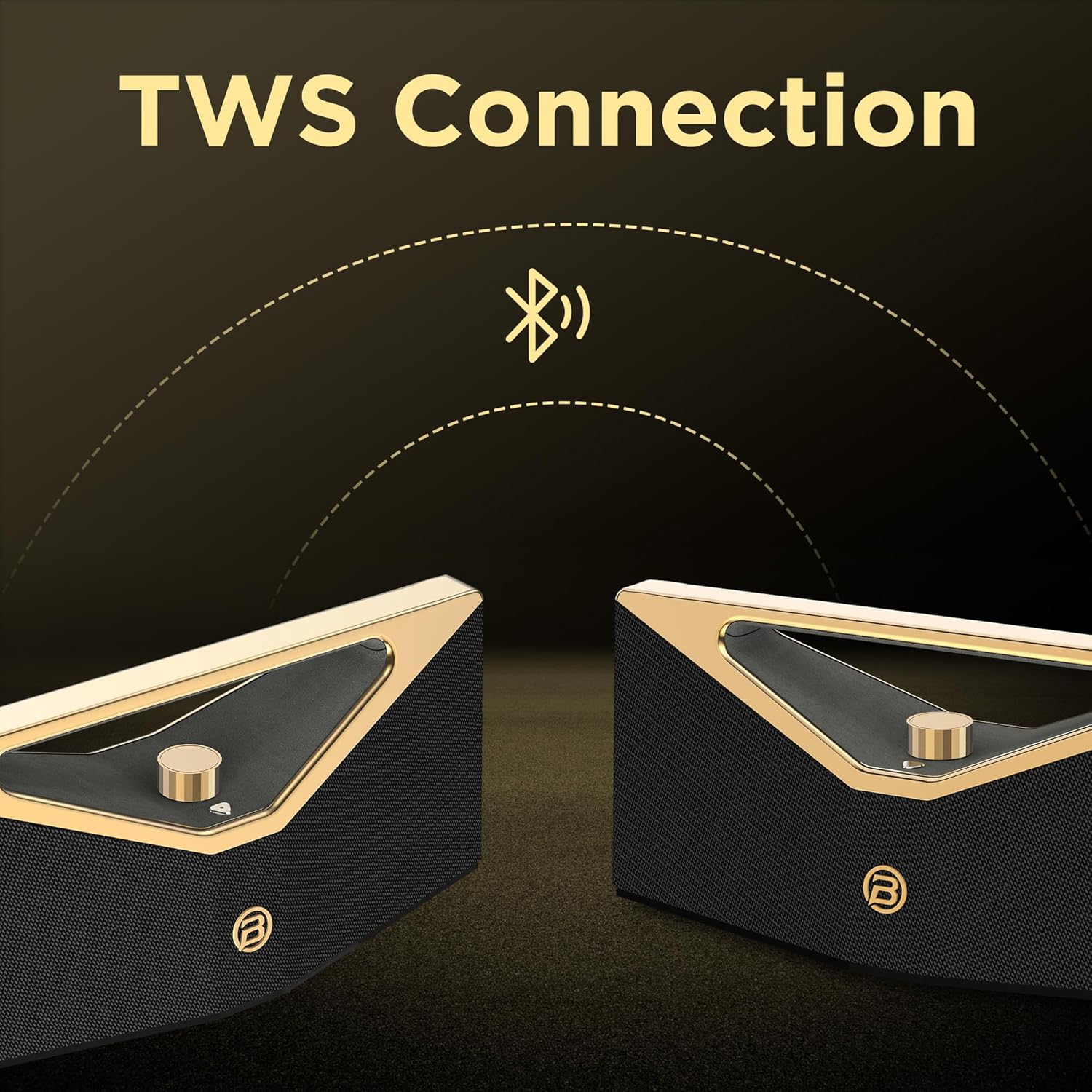
Figure 5.1: TWS Pairing
6. ചാർജിംഗ്
The BUGANI Brief Pro M192 is equipped with a rechargeable battery providing up to 12 hours of playtime at 50% volume. Actual playtime may vary based on volume level and audio content.
- Connect the USB-C charging cable to the speaker's USB-C port and the other end to a USB power source (e.g., wall adapter, computer USB port).
- ചാർജ് ചെയ്യുമ്പോൾ ചാർജിംഗ് ഇൻഡിക്കേറ്റർ ലൈറ്റ് പ്രകാശിക്കും.
- ഒരു പൂർണ്ണ ചാർജ് സാധാരണയായി ഏകദേശം 5 മണിക്കൂർ എടുക്കും.

ചിത്രം 6.1: എക്സ്റ്റെൻഡഡ് പ്ലേടൈം
7. ജല പ്രതിരോധം
The BUGANI Brief Pro M192 features an IPX5 water-resistant rating, protecting it from splashes and light rain. This makes it suitable for outdoor use, such as camping അല്ലെങ്കിൽ ബീച്ച് യാത്രകൾ.
കുറിപ്പ്: IPX5 rating means it can resist a sustained, low-pressure water jet spray. It is not designed to be submerged in water.

ചിത്രം 7.1: IPX5 ജല പ്രതിരോധം
8 സ്പെസിഫിക്കേഷനുകൾ
| ഫീച്ചർ | സ്പെസിഫിക്കേഷൻ |
|---|---|
| മോഡൽ നമ്പർ | M192 |
| ഔട്ട്പുട്ട് പവർ | 160W (Peak) / 80W (RMS) |
| കണക്റ്റിവിറ്റി ടെക്നോളജി | ബ്ലൂടൂത്ത് 5.3, AUX |
| ഓഡിയോ put ട്ട്പുട്ട് മോഡ് | സ്റ്റീരിയോ |
| വൂഫർ വ്യാസം | 2 x 4 ഇഞ്ച് |
| ട്വീറ്റർ വ്യാസം | 2 x 44 മി.മീ |
| ബാറ്ററി തരം | 1 A battery (included) / 52.92Wh |
| ബാറ്ററി ശരാശരി ആയുസ്സ് | 12 മണിക്കൂർ വരെ (50% വോളിയത്തിൽ) |
| ചാർജിംഗ് സമയം | ഏകദേശം 5 മണിക്കൂർ |
| ചാർജിംഗ് പോർട്ട് | USB-C |
| ജല പ്രതിരോധം | IPX5 |
| നിയന്ത്രണ രീതി | Touch / Mechanical Knob |
| ഉൽപ്പന്ന അളവുകൾ | 42 x 14.7 x 17 സെ.മീ |
| ഉൽപ്പന്ന ഭാരം | 4.62 കി.ഗ്രാം |
| മെറ്റീരിയൽ | പ്ലാസ്റ്റിക് അല്ലെങ്കിൽ ലോഹം |
| അനുയോജ്യമായ ഉപകരണങ്ങൾ | Smartphone, Tablet, Laptop, Television, Desktop, Gaming Console, Projector, Karaoke Machine |
പട്ടിക 8.1: സാങ്കേതിക സവിശേഷതകൾ
9. പ്രശ്നപരിഹാരം
നിങ്ങളുടെ സ്പീക്കറിൽ പ്രശ്നങ്ങൾ നേരിടുകയാണെങ്കിൽ, ഇനിപ്പറയുന്ന പൊതുവായ പ്രശ്നങ്ങളും പരിഹാരങ്ങളും പരിശോധിക്കുക:
- സ്പീക്കർ പവർ ഓൺ ചെയ്യുന്നില്ല: Ensure the battery is charged. Connect the USB-C cable and try again.
- ബ്ലൂടൂത്ത് വഴി ജോടിയാക്കാൻ കഴിയില്ല: Make sure the speaker is in pairing mode (flashing LED). Ensure your device's Bluetooth is enabled and within range. Try forgetting the device on your phone and re-pairing.
- ശബ്ദമില്ല: Check the volume level on both the speaker and your connected device. Ensure the correct input mode (Bluetooth or AUX) is selected.
- മോശം ശബ്ദ നിലവാരം: Move the speaker closer to your Bluetooth device to reduce interference. Check the audio source quality.
- TWS ജോടിയാക്കൽ പരാജയപ്പെടുന്നു: Ensure both speakers are fully charged and not connected to any other Bluetooth device before initiating TWS pairing.
- Speaker unresponsive: Use a small pin to press the reset button located near the charging port. This will restore factory settings.
10 സുരക്ഷാ വിവരങ്ങൾ
Please read and follow these safety guidelines to prevent damage to the speaker or injury to yourself:
- സ്പീക്കറിനെ തീവ്രമായ താപനിലയിലോ, നേരിട്ടുള്ള സൂര്യപ്രകാശത്തിലോ, തുറന്ന തീജ്വാലകളിലോ തുറന്നുകാട്ടരുത്.
- Do not submerge the speaker in water, despite its IPX5 rating.
- ശക്തമായ കാന്തികക്ഷേത്രങ്ങളിൽ നിന്ന് സ്പീക്കറെ അകറ്റി നിർത്തുക.
- സ്പീക്കർ ഡിസ്അസംബ്ലിംഗ് ചെയ്യാനോ നന്നാക്കാനോ പരിഷ്ക്കരിക്കാനോ ശ്രമിക്കരുത്. ഇത് വാറന്റി അസാധുവാക്കും.
- ചാർജ് ചെയ്യുന്നതിന് നൽകിയിരിക്കുന്ന ചാർജിംഗ് കേബിളോ സാക്ഷ്യപ്പെടുത്തിയ USB-C കേബിളോ മാത്രം ഉപയോഗിക്കുക.
- മൃദുവായതും ഉണങ്ങിയതുമായ തുണി ഉപയോഗിച്ച് സ്പീക്കർ വൃത്തിയാക്കുക. അബ്രസീവ് ക്ലീനറുകളോ ലായകങ്ങളോ ഉപയോഗിക്കരുത്.
11. വാറൻ്റിയും പിന്തുണയും
Your BUGANI Brief Pro M192 Bluetooth Speaker comes with a standard manufacturer's warranty. For detailed warranty information, please refer to the warranty card included in your package or visit the official BUGANI webസൈറ്റ്.
For technical support, troubleshooting assistance, or any questions regarding your product, please contact BUGANI customer service through the contact information provided in your warranty documentation or on the official BUGANI webസൈറ്റ്.
12. ഉൽപ്പന്ന വീഡിയോകൾ
12.1. Unboxing and Features Overview
This video provides an unboxing experience of the BUGANI Brief Pro M192 speaker, showcasing its premium packaging, physical design, and key features like the aluminum alloy mechanical knob, Hi-Res Audio certification, and silicone heat-pressed logo. It also demonstrates Bluetooth 5.3 connectivity and precise volume control.
12.2. Animated Features Showcase
This animated video highlights the core features of the BUGANI Brief Pro M192, including its 160W peak power, internal speaker configuration (4-inch subwoofers and 41mm tweeters), Bluetooth 5.3 technology, and TWS pairing capability for an immersive stereo experience.