
1. ആമുഖം
This manual provides essential information for setting up, operating, maintaining, and troubleshooting your new VGKE 15.6" Laptop, Model B15_Pro. Please read this guide thoroughly to ensure optimal performance and longevity of your device. Keep this manual for future reference.
2. ഉൽപ്പന്നം കഴിഞ്ഞുview
The VGKE 15.6" Laptop is designed for productivity and everyday computing, featuring a Full HD display, an Intel Celeron Quad-Core J4125 processor, ample memory, and fast SSD storage. Its sleek design and essential features make it suitable for various tasks.
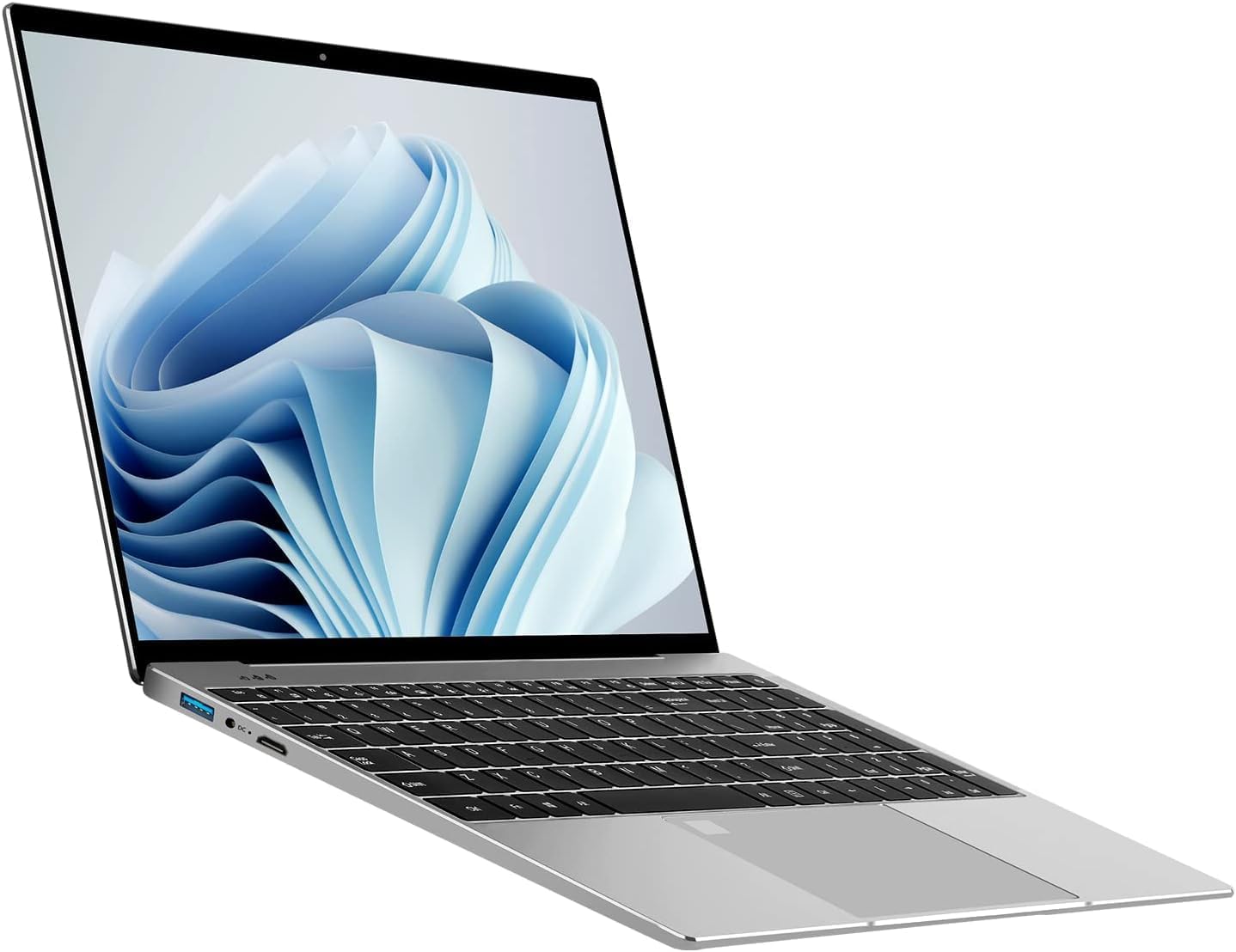
Image 2.1: General view of the VGKE 15.6" Laptop.
3 പ്രധാന സവിശേഷതകൾ
- 15.6-ഇഞ്ച് ഫുൾ എച്ച്ഡി ഡിസ്പ്ലേ: Enjoy clear and vibrant visuals with a 1920x1080p resolution, 350 nits brightness, and an anti-glare IPS screen.
- Intel Celeron Quad-Core J4125 Processor: Provides reliable performance for daily computing tasks.
- 12GB DDR4 RAM & 256GB SSD: Offers efficient multitasking and fast data access.
- ബാക്ക്ലൈറ്റ് കീബോർഡ്: Enhances typing comfort in low-light conditions.
- സംയോജിപ്പിച്ചത് Webcam & Fingerprint Reader: Features a 720p HD webcam for video calls and a fingerprint reader for secure, quick logins.
- സമ്പന്നമായ കണക്റ്റിവിറ്റി: Includes USB 3.0, Micro HDMI, Type-C, TF Card Slot, and a Headset Jack. Wireless connectivity includes 802.11n Wi-Fi and Bluetooth 5.0.

Image 3.1: The laptop's 15.6-inch Full HD display.

Image 3.2: Visual representation of the Intel Celeron J4125 processor.

Image 3.3: Illustration of the laptop's storage and memory capabilities.

Image 3.4: The backlit keyboard feature of the laptop.

ചിത്രം 3.5: കഴിഞ്ഞുview of the laptop's security features including webcam and fingerprint reader.

Image 3.6: Diagram illustrating the various ports and connectivity options.
ഉൽപ്പന്ന വീഡിയോ
Video 3.1: A short demonstration highlighting the laptop's clear picture quality and smooth operation.
4. സജ്ജീകരണ ഗൈഡ്
- അൺബോക്സിംഗ്: Carefully remove the laptop and all accessories from the packaging. Ensure all components are present: laptop, power adapter, and this manual.
- പ്രാരംഭ ചാർജ്: Before first use, connect the power adapter to the laptop's DC-in port and a power outlet. Allow the battery to charge fully. The charging indicator light will change when fully charged.
- പവർ ഓൺ: Open the laptop lid and press the power button, usually located on the top right of the keyboard or on the side.
- വിൻഡോസ് സജ്ജീകരണം: Follow the on-screen instructions to complete the Windows 11 Home setup. This includes selecting your language, region, connecting to Wi-Fi, and creating a user account.
- Fingerprint Reader Setup: During or after Windows setup, configure the fingerprint reader for secure and convenient login. Access this option in Windows Settings under 'Accounts' > 'Sign-in options'.
5. പ്രവർത്തന നിർദ്ദേശങ്ങൾ
- ഊർജ്ജനിയന്ത്രണം:
- ലേക്ക് ഷട്ട് ഡൗൺ, click the Start button, then Power > Shut down.
- ലേക്ക് പുനരാരംഭിക്കുക, click the Start button, then Power > Restart.
- To put the laptop to ഉറങ്ങുക, close the lid or click the Start button, then Power > Sleep.
- Using the Backlit Keyboard: അമർത്തുക Fn key combined with the appropriate function key (often F5 or F6, look for a keyboard backlight icon) to adjust the backlight brightness or turn it on/off.
- ബാഹ്യ ഉപകരണങ്ങൾ ബന്ധിപ്പിക്കുന്നു: Use the available USB 3.0, Type-C, and Micro HDMI ports to connect peripherals such as external monitors, mice, keyboards, and storage devices.
- വൈഫൈയും ബ്ലൂടൂത്തും: Access network settings via the taskbar icon or Windows Settings to connect to Wi-Fi networks or pair Bluetooth devices.
- Webക്യാമറ ഉപയോഗം: സംയോജിത 720p HD webcam can be used with video conferencing applications. Ensure privacy settings are configured to allow applications access to the camera.
6. പരിപാലനം
- വൃത്തിയാക്കൽ: സ്ക്രീനും പുറംഭാഗവും വൃത്തിയാക്കാൻ മൃദുവായ, ലിന്റ് രഹിത തുണി ഉപയോഗിക്കുക. കഠിനമായ പാടുകൾക്ക്, ചെറുതായി dampതുണിയിൽ വെള്ളം അല്ലെങ്കിൽ സ്ക്രീൻ-സേഫ് ക്ലീനർ ഉപയോഗിക്കുക. കഠിനമായ രാസവസ്തുക്കൾ ഒഴിവാക്കുക.
- സോഫ്റ്റ്വെയർ അപ്ഡേറ്റുകൾ: Regularly check for and install Windows updates to ensure system stability and security. Go to Windows Settings > Windows Update.
- ബാറ്ററി കെയർ: ബാറ്ററി ലൈഫ് വർദ്ധിപ്പിക്കാൻ, ഉയർന്ന താപനില ഒഴിവാക്കുക. ഇടയ്ക്കിടെ ബാറ്ററി 20% ൽ താഴെ ഡിസ്ചാർജ് ചെയ്ത് പൂർണ്ണമായും റീചാർജ് ചെയ്യാൻ ശുപാർശ ചെയ്യുന്നു.
- സ്റ്റോറേജ് മാനേജ്മെന്റ്: അനാവശ്യമായത് ഇടയ്ക്കിടെ ഇല്ലാതാക്കുക files and applications to free up storage space and maintain performance.
- ബാക്കപ്പ് ഡാറ്റ: പതിവായി ബാക്കപ്പ് ചെയ്യുന്നത് പ്രധാനമാണ് fileഡാറ്റ നഷ്ടം തടയാൻ ഒരു ബാഹ്യ ഡ്രൈവിലേക്കോ ക്ലൗഡ് സംഭരണത്തിലേക്കോ ഡാറ്റ കൈമാറുക.
7. പ്രശ്നപരിഹാരം
- ലാപ്ടോപ്പ് ഓണാക്കുന്നില്ല: Ensure the power adapter is securely connected and the outlet is functional. If the battery is completely drained, allow it to charge for at least 30 minutes before attempting to power on.
- ഡിസ്പ്ലേ പ്രശ്നങ്ങൾ: If the screen is blank or flickering, try connecting an external monitor to determine if the issue is with the laptop's display or graphics card. Adjust display settings in Windows.
- മന്ദഗതിയിലുള്ള പ്രകടനം: Close unnecessary applications, check for background processes, and ensure sufficient free storage space. Running a disk cleanup or antivirus scan may also help.
- Wi-Fi കണക്റ്റിവിറ്റി പ്രശ്നങ്ങൾ: Restart your router and modem. On the laptop, disable and re-enable Wi-Fi, or try forgetting and re-connecting to the network. Ensure drivers are up to date.
- Fingerprint Reader Not Working: Ensure your fingers are clean and dry. Re-register your fingerprints in Windows Settings if the issue persists.
8 സ്പെസിഫിക്കേഷനുകൾ
| ഫീച്ചർ | വിശദാംശങ്ങൾ |
|---|---|
| ബ്രാൻഡ് | വി.ജി.കെ.ഇ |
| മോഡലിൻ്റെ പേര് | B15_Pro |
| സ്ക്രീൻ വലിപ്പം | 15.6 ഇഞ്ച് |
| നേറ്റീവ് റെസല്യൂഷൻ | 1920 x 1080 പിക്സലുകൾ (ഫുൾ എച്ച്ഡി) |
| ഡിസ്പ്ലേ ടെക്നോളജി | IPS, Anti-glare |
| Maximum Display Brightness | 350 നിറ്റ് |
| സിപിയു മോഡൽ | Intel Celeron J4125 Quad-Core |
| പ്രോസസ്സർ വേഗത | 2.7 GHz (Max) |
| ഇൻസ്റ്റാൾ ചെയ്ത RAM മെമ്മറി വലുപ്പം | 12 GB DDR4 |
| ഹാർഡ് ഡിസ്ക് വലിപ്പം | 256 ജിബി എസ്എസ്ഡി |
| ഓപ്പറേറ്റിംഗ് സിസ്റ്റം | വിൻഡോസ് 11 ഹോം |
| ഗ്രാഫിക്സ് കോപ്രൊസസർ | ഇൻ്റൽ UHD ഗ്രാഫിക്സ് 600 |
| കണക്റ്റിവിറ്റി ടെക്നോളജി | HDMI, USB (USB 3.0, Type-C) |
| വയർലെസ് അനുയോജ്യത | 802.11n |
| ബ്ലൂടൂത്ത് പതിപ്പ് | 5.0 |
| മനുഷ്യ-ഇൻ്റർഫേസ് ഇൻപുട്ട് | Keyboard (Backlit, Full-size with Numeric Keypad), Microphone, Touchpad |
| Webക്യാം ശേഷി | Yes (720p HD) |
| Biometric Security Feature | വിരലടയാള തിരിച്ചറിയൽ |
| ബാറ്ററി തരം | Lithium Ion (44 Watt Hours) |
| ഇനത്തിന്റെ അളവുകൾ (L x W x കനം) | 14.1"L x 9.05"W x 0.78"Th |
| നിറം | വെള്ളി |
9. വാറൻ്റിയും പിന്തുണയും
For warranty information, technical support, or service inquiries, please refer to the documentation included with your purchase or visit the official VGKE support webസൈറ്റ്. വാറന്റി ക്ലെയിമുകൾക്കായി നിങ്ങളുടെ വാങ്ങലിന്റെ തെളിവ് സൂക്ഷിക്കുക.