
ആമുഖം
Welcome to the QEOME PC Racing Steering Wheel user manual. This guide provides instructions for setting up, operating, and maintaining your racing wheel, compatible with various platforms including Windows, PS3, PS4, Xbox 360, Xbox One, and Nintendo Switch. Please read this manual thoroughly before use to ensure optimal performance and safety.
സുരക്ഷാ വിവരങ്ങൾ
- വൈദ്യുത അപകടങ്ങൾ തടയാൻ ഉപകരണം വെള്ളത്തിൽ നിന്നും ഈർപ്പത്തിൽ നിന്നും അകറ്റി നിർത്തുക.
- ഉപകരണം സ്വയം വേർപെടുത്താനോ നന്നാക്കാനോ ശ്രമിക്കരുത്. യോഗ്യതയുള്ള സേവന ഉദ്യോഗസ്ഥരെ ബന്ധപ്പെടുക.
- Use only the provided power supply and cables to avoid damage.
- Avoid prolonged use to prevent discomfort or fatigue. Take regular breaks.
- Ensure the steering wheel is securely mounted before use to prevent accidents.
പാക്കേജ് ഉള്ളടക്കം
- QEOME Racing Steering Wheel Unit
- Linear Pedal Unit (Accelerator and Brake)
- യുഎസ്ബി കണക്ഷൻ കേബിൾ
- ഉപയോക്തൃ മാനുവൽ (ഈ പ്രമാണം)
ഉൽപ്പന്നം കഴിഞ്ഞുview
The QEOME PC Racing Steering Wheel system includes a steering wheel unit with integrated controls and a separate linear pedal unit for an immersive racing experience.
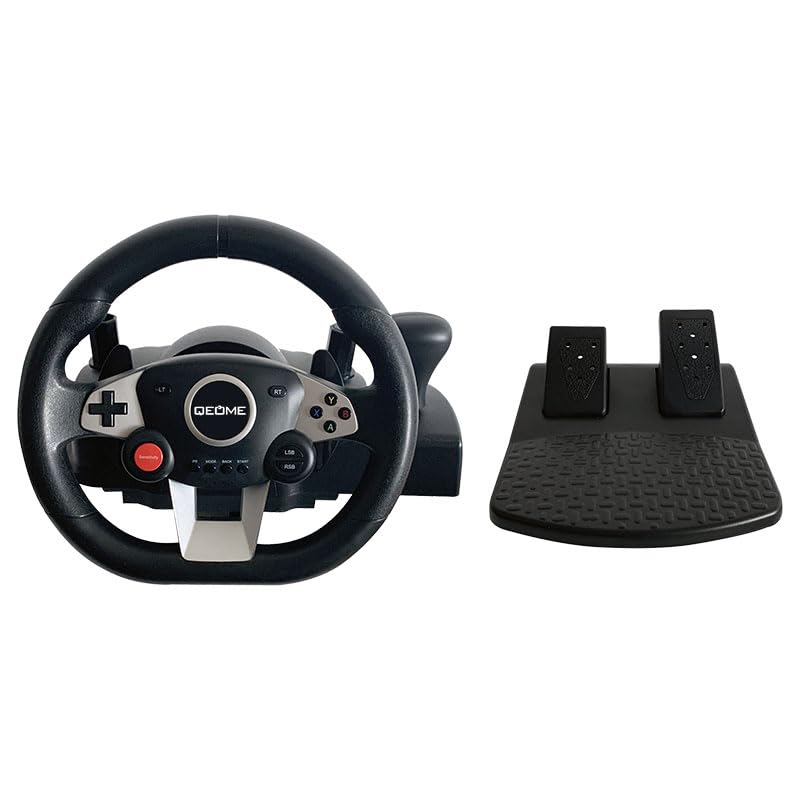
This image displays the complete QEOME PC Racing Steering Wheel system, featuring the steering wheel with various buttons and paddles, alongside the separate two-pedal unit for acceleration and braking.
Steering Wheel Components
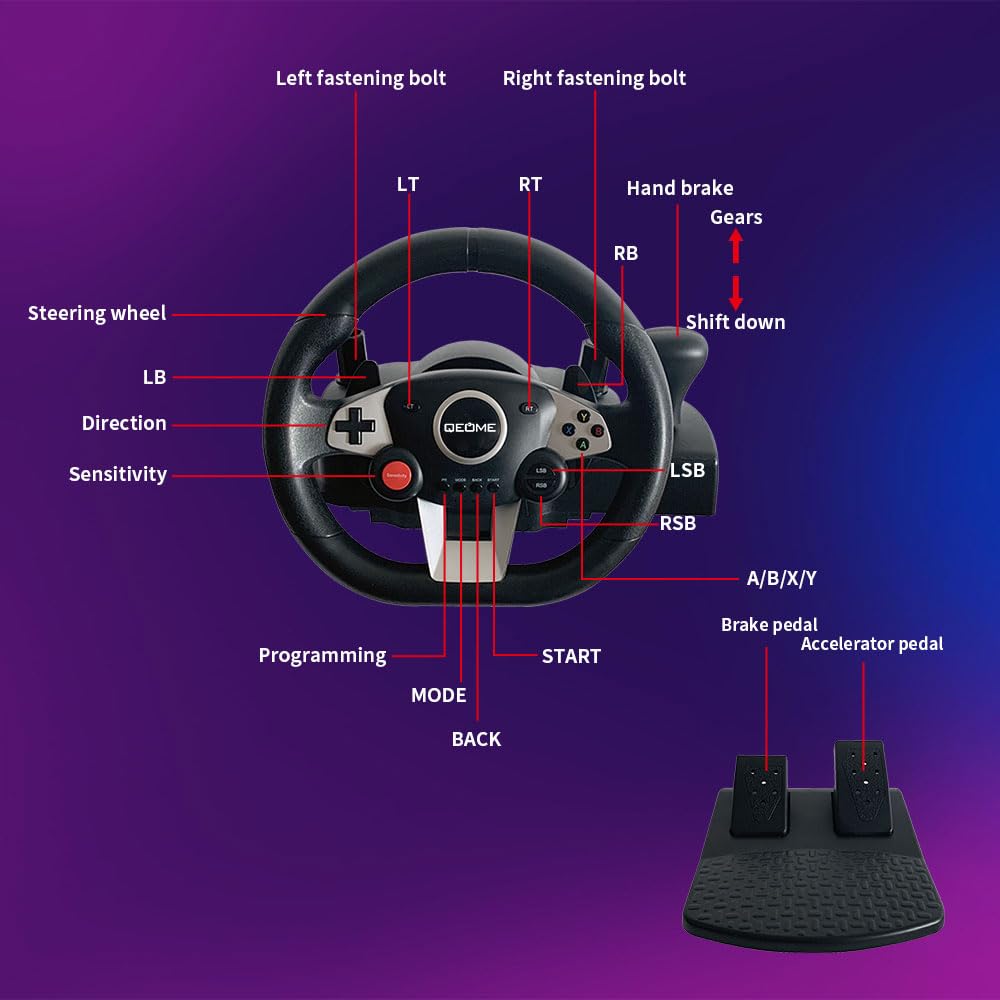
A detailed diagram showing the various labeled components of the steering wheel.
- സ്റ്റിയറിംഗ് വീൽ: Main control for directional input.
- D-Pad (Direction): For menu navigation and specific in-game controls.
- A/B/X/Y ബട്ടണുകൾ: Standard action buttons for gameplay.
- LT/RT/LB/RB Buttons: ഗെയിമിലെ വിവിധ പ്രവർത്തനങ്ങൾക്കായി ഷോൾഡർ, ട്രിഗർ ബട്ടണുകൾ.
- സെൻസിറ്റിവിറ്റി ബട്ടൺ: Adjusts the steering sensitivity (Low/Medium/High).
- പ്രോഗ്രാമിംഗ് ബട്ടൺ: Used for custom button mapping.
- Mode, Back, Start Buttons: സിസ്റ്റം, ഗെയിം ഫംഗ്ഷൻ ബട്ടണുകൾ.
- ഹാൻഡ് ബ്രേക്ക്: Dedicated control for in-game hand braking.
- Gears (Shift Up/Down): Paddle shifters for manual gear changes.
- Fastening Bolts: Used to secure the wheel unit to a surface.
Pedal Unit Components
The pedal unit provides realistic control for acceleration and braking:
- ബ്രേക്ക് പെഡൽ: For deceleration and stopping.
- ആക്സിലറേറ്റർ പെഡൽ: അധികത്തിന്asinജി വേഗത.
Both pedals are linear, offering precise and responsive control.
സജ്ജീകരണ ഗൈഡ്
Connecting the Steering Wheel and Pedals
- Connect the cable from the pedal unit to the designated port on the back of the steering wheel unit.
- Connect the USB cable from the steering wheel unit to an available USB port on your gaming platform (PC or console).
Platform Compatibility and Connection

This image illustrates the multi-platform compatibility of the QEOME racing wheel, showing icons for PC, Nintendo Switch, PlayStation 4, PlayStation 3, Xbox One, and Xbox 360.
- PC (Windows 7/8/10/11), PS3, PS4, Nintendo Switch: These platforms support plug-and-play functionality. Simply connect the USB cable, and the system should recognize the device automatically.
- Xbox 360, Xbox One: For these platforms, an original wired controller must be connected to the steering wheel's dedicated startup connector. This connection is necessary to authenticate the device and enable gameplay.
സ്റ്റിയറിംഗ് വീൽ മൌണ്ട് ചെയ്യുന്നു
The steering wheel is designed for stable attachment to a table or desk.
- Place the steering wheel unit on a stable, flat surface.
- Utilize the integrated fastening bolts or clamps (visible in the product overview) to firmly secure the unit to your chosen surface. Ensure the wheel is stable and does not wobble during use.
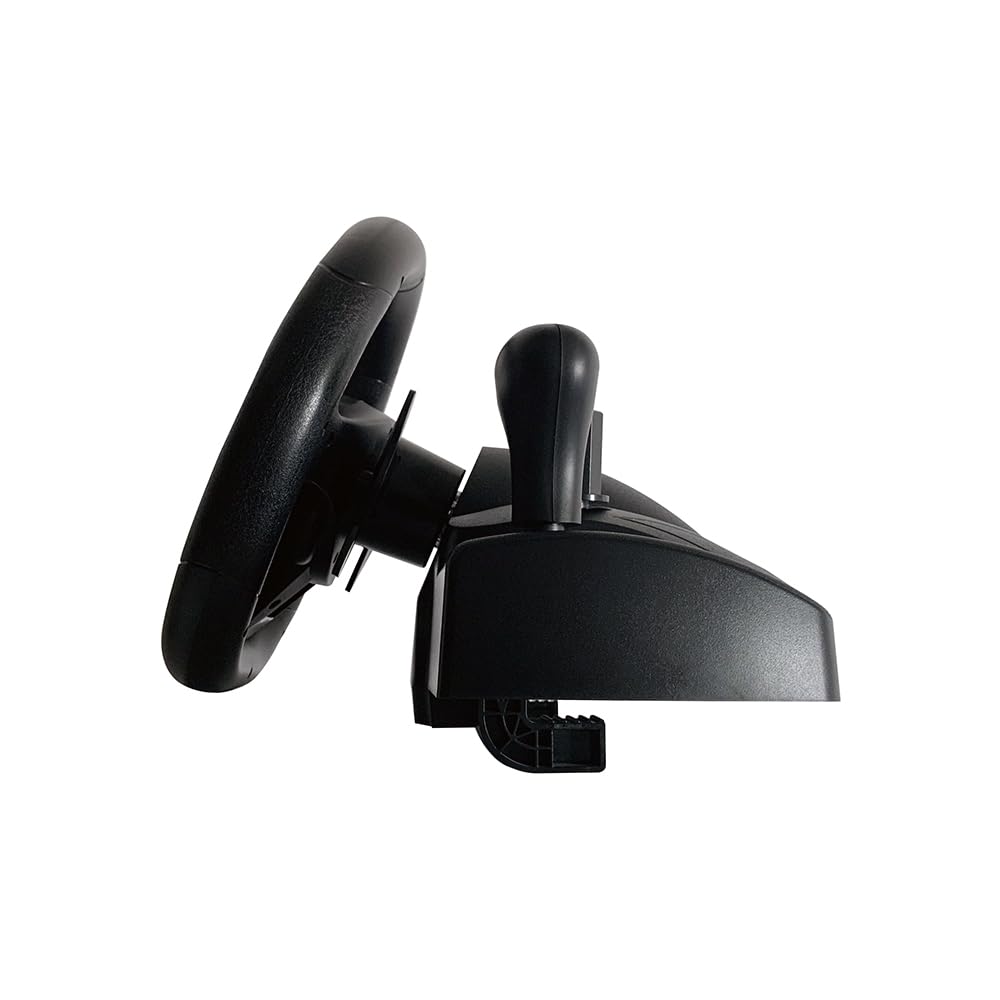
ഒരു സൈഡ് പ്രോfile view of the QEOME racing steering wheel, highlighting its design and the base which includes the mounting points for securing it to a surface.
പ്രവർത്തന നിർദ്ദേശങ്ങൾ
അടിസ്ഥാന നിയന്ത്രണങ്ങൾ
Refer to the 'Product Overview' section for a detailed layout of all buttons and their general functions. Familiarize yourself with these controls before starting gameplay.
സംവേദനക്ഷമത ക്രമീകരിക്കുന്നു
The steering wheel offers 3 adjustable sensitivity levels (low, medium, high) to suit different games and driving preferences.
- While connected to your platform, press the സംവേദനക്ഷമത button located on the steering wheel.
- Each press will cycle through the available sensitivity levels. Observe any on-screen indicators or changes in steering response to select your desired level.
വൈബ്രേഷൻ ഫീഡ്ബാക്ക്

An image depicting the QEOME racing steering wheel in use, with visual cues (red wavy lines) indicating the built-in dual vibration motors providing realistic feedback during gameplay.
The steering wheel features built-in dual vibration motors that provide realistic haptic feedback. This vibration automatically adjusts based on in-game events such as collisions, acceleration, and road surfaces, enhancing the immersive gaming experience.
Button Programming (Custom Mapping)
The steering wheel supports custom button mapping. To program buttons, press the പ്രോഗ്രാമിംഗ് button and follow the specific instructions provided in the full product manual for detailed steps on how to remap controls to your preference.
മെയിൻ്റനൻസ്
വൃത്തിയാക്കൽ
To clean your steering wheel and pedal unit, gently wipe surfaces with a soft, dry cloth. Do not use abrasive cleaners, solvents, or harsh chemicals, as these can damage the finish or internal components.
സംഭരണം
When not in use, store the device in a cool, dry place away from direct sunlight and extreme temperatures. Ensure cables are neatly coiled to prevent damage.
ട്രബിൾഷൂട്ടിംഗ്
- ഉപകരണം തിരിച്ചറിഞ്ഞില്ല: Ensure all cables (USB and pedal unit) are securely connected. For Xbox platforms, verify that an original wired controller is connected to the steering wheel's startup connector. Try connecting to a different USB port on your platform.
- വൈബ്രേഷൻ ഫീഡ്ബാക്ക് ഇല്ല: Check the in-game settings to confirm that vibration is enabled. On PC, ensure that the device drivers are up to date.
- Steering not responsive or inaccurate: Check the sensitivity settings on the steering wheel and adjust as needed. If your operating system or game provides calibration options, perform a calibration.
- Pedals not working: Confirm that the pedal unit's cable is firmly connected to the steering wheel unit. Test in different games or applications to rule out game-specific issues.
- ബട്ടണുകൾ പ്രതികരിക്കുന്നില്ല: Ensure the steering wheel is properly connected and recognized by your platform. If buttons have been programmed, try resetting the programming or remapping them.
സ്പെസിഫിക്കേഷനുകൾ

This image highlights the 270-degree rotation capability of the steering wheel, indicating its smooth and quiet operation, and also shows the approximate diameter of the wheel at 27.2 cm.
- മോഡൽ നമ്പർ: A9887
- ബ്രാൻഡ്: QEOME
- ഉൽപ്പന്ന അളവുകൾ: 13.39 x 10.08 x 12.2 inches (Steering Wheel Unit)
- റൊട്ടേഷൻ ആംഗിൾ: 270 ഡിഗ്രി
- അനുയോജ്യത: Windows 7/8/10/11, PS3, PS4, Xbox 360, Xbox One, Nintendo Switch
- ഫീച്ചറുകൾ: Dual Vibration Motors, Linear Pedals, Adjustable Sensitivity, Programmable Buttons, Hand Brake, Paddle Shifters
- കണക്റ്റിവിറ്റി: യുഎസ്ബി വയർഡ്
- നിർമ്മാതാവ്: QEOME
- ആദ്യം ലഭ്യമായ തീയതി: ഓഗസ്റ്റ് 14, 2024
വാറൻ്റിയും പിന്തുണയും
For detailed warranty information, technical support, or service inquiries, please refer to the documentation included with your purchase or visit the official QEOME webസൈറ്റ്. വാറന്റി ക്ലെയിമുകൾക്കായി നിങ്ങളുടെ വാങ്ങലിന്റെ തെളിവ് സൂക്ഷിക്കുക.