
ആമുഖം
Thank you for choosing the HUANUO Electric Standing Desk. This manual provides essential information for the safe and efficient use of your new adjustable height desk. Designed with a seamless one-piece desktop and robust construction, this desk offers a versatile and ergonomic workspace for your home office.
Key features include a strong steel frame with a 176 lbs weight capacity, a smooth one-piece desktop for enhanced stability, a spacious work surface, and electric height adjustment with four memory settings for comfortable sit-stand transitions.
പ്രധാനപ്പെട്ട സുരക്ഷാ വിവരങ്ങൾ
Please read and follow all instructions carefully before assembly and use. Failure to do so may result in injury or damage to the product.
- അസംബ്ലി നിർദ്ദേശങ്ങൾ എല്ലായ്പ്പോഴും ശ്രദ്ധാപൂർവ്വം പിന്തുടരുക.
- ശുപാർശ ചെയ്യുന്ന പരമാവധി ഭാരം 176 പൗണ്ട് (80 കിലോഗ്രാം) കവിയരുത്.
- Keep the work surface clear of obstacles during height adjustment.
- മേശ തറയിൽ വീഴാതിരിക്കാൻ അത് ശരിയായി ഉറപ്പിച്ചിട്ടുണ്ടെന്ന് ഉറപ്പാക്കുക.
- Always unplug the desk when not in use or during assembly, cleaning, or maintenance to prevent electrical hazards.
- ജോലി സമയത്ത് കുട്ടികളെയും വളർത്തുമൃഗങ്ങളെയും മേശയിൽ നിന്ന് അകറ്റി നിർത്തുക.
സജ്ജീകരണവും അസംബ്ലിയും
The HUANUO Electric Standing Desk is designed for hassle-free assembly. A single-piece desktop simplifies the process compared to multi-panel designs. All necessary tools are included.
അൺപാക്കിംഗും പരിശോധനയും
Carefully unpack all components and verify against the parts list in your included manual. Inspect all parts for any damage. If any parts are missing or damaged, please contact customer support.
അസംബ്ലി ഘട്ടങ്ങൾ
- ഫ്രെയിം കൂട്ടിച്ചേർക്കുക: Attach the crossbars to the desk legs using the provided screws. Then, attach the leg bases to the bottom of the desk legs. Secure the side plates to the frame.
- Attach the Transmission Rod: Loosen the coupling nut on the transmission rod. Connect one end of the rod to the motor drive shaft on the leg with the motor. Connect the other end to the opposite leg. Tighten the set screw to secure the rod.
- ഡെസ്ക്ടോപ്പ് അറ്റാച്ചുചെയ്യുക: Carefully place the desktop upside down on a soft, clean surface. Position the assembled frame onto the desktop, aligning the pre-drilled holes. Secure the frame to the desktop using the provided screws.
- ആക്സസറികൾ ഇൻസ്റ്റാൾ ചെയ്യുക: Attach the control panel to the front edge of the desktop. Install the two headphone hooks on either side of the desk as desired.
- കേബിളുകൾ ബന്ധിപ്പിക്കുക: Connect the motor cable and control panel cable to the control box. Plug the power adapter into the control box and then into a power outlet.

Figure 1: Simplified assembly process with a one-piece desktop.
Video 1: Detailed assembly instructions for the HUANUO Electric Standing Desk.
പ്രവർത്തന നിർദ്ദേശങ്ങൾ
Your HUANUO Electric Standing Desk features an intuitive LED control panel for easy height adjustment and memory settings.
ഉയരം ക്രമീകരിക്കൽ
- ഉപയോഗിക്കുക മുകളിലേക്ക് (^) ഒപ്പം താഴേക്ക് (v) arrow buttons on the control panel to manually adjust the desk height. The current height will be displayed on the LED screen.
- The desk can be adjusted between 28.35 inches (72 cm) and 46.46 inches (118 cm).
മെമ്മറി ക്രമീകരണങ്ങൾ
The desk allows you to save up to four preferred height positions for quick transitions.
- Adjust the desk to your desired height using the Up (^) or Down (v) buttons.
- Press and hold one of the memory buttons (1, 2, 3, അല്ലെങ്കിൽ 4) until the LED screen flashes or beeps, indicating the height has been saved.
- To recall a saved height, simply press the corresponding memory button. The desk will automatically move to that preset position.

Figure 2: LED Control Panel for height adjustment and memory settings.

Figure 3: The desk supports 4 preset heights for quick transitions.
മെയിൻ്റനൻസ്
Regular maintenance ensures the longevity and optimal performance of your HUANUO Electric Standing Desk.
- വൃത്തിയാക്കൽ: ഡെസ്ക്ടോപ്പും ഫ്രെയിമും ഒരു സോഫ്റ്റ്, ഡി ക്ലീനർ ഉപയോഗിച്ച് തുടയ്ക്കുക.amp തുണി. ഫിനിഷിന് കേടുവരുത്തുന്ന കഠിനമായ രാസവസ്തുക്കളോ അബ്രാസീവ് ക്ലീനറുകളോ ഒഴിവാക്കുക.
- കേബിൾ മാനേജുമെന്റ്: Utilize the integrated cable management notches and included cable ties to keep cords organized and prevent them from getting caught during height adjustments.
- പതിവ് പരിശോധനകൾ: എല്ലാ സ്ക്രൂകളും ബോൾട്ടുകളും ഇറുകിയതാണെന്ന് ഉറപ്പാക്കാൻ ഇടയ്ക്കിടെ പരിശോധിക്കുക. ആവശ്യമെങ്കിൽ വീണ്ടും മുറുക്കുക.
- മോട്ടോർ കെയർ: The powerful motor is designed for durability. Avoid overloading the desk beyond its 176 lbs capacity.

Figure 4: Integrated cable management and storage hooks help maintain a tidy workspace.
ട്രബിൾഷൂട്ടിംഗ്
നിങ്ങളുടെ മേശയിൽ എന്തെങ്കിലും പ്രശ്നങ്ങൾ നേരിടുകയാണെങ്കിൽ, ദയവായി താഴെ പറയുന്ന പൊതുവായ പരിഹാരങ്ങൾ പരിശോധിക്കുക:
- ഡെസ്ക് നീങ്ങുന്നില്ല: Ensure all cables are securely connected to the control box and the power outlet. Check if the power outlet is functioning correctly.
- Uneven Height: If the desk appears uneven, check the adjustable leveling feet at the bottom of the legs and adjust them to stabilize the desk on uneven surfaces.
- ഡിസ്പ്ലേയിൽ പിശക് കോഡ്: നിർദ്ദിഷ്ട പിശക് കോഡ് വ്യാഖ്യാനങ്ങൾക്കും പരിഹാരങ്ങൾക്കും നിങ്ങളുടെ അച്ചടിച്ച മാനുവലിലെ വിശദമായ ട്രബിൾഷൂട്ടിംഗ് വിഭാഗം കാണുക.
- പ്രവർത്തന സമയത്ത് ശബ്ദം: A low-noise operation is standard. If you notice unusual or excessive noise, ensure all assembly bolts are tightened.
For further assistance, please contact HUANUO customer support.
സ്പെസിഫിക്കേഷനുകൾ
| ബ്രാൻഡ് | ഹുഅനുഒ |
| മോഡൽ നമ്പർ | HNESD154LV-US |
| ഡെസ്ക്ടോപ്പ് അളവുകൾ | 40"W x 24"D (39.4"W x 23.6"D) |
| ക്രമീകരിക്കാവുന്ന ഉയരം പരിധി | 28.35" മുതൽ 46.46" വരെ (72 സെ.മീ മുതൽ 118 സെ.മീ വരെ) |
| ഭാരം ശേഷി | 176 പൗണ്ട് (80 കി.ഗ്രാം) |
| ഡെസ്ക്ടോപ്പ് മെറ്റീരിയൽ | Engineered Wood (Light Vintage finish) |
| ഫ്രെയിം മെറ്റീരിയൽ | Carbon Steel (White base color) |
| പ്രത്യേക സവിശേഷതകൾ | Whole Piece Desktop, Electric Height Adjustment, 4 Height Memory Settings, Stable T-Frame, 2 Headphone Hooks, LED Multi-Function Control Panel |
| ശബ്ദ നില | 55 ഡി.ബി |
| അസംബ്ലി ആവശ്യമാണ് | അതെ (ഉപകരണങ്ങൾ ഉൾപ്പെടുത്തിയിരിക്കുന്നു) |

Figure 5: Desk Dimensions and adjustable height range.
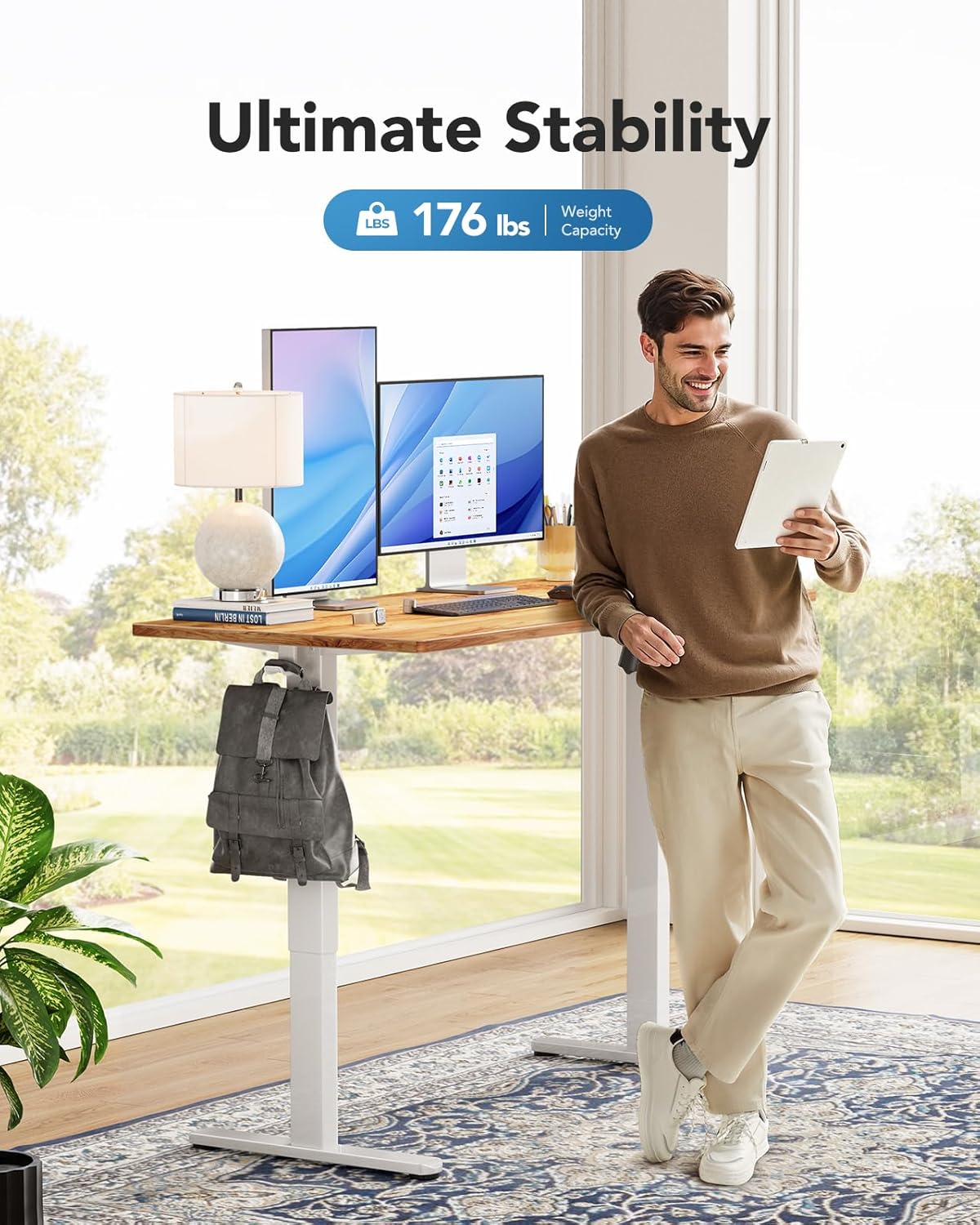
Figure 6: The desk supports a maximum weight capacity of 176 lbs.
വാറൻ്റി വിവരങ്ങൾ
This HUANUO Electric Standing Desk comes with a Limited Warranty. For specific terms and conditions, please refer to the warranty card included with your product or contact HUANUO customer support.
ഉപഭോക്തൃ പിന്തുണ
For any questions regarding assembly, operation, troubleshooting, or warranty claims, please contact our dedicated support team:
- ഇമെയിൽ: support@huanuo.com
- വിൽപ്പനക്കാരൻ: Bestergo Direct
വീഡിയോ 2: കഴിഞ്ഞുview of the HUANUO Electric Standing Desk and its features.