
1. ആമുഖം
Thank you for choosing the Intelligent Touch Screen Open Bluetooth Earphones. These true wireless open-ear earbuds are designed to provide a superior audio experience with advanced features such as a full-color LCD touch screen, double noise reduction, and IPX5 waterproof rating. This manual will guide you through the setup, operation, and maintenance of your new earphones, ensuring optimal performance and longevity.
പ്രധാന സവിശേഷതകളിൽ ഇവ ഉൾപ്പെടുന്നു:
- Intuitive Touch Screen Control: Manage playback, volume, calls, and settings directly from the earbud's integrated LCD display.
- Double Noise Reduction Technology: Minimize external interference for clear audio and conversations.
- LED ഡിസ്പ്ലേ ചാർജിംഗ് കേസ്: Monitor battery levels and connection status at a glance.
- IPX5 വാട്ടർപ്രൂഫ് റേറ്റിംഗ്: Designed to withstand sweat and splashes, ideal for active lifestyles.
- സുഖകരമായ തുറന്ന ചെവി രൂപകൽപ്പന: Suspended headphones offer a secure, zero-feel wearing experience.
- ബ്ലൂടൂത്ത് 5.4 കണക്റ്റിവിറ്റി: സ്ഥിരവും കാര്യക്ഷമവുമായ വയർലെസ് കണക്ഷൻ ഉറപ്പാക്കുന്നു.
- നീണ്ട ബാറ്ററി ലൈഫ്: Enjoy extended listening times with the earphones and charging case.
2 സുരക്ഷാ വിവരങ്ങൾ
Please read all safety instructions carefully before using the product. Failure to follow these instructions may result in injury or damage.
- Do not expose the earphones or charging case to extreme temperatures (above 45°C or below -10°C).
- നേരിട്ടുള്ള സൂര്യപ്രകാശത്തിൽ ദീർഘനേരം എക്സ്പോഷർ ചെയ്യുന്നത് ഒഴിവാക്കുക.
- Do not immerse the charging case in water. While the earphones are IPX5 rated for splashes and sweat, they are not designed for submersion.
- ഉൽപ്പന്നം കുട്ടികളിൽ നിന്നും വളർത്തുമൃഗങ്ങളിൽ നിന്നും അകറ്റി നിർത്തുക.
- നൽകിയിരിക്കുന്ന ചാർജിംഗ് കേബിളോ സാക്ഷ്യപ്പെടുത്തിയ തത്തുല്യമായതോ മാത്രം ഉപയോഗിക്കുക.
- Do not attempt to disassemble, repair, or modify the product. This will void the warranty.
- Clean the earphones with a soft, dry cloth. Avoid using harsh chemicals or abrasive materials.
- Be aware of your surroundings when using the earphones, especially in traffic or other potentially hazardous situations.
3. പാക്കേജ് ഉള്ളടക്കം
നിങ്ങളുടെ പാക്കേജിൽ എല്ലാ ഇനങ്ങളും ഉണ്ടെന്ന് ഉറപ്പാക്കുക:
- Intelligent Touch Screen Open Bluetooth Earphones (2 Pcs)
- LED ഡിസ്പ്ലേയുള്ള ചാർജിംഗ് കേസ്
- യുഎസ്ബി ചാർജിംഗ് കേബിൾ
- ഉപയോക്തൃ മാനുവൽ (ഈ പ്രമാണം)
4. ഉൽപ്പന്നം കഴിഞ്ഞുview
Familiarize yourself with the components of your earphones and charging case.

Image: The Intelligent Touch Screen Open Bluetooth Earphones and their charging case, showcasing the sleek design and the LED display on the case.
ഇയർഫോൺ ഘടകങ്ങൾ:
- Open-Ear Hook: Designed for comfortable and secure fit without entering the ear canal.
- Touch Screen Panel: Interactive display for controlling various functions.
- മൈക്രോഫോൺ: വ്യക്തമായ കോൾ നിലവാരത്തിനായി.
- ചാർജിംഗ് കോൺടാക്റ്റുകൾ: Located on the earbud stem for charging within the case.
ചാർജിംഗ് കേസ് ഘടകങ്ങൾ:
- LED ഡിസ്പ്ലേ: ബാറ്ററി ശതമാനം കാണിക്കുന്നുtage of the case and individual earbuds, and connection status.
- ചാർജിംഗ് പോർട്ട്: കേസ് ചാർജ് ചെയ്യുന്നതിനുള്ള യുഎസ്ബി പോർട്ട്.
- ഇയർബഡ് ചാർജിംഗ് സ്ലോട്ടുകൾ: ഇയർഫോണുകൾ സുരക്ഷിതമായി പിടിച്ച് ചാർജ് ചെയ്യുന്നു.

ചിത്രം: വിശദമായ ഒരു ചിത്രം view of the LCD full-color smart screen interface on the charging case, showing various control options like music, volume, sound customization, and settings.
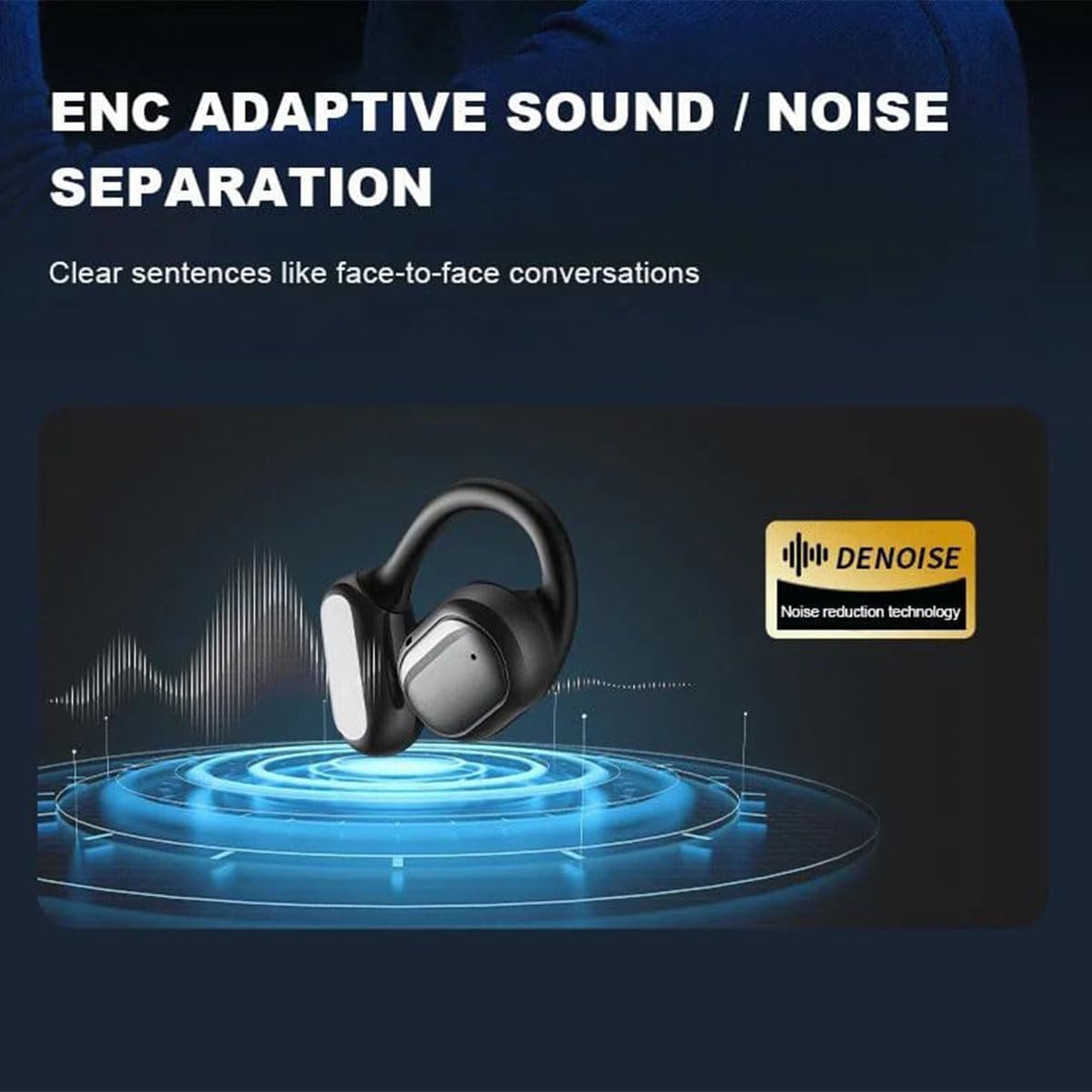
Image: Diagram illustrating the ENC Adaptive Sound / Noise Separation technology, highlighting its ability to provide clear audio by reducing external noise.
5. സജ്ജീകരണം
5.1. ഇയർഫോണുകളും കേസും ചാർജ് ചെയ്യുന്നു
Before first use, fully charge both the earphones and the charging case.
- Place the earphones into the charging case, ensuring they are correctly seated in their respective slots.
- USB ചാർജിംഗ് കേബിൾ കേസിലെ ചാർജിംഗ് പോർട്ടിലേക്കും മറ്റേ അറ്റം ഒരു USB പവർ അഡാപ്റ്ററിലേക്കോ (ഉൾപ്പെടുത്തിയിട്ടില്ല) അല്ലെങ്കിൽ കമ്പ്യൂട്ടറിന്റെ USB പോർട്ടിലേക്കോ ബന്ധിപ്പിക്കുക.
- The LED display on the charging case will show the charging status. A full charge for the case typically takes about 1.5 hours, providing up to 30 hours of total listening time with the earphones. Earphones charge in approximately 1 hour and provide about 8 hours of single endurance.
- പൂർണ്ണമായി ചാർജ് ചെയ്തുകഴിഞ്ഞാൽ, ചാർജിംഗ് കേബിൾ വിച്ഛേദിക്കുക.
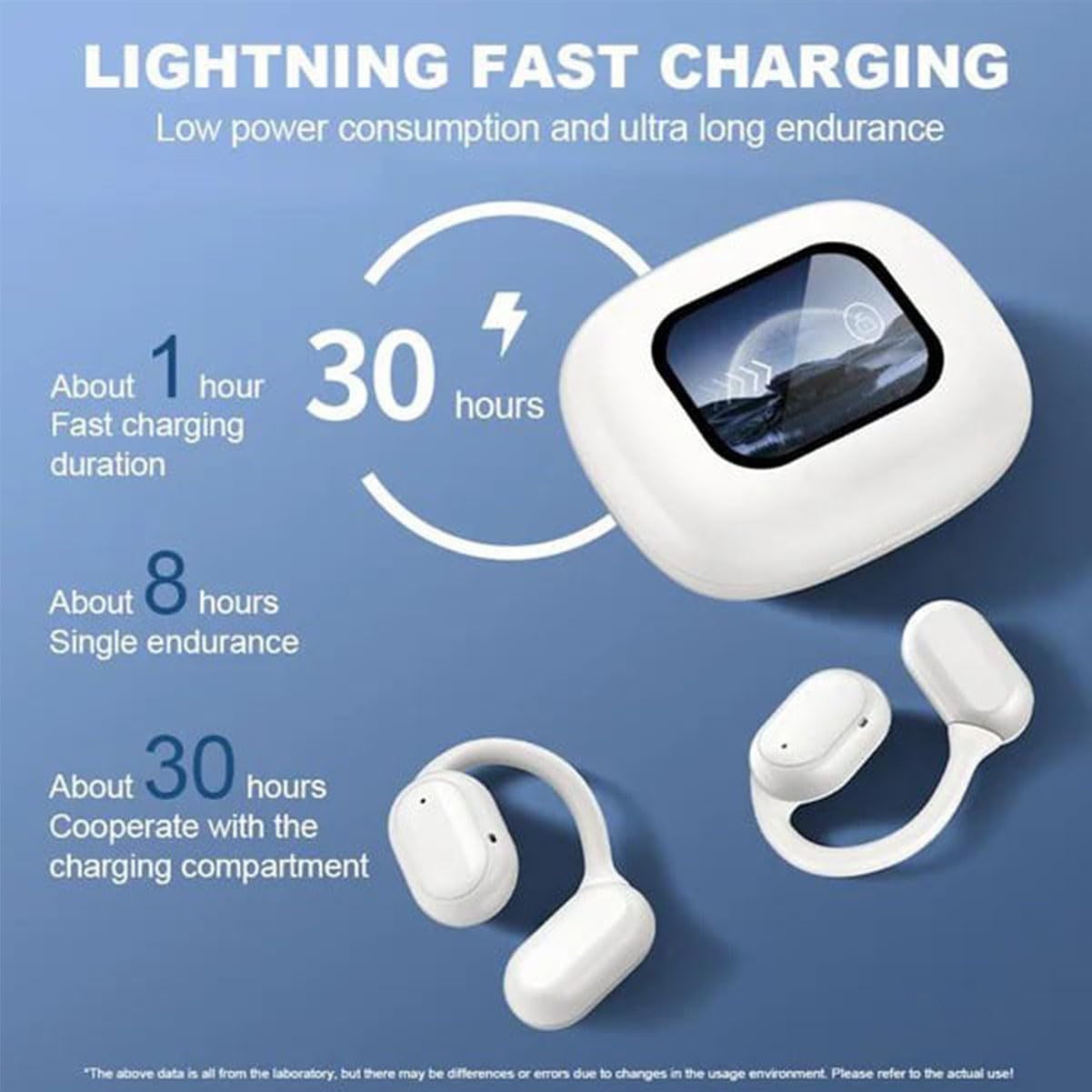
Image: Infographic detailing the charging times: approximately 1 hour for fast charging, 30 hours total endurance with the charging compartment, and about 8 hours of single earbud endurance.
5.2. ബ്ലൂടൂത്ത് ഉപകരണവുമായി ജോടിയാക്കുന്നു
- ഇയർഫോണുകൾ ചാർജ് ചെയ്തിട്ടുണ്ടെന്നും ചാർജിംഗ് കെയ്സിനുള്ളിൽ വച്ചിട്ടുണ്ടെന്നും ഉറപ്പാക്കുക.
- Open the charging case. The earphones will automatically enter pairing mode, and the LED display will indicate "Pairing" or a similar status.
- നിങ്ങളുടെ ഉപകരണത്തിൽ (സ്മാർട്ട്ഫോൺ, ടാബ്ലെറ്റ്, കമ്പ്യൂട്ടർ), ബ്ലൂടൂത്ത് പ്രവർത്തനക്ഷമമാക്കി പുതിയ ഉപകരണങ്ങൾക്കായി തിരയുക.
- Select "Erazers" or the product name from the list of available devices.
- Once connected, the LED display on the case will show "Connected" or a similar status, and the earphones will be ready for use.
- For subsequent uses, the earphones will automatically connect to the last paired device when taken out of the case.

Image: Diagram illustrating the benefits of the Bluetooth 5.4 chip, including low power consumption, faster connection, longer distance, and more stable connection.
6. പ്രവർത്തന നിർദ്ദേശങ്ങൾ
6.1. ടച്ച് നിയന്ത്രണങ്ങൾ
The earphones feature intuitive touch controls on their surface. The specific functions can be managed and customized via the LCD display on the charging case.
| ആക്ഷൻ | ഫംഗ്ഷൻ |
|---|---|
| സിംഗിൾ ടാപ്പ് (L/R ഇയർബഡ്) | സംഗീതം പ്ലേ ചെയ്യുക/താൽക്കാലികമായി നിർത്തുക, കോൾ സ്വീകരിക്കുക/അവസാനിപ്പിക്കുക |
| Double Tap (L Earbud) | മുമ്പത്തെ ട്രാക്ക് |
| Double Tap (R Earbud) | അടുത്ത ട്രാക്ക് |
| Triple Tap (L/R Earbud) | വോയ്സ് അസിസ്റ്റൻ്റ് സജീവമാക്കുക |
| Long Press (L Earbud) | വോളിയം ഡൗൺ |
| Long Press (R Earbud) | വോളിയം കൂട്ടുക |
| Long Press (L/R Earbud during call) | കോൾ നിരസിക്കുക |
6.2. Using the LCD Full-Color Smart Screen
The charging case's LCD screen provides comprehensive control and information:
- സംഗീത നിയന്ത്രണം: Play, pause, skip tracks, and manage playlists.
- വോളിയം നിയന്ത്രണം: Adjust audio output levels.
- ശബ്ദ ഇഷ്ടാനുസൃതമാക്കൽ: Select from multiple EQ sound effects (e.g., Standard, Bass Boost).
- ഭാഷ മാറൽ: Change the system language (e.g., English, Chinese).
- സ്ക്രീൻ തെളിച്ചം: Adjust the display's luminosity.
- Headphone Search: സ്ഥാനം തെറ്റിയ ഇയർബഡുകൾ കണ്ടെത്തുക.
- സമയ ക്രമീകരണം: നിലവിലെ സമയം സജ്ജമാക്കുക.
- ബ്ലൂടൂത്ത് ഫോട്ടോഗ്രാഫി: നിങ്ങളുടെ ഫോണിന്റെ ക്യാമറ വിദൂരമായി പ്രവർത്തനക്ഷമമാക്കുക.
- ഷട്ട്ഡൗൺ/പുനരാരംഭിക്കുക: Power off or restart the device.
- SD Card Functionality: If supported, manage local audio files.
6.3. ശബ്ദം കുറയ്ക്കുന്നതിനുള്ള മോഡുകൾ
The earphones feature double noise reduction. This mode is typically active by default or can be toggled via the touch screen interface on the charging case. Refer to the "Sound Customization" or "Noise Reduction Mode" option on the LCD screen for specific controls.
7. പരിപാലനം
ശരിയായ പരിചരണം നിങ്ങളുടെ ഇയർഫോണുകളുടെ ആയുസ്സ് വർദ്ധിപ്പിക്കും.
- വൃത്തിയാക്കൽ: Regularly wipe the earphones and charging case with a soft, dry, lint-free cloth. Do not use abrasive cleaners, alcohol, or chemical solvents.
- സംഭരണം: When not in use, store the earphones in their charging case to protect them from dust and damage. Store in a cool, dry place.
- ബാറ്ററി കെയർ: ബാറ്ററി ലൈഫ് നിലനിർത്താൻ, ഇയർഫോണുകളും കേസും ഇടയ്ക്കിടെ പൂർണ്ണമായും ചാർജ് ചെയ്യുന്നത് ഒഴിവാക്കുക. ദീർഘനേരം ഉപയോഗിച്ചില്ലെങ്കിലും അവ പതിവായി ചാർജ് ചെയ്യുക.
- വാട്ടർ എക്സ്പോഷർ: While IPX5 waterproof, avoid exposing the earphones to excessive water or high-pressure water jets. Dry them thoroughly before placing them back in the charging case if they get wet. The charging case is not waterproof.

Image: A person exercising, illustrating the IPX5 waterproof lifestyle feature, indicating resistance to sweat and rain for freedom during workouts.
8. പ്രശ്നപരിഹാരം
എന്തെങ്കിലും പ്രശ്നങ്ങൾ നേരിടുകയാണെങ്കിൽ, താഴെപ്പറയുന്ന പൊതുവായ പ്രശ്നങ്ങളും പരിഹാരങ്ങളും പരിശോധിക്കുക:
| പ്രശ്നം | സാധ്യമായ പരിഹാരം |
|---|---|
| ഉപകരണവുമായി ഇയർഫോണുകൾ ജോടിയാക്കുന്നില്ല. |
|
| ഇയർഫോണുകളിൽ നിന്ന് ശബ്ദമൊന്നുമില്ല. |
|
| ഇയർഫോണുകൾ ചാർജ് ചെയ്യുന്നില്ല. |
|
| ടച്ച് നിയന്ത്രണങ്ങൾ പ്രതികരിക്കുന്നില്ല. |
|
9 സ്പെസിഫിക്കേഷനുകൾ
| ഫീച്ചർ | വിശദാംശങ്ങൾ |
|---|---|
| മോഡലിൻ്റെ പേര് | Erazers |
| കണക്റ്റിവിറ്റി ടെക്നോളജി | വയർലെസ് (ബ്ലൂടൂത്ത്) |
| ബ്ലൂടൂത്ത് പതിപ്പ് | 5.4 |
| വയർലെസ് ശ്രേണി | 10 മീറ്റർ വരെ (33 അടി) |
| ബാറ്ററി ലൈഫ് (ഇയർബഡുകൾ) | More than 8 hours (single charge) |
| മൊത്തം ബാറ്ററി ലൈഫ് (കേസിനൊപ്പം) | ഏകദേശം 30 മണിക്കൂർ |
| ചാർജിംഗ് സമയം (ഇയർബഡുകൾ) | ഏകദേശം 1 മണിക്കൂർ |
| ചാർജിംഗ് സമയം (കേസ്) | ഏകദേശം 1.5 മണിക്കൂർ |
| വാട്ടർപ്രൂഫ് റേറ്റിംഗ് | IPX5 (ഇയർബഡുകൾ മാത്രം) |
| നിയന്ത്രണ തരം | Touch Control, LCD Full-Color Smart Screen |
| ചെവി പ്ലേസ്മെൻ്റ് | തുറന്ന ചെവി |
| ശബ്ദ നിയന്ത്രണം | Double Noise Reduction / Sound Isolation |
| ശുപാർശ ചെയ്യുന്ന ഉപയോഗങ്ങൾ | Cycling, Running, Exercising, Sport |
| നിറം | 2pcs/White (as per current product variant) |
10. വാറൻ്റിയും പിന്തുണയും
This product comes with a standard manufacturer's warranty. Please retain your proof of purchase for warranty claims.
For any questions, technical support, or warranty inquiries, please contact our customer service team. We are committed to providing 24-hour support to ensure your satisfaction.
Contact Information: Refer to your purchase platform or product packaging for specific contact details.
Note: Due to different light conditions, please allow slight deviation for color. Please allow 1-2 mm and 0-1g errors due to different manual measurements.