
1. ആമുഖം
This manual provides essential instructions for the safe and efficient operation of your RadioShack True Wireless Outdoor Speaker. Please read this manual thoroughly before using the product and retain it for future reference.
The RadioShack True Wireless Outdoor Speaker is designed to deliver clear, dynamic audio in various environments. Its portable and weatherproof design makes it suitable for outdoor use, while True Wireless Stereo (TWS) functionality allows for an enhanced audio experience.
2. ഉൽപ്പന്നം കഴിഞ്ഞുview
2.1 ബോക്സിൽ എന്താണുള്ളത്
- RadioShack True Wireless Outdoor Speaker
- ചാർജിംഗ് കേബിൾ
- ഓഡിയോ കേബിൾ

Figure 1: Included components of the speaker package.
2.2 പ്രധാന സവിശേഷതകൾ
- 9W ഓഡിയോ ഔട്ട്പുട്ട്: Delivers crisp, clear sound with dynamic range.
- ട്രൂ വയർലെസ് സ്റ്റീരിയോ (TWS): Allows pairing of two speakers for a stereo sound experience.
- Weatherproof Design (IPX6): Resistant to water splashes, dust, and impacts, suitable for outdoor use.
- പോർട്ടബിൾ, ഒതുക്കമുള്ളത്: എളുപ്പത്തിലുള്ള ഗതാഗതത്തിനായി ഭാരം കുറഞ്ഞ ഡിസൈൻ.
- ദീർഘകാല ബാറ്ററി: Built-in rechargeable battery for extended playback.
- ഒന്നിലധികം കണക്റ്റിവിറ്റി ഓപ്ഷനുകൾ: Bluetooth 5.0, AUX input, and USB playback.

ചിത്രം 2: ഓവർview of the speaker's main features and capabilities.
2.3 നിയന്ത്രണങ്ങളും പോർട്ടുകളും
The speaker features intuitive controls and essential ports for various functions.
- പവർ ബട്ടൺ: സ്പീക്കർ ഓണാക്കുകയോ ഓഫാക്കുകയോ ചെയ്യുന്നു.
- മോഡ് ബട്ടൺ (M): Switches between Bluetooth, AUX, and USB/microSD modes.
- പ്ലേ/താൽക്കാലികമായി നിർത്തുക ബട്ടൺ: ഓഡിയോ പ്ലേബാക്ക് നിയന്ത്രിക്കുന്നു.
- Volume Up/Next Track Button (V+): ഒരു ചെറിയ പ്രസ്സ് ഉപയോഗിച്ച് ശബ്ദം വർദ്ധിപ്പിക്കുന്നു, ഒരു നീണ്ട പ്രസ്സ് ഉപയോഗിച്ച് അടുത്ത ട്രാക്കിലേക്ക് പോകുന്നു.
- Volume Down/Previous Track Button (V-): ഒരു ചെറിയ പ്രസ്സ് ഉപയോഗിച്ച് വോളിയം കുറയ്ക്കുന്നു, ഒരു നീണ്ട പ്രസ്സ് ഉപയോഗിച്ച് മുമ്പത്തെ ട്രാക്കിലേക്ക് പോകുന്നു.
- മൈക്രോ എസ്ഡി കാർഡ് സ്ലോട്ട്: For playing audio from a microSD card.
- USB പോർട്ട്: ഒരു USB ഡ്രൈവിൽ നിന്ന് ഓഡിയോ പ്ലേ ചെയ്യുന്നതിന്.
- DC 5V പോർട്ട്: സ്പീക്കർ ചാർജ് ചെയ്തതിന്.
- AUX ഇൻപുട്ട്: For wired audio connection using the included audio cable.

ചിത്രം 3: വിശദമായി view of the speaker's control panel and connectivity ports.
3. സജ്ജീകരണം
3.1 പ്രാരംഭ ചാർജിംഗ്
- ആദ്യ ഉപയോഗത്തിന് മുമ്പ്, സ്പീക്കർ പൂർണ്ണമായും ചാർജ് ചെയ്യുക.
- Connect the included charging cable to the DC 5V port on the speaker.
- ചാർജിംഗ് കേബിളിന്റെ മറ്റേ അറ്റം ഒരു USB പവർ അഡാപ്റ്ററുമായി (ഉൾപ്പെടുത്തിയിട്ടില്ല) അല്ലെങ്കിൽ കമ്പ്യൂട്ടറിന്റെ USB പോർട്ടുമായി ബന്ധിപ്പിക്കുക.
- The charging indicator light will illuminate. Once fully charged, the light will change or turn off (refer to specific product indicator behavior).
3.2 പവർ ഓൺ/ഓഫ്
- പവർ ഓണാക്കാൻ: Press and hold the Power button until you hear an audible prompt or see the indicator light illuminate.
- പവർ ഓഫ് ചെയ്യാൻ: കേൾക്കാവുന്ന ഒരു പ്രോംപ്റ്റ് കേൾക്കുന്നതുവരെയോ ഇൻഡിക്കേറ്റർ ലൈറ്റ് ഓഫാകുന്നതുവരെയോ പവർ ബട്ടൺ വീണ്ടും അമർത്തിപ്പിടിക്കുക.
4. പ്രവർത്തന നിർദ്ദേശങ്ങൾ
4.1 ബ്ലൂടൂത്ത് ജോടിയാക്കൽ
- Ensure the speaker is powered on and in Bluetooth pairing mode. The indicator light will typically flash rapidly. If not, press the 'M' (Mode) button to switch to Bluetooth mode.
- നിങ്ങളുടെ മൊബൈൽ ഉപകരണത്തിൽ (സ്മാർട്ട്ഫോൺ, ടാബ്ലെറ്റ്, ലാപ്ടോപ്പ്), ബ്ലൂടൂത്ത് പ്രവർത്തനക്ഷമമാക്കി ലഭ്യമായ ഉപകരണങ്ങൾക്കായി തിരയുക.
- Select "RadioShack Speaker" (or similar name) from the list of devices.
- Once paired, the speaker will emit an audible confirmation, and the indicator light will stop flashing and remain solid.
- ഇപ്പോൾ നിങ്ങളുടെ ഉപകരണത്തിൽ നിന്ന് സ്പീക്കറിലൂടെ ഓഡിയോ പ്ലേ ചെയ്യാൻ കഴിയും.
4.2 ട്രൂ വയർലെസ് സ്റ്റീരിയോ (TWS) ജോടിയാക്കൽ
To use two RadioShack True Wireless Outdoor Speakers together for stereo sound:
- രണ്ട് സ്പീക്കറുകളും ഓണാക്കിയിട്ടുണ്ടെന്നും ഏതെങ്കിലും ബ്ലൂടൂത്ത് ഉപകരണവുമായി ബന്ധിപ്പിച്ചിട്ടില്ലെന്നും ഉറപ്പാക്കുക.
- On one of the speakers (this will be your primary speaker), press and hold the 'M' (Mode) button for a few seconds until you hear a TWS pairing prompt.
- രണ്ട് സ്പീക്കറുകളും പരസ്പരം സ്വയമേവ തിരഞ്ഞ് കണക്റ്റ് ചെയ്യും. കണക്റ്റ് ചെയ്തുകഴിഞ്ഞാൽ, നിങ്ങൾക്ക് ഒരു സ്ഥിരീകരണ ശബ്ദം കേൾക്കാൻ കഴിയും.
- ഇപ്പോൾ, വിഭാഗം 4.1-ൽ വിവരിച്ചിരിക്കുന്നതുപോലെ ബ്ലൂടൂത്ത് വഴി നിങ്ങളുടെ മൊബൈൽ ഉപകരണം പ്രാഥമിക സ്പീക്കറുമായി ബന്ധിപ്പിക്കുക.
- രണ്ട് സ്പീക്കറുകളിലും ഓഡിയോ ഇപ്പോൾ സ്റ്റീരിയോയിൽ പ്ലേ ചെയ്യും.
4.3 AUX Input Playback
- Connect one end of the included 3.5mm audio cable to the AUX input port on the speaker.
- Connect the other end of the audio cable to the headphone jack of your audio device.
- Press the 'M' (Mode) button on the speaker until it switches to AUX mode.
- Play audio from your connected device. Volume can be controlled via both the speaker and your device.
4.4 USB/microSD Playback
- Insert a USB drive into the USB port or a microSD card into the microSD slot.
- Press the 'M' (Mode) button on the speaker until it switches to USB or microSD mode.
- The speaker will automatically begin playing audio fileചേർത്ത സംഭരണ ഉപകരണത്തിൽ നിന്നുള്ള s.
5. പരിപാലനം
- മൃദുവായതും ഉണങ്ങിയതുമായ തുണി ഉപയോഗിച്ച് സ്പീക്കർ വൃത്തിയാക്കുക. അബ്രസീവ് ക്ലീനറുകളോ ലായകങ്ങളോ ഉപയോഗിക്കരുത്.
- Avoid exposing the speaker to extreme temperatures, direct sunlight, or excessive humidity.
- While the speaker is weatherproof (IPX6), avoid submerging it in water. Ensure port covers are securely closed when near water.
- ദീർഘനേരം ഉപയോഗിക്കാത്തപ്പോൾ സ്പീക്കർ തണുത്തതും വരണ്ടതുമായ സ്ഥലത്ത് സൂക്ഷിക്കുക.
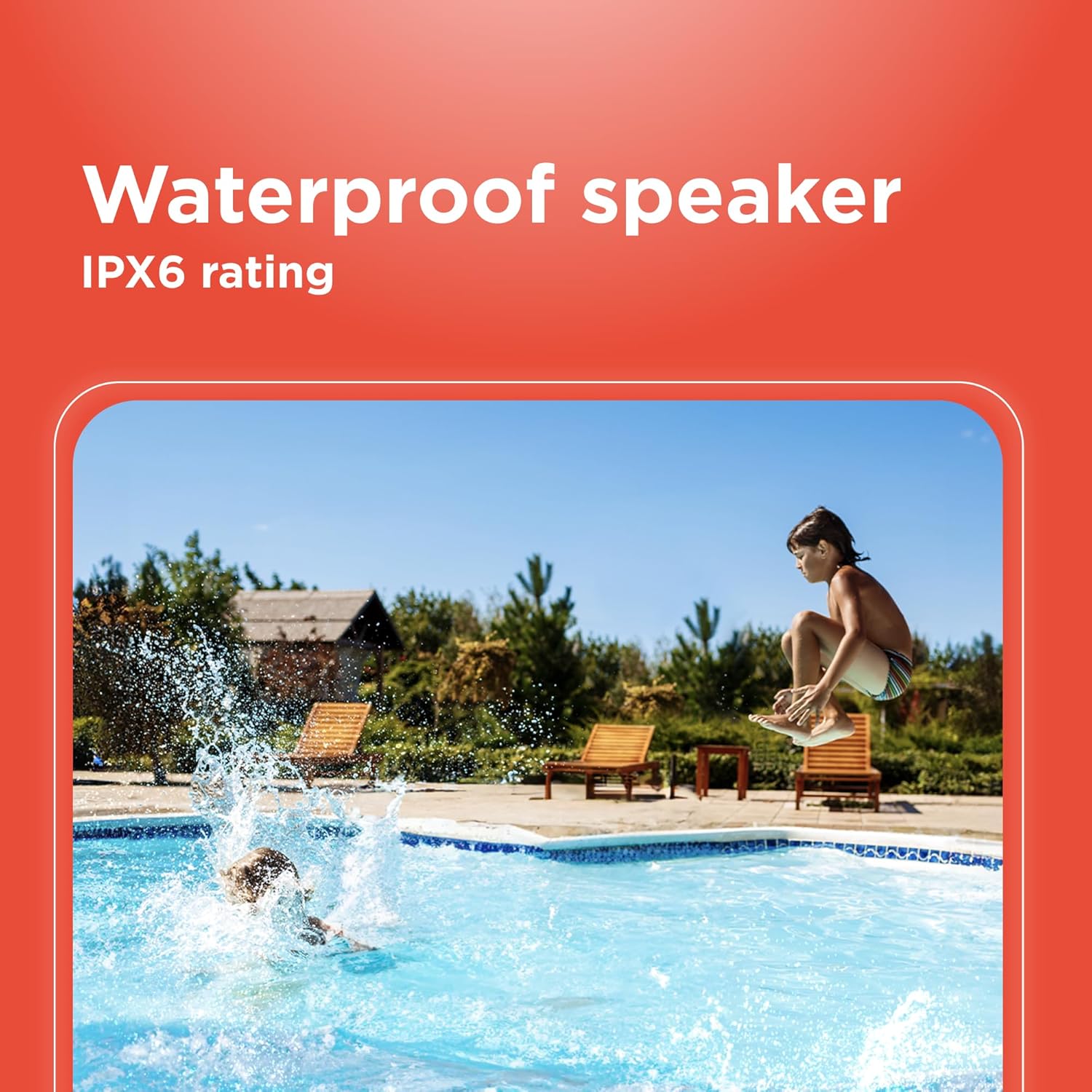
Figure 4: The speaker's weatherproof design allows for use in outdoor environments like by a pool.
6. പ്രശ്നപരിഹാരം
| പ്രശ്നം | സാധ്യമായ കാരണം | പരിഹാരം |
|---|---|---|
| സ്പീക്കർ പവർ ഓൺ ചെയ്യുന്നില്ല. | ബാറ്ററി തീർന്നു. | സ്പീക്കർ പൂർണ്ണമായും ചാർജ് ചെയ്യുക. |
| ബ്ലൂടൂത്ത് വഴി ജോടിയാക്കാൻ കഴിയില്ല. | Speaker is not in pairing mode or already connected to another device. Device's Bluetooth is off. | Ensure speaker is in Bluetooth pairing mode (flashing indicator). Disconnect from other devices. Turn on Bluetooth on your device. |
| ശബ്ദമില്ല. | Volume is too low. Incorrect input mode. Device is not playing audio. | Increase speaker and device volume. Press 'M' to select correct input mode (Bluetooth, AUX, USB/microSD). Ensure audio is playing on your source device. |
| TWS ജോടിയാക്കൽ പരാജയപ്പെടുന്നു. | സ്പീക്കറുകൾ വളരെ അകലെയാണ്. ഒരു സ്പീക്കർ ഇതിനകം ഒരു ഉപകരണത്തിലേക്ക് കണക്റ്റ് ചെയ്തിട്ടുണ്ട്. | സ്പീക്കറുകൾ വളരെ അടുത്താണെന്ന് ഉറപ്പാക്കുക. TWS ജോടിയാക്കൽ ആരംഭിക്കുന്നതിന് മുമ്പ് ഏതെങ്കിലും ബ്ലൂടൂത്ത് ഉപകരണങ്ങളിൽ നിന്ന് രണ്ട് സ്പീക്കറുകളും വിച്ഛേദിക്കുക. |
| മോശം ഓഡിയോ നിലവാരം. | Bluetooth device is too far from the speaker. Obstructions between devices. | Move the Bluetooth device closer to the speaker. Remove any obstructions. |
7 സ്പെസിഫിക്കേഷനുകൾ
| ഫീച്ചർ | വിശദാംശങ്ങൾ |
|---|---|
| മോഡലിൻ്റെ പേര് | TWS Outdoor Speaker 9 watts |
| മോഡൽ നമ്പർ | 4001765-പി.ആർ.എൻ.ടി. |
| ബ്രാൻഡ് | റേഡിയോഷാക്ക് |
| സ്പീക്കർ തരം | ഔട്ട്ഡോർ |
| മൗണ്ടിംഗ് തരം | ടേബിൾടോപ്പ് മൗണ്ട് |
| ഓഡിയോ ഔട്ട്പുട്ട് പവർ | 9 Watts (14 Watts Max) |
| വയർലെസ് കമ്മ്യൂണിക്കേഷൻ | ബ്ലൂടൂത്ത് 5.0 |
| കണക്റ്റിവിറ്റി ടെക്നോളജി | Bluetooth, Auxiliary (3.5mm), USB, microSD |
| അനുയോജ്യമായ ഉപകരണങ്ങൾ | ലാപ്ടോപ്പ്, സ്മാർട്ട്ഫോൺ, ടാബ്ലെറ്റ് |
| വാട്ടർപ്രൂഫ് റേറ്റിംഗ് | IPX6 |
| പവർ ഉറവിടം | ബാറ്ററി പവർ (റീചാർജ് ചെയ്യാവുന്നത്) |
| ഇൻപുട്ട് വോളിയംtage | 5 വോൾട്ട് |
| നിയന്ത്രണ രീതി | ടച്ച് ബട്ടണുകൾ |
| ഉൽപ്പന്ന അളവുകൾ | 12"D x 5.5"W x 6.25"H |
| ഇനത്തിൻ്റെ ഭാരം | 2.4 പൗണ്ട് |
| നിറം | കറുപ്പ് |
8. വാറൻ്റിയും പിന്തുണയും
This RadioShack True Wireless Outdoor Speaker comes with a limited warranty. Please refer to the warranty card included in your product packaging for specific terms and conditions, including coverage duration and how to make a claim.
For technical support, troubleshooting assistance, or warranty inquiries, please visit the official RadioShack webസൈറ്റിൽ നൽകുകയോ അവരുടെ ഉപഭോക്തൃ സേവന വിഭാഗവുമായി ബന്ധപ്പെടുകയോ ചെയ്യുക. കോൺടാക്റ്റ് വിവരങ്ങൾ സാധാരണയായി ഉൽപ്പന്ന പാക്കേജിംഗിലോ ബ്രാൻഡിന്റെ ഔദ്യോഗിക വെബ്സൈറ്റിലോ കാണാം. webസൈറ്റ്.
ഓൺലൈൻ പിന്തുണ: Visit the RadioShack Store on Amazon