
1. ആമുഖം
This manual provides detailed instructions for the installation, use, and maintenance of your new phone case and tempered glass screen protector kit, designed specifically for the BLU G54 (6.60") smartphone. This product offers comprehensive protection against daily wear and tear, including scratches, bumps, and impacts.
Please read this manual carefully before installation to ensure proper application and maximize the lifespan of your device's protection.
2. ഉൽപ്പന്ന ഘടകങ്ങൾ
നിങ്ങളുടെ ഉൽപ്പന്ന പാക്കേജിൽ ഇനിപ്പറയുന്ന ഇനങ്ങൾ ഉൾപ്പെടുന്നു:
- Cover for BLU G54 (6.60") Phone Case Black TPU x1
- Tempered Glass Protective Film x2
- Tool Bag x2 (for screen protector installation)

Image: The complete kit, including the phone case, two tempered glass screen protectors, and a BLU G54 phone.
3. സവിശേഷതകൾ
This product offers several key features to enhance your phone's protection and usability:
- അനുയോജ്യത: Specifically designed for the BLU G54 (6.60") model, ensuring a perfect fit.
- കേസ് മെറ്റീരിയൽ: Made of durable rubber silicone, providing excellent protection against scratches, bumps, and impacts. Features a raised bezel to protect the camera and soft silicone for back support.
- കൃത്യമായ കട്ടിംഗ്: The silicone case features precise cutouts for all buttons and ports, ensuring easy access and full functionality. It covers the entire bottom of the phone for comprehensive protection.
- Tempered Glass Protector: Constructed from 9H hardness tempered glass, designed to prevent scratches and breakage of your BLU G54 (6.60") screen.
- ഭാരം കുറഞ്ഞ ഡിസൈൻ: Both the case and screen protector are designed to be lightweight, adding minimal bulk to your device.
4. സജ്ജീകരണവും ഇൻസ്റ്റാളേഷനും
4.1. Phone Case Installation
To install the silicone phone case:
- Gently insert the top of your BLU G54 phone into the case.
- Carefully snap the remaining corners of the phone into the case, ensuring a snug and proper fit around all edges.
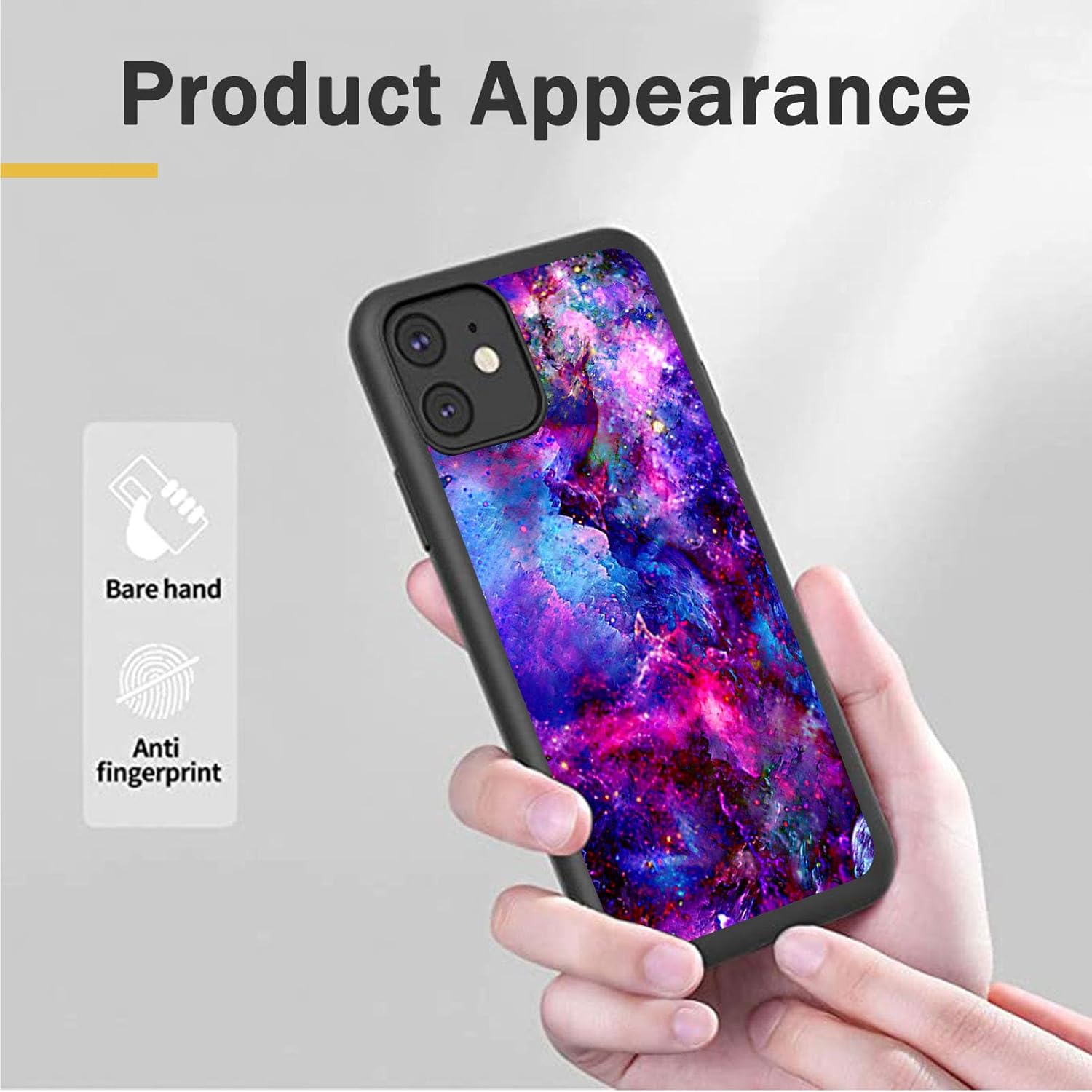
Image: The phone case installed on a phone, demonstrating its appearance and anti-fingerprint properties.

ചിത്രം: ക്ലോസ്-അപ്പ് view of the phone case highlighting precise cutouts and responsive button design.
4.2. Tempered Glass Screen Protector Installation
To install the tempered glass screen protector:
- സ്ക്രീൻ വൃത്തിയാക്കുക: Before installation, use the cleaning wipes provided in the tool bag to thoroughly clean your phone screen. Ensure the screen is free of dust, smudges, and fingerprints.
- Dry the Screen: Use the dry cloth from the kit to completely dry the screen, leaving no moisture.
- പൊടി നീക്കം ചെയ്യുക: Use the dust removal stickers to pick up any remaining dust particles from the phone screen. This step is crucial for a bubble-free application.
- വിന്യസിക്കുക, പ്രയോഗിക്കുക: Carefully peel off the protective layer from the tempered glass. Align the screen protector precisely with your phone screen, paying attention to the speaker, camera, and edges.
- സൌമ്യമായി അമർത്തുക: Once aligned, gently lower the protector onto the screen. It will naturally adhere. Gently press from the center outwards to remove any air bubbles. If bubbles persist, gently lift the nearest edge and re-apply, pushing the air out.

Image: The tempered glass screen protector, emphasizing its high-definition clarity.
5. Operating and Protection
Once installed, your BLU G54 will benefit from enhanced protection:
- ഷോക്ക് ആഗിരണം: The silicone case is designed to absorb shock from accidental drops and impacts, minimizing damage to your phone.
- സ്ക്രാച്ച് റെസിസ്റ്റൻസ്: Both the case and the 9H hardness tempered glass protect your phone's body and screen from scratches caused by keys, coins, and other abrasive objects.
- Raised Edges: The case features a 1.2mm raised camera bezel and a 1.2mm raised screen edge, providing additional protection when the phone is placed on flat surfaces.
- പൂർണ്ണ പ്രവേശനക്ഷമത: Despite robust protection, the case ensures full access to all ports, speakers, and buttons, which are designed to be highly responsive.
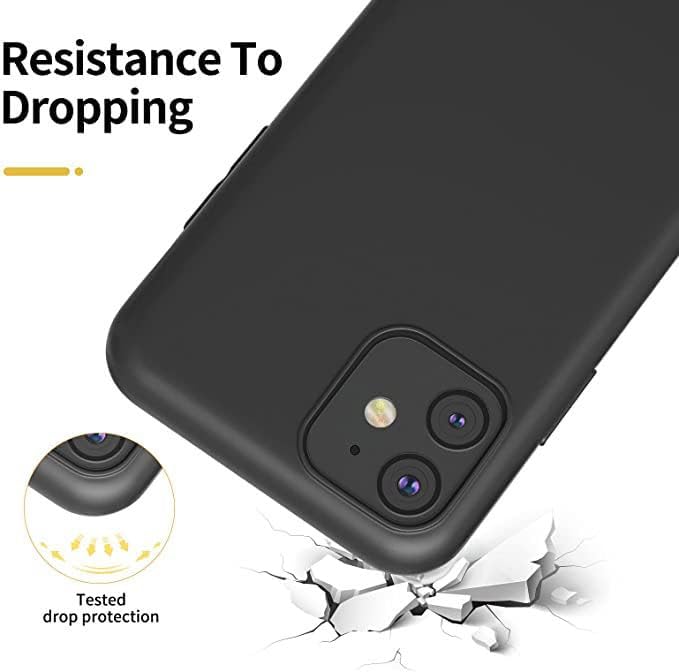
Image: An illustration demonstrating the phone case's resistance to dropping and tested drop protection.

ചിത്രം: ഒരു ക്ലോസ്-അപ്പ് view illustrating the 1.2mm raised camera and screen edges for enhanced protection.
6. പരിപാലനം
To keep your phone case and screen protector in optimal condition:
- കേസ് വൃത്തിയാക്കൽ: The silicone case can be cleaned with a damp തുണിയും വീര്യം കുറഞ്ഞ സോപ്പും ഉപയോഗിക്കുക. മെറ്റീരിയലിന് കേടുവരുത്തുന്ന കഠിനമായ രാസവസ്തുക്കൾ ഒഴിവാക്കുക.
- സ്ക്രീൻ പ്രൊട്ടക്ടർ വൃത്തിയാക്കൽ: Use a microfiber cloth to wipe the tempered glass screen protector. For stubborn smudges, a screen cleaning solution designed for electronics can be used.
- തീവ്രമായ താപനില ഒഴിവാക്കുക: Do not expose the product to extreme heat or cold, as this may affect its material integrity.
7. പ്രശ്നപരിഹാരം
Air Bubbles Under Screen Protector:
- Ensure the screen is completely clean and dust-free before application. Even tiny dust particles can cause bubbles.
- During application, apply pressure from the center outwards to push air out.
- If bubbles persist, gently lift the nearest edge of the protector with a credit card or similar thin object (avoiding fingernails to prevent damage) and slowly re-apply, pushing the air out as you go.
കേസ് ഫിറ്റ് പ്രശ്നങ്ങൾ:
- Double-check that your phone model is indeed BLU G54 (6.60"). You can verify this in your phone's settings under "About Phone" or "Model Information".
- Ensure the phone is fully seated within the case, with all corners securely snapped in.
8 സ്പെസിഫിക്കേഷനുകൾ
| ഫീച്ചർ | വിശദാംശങ്ങൾ |
|---|---|
| ഉൽപ്പന്നത്തിൻ്റെ പേര് | Silicone Phone Case & Tempered Glass Screen Protector |
| അനുയോജ്യമായ മോഡൽ | BLU G54 (6.60") |
| കേസ് മെറ്റീരിയൽ | Silicone (Rubber) |
| സ്ക്രീൻ പ്രൊട്ടക്ടർ മെറ്റീരിയൽ | ടെമ്പർഡ് ഗ്ലാസ് |
| സ്ക്രീൻ പ്രൊട്ടക്ടർ കാഠിന്യം | 9H |
| കേസ് നിറം | Black (with 'the stars are brilliant' design) |
| Screen Protector Color | സുതാര്യം |
| ഉൽപ്പന്ന അളവുകൾ | 4.72 x 2.36 x 0.39 ഇഞ്ച് |
| ഇനത്തിൻ്റെ ഭാരം | 1.41 ഔൺസ് |
| പ്രത്യേക സവിശേഷതകൾ | Built-in Screen Protector, Phone Case |
| ഫോം ഫാക്ടർ | ബമ്പർ |
| നിർമ്മാതാവ് | ജനറിക് |
| മാതൃരാജ്യം | ചൈന |
9. വാറൻ്റിയും പിന്തുണയും
For any questions, concerns, or support regarding your BLU G54 phone case and tempered glass protector, please contact the seller directly through the platform where you made your purchase. They will be able to provide assistance and solutions for any issues you may encounter.