
ആമുഖം
Thank you for choosing the TechniSat VIOLA Wall Socket Radio. This compact FM radio is designed for convenience, offering both traditional FM radio reception and modern Bluetooth audio streaming. Its integrated hands-free function allows for easy call management. This manual provides essential information for the safe and efficient use of your device.
സുരക്ഷാ വിവരങ്ങൾ
- ഇലക്ട്രിക്കൽ സുരക്ഷ: Ensure the radio is plugged into a standard, properly grounded wall socket. Do not overload the socket. Disconnect from power during electrical storms or when unused for long periods.
- ജലവും ഈർപ്പവും: Do not expose the device to water, rain, or excessive humidity. Avoid using it in bathrooms or near sinks where it could come into contact with water.
- വെൻ്റിലേഷൻ: Ensure adequate ventilation around the device. Do not cover the ventilation openings.
- വൃത്തിയാക്കൽ: Use a soft, dry cloth for cleaning. Do not use liquid or aerosol cleaners.
- താപനില: Avoid extreme temperatures. Do not place the device near heat sources or in direct sunlight.
- കുട്ടികൾ: ഉപകരണം കുട്ടികൾക്ക് ലഭ്യമാകാതെ സൂക്ഷിക്കുക.
ഉൽപ്പന്നം കഴിഞ്ഞുview
The TechniSat VIOLA radio features a compact design with intuitive controls and a clear display.
നിയന്ത്രണങ്ങളും പ്രദർശനവും
The top panel of the radio houses all control buttons, while the front features an LCD segment display.
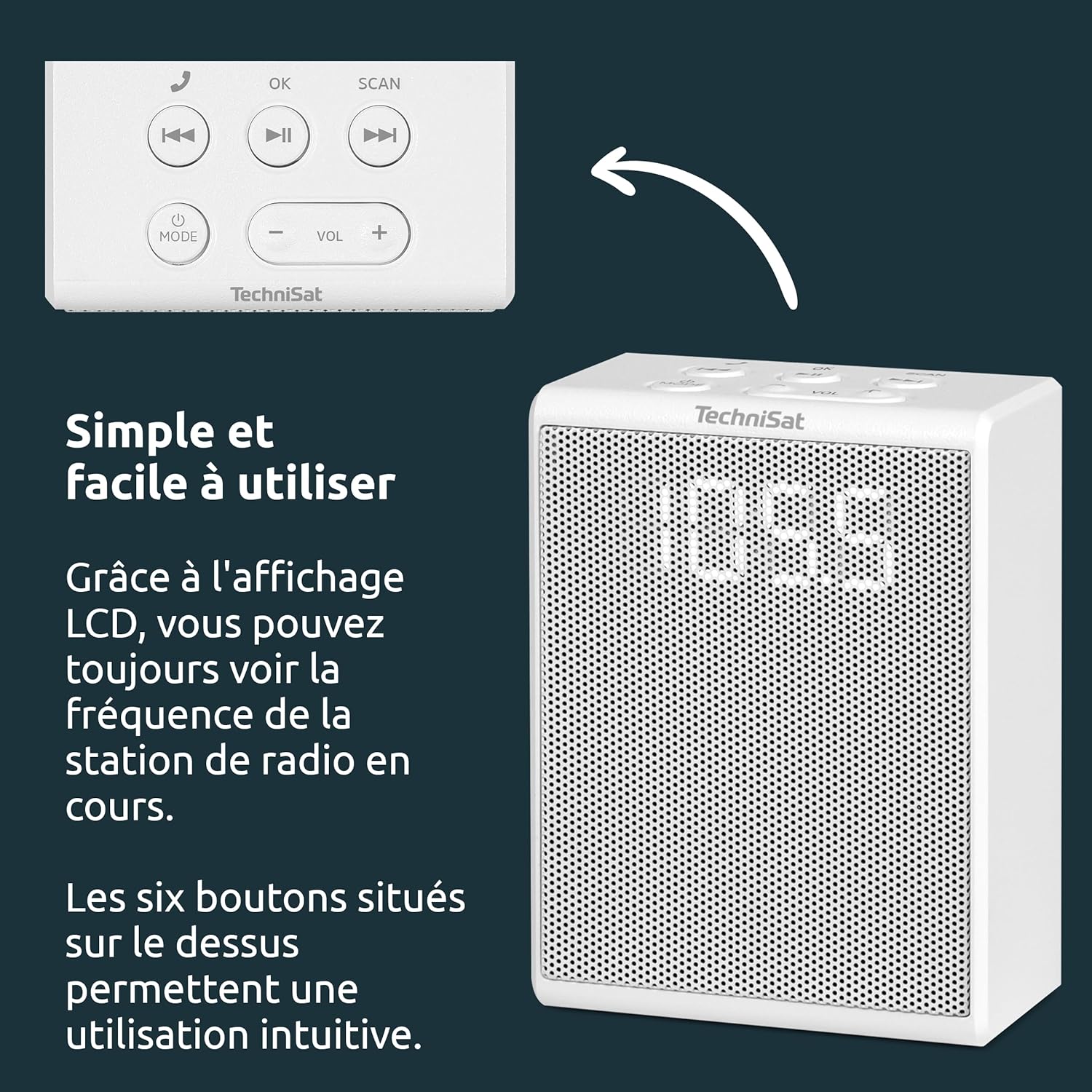
- മോഡ് ബട്ടൺ: Switches between FM radio and Bluetooth modes.
- VOL +/- ബട്ടണുകൾ: വോളിയം ലെവൽ ക്രമീകരിക്കുന്നു.
- ശരി ബട്ടൺ: Confirms selections or answers/ends calls.
- സ്കാൻ ബട്ടൺ: Initiates automatic station scanning in FM mode.
- മുമ്പത്തെ/അടുത്ത ട്രാക്ക് ബട്ടണുകൾ: Skips tracks in Bluetooth mode or navigates presets in FM mode.
- പ്ലേ/താൽക്കാലികമായി നിർത്തുക ബട്ടൺ: Plays or pauses audio in Bluetooth mode.

സജ്ജമാക്കുക
Setting up your TechniSat VIOLA radio is straightforward.
1. പവർ കണക്ഷൻ
- Locate a suitable wall socket.
- Plug the TechniSat VIOLA radio directly into the wall socket. The device will power on automatically.

പ്രവർത്തന നിർദ്ദേശങ്ങൾ
എഫ്എം റേഡിയോ ഓപ്പറേഷൻ
- അമർത്തുക മോഡ് ഡിസ്പ്ലേയിൽ "FM" ദൃശ്യമാകുന്നതുവരെ ബട്ടൺ അമർത്തുക.
- അമർത്തുക സ്കാൻ ചെയ്യുക button to automatically search for available FM stations. The radio will scan and save up to 30 stations.
- ഉപയോഗിക്കുക മുമ്പത്തെ/അടുത്ത ട്രാക്ക് buttons to cycle through the saved preset stations.
- ഉപയോഗിച്ച് വോളിയം ക്രമീകരിക്കുക വോൾ +/- ബട്ടണുകൾ.
Bluetooth Pairing and Streaming
- അമർത്തുക മോഡ് button until "BT" (Bluetooth) appears on the display. The radio will enter pairing mode, indicated by a flashing Bluetooth icon or similar.
- On your smartphone or tablet, enable Bluetooth and search for available devices. Select "TechniSat VIOLA" from the list.
- Once paired, the Bluetooth indicator on the radio will become solid. You can now stream audio from your device to the VIOLA radio.
- ഉപയോഗിക്കുക പ്ലേ/താൽക്കാലികമായി നിർത്തുക ഒപ്പം മുമ്പത്തെ/അടുത്ത ട്രാക്ക് buttons on the radio or your connected device to control playback.
- ഉപയോഗിച്ച് വോളിയം ക്രമീകരിക്കുക വോൾ +/- buttons on the radio or your connected device.
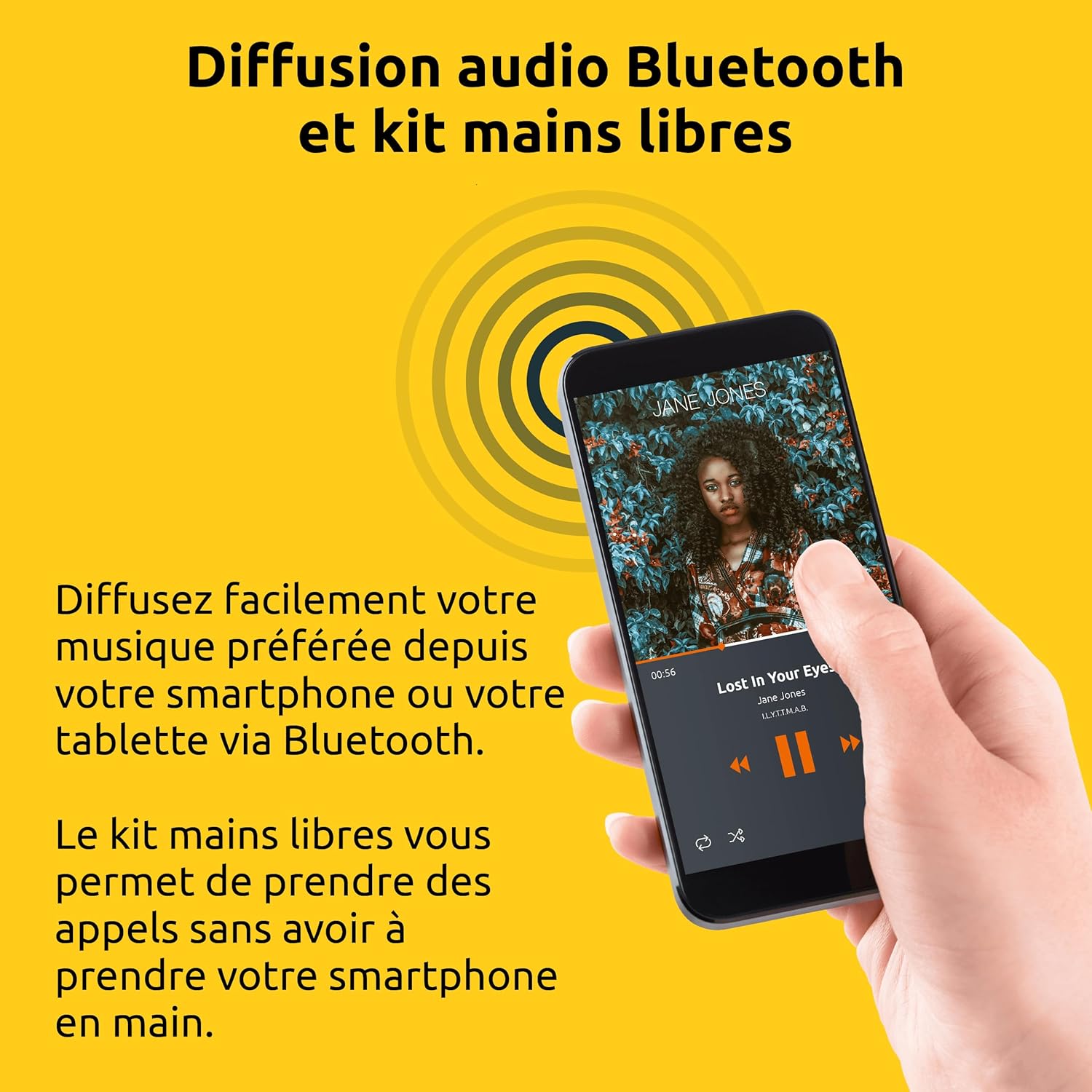
ഹാൻഡ്സ്-ഫ്രീ ഫംഗ്ഷൻ
When your smartphone is paired via Bluetooth:
- ഒരു കോളിന് മറുപടി നൽകുന്നു: When an incoming call is received, the radio will ring. Press the OK കോളിന് മറുപടി നൽകാനുള്ള ബട്ടൺ.
- ഒരു കോൾ അവസാനിപ്പിക്കുന്നു: ഒരു കോൾ സമയത്ത്, അമർത്തുക OK button to end the conversation.
- ഒരു കോൾ നിരസിക്കുന്നു: ഇൻകമിംഗ് കോൾ നിരസിക്കാൻ, അമർത്തിപ്പിടിക്കുക OK കുറച്ച് നിമിഷങ്ങൾക്കുള്ള ബട്ടൺ.
മെയിൻ്റനൻസ്
To ensure the longevity and optimal performance of your TechniSat VIOLA radio, follow these maintenance guidelines:
- വൃത്തിയാക്കൽ: Regularly wipe the exterior of the radio with a soft, dry, lint-free cloth. Do not use abrasive cleaners, waxes, or solvents as they may damage the finish.
- ദ്രാവകങ്ങൾ ഒഴിവാക്കുക: Never spray liquids directly onto the radio or immerse it in water.
- സംഭരണം: If storing the radio for an extended period, unplug it from the wall socket and store it in a cool, dry place away from direct sunlight.
ട്രബിൾഷൂട്ടിംഗ്
If you encounter issues with your TechniSat VIOLA radio, refer to the following common problems and solutions:
| പ്രശ്നം | സാധ്യമായ കാരണം | പരിഹാരം |
|---|---|---|
| ശക്തിയില്ല | Radio not properly plugged in; Wall socket not active. | Ensure the radio is fully inserted into a working wall socket. Test the socket with another appliance. |
| ശബ്ദമില്ല | ശബ്ദം വളരെ കുറവാണ്; തെറ്റായ മോഡ് തിരഞ്ഞെടുത്തു. | ഉപയോഗിച്ച് വോളിയം വർദ്ധിപ്പിക്കുക VOL+. Check that the correct mode (FM or BT) is selected. |
| മോശം എഫ്എം സ്വീകരണം | ദുർബലമായ സിഗ്നൽ; തടസ്സം. | Try repositioning the radio or moving it to a different wall socket. Avoid placing near other electronic devices that may cause interference. |
| ബ്ലൂടൂത്ത് കണക്റ്റ് ചെയ്യുന്നില്ല | Radio not in pairing mode; Device too far; Bluetooth already connected to another device. | Ensure the radio is in Bluetooth pairing mode ("BT" flashing). Move your device closer to the radio. Disconnect from other Bluetooth devices. Try restarting both the radio and your device. |
| Hands-free not working | Bluetooth not connected; Microphone blocked. | Ensure Bluetooth is successfully paired. Check that nothing is obstructing the radio's microphone. |
സ്പെസിഫിക്കേഷനുകൾ
Detailed technical specifications for the TechniSat VIOLA Wall Socket Radio.
| ഫീച്ചർ | വിശദാംശങ്ങൾ |
|---|---|
| ബ്രാൻഡ് | ടെക്നിസാറ്റ് |
| മോഡൽ നമ്പർ | 0000/2982 |
| നിറം | വെള്ള |
| കണക്റ്റിവിറ്റി ടെക്നോളജി | ബ്ലൂടൂത്ത് |
| പ്രത്യേക സവിശേഷതകൾ | LCD Segment Display, Integrated Speaker, Hands-Free Kit, FM Radio Reception, Bluetooth Audio Streaming |
| അനുയോജ്യമായ ഉപകരണങ്ങൾ | Smartphone, Tablet, MP3 Player, Speaker |
| പവർ ഉറവിടം | Electric Cable (Wall Socket) |
| റേഡിയോ ബാൻഡുകൾ പിന്തുണയ്ക്കുന്നു | FM |
| ട്യൂണിംഗ് സാങ്കേതികവിദ്യ | FM |
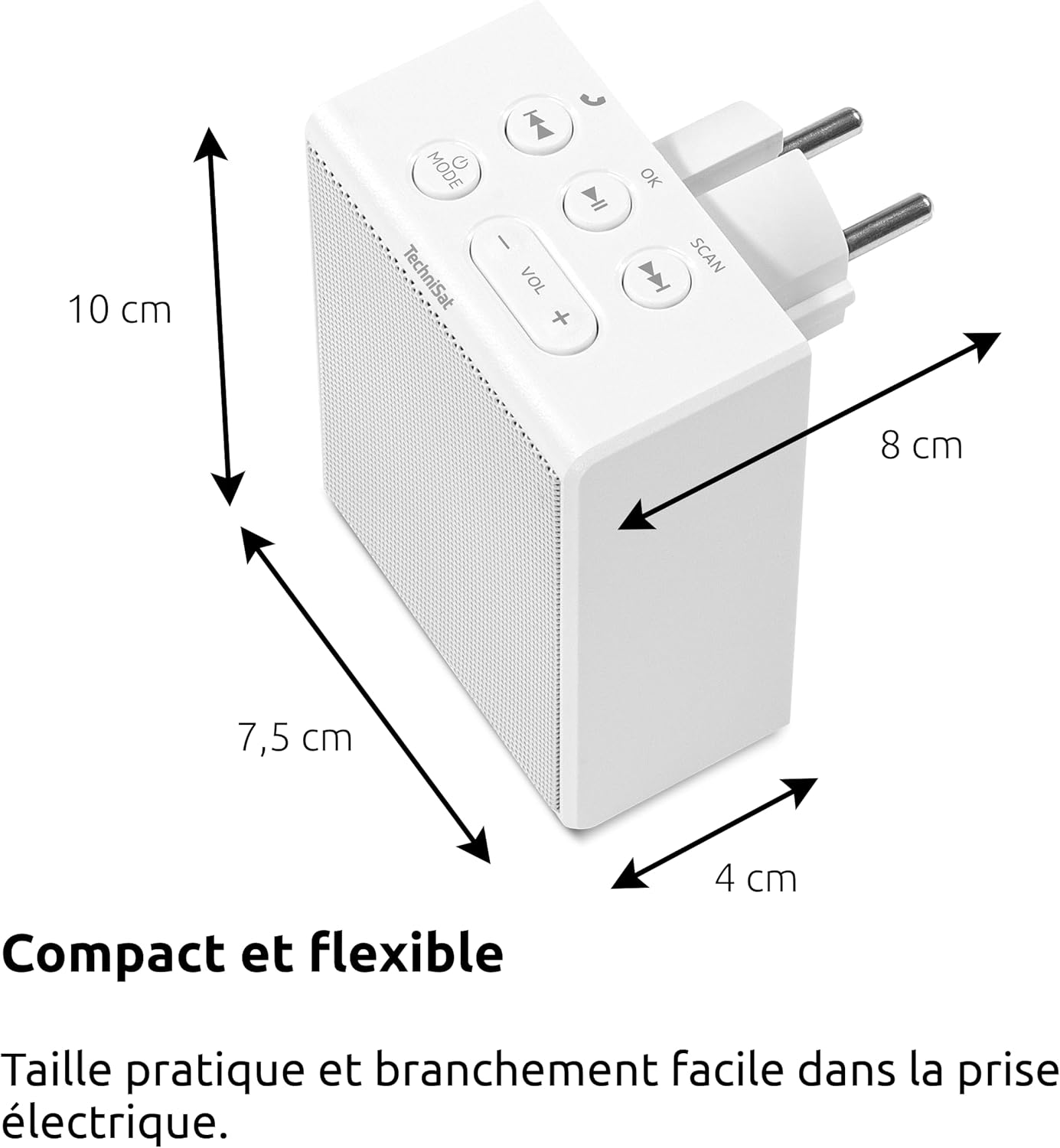
| ഉൽപ്പന്ന അളവുകൾ (L x W x H) | 7.5 x 4 x 10 സെ.മീ |
| സ്പീക്കർ ഔട്ട്പുട്ട് | 1.5 W RMS (Mono) |
| ബാറ്ററി റീചാർജബിൾ | ഇല്ല |
വാറൻ്റിയും പിന്തുണയും
നിർമ്മാതാവിന്റെ വാറന്റി: Information not specified in product details. Please refer to your purchase documentation or contact your retailer for specific warranty terms.
ഉപഭോക്തൃ പിന്തുണ: For further assistance, technical support, or warranty claims, please contact your point of purchase or visit the official TechniSat webബന്ധപ്പെടാനുള്ള വിവരങ്ങൾക്കുള്ള സൈറ്റ്.