
ആമുഖം
Thank you for choosing the Raddy RF320 Shortwave Radio. This manual provides essential information for the safe and efficient operation of your device. Please read it thoroughly before use and retain it for future reference. The RF320 is a versatile portable radio offering comprehensive reception across AIR, FM, VHF, MW, SW, and WB bands, along with Bluetooth 5.0 connectivity, TF card playback, and emergency features like a flashlight and SOS function.
സുരക്ഷാ വിവരങ്ങൾ
- തീവ്രമായ താപനില, നേരിട്ടുള്ള സൂര്യപ്രകാശം, ഉയർന്ന ഈർപ്പം എന്നിവയ്ക്ക് റേഡിയോ വിധേയമാക്കരുത്.
- ശക്തമായ ആഘാതങ്ങൾക്ക് ഉപകരണം ഇടുകയോ ഇടുകയോ ചെയ്യുന്നത് ഒഴിവാക്കുക.
- Keep the radio away from water and other liquids. It is not waterproof.
- കേടുപാടുകൾ തടയാൻ നിർദ്ദിഷ്ട ചാർജിംഗ് കേബിളും പവർ അഡാപ്റ്ററും മാത്രം ഉപയോഗിക്കുക.
- Do not attempt to disassemble or modify the radio. This will void the warranty and may cause harm.
- പ്രാദേശിക നിയന്ത്രണങ്ങൾ അനുസരിച്ച് ബാറ്ററികൾ നീക്കം ചെയ്യുക.
പാക്കേജ് ഉള്ളടക്കം
പാക്കേജിൽ എല്ലാ ഇനങ്ങളും ഉണ്ടെന്ന് ഉറപ്പാക്കുക:
- Raddy RF320 Shortwave Radio
- യുഎസ്ബി ചാർജിംഗ് കേബിൾ
- 3m Cable Antenna
- ഇയർഫോണുകൾ
- ഉടമയുടെ മാനുവൽ
ഉൽപ്പന്നം കഴിഞ്ഞുview
റേഡിയോയുടെ ഘടകങ്ങളും നിയന്ത്രണങ്ങളും പരിചയപ്പെടുക.
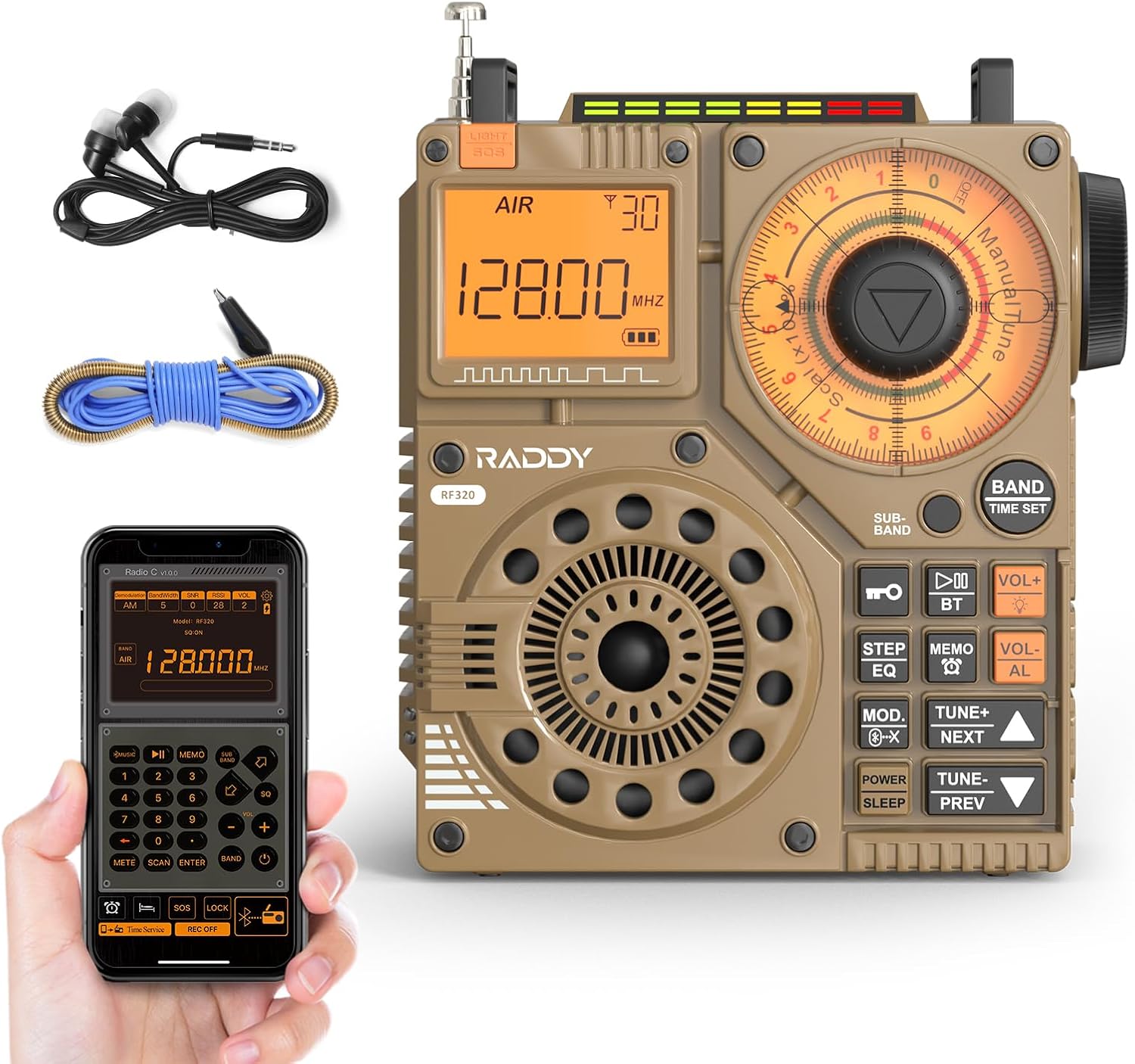
ചിത്രം 1: മുൻഭാഗം view of the Raddy RF320 Shortwave Radio, showing the display, speaker, and control buttons.

ചിത്രം 2: വശം view of the Raddy RF320, illustrating the fine-tuning knobs and their function for precise frequency adjustment.
പ്രധാന സവിശേഷതകൾ:
- ഡിജിറ്റൽ ഡിസ്പ്ലേ: Shows frequency, band, and other operational information.
- Tuning Knobs: For manual and fine-tuning adjustments.
- Band Selection Buttons: To switch between AIR, FM, VHF, MW, SW bands.
- വോളിയം നിയന്ത്രണം: ഓഡിയോ ഔട്ട്പുട്ട് ലെവൽ ക്രമീകരിക്കുന്നു.
- സംയോജിത ഫ്ലാഷ്ലൈറ്റ്: കുറഞ്ഞ വെളിച്ചത്തിൽ പ്രകാശിപ്പിക്കുന്നതിന്.
- SOS പ്രവർത്തനം: ഒരു അടിയന്തര സിഗ്നൽ സജീവമാക്കുന്നു.
- ബ്ലൂടൂത്ത് 5.0: വയർലെസ് ഓഡിയോ സ്ട്രീമിംഗിനായി.
- ടിഎഫ് കാർഡ് സ്ലോട്ട്: For direct playback of stored audio files.
- 3.5mm ഓഡിയോ ജാക്ക്: For earphone connection.
സജ്ജമാക്കുക
1 ബാറ്ററി ചാർജ് ചെയ്യുന്നു
The RF320 is powered by a built-in Lithium-ion battery. Before first use, fully charge the radio.
- Connect the USB charging cable to the radio's charging port.
- USB കേബിളിന്റെ മറ്റേ അറ്റം അനുയോജ്യമായ ഒരു USB പവർ അഡാപ്റ്ററുമായി (ഉൾപ്പെടുത്തിയിട്ടില്ല) അല്ലെങ്കിൽ കമ്പ്യൂട്ടറിന്റെ USB പോർട്ടുമായി ബന്ധിപ്പിക്കുക.
- The charging indicator on the display will show the charging status. It will typically turn off or change color when fully charged.
2. ആന്റിന ഘടിപ്പിക്കൽ
For optimal reception, especially on SW and AIR bands, extend the telescopic antenna or connect the included 3m cable antenna.
- ടെലിസ്കോപ്പിക് ആന്റിന: Extend it fully and adjust its direction for best signal.
- Cable Antenna: Plug the cable antenna into the designated antenna jack on the radio. Extend the cable antenna as much as possible, ideally outdoors or near a window, for improved shortwave reception.
പ്രവർത്തന നിർദ്ദേശങ്ങൾ
1. പവർ ഓൺ/ഓഫ്
അമർത്തിപ്പിടിക്കുക പവർ റേഡിയോ ഓണാക്കാനോ ഓഫാക്കാനോ ഉള്ള ബട്ടൺ.
2. ബാൻഡ് തിരഞ്ഞെടുക്കൽ
അമർത്തുക ബാൻഡ് button repeatedly to cycle through the available frequency bands: FM, AM (MW), SW, VHF, AIR, WB.
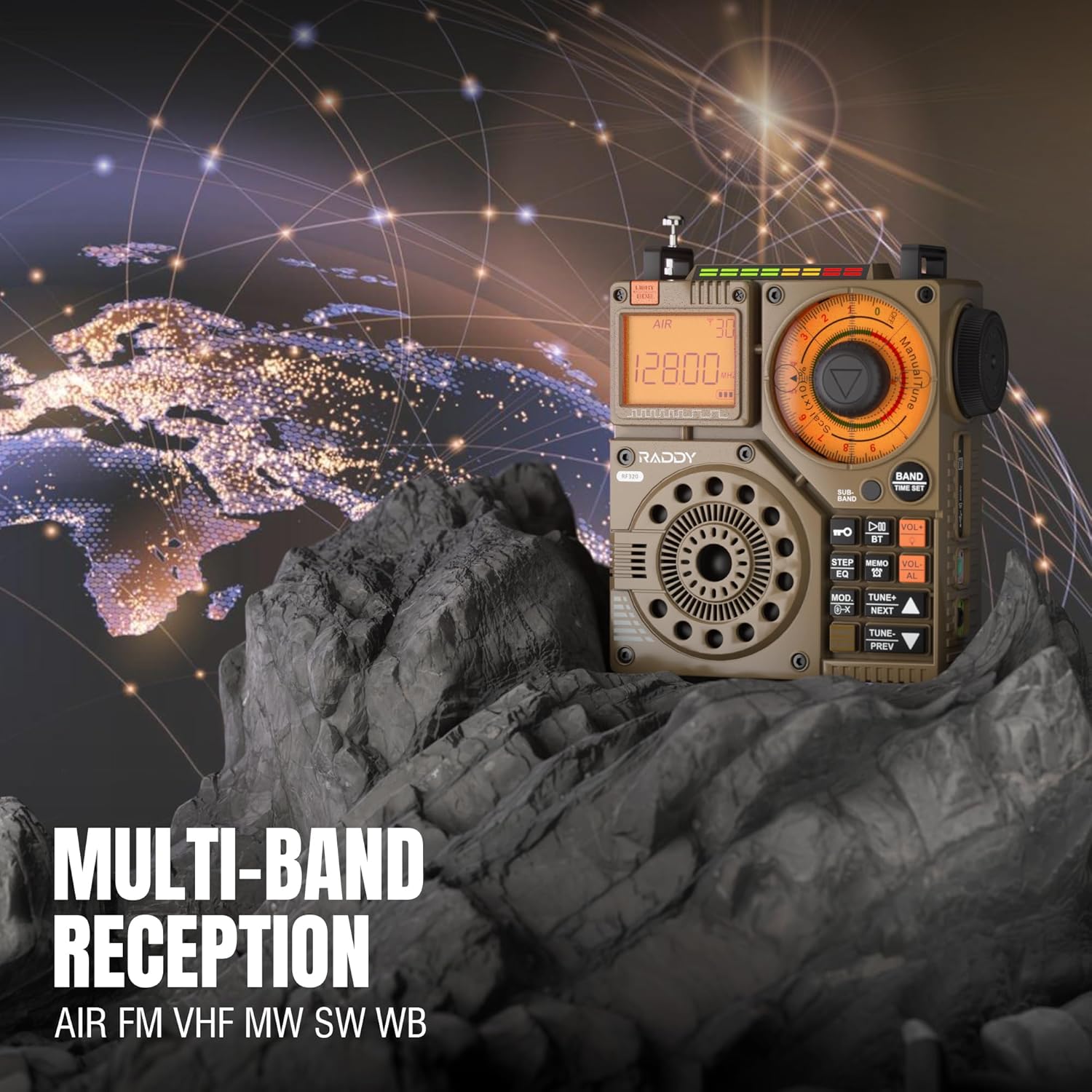
Figure 3: The Raddy RF320 radio on a rocky surface, symbolizing its multi-band reception capabilities across AIR, FM, VHF, MW, SW, and WB bands.
3. Tuning Methods
The RF320 offers multiple tuning options:
- സ്വമേധയാലുള്ള ട്യൂണിംഗ്: Use the main tuning knob to adjust the frequency incrementally. The precise tuning knobs offer a minimum step value of 0.005 MHz for accurate frequency selection.
- Digital Tuning: Use the numeric keypad (if available on the device or via app) to directly enter a frequency.
- യാന്ത്രിക തിരയൽ: അമർത്തുക ഓട്ടോ സ്കാൻ button to automatically scan and store available stations.
- Semi-Automatic Search: This function allows for scanning within a specific range or with user intervention. Refer to the on-screen prompts or app interface for details.
4. Station Storage
The radio can store up to 955 stations (199 for each of AIR, FM, VHF, MW, and SW bands).
- ആവശ്യമുള്ള സ്റ്റേഷനിലേക്ക് ട്യൂൺ ചെയ്യുക.
- അമർത്തിപ്പിടിക്കുക മെമോ button (or equivalent) to save the station.
- ഉപയോഗിക്കുക അടുത്തത്/മുൻപ് സംഭരിച്ച സ്റ്റേഷനുകളിലൂടെ നാവിഗേറ്റ് ചെയ്യാനുള്ള ബട്ടണുകൾ.
5. ബ്ലൂടൂത്ത് (BT) മോഡ്
Connect your smartphone or other Bluetooth-enabled device to stream audio wirelessly.
- അമർത്തുക മോഡ് button until 'BT' or 'Bluetooth' is displayed.
- On your device, search for Bluetooth devices and select 'Raddy RF320'.
- ജോടിയാക്കിക്കഴിഞ്ഞാൽ, റേഡിയോയുടെ സ്പീക്കർ വഴി നിങ്ങളുടെ ഉപകരണത്തിൽ നിന്ന് ഓഡിയോ പ്ലേ ചെയ്യാൻ കഴിയും.
6. TF കാർഡ് പ്ലേബാക്ക്
ഓഡിയോ പ്ലേ ചെയ്യുക files directly from a TF (MicroSD) card.
- Insert a TF card (up to 32GB, FAT32 format) with audio fileടിഎഫ് കാർഡ് സ്ലോട്ടിലേക്ക്.
- അമർത്തുക മോഡ് button until 'TF' or 'Card' is displayed.
- ഉപയോഗിക്കുക അടുത്തത്/മുൻപ് ട്രാക്കുകൾ നാവിഗേറ്റ് ചെയ്യുന്നതിനുള്ള ബട്ടണുകൾ.

Figure 4: The Raddy RF320 radio next to a smartphone displaying music, highlighting its three operational modes: Bluetooth, TF Card, and Radio Receiver.
7. Flashlight and SOS Function
The RF320 includes an integrated flashlight and an SOS emergency signal.
- ഫ്ലാഷ്ലൈറ്റ്: അമർത്തുക വെളിച്ചം button to turn the flashlight on/off.
- SOS: അമർത്തിപ്പിടിക്കുക SOS button to activate the emergency alarm and flashing light. Press again to deactivate.

Figure 5: Close-up of the Raddy RF320 radio with its integrated flashlight active, demonstrating its outdoor lighting capability.
8. ആപ്പ് നിയന്ത്രണം
The Raddy RF320 can be controlled via a dedicated application on iOS, Android, and HarmonyOS systems.
- Download the 'Radio C' application from your device's app store.
- Ensure Bluetooth is enabled on your smartphone and the RF320 radio.
- Open the app and follow the on-screen instructions to connect to your RF320.
- The app allows for digital tuning, channel naming, recording broadcasts, and other advanced controls.

Figure 6: The Raddy RF320 radio displayed alongside a smartphone running its control application, illustrating the ease of use with app integration.
മെയിൻ്റനൻസ്
- മൃദുവായതും ഉണങ്ങിയതുമായ തുണി ഉപയോഗിച്ച് റേഡിയോ വൃത്തിയാക്കുക. അബ്രാസീവ് ക്ലീനറുകളോ ലായകങ്ങളോ ഉപയോഗിക്കരുത്.
- ദീർഘനേരം ഉപയോഗിക്കാത്തപ്പോൾ, റേഡിയോ തണുത്തതും വരണ്ടതുമായ സ്ഥലത്ത് സൂക്ഷിക്കുക.
- Periodically charge the battery to maintain its lifespan, even if the radio is not being used.
- Ensure the telescopic antenna is retracted when not in use to prevent damage.
ട്രബിൾഷൂട്ടിംഗ്
| പ്രശ്നം | സാധ്യമായ കാരണം | പരിഹാരം |
|---|---|---|
| റേഡിയോ ഓൺ ചെയ്യുന്നില്ല. | ബാറ്ററി തീർന്നു. | Charge the radio fully. |
| മോശം റേഡിയോ സ്വീകരണം. | ദുർബലമായ സിഗ്നൽ; ആന്റിന നീട്ടിയിട്ടില്ല. | Extend the telescopic antenna or connect the 3m cable antenna. Adjust antenna position. Move to an area with better signal. |
| ബ്ലൂടൂത്ത് കണക്ഷൻ പരാജയപ്പെടുന്നു. | Radio not in BT mode; device too far; pairing issue. | Ensure radio is in BT mode. Bring devices closer. Delete 'Raddy RF320' from your device's BT list and re-pair. |
| TF കാർഡ് പ്ലേ ചെയ്യുന്നില്ല. | Card not inserted correctly; unsupported format; corrupted files. | Reinsert TF card. Ensure card is FAT32 format. Check if audio fileകൾ പിന്തുണയ്ക്കുന്നു. |
| ആപ്പ് നിയന്ത്രണം പ്രവർത്തിക്കുന്നില്ല. | Bluetooth not connected; app not updated. | Ensure radio is paired via Bluetooth. Update the 'Radio C' app to the latest version. |
സ്പെസിഫിക്കേഷനുകൾ
| ഫീച്ചർ | സ്പെസിഫിക്കേഷൻ |
|---|---|
| ബ്രാൻഡ് | റാഡി |
| മോഡൽ നമ്പർ | RF320 |
| പിന്തുണയ്ക്കുന്ന റേഡിയോ ബാൻഡുകൾ | AIR, FM, VHF, MW (AM), SW |
| ട്യൂണിംഗ് സാങ്കേതികവിദ്യ | FM, AM, VHF, SW, AIR |
| കണക്റ്റിവിറ്റി ടെക്നോളജി | ബ്ലൂടൂത്ത് 5.0 |
| പ്രത്യേക സവിശേഷതകൾ | Digital Display, Integrated Flashlight, Rechargeable, Automatic Squelch, Keypad Lock, TF Card Playback, App Control, SOS Function |
| ഉൽപ്പന്ന അളവുകൾ (L x W x H) | 15L x 9W x 15H സെൻ്റീമീറ്റർ |
| പവർ ഉറവിടം | ബാറ്ററി പവർ (1 ലിഥിയം-അയൺ ബാറ്ററി ഉൾപ്പെടുത്തിയിരിക്കുന്നു) |
| ഡിസ്പ്ലേ തരം | Digital Display (LCD/LED) |
| ഹാർഡ്വെയർ ഇന്റർഫേസ് | 3.5 മില്ലീമീറ്റർ ഓഡിയോ ജാക്ക് |
| ജല പ്രതിരോധ നില | വാട്ടർപ്രൂഫ് അല്ല |
| ആന്തരിക മെറ്റീരിയൽ | ലോഹം |
| മാതൃരാജ്യം | ചൈന |
വാറൻ്റിയും പിന്തുണയും
വാറൻ്റി വിവരങ്ങൾ
Raddy products typically come with a standard manufacturer's warranty. Please refer to the warranty card included in your package or visit the official Raddy website for detailed warranty terms and conditions specific to the RF320 model. Keep your purchase receipt as proof of purchase for warranty claims.
ഉപഭോക്തൃ പിന്തുണ
For technical assistance, troubleshooting beyond this manual, or warranty inquiries, please contact Raddy customer support through their official website or the contact information provided with your product packaging. When contacting support, please have your product model (RF320) and purchase details ready.