
1. ആമുഖം
The JETBeam E26 is a versatile 3-in-1 flat flashlight designed for everyday carry (EDC), emergency situations, work, and outdoor activities. It integrates a powerful 2000-lumen white LED, a 365nm UV light, and a green laser beam into a compact, durable, and rechargeable unit. This manual provides essential information for the safe and effective use of your E26 flashlight.
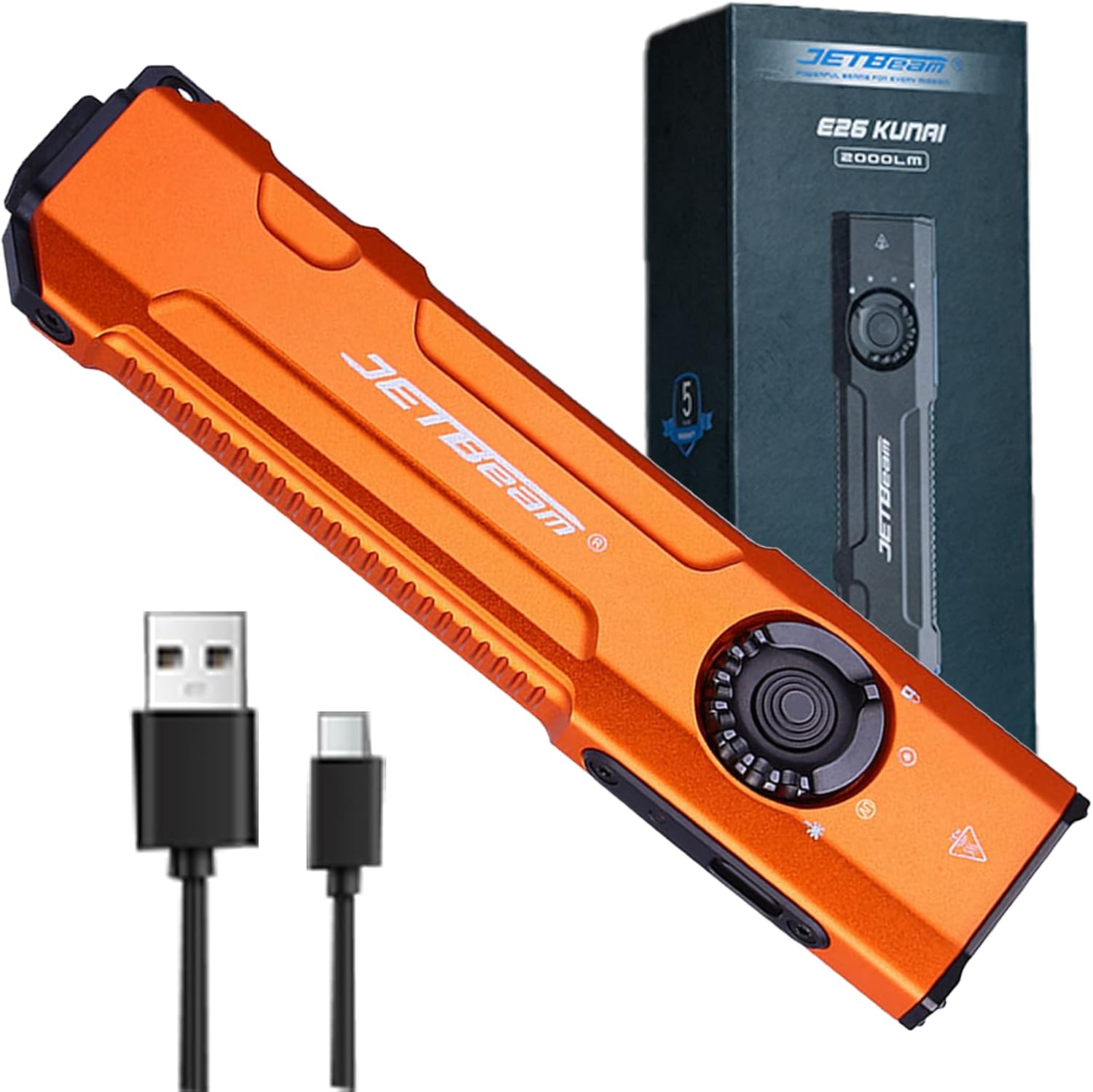
Image 1.1: The JETBeam E26 3-in-1 Flat Flashlight, showcasing അതിന്റെ ഒതുക്കമുള്ള രൂപകൽപ്പനയും ഉൾപ്പെടുത്തിയ അനുബന്ധ ഉപകരണങ്ങളും.
2 സുരക്ഷാ വിവരങ്ങൾ
ഈ ഉൽപ്പന്നം ഉപയോഗിക്കുന്നതിന് മുമ്പ് എല്ലാ സുരക്ഷാ മുന്നറിയിപ്പുകളും വായിച്ച് മനസ്സിലാക്കുക. ഈ നിർദ്ദേശങ്ങൾ പാലിക്കുന്നതിൽ പരാജയപ്പെടുന്നത് ഉൽപ്പന്നത്തിന് പരിക്കോ കേടുപാടുകളോ ഉണ്ടാക്കാൻ കാരണമായേക്കാം.
2.1 പൊതു സുരക്ഷ
- High Output Warning: The E26 flashlight can produce up to 2000 lumens of white light. Avoid directing the beam directly into eyes, as this can cause temporary vision impairment or permanent eye damage.
- താപ ഉത്പാദനം: The flashlight may become hot during prolonged use at high brightness levels. Exercise caution to prevent burns.
- ആകസ്മികമായ സജീവമാക്കൽ: Always engage the lockout function when carrying the flashlight in a pocket or bag to prevent accidental activation and potential hazards, such as overheating or damage to clothing.
2.2 UV Light Safety
- നേത്ര സംരക്ഷണം: Do not look directly into the UV light. Prolonged exposure to UV light can be harmful to eyes.
- സ്കിൻ എക്സ്പോഷർ: Avoid prolonged direct exposure of skin to UV light.
- ഉദ്ദേശിച്ച ഉപയോഗം: The UV light is intended for detection purposes (e.g., pet stains, fluorescent agents) and not for general illumination.
2.3 Green Beam Safety
- ലേസർ വികിരണം: This product emits a Class 3R laser. Avoid direct eye exposure.
- കുട്ടികൾ: Keep out of reach of children. Supervise children if they are using the laser for pet play.
- Aircraft/Vehicles: Never point the laser at aircraft, vehicles, or reflective surfaces.
3. പാക്കേജ് ഉള്ളടക്കം
നിങ്ങളുടെ പാക്കേജിൽ എല്ലാ ഇനങ്ങളും ഉണ്ടെന്ന് ഉറപ്പാക്കുക:
- JETBeam E26 Flashlight (Battery Included) x 1
- ഉപയോക്തൃ മാനുവൽ x 1
- യുഎസ്ബി ചാർജിംഗ് കേബിൾ x 1
- ലാൻയാർഡ് x 1
4. ഉൽപ്പന്നം കഴിഞ്ഞുview
Familiarize yourself with the components and controls of your JETBeam E26 flashlight.
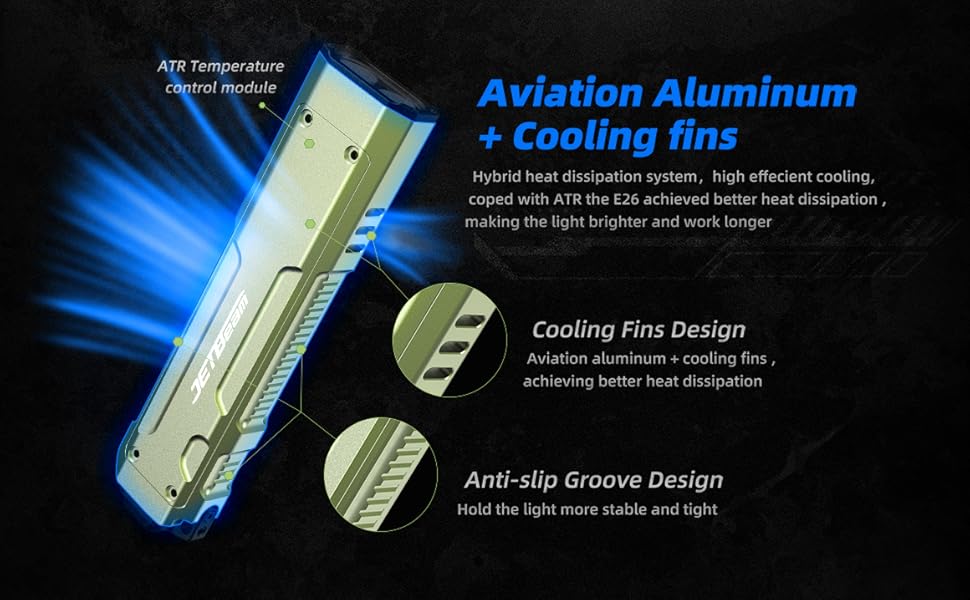
Image 4.1: Labeled diagram of the JETBeam E26 flashlight's key features.
- വൈറ്റ് ലൈറ്റ്: Primary illumination source.
- യുവി ലൈറ്റ്: Ultraviolet light for detection.
- പച്ച ബീം: Laser pointer.
- ലോക്ക്: Position on the revolving switch to prevent accidental activation.
- റിവോൾവിംഗ് സ്വിച്ച്: Selects between White Light, UV Light, Green Beam, and Lock modes.
- സൈഡ് സ്വിച്ച്: Controls brightness levels and activates selected light source.
- ടൈപ്പ്-സി പോർട്ട്: ആന്തരിക ബാറ്ററി ചാർജ് ചെയ്യുന്നതിന്.
- സൂചകം: ചാർജിംഗ് നിലയും ബാറ്ററി നിലയും പ്രദർശിപ്പിക്കുന്നു.
- തന്ത്രപരമായ സ്വിച്ച്: Rear button for momentary turbo output and strobe function.
5. സജ്ജീകരണം
5.1 ബാറ്ററി ചാർജ് ചെയ്യുന്നു
- Locate the USB-C charging port on the side of the flashlight.
- Connect the provided USB-C charging cable to the port and a compatible USB power source.
- The power indicator light will show the charging status:
- Green: 35%-100% battery
- ഓറഞ്ച്: 15%-35% ബാറ്ററി
- Red: Less than 15% battery (charge immediately)
- Charging is complete when the indicator light remains green.
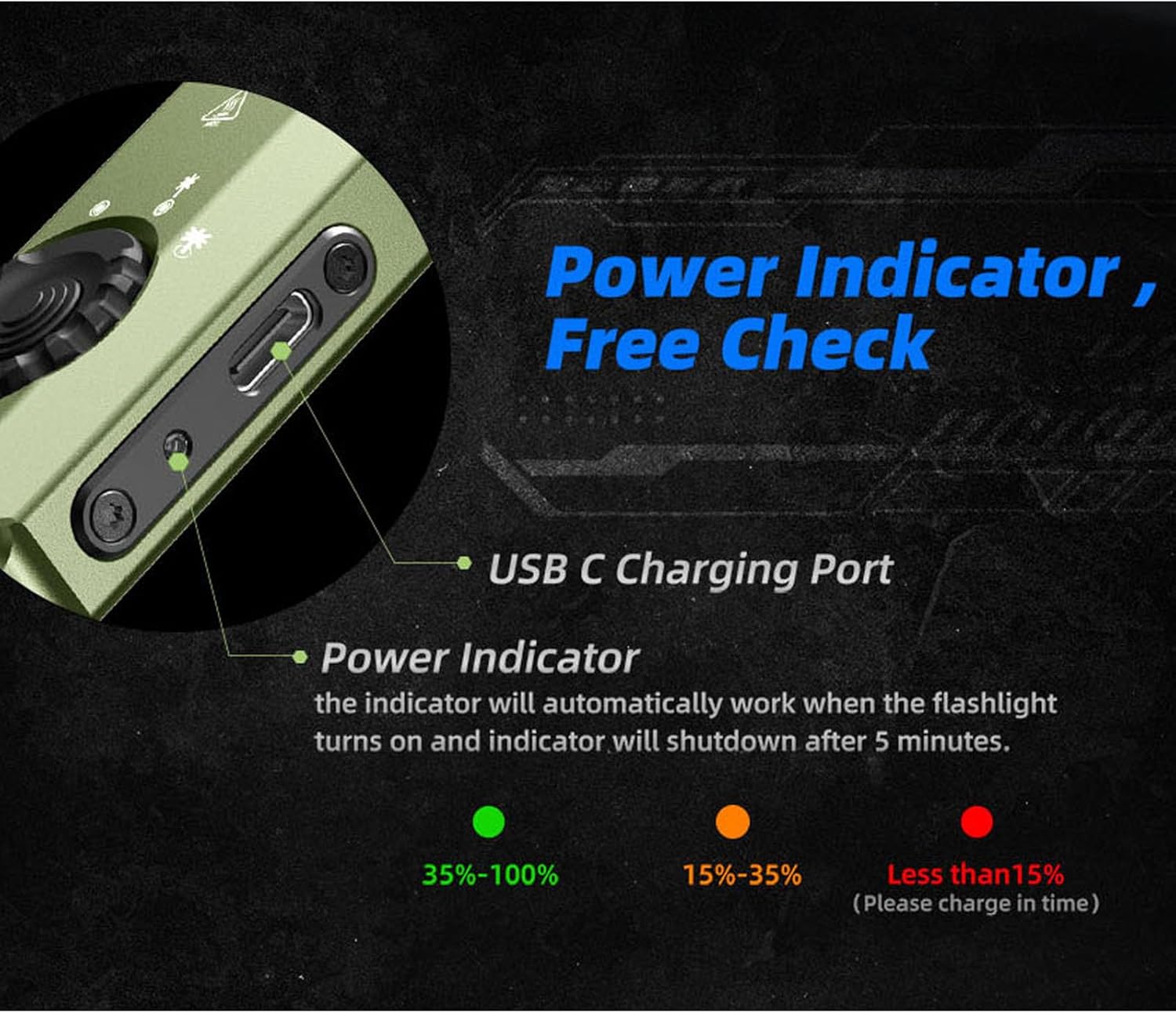
Image 5.1: USB-C charging port and battery indicator on the JETBeam E26.
5.2 പ്രാരംഭ ഉപയോഗം
Before first use, ensure the revolving switch is moved from the 'Lock' position to the desired light source (White Light, UV, or Green Beam).
6. പ്രവർത്തന നിർദ്ദേശങ്ങൾ
6.1 Mode Selection (Revolving Switch)
The revolving switch on the side of the flashlight allows you to select the desired light source:
- എന്നതിലേക്ക് സ്വിച്ച് തിരിക്കുക പൂട്ടുക symbol to prevent accidental activation.
- Rotate to the വൈറ്റ് ലൈറ്റ് symbol for standard illumination.
- Rotate to the യുവി ലൈറ്റ് symbol for ultraviolet light.
- Rotate to the ഗ്രീൻ ബീം symbol for the laser pointer.
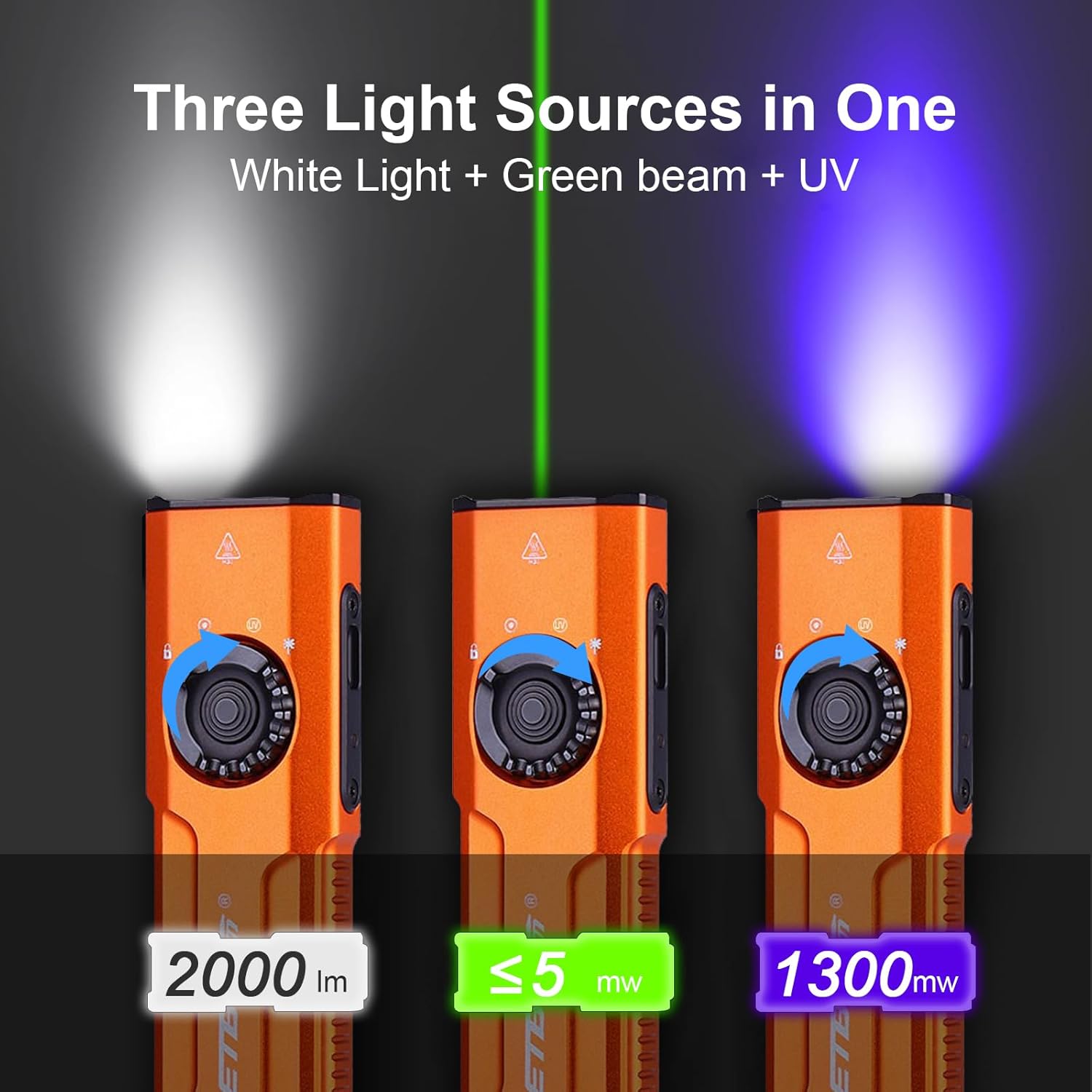
Image 6.1: The three distinct light sources of the E26 flashlight.
6.2 White Light Operation (Side Switch)
Once the revolving switch is set to White Light:
- ഓൺ/ഓഫ് ചെയ്യുക: Single press the side switch to turn the white light on or off.
- തെളിച്ച ക്രമീകരണം: When the white light is on, press and hold the side switch to cycle through the four brightness levels: Low (15 lm), Medium (300 lm), High (700 lm), and Turbo (2000 lm). Release the switch at the desired brightness. The flashlight has a memory function and will recall the last used brightness level.
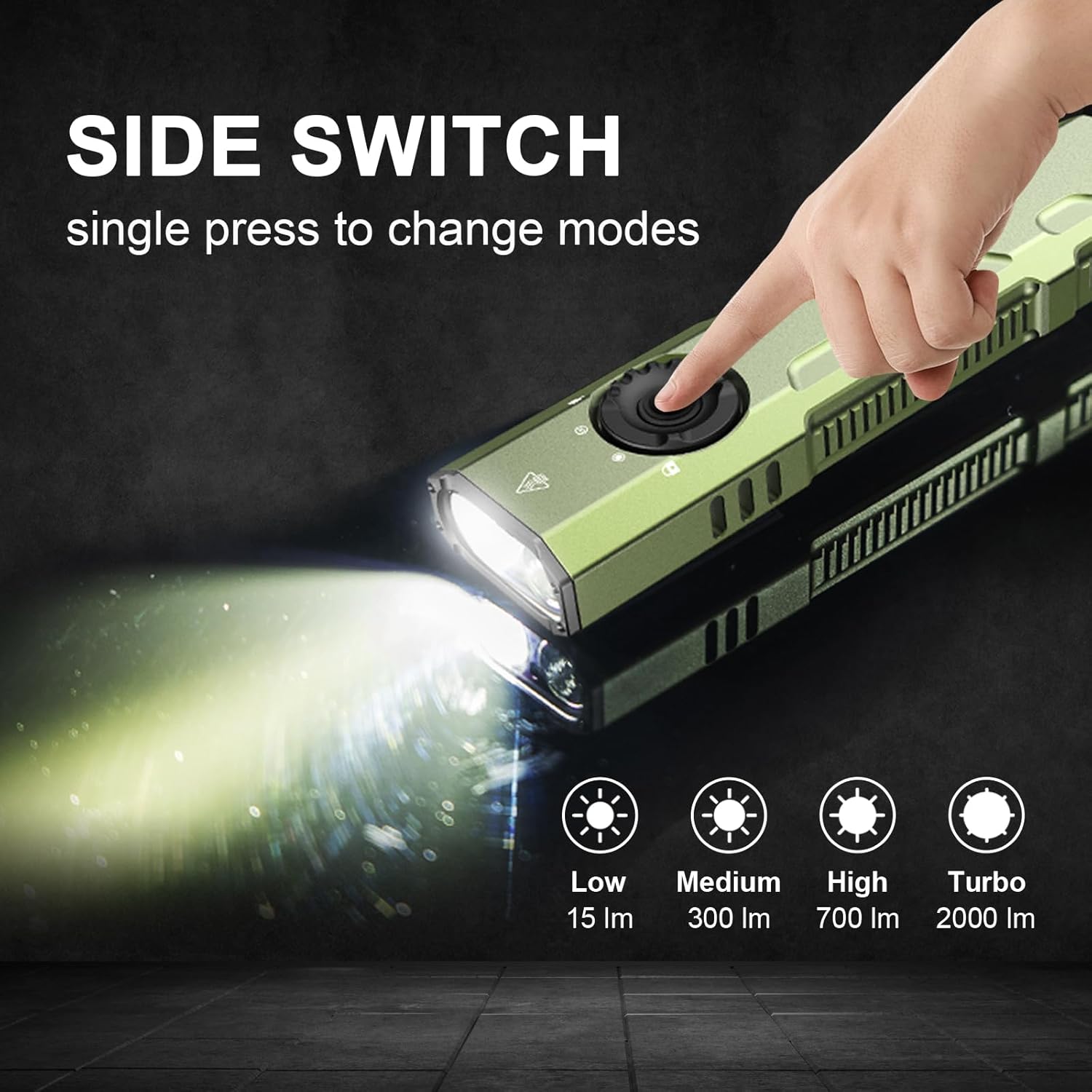
Image 6.2: Using the side switch to adjust white light brightness.
6.3 UV Light & Green Beam Operation (Side Switch)
Once the revolving switch is set to UV Light or Green Beam:
- ഓൺ/ഓഫ് ചെയ്യുക: Single press the side switch to activate or deactivate the selected UV light or Green Beam.
6.4 Tactical Tail Switch
The tactical tail switch provides quick access to high output and strobe functions, regardless of the revolving switch position:
- മൊമെന്ററി ടർബോ: A heavy press and hold of the tactical tail switch will activate the white light at its maximum (Turbo) output. Release to turn off.
- സ്ട്രോബ്: A slight press followed by a double press of the tactical tail switch will activate the strobe function. Press again to turn off.

Image 6.3: The tactical tail switch for instant high output and strobe.
6.5 Clip Usage
The E26 features a sturdy two-way clip for versatile carrying options. It can be attached to a pocket, hat brim, backpack strap, or other gear, allowing for hands-free operation.
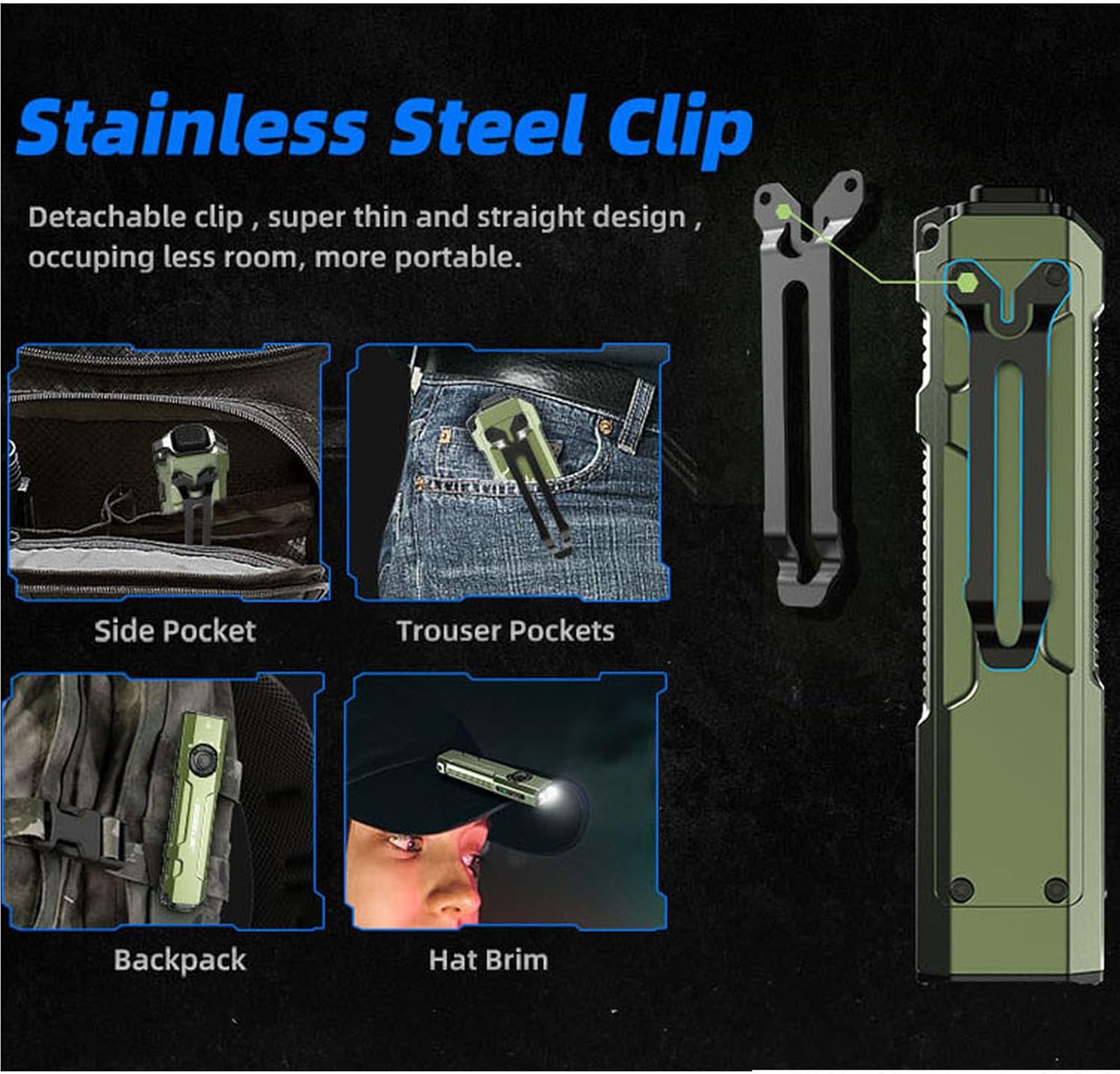
Image 6.4: Versatile carrying options using the stainless steel clip.
7. പരിപാലനം
- വൃത്തിയാക്കൽ: ഫ്ലാഷ്ലൈറ്റ് ബോഡി മൃദുവായ, ഡി ലൈറ്റ് ഉപയോഗിച്ച് വൃത്തിയാക്കുക.amp തുണി. ഉരച്ചിലുകളുള്ള ക്ലീനറുകളോ ലായകങ്ങളോ ഉപയോഗിക്കരുത്.
- ചാർജിംഗ് പോർട്ട്: Keep the USB-C charging port free from dust and debris.
- സംഭരണം: Store the flashlight in a cool, dry place away from direct sunlight. For long-term storage, ensure the battery is partially charged (around 50%) and engage the lockout function.
8. പ്രശ്നപരിഹാരം
8.1 ഫ്ലാഷ്ലൈറ്റ് ഓണാകുന്നില്ല
- Check if the revolving switch is in the 'Lock' position. Rotate it to the desired light source.
- Ensure the battery is charged. Connect the flashlight to a power source using the USB-C cable.
8.2 Light Output is Low or Flickering
- Charge the battery fully. Low battery can affect performance.
- ലെൻസ് വൃത്തിയുള്ളതാണെന്നും തടസ്സങ്ങളില്ലെന്നും ഉറപ്പാക്കുക.
8.3 Accidental Activation in Pocket
- Always engage the 'Lock' position on the revolving switch when carrying the flashlight to prevent unintended operation.
9 സ്പെസിഫിക്കേഷനുകൾ
| ഫീച്ചർ | വിശദാംശങ്ങൾ |
|---|---|
| മോഡൽ | E26 |
| വെളുത്ത തെളിച്ചം | 2000 ല്യൂമൻസ് (പരമാവധി) |
| UV Light Wavelength/Power | 365nm / 1300mW |
| ഗ്രീൻ ബീം | ഉൾപ്പെടുത്തിയിട്ടുണ്ട് |
| പവർ ഉറവിടം | Built-in Rechargeable Lithium Ion Battery |
| ചാർജിംഗ് പോർട്ട് | USB-C |
| മെറ്റീരിയൽ | ആനോഡൈസ്ഡ് അലുമിനിയം |
| ജല പ്രതിരോധ നില | IP68 (ജലപ്രൂഫ്) |
| ഡ്രോപ്പ് റെസിസ്റ്റൻസ് | 1.5 മീറ്റർ |
| ഉൽപ്പന്ന അളവുകൾ | 0.6"D x 1.25"W x 5"H |
| ഇനത്തിൻ്റെ ഭാരം | 4 ഔൺസ് (0.25 പൗണ്ട്) |
| പ്രത്യേക സവിശേഷതകൾ | Portable, Adjustable Light Modes, Rechargeable, Memory Function, Ceramic Glass Breaker |

Image 9.1: The E26 is designed to be waterproof and drop-resistant.
10. ഔദ്യോഗിക ഉൽപ്പന്ന വീഡിയോ
വീഡിയോ 10.1: ഒരു ഓവർview of the Jetbeam E26 UV Kunai 3-in-1 Flat EDC Flashlight, demonstrating its features and compact design.
11. വാറൻ്റി വിവരങ്ങൾ
The JETBeam E26 flashlight comes with a Lifetime Warranty. For specific terms and conditions, please refer to the warranty documentation included with your product or contact JETBeam customer support.
12. പിന്തുണ
For further assistance, technical support, or inquiries regarding your JETBeam E26 flashlight, please refer to the contact information provided in your product packaging or visit the official JETBeam webസൈറ്റ്.