
ആമുഖം
This manual provides essential information for the safe and efficient use of your DOOGEE FIRE6 Power Rugged Smartphone. Please read this guide thoroughly before operating your device to ensure optimal performance and longevity. Keep this manual for future reference.
പാക്കേജ് ഉള്ളടക്കം
നിങ്ങളുടെ ഉൽപ്പന്ന പാക്കേജിൽ എല്ലാ ഇനങ്ങളും ഉണ്ടെന്ന് ഉറപ്പാക്കുക:
- 1 x Fire 6 Power Rugged Phone
- 1 x ടൈപ്പ്-സി യുഎസ്ബി കേബിൾ
- 1 x ചാർജർ
- 1 x Thickened Screen Protector
- 1 x പാക്കിംഗ് ബോക്സ്
- 1 x മാനുവൽ
- 1 x സേവന കാർഡ്

Image: Contents of the DOOGEE FIRE6 Power retail package, including the phone, charger, USB cable, screen protector, manual, and service card.
ഉപകരണം കഴിഞ്ഞുview
The DOOGEE FIRE6 Power is a rugged smartphone designed for durability and extended use. It features a robust build, a large battery, and an integrated flashlight.

ചിത്രം: മുന്നിലും പിന്നിലും view of the DOOGEE FIRE6 Power smartphone, highlighting its rugged design and camera module.
പ്രധാന സവിശേഷതകൾ:
- വലിയ ബാറ്ററി: 15500mAh capacity with 33W fast charging and 18W reverse fast charging.
- സംയോജിത ഫ്ലാഷ്ലൈറ്റ്: 120LM brightness with multiple modes.
- ഉയർന്ന മിഴിവുള്ള ക്യാമറ: 50MP main camera and 8MP front camera.
- പരുക്കൻ ഡിസൈൻ: IP68, IP69K, and MIL-STD-810H certified for dust, water, and drop resistance.
- ശക്തമായ പ്രോസസ്സർ: Octa-core processor with 8GB Basic RAM + 12GB Extended RAM and 256GB ROM (expandable up to 2TB).
- ഡിസ്പ്ലേ: 6.56-inch IPS Ultra HD display with 90Hz refresh rate.
- ഓപ്പറേറ്റിംഗ് സിസ്റ്റം: ആൻഡ്രോയിഡ് 14.

ചിത്രം: കഴിഞ്ഞുview of the DOOGEE FIRE6 Power's main features, including battery, flashlight, camera, and display specifications.
സജ്ജമാക്കുക
1. സിം കാർഡും എസ്ഡി കാർഡും ഇൻസ്റ്റാൾ ചെയ്യൽ
The DOOGEE FIRE6 Power supports dual SIM cards and expandable storage via an SD card. Locate the SIM card tray on the side of the device.
- Insert the SIM ejector tool into the small hole on the SIM card tray to open it.
- ട്രേ ശ്രദ്ധാപൂർവ്വം പുറത്തെടുക്കുക.
- നിങ്ങളുടെ നാനോ-സിം കാർഡ്(കൾ) കൂടാതെ/അല്ലെങ്കിൽ മൈക്രോ എസ്ഡി കാർഡ് ട്രേയിലെ നിയുക്ത സ്ലോട്ടുകളിൽ വയ്ക്കുക, ശരിയായ ഓറിയന്റേഷൻ ഉറപ്പാക്കുക.
- ട്രേ അതിന്റെ സ്ഥാനത്ത് ക്ലിക്കായി വരുന്നത് വരെ ഫോണിലേക്ക് പതുക്കെ തിരികെ തള്ളുക.

Image: Illustration of the triple card slot for SIM cards and expandable storage on the DOOGEE FIRE6 Power.
2. പ്രാരംഭ പവർ ഓണും സജ്ജീകരണവും
- Press and hold the Power button (usually on the right side) until the DOOGEE logo appears.
- നിങ്ങളുടെ ഭാഷ തിരഞ്ഞെടുക്കുന്നതിനും, വൈഫൈയിലേക്ക് കണക്റ്റുചെയ്യുന്നതിനും, നിങ്ങളുടെ Google അക്കൗണ്ട് സജ്ജീകരിക്കുന്നതിനും ഓൺ-സ്ക്രീൻ നിർദ്ദേശങ്ങൾ പാലിക്കുക.
- Configure security settings such as fingerprint recognition or face unlock.
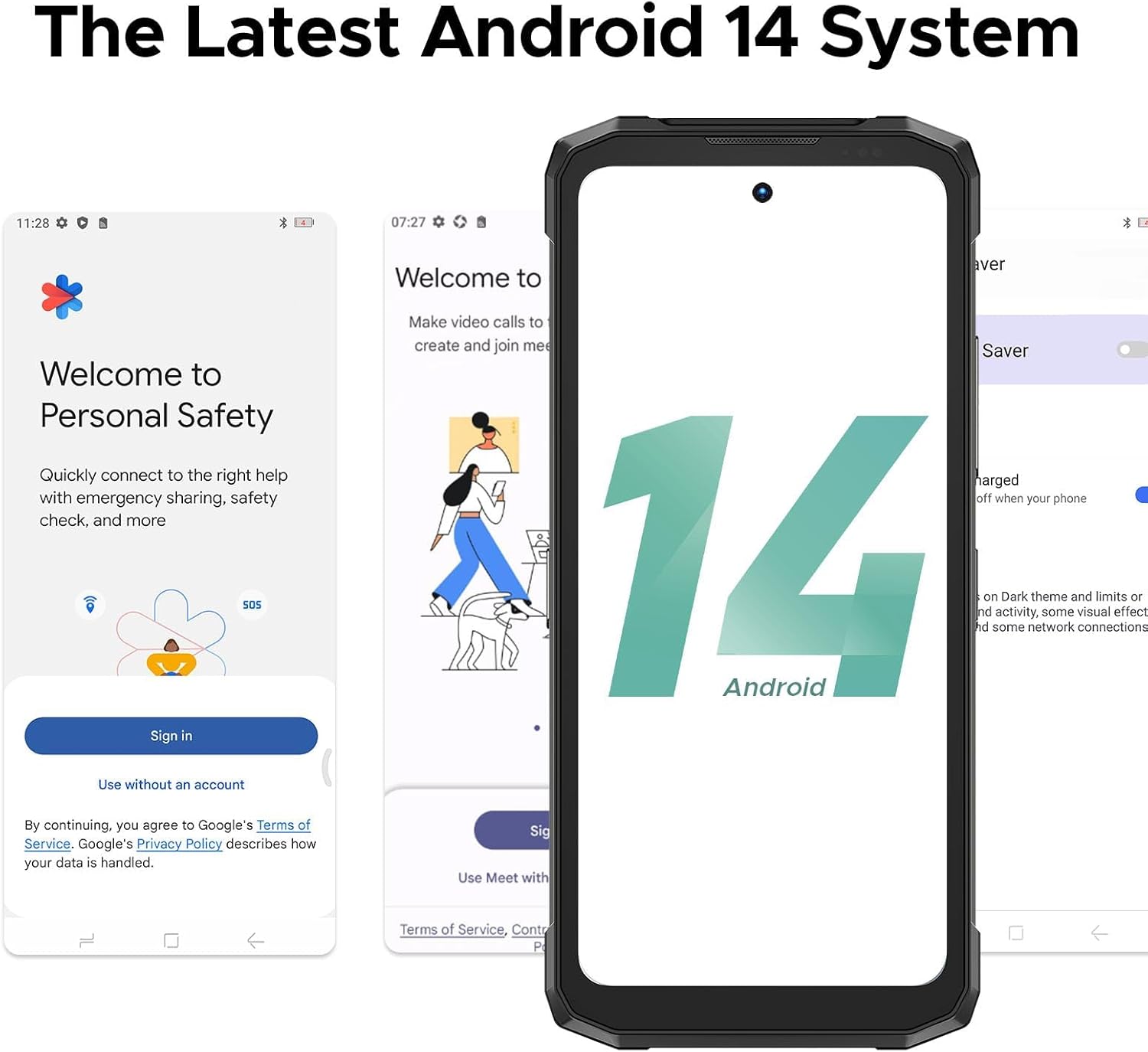
Image: Screenshots demonstrating the initial setup process and the Android 14 interface on the DOOGEE FIRE6 Power.
അടിസ്ഥാന പ്രവർത്തനം
ഡിസ്പ്ലേയും നാവിഗേഷനും
- ടച്ച് സ്ക്രീൻ: Navigate the interface by tapping, swiping, pinching, and spreading fingers on the 6.56-inch IPS display.
- ഹോം സ്ക്രീൻ: ആപ്പുകൾ, വിജറ്റുകൾ, അറിയിപ്പുകൾ എന്നിവ ആക്സസ് ചെയ്യുക.
- സ്റ്റാറ്റസ് ബാർ: Displays time, battery level, signal strength, and notification icons.

Image: The 6.56-inch IPS Ultra HD display of the DOOGEE FIRE6 Power, showcasing its resolution and refresh rate.
കോളുകളും സന്ദേശമയയ്ക്കലും
- കോളുകൾ ചെയ്യുന്നു: ഫോൺ ആപ്പ് തുറന്ന് നമ്പർ നൽകുക, തുടർന്ന് കോൾ ഐക്കണിൽ ടാപ്പ് ചെയ്യുക.
- സന്ദേശങ്ങൾ അയയ്ക്കുന്നു: Open the Messages app, start a new conversation, enter the recipient and message, then send.
ക്യാമറ ഉപയോഗം
The DOOGEE FIRE6 Power features a 50MP main camera and an 8MP front camera.
- ക്യാമറ ആപ്പ് തുറക്കുക.
- Select your desired mode (e.g., Photo, Video, Portrait).
- ഒരു ചിത്രം പകർത്താൻ ഷട്ടർ ബട്ടൺ ടാപ്പ് ചെയ്യുക അല്ലെങ്കിൽ റെക്കോർഡിംഗ് ആരംഭിക്കുക/നിർത്തുക.

ചിത്രം: വിശദമായത് view of the DOOGEE FIRE6 Power's camera module, indicating the 50MP main camera, 2MP macro camera, and 8MP front camera.

ചിത്രം: ഉദാamples of photography features available on the DOOGEE FIRE6 Power, such as Beauty Mode, HDR Mode, Panorama, Pro Mode, and Bokeh.
വിപുലമായ സവിശേഷതകൾ
ബാറ്ററിയും ചാർജിംഗും
The device is equipped with a 15500mAh battery, supporting 33W fast charging and 18W reverse fast charging.
- ചാർജിംഗ്: Connect the provided Type-C USB cable and charger to the device and a power outlet.
- വിപരീത ചാർജിംഗ്: Use the appropriate cable to connect other devices (smartphones, smartwatches, wireless earphones, USB fans, speakers) to your FIRE6 Power for charging.

Image: Visual representation of the 15500mAh battery capacity and 33W fast charging capability of the DOOGEE FIRE6 Power.

Image: The DOOGEE FIRE6 Power demonstrating 18W 3-in-1 OTG fast charging, capable of charging other devices.
Video: Demonstration of the DOOGEE FIRE6 Power's reverse charging capability, showing it charging multiple other smartphones simultaneously.
സംയോജിത ഫ്ലാഷ്ലൈറ്റ്
The device includes a powerful 120LM flashlight with a beam distance of 10 meters and multiple modes (Extremely Bright, Strong Light, Low Light, Burst Flash, SOS).

Image: The integrated flashlight of the DOOGEE FIRE6 Power, detailing its brightness, color temperature, beam distance, and various operating modes.

Image: The DOOGEE FIRE6 Power's flashlight being used in various outdoor and indoor scenarios, demonstrating its utility.
കണക്റ്റിവിറ്റിയും നാവിഗേഷനും
- വൈഫൈ: ഇന്റർനെറ്റ് ആക്സസ്സിനായി വയർലെസ് നെറ്റ്വർക്കുകളിലേക്ക് കണക്റ്റുചെയ്യുക.
- ജിപിഎസ്: Supports GPS, Glonass, Galileo, and Beidou for accurate positioning.
- NFC: കോൺടാക്റ്റ്ലെസ് പേയ്മെന്റുകൾക്കും ഡാറ്റ കൈമാറ്റത്തിനും.
Image: Features like accurate navigation system (GPS, Glonass, Galileo, Beidou), face and side fingerprint recognition, and NFC connectivity on the DOOGEE FIRE6 Power.
പ്രകടനവും ഈടുതലും
- പ്രോസസ്സർ: Octa-core processor for smooth performance.
- തണുപ്പിക്കൽ: Polymer cooling technology helps manage device temperature.
- പരുഷത: IP68, IP69K, and MIL-STD-810H ratings ensure dust, water, and drop resistance.

Image: Diagram illustrating the powerful octa-core processor and memory configurations (8GB Basic RAM, 12GB Extended RAM, 256GB ROM, 2TB Expandable Storage) of the DOOGEE FIRE6 Power.

Image: Visual representation of the DOOGEE FIRE6 Power's dust-proof, waterproof, and drop-proof capabilities, certified by IP68, IP69K, and MIL-STD-810H standards.
മെയിൻ്റനൻസ്
- വൃത്തിയാക്കൽ: ഒരു സോഫ്റ്റ് ഉപയോഗിക്കുക, ഡിamp cloth to clean the device. Avoid harsh chemicals.
- സോഫ്റ്റ്വെയർ അപ്ഡേറ്റുകൾ: മികച്ച പ്രകടനവും സുരക്ഷയും ഉറപ്പാക്കാൻ സിസ്റ്റം അപ്ഡേറ്റുകൾ പതിവായി പരിശോധിച്ച് ഇൻസ്റ്റാൾ ചെയ്യുക.
- ബാറ്ററി കെയർ: Avoid extreme temperatures. Do not fully discharge the battery frequently.
- സ്റ്റോറേജ് മാനേജ്മെന്റ്: അനാവശ്യമായത് ഇടയ്ക്കിടെ നീക്കം ചെയ്യുക files and apps to maintain device speed.
ട്രബിൾഷൂട്ടിംഗ്
| പ്രശ്നം | സാധ്യമായ പരിഹാരം |
|---|---|
| ഉപകരണം പവർ ഓണാക്കുന്നില്ല. | ബാറ്ററി ചാർജ്ജ് ചെയ്തിട്ടുണ്ടെന്ന് ഉറപ്പാക്കുക. വീണ്ടും പവർ ഓൺ ചെയ്യാൻ ശ്രമിക്കുന്നതിന് മുമ്പ് കുറഞ്ഞത് 30 മിനിറ്റെങ്കിലും ചാർജറുമായി കണക്റ്റ് ചെയ്യുക. |
| Wi-Fi-ലേക്ക് കണക്റ്റ് ചെയ്യാൻ കഴിയില്ല. | Check if Wi-Fi is enabled. Restart your router and the phone. Verify the Wi-Fi password. |
| ആപ്പുകൾ ക്രാഷ് ചെയ്യുകയോ മരവിക്കുകയോ ചെയ്യുന്നു. | Clear the cache of the problematic app. Update the app to the latest version. If the issue persists, uninstall and reinstall the app. |
| മോശം കോൾ നിലവാരം. | Check network signal strength. Move to an area with better reception. Ensure nothing is obstructing the microphone or speaker. |
| ബാറ്ററി പെട്ടെന്ന് തീരുന്നു. | സ്ക്രീൻ തെളിച്ചം കുറയ്ക്കുക. പശ്ചാത്തലത്തിൽ പ്രവർത്തിക്കുന്ന ഉപയോഗിക്കാത്ത ആപ്പുകൾ അടയ്ക്കുക. ഉപയോഗത്തിലില്ലാത്തപ്പോൾ GPS അല്ലെങ്കിൽ ബ്ലൂടൂത്ത് പോലുള്ള അനാവശ്യ സവിശേഷതകൾ പ്രവർത്തനരഹിതമാക്കുക. |
സ്പെസിഫിക്കേഷനുകൾ
| ഫീച്ചർ | വിശദാംശങ്ങൾ |
|---|---|
| മോഡലിൻ്റെ പേര് | FIRE6 Power |
| ഓപ്പറേറ്റിംഗ് സിസ്റ്റം | ആൻഡ്രോയിഡ് 14 |
| സിപിയു മോഡൽ | മീഡിയടെക് ഹീലിയോ P60T |
| സിപിയു വേഗത | 1.6 GHz |
| ഇൻസ്റ്റാൾ ചെയ്ത RAM മെമ്മറി വലുപ്പം | 20 GB (8GB Basic + 12GB Extended) |
| മെമ്മറി സ്റ്റോറേജ് കപ്പാസിറ്റി | 256 ജിബി (2 ടിബി വരെ വികസിപ്പിക്കാം) |
| സ്ക്രീൻ വലിപ്പം | 6.56 ഇഞ്ച് |
| റെസലൂഷൻ | 720 x 1612 |
| പുതുക്കിയ നിരക്ക് | 90 Hz |
| ബാറ്ററി ശേഷി | 15500 mAh |
| ബാറ്ററി പവർ റേറ്റിംഗ് | 15500 (mAh) |
| ഫോൺ ടോക്ക് ടൈം | 1410 മണിക്കൂർ |
| കണക്റ്റിവിറ്റി ടെക്നോളജികൾ | Wi-Fi, GPS (GPS, Glonass, Galileo, Beidou), NFC |
| പ്രത്യേക സവിശേഷതകൾ | Large Battery with Fast Charging, Integrated Flashlight, High-Resolution Camera, Rugged (IP68, IP69K, MIL-STD-810H) |
| പ്രധാന ക്യാമറ | 50എംപി |
| മുൻ ക്യാമറ | 8എംപി |
| ഓഡിയോ ജാക്ക് | ടൈപ്പ്-സി |
| ഉൽപ്പന്ന അളവുകൾ | 6.85 x 3.19 x 0.81 ഇഞ്ച് |
| ഇനത്തിൻ്റെ ഭാരം | 9.2 ഔൺസ് (262 ഗ്രാം) |
വാറൻ്റിയും പിന്തുണയും
DOOGEE provides support for its products. Based on available information:
- വാറൻ്റി: The product typically includes a 2-Year Limited Warranty.
- പിന്തുണ: Online support is generally available. Refer to the service card included in your package or visit the official DOOGEE website for detailed support information and contact options.

Image: Information regarding DOOGEE's after-sales support, including warranty and online assistance.