
SIMATE K3
SIMATE 6.5" Self-Balancing Scooter Instruction Manual
മോഡൽ: K3
1. ആമുഖം
വാങ്ങിയതിന് നന്ദി.asing the SIMATE 6.5" Self-Balancing Scooter. This manual provides essential information for the safe operation, maintenance, and troubleshooting of your scooter. Please read this manual thoroughly before first use and retain it for future reference.
2 സുരക്ഷാ വിവരങ്ങൾ
Your safety is paramount. Always wear appropriate safety gear, including a helmet, knee pads, and elbow pads, when operating the scooter. Ensure you understand and comply with all local laws and regulations regarding the use of self-balancing scooters.
- This product is UL2272 Safety Certified, ensuring compliance with U.S. safety regulations.
- മദ്യത്തിൻ്റെയും മയക്കുമരുന്നിൻ്റെയും ലഹരിയിൽ സ്കൂട്ടർ പ്രവർത്തിപ്പിക്കരുത്.
- Avoid riding on uneven surfaces, steep slopes (over 15 degrees), or in wet conditions.
- കാൽനടയാത്രക്കാരിൽ നിന്നും മറ്റ് വാഹനങ്ങളിൽ നിന്നും സുരക്ഷിതമായ അകലം പാലിക്കുക.
- Children should be supervised by an adult during operation.
- Maximum load capacity is 220 lbs. Do not exceed this limit.
3. പാക്കേജ് ഉള്ളടക്കം
നിങ്ങളുടെ പാക്കേജിൽ എല്ലാ ഇനങ്ങളും ഉണ്ടെന്ന് ഉറപ്പാക്കുക:
- SIMATE 6.5" Self-Balancing Scooter
- ചാർജർ
- നിർദ്ദേശ മാനുവൽ (ഈ പ്രമാണം)
4. ഉൽപ്പന്നം കഴിഞ്ഞുview
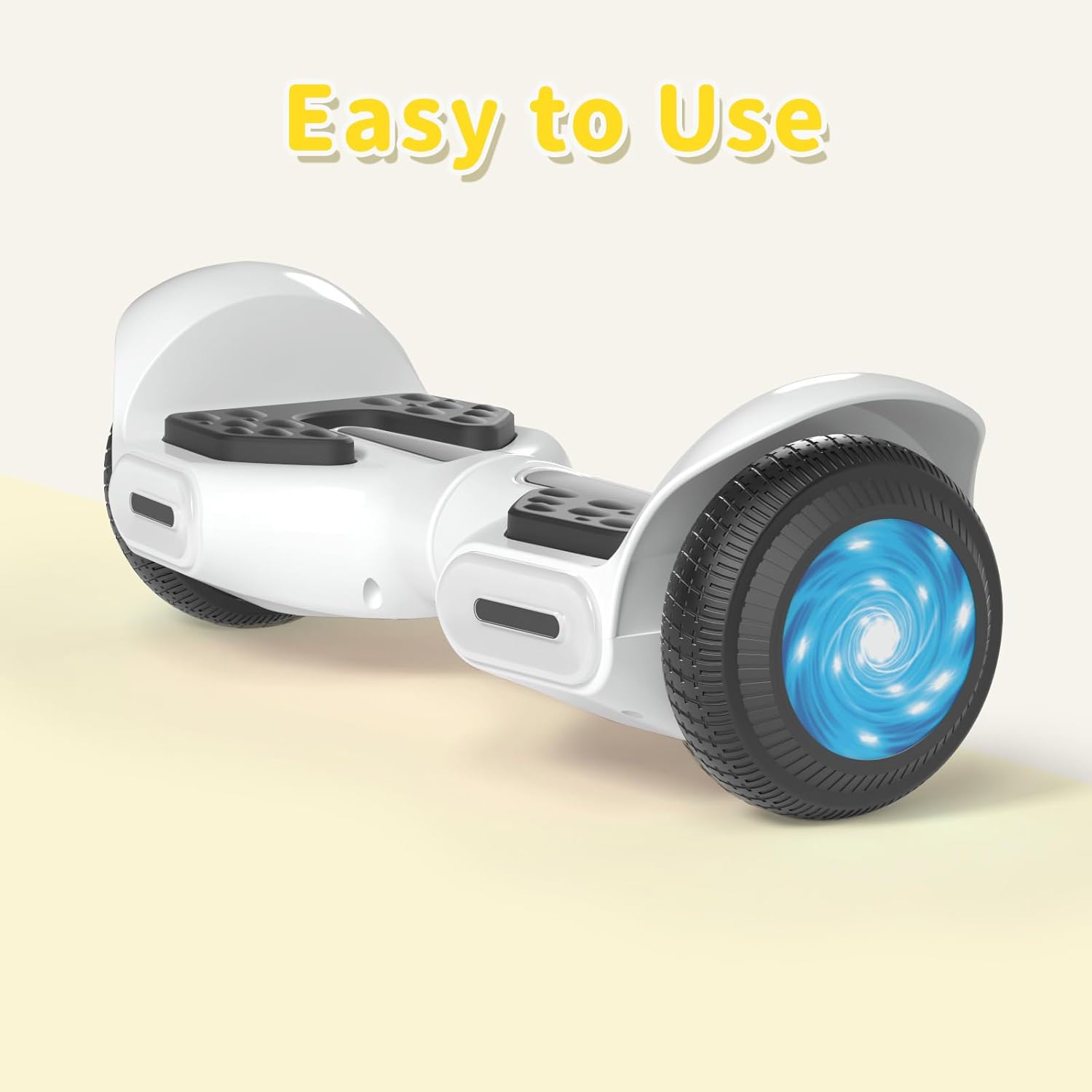
The SIMATE 6.5" Self-Balancing Scooter features dual 250W motors, LED lights, and a self-balancing control system. It is designed for ease of use and enjoyment.

ചിത്രം 4.1: മുൻഭാഗം view of the SIMATE 6.5" Self-Balancing Scooter in white.
പ്രധാന സവിശേഷതകൾ:
- Self-Balancing System: Assists in maintaining balance for easier learning and riding.
- LED ലൈറ്റുകൾ: Includes head lights and central lights for enhanced visibility and aesthetics.
- Bluetooth Music Speaker: Allows connection to a device for audio playback.
- APP നിയന്ത്രണം: Compatible with the "XsCar" app for advanced control and monitoring.
- ഡ്യുവൽ 250W മോട്ടോറുകൾ: Provides power for speeds up to 7.5 mph and a range of 7.5 miles.

Image 4.2: Diagram illustrating the self-balancing function and basic movement controls (Go Ahead, Back, Self-Balancing).
ചിത്രം 4.3: ക്ലോസ്-അപ്പ് view of the head and central LED lights on the scooter.
5. സജ്ജീകരണം
5.1 പ്രാരംഭ ചാർജിംഗ്
- Before first use, fully charge the scooter. Connect the charger to the charging port on the scooter and then to a power outlet.
- The indicator light on the charger will change (e.g., from red to green) when charging is complete. Charging typically takes 2-3 hours.
- ബാറ്ററി അമിതമായി ചാർജ് ചെയ്യരുത്. ചാർജ് ചെയ്തുകഴിഞ്ഞാൽ ചാർജർ വിച്ഛേദിക്കുക.
5.2 പവർ ഓൺ/ഓഫ്
- To power on, press and hold the power button located on the scooter.
- പവർ ഓഫ് ചെയ്യാൻ, വീണ്ടും പവർ ബട്ടൺ അമർത്തിപ്പിടിക്കുക.
6. പ്രവർത്തന നിർദ്ദേശങ്ങൾ
6.1 First Ride Guidelines
- Place the scooter on a flat, level surface.
- Step onto one footpad, then quickly and confidently step onto the other footpad. Use a wall or another person for support initially.
- Lean slightly forward to move forward, and lean backward to slow down or move in reverse.
- To turn, apply gentle pressure with your left foot to turn right, and with your right foot to turn left.
- To dismount, step off one foot at a time, ensuring the scooter remains stable.
Video 6.1: Demonstration of basic riding techniques and self-balancing features for the SIMATE Kids Scooter.
6.2 സ്പീഡ് മോഡുകൾ
The scooter features three adjustable speed modes:
- സുരക്ഷിത മോഡ്: Maximum speed 5 mph (suitable for beginners).
- തുടക്കക്കാരന്റെ മോഡ്: Maximum speed 6.5 mph (suitable for novices).
- സ്പോർട്സ് മോഡ്: Maximum speed 8.5 mph (suitable for proficient users).

Image 6.2: Visual representation of the three speed modes: Safe, Beginner, and Sports.
6.3 App Control ("XsCar")
Download the exclusive "XsCar" app to unlock additional features and control options:
- Scan the QR code (if provided on packaging or scooter) or search for "XsCar" in your device's app store.
- Pair your scooter with the app via Bluetooth.
- ആപ്പ് വഴി, നിങ്ങൾക്ക് ഇവ ചെയ്യാനാകും:
- Power on/off the scooter.
- Adjust LED lights.
- Monitor speed and battery power.
- Set speed modes.
- Access other control features.

Image 6.3: Illustration of the "XsCar" app interface and its control capabilities for lights, speed, and battery.
6.4 Bluetooth Music Speaker
To use the built-in Bluetooth speaker:
- Ensure the scooter is powered on.
- നിങ്ങളുടെ മൊബൈൽ ഉപകരണത്തിൽ ബ്ലൂടൂത്ത് പ്രവർത്തനക്ഷമമാക്കുക.
- ഇതിനായി തിരയുക available Bluetooth devices and select "SIMATE Scooter" (or similar name).
- Once paired, you can play music through the scooter's speaker.
7. പരിപാലനം
7.1 വൃത്തിയാക്കൽ
- പരസ്യം ഉപയോഗിച്ച് സ്കൂട്ടർ തുടയ്ക്കുകamp cloth after use. Avoid using excessive water or harsh cleaning agents.
- Do not use high-pressure water jets to clean the scooter, as this can damage electronic components.
7.2 ബാറ്ററി കെയർ
- സ്കൂട്ടർ ഉപയോഗത്തിലില്ലെങ്കിൽ പോലും, ബാറ്ററിയുടെ ആരോഗ്യം നിലനിർത്താൻ പതിവായി ബാറ്ററി ചാർജ് ചെയ്യുക.
- നേരിട്ടുള്ള സൂര്യപ്രകാശത്തിൽ നിന്നും കടുത്ത താപനിലയിൽ നിന്നും മാറി തണുത്തതും വരണ്ടതുമായ സ്ഥലത്ത് സ്കൂട്ടർ സൂക്ഷിക്കുക.
- If the scooter will not be used for an extended period, charge it to approximately 50% before storage.
7.3 സംഭരണം
- Store the scooter indoors to protect it from weather elements.
- Keep the scooter away from flammable materials.
8. പ്രശ്നപരിഹാരം
| പ്രശ്നം | സാധ്യമായ കാരണം | പരിഹാരം |
|---|---|---|
| സ്കൂട്ടർ ഓണാക്കുന്നില്ല. | ബാറ്ററി ചാർജ് കുറവോ പവർ ബട്ടൺ ശരിയായി അമർത്താത്തതോ. | Charge the scooter fully. Ensure the power button is pressed and held for a few seconds. |
| Scooter is not balancing. | Rider weight distribution is incorrect or surface is uneven. | Ensure feet are centered on the footpads. Practice on a flat, smooth surface. |
| ബ്ലൂടൂത്ത് സ്പീക്കർ കണക്ട് ചെയ്യുന്നില്ല. | Bluetooth not enabled on device or scooter, or device is too far. | Ensure scooter is on and Bluetooth is enabled on your device. Move device closer to the scooter. Re-pair if necessary. |
| കുറഞ്ഞ ശ്രേണി അല്ലെങ്കിൽ വേഗത. | Low battery, heavy load, or riding on inclines. | Charge the battery fully. Reduce load. Avoid steep inclines. |
9 സ്പെസിഫിക്കേഷനുകൾ
| ഫീച്ചർ | വിശദാംശങ്ങൾ |
|---|---|
| മോഡലിൻ്റെ പേര് | 6.5" Scooter (K3) |
| ബ്രാൻഡ് | സിമേറ്റ് |
| ചക്രത്തിൻ്റെ വലിപ്പം | 6.5 ഇഞ്ച് |
| മോട്ടോർ പവർ | Dual 250W Motors |
| പരമാവധി വേഗത | 7.5 mph (3 adjustable speed modes) |
| പരമാവധി ശ്രേണി | 7.5 മൈൽ |
| പരമാവധി ലോഡ് | 220 പൗണ്ട് |
| ചാർജിംഗ് സമയം | 2-3 മണിക്കൂർ |
| മെറ്റീരിയൽ | അലുമിനിയം, റബ്ബർ |
| പ്രത്യേക സവിശേഷതകൾ | Built-In Bluetooth speaker, LED Lights, App Control |
| സുരക്ഷാ സർട്ടിഫിക്കേഷൻ | UL2272 |
10. വാറൻ്റി വിവരങ്ങൾ
The SIMATE 6.5" Self-Balancing Scooter comes with a 1 വർഷത്തെ വാറൻ്റി വാങ്ങിയ തീയതി മുതൽ. സാധാരണ ഉപയോഗത്തിലുള്ള നിർമ്മാണ വൈകല്യങ്ങൾക്ക് ഈ വാറന്റി പരിരക്ഷ നൽകുന്നു. ദുരുപയോഗം, അപകടങ്ങൾ, അനധികൃത പരിഷ്കാരങ്ങൾ, അല്ലെങ്കിൽ സാധാരണ തേയ്മാനം എന്നിവ മൂലമുണ്ടാകുന്ന നാശനഷ്ടങ്ങൾക്ക് ഇത് പരിരക്ഷ നൽകുന്നില്ല.
വാറൻ്റി ക്ലെയിമുകൾക്കായി നിങ്ങളുടെ വാങ്ങിയതിൻ്റെ തെളിവ് സൂക്ഷിക്കുക.
11. ഉപഭോക്തൃ പിന്തുണ
For any questions, technical assistance, or warranty claims, please contact SIMATE customer support:
- ഓൺലൈൻ സേവനം: SIMATE provides 7*24 hours online service.
- ബന്ധപ്പെടുക: Refer to the contact information provided on the product packaging or the official SIMATE webഏറ്റവും കാലികമായ പിന്തുണാ ചാനലുകൾക്കായുള്ള സൈറ്റ്.

Image 11.1: Illustration of a customer support representative, symbolizing available assistance.
Ask a question about this manual
Ask about setup, troubleshooting, compatibility, parts, safety, or missing instructions. Manuals+ will review the question and use this page’s manual context to help answer it.