
1. ബോക്സിൽ എന്താണുള്ളത്?
Upon opening your Monster Adventurer Max package, please ensure all the following items are present:
- Monster Adventurer Max Bluetooth Speaker (1 unit)
- USB-C Charging Cable (2 units)
- AUX Cable (1 unit)
- Wireless Microphones (2 units)
- Microphone Batteries (4 units)
- Baldric (Shoulder Strap) (1 unit)
- ക്വിക്ക് സ്റ്റാർട്ട് ഗൈഡ് (1 യൂണിറ്റ്)
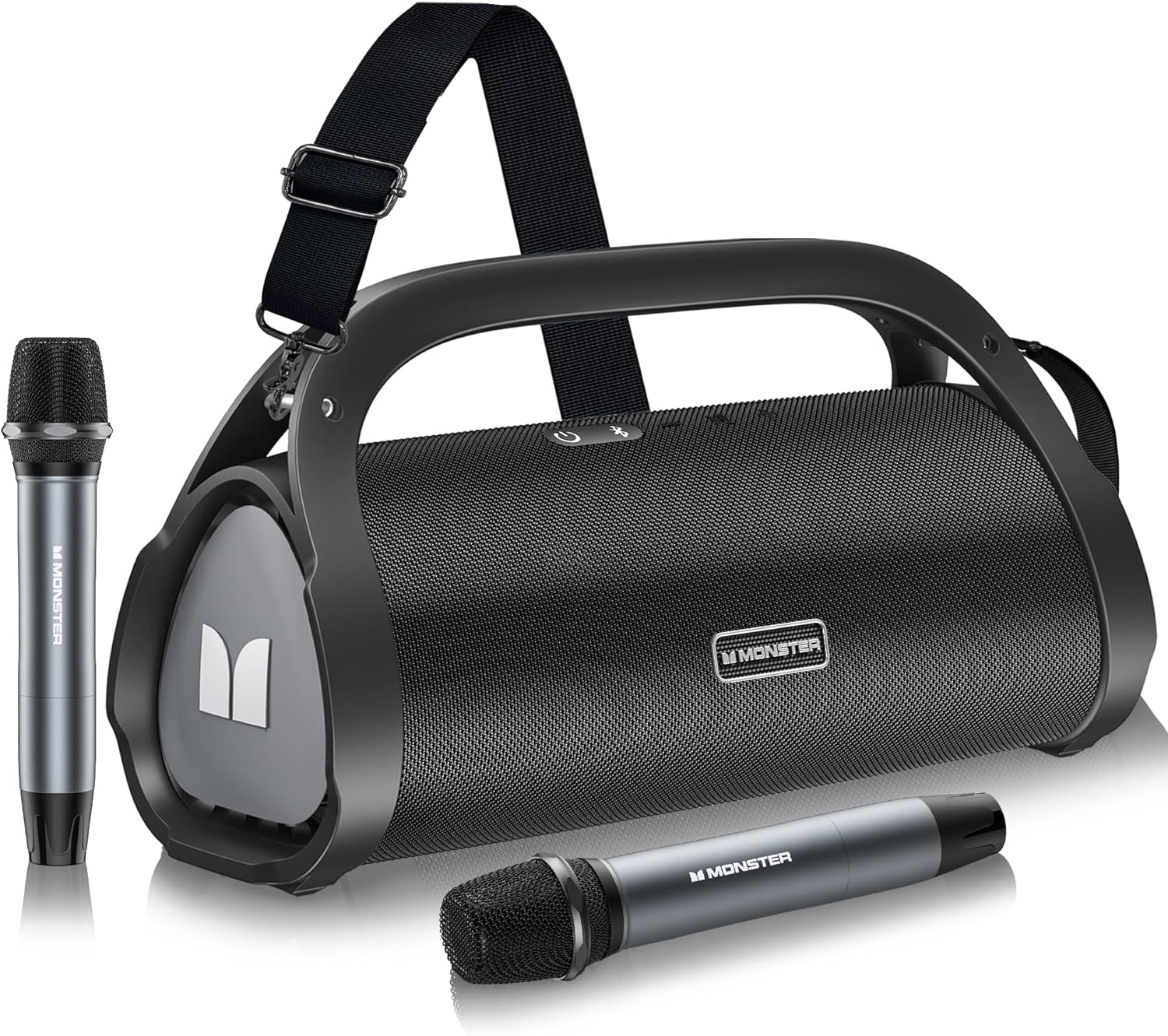
Image 1.1: Contents of the Monster Adventurer Max package.
2. ഉൽപ്പന്നം കഴിഞ്ഞുview
2.1 മുകളിലെ പാനൽ നിയന്ത്രണങ്ങൾ
The top panel of the Monster Adventurer Max features essential control buttons for power, Bluetooth, volume, and mode switching.
- പവർ ഓൺ / ഓഫ്: സ്പീക്കർ ഓൺ അല്ലെങ്കിൽ ഓഫ് ചെയ്യാൻ അമർത്തിപ്പിടിക്കുക.
- ബ്ലൂടൂത്ത് മോഡ്: ബ്ലൂടൂത്ത് ജോടിയാക്കൽ മോഡിലേക്ക് മാറാൻ അമർത്തുക.
- വോളിയം + / അടുത്ത ട്രാക്ക്: വോളിയം കൂട്ടാൻ ഷോർട്ട് പ്രസ്സ് ചെയ്യുക, അടുത്ത ട്രാക്കിനായി ദീർഘനേരം പ്രസ്സ് ചെയ്യുക.
- MFB (മൾട്ടി-ഫംഗ്ഷൻ ബട്ടൺ): Press for Play/Pause. Long press to switch between Indoor and Outdoor audio modes.
- വോളിയം - / മുമ്പത്തെ ട്രാക്ക്: വോളിയം കുറയ്ക്കാൻ ഷോർട്ട് പ്രസ്സ് ചെയ്യുക, മുമ്പത്തെ ട്രാക്കിനായി ദീർഘനേരം അമർത്തുക.

Image 2.1: Top Panel Controls.
2.2 പിൻ പാനൽ പോർട്ടുകൾ
The rear panel provides various connectivity options for your speaker.
- USB-C ചാർജിംഗ്: Port for charging the speaker.
- റീസെറ്റ് ബട്ടൺ: Small pinhole button to reset the device.
- ഓക്സ്-ഇൻ: 3.5mm audio input for wired connections.
- MIC-in: Input for wired microphones (if desired, in addition to wireless).
- USB-ഇൻ പോർട്ട്: യുഎസ്ബി ഡ്രൈവ് പ്ലേബാക്കിനായി.
- SD കാർഡ് സ്ലോട്ട്: മൈക്രോ എസ്ഡി കാർഡ് പ്ലേബാക്കിനായി.

Image 2.2: Rear Panel Ports.
3. സജ്ജീകരണം
3.1 സ്പീക്കർ ചാർജ് ചെയ്യുന്നു
Before first use, fully charge the speaker. Connect the provided USB-C charging cable to the USB-C port on the speaker and the other end to a compatible USB power adapter (not included). The charging indicator will show the charging status. A full charge takes approximately 3 hours.
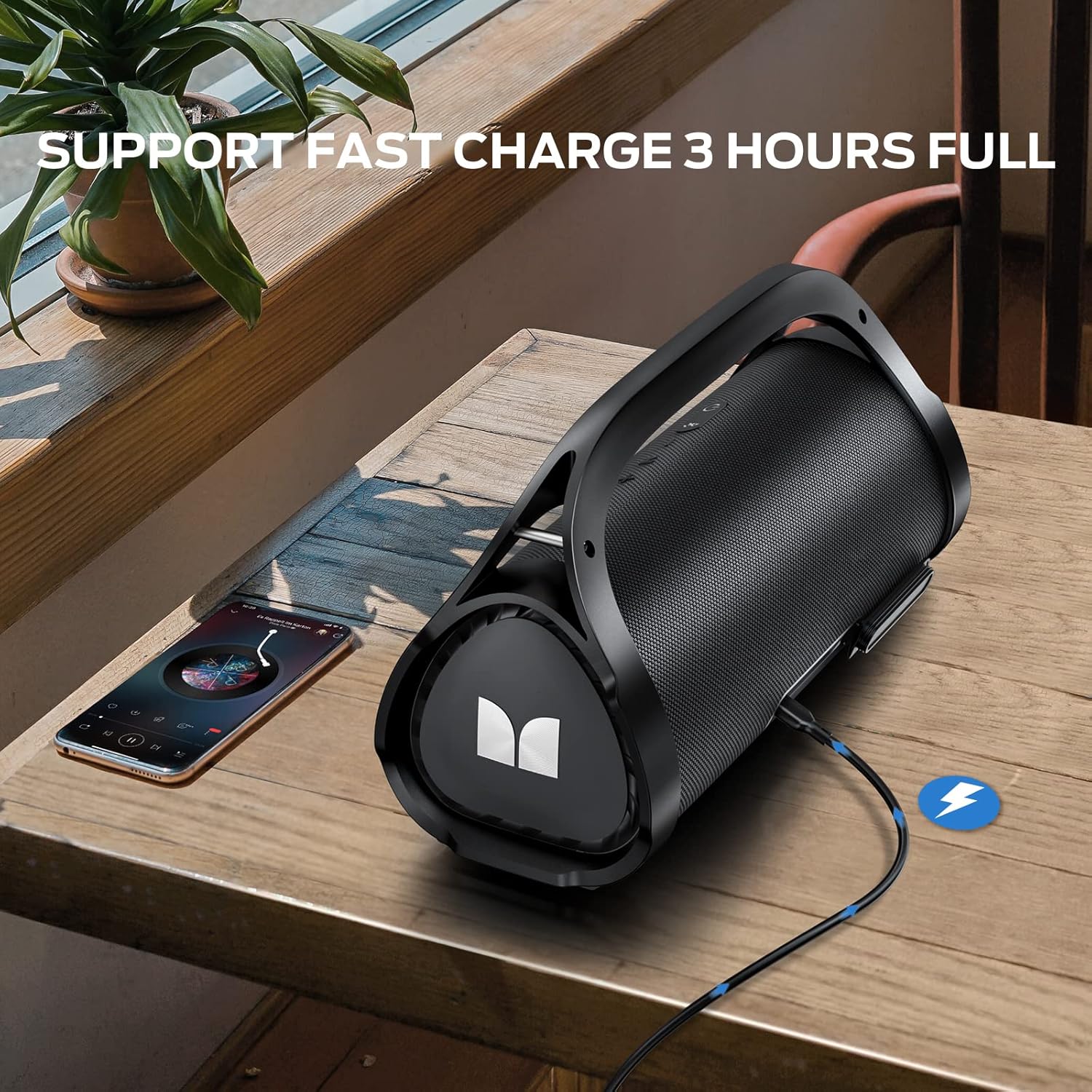
Image 3.1: Charging the speaker via USB-C.
3.2 പവർ ഓൺ/ഓഫ്
To power on the speaker, press and hold the Power button on the top panel until you hear an audible prompt. To power off, press and hold the Power button again.
3.3 ബ്ലൂടൂത്ത് ജോടിയാക്കൽ
Follow these steps to pair your device with the Monster Adventurer Max speaker:
- Ensure the speaker is powered on and in Bluetooth pairing mode (the Bluetooth indicator light will flash). If not, press the Bluetooth Mode button.
- നിങ്ങളുടെ മൊബൈൽ ഉപകരണത്തിൽ, ബ്ലൂടൂത്ത് പ്രവർത്തനക്ഷമമാക്കി ലഭ്യമായ ഉപകരണങ്ങൾക്കായി തിരയുക.
- ഉപകരണങ്ങളുടെ പട്ടികയിൽ നിന്ന് "മോൺസ്റ്റർ അഡ്വഞ്ചറർ മാക്സ്" തിരഞ്ഞെടുക്കുക.
- Once connected, the Bluetooth indicator light on the speaker will become solid, and you will hear a confirmation sound.

Image 3.2: Bluetooth connection setup.
4. ഓപ്പറേഷൻ
4.1 Audio Playback Modes
The Monster Adventurer Max supports multiple audio input sources:
- ബ്ലൂടൂത്ത് 5.3: അനുയോജ്യമായ ഉപകരണങ്ങളിൽ നിന്നുള്ള വയർലെസ് ഓഡിയോ സ്ട്രീമിംഗിനായി.
- ഓക്സ്: Connect external audio devices using the provided 3.5mm AUX cable.
- മൈക്രോ എസ്ഡി കാർഡ്: Insert a Micro SD card into the designated slot for direct playback of audio files.
- USB: Insert a USB drive into the USB-in port for direct playback of audio files.

Image 4.1: Multiple playback options.
4.2 Using the Wireless Microphones
The speaker comes with two wireless microphones for enhanced entertainment. Ensure the microphones have batteries installed. They should automatically pair with the speaker when powered on. Use the volume controls on the microphones to adjust their output level.
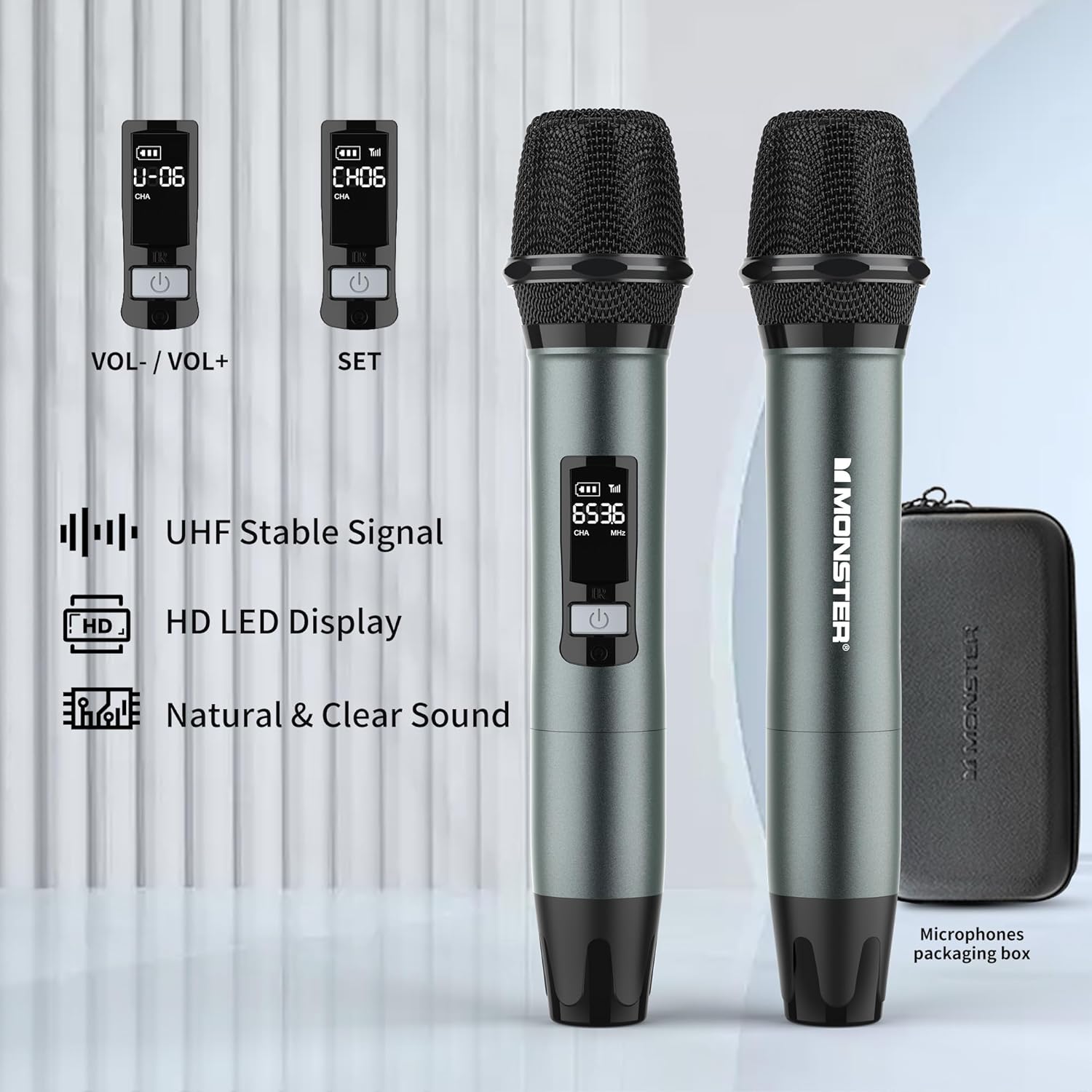
Image 4.2: Wireless Microphones with LED display.
4.3 Sound Modes (Indoor/Outdoor)
The speaker features switchable sound modes optimized for different environments. Long press the MFB (Multi-Function Button) to toggle between Indoor and Outdoor sound modes. The Outdoor mode enhances bass and volume for open spaces.
4.4 വോളിയം, ട്രാക്ക് നിയന്ത്രണം
Use the Volume + and Volume - buttons on the top panel for audio adjustments. A short press adjusts volume, while a long press skips to the next or previous track.
5 പ്രധാന സവിശേഷതകൾ
5.1 Powerful Stereo Sound
The Monster Adventurer Max delivers 100W (120W peak) of powerful stereo sound, featuring two built-in subwoofers and two tweeters for rich, clear audio with deep bass.
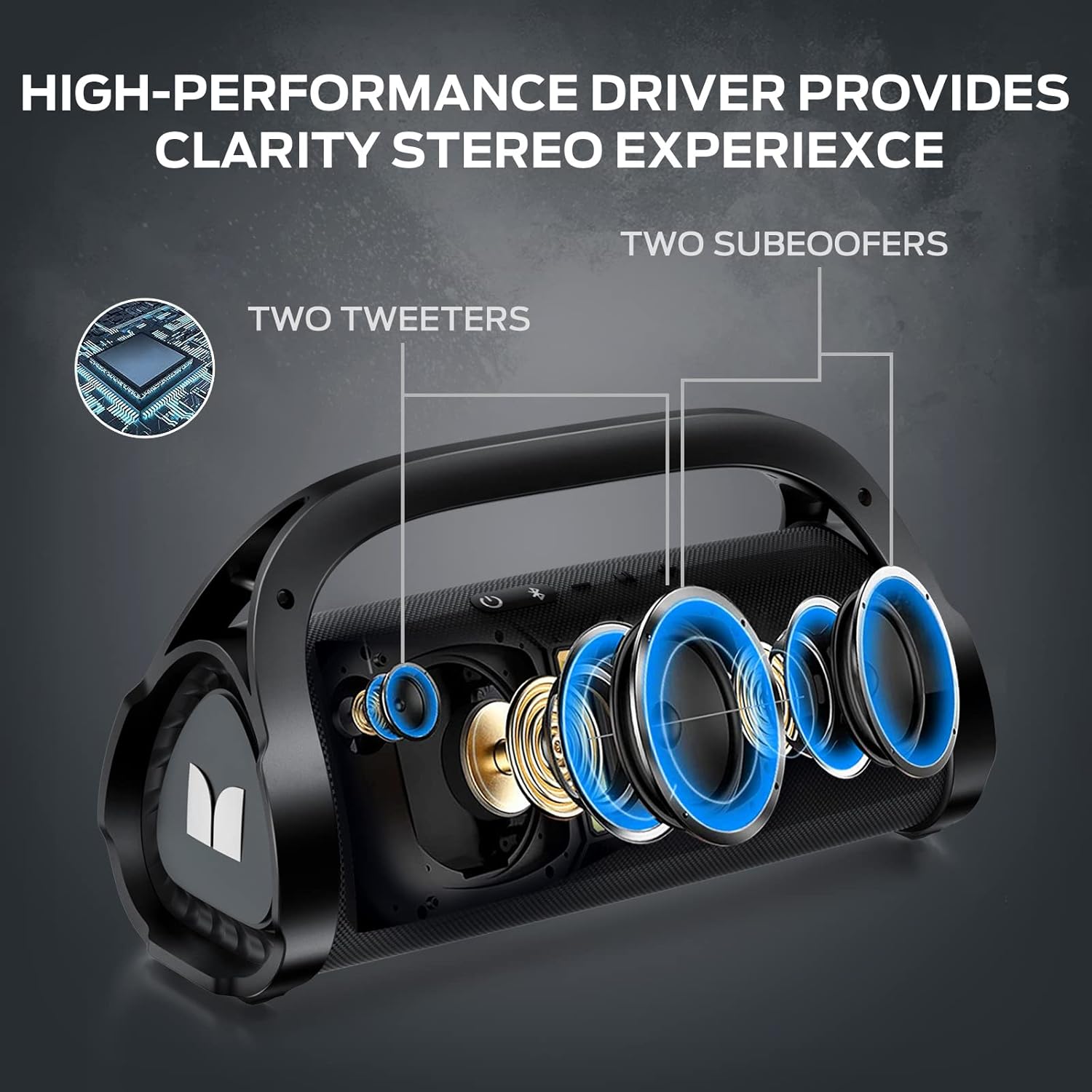
Image 5.1: Speaker internal components.
5.2 IPX7 വാട്ടർപ്രൂഫ് റേറ്റിംഗ്
Designed for outdoor use, the speaker boasts an IPX7 waterproof rating, meaning it can withstand submersion in water up to 1 meter for 30 minutes. This makes it suitable for pool parties, beach trips, and other outdoor adventures.

Image 5.2: IPX7 Waterproof capability.
5.3 വിപുലീകൃത പ്ലേടൈം
The built-in high-capacity rechargeable battery provides up to 24 hours of playtime at 50% volume, ensuring your music lasts throughout your activities.

Image 5.3: 24-hour playtime.
5.4 പോർട്ടബിൾ ഡിസൈൻ
The speaker features an ergonomic all-in-one handle and includes a removable, adjustable shoulder strap (baldric) for convenient portability, allowing you to easily carry it anywhere.

Image 5.4: Detachable shoulder strap for easy carry.
6. പരിപാലനം
6.1 വൃത്തിയാക്കൽ
To maintain the speaker's appearance and functionality, wipe it with a soft, damp cloth. Do not use abrasive cleaners, alcohol, or chemical solvents, as these may damage the surface or internal components. Ensure all ports are dry before charging or connecting other devices, especially after exposure to water.
6.2 സംഭരണം
Store the speaker in a cool, dry place away from direct sunlight and extreme temperatures. If storing for an extended period, it is recommended to charge the battery to approximately 50% every few months to preserve battery health.
7. പ്രശ്നപരിഹാരം
If you encounter issues with your Monster Adventurer Max speaker, refer to the table below for common problems and their solutions.
| പ്രശ്നം | സാധ്യമായ കാരണം | പരിഹാരം |
|---|---|---|
| സ്പീക്കർ പവർ ഓൺ ചെയ്യുന്നില്ല. | ബാറ്ററി ചാർജ് കുറവാണ്; പവർ ബട്ടൺ അധികം നേരം അമർത്തിയിട്ടില്ല. | സ്പീക്കർ പൂർണ്ണമായും ചാർജ് ചെയ്യുക; പവർ ബട്ടൺ 3-5 സെക്കൻഡ് അമർത്തിപ്പിടിക്കുക. |
| സ്പീക്കറിൽ നിന്ന് ശബ്ദമില്ല. | ശബ്ദം വളരെ കുറവാണ്; തെറ്റായ ഇൻപുട്ട് മോഡ്; ഉപകരണം കണക്റ്റുചെയ്തിട്ടില്ല. | Increase volume on speaker and source device; Switch to correct input mode (Bluetooth, AUX, USB, SD); Re-pair Bluetooth device or check cable connection. |
| ബ്ലൂടൂത്ത് ജോടിയാക്കൽ പരാജയപ്പെട്ടു. | സ്പീക്കർ ജോടിയാക്കൽ മോഡിലല്ല; ഉപകരണം വളരെ അകലെയാണ്; തടസ്സം. | Ensure speaker is in Bluetooth pairing mode (flashing light); Move device closer to speaker; Turn off other Bluetooth devices nearby. |
| മൈക്രോഫോണുകൾ പ്രവർത്തിക്കുന്നില്ല. | Microphone batteries low/dead; Microphone not powered on. | Replace microphone batteries; Ensure microphones are powered on. |
| ശബ്ദ വികൃതത. | Volume too high; Source audio quality poor. | Reduce volume; Try a different audio source. |
8 സ്പെസിഫിക്കേഷനുകൾ
Detailed technical specifications for the Monster Adventurer Max Bluetooth Speaker:
| ഫീച്ചർ | സ്പെസിഫിക്കേഷൻ |
|---|---|
| ബ്രാൻഡ് | രാക്ഷസൻ |
| മോഡൽ | സാഹസിക മാക്സ് |
| പവർ ഔട്ട്പുട്ട് | 100W (120W പീക്ക്) |
| കണക്റ്റിവിറ്റി ടെക്നോളജി | ബ്ലൂടൂത്ത് 5.3, AUX, മൈക്രോ SD കാർഡ്, USB, മൈക്രോഫോൺ ഇൻപുട്ട് |
| വാട്ടർപ്രൂഫ് റേറ്റിംഗ് | IPX7 |
| ബാറ്ററി ലൈഫ് | 24 മണിക്കൂർ വരെ (50% വോളിയത്തിൽ) |
| ചാർജിംഗ് സമയം | ഏകദേശം 3 മണിക്കൂർ (പൂർണ്ണമായി ചാർജ് ചെയ്താൽ) |
| അളവുകൾ (L x W x H) | 13.39 x 5.51 x 7.48 ഇഞ്ച് |
| ഇനത്തിൻ്റെ ഭാരം | 11.13 പൗണ്ട് (5.06 കിലോഗ്രാം) |
| Included Microphones | 2 വയർലെസ് മൈക്രോഫോണുകൾ |
| ശുപാർശ ചെയ്യുന്ന ഉപയോഗങ്ങൾ | ഇൻഡോർ/ഔട്ട്ഡോർ |
9. വാറൻ്റിയും പിന്തുണയും
Your Monster Adventurer Max Bluetooth Speaker is covered by a manufacturer's warranty. For specific warranty terms and conditions, please refer to the warranty card included in your product packaging or contact Monster customer support.
Should you encounter any issues or require assistance with your product, our dedicated support team is ready to assist promptly. Please refer to the contact information provided in your Quick Start Guide or visit the official Monster webപിന്തുണാ ഓപ്ഷനുകൾക്കായുള്ള സൈറ്റ്.