
1. ആമുഖം
This manual provides detailed instructions for the AWEI H37 Smartwatch. It covers setup, operation, maintenance, and troubleshooting to ensure optimal use of your device. The H37 Smartwatch features a 2.01-inch display, Bluetooth calling, multi-sport modes, and health monitoring capabilities.
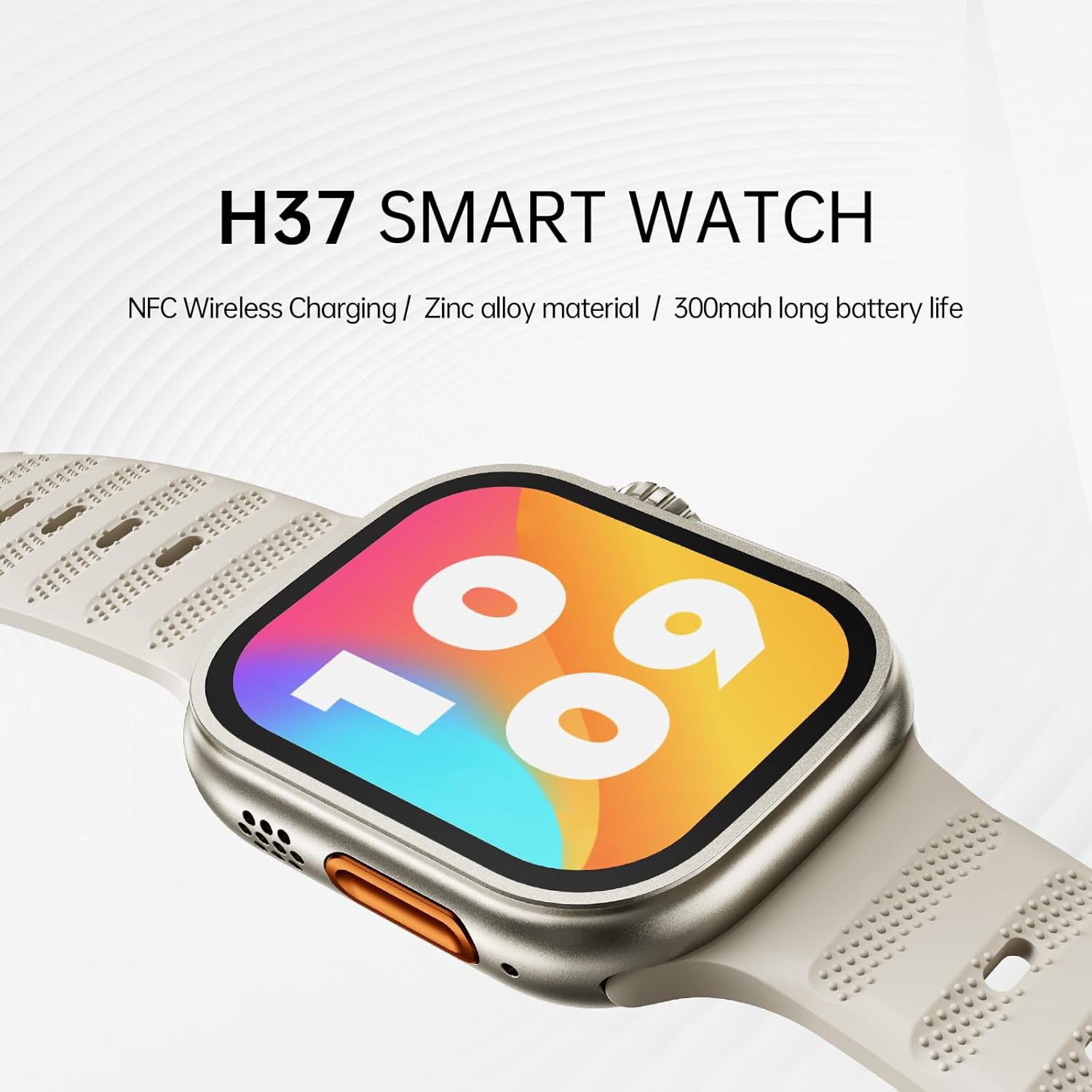
Image: The AWEI H37 Smartwatch, highlighting its NFC wireless charging capability, zinc alloy construction, and 300mAh battery life.
2 സുരക്ഷാ വിവരങ്ങൾ
- ഉപകരണം തീവ്രമായ താപനിലയിൽ (ചൂടോ തണുപ്പോ) തുറന്നുകാട്ടരുത്.
- ശക്തമായ ആഘാതങ്ങളോ ഉപകരണം താഴെയിടുന്നതോ ഒഴിവാക്കുക.
- ശക്തമായ കാന്തിക മണ്ഡലങ്ങളിൽ നിന്ന് ഉപകരണം അകറ്റി നിർത്തുക.
- ഉപകരണം സ്വയം ഡിസ്അസംബ്ലിംഗ് ചെയ്യാനോ നന്നാക്കാനോ ശ്രമിക്കരുത്.
- The device has an IP65 waterproof rating, suitable for hand washing and light rain. It is ശുപാർശ ചെയ്തിട്ടില്ല for use in hot water, seawater, swimming, or diving.
- പുതിയ വ്യായാമ പദ്ധതികൾ ആരംഭിക്കുന്നതിന് മുമ്പ് ഒരു മെഡിക്കൽ പ്രൊഫഷണലിനെ സമീപിക്കുക, പ്രത്യേകിച്ച് നിങ്ങൾക്ക് മുൻകാല ആരോഗ്യപ്രശ്നങ്ങൾ ഉണ്ടെങ്കിൽ.
3. പാക്കേജ് ഉള്ളടക്കം
പാക്കേജിൽ എല്ലാ ഇനങ്ങളും ഉണ്ടെന്ന് ഉറപ്പാക്കുക:
- AWEI H37 Smartwatch
- ചാർജിംഗ് കേബിൾ
- ഉപയോക്തൃ മാനുവൽ
4. ഉൽപ്പന്നം കഴിഞ്ഞുview
Familiarize yourself with the components of your AWEI H37 Smartwatch.

Image: The smartwatch display, illustrating its rounded square watch case and 2.5D narrow-edged glass. The screen shows various fitness metrics like steps, calories, current time, heart rate (BPM), and distance (KM).
4.1 ഭൗതിക ഘടകങ്ങൾ
- ഡിസ്പ്ലേ: 2.01-inch touchscreen for interaction and information display.
- സൈഡ് ബട്ടൺ/കിരീടം: Used for power on/off, screen wake, menu navigation, and selection.
- മൈക്രോഫോൺ: For voice input during calls.
- സ്പീക്കർ: For audio output during calls and notifications.
- ഹൃദയമിടിപ്പ് സെൻസർ: Located on the back of the watch, used for health monitoring.
- ചാർജിംഗ് കോൺടാക്റ്റുകൾ: Located on the back, for connecting the charging cable.
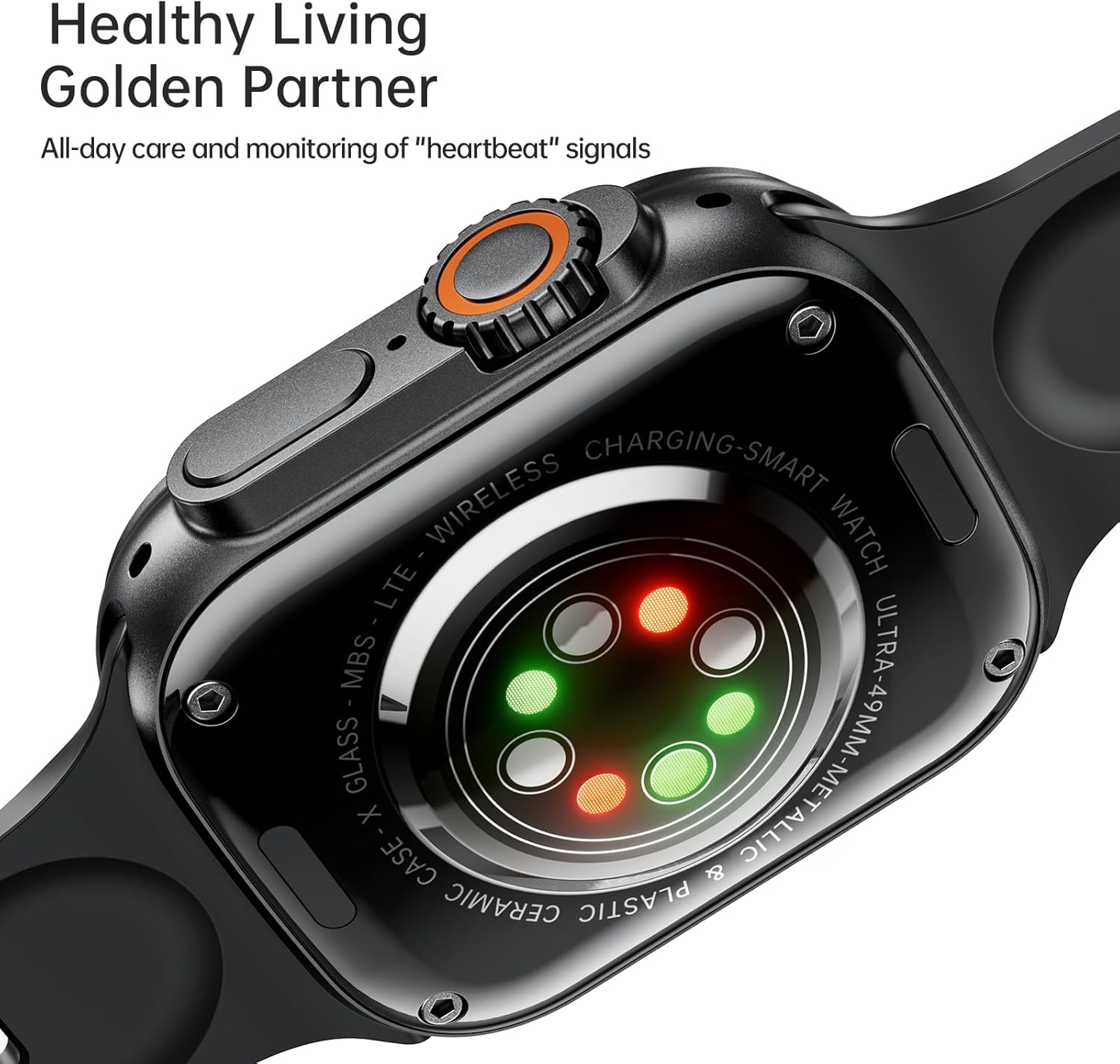
Image: The back of the AWEI H37 Smartwatch, featuring the heart rate sensor with green and red lights for health monitoring.
5. സജ്ജീകരണം
5.1 സ്മാർട്ട് വാച്ച് ചാർജ് ചെയ്യുന്നു
ആദ്യ ഉപയോഗത്തിന് മുമ്പ്, നിങ്ങളുടെ സ്മാർട്ട് വാച്ച് പൂർണ്ണമായും ചാർജ് ചെയ്യുക.
- Connect the charging cable to the charging contacts on the back of the watch.
- ചാർജിംഗ് കേബിളിന്റെ മറ്റേ അറ്റം ഒരു USB പവർ അഡാപ്റ്ററുമായി (ഉൾപ്പെടുത്തിയിട്ടില്ല) അല്ലെങ്കിൽ കമ്പ്യൂട്ടറിന്റെ USB പോർട്ടുമായി ബന്ധിപ്പിക്കുക.
- The watch display will show the charging status. A full charge typically takes 2.5-3 hours.

Image: The AWEI H37 Smartwatch displaying a charging icon on its screen, indicating the device is receiving power. This image also highlights the battery performance: 5-7 hours of airtime, 300mAh battery capacity, and 3 hours charging time.
5.2 നിങ്ങളുടെ സ്മാർട്ട്ഫോണുമായി ജോടിയാക്കൽ
To access all features, pair your smartwatch with the companion app on your smartphone.
- ആപ്പ് ഡൗൺലോഡ് ചെയ്യുക: ഇതിനായി തിരയുക the official AWEI smartwatch app in your smartphone's app store (Google Play Store for Android, Apple App Store for iOS). Install the app.
- ബ്ലൂടൂത്ത് പ്രവർത്തനക്ഷമമാക്കുക: നിങ്ങളുടെ സ്മാർട്ട്ഫോണിൽ ബ്ലൂടൂത്ത് പ്രവർത്തനക്ഷമമാക്കിയിട്ടുണ്ടെന്ന് ഉറപ്പാക്കുക.
- ആപ്പ് തുറക്കുക: ഇൻസ്റ്റാൾ ചെയ്ത ആപ്പ് ലോഞ്ച് ചെയ്ത് സ്ക്രീനിലെ നിർദ്ദേശങ്ങൾ പാലിച്ച് ഒരു അക്കൗണ്ട് സൃഷ്ടിക്കുക അല്ലെങ്കിൽ ലോഗിൻ ചെയ്യുക.
- ഉപകരണം ചേർക്കുക: ആപ്പിൽ, "ഉപകരണം ചേർക്കുക" അല്ലെങ്കിൽ "ഉപകരണം ജോടിയാക്കുക" വിഭാഗത്തിലേക്ക് നാവിഗേറ്റ് ചെയ്യുക.
- Select H37: The app will scan for nearby devices. Select "AWEI H37" from the list.
- ജോടിയാക്കൽ സ്ഥിരീകരിക്കുക: A pairing request may appear on both your phone and the smartwatch. Confirm the pairing on both devices.
- സജ്ജീകരണം പൂർത്തിയാക്കുക: Follow any remaining prompts in the app to complete the initial setup, including personal information and notification permissions.
6. പ്രവർത്തന നിർദ്ദേശങ്ങൾ
6.1 അടിസ്ഥാന നാവിഗേഷൻ
- പവർ ഓൺ/ഓഫ്: Press and hold the side button to power on or off.
- വേക്ക് സ്ക്രീൻ: Press the side button or raise your wrist (if enabled) to wake the screen.
- ടച്ച്സ്ക്രീൻ ആംഗ്യങ്ങൾ:
- Swipe Up/Down: Scroll through menus or notifications.
- Swipe Left/Right: Access quick functions or widgets.
- ടാപ്പ് ചെയ്യുക: ഒരു ഇനം തിരഞ്ഞെടുക്കുക അല്ലെങ്കിൽ ഒരു പ്രവർത്തനം സ്ഥിരീകരിക്കുക.
- Press and Hold: Customize watch faces (on the home screen).
6.2 ബ്ലൂടൂത്ത് കോളിംഗ്
Once paired with your smartphone, you can make and receive calls directly from your smartwatch.
- കോളുകൾക്ക് ഉത്തരം നൽകുന്നു: ഒരു കോൾ വരുമ്പോൾ, വാച്ച് സ്ക്രീനിലെ പച്ച ഉത്തര ഐക്കണിൽ ടാപ്പ് ചെയ്യുക.
- കോളുകൾ നിരസിക്കുന്നു: Tap the red reject icon on the watch screen.
- കോളുകൾ ചെയ്യുന്നു: ഒരു കോൾ ആരംഭിക്കാൻ നിങ്ങളുടെ വാച്ചിലെ ഡയലറോ കോൺടാക്റ്റ് ലിസ്റ്റോ ആക്സസ് ചെയ്യുക.
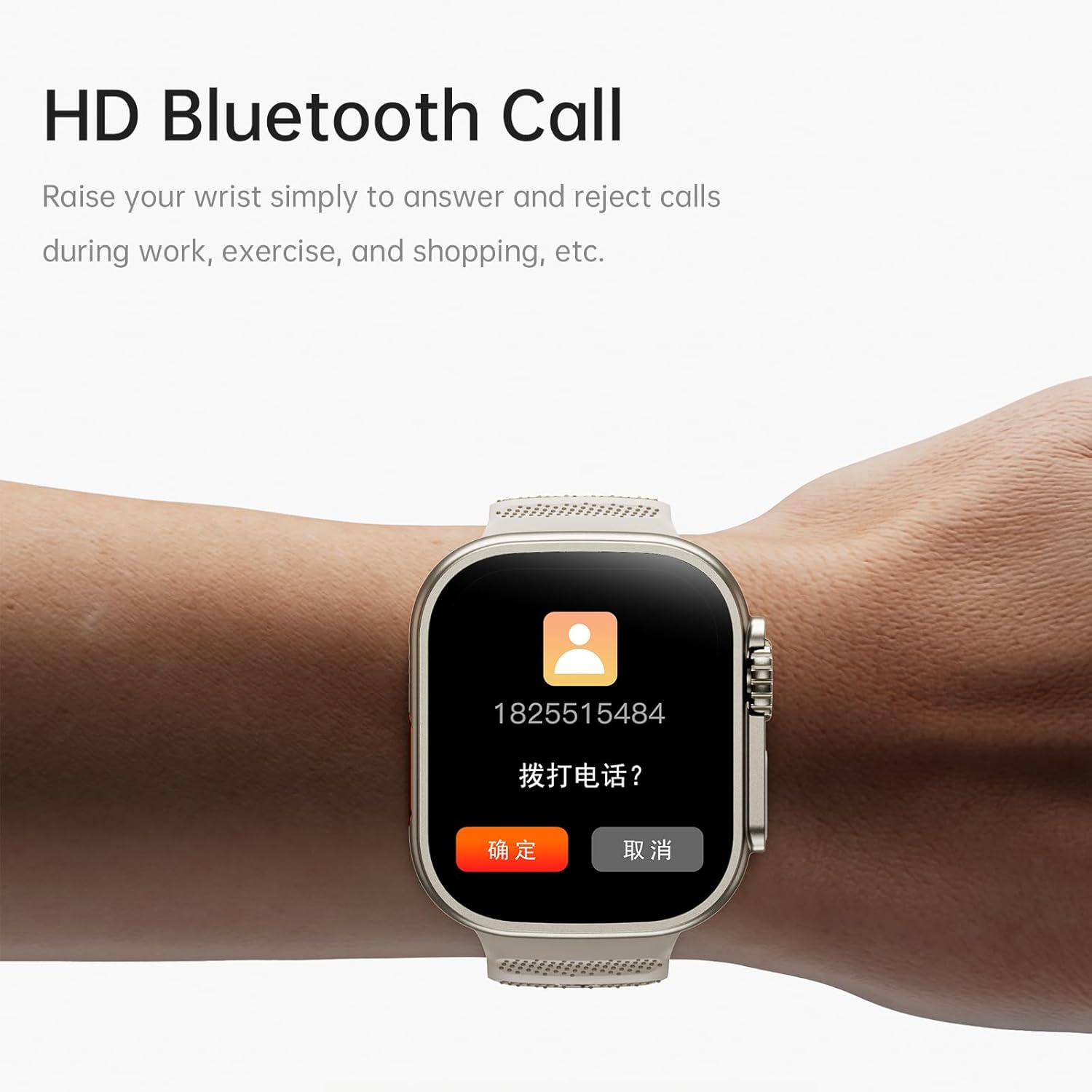
Image: The AWEI H37 Smartwatch screen showing an incoming call with the caller's number and options to answer or reject the call. This illustrates the HD Bluetooth Call feature.
6.3 സ്പോർട്സ് മോഡുകൾ
The H37 Smartwatch supports multiple sport modes to track your activities.
- Navigate to the "Sport" or "Workout" menu on your watch.
- Select your desired activity (e.g., Running, Walking, Cycling, Yoga).
- Tap to start the activity. The watch will begin tracking metrics like duration, distance, calories burned, and heart rate.
- To pause or end an activity, swipe or press the side button as prompted on the screen.
6.4 ആരോഗ്യ നിരീക്ഷണം
The smartwatch monitors various health metrics throughout the day.
- ഹൃദയമിടിപ്പ്: തുടർച്ചയായ ഹൃദയമിടിപ്പ് നിരീക്ഷണം ആപ്പിൽ പ്രവർത്തനക്ഷമമാക്കാം. View real-time data on the watch or detailed history in the app.
- Steps & Calories: The watch automatically tracks your steps taken and estimated calories burned.
- ഉറക്ക ട്രാക്കിംഗ്: Wear the watch to bed to track your sleep patterns. View sleep data in the companion app.
- സ്ത്രീ ഫിസിയോളജിക്കൽ സൈക്കിൾ: Track and predict menstrual cycles through the app.
- ഉദാസീനമായ ഓർമ്മപ്പെടുത്തൽ: Receive alerts if you have been inactive for too long.
6.5 ഇഷ്ടാനുസൃതമാക്കലും മറ്റ് സവിശേഷതകളും
- മുഖങ്ങൾ കാണുക: Press and hold the home screen to change watch faces. More options are available in the app, including uploading your own photos.
- സംഗീത നിയന്ത്രണം: Control music playback on your smartphone (play, pause, skip) directly from the watch.
- റിമോട്ട് ഫോട്ടോഗ്രഫി: നിങ്ങളുടെ സ്മാർട്ട്ഫോൺ ക്യാമറയ്ക്കായി വാച്ച് ഒരു റിമോട്ട് ഷട്ടറായി ഉപയോഗിക്കുക.
- അലാറം ക്ലോക്ക്: Set alarms through the app, and the watch will vibrate to notify you.
- ഉണർത്താൻ എഴുന്നേൽക്കുക: Enable this feature in the app to automatically wake the screen when you raise your wrist.
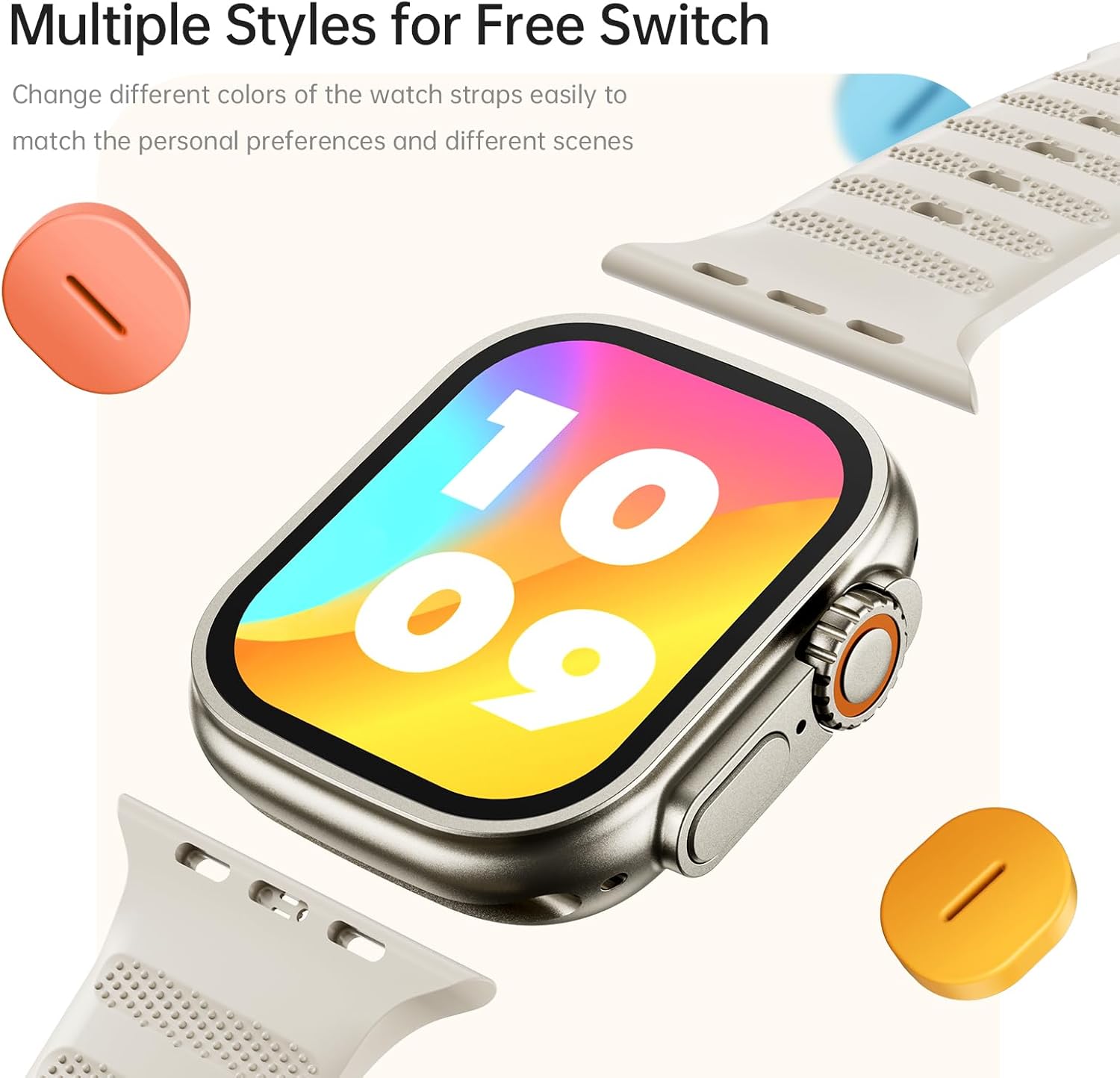
Image: The AWEI H37 Smartwatch shown with various colored straps, illustrating the option to change watch straps to match personal preferences and different occasions.
7. പരിപാലനം
7.1 ഉപകരണം വൃത്തിയാക്കുന്നു
- മൃദുവായ, ഡി ക്ലീനർ ഉപയോഗിച്ച് വാച്ചും സ്ട്രാപ്പും പതിവായി തുടയ്ക്കുക.amp തുണി.
- കഠിനമായ രാസവസ്തുക്കളോ, അബ്രസീവ് ക്ലീനറുകളോ, ലായകങ്ങളോ ഉപയോഗിക്കരുത്.
- ചാർജ് ചെയ്യുന്നതിനുമുമ്പ് ചാർജിംഗ് കോൺടാക്റ്റുകൾ വൃത്തിയുള്ളതും വരണ്ടതുമാണെന്ന് ഉറപ്പാക്കുക.
7.2 ബാറ്ററി കെയർ
- ബാറ്ററി ഇടയ്ക്കിടെ പൂർണ്ണമായും ഡിസ്ചാർജ് ചെയ്യുന്നത് ഒഴിവാക്കുക.
- നൽകിയിരിക്കുന്ന ചാർജിംഗ് കേബിൾ ഉപയോഗിച്ച് ഉപകരണം ചാർജ് ചെയ്യുക.
- Store the device in a cool, dry place if not used for extended periods, with the battery partially charged.
7.3 ജല പ്രതിരോധം
The AWEI H37 has an IP65 waterproof rating. This means it is protected against dust ingress and low-pressure water jets from any direction. It is suitable for daily use such as hand washing or light rain. However, it is not designed for swimming, showering with hot water, or exposure to seawater. Water damage caused by improper use is not covered under warranty.
8. പ്രശ്നപരിഹാരം
| പ്രശ്നം | സാധ്യമായ പരിഹാരം |
|---|---|
| വാച്ച് ഓണാക്കുന്നില്ല. | വാച്ച് പൂർണ്ണമായും ചാർജ് ചെയ്തിട്ടുണ്ടെന്ന് ഉറപ്പാക്കുക. കുറഞ്ഞത് 30 മിനിറ്റെങ്കിലും ചാർജറുമായി ബന്ധിപ്പിക്കുക. |
| സ്മാർട്ട്ഫോണുമായി ജോടിയാക്കാൻ കഴിയില്ല. |
|
| അറിയിപ്പുകൾ ലഭിക്കുന്നില്ല. |
|
| കൃത്യമല്ലാത്ത ആരോഗ്യ ഡാറ്റ. |
|
| ചെറിയ ബാറ്ററി ലൈഫ്. |
|
9 സ്പെസിഫിക്കേഷനുകൾ
| ഫീച്ചർ | വിശദാംശങ്ങൾ |
|---|---|
| മോഡൽ | H37 |
| ഡിസ്പ്ലേ വലിപ്പം | 2.01 ഇഞ്ച് |
| ഡിസ്പ്ലേ റെസല്യൂഷൻ | 360 x 360 പിക്സലുകൾ |
| ബാറ്ററി ശേഷി | 300 mAh |
| ചാർജിംഗ് സമയം | ഏകദേശം 2.5-3 മണിക്കൂർ |
| Typical Usage Time | 5-7 ദിവസം |
| സ്റ്റാൻഡ്ബൈ സമയം | 30 ദിവസം വരെ |
| വാട്ടർപ്രൂഫ് റേറ്റിംഗ് | IP65 |
| കണക്റ്റിവിറ്റി | ബ്ലൂടൂത്ത് |
| അനുയോജ്യമായ OS | ആൻഡ്രോയിഡ്, ഐഒഎസ് |
| മെറ്റീരിയൽ | Zinc alloy (case) |
| പ്രത്യേക സവിശേഷതകൾ | Multi-sport mode, One-touch Bluetooth calling, NFC Wireless Charging, Heart Rate Monitoring, Sleep Tracking, Sedentary Reminder, Female Physiological Cycle, Music Control, Remote Photography |
10. വാറൻ്റിയും പിന്തുണയും
The AWEI H37 Smartwatch comes with a one-year warranty from the date of purchase. This warranty covers manufacturing defects under normal use. It does not cover damage caused by misuse, accidents, unauthorized repairs, or water damage from improper use (e.g., swimming or hot water exposure).
For warranty claims, technical support, or any questions regarding your device, please contact AWEI customer service through the contact information provided on the official AWEI website or your purchase platform. Please have your purchase receipt and product model number (H37) ready when contacting support.