
1. ആമുഖം
Thank you for choosing the AE-Smart M27 Bluetooth Headphones. This manual provides detailed instructions on how to set up, operate, and maintain your new wireless earbuds. Please read this manual carefully before use to ensure optimal performance and longevity of your device.
2. ഉൽപ്പന്നം കഴിഞ്ഞുview
2.1 പാക്കേജ് ഉള്ളടക്കം
- AE-Smart M27 Wireless Earbuds (Left and Right)
- ചാർജിംഗ് കേസ്
- യുഎസ്ബി ചാർജിംഗ് കേബിൾ (മൈക്രോ യുഎസ്ബി)
- ഉപയോക്തൃ മാനുവൽ
2.2 ഘടകങ്ങളും സവിശേഷതകളും
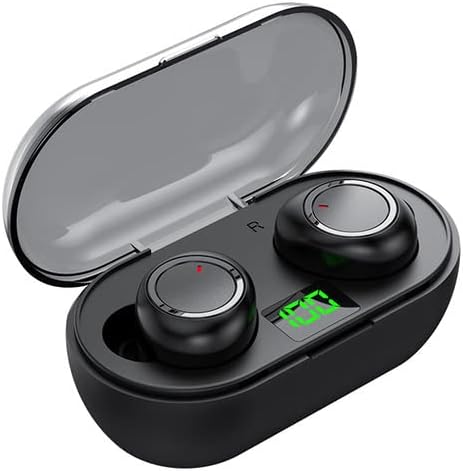
ചിത്രം 1: The AE-Smart M27 wireless earbuds shown inside their charging case. The case is black with a transparent lid, and the earbuds are also black with a metallic ring. A green digital display on the case shows battery level.
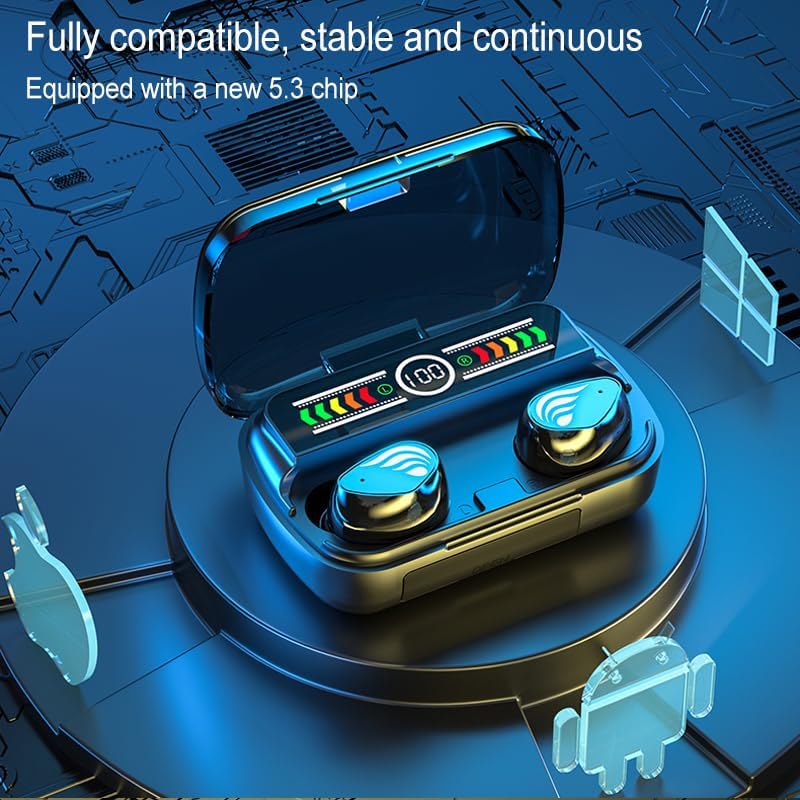
ചിത്രം 2: An illustration highlighting the compatibility and stability of the earbuds, emphasizing the new 5.3 Bluetooth chip. The earbuds are shown in their charging case with a digital display indicating battery status.
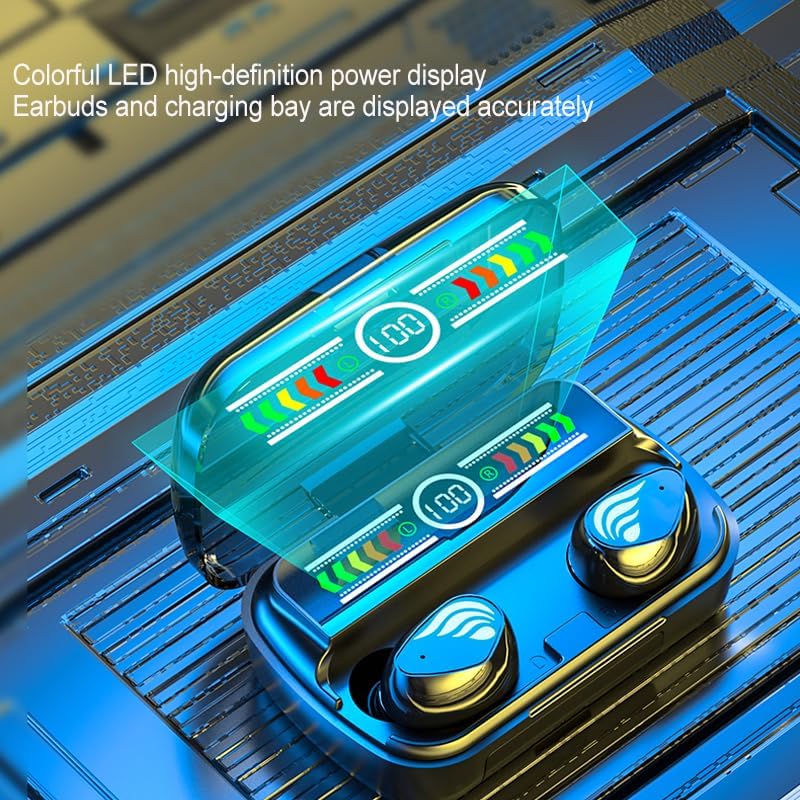
ചിത്രം 3: ഒരു ക്ലോസപ്പ് view of the charging case's colorful LED high-definition power display, accurately showing the battery levels of both the earbuds and the charging bay.
3. സജ്ജീകരണം
3.1 ഇയർബഡുകളും കേസും ചാർജ് ചെയ്യുന്നു
ആദ്യമായി ഉപയോഗിക്കുന്നതിന് മുമ്പ്, ഇയർബഡുകളും ചാർജിംഗ് കേസും പൂർണ്ണമായും ചാർജ് ചെയ്യുക.
- Connect the provided Micro USB cable to the charging port on the case and the other end to a USB power adapter (not included) or a computer's USB port.
- ചാർജിംഗ് കെയ്സിലെ എൽഇഡി ഡിസ്പ്ലേ ചാർജിംഗ് നിലയെ സൂചിപ്പിക്കും.
- ഇയർബഡുകൾ ചാർജിംഗ് കെയ്സിൽ വയ്ക്കുക. അവ സ്വയമേവ ചാർജ് ചെയ്യാൻ തുടങ്ങും.
- Once fully charged, the indicators will change or turn off. Disconnect the charging cable.
3.2 ഒരു ബ്ലൂടൂത്ത് ഉപകരണവുമായി ജോടിയാക്കൽ
- Ensure the earbuds are charged. Take both earbuds out of the charging case. They will automatically power on and enter pairing mode (indicated by flashing lights).
- നിങ്ങളുടെ ഉപകരണത്തിൽ (സ്മാർട്ട്ഫോൺ, ടാബ്ലെറ്റ് മുതലായവ), ബ്ലൂടൂത്ത് പ്രവർത്തനക്ഷമമാക്കുക.
- ഇതിനായി തിരയുക available Bluetooth devices. Select "M27"ലിസ്റ്റിൽ നിന്ന്.
- Once connected, the earbuds will indicate successful pairing (e.g., a voice prompt or steady light).
- കുറിപ്പ്: The earbuds support independent use, meaning either the left or right earbud can be used alone after initial pairing.
4. പ്രവർത്തന നിർദ്ദേശങ്ങൾ
4.1 ടച്ച് നിയന്ത്രണങ്ങൾ
The M27 earbuds feature smart touch controls for easy operation.
| ഫംഗ്ഷൻ | ആക്ഷൻ |
|---|---|
| പവർ ഓൺ | Take out of charging case |
| പവർ ഓഫ് | ചാർജിംഗ് കേസിൽ വയ്ക്കുക |
| സംഗീതം പ്ലേ ചെയ്യുക/താൽക്കാലികമായി നിർത്തുക | ഏതെങ്കിലും ഇയർബഡിൽ ഒറ്റ ടാപ്പ് ചെയ്യുക |
| അടുത്ത ട്രാക്ക് | Double tap on Right earbud |
| മുമ്പത്തെ ട്രാക്ക് | Double tap on Left earbud |
| ഉത്തരം / കോൾ അവസാനിപ്പിക്കുക | ഏതെങ്കിലും ഇയർബഡിൽ ഒറ്റ ടാപ്പ് ചെയ്യുക |
| കോൾ നിരസിക്കുക | ഏതെങ്കിലും ഇയർബഡിൽ ദീർഘനേരം അമർത്തുക |
| വോയ്സ് അസിസ്റ്റൻ്റ് സജീവമാക്കുക | ഇയർബഡുകളിലൊന്നിൽ മൂന്ന് തവണ ടാപ്പ് ചെയ്യുക |
4.2 Gaming Mode / Low Latency
The M27 headphones are designed with low latency for gaming. Specific activation steps for gaming mode are typically integrated with the touch controls. Refer to the table above or experiment with long presses/multiple taps if a dedicated gaming mode is not automatically engaged during gaming.

ചിത്രം 4: The AE-Smart M27 earbuds and charging case positioned next to a smartphone displaying a gaming scene, illustrating their low-latency capability for an enhanced gaming experience.
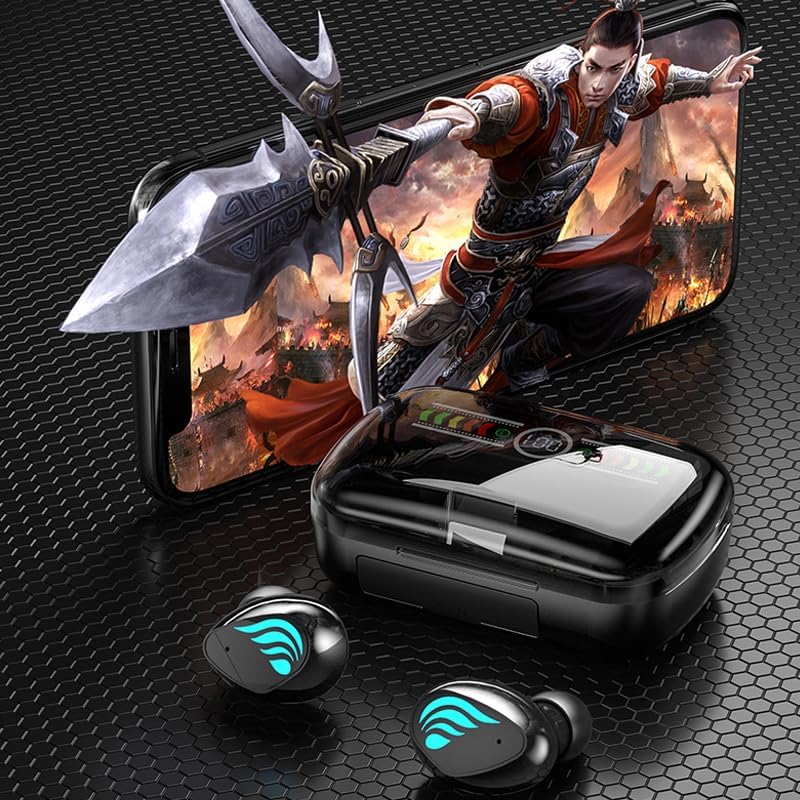
ചിത്രം 5: Two AE-Smart M27 earbuds are shown next to a smartphone displaying a music player interface, highlighting their high-quality wireless audio capabilities and the ability to use earbuds separately.
5. പരിപാലനം
5.1 വൃത്തിയാക്കൽ
- ഇയർബഡുകളും ചാർജിംഗ് കെയ്സും വൃത്തിയാക്കാൻ മൃദുവായതും ഉണങ്ങിയതും ലിന്റ് രഹിതവുമായ തുണി ഉപയോഗിക്കുക.
- അബ്രാസീവ് ക്ലീനറുകൾ, ആൽക്കഹോൾ, കെമിക്കൽ ലായകങ്ങൾ എന്നിവ ഉപയോഗിക്കരുത്.
- Gently clean the charging contacts on both the earbuds and the case to ensure proper connection.
5.2 സംഭരണം
- ഉപയോഗത്തിലില്ലാത്തപ്പോൾ, ഇയർബഡുകൾ സംരക്ഷിക്കുന്നതിനും ചാർജ്ജ് ചെയ്ത നിലയിൽ നിലനിർത്തുന്നതിനും അവ ചാർജിംഗ് കേസിൽ സൂക്ഷിക്കുക.
- തീവ്രമായ താപനിലയിൽ നിന്നും നേരിട്ടുള്ള സൂര്യപ്രകാശത്തിൽ നിന്നും അകന്ന്, തണുത്തതും വരണ്ടതുമായ സ്ഥലത്ത് സൂക്ഷിക്കുക.
6. പ്രശ്നപരിഹാരം
പൊതുവായ പ്രശ്നങ്ങളും പരിഹാരങ്ങളും
| പ്രശ്നം | സാധ്യമായ കാരണം / പരിഹാരം |
|---|---|
| ഇയർബഡുകൾ ജോടിയാക്കുന്നില്ല | Ensure earbuds are charged. Turn off and on Bluetooth on your device. Forget "M27" from your device's Bluetooth list and re-pair. |
| ഒരു ഇയർബഡ് മാത്രമേ പ്രവർത്തിക്കൂ | രണ്ട് ഇയർബഡുകളും ചാർജിംഗ് കെയ്സിലേക്ക് തിരികെ വയ്ക്കുക, ലിഡ് അടയ്ക്കുക, കുറച്ച് നിമിഷങ്ങൾ കാത്തിരിക്കുക, തുടർന്ന് അവ വീണ്ടും പുറത്തെടുക്കുക. രണ്ടും ചാർജ് ചെയ്തിട്ടുണ്ടെന്ന് ഉറപ്പാക്കുക. |
| ശബ്ദമില്ല | Check device volume. Ensure earbuds are connected. Try playing different audio. |
| ചാർജിംഗ് കേസ് ചാർജുചെയ്യുന്നില്ല | Check USB cable and power adapter. Ensure cable is fully inserted into the Micro USB port. |
| മോശം ശബ്ദ നിലവാരം | Ensure earbuds are within Bluetooth range (up to 20 meters). Remove any obstacles between earbuds and device. |
If the issue persists, please refer to the support section or contact customer service.
7 സ്പെസിഫിക്കേഷനുകൾ
The following are the technical specifications for the AE-Smart M27 Bluetooth Headphones:
| ഫീച്ചർ | വിശദാംശങ്ങൾ |
|---|---|
| ഉൽപ്പന്ന നമ്പർ | M27 |
| ബ്ലൂടൂത്ത് പതിപ്പ് | V5.3 |
| ബാറ്ററി ശേഷി (കേസ്) | 800 mAh |
| Earbud Battery Life (Single Charge) | 3 മണിക്കൂർ വരെ |
| മൊത്തം ബാറ്ററി ലൈഫ് (കേസിനൊപ്പം) | ഏകദേശം 180 മണിക്കൂർ |
| സ്റ്റാൻഡ്ബൈ സമയം | ഏകദേശം 220 മണിക്കൂർ |
| പ്രതിരോധം | 32Ω |
| റേറ്റുചെയ്ത ഇൻപുട്ട് | 5V |
| പരമാവധി വയർലെസ് റേഞ്ച് | 10m-20m (About 20 meters) |
| സ്പീക്കർ വലിപ്പം | 8 മി.മീ |
| ഫ്രീക്വൻസി പ്രതികരണം | 20Hz-20KHz |
| ചാർജിംഗ് പോർട്ട് | മൈക്രോ യുഎസ്ബി |
| നിയന്ത്രണ രീതി | സ്മാർട്ട് ടച്ച് |
| Noise Reduction Version | CVC8.0 |
| വോയ്സ് അസിസ്റ്റന്റ് ബിൽറ്റ്-ഇൻ | അതെ |
| മെറ്റീരിയൽ | പ്ലാസ്റ്റിക് |
*Note: Data on this page comes from the manufacturer's laboratory, and actual usage may vary slightly due to environmental and equipment factors.
8. വാറൻ്റിയും പിന്തുണയും
For any issues or inquiries regarding your AE-Smart M27 Bluetooth Headphones, please contact the seller or manufacturer directly. The product comes with standard warranty terms as per local regulations. Please retain your proof of purchase for warranty claims.
If you have any problem, please feel free to contact us, we will reply you within 24 hours.
For support, please refer to the contact information provided with your purchase or visit the official brand webസൈറ്റ്.