
DIERYA DK98SE
DIERYA DK98SE Gaming Keyboard User Manual
Model: DK98SE
1. ആമുഖം
This manual provides detailed instructions for the setup, operation, maintenance, and troubleshooting of your DIERYA DK98SE 98-key mechanical gaming keyboard. Please read this manual thoroughly before using the product to ensure optimal performance and longevity.

Figure 1: DIERYA DK98SE Gaming Keyboard (White Red Switch model)
2. പാക്കേജ് ഉള്ളടക്കം
താഴെ ലിസ്റ്റ് ചെയ്തിരിക്കുന്ന എല്ലാ ഇനങ്ങളും നിങ്ങളുടെ ഉൽപ്പന്ന പാക്കേജിൽ ഉൾപ്പെടുത്തിയിട്ടുണ്ടെന്ന് ഉറപ്പാക്കുക:
- Mechanical keyboard x 1
- ടൈപ്പ്-സി കേബിൾ x 1
- Keycap pliers x 1
- ഉപയോക്തൃ മാനുവൽ x 1

Figure 2: Included items in the DK98SE package
3. ഉൽപ്പന്നം കഴിഞ്ഞുview
The DIERYA DK98SE is a compact 98-key mechanical keyboard designed for both gaming and typing, featuring durable switches and ergonomic considerations.
3.1. Compact 98-Key Layout
The DK98SE features a compact yet practical 98-key layout, which includes a numeric keypad and a separate arrow key area. This design optimizes desktop space while retaining essential functionality.
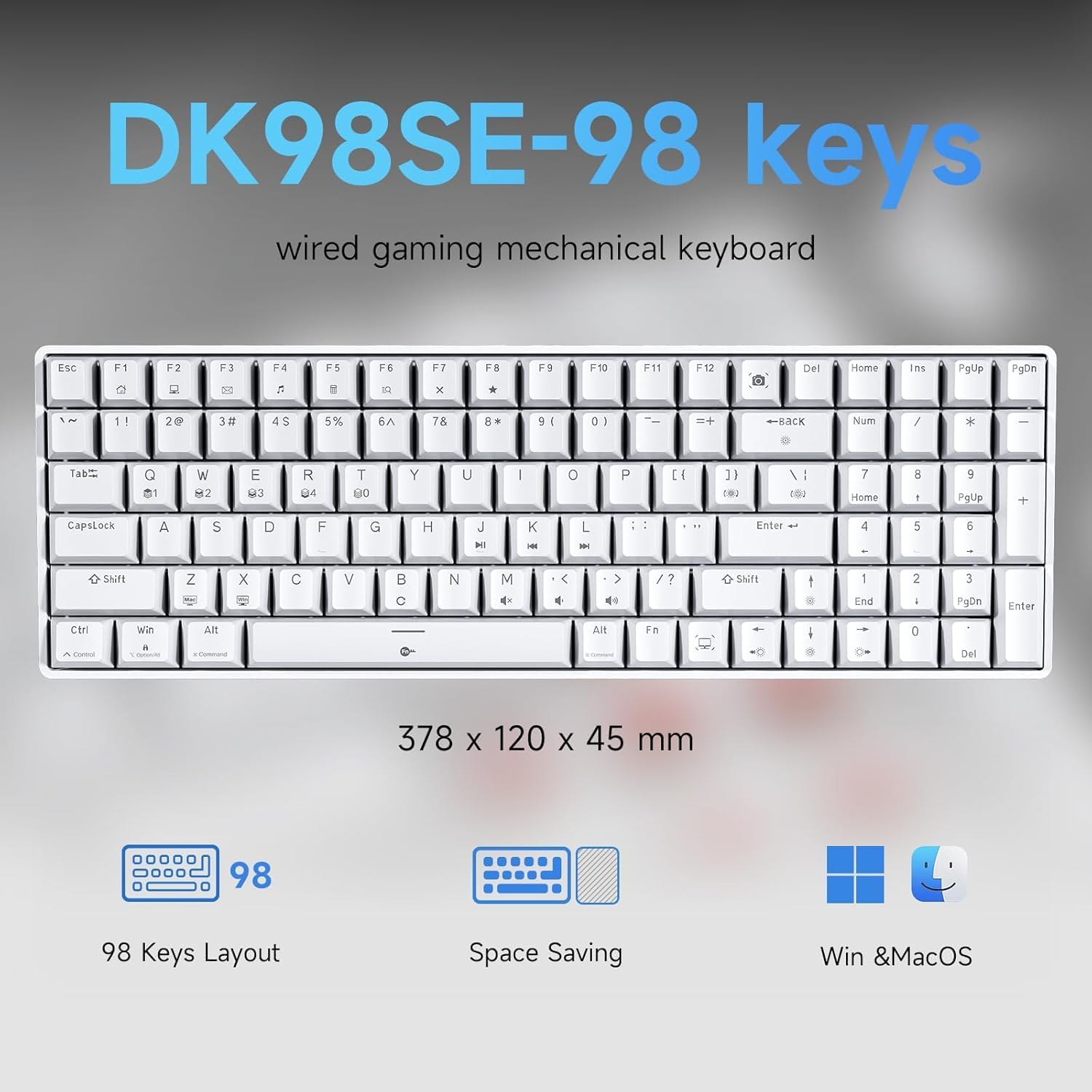
Figure 3: DK98SE 98-key layout and dimensions (378 x 120 x 45 mm)
3.2. Genuine Mechanical Switches
Equipped with independently developed mechanical switches, the DK98SE offers a consistent and durable typing experience. The Red Switches provide a linear quiet sound with fast action and minimal resistance, ideal for gaming performance. These switches are rated for a lifespan of 60 million keystrokes.
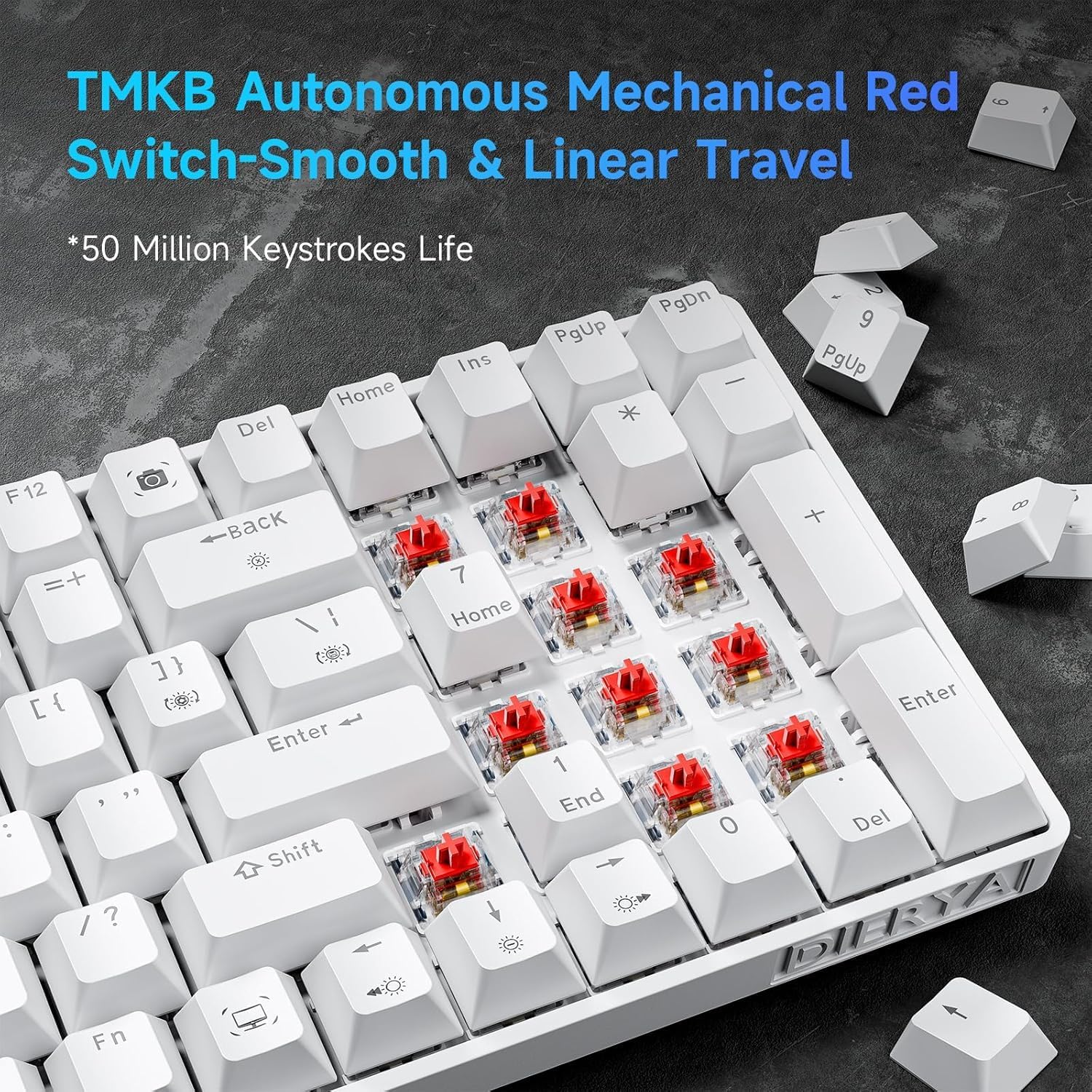
Figure 4: TMBK Autonomous Mechanical Red Switches

Figure 5: Mechanical Red Switches detail with actuation force and travel
3.3. എർഗണോമിക് ഡിസൈൻ
The keyboard features an ergonomic design with anti-slip pads and two-level adjustable tilt supports, allowing users to find a comfortable typing angle. The scientific stepped keycap design further enhances comfort and minimizes hand fatigue during extended use.

Figure 6: Ergonomic design and adjustable rear feet
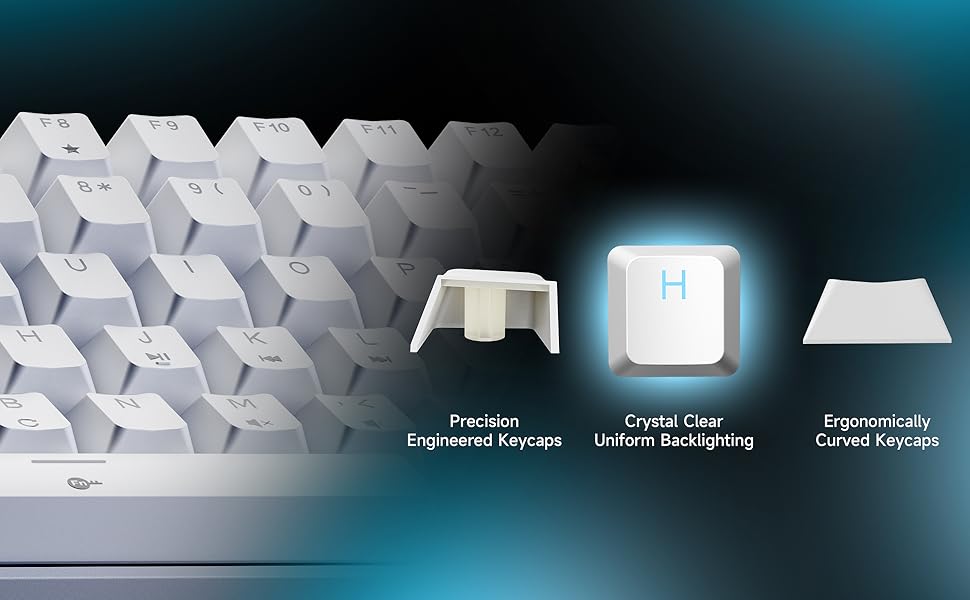
Figure 7: Keycap design for comfort and uniform backlighting
3.4. Full Anti-Ghosting
The DK98SE supports full anti-ghosting, ensuring that all key presses are registered accurately, even during rapid and simultaneous inputs. This feature is crucial for a smooth gaming and typing experience, complemented by a 1000Hz polling rate for zero delay.

Figure 8: Full Key Anti-Ghosting capability
4. സജ്ജീകരണം
The DIERYA DK98SE keyboard is a plug-and-play device, requiring minimal setup.
- USB-C കേബിൾ ബന്ധിപ്പിക്കുക: നൽകിയിരിക്കുന്ന കേബിളിന്റെ USB-C അറ്റം കീബോർഡിലെ പോർട്ടിലേക്ക് തിരുകുക.
- കമ്പ്യൂട്ടറുമായി ബന്ധിപ്പിക്കുക: Insert the USB-A end of the cable into an available USB port on your computer (Desktop/Laptop).
- ഡ്രൈവർ ഇൻസ്റ്റാളേഷൻ: The keyboard is plug-and-play. Your operating system (Windows 11/10/8/7/XP, Mac OS, Vista, Linux) will automatically detect and install the necessary drivers. No additional software installation is required for basic functionality.
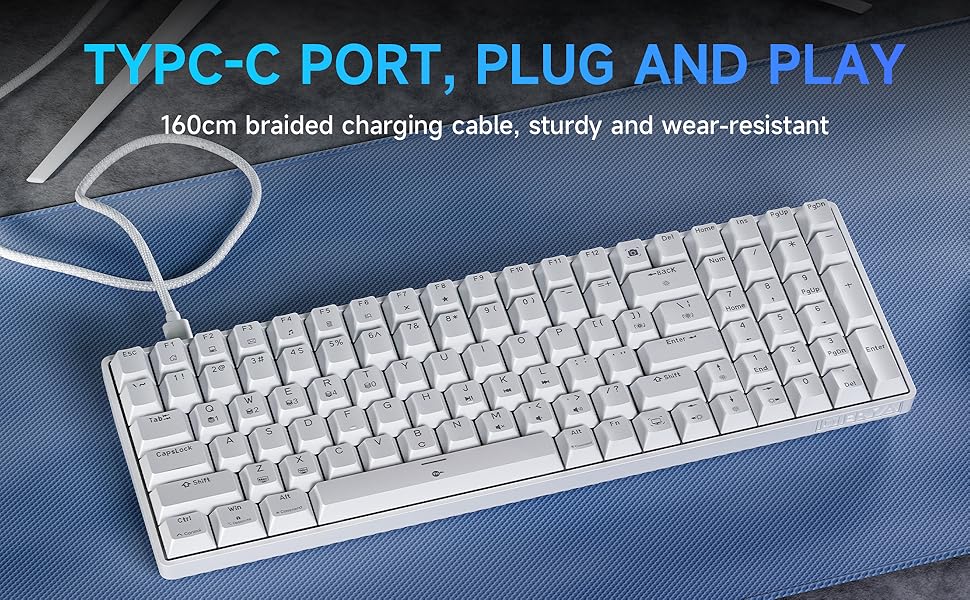
Figure 9: USB-C Port for plug and play connectivity
5. പ്രവർത്തന നിർദ്ദേശങ്ങൾ
5.1. അടിസ്ഥാന ഉപയോഗം
Once connected, the keyboard is ready for immediate use for typing and general computer navigation. The 98-key layout provides a full set of alphanumeric keys, a numeric keypad, and dedicated arrow keys.
5.2. ബാക്ക്ലൈറ്റ് നിയന്ത്രണം
The DK98SE features a single color ice blue backlight with 15 different backlight modes. Use the following key combinations to control the backlight:
- FN + ബാക്ക്സ്പെയ്സ്: ബാക്ക്ലൈറ്റ് ഓണാക്കുകയോ ഓഫാക്കുകയോ ചെയ്യുക.
- FN + | (Pipe/Backslash key): 15 വ്യത്യസ്ത ബാക്ക്ലൈറ്റ് മോഡുകൾക്കിടയിൽ മാറുക.
- FN + ↑ (മുകളിലേക്കുള്ള അമ്പടയാളം): ബാക്ക്ലൈറ്റ് തെളിച്ചം വർദ്ധിപ്പിക്കുക.
- FN + ↓ (താഴേക്കുള്ള അമ്പടയാളം): ബാക്ക്ലൈറ്റ് തെളിച്ചം കുറയ്ക്കുക.
- FN + ← (ഇടത് അമ്പടയാളം): ബാക്ക്ലൈറ്റിൻ്റെ വേഗത കുറയ്ക്കുക.
- FN + → (വലത് അമ്പടയാളം): ബാക്ക്ലൈറ്റ് വേഗത വർദ്ധിപ്പിക്കുക.
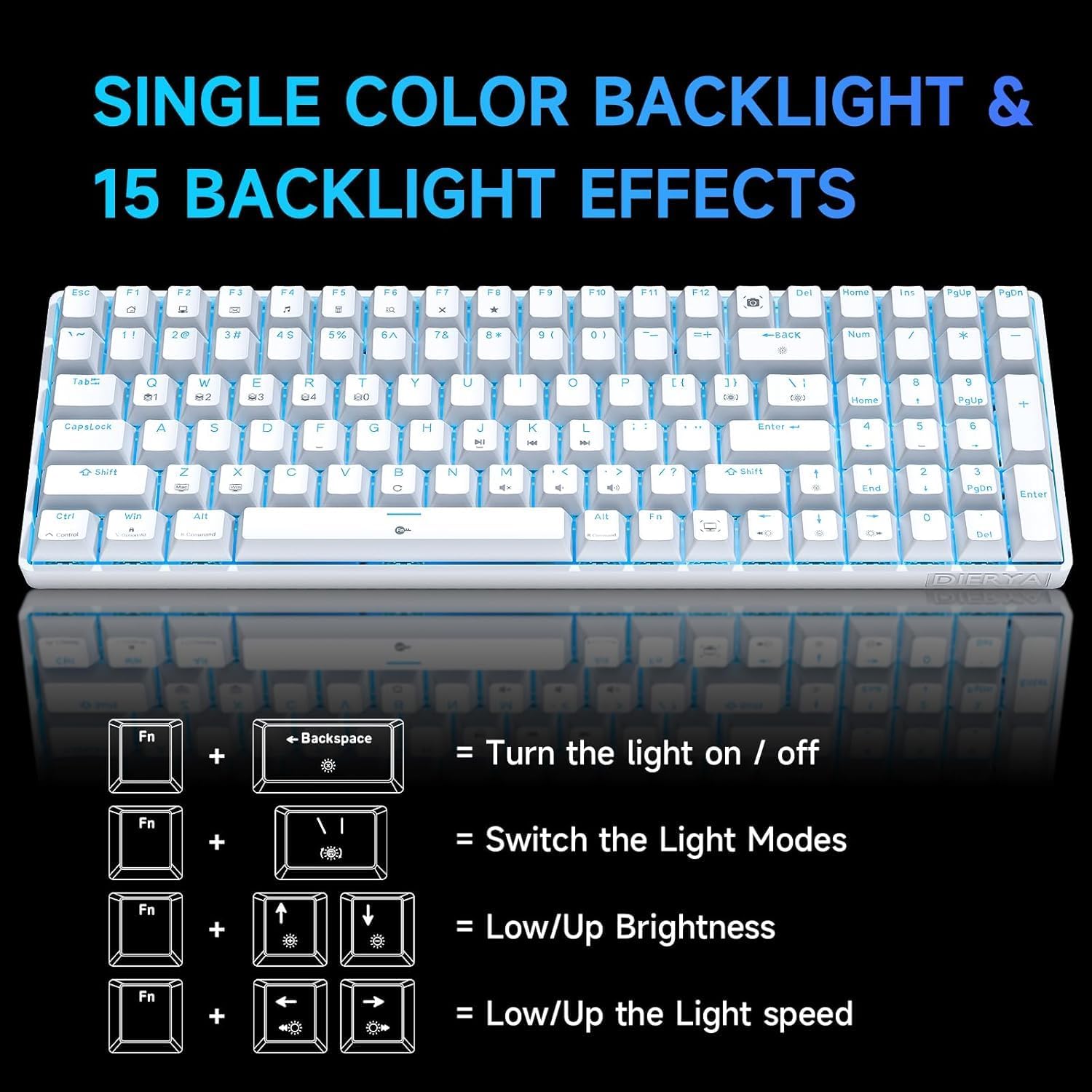
Figure 10: Backlight control key combinations
5.3. പ്രത്യേക ഫംഗ്ഷൻ കീകൾ
The keyboard includes dedicated function keys for enhanced productivity:
- എഫ്എൻ + എഫ്1-എഫ്12: Access multimedia controls and other system functions. Refer to the keycap legends for specific functions.
- Dedicated Macro Keys: The keyboard features specific keys that act as macros. For example, the Print Screen key is replaced by a Snipping Tool macro, and the Right Control key is replaced by a Show Desktop macro. Users should be aware of these changes from standard keyboard layouts.
6. പരിപാലനം
ശരിയായ അറ്റകുറ്റപ്പണി നിങ്ങളുടെ കീബോർഡിന്റെ ദീർഘായുസ്സും മികച്ച പ്രകടനവും ഉറപ്പാക്കുന്നു.
- വൃത്തിയാക്കൽ: Use a soft, dry cloth to wipe down the keyboard surface. For deeper cleaning, use a can of compressed air to remove dust and debris from between the keycaps. For stubborn dirt, a slightly damp കീബോർഡിലേക്ക് ദ്രാവകം പ്രവേശിക്കുന്നില്ലെന്ന് ഉറപ്പാക്കാൻ വീര്യം കുറഞ്ഞ സോപ്പ് ഉള്ള തുണി ഉപയോഗിക്കാം.
- കീക്യാപ്പ് നീക്കംചെയ്യൽ: Use the provided keycap puller to carefully remove keycaps for cleaning or switch access. Avoid excessive force to prevent damage.
- സംഭരണം: ഉപയോഗത്തിലില്ലാത്തപ്പോൾ, നേരിട്ടുള്ള സൂര്യപ്രകാശവും കടുത്ത താപനിലയും ഏൽക്കാത്ത വൃത്തിയുള്ളതും വരണ്ടതുമായ അന്തരീക്ഷത്തിൽ കീബോർഡ് സൂക്ഷിക്കുക.
- കേബിൾ കെയർ: Avoid bending or kinking the USB-C cable excessively to prevent internal wire damage.
7. പ്രശ്നപരിഹാരം
If you encounter issues with your DIERYA DK98SE keyboard, refer to the following common troubleshooting steps:
| പ്രശ്നം | സാധ്യമായ കാരണം | പരിഹാരം |
|---|---|---|
| Keyboard not responding / No input | Loose USB connection, faulty cable, driver issue, or USB port problem. |
|
| ബാക്ക്ലൈറ്റ് പ്രവർത്തിക്കുന്നില്ല അല്ലെങ്കിൽ സ്തംഭിച്ചു | Backlight turned off, mode selected, or software glitch. |
|
| Keys not registering consistently | Dust/debris under keycap, switch malfunction, or anti-ghosting issue. |
|
| Keyboard recognized but not typing on Mac/Linux | Limited compatibility for certain OS features. |
The keyboard is compatible with Mac OS, Vista, and Linux for typing and office use only. Advanced features or specific key mappings may not function as they do on Windows. |
If the problem persists after trying these solutions, please contact DIERYA customer support for further assistance.
8 സ്പെസിഫിക്കേഷനുകൾ
| ഫീച്ചർ | വിശദാംശങ്ങൾ |
|---|---|
| മോഡൽ നമ്പർ | DK98SE |
| ലേഔട്ട് | 98-key mechanical keyboard |
| സ്വിച്ചുകൾ | Linear Red Switches (60 million keystrokes lifespan) |
| കണക്റ്റിവിറ്റി | USB-C (wired) |
| ബാക്ക്ലൈറ്റ് | Single Color Ice Blue (15 modes) |
| ആൻ്റി-ഗോസ്റ്റിംഗ് | പൂർണ്ണ ആൻ്റി-ഗോസ്റ്റിംഗ് |
| പോളിംഗ് നിരക്ക് | 1000Hz |
| അനുയോജ്യത | Windows 11/10/8/7/XP; Mac OS, Vista, Linux (typing/office use only) |
| അളവുകൾ | 15.24 x 6.22 x 2.28 ഇഞ്ച് (ഏകദേശം 38.7 x 15.8 x 5.8 സെ.മീ) |
| ഇനത്തിൻ്റെ ഭാരം | 2.12 പൗണ്ട് (ഏകദേശം 0.96 കിലോഗ്രാം) |
| മെറ്റീരിയൽ | പ്ലാസ്റ്റിക് |
| നിർമ്മാതാവ് | Dierya |
| മാതൃരാജ്യം | ചൈന |
9. വാറൻ്റിയും പിന്തുണയും
DIERYA is committed to providing quality products and customer satisfaction.
- വാറൻ്റി: This product supports a one-year quality warranty from the date of purchase.
- മാറ്റിസ്ഥാപിക്കൽ നയം: A 30-day replacement policy is available.
- ഉപഭോക്തൃ പിന്തുണ: If you have any questions, concerns, or require assistance, please feel free to contact DIERYA customer support. We aim to provide a satisfactory response within 24 hours.

Figure 11: DIERYA Customer Support and Warranty Information
Thank you for choosing DIERYA.
Ask a question about this manual
Ask about setup, troubleshooting, compatibility, parts, safety, or missing instructions. Manuals+ will review the question and use this page’s manual context to help answer it.