
Lexar D40E
Lexar D40E Dual USB 3.2 Gen 1 Type-C Jump Drive
ഉപയോക്തൃ നിർദ്ദേശ മാനുവൽ
1. ഉൽപ്പന്നം കഴിഞ്ഞുview
The Lexar D40E Dual USB 3.2 Gen 1 Type-C Jump Drive is a versatile and portable storage solution designed for seamless data transfer between various devices. Featuring both USB Type-A and USB Type-C connectors, this drive offers broad compatibility with smartphones, tablets, laptops, and traditional computers. Its durable metal housing and swivel design ensure protection and convenience on the go.

Figure 1: Lexar D40E Dual USB 3.2 Gen 1 Type-C Jump Drive.
2 പ്രധാന സവിശേഷതകൾ
- ഇരട്ട കണക്റ്റിവിറ്റി: Equipped with both USB Type-A and USB Type-C connectors for wide compatibility across modern and traditional devices.
- ഹൈ-സ്പീഡ് പ്രകടനം: Achieves read speeds of up to 100MB/s and write speeds of up to 80MB/s, facilitating quick file കൈമാറ്റങ്ങൾ.
- പ്ലഗ് ആൻഡ് പ്ലേ: No software installation required for immediate use with compatible devices.
- മോടിയുള്ള ഡിസൈൻ: Features a robust metal enclosure and a 360° swivel design to protect the connectors and enhance portability.
- വിപുലമായ സുരക്ഷ: Includes Lexar DataShield software with 256-bit AES encryption for secure file സംരക്ഷണം.
3. സജ്ജീകരണവും പ്രാരംഭ ഉപയോഗവും
3.1 ഉപകരണം അൺപാക്ക് ചെയ്യുന്നു
Carefully remove the Lexar D40E Jump Drive from its packaging. Inspect the drive for any visible damage. The package typically includes the drive itself.

Figure 2: Front packaging of the Lexar D40E.
3.2 ഒരു ഉപകരണത്തിലേക്ക് ബന്ധിപ്പിക്കുന്നു
- Identify the appropriate port on your device (USB Type-A or USB Type-C).
- Rotate the swivel mechanism on the Lexar D40E to expose the desired connector.
- Insert the connector firmly into the corresponding port on your computer, smartphone, or tablet.

Figure 3: Connecting the drive to a laptop and a smartphone.
The drive is plug-and-play and should be automatically recognized by most operating systems (Windows, macOS, Android, Linux) without requiring additional drivers.
4. Operating the Jump Drive
4.1 File കൈമാറ്റം
Once connected, the Lexar D40E will appear as a removable storage device (e.g., 'USB Drive' or 'Lexar D40E') in your device's file പര്യവേക്ഷകൻ അല്ലെങ്കിൽ file മാനേജ്മെന്റ് ആപ്ലിക്കേഷൻ.
- പകർത്താൻ fileഡ്രൈവിലേക്ക്: വലിച്ചിടുക files from your device's storage to the Lexar D40E folder. Alternatively, right-click (or long-press on mobile) the files, select 'Copy', navigate to the drive, and select 'Paste'.
- പകർത്താൻ fileഡ്രൈവിൽ നിന്നുള്ളത്: വലിച്ചിടുക files from the Lexar D40E folder to your device's storage. Alternatively, right-click (or long-press on mobile) the files on the drive, select 'Copy', navigate to your desired destination, and select 'Paste'.

Figure 4: High-speed data transfer in progress.
4.2 സുരക്ഷിതം File Protection (Lexar DataShield)
The Lexar D40E supports advanced security features using Lexar DataShield software, which provides 256-bit AES encryption. This software is typically pre-loaded on the drive or available for download from the official Lexar webസൈറ്റ്.
- Locate and run the Lexar DataShield application on the drive.
- Follow the on-screen instructions to set up a secure partition and password.
- Place sensitive files into the encrypted partition for enhanced security.
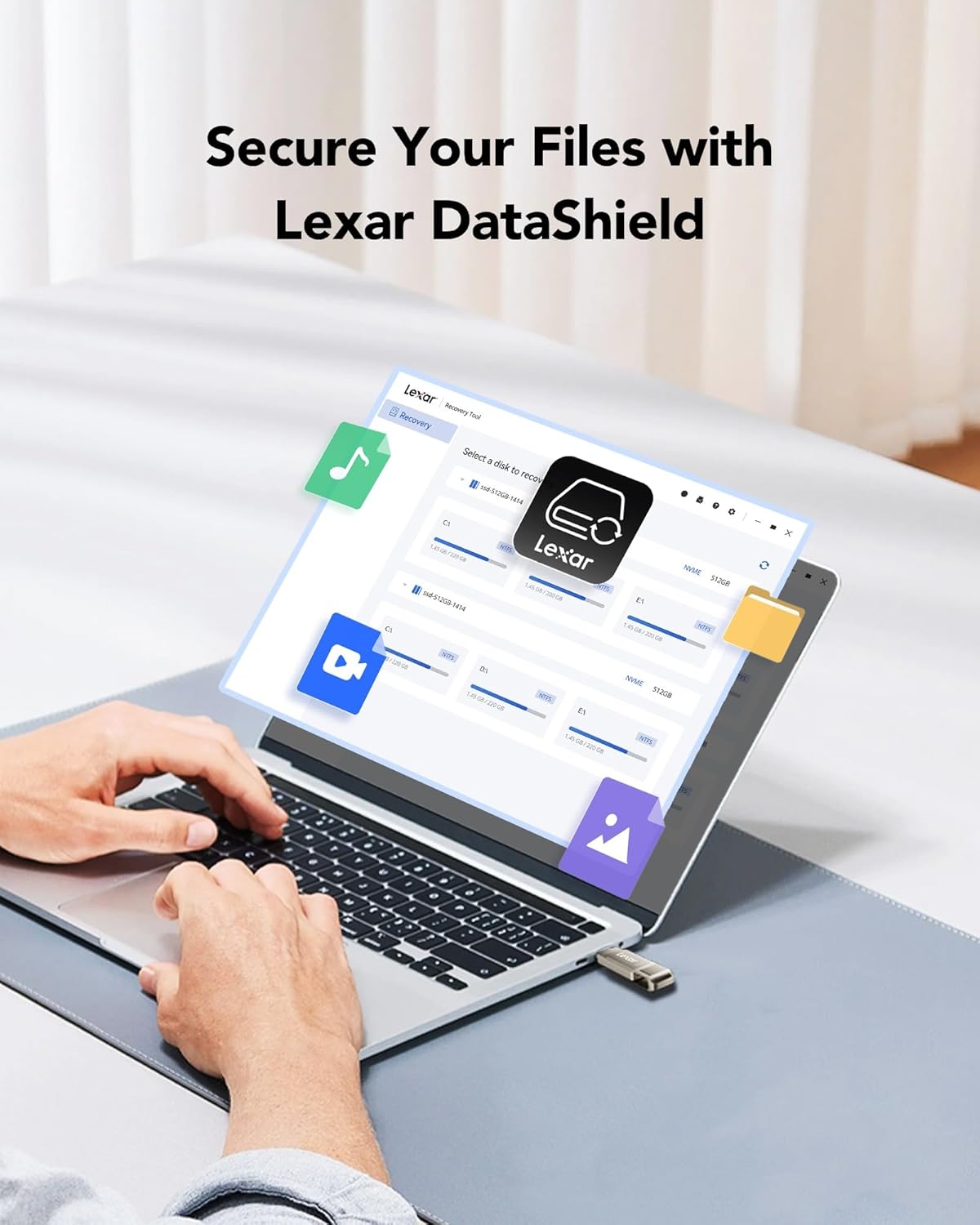
Figure 5: Lexar DataShield software interface.
4.3 സുരക്ഷിതമായ നീക്കം ചെയ്യൽ
Always safely eject the drive from your operating system before physically removing it to prevent data corruption. This is typically done by right-clicking the drive icon in your file explorer and selecting 'Eject' or 'Safely Remove Hardware'.
5. പരിപാലനവും പരിചരണവും
- ശാരീരിക പരിചരണം: The metal housing provides durability. Avoid excessive force, extreme temperatures outside the operating range (0°C to 50°C), and exposure to water or corrosive substances.
- കണക്റ്റർ സംരക്ഷണം: Utilize the swivel design to protect the unused connector from dust and damage when not in use.
- ഡാറ്റ ബാക്കപ്പ്: Regularly back up important data stored on the drive to another location to prevent data loss.
- വൃത്തിയാക്കൽ: Use a soft, dry cloth to clean the exterior of the drive. Do not use liquid cleaners.
6. പ്രശ്നപരിഹാരം
| പ്രശ്നം | സാധ്യമായ കാരണം | പരിഹാരം |
|---|---|---|
| ഡ്രൈവ് തിരിച്ചറിഞ്ഞില്ല. | Incorrect port, loose connection, driver issue, or incompatible file സിസ്റ്റം. | Ensure the drive is fully inserted into a compatible USB port. Try a different USB port or device. Check device manager for driver issues. Reformat the drive if necessary (note: this will erase all data). |
| കുറഞ്ഞ ട്രാൻസ്ഫർ വേഗത | Using a USB 2.0 port, large number of small files, or background processes. | Ensure you are connected to a USB 3.0/3.1/3.2 port for optimal speed. Close unnecessary applications. Transfer fewer, larger fileസാധ്യമെങ്കിൽ എസ്. |
| എഴുതാൻ കഴിയില്ല files | Drive is full, write-protected, or file സിസ്റ്റം പരിമിതികൾ (ഉദാ. വലിയവയ്ക്ക് FAT32) fileഎസ്). | Check available space. Ensure the drive is not write-protected. For files larger than 4GB, reformat the drive to NTFS (Windows) or exFAT (Windows/macOS compatible). |
| Drive gets warm during use | Normal operation, especially during prolonged transfers. | This is normal for metal-encased drives as metal dissipates heat effectively. If it becomes excessively hot or causes errors, discontinue use and contact support. |
7 സ്പെസിഫിക്കേഷനുകൾ
| ഫീച്ചർ | വിശദാംശങ്ങൾ |
|---|---|
| മോഡലിൻ്റെ പേര് | ദ്ക്സനുമ്ക്സെ |
| മെമ്മറി സ്റ്റോറേജ് കപ്പാസിറ്റി | 256 GB (as reviewഎഡി) |
| ഹാർഡ്വെയർ ഇന്റർഫേസ് | USB 3.2 Gen 1 |
| കണക്റ്റിവിറ്റി ടെക്നോളജി | യുഎസ്ബി ടൈപ്പ് എ, യുഎസ്ബി ടൈപ്പ് സി |
| വായന വേഗത | 100 MB/s വരെ |
| റൈറ്റ് സ്പീഡ് | 80 MB/s വരെ |
| നിറം | Champആഗ്നേ വെള്ളി |
| ഉൽപ്പന്ന അളവുകൾ (LxWxH) | 2.76 x 0.67 x 0.04 ഇഞ്ച് (70.4 x 16.9 x 1.0 മില്ലീമീറ്റർ ഏകദേശം) |
| ഇനത്തിൻ്റെ ഭാരം | 0.317 ഔൺസ് (ഏകദേശം 9 ഗ്രാം) |
| പ്രവർത്തന താപനില | 0°C മുതൽ 50°C വരെ (32°F മുതൽ 122°F വരെ) |
Note: Performance may vary depending on host device, interface, and usage conditions.
8. വാറൻ്റിയും പിന്തുണയും
8.1 ലിമിറ്റഡ് വാറൻ്റി
The Lexar D40E Jump Drive is backed by a Lexar 3-year limited warranty. സാധാരണ ഉപയോഗത്തിലുള്ള മെറ്റീരിയലുകളിലെയും നിർമ്മാണത്തിലെയും വൈകല്യങ്ങൾ ഈ വാറന്റി ഉൾക്കൊള്ളുന്നു. വാറന്റി ക്ലെയിമുകൾക്കായി നിങ്ങളുടെ വാങ്ങലിന്റെ തെളിവ് സൂക്ഷിക്കുക.
8.2 ഉപഭോക്തൃ പിന്തുണ
For technical assistance, warranty claims, or further information, please visit the official Lexar website or contact Lexar customer support through the following channels:
- ലെക്സാർ ഒഫീഷ്യൽ Webസൈറ്റ്: www.lexar.com/support
- Refer to the product packaging for specific regional contact information.
Ask a question about this manual
Ask about setup, troubleshooting, compatibility, parts, safety, or missing instructions. Manuals+ will review the question and use this page’s manual context to help answer it.