
ആമുഖം
This manual provides comprehensive instructions for the proper use, setup, and maintenance of your DIGITEK DWM-115 2-in-1 Wireless Microphone system. Please read this manual thoroughly before operating the device to ensure optimal performance and longevity.
പാക്കേജ് ഉള്ളടക്കം
താഴെ ലിസ്റ്റ് ചെയ്തിരിക്കുന്ന എല്ലാ ഇനങ്ങളും നിങ്ങളുടെ പാക്കേജിൽ ഉൾപ്പെടുത്തിയിട്ടുണ്ടെന്ന് ഉറപ്പാക്കുക:
- 2 x Microphone Transmitters
- 1 x റിസീവർ
- 1 x ചാർജിംഗ് കേസ്
- 1 x ടൈപ്പ്-സി മുതൽ ലൈറ്റ്നിംഗ് കണക്റ്റർ വരെ
- 1 x യുഎസ്ബി മുതൽ ടൈപ്പ്-സി ചാർജിംഗ് കേബിൾ
- 2 x Wind Wool (Wind Muffs)
- 1 x ഉപയോക്തൃ മാനുവൽ (ഈ പ്രമാണം)

Image: The package contents of the DIGITEK DWM-115 wireless microphone system, showing two microphone transmitters, one receiver, a charging case, a Type-C to Lightning connector, a USB to Type-C charging cable, and two wind wool covers.
ഉൽപ്പന്നം കഴിഞ്ഞുview
The DIGITEK DWM-115 system consists of two wireless microphone transmitters, a receiver, and a portable charging case. Key features include 2.4GHz transmission, noise reduction, 360-degree sound capture, and broad compatibility with iOS and Android devices.
ഘടകങ്ങൾ
- Microphone Transmitter (TX): Captures audio. Features a magnetic clip for attachment and indicator lights for status.
- റിസീവർ (RX): Connects to your recording device (smartphone, camera, etc.) and receives audio from the transmitters.
- ചാർജിംഗ് കേസ്: Stores and charges the transmitters and receiver.
- Type-C to Lightning Connector: Enables connection to Apple iOS devices.

ചിത്രം: ഒരു ഓവർview of the DIGITEK DWM-115 wireless microphone system, displaying the two compact microphone transmitters, the receiver unit, and the charging case.
സജ്ജീകരണ നിർദ്ദേശങ്ങൾ
1. ഉപകരണങ്ങൾ ചാർജ് ചെയ്യുന്നു
- Place both microphone transmitters and the receiver into the charging case.
- Connect the USB to Type-C charging cable to the charging case and a power source (e.g., USB wall adapter, computer USB port).
- The charging case display will indicate charging status. Ensure all devices are fully charged before first use.
ചാർജിംഗ് സമയം: Approximately 2.5 hours for microphones and 2.5 hours for the charging case.

Image: A visual representation of the DIGITEK DWM-115 charging process, highlighting the charging case, microphones, and receiver, along with their respective charging times and battery capacities.
2. നിങ്ങളുടെ ഉപകരണത്തിലേക്ക് കണക്റ്റുചെയ്യുന്നു
- For Android Devices (USB Type-C): Plug the receiver directly into your Android smartphone's USB Type-C port.
- For iOS Devices (Lightning): Attach the Type-C to Lightning connector to the receiver, then plug the combined unit into your iPhone's Lightning port.
- The receiver's indicator light will show a stable connection once paired.
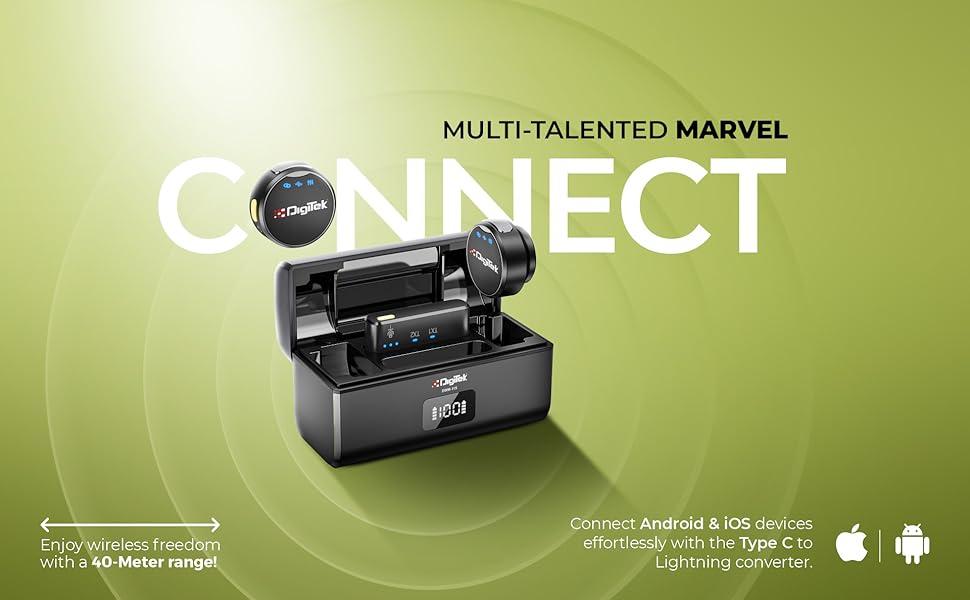
Image: This image demonstrates the connectivity options for the DIGITEK DWM-115 receiver, showing how it connects to both Android (Type-C) and iOS (Lightning) devices, emphasizing its broad compatibility.
3. ഓട്ടോമാറ്റിക് ജോടിയാക്കൽ
The microphone transmitters and receiver are designed for automatic pairing. Once the receiver is connected to your recording device and the transmitters are powered on (taken out of the charging case), they should automatically establish a connection. Indicator lights will confirm successful pairing.

Image: A user demonstrating the DIGITEK DWM-115 microphone system, illustrating its plug-and-play setup and low-latency signal transmission for seamless audio recording.
പ്രവർത്തന നിർദ്ദേശങ്ങൾ
1. പവർ ഓൺ/ഓഫ്
- ട്രാൻസ്മിറ്ററുകൾ: Remove from the charging case to power on. Place back into the charging case to power off and begin charging.
- റിസീവർ: Powers on automatically when plugged into a device. Unplug to power off.
2. മൈക്രോഫോൺ ധരിക്കൽ
Attach the microphone transmitter to your clothing using the magnetic collar clip. Position it approximately 6-8 inches from your mouth for optimal sound capture. The magnetic design ensures a secure and discreet fit.
3. ശബ്ദം കുറയ്ക്കൽ
The DWM-115 features advanced noise reduction technology. This function automatically filters out ambient background noise, ensuring your voice remains clear and prominent. This is particularly useful in environments with moderate background sound.
4. 360° Sound Capture
The omnidirectional microphone design allows for 360-degree sound capture. This feature is ideal for interviews, group discussions, or capturing immersive audio where sound sources may come from various directions.

Image: This graphic highlights key operational features of the DIGITEK DWM-115, including its 360-degree sound capture capability, the intelligent built-in chip for noise filtering, and its seamless compatibility with both Android and iOS devices via the Type-C to Lightning converter.
5. ഇൻഡിക്കേറ്റർ ലൈറ്റുകൾ
The microphone transmitters and receiver are equipped with indicator lights to communicate their status:
- Blue Light (Transmitter): Indicates power on and successful connection.
- Red Light (Transmitter): Indicates low battery or charging.
- Blue Light (Receiver): Indicates successful connection to a transmitter.

ചിത്രം: വിശദമായ ഒരു ചിത്രം view of the DIGITEK DWM-115 microphone, showcasing its indicator lights which provide visual feedback on the device's operational status.
മെയിൻ്റനൻസ്
1. വൃത്തിയാക്കൽ
- മൃദുവായതും ഉണങ്ങിയതുമായ തുണി ഉപയോഗിച്ച് ഉപകരണങ്ങൾ തുടയ്ക്കുക.
- Do not use liquid cleaners or solvents, as they may damage the product.
- ചാർജിംഗ് കോൺടാക്റ്റുകൾ വൃത്തിയുള്ളതും അവശിഷ്ടങ്ങൾ ഇല്ലാത്തതുമാണെന്ന് ഉറപ്പാക്കുക.
2. സംഭരണം
- ഉപയോഗത്തിലില്ലാത്തപ്പോൾ മൈക്രോഫോൺ സിസ്റ്റം സംരക്ഷിക്കാനും ചാർജ്ജ് ചെയ്ത് സൂക്ഷിക്കാനും അതിന്റെ ചാർജിംഗ് കേസിൽ സൂക്ഷിക്കുക.
- ഉപകരണം തണുത്തതും വരണ്ടതുമായ സ്ഥലത്ത് സൂക്ഷിക്കുക, നേരിട്ടുള്ള സൂര്യപ്രകാശത്തിൽ നിന്നും കടുത്ത താപനിലയിൽ നിന്നും അകറ്റി നിർത്തുക.
3. ബാറ്ററി പരിചരണം
- Charge the devices regularly, even if not in frequent use, to maintain battery health.
- ബാറ്ററികൾ ദീർഘനേരം പൂർണ്ണമായും ഡിസ്ചാർജ് ചെയ്യുന്നത് ഒഴിവാക്കുക.
ട്രബിൾഷൂട്ടിംഗ്
| പ്രശ്നം | സാധ്യമായ കാരണം | പരിഹാരം |
|---|---|---|
| ശബ്ദമോ മോശം ഓഡിയോ നിലവാരമോ ഇല്ല | Low battery; improper connection; out of range; microphone obstructed. | Charge devices fully. Ensure receiver is securely plugged in. Check recording app settings. Move closer to the receiver. Ensure microphone is not covered. |
| ഉപകരണങ്ങൾ ജോടിയാക്കുന്നില്ല | Low battery; interference; devices not powered on. | Ensure all devices are charged and powered on. Restart both transmitters and receiver. Move away from other 2.4GHz devices. |
| ചെറിയ ബാറ്ററി ലൈഫ് | Incomplete charging; aging battery. | Ensure devices are charged for the recommended time. If battery life significantly degrades, contact support. |
| Receiver not recognized by phone | Phone settings; dirty port; incorrect connector. | Check phone's audio input settings. Clean phone's charging port. Ensure correct Type-C or Lightning connector is used. |
സ്പെസിഫിക്കേഷനുകൾ
| ഫീച്ചർ | വിശദാംശങ്ങൾ |
|---|---|
| മോഡൽ നമ്പർ | DWM-115 |
| കണക്റ്റിവിറ്റി ടെക്നോളജി | വയർലെസ് (2.4GHz) |
| വയർലെസ് ശ്രേണി | 40 മീറ്റർ വരെ |
| Microphone Battery Life (TX) | ഏകദേശം 6 മണിക്കൂർ |
| Microphone Battery Capacity (TX) | 80mAh |
| ചാർജിംഗ് കെയ്സ് ബാറ്ററി കപ്പാസിറ്റി | 400 എംഎഎച്ച് 3.7 വി |
| ചാർജിംഗ് സമയം (മൈക്രോഫോൺ) | ഏകദേശം 2.5 മണിക്കൂർ |
| ചാർജിംഗ് സമയം (ചാർജിംഗ് കേസ്) | ഏകദേശം 2.5 മണിക്കൂർ |
| ശബ്ദ ക്യാപ്ചർ | 360° ഓമ്നിഡയറക്ഷണൽ |
| ശബ്ദം കുറയ്ക്കൽ | അതെ |
| അനുയോജ്യത | iOS (Lightning), Android (USB Type-C) |
| ഇനത്തിൻ്റെ ഭാരം | 400 ഗ്രാം |
| ഉൽപ്പന്ന അളവുകൾ | 12 x 12 x 6 സെ.മീ |
| ഇൻപുട്ട് വോളിയംtage | ഡിസി ക്സനുമ്ക്സ-ക്സനുമ്ക്സവ് |
| സിഗ്നൽ ടു നോയ്സ് റേഷ്യോ | 65dB |
| ഫ്രീക്വൻസി റെസ്പോൺസ് റേഞ്ച് | 20Hz-20KHz |
| സംവേദനക്ഷമത | 35dB |

Image: This image provides key technical specifications for the DIGITEK DWM-115, including its 40-meter wireless transmission range, 6-hour run time for the receiver/transmitter, and 2.4 GHz radio frequency.

Image: A visual breakdown of the DIGITEK DWM-115's audio performance specifications, including sensitivity (35dB), input voltage (DC 4.5-5.2V), frequency response range (20Hz-20KHz), and signal-to-noise ratio (65dB).
വാറൻ്റിയും പിന്തുണയും
വാറന്റി വിവരങ്ങൾക്കും ഉപഭോക്തൃ പിന്തുണയ്ക്കും, ദയവായി താഴെയുള്ള വിശദാംശങ്ങൾ പരിശോധിക്കുക:
- നിർമ്മാതാവ്: ഐഎംഎസ് മെർച്ചന്റൈൽസ് പ്രൈവറ്റ് ലിമിറ്റഡ്
- ടോൾ ഫ്രീ നമ്പർ: 1800-123-544-444
- കസ്റ്റമർ കെയർ ഇമെയിൽ: support@digitek.net.in
ഏതെങ്കിലും വാറന്റി ക്ലെയിമുകൾക്കായി നിങ്ങളുടെ വാങ്ങിയതിന്റെ തെളിവ് സൂക്ഷിക്കുക.