
df52
User Manual for V12 Black Tech Space Audio OWS In-Ear Bluetooth Headphones
Model: df52
1. ഉൽപ്പന്നം കഴിഞ്ഞുview
The V12 Black Tech Space Audio OWS In-Ear Bluetooth Headphones (Model: df52) are designed for an immersive audio experience with open-ear comfort. These headphones feature advanced noise cancellation and a stable Bluetooth connection, making them suitable for various activities including sports and travel.
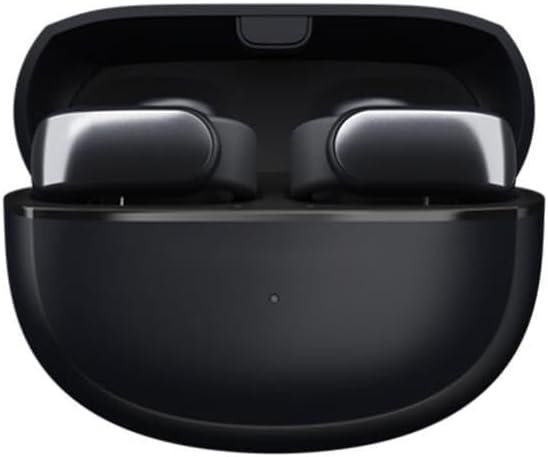
Figure 1: V12 Black Tech Space Audio OWS In-Ear Bluetooth Headphones in their charging case.
പ്രധാന സവിശേഷതകളിൽ ഇവ ഉൾപ്പെടുന്നു:
- HD Sound Quality: Utilizes V12 black technology spatial audio for a pure and realistic music experience.
- ഇന്റലിജന്റ് നോയ്സ് റദ്ദാക്കൽ: Effectively reduces external interference for clear audio and calls.
- ബ്ലൂടൂത്ത് വയർലെസ് കണക്ഷൻ: Offers a transmission range of up to 10 meters for freedom of movement.
- Humanized Ear Clip Design: Provides comfortable and stable wear, suitable for extended use. Supports binaural stereo sound.
- നീണ്ട ബാറ്ററി ലൈഫ്: More than 8 hours of battery life on a single charge.

Figure 2: The ear clip design ensures a comfortable and secure fit for the headphones.
2. ബോക്സിൽ എന്താണുള്ളത്?
പാക്കേജ് തുറക്കുമ്പോൾ, ഇനിപ്പറയുന്ന ഇനങ്ങൾ നിങ്ങൾ കണ്ടെത്തും:
- V12 Black Tech Space Audio OWS In-Ear Bluetooth Headphones (1 pair)
- ചാർജിംഗ് കേസ്
- ഉപയോക്തൃ മാനുവൽ (ഈ പ്രമാണം)
- യുഎസ്ബി ചാർജിംഗ് കേബിൾ
3. സജ്ജീകരണം
3.1 ഹെഡ്ഫോണുകൾ ചാർജ് ചെയ്യുന്നു
Before first use, ensure the headphones and charging case are fully charged. Place the headphones into the charging case and connect the USB charging cable to the case and a power source. The indicator light on the case will show charging status and turn off when fully charged.
3.2 ഒരു ബ്ലൂടൂത്ത് ഉപകരണവുമായി ജോടിയാക്കൽ
- Ensure the headphones are charged and inside the charging case.
- Open the charging case. The headphones will automatically enter pairing mode, indicated by a flashing light (refer to specific light patterns in the quick start guide if available).
- നിങ്ങളുടെ ഉപകരണത്തിൽ (സ്മാർട്ട്ഫോൺ, ടാബ്ലെറ്റ്, കമ്പ്യൂട്ടർ), ബ്ലൂടൂത്ത് പ്രവർത്തനക്ഷമമാക്കുക.
- ഇതിനായി തിരയുക available Bluetooth devices. Select "V12 Headphones" or similar name from the list.
- Once connected, the indicator light on the headphones will change (e.g., solid blue) and a voice prompt may confirm successful pairing.
ഉപകരണത്തിൽ ബ്ലൂടൂത്ത് പ്രവർത്തനക്ഷമമാക്കിയിട്ടുണ്ടെങ്കിൽ, കേസിൽ നിന്ന് പുറത്തെടുക്കുമ്പോൾ ഹെഡ്ഫോണുകൾ അവസാനം ജോടിയാക്കിയ ഉപകരണവുമായി യാന്ത്രികമായി വീണ്ടും കണക്റ്റുചെയ്യും.
4. പ്രവർത്തന നിർദ്ദേശങ്ങൾ
4.1 പവർ ഓൺ/ഓഫ്
- പവർ ഓൺ: Open the charging case, and the headphones will power on automatically.
- പവർ ഓഫ്: ഹെഡ്ഫോണുകൾ ചാർജിംഗ് കെയ്സിലേക്ക് തിരികെ വയ്ക്കുക, ലിഡ് അടയ്ക്കുക. അവ യാന്ത്രികമായി ഓഫാകും.
4.2 മ്യൂസിക് പ്ലേബാക്ക്
The headphones feature touch controls for music management. Specific gestures may vary, but common controls include:
- പ്ലേ/താൽക്കാലികമായി നിർത്തുക: ഇയർബഡുകളിൽ ഏതെങ്കിലുമൊന്നിൽ ഒറ്റ ടാപ്പ് ചെയ്യുക.
- അടുത്ത ട്രാക്ക്: വലതുവശത്തെ ഇയർബഡിൽ രണ്ടുതവണ ടാപ്പ് ചെയ്യുക.
- മുമ്പത്തെ ട്രാക്ക്: ഇടതുവശത്തെ ഇയർബഡിൽ രണ്ടുതവണ ടാപ്പ് ചെയ്യുക.
- വോളിയം നിയന്ത്രണം: As per specifications, volume control is available. Refer to your device's volume settings or specific headphone gestures if available (not detailed in product info).
4.3 കോൾ മാനേജ്മെന്റ്
Manage calls with simple touch gestures:
- ഉത്തരം/അവസാന കോൾ: ഇയർബഡുകളിൽ ഏതെങ്കിലുമൊന്നിൽ ഒറ്റ ടാപ്പ് ചെയ്യുക.
- കോൾ നിരസിക്കുക: ഏതെങ്കിലും ഇയർബഡിൽ 2 സെക്കൻഡ് അമർത്തിപ്പിടിക്കുക.

Figure 3: The headphones offer HD call quality with intelligent noise reduction for clear communication.
4.4 നോയ്സ് റദ്ദാക്കൽ
The headphones feature intelligent noise cancellation technology to reduce ambient sounds. This feature is automatically active during use to enhance your listening and call experience.
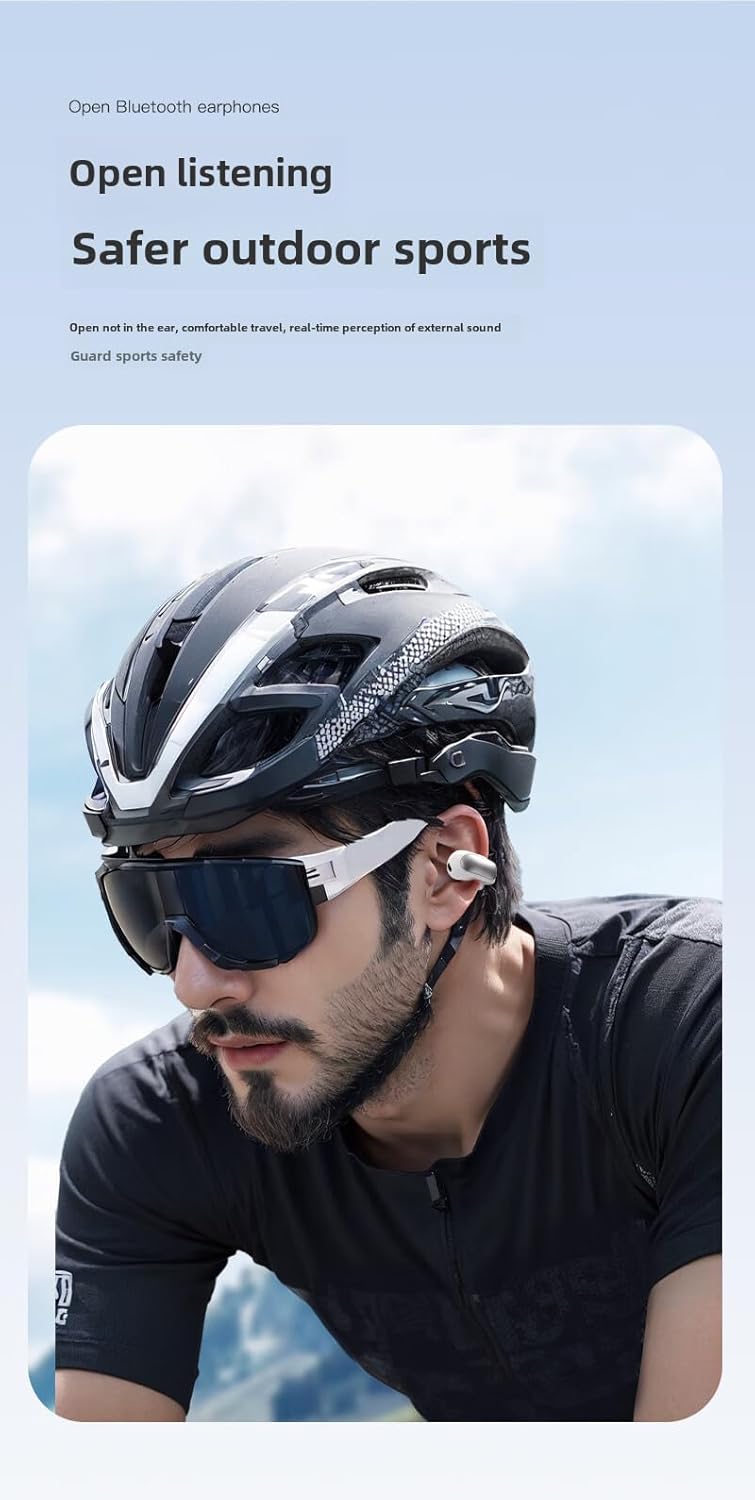
Figure 4: The open-ear design allows for awareness of surroundings, enhancing safety during outdoor activities.
5. പരിപാലനവും പരിചരണവും
- വൃത്തിയാക്കൽ: Use a soft, dry, lint-free cloth to clean the headphones and charging case. Do not use abrasive cleaners or solvents.
- ജല പ്രതിരോധം: Please note that these headphones are വാട്ടർ റെസിസ്റ്റൻ്റ് അല്ല as per product specifications. Avoid exposure to water, rain, sweat, or high humidity to prevent damage.
- സംഭരണം: ഉപയോഗത്തിലില്ലാത്തപ്പോൾ, പൊടിയിൽ നിന്നും കേടുപാടുകളിൽ നിന്നും സംരക്ഷിക്കാൻ ഹെഡ്ഫോണുകൾ ചാർജിംഗ് കേസിൽ സൂക്ഷിക്കുക. തണുത്തതും വരണ്ടതുമായ സ്ഥലത്ത് സൂക്ഷിക്കുക.
- ബാറ്ററി കെയർ: ബാറ്ററി ലൈഫ് വർദ്ധിപ്പിക്കാൻ, ഹെഡ്ഫോണുകൾ ഇടയ്ക്കിടെ പൂർണ്ണമായും ചാർജ് ചെയ്യുന്നത് ഒഴിവാക്കുക. തുടർച്ചയായ ഉപയോഗത്തിലല്ലെങ്കിൽ പോലും അവ പതിവായി ചാർജ് ചെയ്യുക.

Figure 5: The headphones are constructed from durable PC+ABS material. While the image may depict water, please note the product specifications indicate these headphones are വാട്ടർ റെസിസ്റ്റൻ്റ് അല്ല.
6. പ്രശ്നപരിഹാരം
| പ്രശ്നം | സാധ്യമായ പരിഹാരം |
|---|---|
| ഹെഡ്ഫോണുകൾ പവർ ഓൺ ചെയ്യുന്നില്ല. | Ensure the headphones are charged. Place them in the charging case and connect the case to a power source. |
| ഉപകരണവുമായി ജോടിയാക്കാൻ കഴിയില്ല. |
|
| ശബ്ദമില്ല അല്ലെങ്കിൽ കുറഞ്ഞ ശബ്ദമില്ല. |
|
| ഹെഡ്ഫോണുകൾ ഇടയ്ക്കിടെ വിച്ഛേദിക്കപ്പെടുന്നു. |
|
7 സ്പെസിഫിക്കേഷനുകൾ
| ഫീച്ചർ | വിശദാംശങ്ങൾ |
|---|---|
| മോഡലിൻ്റെ പേര് | ഹെഡ്ഫോണുകൾ |
| ഇനം മോഡൽ നമ്പർ | df52 |
| ബ്രാൻഡ് | ജനറിക് |
| കണക്റ്റിവിറ്റി ടെക്നോളജി | വയർലെസ് |
| വയർലെസ് കമ്മ്യൂണിക്കേഷൻ ടെക്നോളജി | ബ്ലൂടൂത്ത് |
| ബ്ലൂടൂത്ത് പതിപ്പ് | 5.0 |
| ബ്ലൂടൂത്ത് ശ്രേണി | 10 മീറ്റർ |
| ബാറ്ററി ലൈഫ് | 8 മണിക്കൂറിലധികം |
| ചെവി പ്ലേസ്മെൻ്റ് | On Ear (Ear Clip Type) |
| മെറ്റീരിയൽ | പോളികാർബണേറ്റ് (പിസി), അക്രിലോണിട്രൈൽ ബ്യൂട്ടാഡീൻ സ്റ്റൈറൈൻ (എബിഎസ്) |
| നിറം | കറുപ്പ് |
| നിയന്ത്രണ തരം | വോളിയം നിയന്ത്രണം, റിമോട്ട് |
| ജല പ്രതിരോധ നില | വാട്ടർ റെസിസ്റ്റൻ്റ് അല്ല |
| ശുപാർശ ചെയ്യുന്ന ഉപയോഗങ്ങൾ | Travel, Exercising, Sport |

Figure 6: Internal components and features, including the Bluetooth chip and sound technology.

ചിത്രം 7: വിശദമായി view of the 12mm moving ring speaker and sound enhancement technology.

Figure 8: The headphones are available in classic two-tone designs (black and white options shown).
8. വാറൻ്റിയും പിന്തുണയും
Specific warranty information for this product is not provided in the available data. For warranty claims or technical support, please refer to the contact information provided by your retailer or the manufacturer's official webസൈറ്റ്.
വാറന്റിയുമായി ബന്ധപ്പെട്ട അന്വേഷണങ്ങൾക്കായി എപ്പോഴും നിങ്ങളുടെ വാങ്ങിയതിന്റെ തെളിവ് സൂക്ഷിക്കുക.
Ask a question about this manual
Ask about setup, troubleshooting, compatibility, parts, safety, or missing instructions. Manuals+ will review the question and use this page’s manual context to help answer it.