
Doro Leva 30
Doro Leva L30 Senior Flip Phone User Manual
Model: Leva L30 | Brand: Doro
ആമുഖം
Welcome to the user manual for your Doro Leva L30 Senior Flip Phone. This guide provides essential information on how to set up, operate, maintain, and troubleshoot your device. Please read this manual carefully to ensure proper use and to maximize the benefits of your phone.

The Doro Leva L30 flip phone, featuring a red and white design, is displayed alongside its dedicated charging cradle. The phone is open, revealing its large, easy-to-read keypad and internal screen.
സുരക്ഷാ വിവരങ്ങൾ
Always follow basic safety precautions when using your Doro Leva L30 to reduce the risk of fire, electric shock, and injury. Keep the phone away from water and excessive heat. Use only Doro-approved accessories. Do not attempt to disassemble the phone.
സജ്ജമാക്കുക
1. സിം കാർഡും ബാറ്ററിയും ചേർക്കൽ
Before using your phone, you need to insert a SIM card (provided by your mobile network operator) and the battery.
- ഫോണിന്റെ പിൻ കവർ ശ്രദ്ധാപൂർവ്വം നീക്കം ചെയ്യുക.
- Locate the SIM card slot and insert your SIM card with the gold contacts facing down, ensuring it clicks into place.
- Insert the battery, aligning the gold contacts on the battery with those in the phone.
- Replace the back cover until it snaps securely.
2. ഫോൺ ചാർജ് ചെയ്യുന്നു
Your Doro Leva L30 comes with a convenient charging cradle and a USB-C cable for easy charging.
- Connect the USB-C cable to the charging cradle and then to a power adapter (not always included) or a USB port.
- Place your Doro Leva L30 into the charging cradle, ensuring it sits firmly. The phone will indicate that it is charging.
- Alternatively, you can connect the USB-C cable directly to the phone's charging port.

The Doro Leva L30 phone is shown resting in its charging cradle. This image emphasizes the ergonomic design and the location of the assistance button on the back of the phone, which is easily accessible.
പ്രവർത്തന നിർദ്ദേശങ്ങൾ
അടിസ്ഥാന പ്രവർത്തനങ്ങൾ
- പവർ ഓൺ/ഓഫ്: Press and hold the red end call button to power the phone on or off.
- ഒരു കോൾ ചെയ്യുന്നു: Enter the phone number using the large, contrasted keypad. Press the green call button to dial.
- ഒരു കോളിന് മറുപടി നൽകുന്നു: Open the flip to answer an incoming call, or press the green call button. Close the flip or press the red end call button to end a call.
- ഒരു SMS അയയ്ക്കുന്നു: Navigate to the 'Messages' menu. Select 'New Message', enter your text, and choose a recipient from your contacts or enter a number.
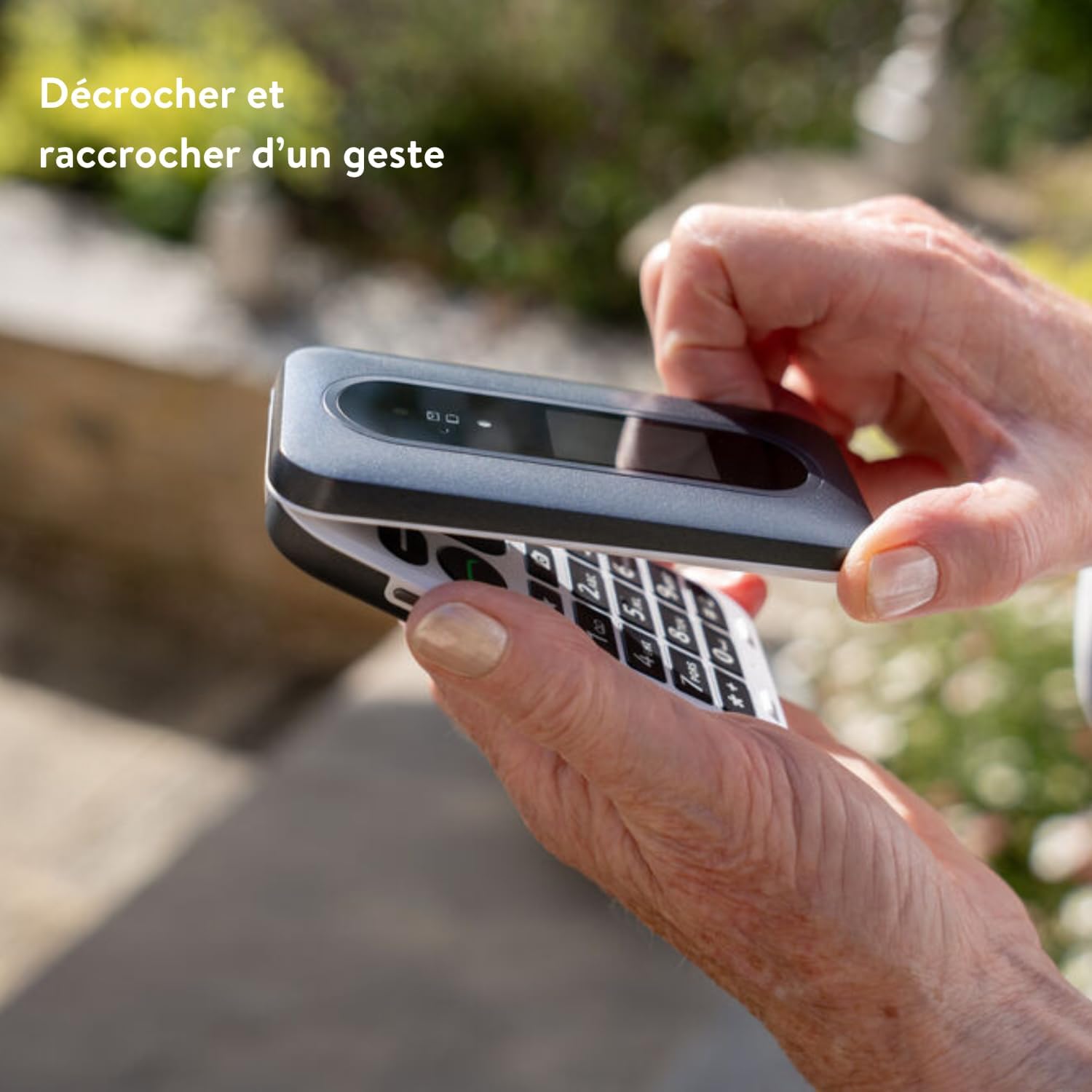
This image illustrates the simple gesture of opening and closing the Doro Leva L30 flip phone to answer or end calls, highlighting its user-friendly design.
പ്രത്യേക സവിശേഷതകൾ
- ബാഹ്യ സ്ക്രീൻ: The Doro Leva L30 features an external screen that displays caller ID, time, and battery status, allowing you to see important information without opening the phone.
- Assistance Button with GPS: Located on the back of the phone, this button can be programmed to send an alert SMS with your GPS location to pre-selected emergency contacts in case of an emergency.
- HD Voice and Hearing Aid Compatibility: Experience clear sound quality with HD Voice technology. The phone is also compatible with hearing aids, ensuring excellent audio for all users.
- 2MP Camera with Flash: Capture moments with the integrated 2-megapixel camera. Access it via the menu or a dedicated shortcut key.
- Voice Feedback Keys: The keypad provides voice feedback for numbers pressed, aiding users with visual impairments.
- കുറുക്കുവഴി കീകൾ: Utilize the three programmable shortcut keys for quick access to frequently used functions or contacts.
- Mini Flashlight: A built-in mini flashlight provides convenience in low-light conditions.
- Splash Resistance (IP54): The phone is designed to withstand splashes, offering added durability.

This infographic highlights the Doro Leva L30's main features, including its 4G capability, dual screen, assistance button with geolocation, clear and powerful sound, hearing aid compatibility, voice feedback keys, and three shortcut keys for enhanced usability.

This visual guide showcases additional features of the Doro Leva L30, such as its simple menu interface, the GPS-enabled assistance button, compatibility with hearing aids, integrated camera, mini flashlight, and IP54 splash resistance for durability.
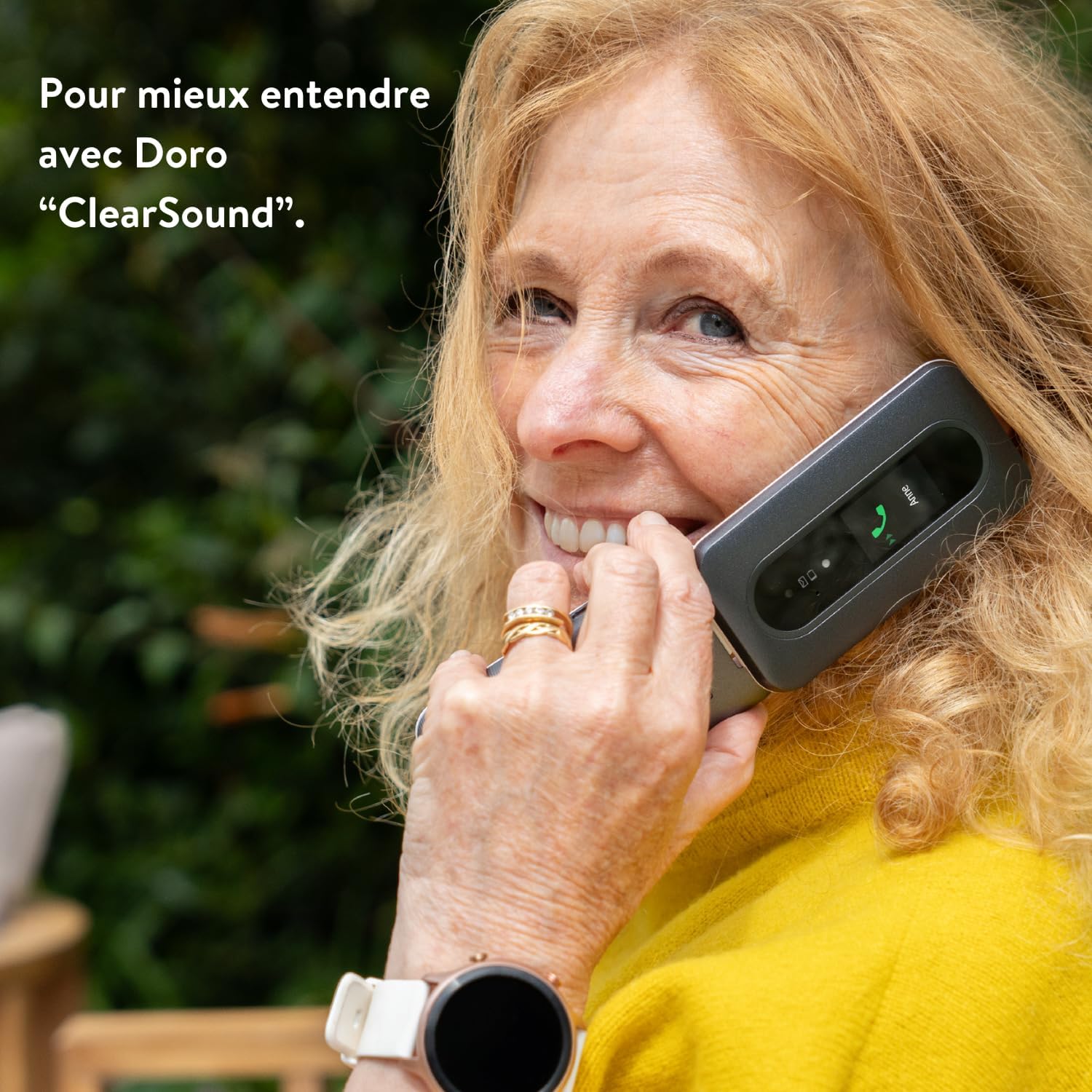
A woman is shown happily conversing on the Doro Leva L30, demonstrating the phone's "ClearSound" technology designed for enhanced audio clarity during calls.
മെയിൻ്റനൻസ്
നിങ്ങളുടെ ഫോൺ വൃത്തിയാക്കൽ
To keep your Doro Leva L30 in optimal condition, clean it regularly.
- Use a soft, dry, lint-free cloth to wipe the phone's surface.
- കഠിനമായ അടയാളങ്ങൾക്ക്, ചെറുതായി dampen the cloth with water or a mild screen cleaner. Avoid harsh chemicals.
- ഈർപ്പം തുറസ്സുകളിൽ പ്രവേശിക്കാൻ അനുവദിക്കരുത്.
ബാറ്ററി കെയർ
Proper battery care extends its lifespan.
- അങ്ങേയറ്റത്തെ താപനിലയിലേക്ക് ബാറ്ററി തുറന്നുകാട്ടുന്നത് ഒഴിവാക്കുക.
- Do not leave the phone charging for excessively long periods after it's fully charged.
- ഫോൺ കൂടുതൽ നേരം ഉപയോഗിക്കാൻ കഴിയുന്നില്ലെങ്കിൽ, സൂക്ഷിക്കുന്നതിന് മുമ്പ് ഏകദേശം 50% വരെ ചാർജ് ചെയ്യുക.
ട്രബിൾഷൂട്ടിംഗ്
If you encounter issues with your Doro Leva L30, try the following solutions before contacting support.
| പ്രശ്നം | സാധ്യമായ പരിഹാരം |
|---|---|
| ഫോൺ ഓൺ ആകുന്നില്ല. | Ensure the battery is correctly inserted and charged. Connect to the charger and wait a few minutes before attempting to power on. |
| നെറ്റ്വർക്ക് സിഗ്നൽ ഇല്ല | Check if the SIM card is properly inserted. Move to an area with better network coverage. Contact your network provider if the issue persists. |
| കോളുകൾ വിളിക്കാനോ സ്വീകരിക്കാനോ കഴിയില്ല | Verify that you have network signal. Check if call barring is enabled. Ensure the phone number is correct. |
| Sound issues (low volume, no sound) | Adjust the volume settings. Ensure the speaker is not blocked. If using a hearing aid, check compatibility settings. |
| ബാറ്ററി പെട്ടെന്ന് തീരുന്നു | Reduce screen brightness. Close unused applications. Limit background data usage. Consider replacing the battery if it's old. |
സ്പെസിഫിക്കേഷനുകൾ
Key technical specifications for the Doro Leva L30:
- ബ്രാൻഡ്: ഡോറോ
- മോഡലിൻ്റെ പേര്: Leva 30
- ഓപ്പറേറ്റിംഗ് സിസ്റ്റം: OxygenOS (Note: This might be a generic placeholder from the source data, Doro phones typically run a simplified OS.)
- സിപിയു മോഡൽ: Core i5 (Note: This might be a generic placeholder from the source data, Doro phones typically use simpler processors.)
- മെമ്മറി സ്റ്റോറേജ് കപ്പാസിറ്റി: 64 ജിബി
- റെസലൂഷൻ: 1280 x 720 പിക്സലുകൾ
- വയർലെസ് കാരിയർ: Orange (Note: Phone is unlocked, this may refer to a specific variant or network compatibility.)
- സെല്ലുലാർ ടെക്നോളജി: 4G
- കണക്റ്റിവിറ്റി ടെക്നോളജി: 4G
- നിറം: Leva L30 Red & White
- ബാറ്ററി: 1000mAh
- ക്യാമറ: ഫ്ലാഷ് ഉള്ള 2MP
- സ്പ്ലാഷ് പ്രതിരോധം: IP54
വാറൻ്റിയും പിന്തുണയും
വാറൻ്റി വിവരങ്ങൾ
For detailed warranty information regarding your Doro Leva L30, please refer to the warranty card included in your product packaging or visit the official Doro webസൈറ്റ്. വാറന്റി നിബന്ധനകളും വ്യവസ്ഥകളും പ്രദേശത്തിനും റീട്ടെയിലർക്കും അനുസരിച്ച് വ്യത്യാസപ്പെടാം.
ഉപഭോക്തൃ പിന്തുണ
If you require further assistance or have questions not covered in this manual, please contact Doro customer support. You can find contact details on the official Doro webസൈറ്റ് അല്ലെങ്കിൽ നിങ്ങൾ ഉപകരണം വാങ്ങിയ റീട്ടെയിലർ വഴി.
Visit the official Doro store: ആമസോണിലെ ഡോറോ സ്റ്റോർ
Ask a question about this manual
Ask about setup, troubleshooting, compatibility, parts, safety, or missing instructions. Manuals+ will review the question and use this page’s manual context to help answer it.