
1. ആമുഖം
The DOOGEE T35 is an 11-inch tablet designed for productivity and entertainment. It features a powerful Helio G99 Octa-core processor, a high-resolution 2.5K display, and runs on Android 14. This manual provides essential information for setting up, operating, maintaining, and troubleshooting your device.

Figure 1.1: DOOGEE T35 Tablet with included accessories.
2. ബോക്സിൽ എന്താണുള്ളത്?
പാക്കേജിൽ എല്ലാ ഇനങ്ങളും ഉണ്ടെന്ന് ഉറപ്പാക്കുക:
- T35 ഗുളിക
- Charger / Type-C USB Cable
- Tool for SIM card tray / User Manual
- ബ്ലൂടൂത്ത് കീപാഡ്
- സംരക്ഷണ ഫിലിം
- Touching Pen
- Business Leather Case
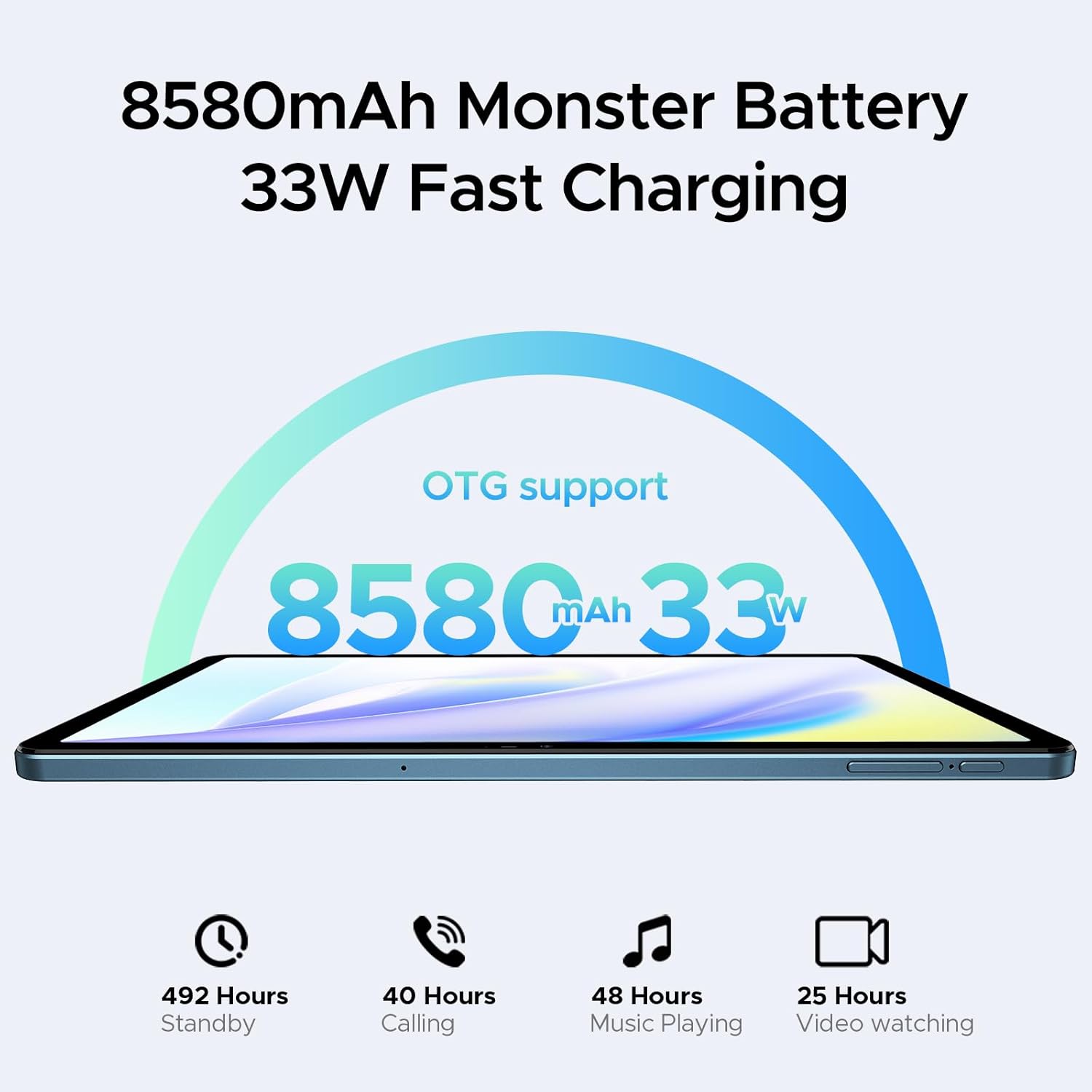
Figure 2.1: All standard accessories included with the DOOGEE T35 tablet.
3. ആരംഭിക്കൽ (സജ്ജീകരണം)
3.1 പവർ ചെയ്യുന്നു
- Press and hold the Power button located on the side of the tablet until the DOOGEE logo appears.
- ഭാഷാ തിരഞ്ഞെടുപ്പ്, വൈ-ഫൈ കണക്ഷൻ, ഗൂഗിൾ അക്കൗണ്ട് സജ്ജീകരണം എന്നിവയുൾപ്പെടെയുള്ള പ്രാരംഭ സജ്ജീകരണം പൂർത്തിയാക്കാൻ ഓൺ-സ്ക്രീൻ നിർദ്ദേശങ്ങൾ പാലിക്കുക.
3.2 സിം കാർഡും മൈക്രോ എസ്ഡി കാർഡും ഇൻസ്റ്റാൾ ചെയ്യൽ
The DOOGEE T35 supports 4G LTE connectivity and expandable storage.
- ടാബ്ലെറ്റിന്റെ വശത്ത് സിം കാർഡ് ട്രേ കണ്ടെത്തുക.
- Insert the provided SIM ejector tool into the small hole next to the tray and push gently until the tray pops out.
- Place your Nano-SIM card(s) and/or MicroSD card into the designated slots on the tray. Ensure correct orientation as indicated on the tray.
- ടാബ്ലെറ്റിലേക്ക് ട്രേ ശ്രദ്ധാപൂർവ്വം വീണ്ടും തിരുകുക, അത് ശരിയായ സ്ഥാനത്ത് ക്ലിക്കായി ഉറപ്പിക്കുന്നതുവരെ.
3.3 കണക്റ്റിംഗ് ആക്സസറികൾ
The tablet comes with a Bluetooth keyboard and a stylus for enhanced productivity.
- ബ്ലൂടൂത്ത് കീബോർഡ്: Turn on the keyboard and enable Bluetooth on your tablet (Settings > Connected devices > Bluetooth). Select the keyboard from the list of available devices and follow pairing instructions.
- സ്റ്റൈലസ്: The stylus is generally passive and does not require pairing. Simply use it directly on the screen for writing or drawing.
- Business Leather Case: Insert the tablet into the case for protection and to use it as a stand.

Figure 3.1: The Bluetooth keyboard provides a flexible input option.

Figure 3.2: The included stylus supports smooth writing and low latency.
4. നിങ്ങളുടെ ടാബ്ലെറ്റ് പ്രവർത്തിപ്പിക്കൽ
4.1 ഡിസ്പ്ലേ
The DOOGEE T35 features an 11-inch 2.5K ultra-clear display with a resolution of 1600x2560 pixels. It supports Widevine L1 for high-definition streaming content.
- റെസലൂഷൻ: 2560 x 1600 പിക്സലുകൾ.
- സ്ക്രീൻ-ടു-ബോഡി അനുപാതം: 85%.
- വൈഡ്വൈൻ എൽ1 പിന്തുണ: Enables high-quality video playback from streaming services.

Figure 4.1: The 11-inch 2.5K ultra-clear display provides fine visuals.

Figure 4.2: Widevine L1 support for multi-platform audio and visual enhancement.
4.2 പ്രകടനം
The tablet is powered by a MediaTek Helio G99 Octa-core processor, built on 6nm process technology, ensuring a balance of performance and energy efficiency. It is equipped with 20GB of RAM (8GB base + 12GB extended) and 256GB of internal storage, expandable up to 2TB via a MicroSD card.
- പ്രോസസ്സർ: Helio G99 Octa-core (2.2GHz).
- റാം: 8GB Base RAM + 12GB Extended RAM (20GB total).
- ആന്തരിക സംഭരണം: 256GB ROM.
- വികസിപ്പിക്കാവുന്ന സംഭരണം: TF കാർഡ് വഴി 2TB വരെ.

Figure 4.3: Helio G99 Octa-Core processor details.

Figure 4.4: Memory and storage capacities of the DOOGEE T35.
4.3 ബാറ്ററി
The DOOGEE T35 is equipped with an 8580mAh battery, providing extended usage times. It supports 33W fast charging and reverse charging, allowing it to function as a power bank for other devices.
- ശേഷി: 8580എംഎഎച്ച്.
- ചാർജിംഗ്: 33W Fast Charging.
- Usage Times: Up to 492 hours standby, 40 hours calling, 48 hours music playing, 25 hours video watching.
- OTG പിന്തുണ: Enables reverse charging.
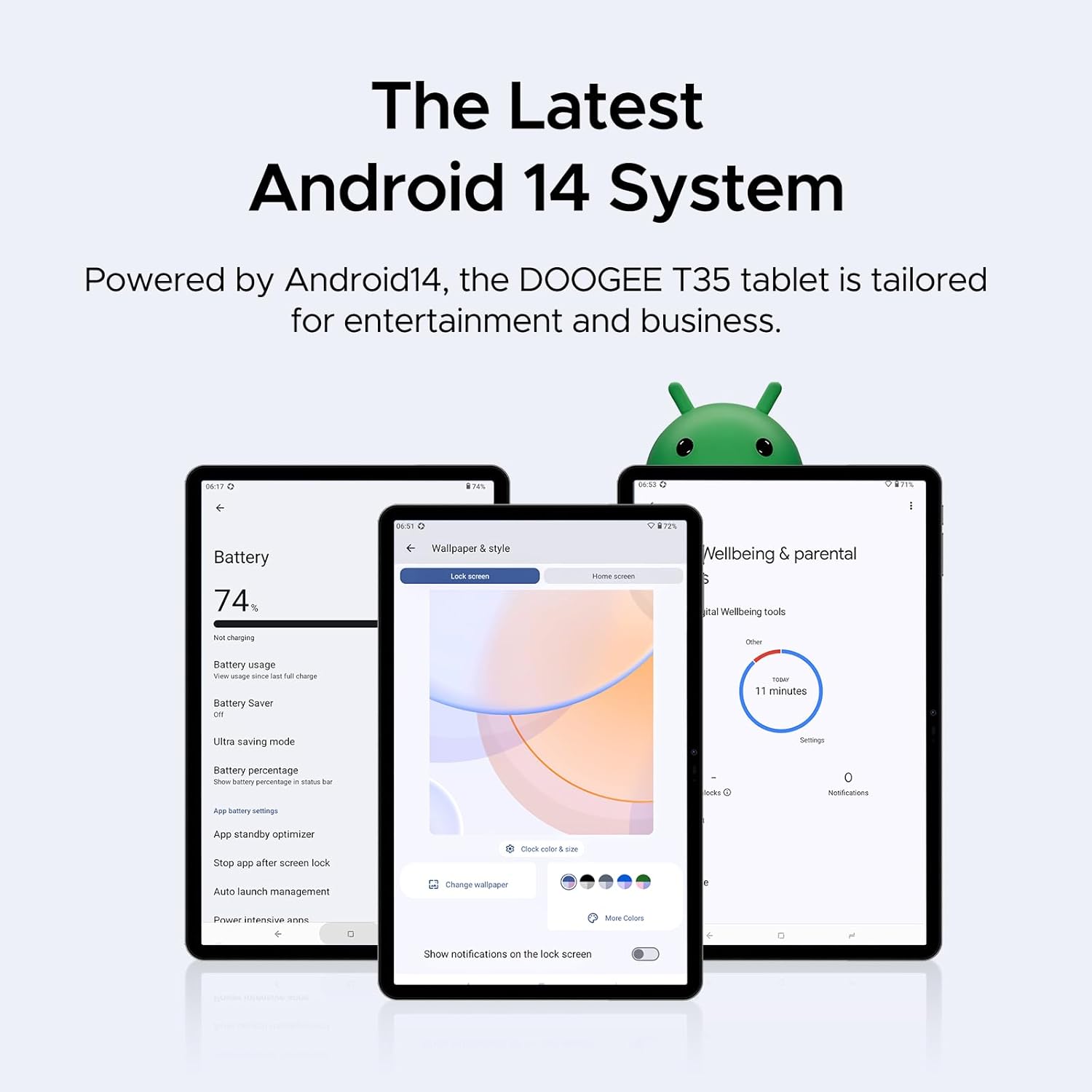
Figure 4.5: Battery capacity and charging features.
4.4 കണക്റ്റിവിറ്റി
The tablet supports 4G LTE for cellular calls and data, and 5G Wi-Fi for high-speed wireless internet access.
- സെല്ലുലാർ: 4G LTE calling capabilities.
- വൈഫൈ: 802.11ac (5G Wi-Fi).
4.5 Software Features (Android 14)
The DOOGEE T35 runs on the latest Android 14 operating system, offering an enhanced user experience with new features and improvements.
- ഓപ്പറേറ്റിംഗ് സിസ്റ്റം: ആൻഡ്രോയിഡ് 14.
- ഉൽപ്പാദനക്ഷമത: Built-in WPS Office for Word, Excel, and PowerPoint documents.
- സുരക്ഷ: Face Unlock for instant access.
- നാവിഗേഷൻ: Supports GPS, Glonass, Galileo, Beidou, and AGPS for accurate positioning.
- വായനാ രീതികൾ: Offers Warm, Standard, and Cool modes for optimized viewആശ്വാസം.
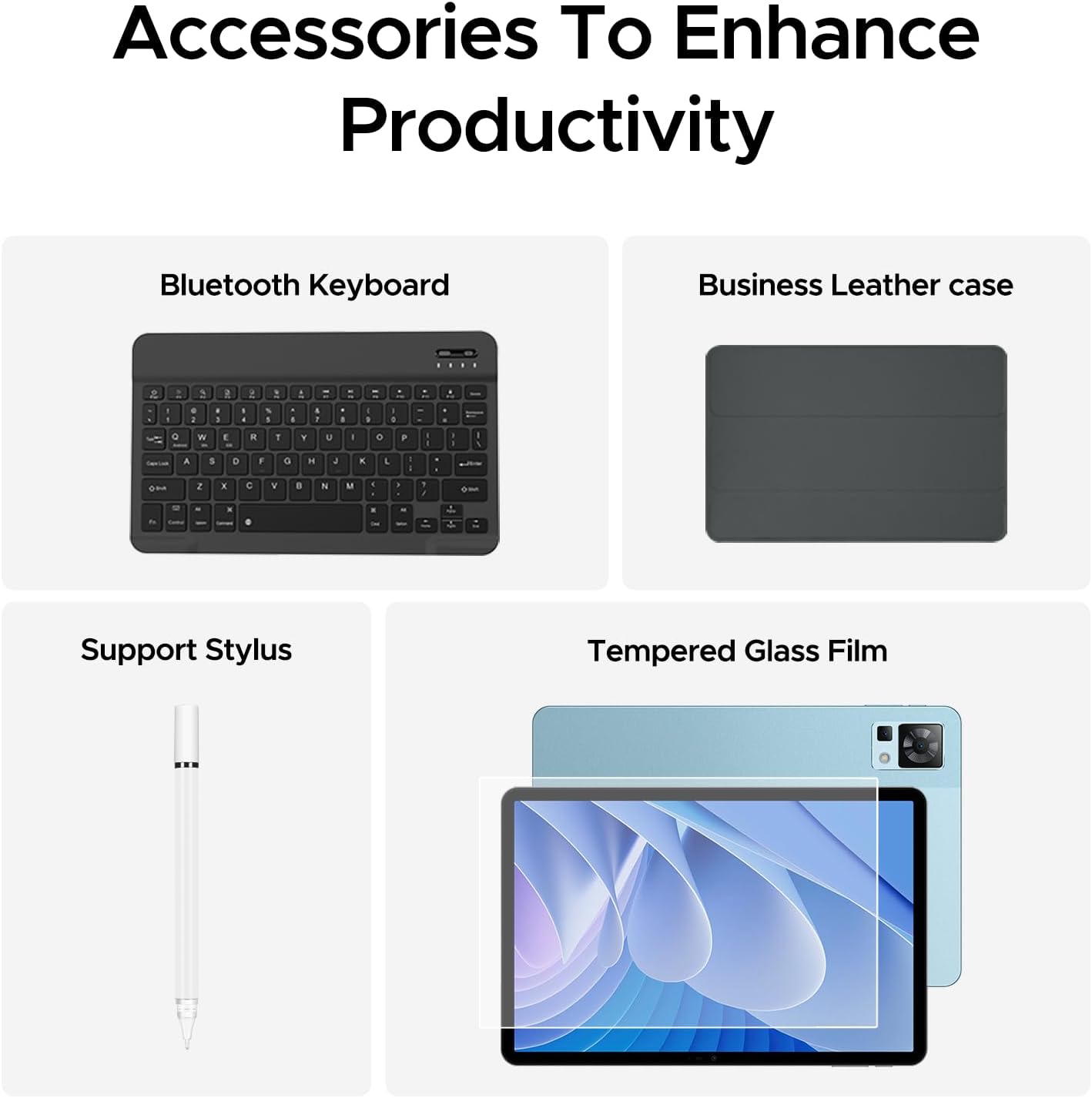
Figure 4.6: The latest Android 14 system tailored for entertainment and business.

Figure 4.7: Built-in WPS Office for document management.

Figure 4.8: Face Unlock provides instant access to your tablet.

Figure 4.9: Multiple navigation systems ensure you always find your way.

Figure 4.10: Optimize your viewing experience with Warm, Standard, and Cool reading modes.
4.6 ഓഡിയോ
The DOOGEE T35 features immersive quad speakers with Smart PA technology, providing enhanced audio quality for media consumption.
- സ്പീക്കറുകൾ: Quad Speakers with Smart PA.
- ഹെഡ്ഫോൺ ജാക്ക്: 3.5mm headphone jack available.

Figure 4.11: Experience ultimate audio quality with quad speakers.

Figure 4.12: The tablet includes a standard 3.5mm headphone jack.
5. പരിപാലനം
To ensure the longevity and optimal performance of your DOOGEE T35 tablet, follow these maintenance guidelines:
- വൃത്തിയാക്കൽ: സ്ക്രീനും ബോഡിയും വൃത്തിയാക്കാൻ മൃദുവായ, ലിന്റ് രഹിത തുണി ഉപയോഗിക്കുക. ഉരച്ചിലുകളുള്ള വസ്തുക്കളോ കഠിനമായ രാസവസ്തുക്കളോ ഒഴിവാക്കുക.
- താപനില: Operate and store the tablet within recommended temperature ranges (typically 0°C to 35°C or 32°F to 95°F) to prevent damage to the battery and internal components.
- ബാറ്ററി കെയർ: ബാറ്ററി ഇടയ്ക്കിടെ പൂർണ്ണമായും ഡിസ്ചാർജ് ചെയ്യുന്നത് ഒഴിവാക്കുക. ദീർഘകാല സംഭരണത്തിനായി, ബാറ്ററി ഏകദേശം 50% വരെ ചാർജ് ചെയ്ത് തണുത്തതും വരണ്ടതുമായ സ്ഥലത്ത് സൂക്ഷിക്കുക.
- സോഫ്റ്റ്വെയർ അപ്ഡേറ്റുകൾ: Regularly check for and install system updates to ensure your tablet has the latest security patches and performance improvements.
- സംരക്ഷണം: Use the provided business leather case and tempered glass film to protect the tablet from scratches and minor impacts.

Figure 5.1: The tempered glass film offers high strength and wear resistance.

Figure 5.2: The business leather case protects your tablet from all angles.
6. പ്രശ്നപരിഹാരം
If you encounter issues with your DOOGEE T35 tablet, try the following common troubleshooting steps:
- ടാബ്ലെറ്റ് ഓണാക്കുന്നില്ല: ബാറ്ററി ചാർജ്ജ് ചെയ്തിട്ടുണ്ടെന്ന് ഉറപ്പാക്കുക. ടാബ്ലെറ്റ് ചാർജറുമായി ബന്ധിപ്പിച്ച് വീണ്ടും പവർ ഓൺ ചെയ്യാൻ ശ്രമിക്കുന്നതിന് മുമ്പ് കുറച്ച് മിനിറ്റ് കാത്തിരിക്കുക.
- സ്ക്രീൻ നിശ്ചലമായി അല്ലെങ്കിൽ പ്രതികരിക്കുന്നില്ല: റീസ്റ്റാർട്ട് ചെയ്യാൻ പവർ ബട്ടൺ ഏകദേശം 10-15 സെക്കൻഡ് അമർത്തിപ്പിടിക്കുക.
- വൈഫൈ കണക്റ്റിവിറ്റി പ്രശ്നങ്ങൾ: Turn Wi-Fi off and on again in Settings. Restart your Wi-Fi router. Forget the network and reconnect.
- Poor performance/lag: Close unused applications. Clear cache from apps (Settings > Apps > [App Name] > Storage > Clear cache). Restart the tablet.
- Accessories not connecting: Ensure Bluetooth is enabled on the tablet and the accessory is in pairing mode. Check battery levels of Bluetooth accessories.
- ആപ്പുകൾ ക്രാഷാകുന്നു: Ensure apps are updated to their latest versions. Clear app data or reinstall the app if the issue persists.
For more complex issues, refer to the official DOOGEE support webസൈറ്റ് അല്ലെങ്കിൽ ഉപഭോക്തൃ സേവനവുമായി ബന്ധപ്പെടുക.
7 സാങ്കേതിക സവിശേഷതകൾ
| ഫീച്ചർ | സ്പെസിഫിക്കേഷൻ |
|---|---|
| ബ്രാൻഡ് | ഡോഗി |
| മോഡലിൻ്റെ പേര് | T35 |
| ഓപ്പറേറ്റിംഗ് സിസ്റ്റം | ആൻഡ്രോയിഡ് 14 |
| സ്റ്റാൻഡിംഗ് സ്ക്രീൻ ഡിസ്പ്ലേ വലുപ്പം | 10.95 ഇഞ്ച് |
| സ്ക്രീൻ റെസല്യൂഷൻ | 2560 x 1600 പിക്സലുകൾ |
| പരമാവധി സ്ക്രീൻ റെസല്യൂഷൻ | 1600*2560 പിക്സലുകൾ |
| പ്രോസസ്സർ ബ്രാൻഡ് | മീഡിയടെക് |
| ചിപ്സെറ്റ് ബ്രാൻഡ് | ARM |
| മെമ്മറി സ്റ്റോറേജ് കപ്പാസിറ്റി | 256 GB (expandable to 2TB) |
| റാം | 20GB (8GB Base + 12GB Extended) |
| വയർലെസ് തരം | 802.11ac (5G Wi-Fi) |
| ബാറ്ററി ശേഷി | 8580mAh |
| ശരാശരി ബാറ്ററി ലൈഫ് | 2 years (estimated lifespan) |
| ഇനത്തിൻ്റെ ഭാരം | 3 പൗണ്ട് |
| ഉൽപ്പന്ന അളവുകൾ | 10.12 x 6.64 x 0.3 ഇഞ്ച് |
| നിറം | നീല |
8. വാറൻ്റിയും പിന്തുണയും
DOOGEE provides comprehensive support for your T35 tablet:
- 30 ദിവസത്തെ പണം തിരികെ നൽകൽ ഗ്യാരണ്ടി: If you are not satisfied with your purchase, you may be eligible for a refund or replacement within 30 days.
- 2-വർഷ പരിമിത വാറൻ്റി: The tablet comes with a 2-year limited warranty covering manufacturing defects.
- 24/7 ഓൺലൈൻ പിന്തുണ: Access one-on-one online support for any queries or technical assistance.
For detailed terms and conditions, please refer to the warranty card included in your package or visit the official DOOGEE webസൈറ്റ്.

Figure 8.1: Summary of DOOGEE's customer service and warranty offerings.