
DOOGEE T35
DOOGEE T35 ടാബ്ലെറ്റ് ഉപയോക്തൃ മാനുവൽ
Model: T35 | Brand: DOOGEE
1. ആമുഖം
This manual provides essential information for the operation and maintenance of your DOOGEE T35 tablet. Please read it thoroughly before using the device to ensure proper functionality and longevity.
The DOOGEE T35 is an 11-inch tablet featuring a Helio G99 Octa-core processor, Android 14 operating system, and a 2.5K FHD+ display. It comes equipped with 20GB RAM and 256GB internal storage, expandable up to 2TB. Key features include 4G LTE calling, 5G Wi-Fi, an 8580mAh battery with 33W fast charging, and a 20MP camera. Accessories such as a keyboard, stylus, and protective case are included to enhance productivity and user experience.
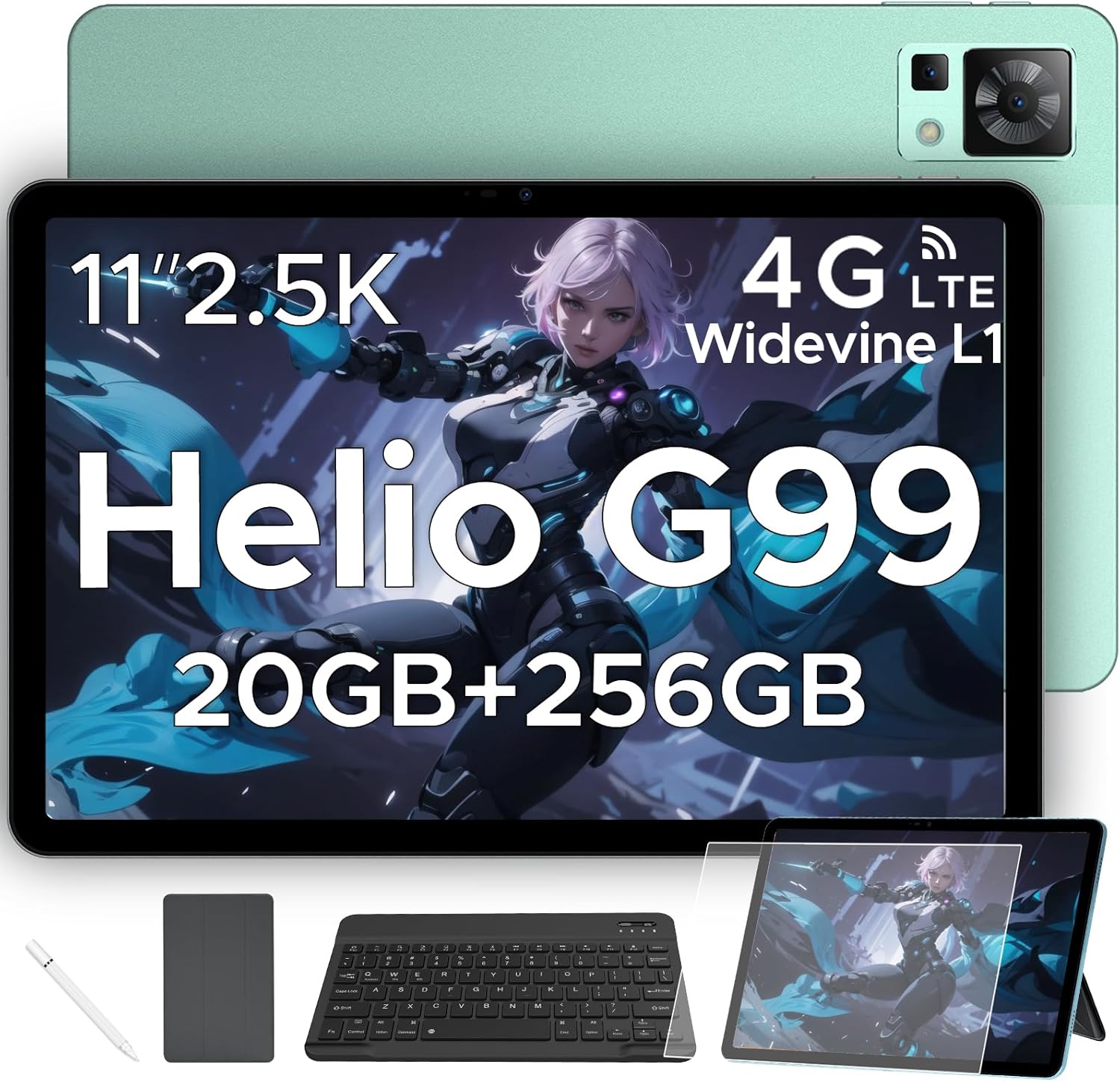
Figure 1.1: DOOGEE T35 Tablet and its accompanying accessories.
2. ബോക്സിൽ എന്താണുള്ളത്?
പാക്കേജ് തുറക്കുമ്പോൾ, താഴെ പട്ടികപ്പെടുത്തിയിരിക്കുന്ന എല്ലാ ഇനങ്ങളും നിലവിലുണ്ടെന്നും നല്ല നിലയിലാണെന്നും ഉറപ്പാക്കുക:
- DOOGEE T35 ടാബ്ലെറ്റ്
- ചാർജർ
- ടൈപ്പ്-സി യുഎസ്ബി കേബിൾ
- SIM Card Tray Ejector Tool
- ഉപയോക്തൃ മാനുവൽ
- ബ്ലൂടൂത്ത് കീബോർഡ്
- സംരക്ഷണ ഫിലിം
- Touching Pen (Stylus)
- Business Leather Case
Video 2.1: An unboxing video demonstrating the contents of the DOOGEE T35 package, including the tablet and all listed accessories.
3. സജ്ജീകരണം
3.1 പ്രാരംഭ പവർ ഓൺ
- Press and hold the Power button located on the side of the tablet until the DOOGEE logo appears.
- നിങ്ങളുടെ ഭാഷ, പ്രദേശം എന്നിവ തിരഞ്ഞെടുത്ത് ഒരു വൈഫൈ നെറ്റ്വർക്കിലേക്ക് കണക്റ്റുചെയ്യുന്നതിന് ഓൺ-സ്ക്രീൻ നിർദ്ദേശങ്ങൾ പാലിക്കുക.
- ഗൂഗിൾ പ്ലേ സ്റ്റോറും മറ്റ് സേവനങ്ങളും ആക്സസ് ചെയ്യുന്നതിന് നിങ്ങളുടെ ഗൂഗിൾ അക്കൗണ്ട് ഉപയോഗിച്ച് സൈൻ ഇൻ ചെയ്യുക അല്ലെങ്കിൽ പുതിയൊരെണ്ണം സൃഷ്ടിക്കുക.
3.2 സിം കാർഡും മൈക്രോ എസ്ഡി കാർഡും ചേർക്കൽ
The DOOGEE T35 supports 4G LTE connectivity and expandable storage via a MicroSD card (up to 2TB).
- ടാബ്ലെറ്റിന്റെ വശത്ത് സിം കാർഡ് ട്രേ കണ്ടെത്തുക.
- Insert the provided SIM card tray ejector tool into the small hole next to the tray and gently push until the tray pops out.
- Place your Nano-SIM card(s) and/or MicroSD card into the designated slots on the tray, ensuring correct orientation.
- ടാബ്ലെറ്റിലേക്ക് ട്രേ ശ്രദ്ധാപൂർവ്വം വീണ്ടും തിരുകുക, അത് ശരിയായ സ്ഥാനത്ത് ക്ലിക്കായി ഉറപ്പിക്കുന്നതുവരെ.
3.3 കണക്റ്റിംഗ് ആക്സസറികൾ
The tablet comes with a Bluetooth keyboard, stylus, and a business leather case.
- ബ്ലൂടൂത്ത് കീബോർഡ്: Turn on the keyboard and enable Bluetooth on your tablet. ഇതിനായി തിരയുക the keyboard in the Bluetooth settings and pair it.
- സ്റ്റൈലസ്: The stylus is ready for use directly on the screen for drawing or navigation.
- Business Leather Case: Insert the tablet into the protective case for enhanced protection and convenience.
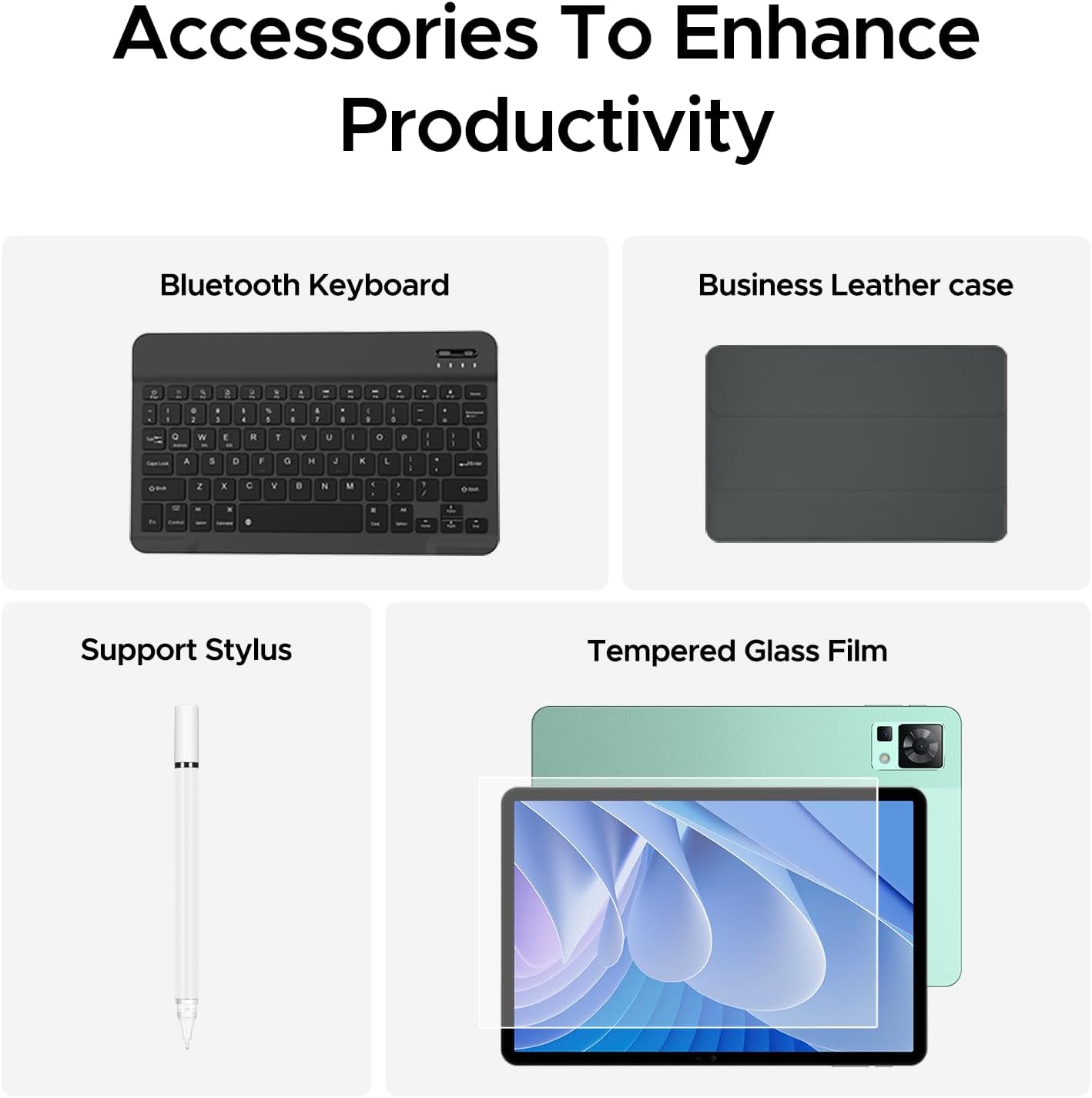
Figure 3.1: The DOOGEE T35 tablet with its included accessories, ready for use.
4. പ്രവർത്തന നിർദ്ദേശങ്ങൾ
4.1 ഡിസ്പ്ലേയും നാവിഗേഷനും
The DOOGEE T35 features an 11-inch 2.5K ultra-clear display (2560 x 1600 pixels) for a high-quality visual experience.
- സ്പർശന ആംഗ്യങ്ങൾ: Navigate the Android 14 interface using standard touch gestures like tap, swipe, pinch-to-zoom.
- സ്പ്ലിറ്റ് സ്ക്രീൻ: Utilize the split-screen feature to run two applications simultaneously for enhanced multitasking.
- വായനാ രീതികൾ: Adjust the display settings to Warm, Standard, or Cool mode for comfortable reading in various lighting conditions.

Figure 4.1: The 11-inch 2.5K ultra-clear display provides excellent visuals for all content.
4.2 പ്രകടനവും സംഭരണവും
Powered by the Helio G99 Octa-core processor, the T35 offers robust performance for gaming, streaming, and productivity. It offers 20GB RAM (8GB base + 12GB extended) and 256GB ROM, expandable up to 2TB with a MicroSD card.
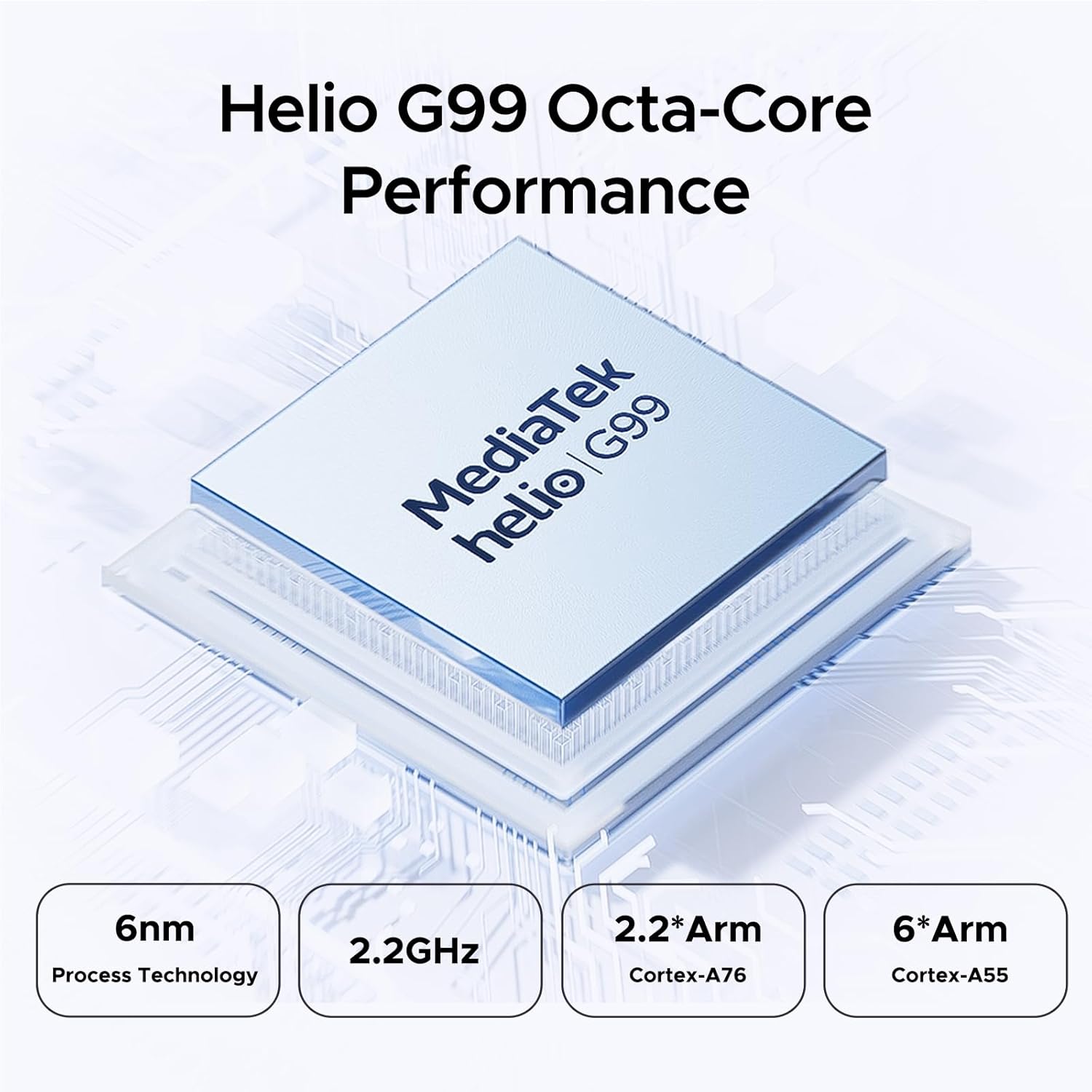
Figure 4.2: Helio G99 Octa-Core Processor for robust performance.

Figure 4.3: Memory and storage capabilities of the DOOGEE T35.
4.3 ബാറ്ററി മാനേജ്മെൻ്റ്
The 8580mAh large capacity battery provides extended usage. It supports 33W fast charging and reverse charging, allowing the tablet to act as a power bank for other devices.

Figure 4.4: 8580mAh Battery with 33W Fast Charging.
4.4 കണക്റ്റിവിറ്റി
The tablet supports 4G LTE for cellular calls and data, and 5G Wi-Fi for high-speed internet. It also includes GPS, Glonass, Galileo, Beidou, and AGPS for accurate navigation.
4.5 മൾട്ടിമീഡിയ
Enjoy immersive audio with quad speakers and Smart PA. Widevine L1 support ensures high-quality streaming from platforms like Netflix and Amazon Prime Video.
വീഡിയോ 4.1: ഒരു പ്രൊമോഷണൽ വീഡിയോ ഷോasing the DOOGEE T35 Android Tablet and its accessories, highlighting its features and design.
5. പരിപാലനം
5.1 ടാബ്ലെറ്റ് വൃത്തിയാക്കൽ
- ടാബ്ലെറ്റിന്റെ സ്ക്രീനും ബോഡിയും വൃത്തിയാക്കാൻ മൃദുവായ, ലിന്റ് രഹിത തുണി ഉപയോഗിക്കുക.
- കഠിനമായ പാടുകൾക്ക്, ചെറുതായി dampതുണിയിൽ വെള്ളം അല്ലെങ്കിൽ സ്ക്രീൻ ക്ലീനർ ഉപയോഗിക്കുക. കഠിനമായ രാസവസ്തുക്കൾ ഒഴിവാക്കുക.
- എല്ലാ തുറമുഖങ്ങളും പൊടിയും അവശിഷ്ടങ്ങളും ഇല്ലാത്തതാണെന്ന് ഉറപ്പാക്കുക.
5.2 ബാറ്ററി കെയർ
- ടാബ്ലെറ്റ് കടുത്ത താപനിലയിൽ ഏൽപ്പിക്കുന്നത് ഒഴിവാക്കുക.
- ബാറ്ററി പതിവായി പൂർണ്ണമായും ഡിസ്ചാർജ് ചെയ്യരുത്. 20% ൽ താഴെയാകുന്നതിന് മുമ്പ് അത് ചാർജ് ചെയ്യുക.
- Use only the provided charger and cable for optimal charging performance and safety.
5.3 സോഫ്റ്റ്വെയർ അപ്ഡേറ്റുകൾ
നിങ്ങളുടെ ടാബ്ലെറ്റിൽ ഏറ്റവും പുതിയ സവിശേഷതകൾ, സുരക്ഷാ പാച്ചുകൾ, പ്രകടന മെച്ചപ്പെടുത്തലുകൾ എന്നിവ ഉറപ്പാക്കാൻ സിസ്റ്റം അപ്ഡേറ്റുകൾ പതിവായി പരിശോധിച്ച് ഇൻസ്റ്റാൾ ചെയ്യുക. പോകുക ക്രമീകരണങ്ങൾ > സിസ്റ്റം > സിസ്റ്റം അപ്ഡേറ്റ് അപ്ഡേറ്റുകൾ പരിശോധിക്കാൻ.
6. പ്രശ്നപരിഹാരം
| പ്രശ്നം | സാധ്യമായ കാരണം | പരിഹാരം |
|---|---|---|
| ടാബ്ലെറ്റ് ഓണാക്കുന്നില്ല. | ബാറ്ററി കുറവാണ്; സോഫ്റ്റ്വെയർ തകരാറ്. | ടാബ്ലെറ്റ് കുറഞ്ഞത് 30 മിനിറ്റെങ്കിലും ചാർജ് ചെയ്യുക. റീസ്റ്റാർട്ട് ചെയ്യാൻ നിർബന്ധിക്കുന്നതിന് പവർ ബട്ടൺ 10-15 സെക്കൻഡ് അമർത്തിപ്പിടിക്കുക. |
| വൈഫൈ കണക്ഷൻ പ്രശ്നങ്ങൾ. | Incorrect password; router issues; tablet Wi-Fi disabled. | Verify Wi-Fi password. Restart router. Toggle Wi-Fi off/on on tablet. |
| ആപ്പുകൾ ക്രാഷ് ആകുകയോ മരവിക്കുകയോ ചെയ്യുന്നു. | ആവശ്യത്തിന് RAM ഇല്ല; ആപ്പ് ബഗ്; കാലഹരണപ്പെട്ട സോഫ്റ്റ്വെയർ. | Close background apps. Clear app cache/data. Update the app or system software. |
| മന്ദഗതിയിലുള്ള പ്രകടനം. | വളരെയധികം ആപ്പുകൾ പ്രവർത്തിക്കുന്നു; കുറഞ്ഞ സംഭരണശേഷി; കാലഹരണപ്പെട്ട സോഫ്റ്റ്വെയർ. | Close unused apps. Free up storage space. Perform a system update. |
| Cannot connect to Google server/account. | Network issues; incorrect account details; software glitch. | Ensure stable internet connection. Verify Google account credentials. Restart tablet. If persistent, consider a factory reset (backup data first). |
7 സ്പെസിഫിക്കേഷനുകൾ
| ഫീച്ചർ | സ്പെസിഫിക്കേഷൻ |
|---|---|
| മോഡൽ | DOOGEE T35 |
| ഓപ്പറേറ്റിംഗ് സിസ്റ്റം | ആൻഡ്രോയിഡ് 14 |
| പ്രോസസ്സർ | MediaTek Helio G99 Octa-core (6nm, 2.2GHz) |
| പ്രദർശിപ്പിക്കുക | 11-inch 2.5K (2560 x 1600 pixels) |
| റാം | 8GB (expandable to 20GB) |
| ആന്തരിക സംഭരണം (ROM) | 256 ജിബി |
| വികസിപ്പിക്കാവുന്ന സംഭരണം | മൈക്രോഎസ്ഡി കാർഡ് വഴി 2TB വരെ |
| ബാറ്ററി ശേഷി | 8580mAh |
| ചാർജിംഗ് | 33W Fast Charging, Reverse Charging |
| കണക്റ്റിവിറ്റി | 4G LTE, 5G Wi-Fi (802.11ax), Bluetooth |
| നാവിഗേഷൻ | GPS, Glonass, Galileo, Beidou, AGPS |
| ഓഡിയോ | Quad Speakers with Smart PA, Hi-Res Audio, 3.5mm Headphone Jack |
| സുരക്ഷ | മുഖം ഐഡി |
| അളവുകൾ (LxWxH) | 10.12 x 6.64 x 0.3 ഇഞ്ച് |
| ഭാരം | 3 പൗണ്ട് |
8. വാറൻ്റിയും പിന്തുണയും
DOOGEE provides comprehensive support for your T35 tablet:
- പണം തിരികെ നൽകാനുള്ള ഗ്യാരണ്ടി: Enjoy a 30-day money-back guarantee and free returns.
- പരിമിത വാറൻ്റി: The tablet comes with a 2-year limited warranty.
- ഉപഭോക്തൃ പിന്തുണ: For any inquiries or assistance, please contact DOOGEE customer service.
For further assistance, please refer to the official DOOGEE webസൈറ്റ് അല്ലെങ്കിൽ അവരുടെ പിന്തുണാ ചാനലുകളുമായി ബന്ധപ്പെടുക.
Ask a question about this manual
Ask about setup, troubleshooting, compatibility, parts, safety, or missing instructions. Manuals+ will review the question and use this page’s manual context to help answer it.