
ആമുഖം
Thank you for choosing the ErGear EGESD65W Electric Standing Desk. This manual provides detailed instructions for the assembly, operation, and maintenance of your new desk. Designed for both home and office use, this adjustable standing desk promotes a healthier and more productive work environment by allowing you to effortlessly switch between sitting and standing positions. Please read this manual thoroughly before assembly and use to ensure proper function and safety.
സുരക്ഷാ വിവരങ്ങൾ
- അസംബ്ലി ചെയ്യുന്നതിന് മുമ്പ് എല്ലാ ഘടകങ്ങളും ഉണ്ടെന്നും കേടുപാടുകൾ സംഭവിച്ചിട്ടില്ലെന്നും ഉറപ്പാക്കുക. ഏതെങ്കിലും ഭാഗങ്ങൾ നഷ്ടപ്പെട്ടിട്ടുണ്ടെങ്കിലോ തകർന്നിട്ടുണ്ടെങ്കിലോ ഉപയോഗിക്കരുത്.
- Keep children and pets away from the desk during operation to prevent injury from moving parts.
- Do not overload the desk. Refer to the 'Specifications' section for maximum weight capacity.
- Ensure the power cord is properly connected and routed to avoid tripping hazards or damage.
- Do not place liquids directly on the control panel or motor components.
- ഒരു വർക്ക്സ്റ്റേഷൻ എന്ന നിലയിൽ ഡെസ്ക് അതിന്റെ ഉദ്ദേശിച്ച ഉദ്ദേശ്യത്തിനായി മാത്രം ഉപയോഗിക്കുക.
പാക്കേജ് ഉള്ളടക്കം
നിങ്ങളുടെ പാക്കേജിൽ ഇനിപ്പറയുന്ന എല്ലാ ഘടകങ്ങളും ഉൾപ്പെടുത്തിയിട്ടുണ്ടെന്ന് ദയവായി പരിശോധിക്കുക:
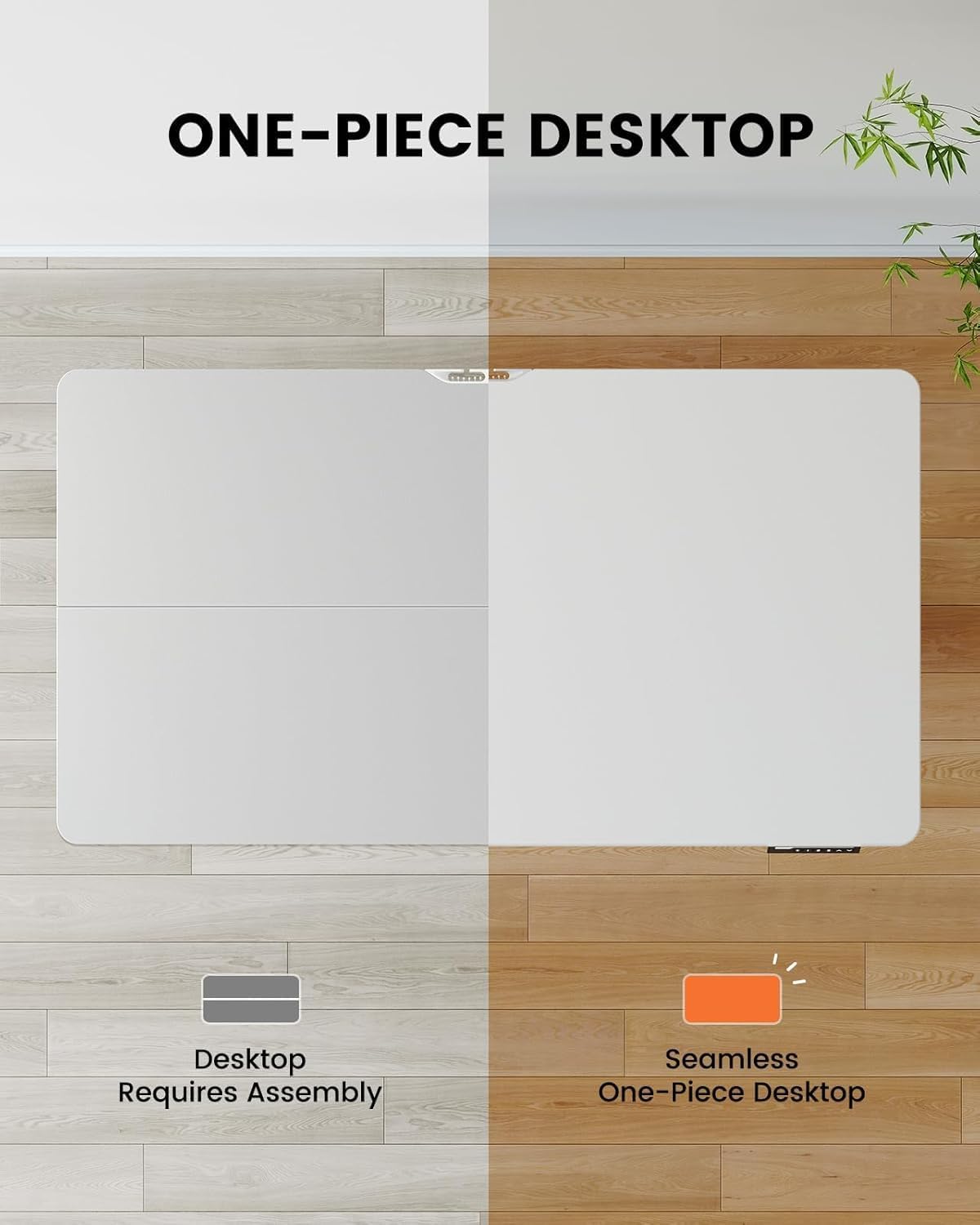
- One-Piece Desktop (48x30 inch)
- ഇലക്ട്രിക് ലിഫ്റ്റിംഗ് കോളങ്ങൾ (കാലുകൾ)
- ഡിജിറ്റൽ ഡിസ്പ്ലേയുള്ള നിയന്ത്രണ പാനൽ
- കേബിൾ മാനേജ്മെന്റ് ട്രേ
- പവർ അഡാപ്റ്ററും കേബിളും
- Assembly Hardware Kit (screws, tools)
- ഇൻസ്ട്രക്ഷൻ മാനുവൽ
സജ്ജീകരണവും അസംബ്ലിയും
The ErGear EGESD65W features a one-piece desktop for simplified and faster installation. Follow these steps carefully:
- ഘടകങ്ങൾ അൺപാക്ക് ചെയ്യുക: പാക്കേജിംഗിൽ നിന്ന് എല്ലാ ഭാഗങ്ങളും ശ്രദ്ധാപൂർവ്വം നീക്കം ചെയ്ത് പോറലുകൾ ഉണ്ടാകാതിരിക്കാൻ വൃത്തിയുള്ളതും മൃദുവായതുമായ ഒരു പ്രതലത്തിൽ വയ്ക്കുക.
- Attach Lifting Columns: Secure the electric lifting columns (legs) to the underside of the one-piece desktop using the provided screws. Ensure they are aligned correctly with the pre-drilled holes.
- നിയന്ത്രണ പാനൽ ഇൻസ്റ്റാൾ ചെയ്യുക: Mount the control panel to the designated area on the front edge of the desktop.
- കേബിളുകൾ ബന്ധിപ്പിക്കുക: Connect the motor cables from the lifting columns to the control box, and then connect the control panel cable to the control box. Finally, connect the power adapter to the control box.
- Attach Cable Management Tray: Install the cable management tray to the underside of the desktop as shown in the diagram, providing a neat solution for your power and data cables.
- ഡെസ്ക് സ്ഥാനം: Carefully flip the desk upright and place it in your desired location. Ensure there is enough clearance for height adjustments.

പ്രവർത്തന നിർദ്ദേശങ്ങൾ
Your ErGear standing desk is equipped with an intuitive control panel for easy height adjustment and memory presets.
നിയന്ത്രണ പാനൽ പ്രവർത്തനങ്ങൾ:
- മുകളിലേക്കും താഴേക്കുമുള്ള അമ്പടയാളങ്ങൾ (▲ / ▼): Press and hold to continuously adjust the desk height up or down. Release to stop at your desired height.
- മെമ്മറി പ്രീസെറ്റുകൾ (1, 2, 3, 4): Press a numbered button to move the desk to a pre-saved height. To save a height, adjust the desk to the desired position, then press the 'M' button followed by the desired number (1-4). The display will show 'S-' then the number to confirm.
- ഡിസ്പ്ലേ: Shows the current height of the desk in inches.


മെയിൻ്റനൻസ്
Regular maintenance ensures the longevity and smooth operation of your ErGear standing desk.
- വൃത്തിയാക്കൽ: Wipe the desktop and legs with a soft, damp തുണി. ഫിനിഷിന് കേടുവരുത്തുന്ന ഉരച്ചിലുകൾ നിറഞ്ഞ ക്ലീനറുകളോ കഠിനമായ രാസവസ്തുക്കളോ ഒഴിവാക്കുക.
- കേബിൾ മാനേജുമെന്റ്: Periodically check the cable management tray and ensure all cables are neatly organized and not pinched or tangled.
- സ്ക്രൂവിന്റെ ഇറുകിയത: Over time, screws may loosen. Periodically check and tighten all assembly screws to maintain stability.
- മോട്ടോർ പരിശോധന: Ensure the motor and lifting columns are free from obstructions. Do not attempt to lubricate or disassemble the motor components.
ട്രബിൾഷൂട്ടിംഗ്
If you encounter any issues with your ErGear standing desk, please refer to the following common problems and solutions:
| പ്രശ്നം | സാധ്യമായ കാരണം | പരിഹാരം |
|---|---|---|
| ഡെസ്ക് അനങ്ങുന്നില്ല. | Power cord disconnected; Motor cable loose; Overload. | Check power connection; Ensure all cables are securely plugged in; Reduce weight on desk. |
| മേശ അസമമായി നീങ്ങുന്നു. | Uneven weight distribution; Loose screws. | Distribute weight evenly; Tighten all assembly screws. |
| ഡിസ്പ്ലേ ഒരു പിശക് കോഡ് കാണിക്കുന്നു. | System malfunction; Overheating. | Unplug the desk for 10 minutes, then plug back in. If error persists, contact customer support. |
| Desk makes unusual noise. | Obstruction in lifting mechanism; Loose components. | Check for obstructions under the desk; Tighten screws. |
If the problem persists after attempting these solutions, please contact ErGear customer support for further assistance.
സ്പെസിഫിക്കേഷനുകൾ
Key technical details for your ErGear EGESD65W Standing Desk:
- മോഡൽ നമ്പർ: EGESD65W-US
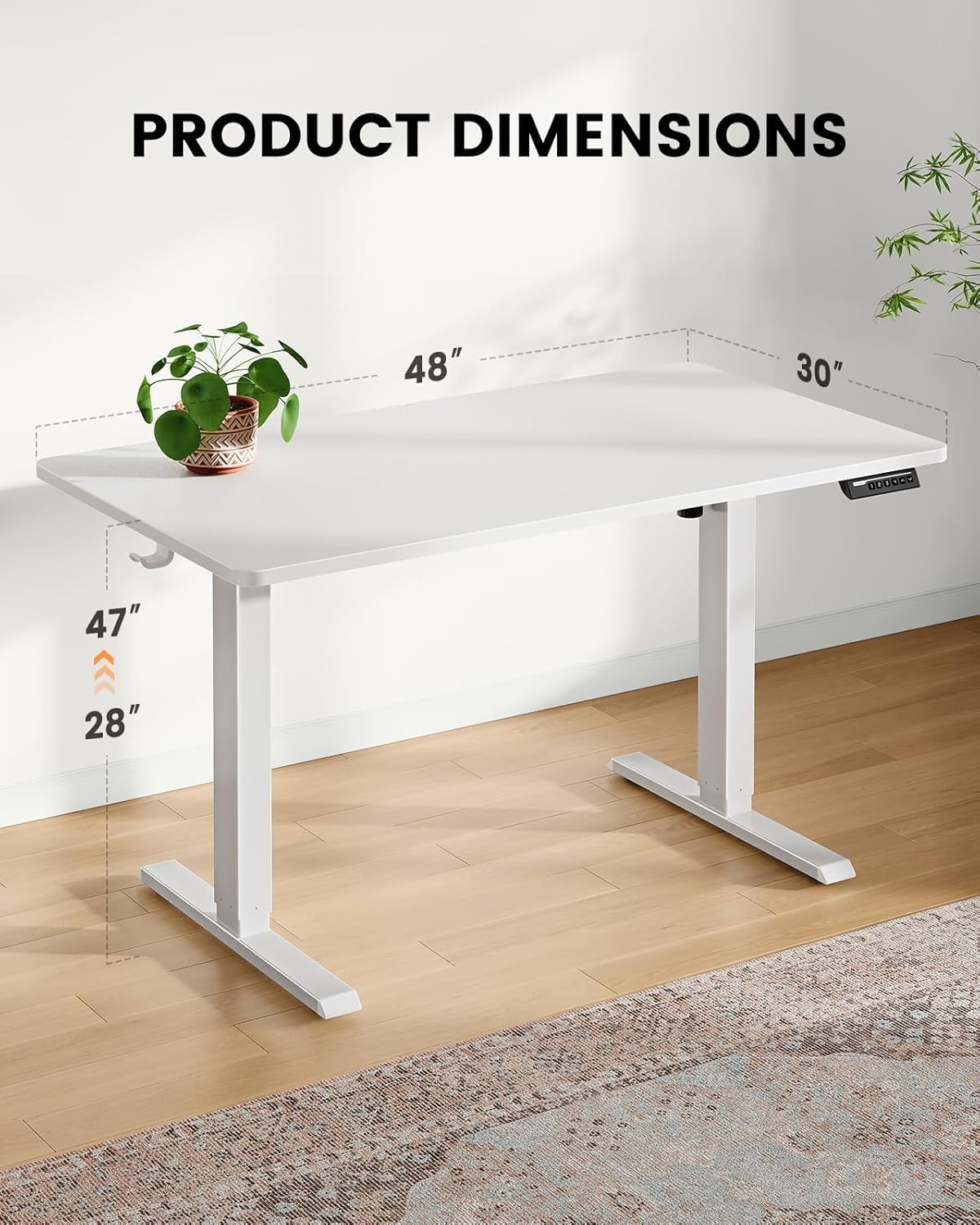
- Desktop Dimensions: 48 x 30 ഇഞ്ച്
- ക്രമീകരിക്കാവുന്ന ഉയരം പരിധി: Approximately 28 to 47 inches (71.1 cm to 119.4 cm)
- ഡെസ്ക്ടോപ്പ് മെറ്റീരിയൽ: മുള
- ലെഗ് മെറ്റീരിയൽ: സ്റ്റെയിൻലെസ്സ് സ്റ്റീൽ
- നിറം: വെള്ള
- ഉൾപ്പെടുത്തിയ ഘടകങ്ങൾ: കേബിൾ മാനേജ്മെന്റ് ട്രേ
- അസംബ്ലി ആവശ്യമാണ്: അതെ
- പ്രവർത്തനം: ഇലക്ട്രിക്
വാറൻ്റിയും പിന്തുണയും
Your ErGear EGESD65W Electric Standing Desk comes with a Limited Warranty. For specific warranty terms and conditions, please refer to the warranty card included in your package or visit the official ErGear webസൈറ്റ്.
For technical support, troubleshooting assistance, or to inquire about replacement parts, please contact ErGear customer service through the contact information provided on the official ErGear website or your purchase platform. Please have your model number (EGESD65W-US) and purchase date ready when contacting support.