
1. ആമുഖം
This manual provides detailed instructions for the Zopsc 5K Digital Camera, a versatile device designed for photography and vlogging. It features a 48MP ultra-high resolution sensor, 16X digital zoom, a 3.5-inch display, and various flash modes. The camera is equipped with autofocus and six-axis stabilization for clear images and videos, along with built-in wireless connectivity for easy sharing.
2. പാക്കേജ് ഉള്ളടക്കം
എല്ലാ ഇനങ്ങളും ഉണ്ടെന്ന് ഉറപ്പാക്കാൻ പാക്കേജ് പരിശോധിക്കുക:
- 1 x ഡിജിറ്റൽ ക്യാമറ
- 1 x Battery (NP60 1050mAh)
- 1 x UV Filter
- 1 x ലെൻസ് ക്യാപ്പ്
- 1 x USB കേബിൾ
- 1 x Multimedia Cable
- 1 x ക്ലീനിംഗ് തുണി
- 1 x ഹാൻഡ് സ്ട്രാപ്പ്
- 1 x ചുമക്കുന്ന ബാഗ്
- 1 x ഉപയോക്തൃ മാനുവൽ

Image: All items included in the Zopsc 5K Digital Camera package.
3. ഉൽപ്പന്നം കഴിഞ്ഞുview
The Zopsc 5K Digital Camera features a compact design with a 3.5-inch IPS display on the rear for clear viewing and menu navigation. The front houses the lens with 16X powerful zoom capabilities and a built-in flash. A hot shoe mount is located on top for external accessories like microphones or additional lighting.

ചിത്രം: മുന്നിലും പിന്നിലും views of the Zopsc 5K Digital Camera, highlighting the display and lens.
4. സജ്ജീകരണം
4.1 ബാറ്ററി ഇൻസ്റ്റാളേഷൻ
- ക്യാമറയുടെ അടിയിൽ ബാറ്ററി കമ്പാർട്ട്മെന്റ് കവർ കണ്ടെത്തുക.
- കവർ തുറക്കാൻ ലാച്ച് സ്ലൈഡ് ചെയ്യുക.
- Insert the provided NP60 1050mAh lithium battery, ensuring the correct orientation according to the diagram inside the compartment.
- സുരക്ഷിതമായി ക്ലിക്ക് ചെയ്യുന്നത് വരെ ബാറ്ററി കമ്പാർട്ട്മെന്റ് കവർ അടയ്ക്കുക.
4.2 മെമ്മറി കാർഡ് ഇൻസ്റ്റലേഷൻ
The camera supports storage cards from 4GB to 256GB. A C10/U1 or higher speed card is recommended for optimal performance.
- Locate the memory card slot, typically near the battery compartment or on the side of the camera.
- മെമ്മറി കാർഡ് ശരിയായ ദിശയിലേക്ക് അഭിമുഖമായി വരുന്ന രീതിയിൽ, അത് ശരിയായ സ്ഥാനത്ത് ക്ലിക്ക് ചെയ്യുന്നതുവരെ ഇടുക.
- കാർഡ് നീക്കം ചെയ്യാൻ, അത് പുറത്തേക്ക് വരുന്നത് വരെ സൌമ്യമായി അമർത്തുക.
4.3 പ്രാരംഭ പവർ ഓൺ
After installing the battery and memory card, press and hold the power button (usually located on the top of the camera) to turn on the device. The 3.5-inch display will illuminate.
5. പ്രവർത്തന നിർദ്ദേശങ്ങൾ
5.1 അടിസ്ഥാന പ്രവർത്തനം
- പവർ ഓൺ/ഓഫ്: പവർ ബട്ടൺ അമർത്തിപ്പിടിക്കുക.
- മെനു നാവിഗേഷൻ: Use the directional buttons (up, down, left, right) and the 'OK' button to navigate through the camera's menu on the 3.5-inch display.
- മോഡ് ഡയൽ: Rotate the function dial to switch between different modes such as photo taking, video recording, continuous shooting, time lapse, loop recording, and slow motion.
5.2 ഫോട്ടോഗ്രാഫി സവിശേഷതകൾ
- ഓട്ടോഫോക്കസ്: The camera features automatic focus to quickly lock onto your subject, ensuring clear images.
- ഫ്ലാഷ് മോഡുകൾ: Select from three flash modes (e.g., Auto, Fill-in, Red-eye Reduction) to suit different lighting conditions, whether indoors or outdoors.
- 16X ഡിജിറ്റൽ സൂം: Use the zoom controls to magnify distant subjects up to 16 times.

Image: Demonstration of the 16X digital zoom capability, focusing on a distant object.
5.3 വീഡിയോ റെക്കോർഡിംഗ്
- 5K റെക്കോർഡിംഗ്: Record high-resolution videos at 5K 30FPS for detailed footage.
- ലൂപ്പ് റെക്കോർഡിംഗ്: Continuously record video, overwriting the oldest fileമെമ്മറി കാർഡ് നിറയുമ്പോൾ s.
- സ്ലോ മോഷൻ: Capture dynamic scenes in slow motion for dramatic effects.
5.4 വിപുലമായ സവിശേഷതകൾ
- Six-Axis Stabilization: This feature reduces blur from camera shake, ensuring stable images and videos even when handheld or in low light.

Image: Visual representation of the 6-axis physical stabilization system, showing its effect on motion shots.
- Wireless Connectivity (Fidelity): Utilize the built-in wireless function to transfer images and videos to your smart devices for quick sharing and editing via a mobile application.
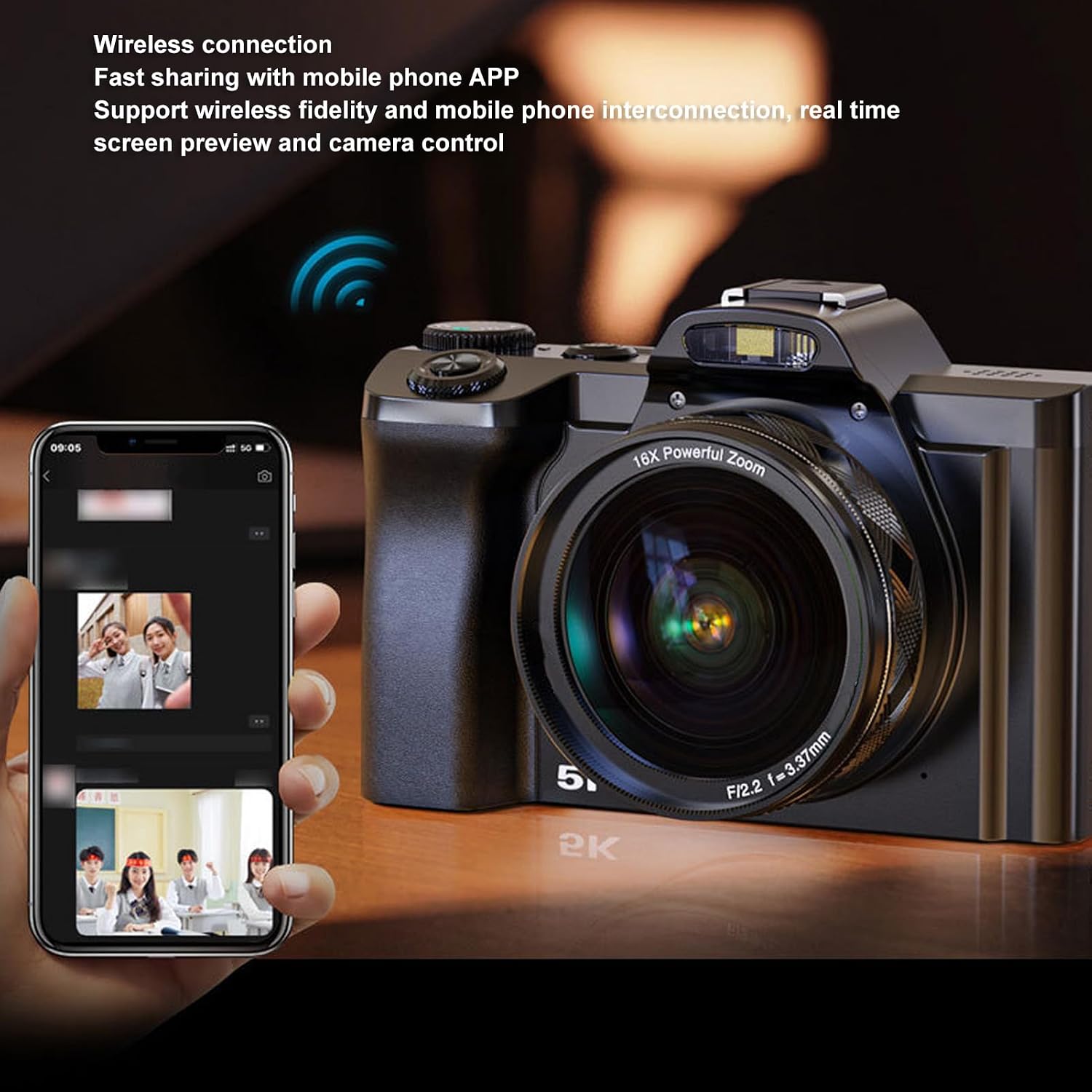
Image: The camera demonstrating wireless connection with a mobile phone application for real-time preview നിയന്ത്രണവും.
- External Hot Shoe: The camera features a professional hot shoe mount, allowing connection of external accessories such as noise-canceling microphones or additional flash units for enhanced audio and lighting.

Image: The camera with various external accessories like a microphone and LED light attached to its hot shoe mount.
6. പരിപാലനം
- വൃത്തിയാക്കൽ: Use the provided cleaning cloth to gently wipe the lens and screen. For stubborn smudges, use a specialized lens cleaning solution. Avoid harsh chemicals.
- സംഭരണം: When not in use, store the camera in the carrying bag in a cool, dry place away from direct sunlight and extreme temperatures. Remove the battery if storing for extended periods.
- ബാറ്ററി കെയർ: Charge the battery fully before first use. Avoid completely draining the battery frequently to prolong its lifespan.
7. പ്രശ്നപരിഹാരം
If you encounter issues with your camera, please refer to the table below for common problems and solutions.
| പ്രശ്നം | സാധ്യമായ കാരണം | പരിഹാരം |
|---|---|---|
| ക്യാമറ പവർ ഓൺ ചെയ്യുന്നില്ല. | ബാറ്ററി ചാർജ് കുറവാണ് അല്ലെങ്കിൽ ശരിയായി ചേർത്തിട്ടില്ല. | ബാറ്ററി ചാർജ് ചെയ്യുകയോ ശരിയായി വീണ്ടും ഇടുകയോ ചെയ്യുക. ബാറ്ററി കമ്പാർട്ട്മെന്റ് അടച്ചിട്ടുണ്ടെന്ന് ഉറപ്പാക്കുക. |
| ചിത്രങ്ങൾ അവ്യക്തമാണ്. | Autofocus failed, camera shake, or dirty lens. | Ensure autofocus is engaged. Hold the camera steady or use the 6-axis stabilization. Clean the lens. |
| മൊബൈൽ ആപ്പിലേക്ക് കണക്റ്റ് ചെയ്യാൻ കഴിയുന്നില്ല. | Wireless function is off, incorrect app settings, or distance too far. | Enable wireless connectivity on the camera. Check app settings and ensure camera and phone are close. |
| മെമ്മറി കാർഡ് പിശക്. | കാർഡ് നിറഞ്ഞിരിക്കുന്നു, കേടായിരിക്കുന്നു, അല്ലെങ്കിൽ പൊരുത്തപ്പെടുന്നില്ല. | ഇല്ലാതാക്കുക files, format the card (this will erase all data), or try a different compatible card (C10/U1 or higher). |
8 സ്പെസിഫിക്കേഷനുകൾ
Detailed technical specifications for the Zopsc 5K Digital Camera:
| ഫീച്ചർ | സ്പെസിഫിക്കേഷൻ |
|---|---|
| സ്ക്രീൻ വലിപ്പം | 3.5 inches (IPS display) |
| വീക്ഷണാനുപാതം | 16:9 |
| പരമാവധി ഫോട്ടോ റെസല്യൂഷൻ | 48 എംപി (8000x6000) |
| പരമാവധി വീഡിയോ റെസല്യൂഷൻ | 5K 30FPS |
| ഡിജിറ്റൽ സൂം | 16x |
| ഇമേജ് സ്റ്റെബിലൈസേഷൻ | Yes (6-axis physical stabilization) |
| ഓട്ടോഫോക്കസ് | അതെ |
| കണക്റ്റിവിറ്റി ടെക്നോളജി | Wireless (Fidelity), USB, Multimedia Cable |
| Supported Storage Card | 4GB to 256GB (C10/U1 recommended) |
| ബാറ്ററി തരം | Lithium battery NP60 1050mAh |
| File ഫോർമാറ്റ് | ജെപിജി, എംപി 4 |
| മോഡലിൻ്റെ പേര് | Zopsce54dh2mif9 |
| ബ്രാൻഡ് | Zopsc |
9. വാറൻ്റിയും പിന്തുണയും
Your Zopsc 5K Digital Camera is covered by a manufacturer's warranty. For specific warranty terms, duration, and to register your product, please refer to the warranty card included in your package or visit the official Zopsc website. For technical support, troubleshooting assistance beyond this manual, or service inquiries, please contact Zopsc customer support through the contact information provided on their official webസൈറ്റ് അല്ലെങ്കിൽ നിങ്ങളുടെ വാങ്ങൽ പ്ലാറ്റ്ഫോം.