
ആമുഖം
This manual provides comprehensive instructions for the safe and efficient use of your Hello Kitty Wireless Bluetooth Light-Up Headphones. Please read this manual thoroughly before operating the device and retain it for future reference.

ചിത്രം: മുൻഭാഗം view of the Hello Kitty Wireless Bluetooth Light-Up Headphones in white, featuring the iconic Hello Kitty face on the earcups and light-up cat ears on the headband.
ബോക്സിൽ എന്താണുള്ളത്
അൺബോക്സിംഗ് ചെയ്യുമ്പോൾ എല്ലാ ഇനങ്ങളും ഉണ്ടെന്ന് ഉറപ്പാക്കുക:
- Hello Kitty Wireless Bluetooth Light-Up Headphones
- യുഎസ്ബി ചാർജിംഗ് കേബിൾ
- ഉപയോക്തൃ മാനുവൽ (ഈ പ്രമാണം)
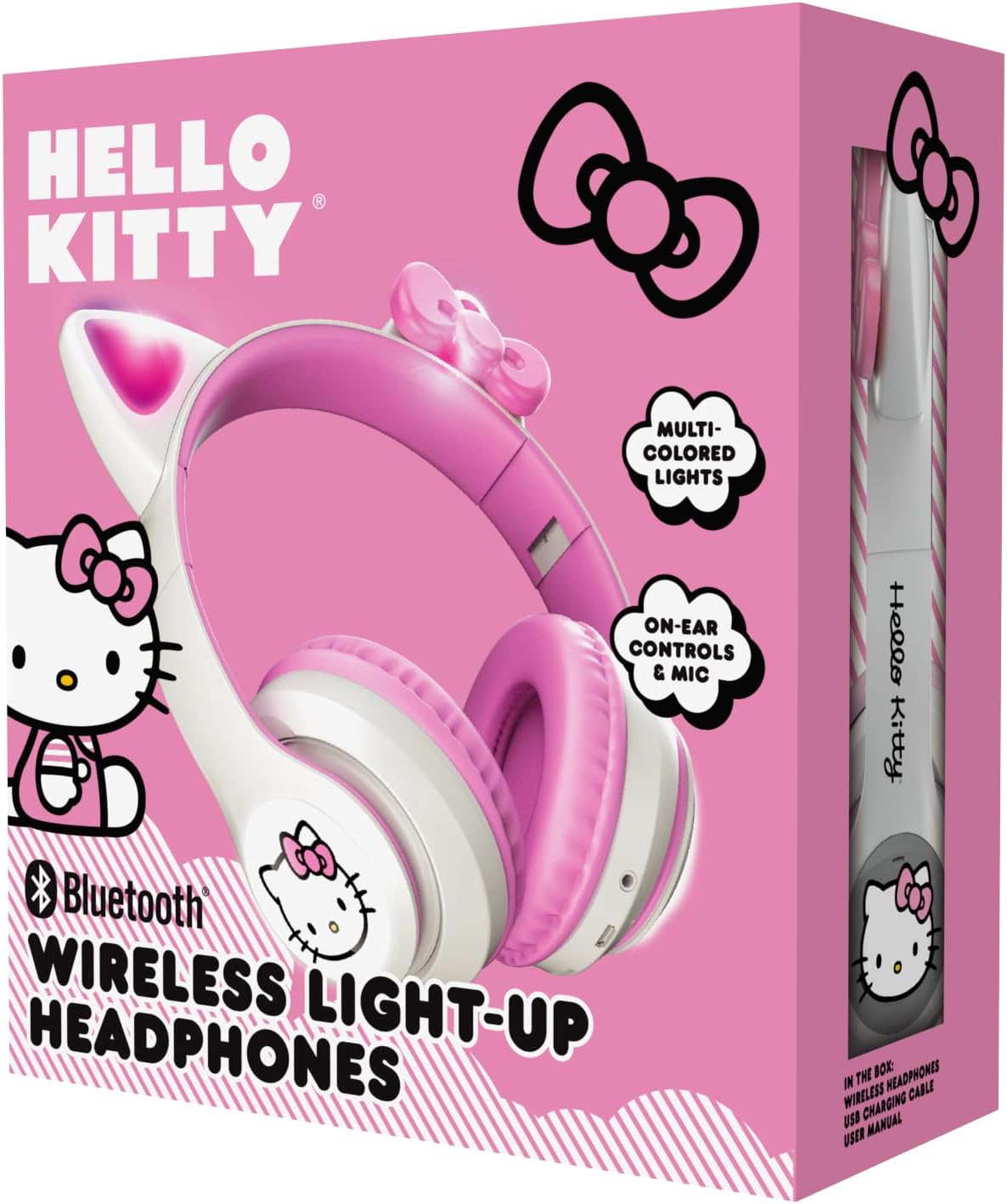
Image: The retail packaging for the Hello Kitty Wireless Bluetooth Light-Up Headphones, illustrating the headphones and the USB charging cable.
ഉൽപ്പന്ന സവിശേഷതകൾ
- ബ്ലൂടൂത്ത് കണക്റ്റിവിറ്റി: Seamless wireless pairing with compatible devices.
- Light-Up LED Earcups & Cat Ears: Features Hello Kitty graphics on earcups and colorful LED lights in the ears. Lights can change with music or be turned on/off as desired.
- മടക്കാവുന്നതും കൊണ്ടുനടക്കാവുന്നതുമായ ഡിസൈൻ: Easy to store and carry, ideal for travel.
- ബിൽറ്റ്-ഇൻ മൈക്രോഫോൺ: Enables hands-free calls, voice chats, and gaming communication.
- ക്രമീകരിക്കാവുന്ന ഹെഡ്ബാൻഡ്: Provides a custom and comfortable fit for various head sizes.
സജ്ജമാക്കുക
1. ഹെഡ്ഫോണുകൾ ചാർജ് ചെയ്യുന്നു
Before first use, fully charge the headphones. Connect the included USB charging cable to the charging port on the headphones and to a USB power source (e.g., computer, wall adapter). The LED indicator will show charging status and turn off or change color when fully charged.
2. ബ്ലൂടൂത്ത് ജോടിയാക്കൽ
- ഹെഡ്ഫോണുകൾ ഓഫാണെന്ന് ഉറപ്പാക്കുക.
- ജോടിയാക്കൽ മോഡ് സൂചിപ്പിക്കുന്ന LED ഇൻഡിക്കേറ്റർ നീലയും ചുവപ്പും നിറങ്ങളിൽ മിന്നുന്നത് വരെ പവർ ബട്ടൺ അമർത്തിപ്പിടിക്കുക.
- നിങ്ങളുടെ ഉപകരണത്തിൽ (സ്മാർട്ട്ഫോൺ, ടാബ്ലെറ്റ്, ലാപ്ടോപ്പ്), ബ്ലൂടൂത്ത് പ്രവർത്തനക്ഷമമാക്കി ലഭ്യമായ ഉപകരണങ്ങൾക്കായി തിരയുക.
- Select "Hello Kitty Headphones" from the list of devices.
- Once paired, the LED indicator will typically show a solid blue light or flash slowly.
Note: If prompted for a password, enter "0000".
പ്രവർത്തന നിർദ്ദേശങ്ങൾ
പവർ ഓൺ/ഓഫ്
- പവർ ഓണാക്കാൻ: പവർ ബട്ടൺ ഏകദേശം 3 സെക്കൻഡ് അമർത്തിപ്പിടിക്കുക.
- പവർ ഓഫ് ചെയ്യാൻ: പവർ ബട്ടൺ ഏകദേശം 5 സെക്കൻഡ് അമർത്തിപ്പിടിക്കുക.
വോളിയം നിയന്ത്രണം
- വോളിയം കൂട്ടുക: '+' ബട്ടൺ അമർത്തുക.
- വോളിയം താഴേക്ക്: '-' ബട്ടൺ അമർത്തുക.
സംഗീത പ്ലേബാക്ക്
- പ്ലേ/താൽക്കാലികമായി നിർത്തുക: Press the Multi-function button (often the Power button when not powering on/off).
- അടുത്ത ട്രാക്ക്: '+' ബട്ടൺ അമർത്തിപ്പിടിക്കുക.
- മുമ്പത്തെ ട്രാക്ക്: '-' ബട്ടൺ അമർത്തിപ്പിടിക്കുക.
കോൾ മാനേജുമെന്റ്
- ഉത്തരം/അവസാന കോൾ: മൾട്ടി-ഫംഗ്ഷൻ ബട്ടൺ അമർത്തുക.
- കോൾ നിരസിക്കുക: മൾട്ടി-ഫംഗ്ഷൻ ബട്ടൺ അമർത്തിപ്പിടിക്കുക.
- അവസാന നമ്പർ വീണ്ടും ഡയൽ ചെയ്യുക: മൾട്ടി-ഫംഗ്ഷൻ ബട്ടൺ ഇരട്ട-അമർത്തുക.
LED ലൈറ്റ് നിയന്ത്രണം
The LED lights on the earcups and cat ears can be controlled independently. Locate the dedicated light button (refer to the diagram in the included quick start guide if available). Press the button to cycle through light modes (e.g., blinking, solid, off).
Adjusting and Folding
- ഹെഡ്ബാൻഡ് ക്രമീകരിക്കുക: Gently slide the earcups up or down along the headband to achieve a comfortable fit.
- സംഭരണത്തിനായി മടക്കുക: The earcups can be folded inwards towards the headband for compact storage and portability.

Image: The Hello Kitty Wireless Bluetooth Light-Up Headphones shown in their folded position, demonstrating their portability.
മെയിൻ്റനൻസ്
- വൃത്തിയാക്കൽ: Wipe the headphones with a soft, dry cloth. Do not use abrasive cleaners or immerse in water.
- സംഭരണം: Store the headphones in a cool, dry place away from direct sunlight and extreme temperatures. Utilize the foldable design for compact and safe storage.
- ബാറ്ററി കെയർ: To prolong battery life, charge the headphones regularly, even if not in frequent use. Avoid fully discharging the battery for extended periods.
ട്രബിൾഷൂട്ടിംഗ്
| പ്രശ്നം | സാധ്യമായ പരിഹാരം |
|---|---|
| ഹെഡ്ഫോണുകൾ പവർ ഓൺ ചെയ്യുന്നില്ല. | ഹെഡ്ഫോണുകൾ പൂർണ്ണമായും ചാർജ് ചെയ്തിട്ടുണ്ടെന്ന് ഉറപ്പാക്കുക. ഒരു പവർ സ്രോതസ്സിലേക്ക് കണക്റ്റ് ചെയ്ത് വീണ്ടും ശ്രമിക്കുക. |
| ഉപകരണവുമായി ജോടിയാക്കാൻ കഴിയില്ല. |
|
| ശബ്ദമില്ല അല്ലെങ്കിൽ കുറഞ്ഞ ശബ്ദമില്ല. |
|
| എൽഇഡി ലൈറ്റുകൾ പ്രവർത്തിക്കുന്നില്ല. | Press the dedicated light control button to cycle through modes or turn them on. Ensure headphones have sufficient battery. |
സ്പെസിഫിക്കേഷനുകൾ
- മോഡലിൻ്റെ പേര്: Hello Kitty Wireless Bluetooth Light-Up Headphones with Built-in Microphone, Foldable Design, Adjustable Headband, 8 Hours Playtime, LED Kitty Earcups, for Kids & Adults (White)
- മോഡൽ നമ്പർ: HKLEDBTHP2-WH-MFN
- കണക്റ്റിവിറ്റി ടെക്നോളജി: വയർലെസ് (ബ്ലൂടൂത്ത്)
- ബ്ലൂടൂത്ത് പതിപ്പ്: 5.0
- ഇയർപീസ് ആകൃതി: ചെവിയിൽ
- മെറ്റീരിയൽ: പ്ലാസ്റ്റിക്
- ഇനത്തിൻ്റെ ഭാരം: 0.27 കിലോഗ്രാം (9.6 ഔൺസ്)
- ബാറ്ററി: 1 നിലവാരമില്ലാത്ത ബാറ്ററി (ഉൾപ്പെടുത്തിയിരിക്കുന്നു)
- പ്രത്യേക സവിശേഷതകൾ: Adjustable Headband, Foldable, Lightweight, Light-Up LED Earcups & Cat Ears, Built-in Microphone
- അനുയോജ്യമായ ഉപകരണങ്ങൾ: സ്മാർട്ട്ഫോണുകൾ, ടാബ്ലെറ്റുകൾ, ലാപ്ടോപ്പുകൾ
- നിർമ്മാതാവ്: ദക്ഷിണ ടെലികോം
- UPC: 680079035358
വാറൻ്റിയും പിന്തുണയും
For warranty information and technical support, please refer to the contact details provided on the product packaging or visit the official Hello Kitty or Southern Telecom webസൈറ്റ്. വാറന്റി ക്ലെയിമുകൾക്കായി നിങ്ങളുടെ വാങ്ങലിന്റെ തെളിവ് സൂക്ഷിക്കുക.