
1. ആമുഖം
This manual provides essential information for the safe and efficient operation, installation, and maintenance of your Samsung 14-Place Stainless Steel Dishwasher. Please read it thoroughly before using your appliance and keep it for future reference.
2. ഉൽപ്പന്നം കഴിഞ്ഞുview
The Samsung DW60DG550FSRBZ dishwasher is designed for deep and quiet cleaning, featuring a 14-place setting capacity. It includes a Hygiene function with high-temperature rinsing and an Auto Cycle function that detects soil levels for optimal cleaning.
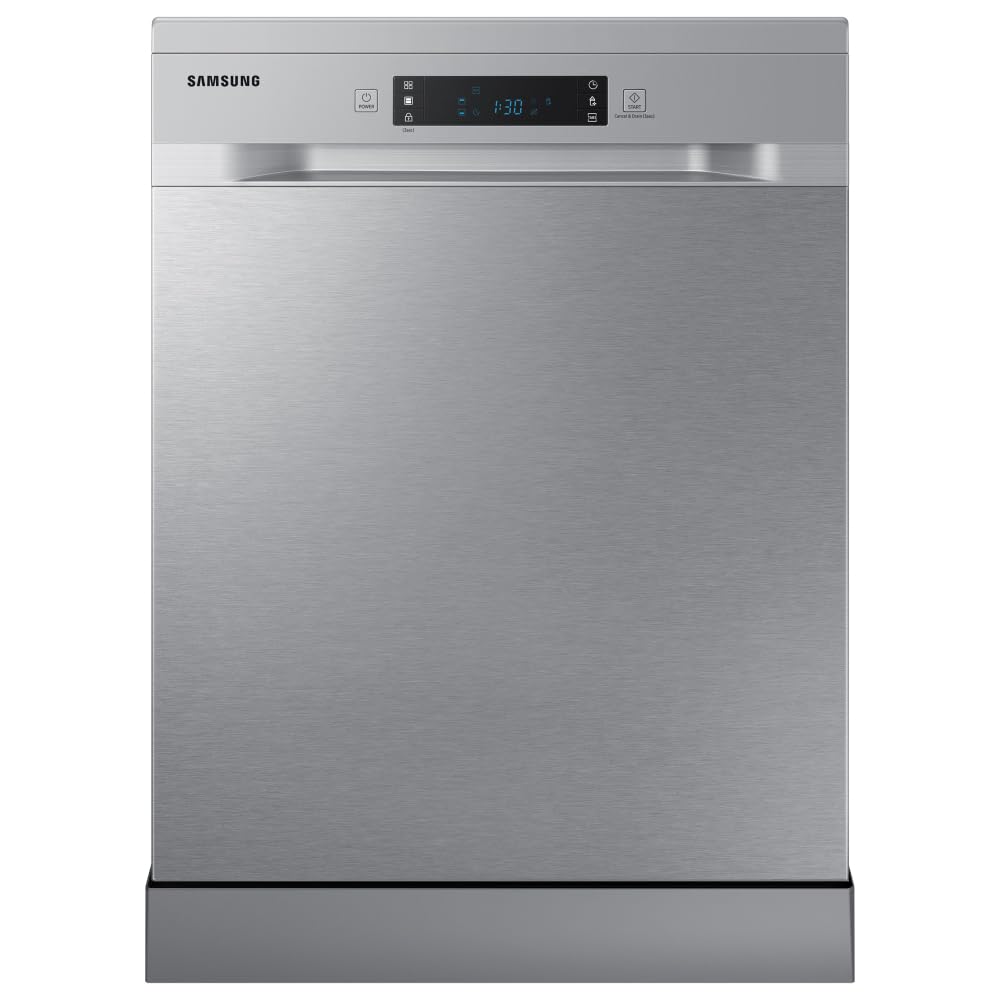
ചിത്രം 1: മുൻഭാഗം view of the Samsung DW60DG550FSRBZ Dishwasher with the door slightly open, revealing the control panel.

ചിത്രം 2: വിശദമായി view of the dishwasher's control panel, featuring a digital display and various program selection buttons.
3. സജ്ജീകരണവും ഇൻസ്റ്റാളേഷനും
Proper installation is crucial for the performance and longevity of your dishwasher. It is recommended to have a qualified technician perform the installation.
3.1 അൺപാക്കിംഗ്
Carefully remove all packaging materials and internal components. Inspect the dishwasher for any damage incurred during transit. Keep packaging materials away from children.
3.2 പ്ലേസ്മെൻ്റ്
The dishwasher can be installed freestanding or built-in under a countertop. Ensure the chosen location has access to water supply, drainage, and a suitable electrical outlet (220V).
3.3 വാട്ടർ കണക്ഷൻ
Connect the water inlet hose to a cold water supply tap. Ensure all connections are tight to prevent leaks. The water consumption is approximately 10.05 liters per cycle.
3.4 ഡ്രെയിനേജ് കണക്ഷൻ
Connect the drain hose to your household drainage system. Ensure the hose is properly secured and free from kinks to allow for efficient water discharge.
3.5 ഇലക്ട്രിക്കൽ കണക്ഷൻ
Plug the dishwasher into a grounded 220V electrical outlet. Do not use extension cords or adapters.
4. പ്രവർത്തന നിർദ്ദേശങ്ങൾ
Follow these steps for optimal washing results:
- Load the Dishwasher: Arrange dishes, cutlery, and cookware in the racks, ensuring they do not block the spray arms.
- ഡിറ്റർജൻ്റ് ചേർക്കുക: ഡിഷ്വാഷർ ഡിറ്റർജൻ്റ് ഉചിതമായ അളവിൽ ഡിറ്റർജൻ്റ് ഡിസ്പെൻസറിൽ നിറയ്ക്കുക.
- പ്രോഗ്രാം തിരഞ്ഞെടുക്കുക: Choose a wash program suitable for the soil level of your dishes. Available cycles include Automatic, Hygiene, Sensor, and Normal.
- Select Options (Optional): Use extra functions like the Hygiene function for high-temperature rinsing (70°C) or the Half Load setting for smaller loads.
- സൈക്കിൾ ആരംഭിക്കുക: Close the dishwasher door firmly and press the Start button.
4.1 വാഷ് പ്രോഗ്രാമുകൾ
- Automatic Cycle: Detects the soil level and automatically selects the ideal cleaning cycle, optimizing water and energy consumption.
- Hygiene Function: Elevates water temperature to 70°C during the final rinse for deep cleaning and sanitization.
- പകുതി ലോഡ്: Allows washing smaller quantities of dishes by using only a selected zone, saving water and energy.
5. ഡിഷ്വാഷർ ലോഡ് ചെയ്യുന്നു
Proper loading ensures thorough cleaning and prevents damage to dishes.

Figure 3: Empty interior of the dishwasher, showing the upper and lower racks ready for loading.

Figure 4: Dishwasher interior loaded with various dishes, demonstrating optimal placement for a full cycle.

ചിത്രം 5: വശം view of the dishwasher with racks extended, highlighting the spacious design for easy loading and unloading.
5.1 അപ്പർ റാക്ക്
Ideal for delicate items such as glasses, cups, and small bowls. Place items upside down to ensure proper cleaning and drainage.

Figure 6: Upper rack filled with glasses and small bowls, demonstrating correct placement.
5.2 ലോവർ റാക്ക്
Designed for larger and heavily soiled items like dinner plates, pots, pans, and serving dishes. Ensure items do not obstruct the spray arm rotation.

Figure 7: Lower rack loaded with dinner plates, showing how to maximize space and cleaning efficiency.
5.3 കട്ട്ലറി ബാസ്കറ്റ്
Place forks, spoons, and knives in the designated cutlery basket, handles down for forks and spoons, and handles up for knives for safety.
6. പരിപാലനം
പതിവ് അറ്റകുറ്റപ്പണികൾ മികച്ച പ്രകടനം ഉറപ്പാക്കുകയും നിങ്ങളുടെ ഡിഷ്വാഷറിന്റെ ആയുസ്സ് വർദ്ധിപ്പിക്കുകയും ചെയ്യുന്നു.
6.1 ഫിൽട്ടറുകൾ വൃത്തിയാക്കുന്നു
The dishwasher has a filter system that needs regular cleaning. Remove the filter assembly, rinse it under running water to remove food particles, and reassemble it. Clean at least once a week.
6.2 സ്പ്രേ ആയുധങ്ങൾ വൃത്തിയാക്കൽ
Periodically check the spray arms for clogged nozzles. Use a thin wire or toothpick to clear any blockages. Ensure they rotate freely.
6.3 ബാഹ്യ ശുചീകരണം
ഒരു മൃദുവായ, ഡി ഉപയോഗിച്ച് ബാഹ്യ പ്രതലങ്ങൾ തുടയ്ക്കുകamp cloth. For stainless steel surfaces, use a specialized stainless steel cleaner to maintain its finish.
7. പ്രശ്നപരിഹാരം
ഉപഭോക്തൃ സേവനവുമായി ബന്ധപ്പെടുന്നതിന് മുമ്പ്, ഇനിപ്പറയുന്ന പൊതുവായ പ്രശ്നങ്ങളും പരിഹാരങ്ങളും പരിശോധിക്കുക:
- ഡിഷ്വാഷർ ആരംഭിക്കുന്നില്ല: Check if the power cord is securely plugged in and the door is fully closed. Ensure the water supply is turned on.
- വൃത്തിയില്ലാത്ത പാത്രങ്ങൾ: Verify that the spray arms are not blocked and can rotate freely. Ensure dishes are loaded correctly and not overcrowded. Check detergent levels.
- വെള്ളം ഒഴുകിപ്പോകുന്നില്ല: Inspect the drain hose for kinks or blockages. Clean the filter system.
- അസാധാരണമായ ശബ്ദം: Ensure dishes are not rattling against each other or blocking the spray arms.
8 സ്പെസിഫിക്കേഷനുകൾ
| ഫീച്ചർ | സ്പെസിഫിക്കേഷൻ |
|---|---|
| ബ്രാൻഡ് | സാംസങ് |
| മോഡൽ നമ്പർ | DW60DG550FSRBZ |
| ഇൻസ്റ്റലേഷൻ തരം | ഫ്രീസ്റ്റാൻഡിംഗ് |
| ഉൽപ്പന്ന അളവുകൾ (D x W x H) | 60P x 60L x 85A centimeters |
| ശേഷി | 14 സ്ഥല ക്രമീകരണങ്ങൾ |
| ജല ഉപഭോഗം | 10.05 ലിറ്റർ |
| വാല്യംtage | 220 വോൾട്ട് |
| നിയന്ത്രണ തരം | പുഷ് ബട്ടൺ |
| പ്രത്യേക സവിശേഷതകൾ | Auto Cycle Function, Hygiene Function (high temperature rinse), Deep and Silent Cleaning |
| Material (Basket/Rack) | സ്റ്റെയിൻലെസ്സ് സ്റ്റീൽ |
| ഇനത്തിൻ്റെ ഭാരം | 54500 ഗ്രാം |
| നിറം | സ്റ്റെയിൻലെസ്സ് സ്റ്റീൽ |
9. വാറൻ്റിയും പിന്തുണയും
This Samsung dishwasher comes with a 1 വർഷത്തെ വാറൻ്റി. For technical assistance, repairs, or warranty claims, please contact Samsung customer support. Refer to your purchase documentation for specific contact details and warranty terms.


