
ആമുഖം
This manual provides detailed instructions for the setup, operation, and maintenance of your ATTACK SHARK L80 Wireless Gaming Headset. Please read this manual thoroughly before using the product to ensure proper function and longevity.
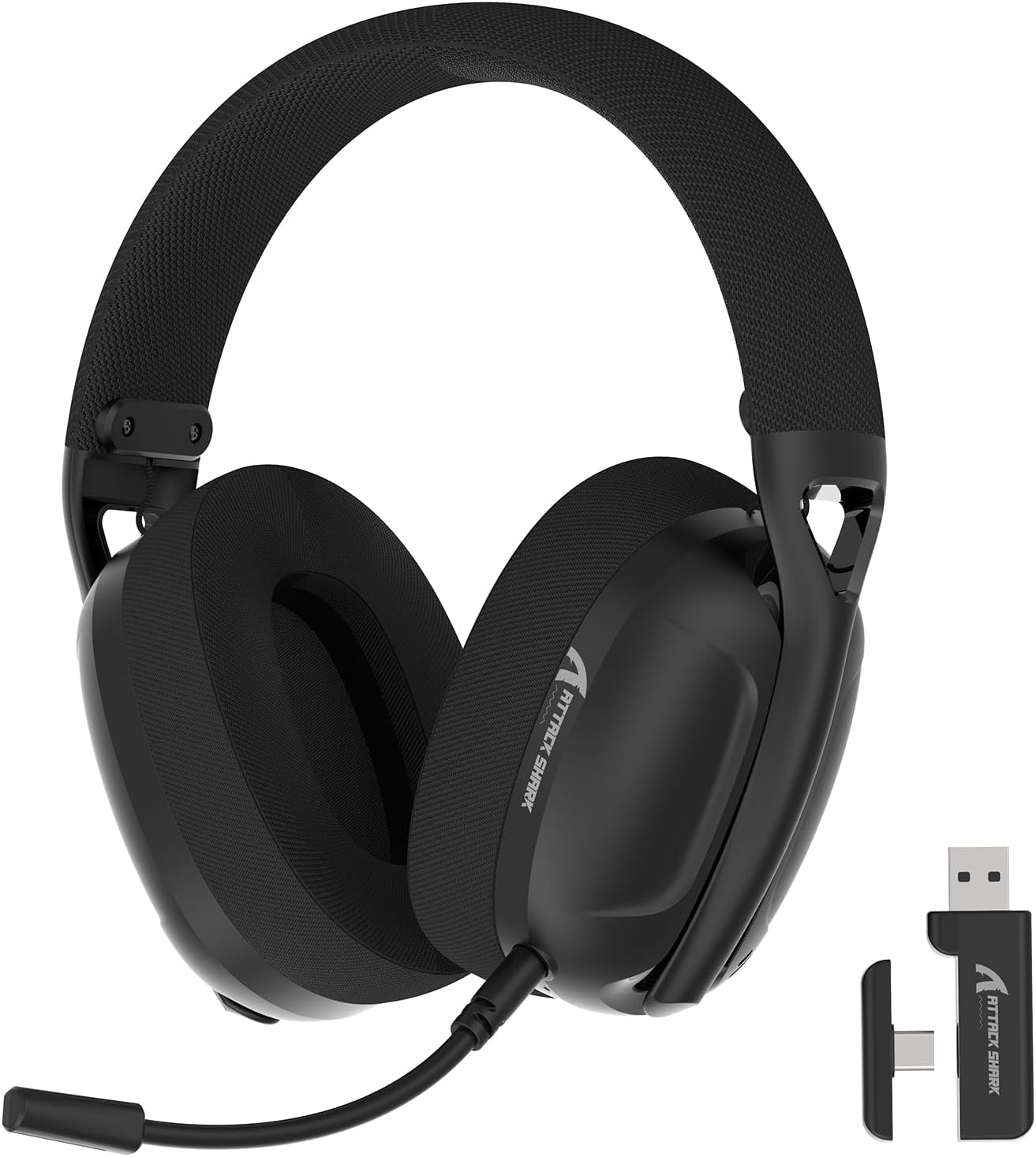
Image: The ATTACK SHARK L80 Wireless Gaming Headset, featuring over-ear cups, a flexible microphone, and a USB dongle.
പാക്കേജ് ഉള്ളടക്കം
നിങ്ങളുടെ ഉൽപ്പന്ന പാക്കേജിൽ എല്ലാ ഇനങ്ങളും ഉണ്ടെന്ന് ഉറപ്പാക്കുക:
- അറ്റാക്ക് ഷാർക്ക് L80 വയർലെസ് ഗെയിമിംഗ് ഹെഡ്സെറ്റ്
- Detachable Omni-directional Microphone
- 2.4GHz USB Wireless Dongle (USB-A)
- യുഎസ്ബി-സി മുതൽ യുഎസ്ബി-എ ചാർജിംഗ് കേബിൾ വരെ
- 3.5 എംഎം ഓഡിയോ കേബിൾ
- ഉപയോക്തൃ മാനുവൽ (ഈ പ്രമാണം)

Image: All components included in the ATTACK SHARK L80 headset package: headset, detachable microphone, 2.4GHz USB dongle, USB-C charging cable, and 3.5mm audio cable.
ഉൽപ്പന്നം കഴിഞ്ഞുview
Headset Controls and Ports
Familiarize yourself with the headset's controls and connection points:

Image: Close-up of the ATTACK SHARK L80 headset's left earcup, showing the power button, mode switch button, volume up/previous track button, volume down/next track button, and microphone mute button.
- പവർ ബട്ടൺ: Press and hold for 3 seconds to power ON/OFF. Short press to answer/end calls or play/pause media.
- മോഡ് സ്വിച്ച് ബട്ടൺ: Short press 3 times in succession to switch between Bluetooth and 2.4G wireless modes.
- Volume Up / Previous Song: Short press for Volume+, Long press for Previous Song.
- Volume Down / Next Song: Short press for Volume-, Long press for Next Song.
- മൈക്രോഫോൺ മ്യൂട്ട് ബട്ടൺ: Short press to toggle microphone ON/OFF.
- മൈക്രോഫോൺ പോർട്ട്: For connecting the detachable microphone.
- 3.5mm ഓഡിയോ ജാക്ക്: വയർഡ് കണക്ഷനായി.
- USB-C ചാർജിംഗ് പോർട്ട്: ഹെഡ്സെറ്റ് ചാർജ് ചെയ്യുന്നതിനായി.
- ഇൻഡിക്കേറ്റർ ലൈറ്റ്: കണക്ഷൻ നിലയും ബാറ്ററി നിലയും പ്രദർശിപ്പിക്കുന്നു.
വേർപെടുത്താവുന്ന മൈക്രോഫോൺ
The L80 headset features a detachable, omni-directional microphone with noise reduction capabilities. It can be adjusted 360 degrees for optimal positioning.

Image: The ATTACK SHARK L80 headset with its detachable, 360-degree adjustable, noise-cancelling microphone attached.
സജ്ജമാക്കുക
The ATTACK SHARK L80 headset offers three connection modes: 2.4GHz wireless, Bluetooth 5.2, and 3.5mm wired. Choose the appropriate method for your device.
1. 2.4GHz Wireless Connection (for PC, PS5, PS4, Nintendo Switch Docked)
- Insert the 2.4GHz USB wireless dongle into an available USB port on your PC, PS5, PS4, or Nintendo Switch dock.
- Power on the L80 headset by pressing and holding the Power Button for 3 seconds.
- The headset will automatically attempt to connect to the dongle. The indicator light will show a stable color once connected.
- On your device, ensure the audio output is set to "ATTACK SHARK L80" or similar.

Image: Diagram illustrating 2.4GHz USB dongle connection to a PS4 and a USB-C dongle connection to a portable device, alongside Bluetooth connectivity for phones.
2. Bluetooth 5.2 Connection (for Phones, Tablets, Laptops)
- Power on the L80 headset by pressing and holding the Power Button for 3 seconds.
- If not already in Bluetooth mode, short press the Mode Switch Button three times in quick succession to enter Bluetooth pairing mode. The indicator light will flash, indicating it is discoverable.
- On your device (phone, tablet, laptop), go to Bluetooth settings and search for available devices.
- Select "ATTACK SHARK L80" from the list to pair. The indicator light will become stable once connected.
3. 3.5mm Wired Connection (for various devices)
- Connect one end of the 3.5mm audio cable to the 3.5mm audio jack on the L80 headset.
- Connect the other end of the 3.5mm audio cable to the audio output port of your device.
- The headset will function in wired mode. Note that volume control via the headset buttons may not be available in wired mode, depending on the connected device.

Image: The ATTACK SHARK L80 headset displayed among various compatible platforms including PlayStation consoles, Nintendo Switch, Xbox, PC, tablets, and smartphones.
പ്രവർത്തന നിർദ്ദേശങ്ങൾ
പവർ ഓൺ/ഓഫ്
- പവർ ഓൺ: Press and hold the Power Button for approximately 3 seconds until the indicator light illuminates.
- പവർ ഓഫ്: Press and hold the Power Button for approximately 3 seconds until the indicator light turns off.
വോളിയം നിയന്ത്രണം
- വോളിയം വർദ്ധിപ്പിക്കുക: വോളിയം അപ്പ് ബട്ടൺ ചുരുക്കി അമർത്തുക.
- വോളിയം കുറയ്ക്കുക: വോളിയം ഡൗൺ ബട്ടൺ ചുരുക്കി അമർത്തുക.
മീഡിയ പ്ലേബാക്ക് നിയന്ത്രണം
- പ്ലേ/താൽക്കാലികമായി നിർത്തുക: പവർ ബട്ടൺ ചെറുതായി അമർത്തുക.
- മുൻ ഗാനം: വോളിയം അപ്പ് ബട്ടൺ ദീർഘനേരം അമർത്തുക.
- അടുത്ത ഗാനം: വോളിയം ഡൗൺ ബട്ടൺ ദീർഘനേരം അമർത്തുക.
കോൾ മാനേജുമെന്റ്
- ഉത്തരം/അവസാന കോൾ: പവർ ബട്ടൺ ചെറുതായി അമർത്തുക.
മൈക്രോഫോൺ ഉപയോഗം
- വേർപെടുത്താവുന്ന മൈക്രോഫോൺ ഹെഡ്സെറ്റിലെ നിയുക്ത പോർട്ടിൽ ഘടിപ്പിക്കുക.
- ഒപ്റ്റിമൽ വോയ്സ് പിക്കപ്പിനായി മൈക്രോഫോണിന്റെ സ്ഥാനം ക്രമീകരിക്കുക.
- മൈക്രോഫോൺ നിശബ്ദമാക്കുക/അൺമ്യൂട്ടുചെയ്യുക: Short press the Microphone Mute Button.
മോഡ് സ്വിച്ചിംഗ്
- To switch between 2.4GHz wireless mode and Bluetooth mode, short press the Mode Switch Button three times in quick succession.
ഹെഡ്സെറ്റ് ചാർജ് ചെയ്യുന്നു
The headset provides up to 50 hours of playtime at 50% volume and takes approximately 3 hours for a full charge.
- Connect the USB-C end of the charging cable to the headset's USB-C port.
- Connect the USB-A end of the charging cable to a USB power source (e.g., computer USB port, wall adapter).
- The indicator light will show charging status. A red light alert indicates battery level below 10%.

Image: Visual representation of the ATTACK SHARK L80 headset's battery features, including 45-50 hours gaming time, red light alert for low battery, 3 hours charging time, and electricity saving standby.
മെയിൻ്റനൻസ്
- വൃത്തിയാക്കൽ: ഹെഡ്സെറ്റ് വൃത്തിയാക്കാൻ മൃദുവായതും ഉണങ്ങിയതുമായ തുണി ഉപയോഗിക്കുക. കഠിനമായ രാസവസ്തുക്കളോ ഉരച്ചിലുകളോ ഉള്ള വസ്തുക്കളോ ഉപയോഗിക്കരുത്.
- സംഭരണം: ഹെഡ്സെറ്റ് നേരിട്ട് സൂര്യപ്രകാശം ഏൽക്കാത്തതും ഉയർന്ന താപനില ഏൽക്കാത്തതുമായ ഒരു തണുത്ത വരണ്ട സ്ഥലത്ത് സൂക്ഷിക്കുക.
- ബാറ്ററി കെയർ: ബാറ്ററി ലൈഫ് വർദ്ധിപ്പിക്കാൻ, ഹെഡ്സെറ്റ് ഇടയ്ക്കിടെ പൂർണ്ണമായും ഡിസ്ചാർജ് ചെയ്യുന്നത് ഒഴിവാക്കുക. ദീർഘനേരം ഉപയോഗിച്ചിട്ടില്ലെങ്കിൽ പോലും പതിവായി ചാർജ് ചെയ്യുക.
- കേബിൾ മാനേജുമെന്റ്: കേബിളുകൾക്ക് കേടുപാടുകൾ സംഭവിക്കാതിരിക്കാൻ അവയിൽ മൂർച്ചയുള്ള വളവുകളോ വളവുകളോ ഉണ്ടാകുന്നത് ഒഴിവാക്കുക.

Image: Close-up of the headset's ultra-soft mesh earmuffs, highlighting their breathable and comfortable design for extended wear.
ട്രബിൾഷൂട്ടിംഗ്
| പ്രശ്നം | സാധ്യമായ കാരണം | പരിഹാരം |
|---|---|---|
| ഹെഡ്സെറ്റിൽ നിന്ന് ശബ്ദമില്ല. | Headset not powered on, not connected, or volume too low. |
|
| മൈക്രോഫോൺ പ്രവർത്തിക്കുന്നില്ല. | Microphone muted, not properly attached, or incorrect input device selected. |
|
| 2.4GHz വയർലെസ് വഴി കണക്റ്റ് ചെയ്യാൻ കഴിയില്ല. | Dongle not inserted, headset not in 2.4GHz mode, or interference. |
|
| ബ്ലൂടൂത്ത് വഴി ബന്ധിപ്പിക്കാൻ കഴിയില്ല. | Headset not in pairing mode, Bluetooth off on device, or previously paired device interfering. |
|
| ഹെഡ്സെറ്റ് ചാർജ് ചെയ്യുന്നില്ല. | Charging cable faulty, power source issue, or charging port obstruction. |
|
സ്പെസിഫിക്കേഷനുകൾ
| ഫീച്ചർ | വിശദാംശങ്ങൾ |
|---|---|
| മോഡലിൻ്റെ പേര് | L80 headset |
| കണക്റ്റിവിറ്റി ടെക്നോളജി | 2.4Ghz Wireless, Bluetooth 5.2, 3.5mm Wired |
| ഓഡിയോ ഡ്രൈവർ വലിപ്പം | 40 മി.മീ |
| ഫ്രീക്വൻസി റേഞ്ച് | 20 ഹെർട്സ് - 20,000 ഹെർട്സ് |
| പ്രതിരോധം | 30 ഓം |
| ശബ്ദ നിയന്ത്രണം | സൗണ്ട് ഐസൊലേഷൻ |
| മൈക്രോഫോൺ | Detachable, Omni-directional, Noise-reduction |
| ബാറ്ററി ലൈഫ് | 50 മണിക്കൂർ വരെ (50% വോളിയത്തിൽ) |
| ചാർജിംഗ് സമയം | ഏകദേശം 3 മണിക്കൂർ |
| ഭാരം | 12 ഔൺസ് (ഏകദേശം 340 ഗ്രാം) |
| മെറ്റീരിയൽ | പ്ലാസ്റ്റിക് |
| അനുയോജ്യമായ ഉപകരണങ്ങൾ | PC, PS5, PS4, Nintendo Switch, Laptops, Tablets, Phones |

ചിത്രം: കട്ട്അവേ view of the ATTACK SHARK L80 headset's earcup, highlighting the powerful 40mm audio drivers responsible for high-fidelity sound.
വാറൻ്റിയും പിന്തുണയും
വാറന്റി വിവരങ്ങൾക്കും സാങ്കേതിക പിന്തുണയ്ക്കും, ദയവായി ഔദ്യോഗിക ATTACK SHARK കാണുക. webസൈറ്റിൽ ബന്ധപ്പെടുക അല്ലെങ്കിൽ അവരുടെ ഉപഭോക്തൃ സേവനവുമായി ബന്ധപ്പെടുക. വാറന്റി ക്ലെയിമുകൾക്കുള്ള വാങ്ങലിന്റെ തെളിവായി നിങ്ങളുടെ വാങ്ങൽ രസീത് സൂക്ഷിക്കുക.
നിർമ്മാതാവ്: അറ്റാക്ക് സ്രാവ്
ബന്ധപ്പെടുക: ദയവായി സന്ദർശിക്കുക ആമസോണിലെ അറ്റാക്ക് ഷാർക്ക് സ്റ്റോർ for further assistance or to find contact information.