
Robosen 193734000467
Robosen Buzz Lightyear Interactive Robot User Manual
മോഡൽ: 193734000467
ആമുഖം
Welcome to the Robosen Buzz Lightyear Interactive Robot user manual. This guide provides essential information for setting up, operating, maintaining, and troubleshooting your new interactive robot. Please read this manual thoroughly to ensure optimal performance and enjoyment of your Buzz Lightyear figure.

Figure 1: The Robosen Buzz Lightyear Interactive Robot.
പ്രധാനപ്പെട്ട സുരക്ഷാ വിവരങ്ങൾ
This product is intended for household use only and for persons over the age of 15. Please observe the following safety guidelines:
- വെള്ളത്തിൽ നിന്നോ അമിതമായ ഈർപ്പത്തിൽ നിന്നോ അകറ്റി നിർത്തുക.
- Do not attempt to disassemble or modify the robot.
- ചാർജ് ചെയ്യുന്നതിന് നൽകിയിരിക്കുന്ന പവർ അഡാപ്റ്റർ മാത്രം ഉപയോഗിക്കുക.
- തീവ്രമായ താപനില ഒഴിവാക്കുക.
- Keep out of reach of small children due to potential choking hazards from small parts.
സജ്ജമാക്കുക
1. അൺബോക്സിംഗും ഉള്ളടക്കവും
പാക്കേജിംഗിൽ നിന്ന് എല്ലാ ഘടകങ്ങളും ശ്രദ്ധാപൂർവ്വം നീക്കം ചെയ്യുക. എല്ലാ ഇനങ്ങളും നിലവിലുണ്ടെന്ന് ഉറപ്പാക്കുക:
- Robosen Buzz Lightyear Interactive Robot
- പവർ അഡാപ്റ്റർ
- Additional interchangeable hands (if included)
- "Andy" sticker (if included)
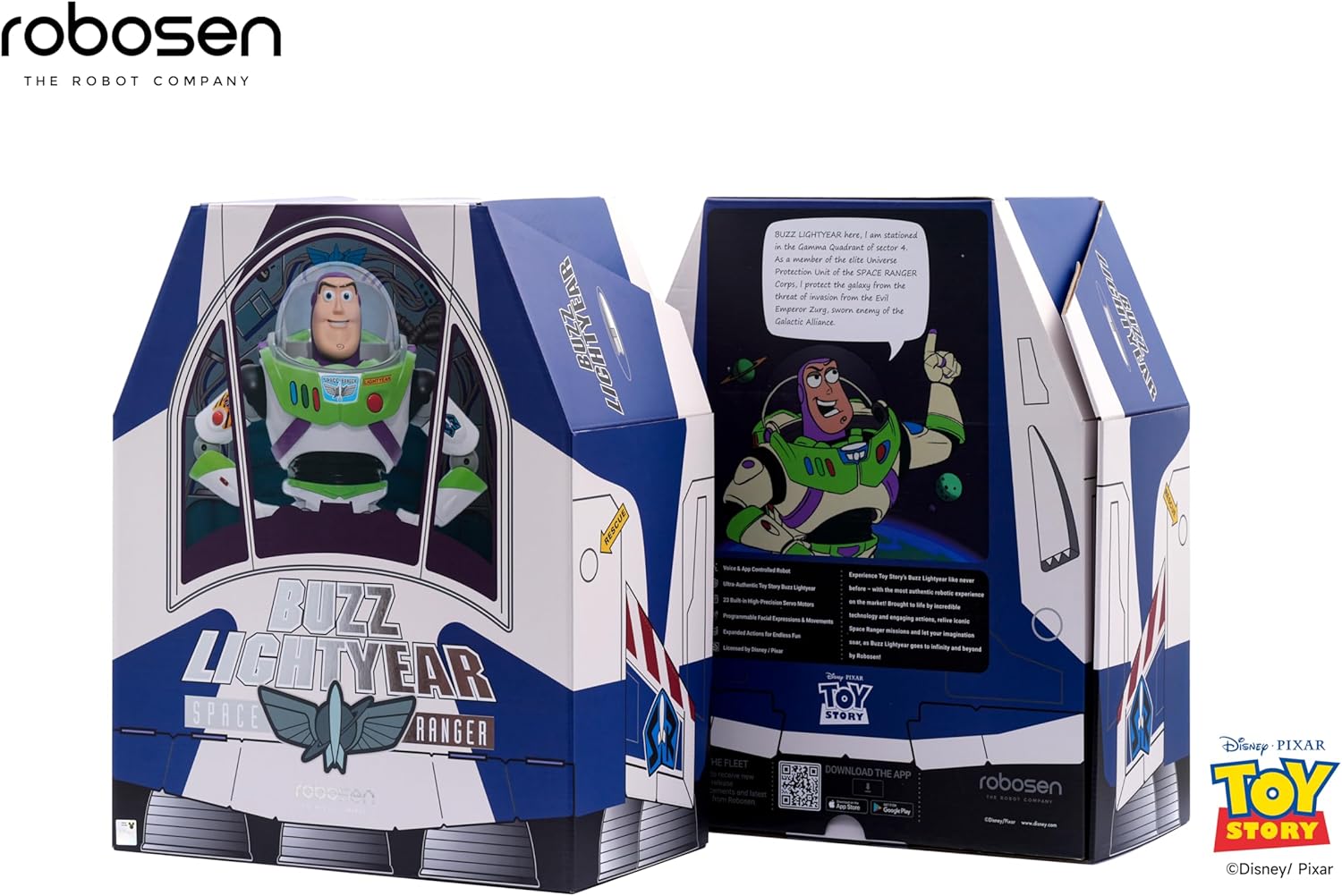
Figure 2: The Robosen Buzz Lightyear in its packaging, alongside the power adapter and other accessories.

Figure 3: Included accessories: various interchangeable hands and an "Andy" sticker.
2. പ്രാരംഭ നിരക്ക്
Before first use, fully charge your Buzz Lightyear robot using the provided power adapter. Connect the adapter to the robot's charging port and plug it into a standard wall outlet. The charging indicator will illuminate.
3. ആപ്പ് ഡൗൺലോഡും കണക്ഷനും
To unlock the full interactive capabilities, download the official Robosen Buzz Lightyear app on your smartphone or tablet. The app is available for both Android and iOS devices. Follow the in-app instructions to connect your robot via Bluetooth.
എന്നതിൽ നിന്ന് ആപ്പ് ഡൗൺലോഡ് ചെയ്യാം https://download.robosen.com/cartoonBuzz.

Figure 4: Connecting the Buzz Lightyear robot to the mobile application.
പ്രവർത്തന നിർദ്ദേശങ്ങൾ
1. വോയ്സ് കമാൻഡുകൾ
The Robosen Buzz Lightyear responds to over 34 voice commands and features more than 200 original audio clips. To activate voice command mode, say "Hey Buzz." The robot will respond with "Roger that." You can then issue commands such as:
- "Introduce yourself"
- "Open fire"
- "To infinity and beyond"
- "Scan the terrain"
- "What can you do?"
- "Dance"

Figure 5: Buzz Lightyear demonstrating dynamic actions and sound effects in response to voice commands.
2. Manual Button Controls
Certain actions can also be triggered by pressing buttons on Buzz Lightyear's chest:
- ചുവന്ന ബട്ടൺ: Activates jetpack wings and lights.
- Blue/Green Buttons: Trigger various phrases and movements.
- Helmet Button: Opens and closes the helmet visor.

Figure 6: Buzz Lightyear with activated jetpack wings, ready for flight.
3. മൊബൈൽ ആപ്പ് നിയന്ത്രണം
The mobile application provides advanced control options, including:
- Direct movement control (walking, turning).
- Access to a library of pre-programmed actions and poses.
- Custom programming interface for creating unique sequences.
- Language selection (e.g., Spanish mode).

Figure 7: The Robosen Studio platform for advanced programming and customization.
മെയിൻ്റനൻസ്
To ensure the longevity and proper functioning of your Robosen Buzz Lightyear robot, follow these maintenance guidelines:
- വൃത്തിയാക്കൽ: Wipe the robot with a soft, dry cloth. Do not use harsh chemicals or abrasive materials.
- സംഭരണം: Store the robot in a cool, dry place away from direct sunlight and extreme temperatures.
- ബാറ്ററി കെയർ: For extended storage, ensure the battery is partially charged (around 50%). Avoid fully discharging the battery for long periods.
- സന്ധികൾ: The robot features 23 smart joints. Avoid forcing movements that are outside its designed range of motion.
ട്രബിൾഷൂട്ടിംഗ്
| പ്രശ്നം | സാധ്യമായ കാരണം | പരിഹാരം |
|---|---|---|
| റോബോട്ട് ഓണാക്കുന്നില്ല. | Low battery or power switch off. | Ensure the power switch is in the 'ON' position. Charge the robot fully using the provided adapter. |
| Voice commands not responding. | Environmental noise, incorrect command, or microphone issue. | Reduce background noise. Speak clearly and directly to the robot. Ensure you say "Hey Buzz" to activate voice command mode. |
| ആപ്പ് കണക്ഷൻ പ്രശ്നങ്ങൾ. | Bluetooth not enabled, robot too far, or app glitch. | Ensure Bluetooth is enabled on your device. Keep the robot within close range of your device. Restart the app and/or the robot. |
| Robot movements are stiff or unresponsive. | Low battery or obstruction in joints. | Charge the robot. Gently check for any obstructions in the robot's joints. Do not force movements. |
സ്പെസിഫിക്കേഷനുകൾ
- ബ്രാൻഡ്: Robosen
- മോഡൽ നമ്പർ: 193734000467
- ഉൽപ്പന്ന അളവുകൾ: 13.8 x 5.9 x 14.7 ഇഞ്ച്
- ഇനത്തിൻ്റെ ഭാരം: 8.29 പൗണ്ട്
- ബാറ്ററികൾ: 1 ലിഥിയം അയോൺ ബാറ്ററി (ഉൾപ്പെടുത്തിയിരിക്കുന്നു)
- നിർമ്മാതാവ് ശുപാർശ ചെയ്യുന്ന പ്രായം: 5 - 5 years (Note: Safety information recommends 15+ for interactive robot features)
- പ്രധാന സവിശേഷതകൾ: Movable eyes and mouth, walking motion, 23 smart joints, voice interaction (34 commands, 200+ audio clips), app and web platform programming.
വാറൻ്റി വിവരങ്ങൾ
For detailed warranty information, please refer to the warranty card included in your product packaging or visit the official Robosen webസൈറ്റ്. ഏതെങ്കിലും വാറന്റി ക്ലെയിമുകൾക്ക് നിങ്ങളുടെ വാങ്ങലിന്റെ തെളിവ് സൂക്ഷിക്കുക.
ഉപഭോക്തൃ പിന്തുണ
If you encounter any issues not covered in this manual or require further assistance, please contact Robosen customer support:
- Webസൈറ്റ്: www.robosen.com (Check for support contact details)
- ഓൺലൈൻ ഉറവിടങ്ങൾ: FAQs, video tutorials, and software updates may be available on the official webസൈറ്റ്.
Ask a question about this manual
Ask about setup, troubleshooting, compatibility, parts, safety, or missing instructions. Manuals+ will review the question and use this page’s manual context to help answer it.