
ആമുഖം
Welcome to the user manual for your Monster Achieve 300 AirLinks Wireless Earbuds. These earbuds are designed to provide a superior audio experience with advanced features for daily use, sports, and calls. Featuring Pure Monster Sound, Bluetooth 5.3 connectivity, touch controls, and a water-resistant design, they offer comfort and convenience for extended listening.

Image: Monster Achieve 300 AirLinks Wireless Earbuds in their open charging case, showcasing the sleek black design with gold accents.
പാക്കേജ് ഉള്ളടക്കം
താഴെ പറയുന്ന ഇനങ്ങൾക്കായി ബോക്സ് ചെക്ക് ചെയ്യുക:
- മോൺസ്റ്റർ അച്ചീവ് 300 എയർലിങ്ക്സ് വയർലെസ് ഇയർബഡുകൾ (ഇടതും വലതും)
- ചാർജിംഗ് കേസ്
- USB-C ചാർജിംഗ് കേബിൾ
- ഉപയോക്തൃ മാനുവൽ
- Three pairs of soft rubber ear tips (Small, Medium, Large - Medium size pre-installed)
സജ്ജമാക്കുക
1. ഇയർബഡുകളും കേസും ചാർജ് ചെയ്യുന്നു
Before first use, fully charge the earbuds and charging case. The charging case provides extended battery life for your earbuds.
- നൽകിയിരിക്കുന്ന USB-C കേബിൾ കേസിലെ ചാർജിംഗ് പോർട്ടിലേക്കും ഒരു പവർ സ്രോതസ്സിലേക്കും ബന്ധിപ്പിക്കുക.
- ചാർജിംഗ് കേസിലെ ഇൻഡിക്കേറ്റർ ലൈറ്റുകൾ ചാർജിംഗ് നില കാണിക്കും.
- A 10-minute quick charge provides up to 120 minutes of playback.
- The earbuds offer up to 32 hours of total play time with the charging case.

Image: The Monster Achieve 300 AirLinks charging case, highlighting its compact size and the LED indicators for battery status.
Video: This video demonstrates the features and usage of the Monster Achieve 300 AirLinks Wireless Earbuds, including pairing, touch controls, sound quality, and water resistance.
2. നിങ്ങളുടെ ഉപകരണവുമായി ജോടിയാക്കുന്നു
വേഗത്തിലും എളുപ്പത്തിലും കണക്ഷന് ലഭിക്കുന്നതിനായി ഇയർബഡുകളിൽ വൺ-സ്റ്റെപ്പ് ജോടിയാക്കൽ സവിശേഷതയുണ്ട്.
- ചാർജിംഗ് കേസ് തുറക്കുക. ഇയർബഡുകൾ സ്വയമേവ ജോടിയാക്കൽ മോഡിലേക്ക് പ്രവേശിക്കും.
- നിങ്ങളുടെ ഉപകരണത്തിൽ (സ്മാർട്ട്ഫോൺ, ടാബ്ലെറ്റ്, ലാപ്ടോപ്പ്), ബ്ലൂടൂത്ത് പ്രവർത്തനക്ഷമമാക്കുക.
- ഇതിനായി തിരയുക ലഭ്യമായ ബ്ലൂടൂത്ത് ഉപകരണങ്ങളുടെ പട്ടികയിൽ "മോൺസ്റ്റർ അച്ചീവ് 300 എയർലിങ്കുകൾ".
- Select the earbuds to connect. Once connected, you will hear an audible confirmation.

Image: A graphic illustrating key features such as Bluetooth 5.3 for stable transmission, IPX6 water resistance, one-step pairing, and one-key reset.
പ്രവർത്തന നിർദ്ദേശങ്ങൾ
ടച്ച് നിയന്ത്രണങ്ങൾ
The multi-function touch control allows for easy management of music and calls. Specific gestures may vary slightly, but common functions include:
- പ്ലേ/താൽക്കാലികമായി നിർത്തുക: ഇയർബഡുകളിൽ ഏതെങ്കിലുമൊന്നിൽ ഒറ്റ ടാപ്പ് ചെയ്യുക.
- അടുത്ത ട്രാക്ക്: വലതുവശത്തെ ഇയർബഡിൽ രണ്ടുതവണ ടാപ്പ് ചെയ്യുക.
- മുമ്പത്തെ ട്രാക്ക്: ഇടതുവശത്തെ ഇയർബഡിൽ രണ്ടുതവണ ടാപ്പ് ചെയ്യുക.
- വോളിയം കൂട്ടുക: വലതുവശത്തെ ഇയർബഡിൽ മൂന്ന് തവണ ടാപ്പ് ചെയ്യുക.
- വോളിയം താഴേക്ക്: ഇടതുവശത്തെ ഇയർബഡിൽ മൂന്ന് തവണ ടാപ്പ് ചെയ്യുക.
- ഉത്തരം/അവസാന കോൾ: ഇൻകമിംഗ് കോൾ വരുമ്പോൾ ഏത് ഇയർബഡിലും ഒറ്റ ടാപ്പ് ചെയ്യുക.
- കോൾ നിരസിക്കുക: ഇൻകമിംഗ് കോൾ വരുമ്പോൾ ഏതെങ്കിലും ഒരു ഇയർബഡിൽ അമർത്തിപ്പിടിക്കുക.
- വോയ്സ് അസിസ്റ്റന്റിനെ സജീവമാക്കുക: Press and hold for 2 seconds on either earbud (e.g., Siri, Google Assistant).
കോളുകൾ ചെയ്യലും സ്വീകരിക്കലും
The Monster Achieve 300 AirLinks are equipped with built-in dual microphones for clear calls, enhanced by ENC (Environmental Noise Cancellation) technology.
- Ensure earbuds are connected to your phone.
- ഇൻകമിംഗ് കോളിന് മറുപടി നൽകാൻ, ഒന്നുകിൽ ഇയർബഡിൽ ഒറ്റ ടാപ്പ് ചെയ്യുക.
- ഒരു കോൾ അവസാനിപ്പിക്കാൻ, ഒന്നുകിൽ ഇയർബഡിൽ ഒറ്റ ടാപ്പ് ചെയ്യുക.
- To reject a call, press and hold either earbud.

Image: A man wearing the Monster Achieve 300 AirLinks earbuds, illustrating the clear call quality provided by the built-in microphones with ENC technology.
സംഗീതം കേൾക്കുന്നു
Experience Pure Monster Sound with deep bass and a wider soundstage, ensuring excellent accuracy and clarity across the entire frequency range.
- Once paired, open your preferred music application on your device.
- Use the touch controls on the earbuds or your device to manage playback.
- The ergonomic design ensures a comfortable and secure fit, ideal for extended listening sessions.
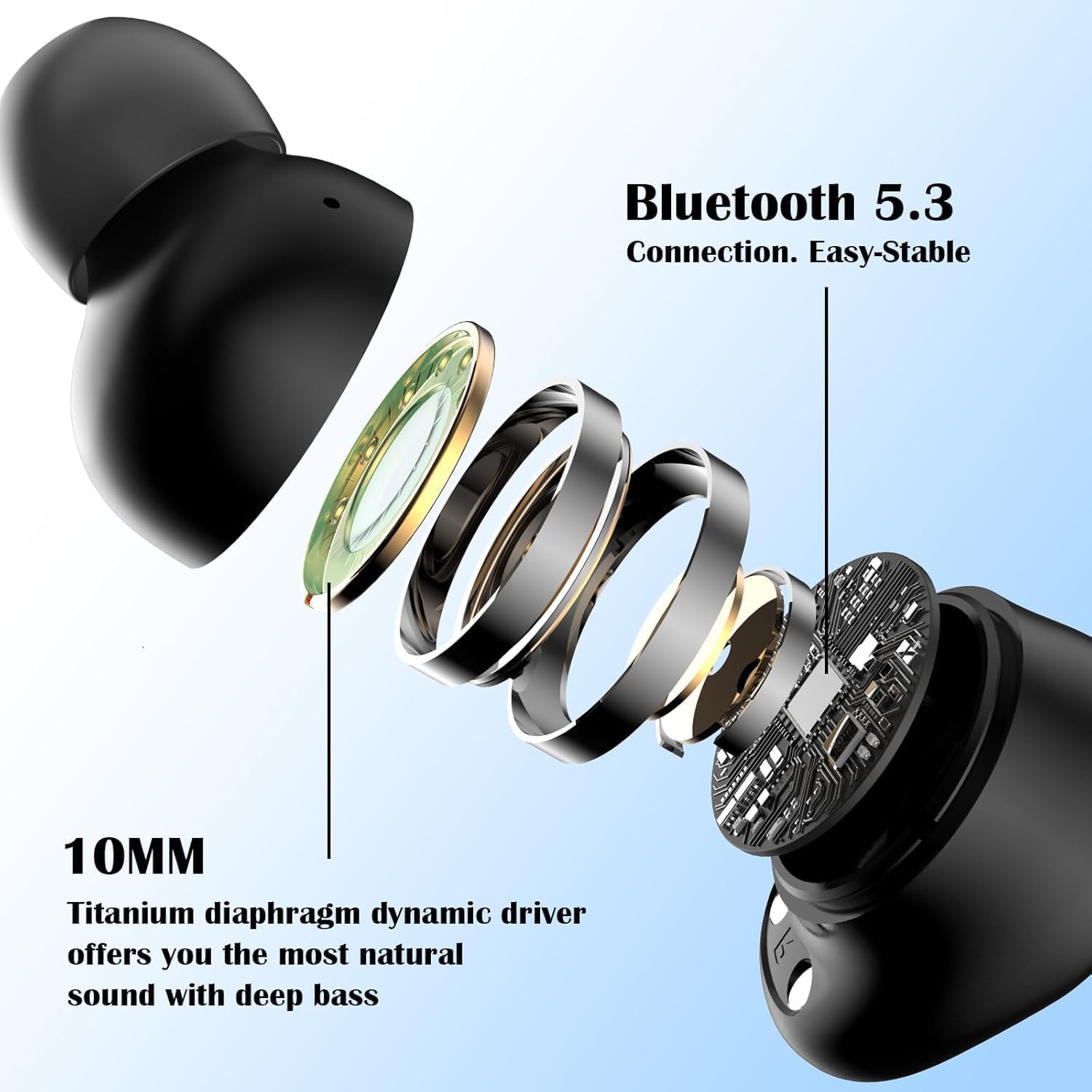
ചിത്രം: പൊട്ടിത്തെറിച്ച ഒരു view of a Monster Achieve 300 AirLinks earbud, detailing the internal components including the 10MM Titanium diaphragm dynamic driver for natural sound and deep bass.
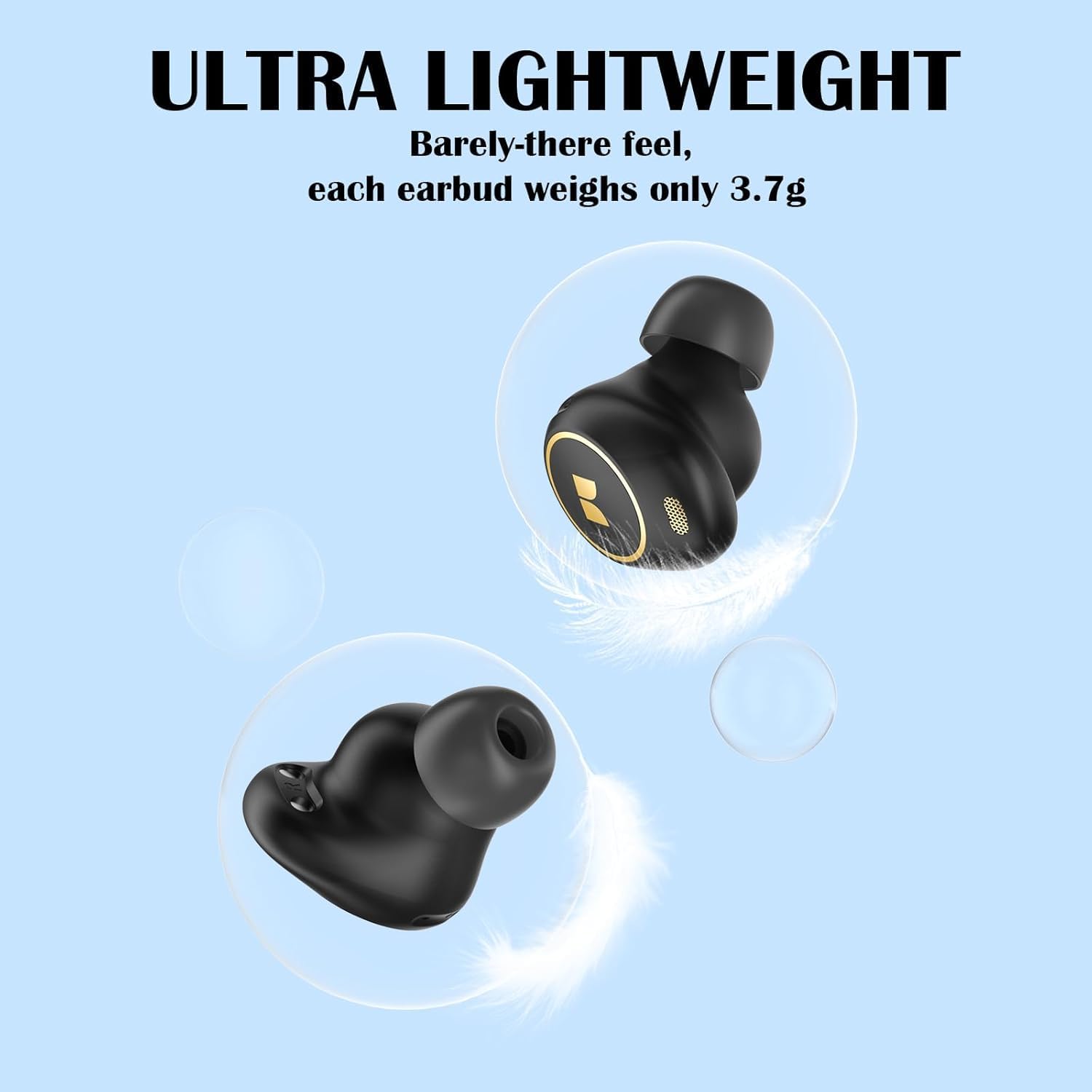
Image: A visual representation emphasizing the ultra-lightweight design of the Monster Achieve 300 AirLinks earbuds, with each earbud weighing only 3.7g.
മെയിൻ്റനൻസ്
To ensure the longevity and optimal performance of your Monster Achieve 300 AirLinks earbuds:
- വൃത്തിയാക്കൽ: ഇയർബഡുകളും ചാർജിംഗ് കെയ്സും മൃദുവായതും ഉണങ്ങിയതും ലിന്റ് രഹിതവുമായ തുണി ഉപയോഗിച്ച് പതിവായി വൃത്തിയാക്കുക. കഠിനമായ രാസവസ്തുക്കളോ ഉരച്ചിലുകളോ ഉള്ള വസ്തുക്കൾ ഉപയോഗിക്കരുത്.
- ജല പ്രതിരോധം: The earbuds are IPX6 water-resistant, meaning they can withstand powerful water jets. This makes them ideal for sports and outdoor activities, protecting against sweat and rain. However, they are not designed for submersion in water. Ensure they are dry before placing them back in the charging case.
- സംഭരണം: ഉപയോഗത്തിലില്ലാത്തപ്പോൾ, ഇയർബഡുകൾ സംരക്ഷിക്കുന്നതിനും ചാർജ്ജ് ചെയ്ത നിലയിൽ നിലനിർത്തുന്നതിനും അവ ചാർജിംഗ് കേസിൽ സൂക്ഷിക്കുക.
- താപനില: ഇയർബഡുകൾ കടുത്ത താപനിലയിലോ (ചൂടോ തണുപ്പോ) ഉയർന്ന ആർദ്രതയിലോ തുറന്നുകാട്ടുന്നത് ഒഴിവാക്കുക.
ട്രബിൾഷൂട്ടിംഗ്
നിങ്ങളുടെ ഇയർബഡുകളിൽ പ്രശ്നങ്ങൾ നേരിടുകയാണെങ്കിൽ, ഇനിപ്പറയുന്ന പരിഹാരങ്ങൾ പരീക്ഷിക്കുക:
| പ്രശ്നം | പരിഹാരം |
|---|---|
| ഇയർബഡുകൾ ജോടിയാക്കുന്നില്ല |
|
| ഒരു ഇയർബഡിൽ നിന്ന് ശബ്ദമില്ല |
|
| ഇയർബഡുകൾ ചാർജ് ചെയ്യുന്നില്ല |
|
| മോശം കോൾ നിലവാരം |
|
സ്പെസിഫിക്കേഷനുകൾ
| ഫീച്ചർ | വിശദാംശങ്ങൾ |
|---|---|
| മോഡലിൻ്റെ പേര് | MH12005 |
| കണക്റ്റിവിറ്റി ടെക്നോളജി | വയർലെസ്സ് (ബ്ലൂടൂത്ത് 5.3) |
| ജല പ്രതിരോധ നില | IPX6 (വാട്ടർപ്രൂഫ്) |
| ബാറ്ററി ശരാശരി ആയുസ്സ് | 32 മണിക്കൂർ (ചാർജിംഗ് കേസിനൊപ്പം) |
| ചെവി പ്ലേസ്മെൻ്റ് | ചെവിയിൽ |
| ഫോം ഫാക്ടർ | ചെവിയിൽ |
| പ്രതിരോധം | 29.99 ഓം |
| പ്രത്യേക സവിശേഷതകൾ | Volume Control, Touch Control, Built-in Mic for Clear Calls |
| അനുയോജ്യമായ ഉപകരണങ്ങൾ | Smartphones, Tablets, Laptops, Smart Speakers |
| ഇനത്തിൻ്റെ ഭാരം | 120 ഗ്രാം (പാഴ്സൽ അളവുകൾ) |
വാറൻ്റിയും പിന്തുണയും
For warranty information or technical support, please refer to the warranty card included in your package or visit the official Monster website. If you have any questions or require assistance, please feel free to contact our customer service team. We are committed to providing quality service within 24 hours.
നിങ്ങൾക്ക് കൂടുതൽ വിവരങ്ങളും പിന്തുണയും ഇവിടെ കണ്ടെത്താനാകും ആമസോണിലെ മോൺസ്റ്റർ സ്റ്റോർ.