
ആമുഖം
This manual provides comprehensive instructions for the setup, operation, and maintenance of your TD80W Mini Portable Projector. Designed for versatility, this projector offers Full HD 1080P resolution with 4K video decoding support, Android 13.0 OS, dual-band WiFi, and Bluetooth connectivity, making it suitable for home theater, gaming, and presentations.
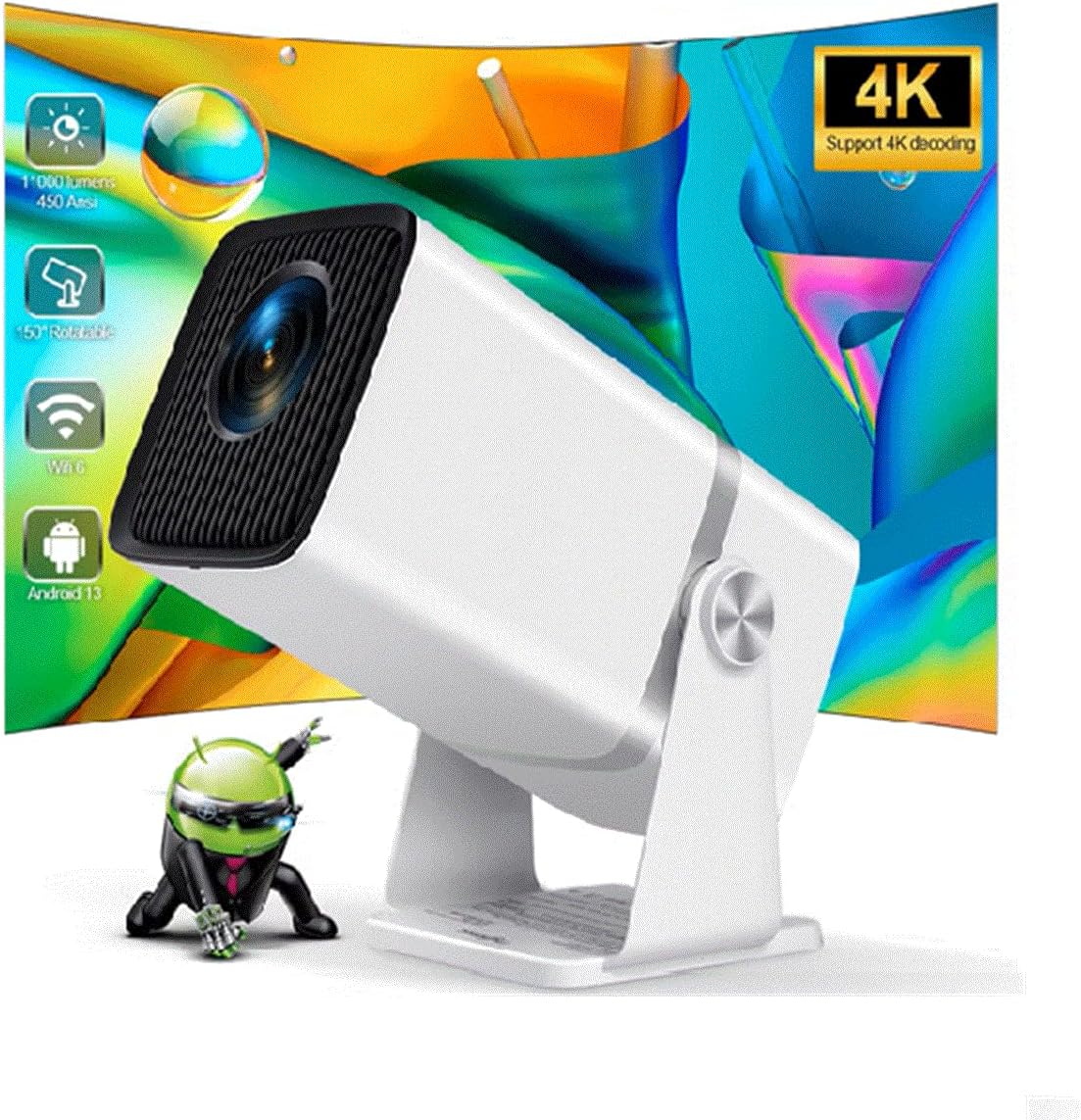
Image: The TD80W Mini Portable Projector, showcasing its compact design and projection capabilities.
ബോക്സിൽ എന്താണുള്ളത്
അൺബോക്സിംഗ് ചെയ്യുമ്പോൾ, ഇനിപ്പറയുന്ന എല്ലാ ഇനങ്ങളും ഉണ്ടെന്ന് ഉറപ്പാക്കുക:
- റിമോട്ട് കൺട്രോൾ
- പവർ കോർഡ്
- HDMI കേബിൾ
- എവി കേബിൾ
സജ്ജമാക്കുക
1. പ്ലേസ്മെന്റും പവറും
Place the projector on a stable, flat surface. Ensure adequate ventilation around the device. Connect the power cord to the projector's power input and then to a suitable electrical outlet (AC110-240V / 50-60Hz).
2. പ്രാരംഭ പവർ ഓൺ
Press the power button on the projector or the remote control to turn on the device. The projector will boot into the Android 13.0 OS interface.
3. ഫോക്കസും കീസ്റ്റോൺ തിരുത്തലും
Adjust the focus manually using the focus ring on the projector lens until the image is clear. The TD80W supports 6D Keystone correction, including 4-point manual keystone correction and auto vertical keystone correction, to ensure a perfectly rectangular image even when the projector is not directly aligned with the screen. Utilize the settings menu to access these adjustments.

Image: Visual representation of the TD80W projector's features, including 150-degree rotating projection and 6D keystone correction.
4. കണക്റ്റിവിറ്റി
The TD80W offers multiple connectivity options:
- എച്ച്ഡിഎംഐ: Connect external devices like laptops, gaming consoles, or TV boxes using the HDMI port.
- USB: Insert USB drives for direct media playback or to read office documents (Excel/Word/PDF/PowerPoint).
- വൈഫൈ: Connect to your home network via 2.4G, 5G, or WiFi 6 for online streaming and app downloads. Navigate to ക്രമീകരണം > നെറ്റ്വർക്കും ഇൻ്റർനെറ്റും > വൈഫൈ ബന്ധിപ്പിക്കാൻ.
- ബ്ലൂടൂത്ത്: Pair Bluetooth-enabled devices like external speakers or headphones (BT 5.0). Go to ക്രമീകരണം > കണക്റ്റുചെയ്ത ഉപകരണങ്ങൾ > പുതിയ ഉപകരണം ജോടിയാക്കുക.
- 3.5mm ഇയർഫോൺ ഔട്ട്: ഹെഡ്ഫോണുകളിലേക്കോ ബാഹ്യ സ്പീക്കറുകളിലേക്കോ ഉള്ള വയേർഡ് ഓഡിയോ ഔട്ട്പുട്ടിനായി.

Image: Diagram illustrating the various input/output ports on the TD80W projector, including USB, HD (HDMI), ON/OFF, Headset jack, and Power.

Image: Depiction of the projector's dual-band WiFi 6 capabilities, showing seamless video streaming for both 2.4G and 5G connections.
പ്രവർത്തന നിർദ്ദേശങ്ങൾ
1. Android 13.0 OS Navigation
The projector runs on Android 13.0 OS. Use the remote control to navigate the interface. The home screen provides access to installed applications, settings, and media inputs. You can download and install additional applications from the Play Store.
2. സ്ക്രീൻ മിററിംഗ്
The TD80W supports DLAN, Airplay, and Mirocast for wireless screen synchronization with Android and iOS phones. Follow the on-screen instructions within the respective mirroring app on the projector to connect your mobile device.
3. 3D പ്രവർത്തനം
The projector supports red-blue 3D content. To experience 3D, you will need compatible red-blue 3D glasses (sold separately) and 3D content. Activate the 3D mode through the projector's display settings if available, or ensure your media player supports 3D output.
Video: A comparison video showcasing the clarity and color vibrancy of the TD80W projector compared to the HY320 model, highlighting improved image quality and features like easy dust cleaning.
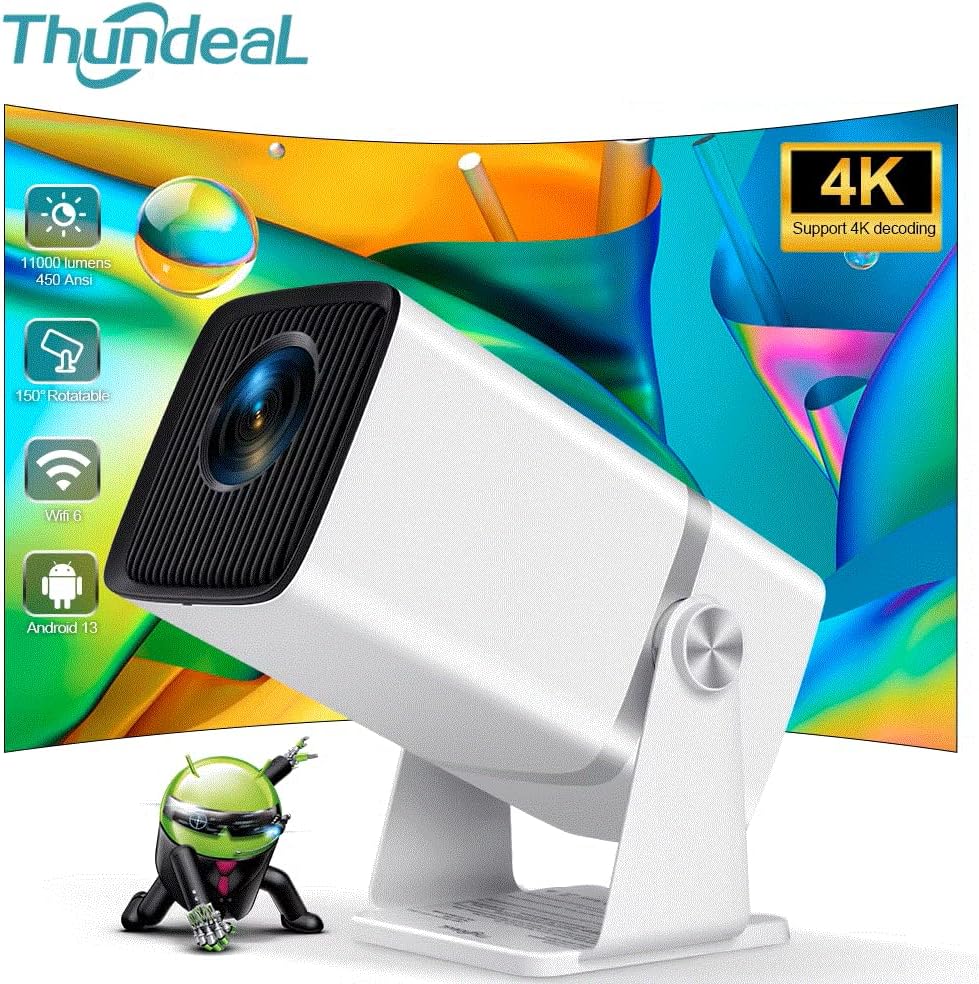
Image: A side-by-side comparison of the TD80W and HY320 projectors, illustrating the TD80W's superior native 1080P resolution, 11000 lumens brightness, and 10000:1 contrast ratio.

Image: Various scenarios demonstrating the TD80W projector's versatility, including home entertainment, business presentations, and outdoor movie nights.
മെയിൻ്റനൻസ്
പതിവ് അറ്റകുറ്റപ്പണികൾ മികച്ച പ്രകടനം ഉറപ്പാക്കുകയും നിങ്ങളുടെ പ്രൊജക്ടറിന്റെ ആയുസ്സ് വർദ്ധിപ്പിക്കുകയും ചെയ്യുന്നു.
- ലെൻസ് വൃത്തിയാക്കൽ: ഒപ്റ്റിക്കൽ ലെൻസുകൾക്കായി പ്രത്യേകം രൂപകൽപ്പന ചെയ്ത മൃദുവായ, ലിന്റ് രഹിത തുണി ഉപയോഗിക്കുക. ഉരച്ചിലുകളുള്ള വസ്തുക്കളോ കഠിനമായ രാസവസ്തുക്കളോ ഒഴിവാക്കുക.
- പൊടി നീക്കം: The TD80W is designed for easy dust cleaning. Refer to the video demonstration in the Operating section for visual guidance on accessing and cleaning internal dust accumulation.
- വെൻ്റിലേഷൻ: പ്രൊജക്ടറിന്റെ വെന്റിലേഷൻ പോർട്ടുകൾ അമിതമായി ചൂടാകുന്നത് തടയാൻ തടസ്സങ്ങളൊന്നുമില്ലെന്ന് ഉറപ്പാക്കുക.
- Lamp ജീവിതം: The LED light source has an estimated lifespan of 50,000 hours, providing long-term reliability.
ട്രബിൾഷൂട്ടിംഗ്
If you encounter issues with your projector, please refer to the following common problems and solutions:
| പ്രശ്നം | സാധ്യമായ കാരണം / പരിഹാരം |
|---|---|
| ചിത്രമോ വികലമായ ചിത്രമോ ഇല്ല. |
|
| Poor image quality (blurry, dim colors) |
|
| ശബ്ദമില്ല |
|
| വൈഫൈ/ബ്ലൂടൂത്ത് കണക്റ്റ് ചെയ്യാൻ കഴിയുന്നില്ല |
|
സ്പെസിഫിക്കേഷനുകൾ
Detailed technical specifications for the TD80W Mini Portable Projector:
| ഫീച്ചർ | വിവരണം |
|---|---|
| ബ്രാൻഡ് | ജനറിക് |
| മോഡൽ നമ്പർ | 4K Full HD Projector FHD TD80W |
| നേറ്റീവ് റെസല്യൂഷൻ | 1920x1080P ഫുൾ എച്ച്ഡി |
| പരമാവധി റെസല്യൂഷൻ പിന്തുണ | 4K Video Decoding 30fps |
| തെളിച്ചം | 11000 Lumens (450 Ansi Lumens) |
| കോൺട്രാസ്റ്റ് റേഷ്യോ | 10,000:1 - 20,000:1 |
| ഓപ്പറേറ്റിംഗ് സിസ്റ്റം | ആൻഡ്രോയിഡ് 13.0 ഒഎസ് |
| CPU + GPU | Amlogic950S 4-core A53 + Mali-450 |
| മെമ്മറി | RAM 1G + ROM 8G |
| വൈഫൈ | 2.4G / 5G / WiFi 6 |
| ബ്ലൂടൂത്ത് | BT 5.0 |
| കീസ്റ്റോൺ തിരുത്തൽ | Electronic Corr, Auto Correction (6D Keystone) |
| പ്രൊജക്റ്റഡ് ഡൈമൻഷൻ | 40-120 inches (up to 250" screen mentioned in image) |
| പ്രൊജക്ഷൻ ദൂരം | 1.2-4 മീറ്റർ |
| പ്രകാശ സ്രോതസ്സ് | LED (50,000 മണിക്കൂർ lamp ജീവിതം) |
| സ്പീക്കർ | 4Ohms, 3W HIFI STEREO |
| വർക്കിംഗ് വോളിയംtage | AC110-240V / 50-60Hz |
| 3D പ്രവർത്തനം | ചുവപ്പ് നീല 3D പിന്തുണയ്ക്കുക |
| ഇമേജ് ഫ്ലിപ്പ് | 360 ഡിഗ്രി ഫ്ലിപ്പ് |
| സൂം ചെയ്യുക | 0-100% |
| കണക്റ്റിവിറ്റി ടെക്നോളജി | VGA, ബ്ലൂടൂത്ത്, Wi-Fi, USB, HDMI |
വാറൻ്റിയും പിന്തുണയും
For warranty information and technical support, please refer to the documentation provided with your purchase or contact the manufacturer directly. General product support and FAQs may also be available on the brand's official webസൈറ്റ്.
കുറിപ്പ്: നിർദ്ദിഷ്ട വാറന്റി നിബന്ധനകളും വ്യവസ്ഥകളും പ്രദേശത്തെയും റീട്ടെയിലറെയും ആശ്രയിച്ച് വ്യത്യാസപ്പെടാം.