
1. പ്രധാന സുരക്ഷാ നിർദ്ദേശങ്ങൾ
ഈ ഉപകരണം ഉപയോഗിക്കുന്നതിന് മുമ്പ് എല്ലാ നിർദ്ദേശങ്ങളും ശ്രദ്ധാപൂർവ്വം വായിക്കുകയും ഭാവിയിലെ റഫറൻസിനായി സൂക്ഷിക്കുകയും ചെയ്യുക. ഈ നിർദ്ദേശങ്ങൾ പാലിക്കുന്നതിൽ പരാജയപ്പെടുന്നത് വൈദ്യുതാഘാതം, തീപിടുത്തം അല്ലെങ്കിൽ ഗുരുതരമായ പരിക്കിന് കാരണമായേക്കാം.
- വൈദ്യുതി വിതരണം വോളിയം ഉറപ്പാക്കുകtage ഉപകരണത്തിലെ റേറ്റിംഗ് ലേബലുമായി പൊരുത്തപ്പെടുന്നു.
- അപ്ലയൻസ്, ചരട്, പ്ലഗ് എന്നിവ വെള്ളത്തിലോ മറ്റ് ദ്രാവകങ്ങളിലോ മുക്കരുത്.
- ഉപയോഗത്തിലില്ലാത്തപ്പോൾ, വൃത്തിയാക്കുന്നതിന് മുമ്പ്, അല്ലെങ്കിൽ നീക്കുന്നതിന് മുമ്പ് ഔട്ട്ലെറ്റിൽ നിന്ന് പ്ലഗ് അൺപ്ലഗ് ചെയ്യുക.
- Keep hands, hair, and clothing away from the fan opening during operation.
- കേടായ കോർഡോ പ്ലഗോ ഉപയോഗിച്ച് ഒരു ഉപകരണവും പ്രവർത്തിപ്പിക്കരുത്, അല്ലെങ്കിൽ ഉപകരണത്തിൻ്റെ തകരാറുകൾ അല്ലെങ്കിൽ ഏതെങ്കിലും വിധത്തിൽ കേടുപാടുകൾ സംഭവിച്ചതിന് ശേഷം.
- ഈ ഉപകരണം ഇൻഡോർ ഗാർഹിക ഉപയോഗത്തിന് മാത്രമുള്ളതാണ്.
- വായുസഞ്ചാരം തടയരുത് അല്ലെങ്കിൽ വായുസഞ്ചാരം തടസ്സപ്പെടുത്തുന്ന കർട്ടനുകൾക്കോ മറ്റ് വസ്തുക്കൾക്കോ സമീപം പ്രവർത്തിക്കരുത്.
- കുട്ടികൾ ഉപകരണം ഉപയോഗിച്ച് കളിക്കുന്നില്ലെന്ന് ഉറപ്പാക്കാൻ മേൽനോട്ടം വഹിക്കണം.
2. ഉൽപ്പന്നം കഴിഞ്ഞുview
The Defy DBF400 is a bladeless fan and air purifier designed to provide both cooling and improved air quality. Its sleek design integrates seamlessly into various home environments.

ചിത്രം 2.1: ഫ്രണ്ട് view of the Defy DBF400 Bladeless Fan and Purifier. This image shows the tall, black, bladeless design with the control panel and display located at the base.
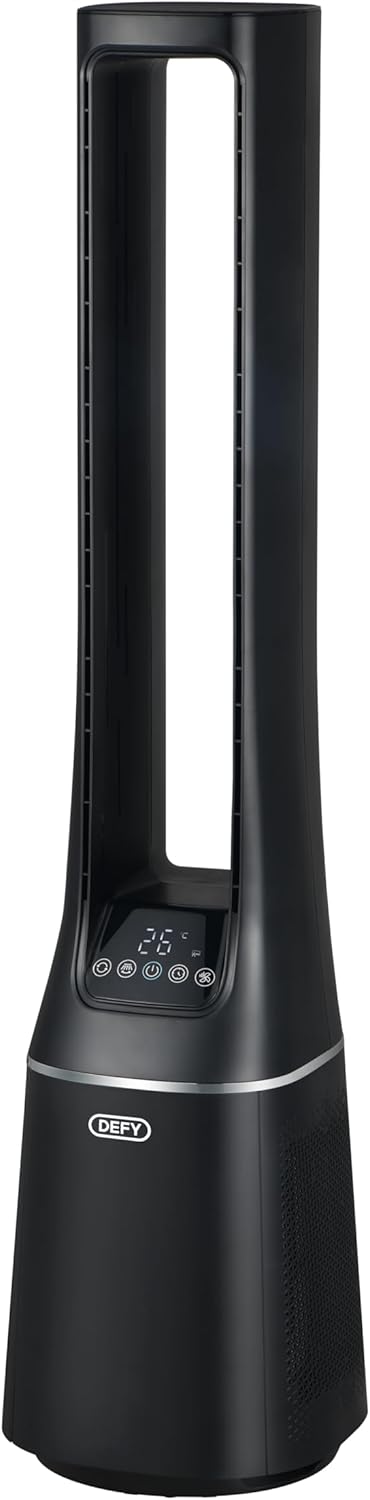
ചിത്രം 2.2: വശം view of the Defy DBF400, highlighting its slim profile and the air intake vents located at the lower section of the unit.

ചിത്രം 2.3: പിൻഭാഗം view of the Defy DBF400, showing the smooth, continuous surface and the location of the power cord connection point.
3. സജ്ജീകരണം
Follow these steps to set up your Defy DBF400 Bladeless Fan and Purifier:
- അൺപാക്ക് ചെയ്യുന്നു: ഉപകരണം അതിന്റെ പാക്കേജിംഗിൽ നിന്ന് ശ്രദ്ധാപൂർവ്വം നീക്കം ചെയ്യുക. ഭാവിയിലെ സംഭരണത്തിനോ ഗതാഗതത്തിനോ വേണ്ടി എല്ലാ പാക്കേജിംഗ് വസ്തുക്കളും സൂക്ഷിക്കുക.
- പ്ലേസ്മെൻ്റ്: Place the unit on a firm, level surface. Ensure there is at least 30 cm (12 inches) of clear space around the unit for optimal airflow. Avoid placing it near heat sources or in direct sunlight.
- പവർ കണക്ഷൻ: Insert the power plug into a standard 220V AC electrical outlet. Ensure the cord is not pinched or placed under heavy objects.
4. പ്രവർത്തന നിർദ്ദേശങ്ങൾ
The Defy DBF400 can be operated using the touch control panel on the unit or the included remote control.
4.1 നിയന്ത്രണ പാനൽ
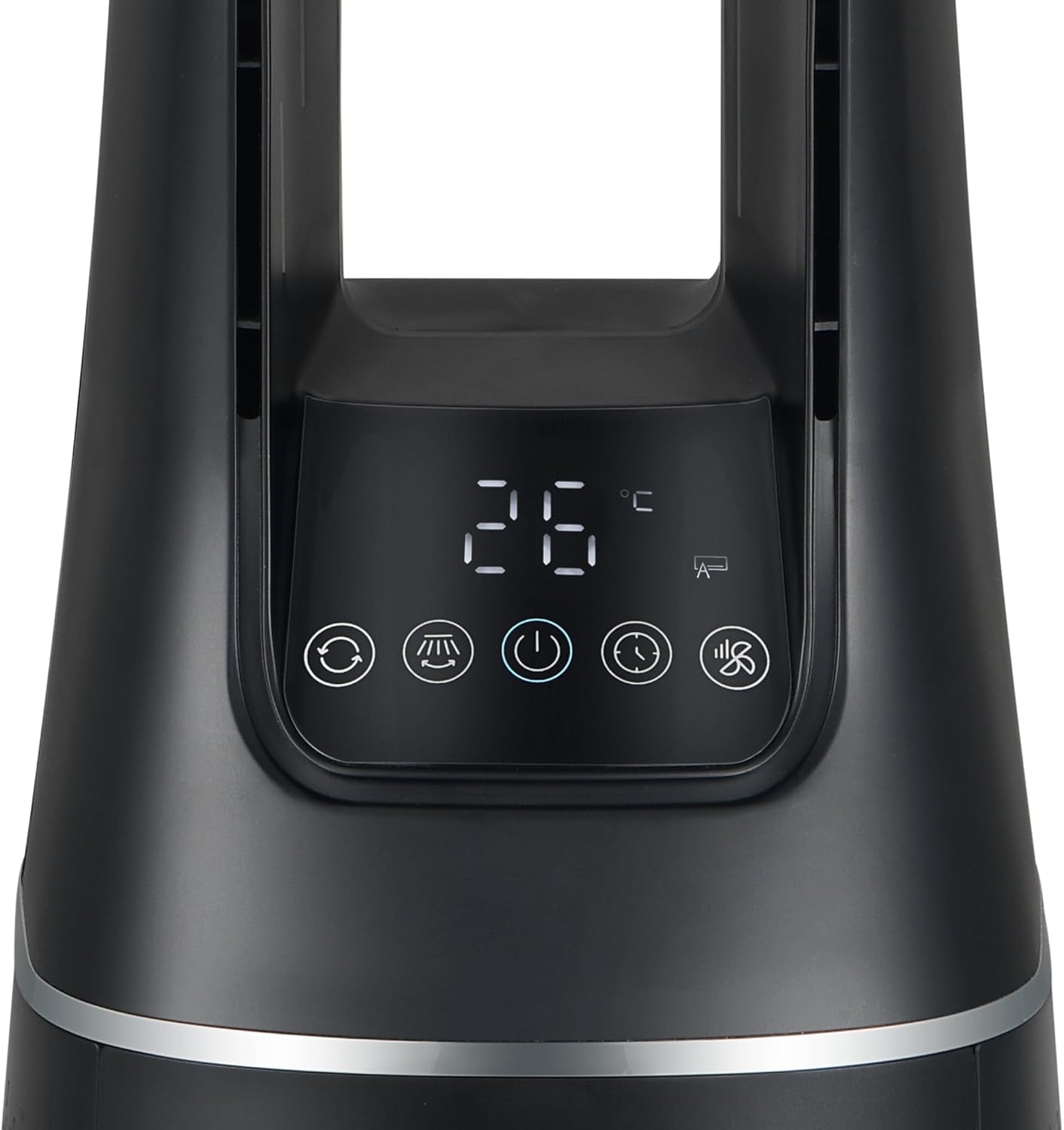
ചിത്രം 4.1: Close-up of the control panel and digital display on the Defy DBF400. The display shows '26 °C' and various icons for modes and functions.
The control panel features a digital display and touch-sensitive buttons for various functions:
- പവർ ബട്ടൺ (⏻): യൂണിറ്റ് ഓണാക്കുകയോ ഓഫാക്കുകയോ ചെയ്യുന്നു.
- മോഡ് ബട്ടൺ (M): Cycles through the 4 wind modes: Normal, Sleep, Smart, and Baby.
- വേഗത ക്രമീകരണം (+ / -): Increases or decreases the fan speed (10 speed settings).
- ഓസിലേഷൻ ബട്ടൺ (⟳): Activates or deactivates the 60-degree oscillation function.
- ടൈമർ ബട്ടൺ (🕒): ഓട്ടോ-ഓഫ് ടൈമർ സജ്ജമാക്കുന്നു.
4.2 വിദൂര നിയന്ത്രണം

ചിത്രം 4.2: The multi-functional remote control for the Defy DBF400. It is black with white buttons, including power, mode, speed adjustment, and timer functions.
The remote control provides convenient access to all functions from a distance. Ensure the remote control is pointed towards the unit's control panel for proper operation.
- പവർ ബട്ടൺ: യൂണിറ്റ് ഓണാക്കുകയോ ഓഫാക്കുകയോ ചെയ്യുന്നു.
- മോഡ് ബട്ടൺ (M): Selects desired wind mode.
- Speed Adjustment (+ / -): ഫാൻ വേഗത ക്രമീകരിക്കുന്നു.
- ഓസിലേഷൻ ബട്ടൺ: Toggles oscillation.
- Timer Button (L): ഓട്ടോ-ഓഫ് ടൈമർ സജ്ജമാക്കുന്നു.
4.3 കാറ്റ് മോഡുകൾ
- Normal Wind Mode: Provides a continuous airflow at the selected speed.
- സ്ലീപ്പ് മോഡ്: ഉറങ്ങാൻ ശാന്തമായ അന്തരീക്ഷം നൽകുന്നതിന് കാലക്രമേണ ഫാൻ വേഗത ക്രമേണ കുറയ്ക്കുന്നു.
- സ്മാർട്ട് മോഡ്: മുറിയിലെ അന്തരീക്ഷ താപനിലയെ അടിസ്ഥാനമാക്കി ഫാൻ വേഗത സ്വയമേവ ക്രമീകരിക്കുന്നു.
- ബേബി മോഡ്: Operates at a gentle, low speed for minimal disturbance.
5. പരിപാലനം
Regular maintenance ensures optimal performance and longevity of your Defy DBF400.
5.1 പുറംഭാഗം വൃത്തിയാക്കൽ
- വൃത്തിയാക്കുന്നതിന് മുമ്പ് എല്ലായ്പ്പോഴും യൂണിറ്റ് അൺപ്ലഗ് ചെയ്യുക.
- ഒരു മൃദുവായ, ഡി ഉപയോഗിച്ച് ബാഹ്യ പ്രതലങ്ങൾ തുടയ്ക്കുകamp തുണി. ഉരച്ചിലുകളുള്ള ക്ലീനറുകളോ ലായകങ്ങളോ ഉപയോഗിക്കരുത്.
- ആന്തരിക ഘടകങ്ങളിലേക്ക് വെള്ളം കയറുന്നില്ലെന്ന് ഉറപ്പാക്കുക.
5.2 എയർ ഫിൽറ്റർ വൃത്തിയാക്കൽ/മാറ്റിസ്ഥാപിക്കൽ
The air purifier function relies on a clean filter. Refer to the product's specific filter access instructions for cleaning or replacement. Typically, filters should be checked every 3-6 months depending on usage and air quality.
- യൂണിറ്റ് അൺപ്ലഗ് ചെയ്യുക.
- Locate the filter cover (usually at the back or bottom of the unit).
- Remove the filter. If washable, clean according to instructions. If not, replace with a genuine Defy replacement filter.
- Reinsert the filter and secure the cover.
6. പ്രശ്നപരിഹാരം
If you encounter issues with your Defy DBF400, refer to the following common problems and solutions:
| പ്രശ്നം | സാധ്യമായ കാരണം | പരിഹാരം |
|---|---|---|
| യൂണിറ്റ് ഓണാക്കുന്നില്ല | No power supply; Power cord not properly plugged in | പവർ ഔട്ട്ലെറ്റ് പരിശോധിക്കുക; പവർ കോർഡ് സുരക്ഷിതമായി പ്ലഗ് ഇൻ ചെയ്തിട്ടുണ്ടെന്ന് ഉറപ്പാക്കുക. |
| ദുർബലമായ വായുപ്രവാഹം | Air intake/outlet blocked; Filter dirty; Low fan speed setting | Clear obstructions; Clean or replace filter; Increase fan speed |
| റിമോട്ട് കൺട്രോൾ പ്രവർത്തിക്കുന്നില്ല | Batteries depleted; Obstruction between remote and unit; Remote not pointed correctly | Replace batteries; Remove obstructions; Point remote directly at control panel |
| അസാധാരണമായ ശബ്ദം | Unit not on a level surface; Foreign object inside | Place on a stable, level surface; Unplug and carefully check for obstructions (do not disassemble) |
ഈ പരിഹാരങ്ങൾ പരീക്ഷിച്ചതിനുശേഷവും പ്രശ്നം നിലനിൽക്കുകയാണെങ്കിൽ, ദയവായി ഉപഭോക്തൃ പിന്തുണയുമായി ബന്ധപ്പെടുക.
7 സ്പെസിഫിക്കേഷനുകൾ
| ഫീച്ചർ | വിശദാംശങ്ങൾ |
|---|---|
| മോഡൽ നമ്പർ | DBF400 |
| ബ്രാൻഡ് | എതിർക്കുക |
| പവർ / വാട്ട്tage | 36 വാട്ട്സ് |
| വാല്യംtage | 220 വോൾട്ട് |
| വേഗതകളുടെ എണ്ണം | 10 |
| കാറ്റ് മോഡുകൾ | Normal, Sleep, Smart, Baby |
| ഓസിലേഷൻ | 60 ഡിഗ്രി |
| നിയന്ത്രണ തരം | ടച്ച് പാനൽ, റിമോട്ട് കൺട്രോൾ |
| മെറ്റീരിയൽ | പ്ലാസ്റ്റിക് |
| അളവുകൾ (D x W x H) | 25.5 x 25.5 x 105.6 സെ.മീ |
| ഇനത്തിൻ്റെ ഭാരം | 5.8 കി.ഗ്രാം |
8. വാറൻ്റി വിവരങ്ങൾ
This Defy appliance comes with a standard manufacturer's warranty. Please refer to the warranty card included with your purchase for specific terms, conditions, and duration. Keep your proof of purchase for any warranty claims.
The warranty typically covers defects in materials and workmanship under normal household use. It does not cover damage resulting from misuse, accident, unauthorized modification, or failure to follow the instructions in this manual.
9. ഉപഭോക്തൃ പിന്തുണ
For technical assistance, spare parts, or service inquiries, please contact Defy customer support. Have your model number (DBF400) and proof of purchase ready when contacting support.
Contact details can typically be found on the Defy official webസൈറ്റ് അല്ലെങ്കിൽ നിങ്ങളുടെ ഉൽപ്പന്നത്തിനൊപ്പം നൽകിയിരിക്കുന്ന വാറന്റി കാർഡിൽ.