
1. ആമുഖം
The Promate AirClip True Wireless Earbuds feature Open Wearable Stereo (OWS) technology, providing an open-ear listening experience. This design allows for enhanced environmental awareness while delivering clear audio. The earbuds are equipped with IntelliTouch controls and an ergonomic clip design for stable wear.

Image: Promate AirClip True Wireless Earbuds in their white charging case.

Image: Close-up of Promate AirClip earbuds highlighting the Open Wearable Stereo (OWS) clip-on design.
2. പാക്കേജ് ഉള്ളടക്കം
നിങ്ങളുടെ പാക്കേജിൽ എല്ലാ ഇനങ്ങളും ഉണ്ടെന്ന് ദയവായി പരിശോധിക്കുക:
- Promate AirClip True Wireless Earbuds (Left and Right)
- ചാർജിംഗ് കേസ്
- യുഎസ്ബി ചാർജിംഗ് കേബിൾ
- ഉപയോക്തൃ മാനുവൽ

Image: The Promate AirClip earbuds and their charging case, representing the main components.
3. സജ്ജീകരണം
3.1 ഇയർബഡുകളും കേസും ചാർജ് ചെയ്യുന്നു
Before first use, fully charge the earbuds and charging case. The charging case has a 500mAh battery, providing extended playtime.
- നൽകിയിരിക്കുന്ന USB ചാർജിംഗ് കേബിൾ കേസിലെ ചാർജിംഗ് പോർട്ടിലേക്കും അനുയോജ്യമായ ഒരു USB പവർ സ്രോതസ്സിലേക്കും ബന്ധിപ്പിക്കുക.
- ചാർജിംഗ് കേസിലെ ഇൻഡിക്കേറ്റർ ലൈറ്റ് ചാർജിംഗ് നില കാണിക്കും.
- ചാർജിംഗ് കേസിൽ ഇയർബഡുകൾ വയ്ക്കുക. ചാർജിംഗ് ആരംഭിക്കാൻ അവ ശരിയായി സ്ഥാപിച്ചിട്ടുണ്ടെന്ന് ഉറപ്പാക്കുക.
- A full charge for the case takes approximately 2-3 hours, and for the earbuds, it takes about 30 minutes.
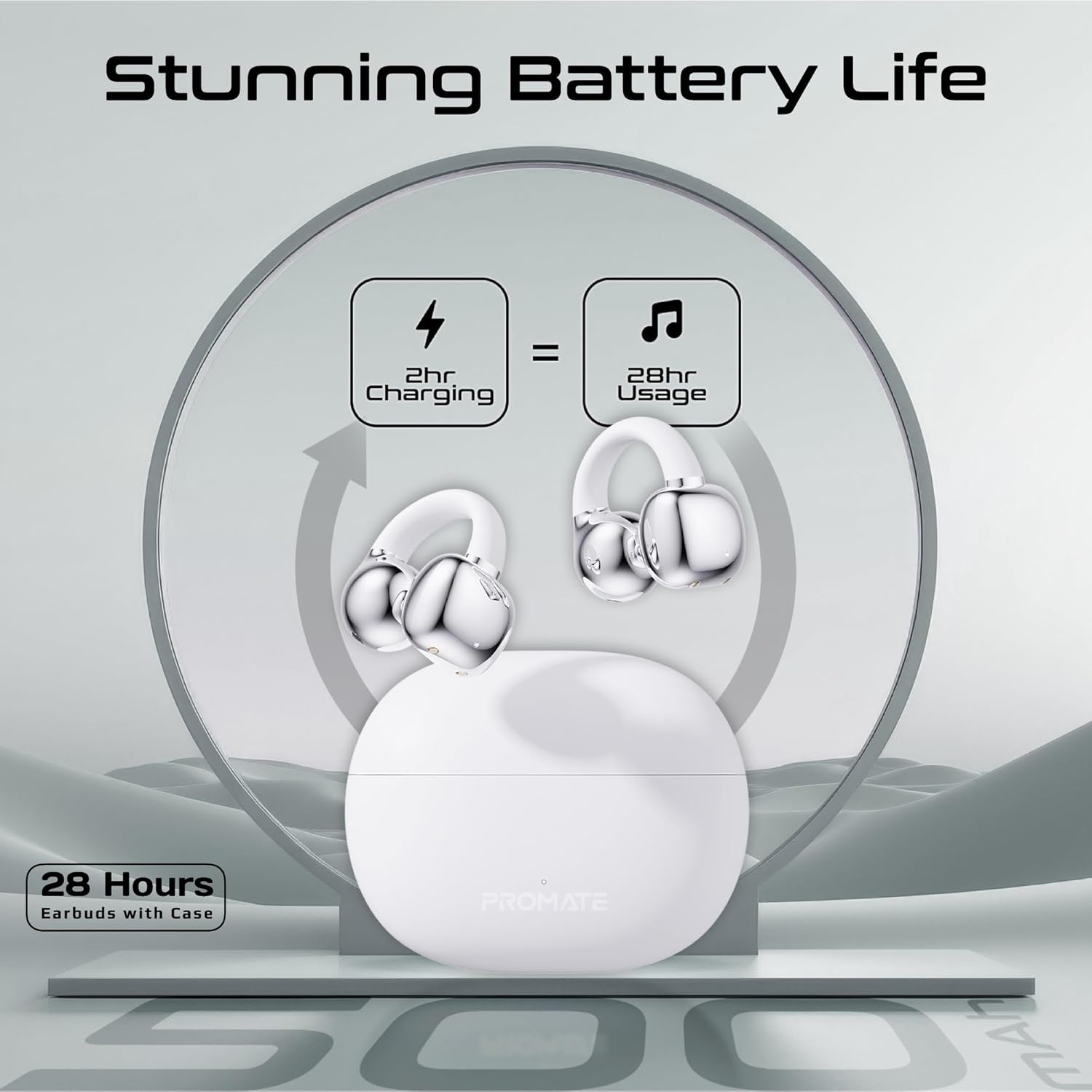
Image: An illustration demonstrating the battery life, indicating 2 hours of charging provides 28 hours of usage with the case.
3.2 ബ്ലൂടൂത്ത് ജോടിയാക്കൽ
Follow these steps to pair your Promate AirClip earbuds with your device:
- ചാർജിംഗ് കേസ് തുറക്കുക. ഇയർബഡുകൾ സ്വയമേവ ജോടിയാക്കൽ മോഡിലേക്ക് പ്രവേശിക്കും.
- നിങ്ങളുടെ ഉപകരണത്തിൽ (സ്മാർട്ട്ഫോൺ, ടാബ്ലെറ്റ് മുതലായവ), ബ്ലൂടൂത്ത് പ്രവർത്തനക്ഷമമാക്കുക.
- ഇതിനായി തിരയുക available Bluetooth devices and select "Promate AirClip" from the list.
- കണക്റ്റുചെയ്തുകഴിഞ്ഞാൽ, ഒരു വോയ്സ് പ്രോംപ്റ്റ് വിജയകരമായ ജോടിയാക്കൽ സ്ഥിരീകരിക്കും.
- ഉപകരണത്തിൽ ബ്ലൂടൂത്ത് പ്രവർത്തനക്ഷമമാക്കിയിട്ടുണ്ടെങ്കിൽ, കേസിൽ നിന്ന് പുറത്തെടുക്കുമ്പോൾ ഇയർബഡുകൾ അവസാനം ജോടിയാക്കിയ ഉപകരണവുമായി യാന്ത്രികമായി വീണ്ടും കണക്റ്റുചെയ്യും.
4. പ്രവർത്തന നിർദ്ദേശങ്ങൾ
4.1 ഇയർബഡുകൾ ധരിക്കൽ
The AirClip earbuds feature an ergonomic open-ear clip design for a secure and comfortable fit.
- ഇടത് (L) ഉം വലത് (R) ഉം ഇയർബഡുകൾ തിരിച്ചറിയുക.
- Gently clip the earbud onto your ear, ensuring the speaker portion is positioned correctly for optimal sound and the clip rests comfortably around your ear.
- Adjust for a snug fit that remains stable during movement.

Image: A person wearing the Promate AirClip earbud, illustrating the AudioFit stable design and open-ear placement.
4.2 IntelliTouch Controls
The earbuds are equipped with touch-sensitive controls for easy management of audio and calls.
- പ്ലേ/താൽക്കാലികമായി നിർത്തുക: ഇയർബഡുകളിൽ ഏതെങ്കിലുമൊന്നിൽ ഒറ്റ ടാപ്പ് ചെയ്യുക.
- അടുത്ത ട്രാക്ക്: വലതുവശത്തെ ഇയർബഡിൽ രണ്ടുതവണ ടാപ്പ് ചെയ്യുക.
- മുമ്പത്തെ ട്രാക്ക്: ഇടതുവശത്തെ ഇയർബഡിൽ രണ്ടുതവണ ടാപ്പ് ചെയ്യുക.
- ഉത്തരം/അവസാന കോൾ: ഇയർബഡുകളിൽ ഏതെങ്കിലുമൊന്നിൽ ഒറ്റ ടാപ്പ് ചെയ്യുക.
- കോൾ നിരസിക്കുക: ഏതെങ്കിലും ഇയർബഡിൽ 2 സെക്കൻഡ് അമർത്തിപ്പിടിക്കുക.
- Activate Voice Assistant (Google Assistant/Amazon Alexa): ഇയർബഡുകളിൽ ഏതെങ്കിലുമൊന്നിൽ മൂന്ന് തവണ ടാപ്പ് ചെയ്യുക.
- ഗെയിം മോഡ്: Press and hold the right earbud for 2 seconds to toggle low latency game mode.

ചിത്രം: ഒരു ക്ലോസ്-അപ്പ് view of a hand interacting with the Promate AirClip earbud, demonstrating the IntelliTouch control feature.

Image: Promate AirClip earbuds shown alongside a smartphone displaying an incoming call, emphasizing crystal clear stereo calls and connectivity.
5. പരിപാലനം
ശരിയായ അറ്റകുറ്റപ്പണി നിങ്ങളുടെ ഇയർബഡുകളുടെ ദീർഘായുസ്സും പ്രകടനവും ഉറപ്പാക്കുന്നു.
- വൃത്തിയാക്കൽ: ഇയർബഡുകളും ചാർജിംഗ് കെയ്സും വൃത്തിയാക്കാൻ മൃദുവായതും ഉണങ്ങിയതും ലിന്റ് രഹിതവുമായ തുണി ഉപയോഗിക്കുക. അബ്രാസീവ് ക്ലീനറുകളോ ലായകങ്ങളോ ഉപയോഗിക്കരുത്.
- ജല പ്രതിരോധം: The earbuds are IPX4 water-resistant, meaning they are protected against splashing water from any direction. Do not submerge them in water or expose them to heavy rain. Dry them thoroughly if they get wet.
- സംഭരണം: ഉപയോഗത്തിലില്ലാത്തപ്പോൾ, ഇയർബഡുകൾ ചാർജിംഗ് കേസിൽ സൂക്ഷിക്കുക, അതുവഴി അവയെ സംരക്ഷിക്കുകയും ചാർജ്ജ് ആയി നിലനിർത്തുകയും ചെയ്യുക. ഉയർന്ന താപനിലയിൽ നിന്ന് മാറി തണുത്തതും വരണ്ടതുമായ സ്ഥലത്ത് സൂക്ഷിക്കുക.

Image: Promate AirClip earbuds and charging case depicted with a water splash effect, indicating IPX4 water resistance.
6. പ്രശ്നപരിഹാരം
If you encounter issues with your Promate AirClip earbuds, refer to the following common solutions:
- ഇയർബഡുകൾ ജോടിയാക്കുന്നില്ല: രണ്ട് ഇയർബഡുകളും ചാർജിംഗ് കെയ്സിലാണെന്ന് ഉറപ്പാക്കുക, തുടർന്ന് ജോടിയാക്കൽ മോഡ് സജീവമാക്കാൻ ലിഡ് തുറക്കുക. നിങ്ങളുടെ ഉപകരണത്തിന്റെ ബ്ലൂടൂത്ത് ക്രമീകരണം പരിശോധിച്ച് വീണ്ടും കണക്റ്റ് ചെയ്യാൻ ശ്രമിക്കുക.
- ഒരു ഇയർബഡിൽ നിന്ന് ശബ്ദമില്ല: Place both earbuds back into the charging case, close the lid, wait a few seconds, then open it again. This can reset the connection.
- ചാർജിംഗ് പ്രശ്നങ്ങൾ: ചാർജിംഗ് കേബിൾ കെയ്സിലേക്കും പവർ സ്രോതസ്സിലേക്കും സുരക്ഷിതമായി ബന്ധിപ്പിച്ചിട്ടുണ്ടെന്ന് ഉറപ്പാക്കുക. ഇയർബഡുകളിലെയും കെയ്സിനുള്ളിലെയും ചാർജിംഗ് കോൺടാക്റ്റുകൾ വൃത്തിയുള്ളതും അവശിഷ്ടങ്ങളില്ലാത്തതുമാണെന്ന് ഉറപ്പാക്കുക.
- കുറഞ്ഞ വോളിയം: Adjust the volume on both your connected device and through the earbud controls. Ensure the earbuds are worn correctly.
- ഇടവിട്ടുള്ള കണക്ഷൻ: Move closer to your connected device to reduce interference. Ensure there are no major obstacles between the earbuds and your device.
7 സ്പെസിഫിക്കേഷനുകൾ
Key technical specifications for the Promate AirClip True Wireless Earbuds:
| ഫീച്ചർ | സ്പെസിഫിക്കേഷൻ |
|---|---|
| മോഡലിൻ്റെ പേര് | AIRCLIP |
| ബ്ലൂടൂത്ത് പതിപ്പ് | 5.3 |
| കണക്റ്റിവിറ്റി ടെക്നോളജി | വയർലെസ് |
| ചെവി പ്ലേസ്മെൻ്റ് | തുറന്ന ചെവി |
| ബാറ്ററി ലൈഫ് (ഇയർബഡുകൾ) | 6 മണിക്കൂർ വരെ |
| ബാറ്ററി ലൈഫ് (കേസിനൊപ്പം) | 28 മണിക്കൂർ വരെ |
| ചാർജിംഗ് കേസ് കപ്പാസിറ്റി | 500mAh |
| ചാർജിംഗ് സമയം (ഇയർബഡുകൾ) | ഏകദേശം 30 മിനിറ്റ് |
| ചാർജിംഗ് സമയം (കേസ്) | ഏകദേശം 2-3 മണിക്കൂർ |
| വാട്ടർ റെസിസ്റ്റൻസ് റേറ്റിംഗ് | IPX4 |
| ഓഡിയോ ഡ്രൈവർ വലിപ്പം | 30 മി.മീ |
| ഇനത്തിൻ്റെ ഭാരം | 42 ഗ്രാം |
| അനുയോജ്യമായ ഉപകരണങ്ങൾ | Gaming Consoles, Samsung, Television, Windows, iPhone |
| നിയന്ത്രണ തരം | Touch, Google Assistant, Amazon Alexa |

Image: A detailed chart outlining various technical specifications for the Promate AirClip earbuds.
8. വാറൻ്റിയും പിന്തുണയും
Promate products are designed with quality and reliability in mind. For warranty information and customer support, please refer to the warranty card included in your package or visit the official Promate webസൈറ്റ്. വാറന്റി ക്ലെയിമുകൾക്കായി നിങ്ങളുടെ വാങ്ങലിന്റെ തെളിവ് സൂക്ഷിക്കുക.
For further assistance, you may contact Promate customer service through their official channels.