
Fruit interface
Q8 Wireless Collar Microphone User Manual
Model: Fruit Interface
ആമുഖം
Thank you for choosing the Generic Q8 Wireless Collar Microphone. This professional recording microphone is designed for mobile phone use, offering intelligent noise reduction and clear audio capture for various applications such as recording, interviews, and live streaming. Its plug-and-play functionality and portable design make it an ideal tool for content creators and professionals alike. This manual provides detailed instructions on how to set up, operate, and maintain your Q8 microphone system.
ബോക്സിൽ എന്താണുള്ളത്
എല്ലാ ഇനങ്ങളും ഉണ്ടെന്ന് ഉറപ്പാക്കാൻ നിങ്ങളുടെ പാക്കേജിന്റെ ഉള്ളടക്കങ്ങൾ പരിശോധിക്കുക:
- Q8 Wireless Transmitter (Collar Microphone)
- Q8 Wireless Receiver (Fruit Interface)
- ചാർജിംഗ് കേസ്
- ചാർജിംഗ് കേബിൾ (USB-C)
- ഉപയോക്തൃ മാനുവൽ

ചിത്രം 1: The Q8 Wireless Collar Microphone system, showing the charging case with the receiver inserted, and the microphone transmitter.
പ്രധാന സവിശേഷതകൾ
- Professional Wireless System: Real wireless, one-to-two microphone capability for versatile use.
- ഇന്റലിജന്റ് നോയ്സ് റിഡക്ഷൻ: Features upgraded double noise reduction (low cut + ENC environmental noise reduction) to precisely reduce various frequencies of noise while preserving vocal clarity.
- പ്ലഗ് ആൻഡ് പ്ലേ: Simple setup with direct connection to mobile phones or computers, no external sound card required.
- Magnetic Absorption & Back Clip Design: Flexible installation with magnetic accessories and a convenient back clip for easy attachment to clothing.
- Clear Audio Recording: Captures pure, delicate, and realistic sound, including subtle environmental audio, for an immersive experience.
- വിപുലീകരിച്ച സഹിഷ്ണുത: Receiver equipped with a direct charging interface, allowing simultaneous recording and phone charging to ensure continuous operation.
സജ്ജമാക്കുക
1. പ്രാരംഭ ചാർജിംഗ്
Before first use, ensure both the microphone transmitter and the charging case are fully charged. Connect the charging case to a power source using the provided USB-C cable. The digital display on the charging case will indicate the battery level. The microphone transmitter charges when placed inside the charging case.
2. റിസീവർ ബന്ധിപ്പിക്കുന്നു
The Q8 microphone system comes with a receiver designed for Fruit Interface devices. Simply plug the receiver directly into your mobile phone's charging/audio port. The receiver has a green indicator light that will illuminate when successfully connected and ready for use.
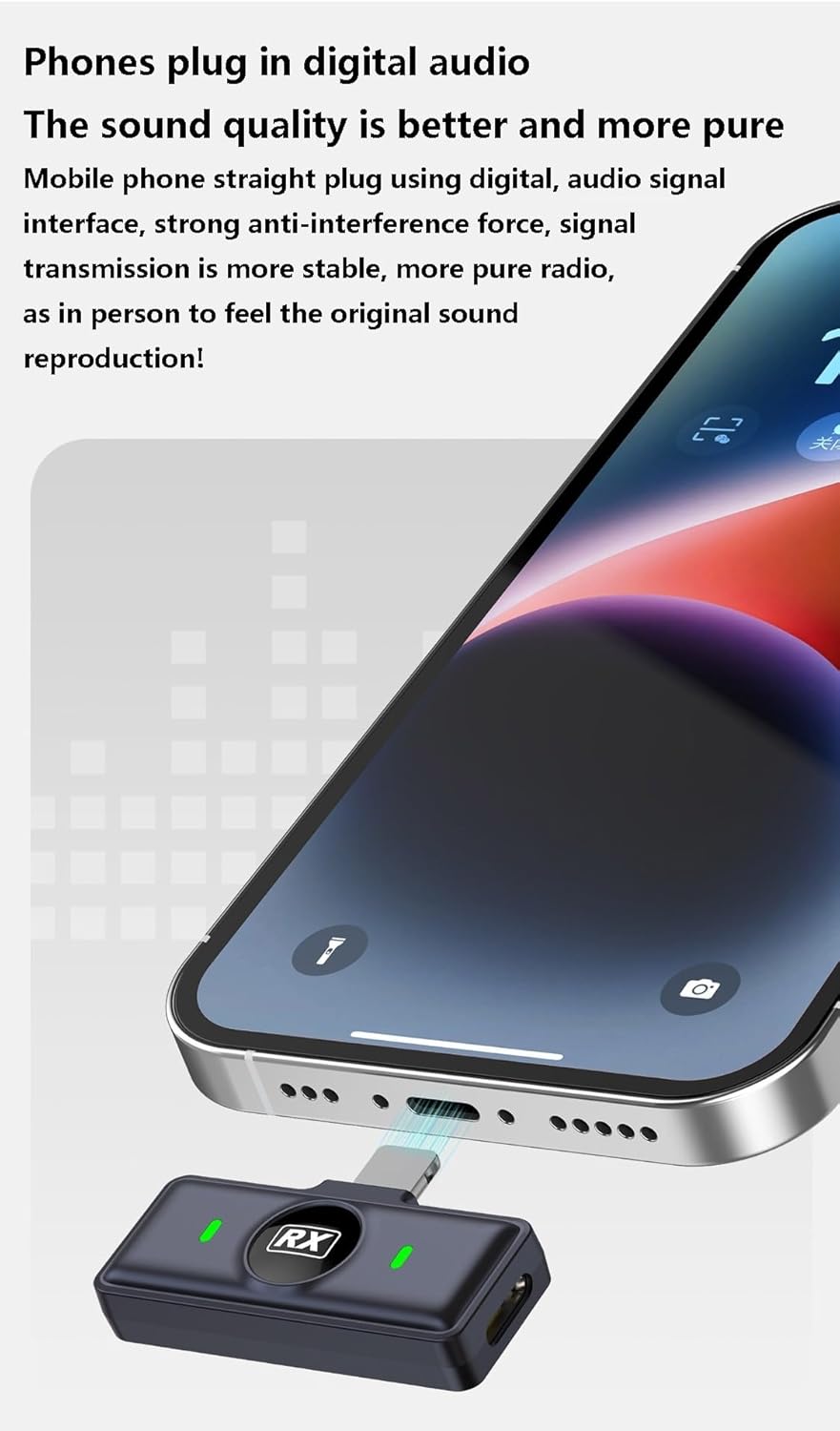
ചിത്രം 2: The Q8 receiver connected to a smartphone's charging port, indicating a direct digital audio connection.
For computer connection, the receiver can also be plugged directly into a compatible USB port. No additional drivers or sound cards are typically required for plug-and-play functionality.

ചിത്രം 3: The Q8 receiver connected to a laptop, demonstrating direct computer compatibility without an external sound card.
3. Pairing the Microphone
The microphone transmitter and receiver are pre-paired from the factory. Once the receiver is plugged into your device, simply take the microphone transmitter out of the charging case. It will automatically power on and connect to the receiver. A solid green light on the microphone indicates a successful connection.
പ്രവർത്തന നിർദ്ദേശങ്ങൾ
1. മൈക്രോഫോൺ ധരിക്കൽ
Attach the Q8 collar microphone to your clothing using the integrated back clip. For optimal sound quality, position the microphone approximately 6-8 inches (15-20 cm) from your mouth. The magnetic absorption feature allows for flexible and secure placement.
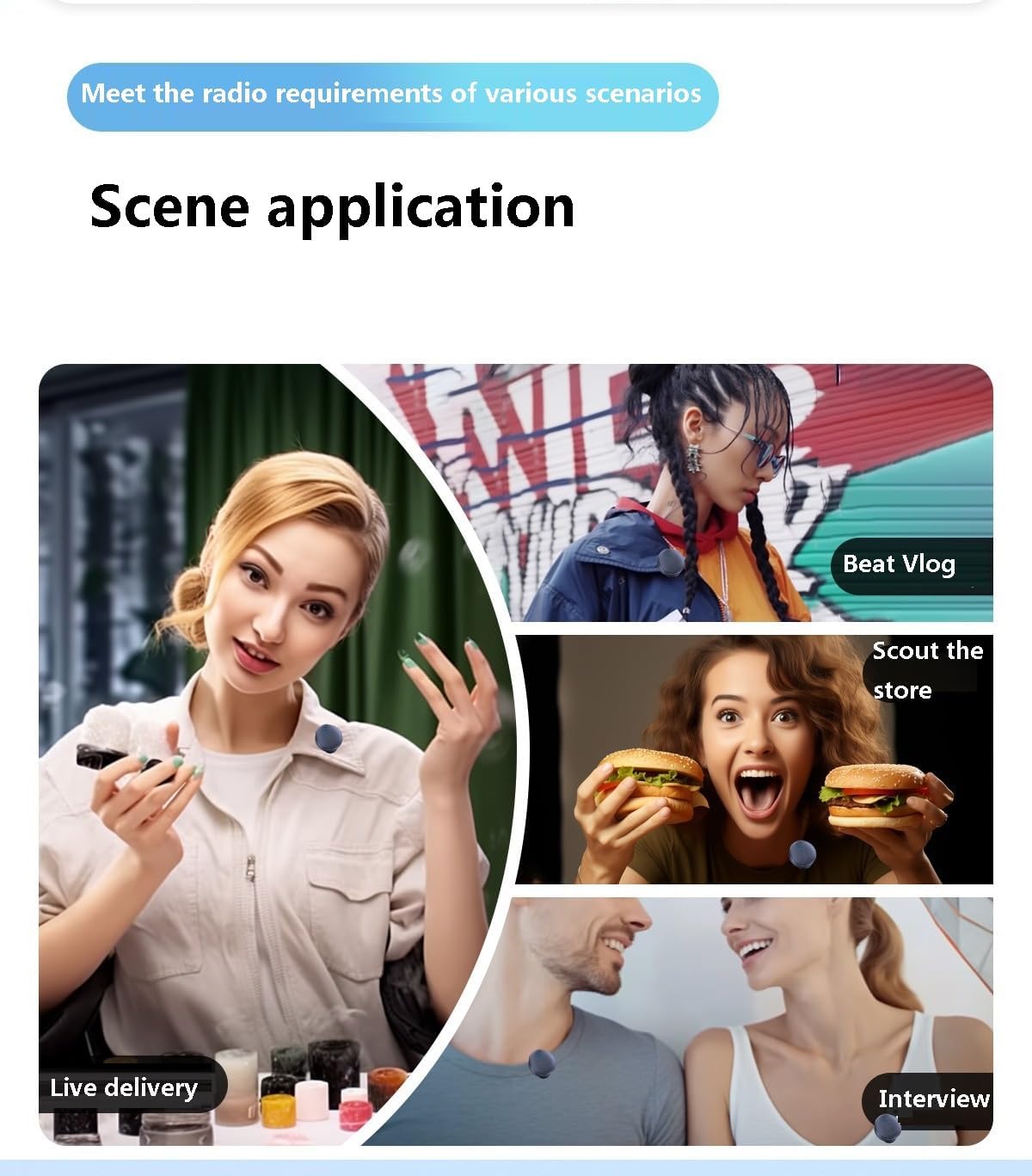
ചിത്രം 4: Examples of scene applications, showing the Q8 microphone being used for live delivery, vlogging, store scouting, and interviews.
2. റെക്കോർഡിംഗ് ഓഡിയോ
Once the microphone and receiver are connected, open your preferred audio or video recording application on your smartphone or computer. The Q8 microphone will be automatically recognized as the audio input device. Begin recording as usual. The microphone's advanced digital audio processing ensures clear and pure sound reproduction.

ചിത്രം 5: A musician using the Q8 microphone while playing a keyboard, highlighting the microphone's ability to capture original and pure sound.
3. ശബ്ദം കുറയ്ക്കൽ പ്രവർത്തനം
The Q8 microphone features intelligent noise reduction. This function is typically active by default, utilizing both low-cut filtering and ENC (Environmental Noise Cancellation) to minimize background noise. This ensures your voice remains clear and prominent even in noisy environments.

ചിത്രം 6: A visual representation of the Q8 microphone's noise reduction capability, demonstrating how unwanted noise is minimized.
4. Simultaneous Charging and Recording
The receiver is designed with a pass-through charging port. This allows you to charge your mobile phone while simultaneously recording audio with the Q8 microphone, ensuring uninterrupted long recording sessions or live streams.

ചിത്രം 7: The Q8 system enabling continuous recording by allowing the phone to charge while the microphone is in use.
മെയിൻ്റനൻസ്
- വൃത്തിയാക്കൽ: Use a soft, dry cloth to clean the microphone, receiver, and charging case. Avoid using liquid cleaners or abrasive materials.
- സംഭരണം: Store the device in its charging case when not in use to protect it from dust and damage. Keep it in a cool, dry place away from direct sunlight and extreme temperatures.
- ബാറ്ററി കെയർ: ബാറ്ററി ലൈഫ് വർദ്ധിപ്പിക്കാൻ, ഉപകരണം ഇടയ്ക്കിടെ പൂർണ്ണമായും ഡിസ്ചാർജ് ചെയ്യുന്നത് ഒഴിവാക്കുക. തുടർച്ചയായ ഉപയോഗത്തിലല്ലെങ്കിൽ പോലും പതിവായി ചാർജ് ചെയ്യുക.
ട്രബിൾഷൂട്ടിംഗ്
| പ്രശ്നം | സാധ്യമായ കാരണം | പരിഹാരം |
|---|---|---|
| No sound recorded / Microphone not detected |
|
|
| Poor audio quality / Excessive background noise |
|
|
| മൈക്രോഫോൺ ചാർജ് ചെയ്യുന്നില്ല |
|
|
സ്പെസിഫിക്കേഷനുകൾ
| മോഡൽ | Q8 Wireless Collar Microphone |
| മൈക്രോഫോൺ തരം | Collar Microphone, Capacitor |
| Pointing Characteristics | All pointing/No pointing (Omnidirectional) |
| കണക്റ്റിവിറ്റി ടെക്നോളജി | വയർലെസ്സ് (ബ്ലൂടൂത്ത് 5.0) |
| കണക്റ്റർ തരം | Fruit Interface (Receiver) |
| അനുയോജ്യമായ ഉപകരണങ്ങൾ | Smartphones (Fruit Interface), Computers |
| ബിൽറ്റ്-ഇൻ ബാറ്ററി കപ്പാസിറ്റി | 800mAh-1000mAh (ഉൾപ്പെടെ) |
| SNR (സിഗ്നൽ-ടു-നോയിസ് അനുപാതം) | ≥70dB |
| ഫ്രീക്വൻസി റെസ്പോൺസ് റേഞ്ച് | 20Hz-20KHz |
| റേറ്റുചെയ്ത പവർ | 5W |
| റേറ്റുചെയ്ത വോളിയംtage | 3.7V |
| സഹിഷ്ണുത | 3-6 hours (inclusive) |
| Dimensions (TX) | Approx. D30*12mm |
| Dimensions (RX) | ഏകദേശം. 40*16.5*9മിമി |
| അളവുകൾ (ചാർജിംഗ് കേസ്) | ഏകദേശം. 75.8*49.8*35മിമി |
| നിറം | കറുപ്പ് |
| മാതൃരാജ്യം | ചൈന |
വാറൻ്റിയും പിന്തുണയും
For warranty information and technical support, please refer to the contact details provided by your retailer or visit the official Generic brand webസൈറ്റ്. ഏതെങ്കിലും വാറന്റി ക്ലെയിമുകൾക്ക് വാങ്ങിയതിന്റെ തെളിവായി നിങ്ങളുടെ വാങ്ങൽ രസീത് സൂക്ഷിക്കുക.
Ask a question about this manual
Ask about setup, troubleshooting, compatibility, parts, safety, or missing instructions. Manuals+ will review the question and use this page’s manual context to help answer it.