
ആമുഖം
This manual provides detailed instructions for the GOBOULT Mirage Smart Watch. Please read this guide thoroughly to ensure proper setup, operation, and maintenance of your device. This smartwatch features a 1.39-inch HD display, Bluetooth calling, comprehensive health monitoring, and various sports modes.
ബോക്സിൽ എന്താണുള്ളത്
- GOBOULT Mirage Smart Watch
- ചാർജിംഗ് കേബിൾ
- ഉപയോക്തൃ മാനുവൽ
- വാറൻ്റി കാർഡ്
സജ്ജമാക്കുക
1 ഉപകരണം ചാർജ് ചെയ്യുന്നു
Before initial use, fully charge your GOBOULT Mirage Smart Watch. Connect the provided charging cable to the charging port on the back of the watch and to a standard USB power adapter (not included). The watch typically charges within 120 minutes.

Image: GOBOULT Mirage Smart Watch displaying its features, including charging capability.
2. നിങ്ങളുടെ സ്മാർട്ട്ഫോണുമായി ജോടിയാക്കൽ
- Download the official GOBOULT companion app from your smartphone's app store (available for iOS and Android).
- നിങ്ങളുടെ സ്മാർട്ട്ഫോണിൽ ബ്ലൂടൂത്ത് പ്രവർത്തനക്ഷമമാക്കിയിട്ടുണ്ടെന്ന് ഉറപ്പാക്കുക.
- Open the app and follow the on-screen instructions to search for and connect to your GOBOULT Mirage Smart Watch.
- നിങ്ങളുടെ വാച്ചിലും സ്മാർട്ട്ഫോണിലും ജോടിയാക്കൽ അഭ്യർത്ഥന സ്ഥിരീകരിക്കുക.
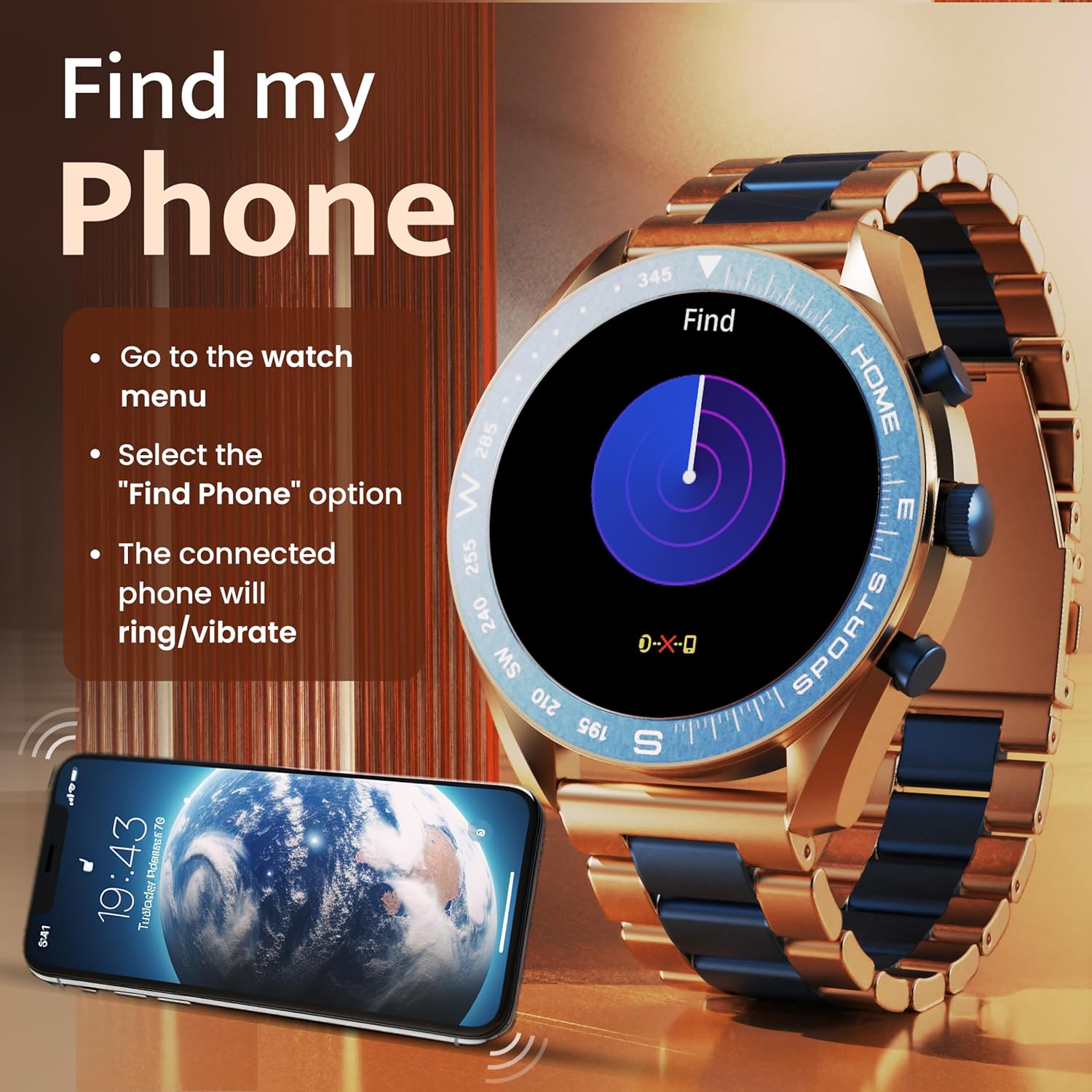
Image: The GOBOULT Mirage Smart Watch connected to a smartphone, illustrating connectivity.
പ്രവർത്തന നിർദ്ദേശങ്ങൾ
1. ഡിസ്പ്ലേയും നാവിഗേഷനും
The GOBOULT Mirage features a 1.39-inch HD display with 360x360 pixels resolution and 500 nits peak brightness for clear visibility. Navigate the watch interface using touch gestures and the digital crown.
- ഡിജിറ്റൽ കിരീടം: Press to power on/off, switch UIs, and navigate menus. Rotate to scroll through options.
- സൈഡ് ബട്ടണുകൾ: Use for quick access to specific functions, such as launching sports modes.

Image: GOBOULT Mirage Smart Watch highlighting the digital crown and its various functions.
2. ബ്ലൂടൂത്ത് കോളിംഗ്
With the built-in speaker and microphone, you can make and receive calls directly from your wrist once paired with your smartphone via Bluetooth 5.3.
- To answer a call, tap the green icon on the watch screen.
- To reject a call, tap the red icon.
- To make a call, access the dial pad or contacts through the watch menu.
Image: GOBOULT Mirage Smart Watch showing an incoming call notification.
3. ആരോഗ്യ നിരീക്ഷണം
The GOBOULT Mirage provides comprehensive health tracking features:
- SpO2 Blood Oxygen Monitor: രക്തത്തിലെ ഓക്സിജന്റെ അളവ് അളക്കുന്നു.
- ഹൃദയമിടിപ്പ് നിരീക്ഷണം: 24/7 heart rate tracking.
- സ്ലീപ്പ് മോണിറ്റർ: ഉറക്ക രീതികളും ഗുണനിലവാരവും ട്രാക്ക് ചെയ്യുന്നു.
- Breath Training Mode: Guides you through breathing exercises.
- വെള്ളം കുടിക്കാനുള്ള ഓർമ്മപ്പെടുത്തൽ: Prompts you to stay hydrated.
- ഉദാസീനമായ ഓർമ്മപ്പെടുത്തൽ: Alerts you after periods of inactivity.
- പ്രവർത്തന ട്രാക്കിംഗ്: ചുവടുകൾ, ദൂരം, കത്തിച്ച കലോറികൾ എന്നിവ രേഖപ്പെടുത്തുന്നു.
- ആർത്തവചക്രം ട്രാക്കിംഗ്: Helps monitor menstrual cycles.

Image: GOBOULT Mirage Smart Watch showcasing its complete health suite on the display.
4. സ്പോർട്സ് മോഡുകൾ
Track your performance across over 120 sports modes. Access these modes quickly using the shortcut buttons.
- Examples include Running, Cycling, Yoga, Cricket, Badminton, and Basketball.

Image: GOBOULT Mirage Smart Watch showing the selection of over 120 sports modes.
5. വാച്ച് ഫെയ്സുകൾ
Personalize your watch with over 300 cloud-based watch faces. You can also customize the dial to match your style.

Image: GOBOULT Mirage Smart Watch illustrating the variety of 300+ cloud watch faces.
6. സ്മാർട്ട് അറിയിപ്പുകൾ
Receive SMS and other smart notifications directly on your watch. Ensure your watch is connected to your phone via Bluetooth for this feature to function.

Image: GOBOULT Mirage Smart Watch showing a push notification from a messaging app.
7. AI വോയ്സ് അസിസ്റ്റന്റ്
Access an intelligent AI voice assistant for hands-free control. Long press the designated button or use the voice assistant icon on the screen to activate.
8. എന്റെ ഫോൺ കണ്ടെത്തുക
If you misplace your connected smartphone, use the 'Find My Phone' feature on your watch:
- Go to the watch menu.
- Select the "Find Phone" option.
- The connected phone will ring or vibrate, helping you locate it.
Image: GOBOULT Mirage Smart Watch showing the 'Find My Phone' interface.
9. ജല പ്രതിരോധം
The GOBOULT Mirage Smart Watch is IP67 water-resistant, offering protection against dust and temporary immersion in water. It is suitable for daily wear and activities like hand washing or light rain.

Image: GOBOULT Mirage Smart Watch demonstrating its IP67 water resistance.
10. Mini Games
The watch includes several mini-games for entertainment during leisure time.
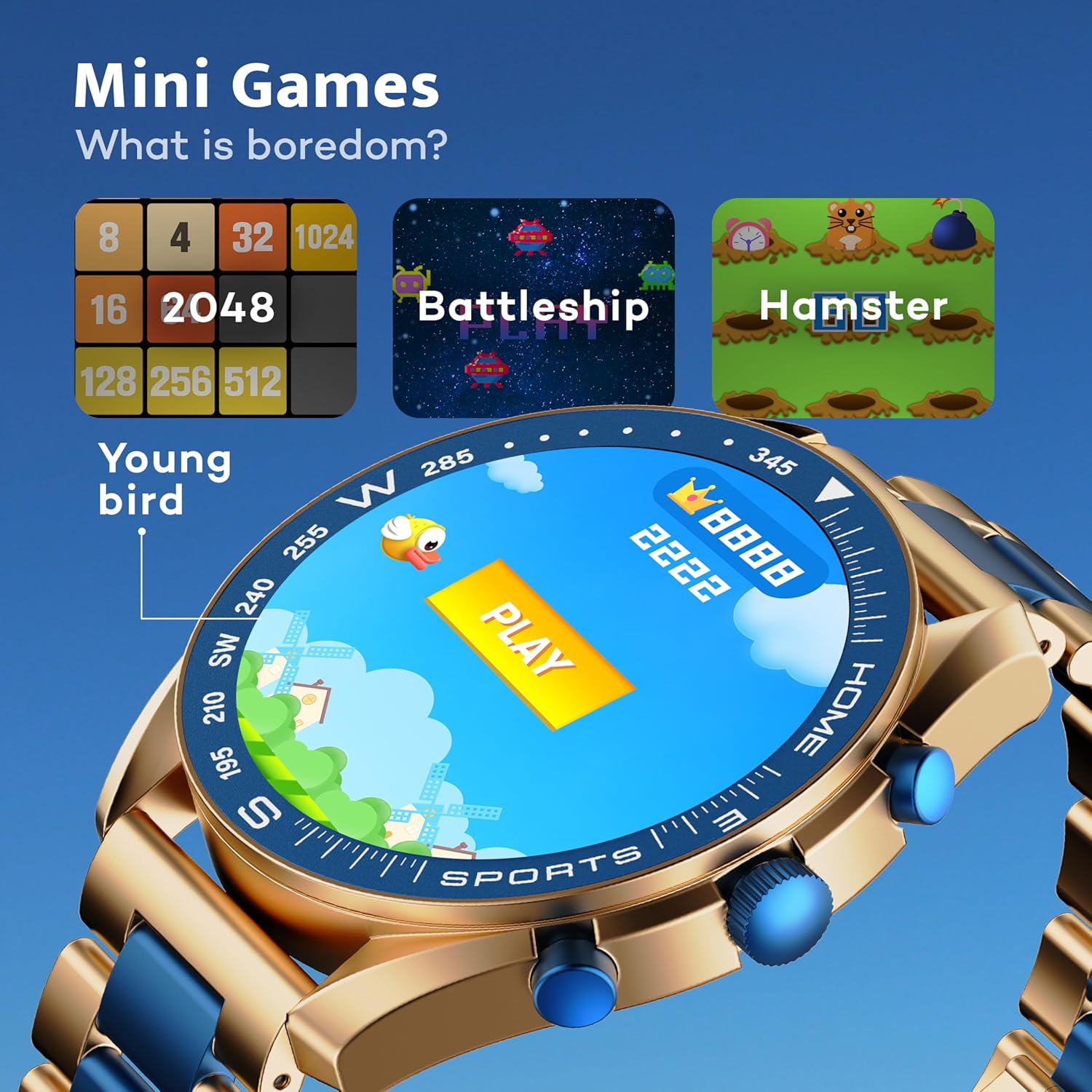
Image: GOBOULT Mirage Smart Watch showing the selection of mini-games.
മെയിൻ്റനൻസ്
1. വൃത്തിയാക്കൽ
- Wipe the watch screen and body with a soft, dry cloth.
- ദുശ്ശാഠ്യമുള്ള അഴുക്കിന്, ചെറുതായി ഡി ഉപയോഗിക്കുകamp cloth and immediately dry the watch.
- കഠിനമായ രാസവസ്തുക്കളോ ഉരച്ചിലുകളോ ഉള്ള വസ്തുക്കൾ ഉപയോഗിക്കുന്നത് ഒഴിവാക്കുക, കാരണം ഇവ ഫിനിഷിന് കേടുവരുത്തും.
2. ജല പ്രതിരോധ മാർഗ്ഗനിർദ്ദേശങ്ങൾ
- The IP67 rating means the watch is protected from dust and can withstand immersion in water up to 1 meter for 30 minutes.
- Do not use the watch for swimming, showering with hot water, or diving.
- Avoid exposing the watch to high-pressure water or steam.
- If the watch gets wet, dry it thoroughly before charging or using any buttons.
ട്രബിൾഷൂട്ടിംഗ്
- വാച്ച് ഓണാകുന്നില്ല: വാച്ച് പൂർണ്ണമായും ചാർജ് ചെയ്തിട്ടുണ്ടെന്ന് ഉറപ്പാക്കുക. കുറഞ്ഞത് 30 മിനിറ്റെങ്കിലും ചാർജറുമായി ബന്ധിപ്പിക്കുക.
- ഫോണുമായി ജോടിയാക്കാൻ കഴിയില്ല: Make sure Bluetooth is enabled on your phone and the watch is within range. Restart both devices and try pairing again.
- കൃത്യമല്ലാത്ത ആരോഗ്യ ഡാറ്റ: വാച്ച് നിങ്ങളുടെ കൈത്തണ്ടയിൽ നന്നായി ധരിക്കുന്നുണ്ടെന്ന് ഉറപ്പാക്കുക, അധികം ഇറുകിയതോ അധികം അയഞ്ഞതോ ആകരുത്. സെൻസറുകൾ പതിവായി വൃത്തിയാക്കുക.
- ഹ്രസ്വ ബാറ്ററി ലൈഫ്: സ്ക്രീൻ തെളിച്ചം കുറയ്ക്കുക, അനാവശ്യ അറിയിപ്പുകൾ പ്രവർത്തനരഹിതമാക്കുക, ആവശ്യമില്ലെങ്കിൽ തുടർച്ചയായ ഹൃദയമിടിപ്പ് നിരീക്ഷണം പരിമിതപ്പെടുത്തുക.
- പ്രദർശന പ്രശ്നങ്ങൾ: Restart the watch. If the problem persists, contact customer support.
സ്പെസിഫിക്കേഷനുകൾ
| ഫീച്ചർ | വിശദാംശങ്ങൾ |
|---|---|
| ബ്രാൻഡ് | ഗോബോൾട്ട് |
| മോഡൽ നമ്പർ | 8906133853464 |
| ഡിസ്പ്ലേ വലിപ്പം | 1.39 ഇഞ്ച് |
| തെളിച്ചം | 500 നിറ്റുകൾ |
| ഫ്രെയിം മെറ്റീരിയൽ | സിങ്ക് അലോയ് |
| വയർലെസ് തരം | ബ്ലൂടൂത്ത് 5.3 |
| ഓപ്പറേറ്റിംഗ് സിസ്റ്റം | iOS, Android |
| ജല പ്രതിരോധം | IP67 |
| ബാറ്ററി ചാർജ് സമയം | 120 മിനിറ്റ് |
| ബാറ്ററി തരം | ലിഥിയം പോളിമർ |
| ഇനത്തിൻ്റെ ഭാരം | 106 ഗ്രാം |
വാറൻ്റിയും പിന്തുണയും
Your GOBOULT Mirage Smart Watch comes with a warranty card included in the box. Please refer to this card for details regarding warranty coverage and terms.
For technical support, troubleshooting assistance, or warranty claims, please contact GOBOULT customer service through their official webസൈറ്റ് അല്ലെങ്കിൽ നിങ്ങളുടെ വാറന്റി കാർഡിൽ നൽകിയിരിക്കുന്ന ബന്ധപ്പെടാനുള്ള വിവരങ്ങൾ.