
1. ആമുഖം
Thank you for choosing the FOFUN T-Fun NC95 Hybrid Active Noise Cancelling Headphones. This manual provides essential information for the safe and efficient use of your headphones. Please read it thoroughly before use and retain it for future reference.

Image 1.1: T-Fun NC95 Hybrid Active Noise Cancelling Headphones.
2. പാക്കേജ് ഉള്ളടക്കം
പാക്കേജിൽ എല്ലാ ഇനങ്ങളും ഉണ്ടെന്ന് ഉറപ്പാക്കുക:
- NC95 ANC Headphones
- 3.5 എംഎം ഓഡിയോ കേബിൾ
- Type A-C Charging Cable
- PU Bag (Carrying Case)
- ദ്രുത ആരംഭ ഗൈഡ്
- Digital Manual (Downloadable)

Image 2.1: Included accessories and headphones.
3. ഉൽപ്പന്നം കഴിഞ്ഞുview
3.1 ഹെഡ്ഫോൺ ഘടകങ്ങൾ

ചിത്രം 3.1: കഴിഞ്ഞുview of headphone ports and buttons.
3.2 Fit and Adjustability
- ക്രമീകരിക്കാവുന്ന ഹെഡ്ബാൻഡ്: The headband can be extended or retracted to fit various head sizes, ensuring a personalized and comfortable fit.
- 90° Rotatable Earcups: The earcups rotate more than 90 degrees, allowing for a comfortable fit and easy storage when not in use.
- Soft Ear Cushions: Made with quality protein memory foam for extended comfort.
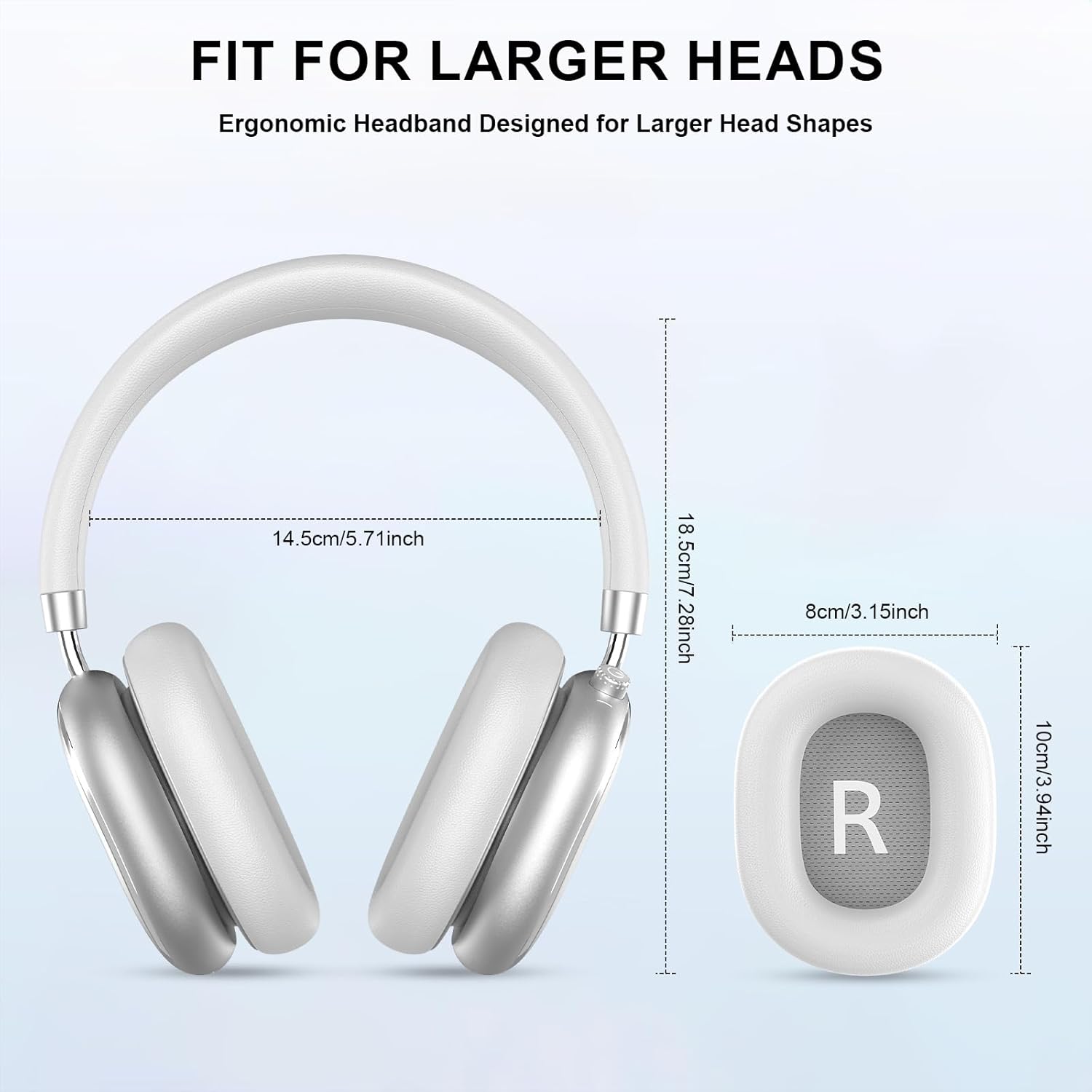
Image 3.2: Headphone dimensions for fit reference.
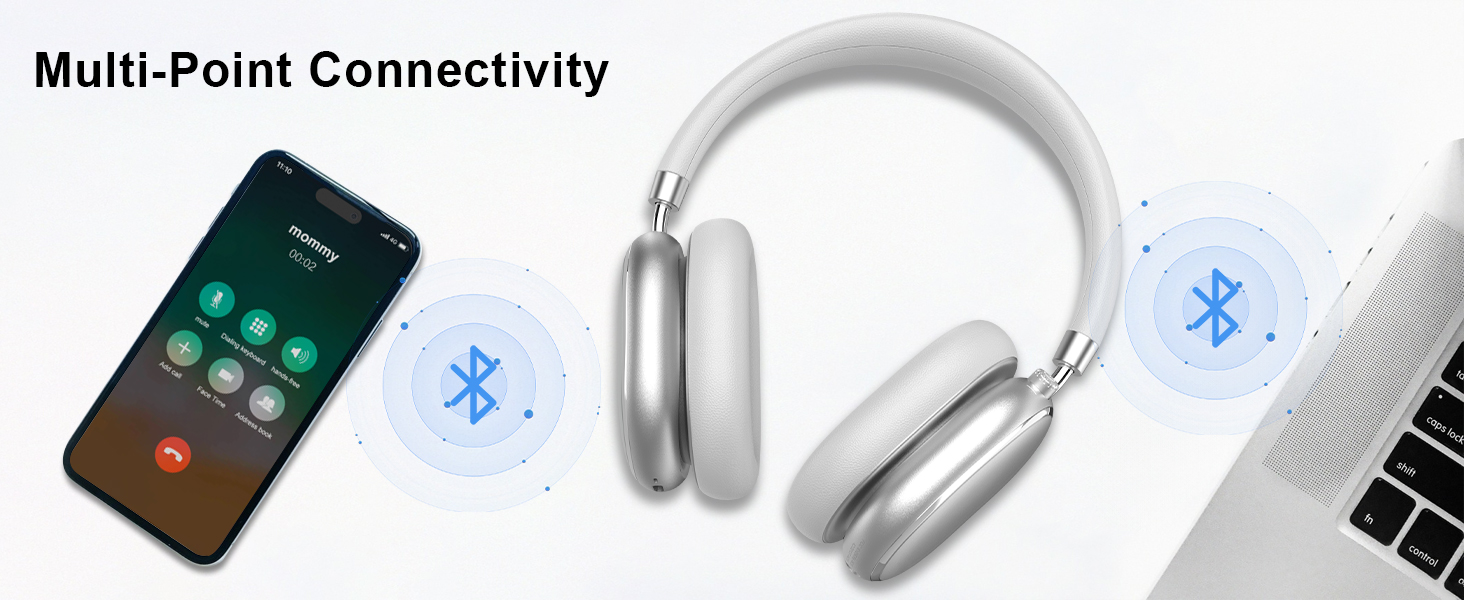
Image 3.3: Adjustable headband for personalized comfort.
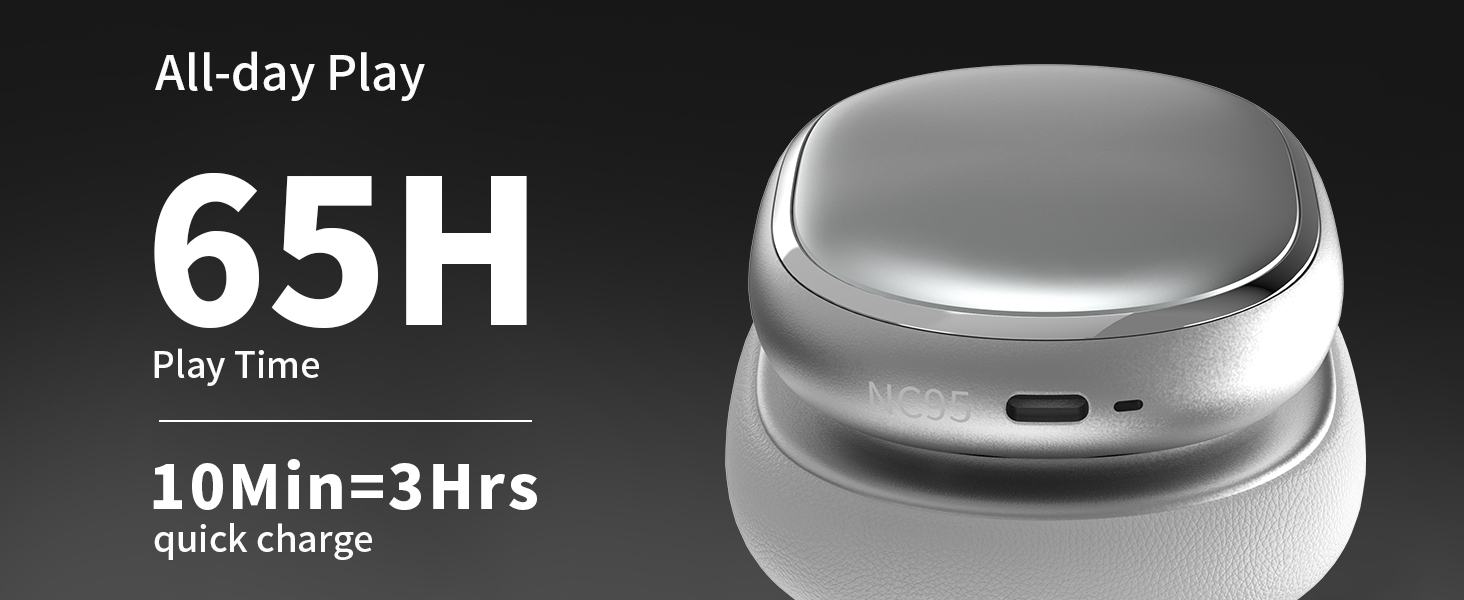
Image 3.4: Earcups rotate for comfort and storage.

Image 3.5: Ultra-soft protein leather ear cushions for comfort.
4. സജ്ജീകരണം
4.1 പ്രാരംഭ തയ്യാറെടുപ്പ്
- Remove Protective Sticker: Before first use, gently remove the protective sticker from the sides of the headphones. You may warm the area with a hairdryer (low heat) for easier removal. Peel slowly and remove any sticky residue with warm water or rubbing alcohol.

Image 4.1: Steps for removing the protective sticker.
4.2 ഹെഡ്ഫോണുകൾ ചാർജ് ചെയ്യുന്നു
Before initial use, fully charge the headphones. Use the provided Type A-C charging cable.
- കേബിളിന്റെ USB-C അറ്റം ഹെഡ്ഫോണുകളിലെ ചാർജിംഗ് പോർട്ടുമായി ബന്ധിപ്പിക്കുക.
- USB-A എൻഡ് അനുയോജ്യമായ ഒരു USB പവർ സ്രോതസ്സിലേക്ക് ബന്ധിപ്പിക്കുക (ഉദാ: വാൾ അഡാപ്റ്റർ, കമ്പ്യൂട്ടർ USB പോർട്ട്).
- LED ഇൻഡിക്കേറ്റർ ചാർജിംഗ് സ്റ്റാറ്റസ് കാണിക്കും. പൂർണ്ണമായി ചാർജ് ചെയ്യാൻ ഏകദേശം 2.5 മണിക്കൂർ എടുക്കും.
- A 10-minute quick charge provides approximately 3 hours of playback.

ചിത്രം 4.2: ബാറ്ററി ലൈഫും ചാർജിംഗ് വിവരങ്ങളും.
4.3 ബ്ലൂടൂത്ത് ജോടിയാക്കൽ
- ഹെഡ്ഫോണുകൾ ചാർജ് ചെയ്തിട്ടുണ്ടെന്നും പവർ ഓഫ് ചെയ്തിട്ടുണ്ടെന്നും ഉറപ്പാക്കുക.
- Press and hold the power button (located on the knob control) for 3-5 seconds until the LED indicator flashes, indicating pairing mode.
- നിങ്ങളുടെ ഉപകരണത്തിൽ (സ്മാർട്ട്ഫോൺ, ടാബ്ലെറ്റ്, ലാപ്ടോപ്പ്), ബ്ലൂടൂത്ത് പ്രവർത്തനക്ഷമമാക്കി ലഭ്യമായ ഉപകരണങ്ങൾക്കായി തിരയുക.
- Select "T-Fun NC95" from the list of devices.
- Once connected, the LED indicator will change to a steady light or flash slowly.
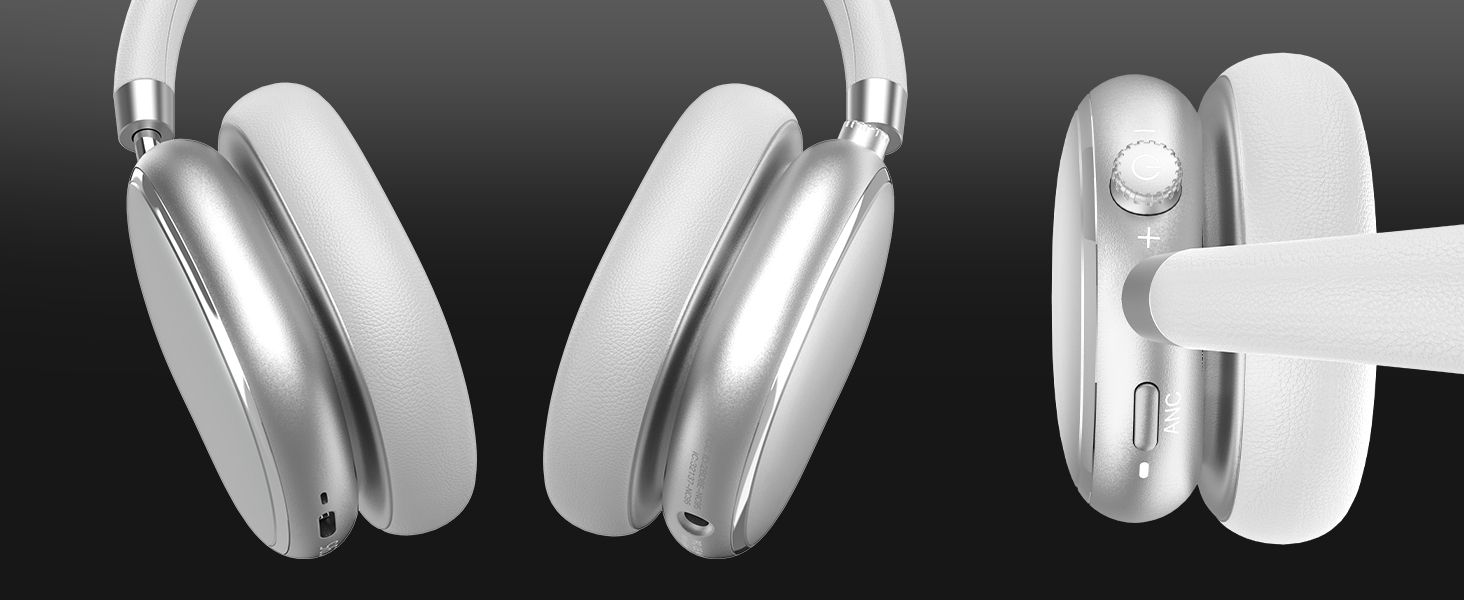
Image 4.3: Multipoint Bluetooth connectivity.
4.4 T-Fun App Installation
For enhanced control and customization, download the official "T-fun" app.
- ഇതിനായി തിരയുക "T-fun" on the Apple App Store or Google Play Store.
- ആപ്പ് ഡൗൺലോഡ് ചെയ്ത് ഇൻസ്റ്റാൾ ചെയ്യുക.
- Open the app and follow the on-screen instructions to connect your NC95 headphones.

Image 4.4: T-Fun app customization features.

Image 4.5: App download and connection process.
5. പ്രവർത്തന നിർദ്ദേശങ്ങൾ
5.1 പവർ ഓൺ/ഓഫ്
- പവർ ഓൺ: Press and hold the power button (on the knob) for 3-5 seconds.
- പവർ ഓഫ്: Press and hold the power button (on the knob) for 3-5 seconds.
5.2 Knob Control Functions
The multi-functional knob control allows for intuitive operation:
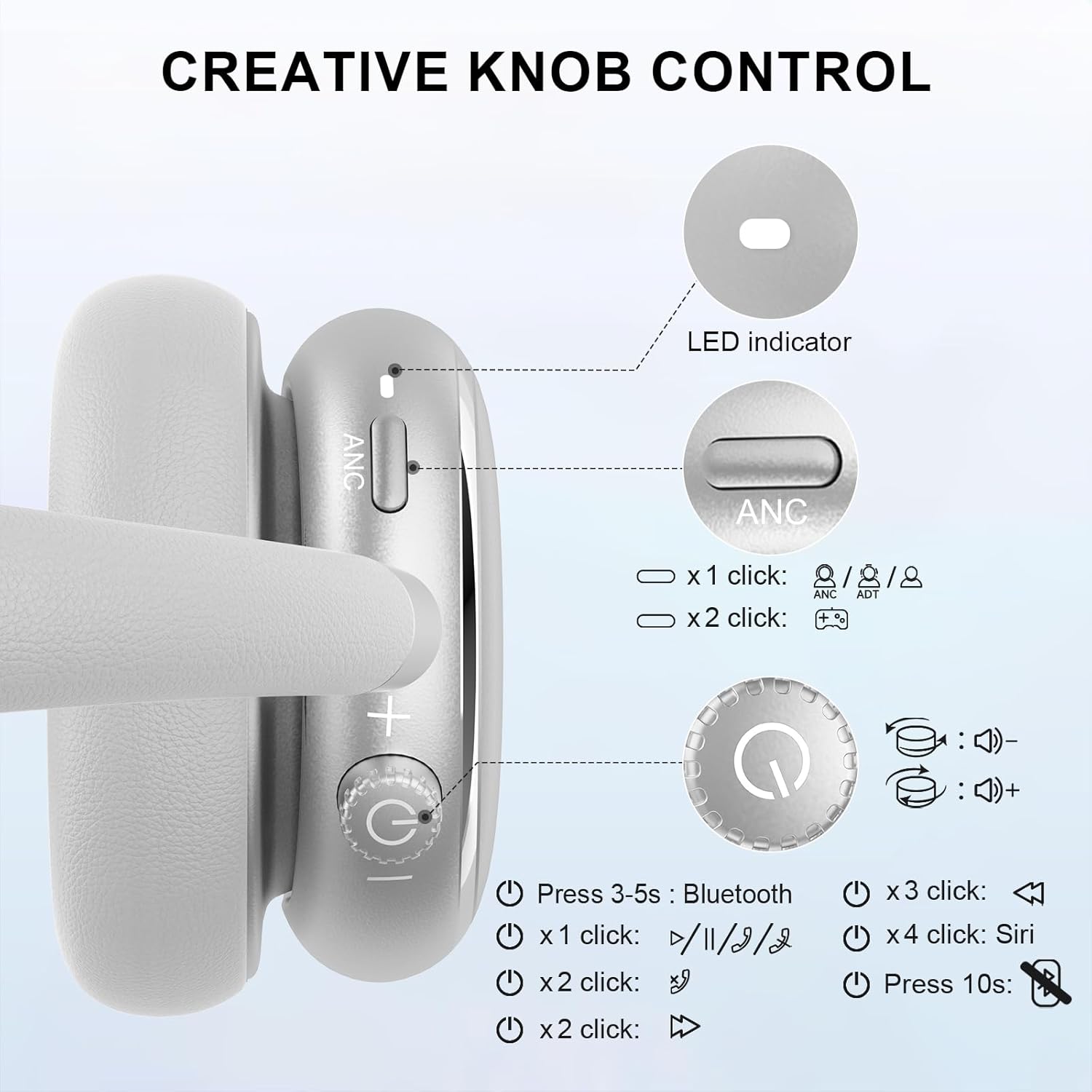
Image 5.1: Creative Knob Control functions.
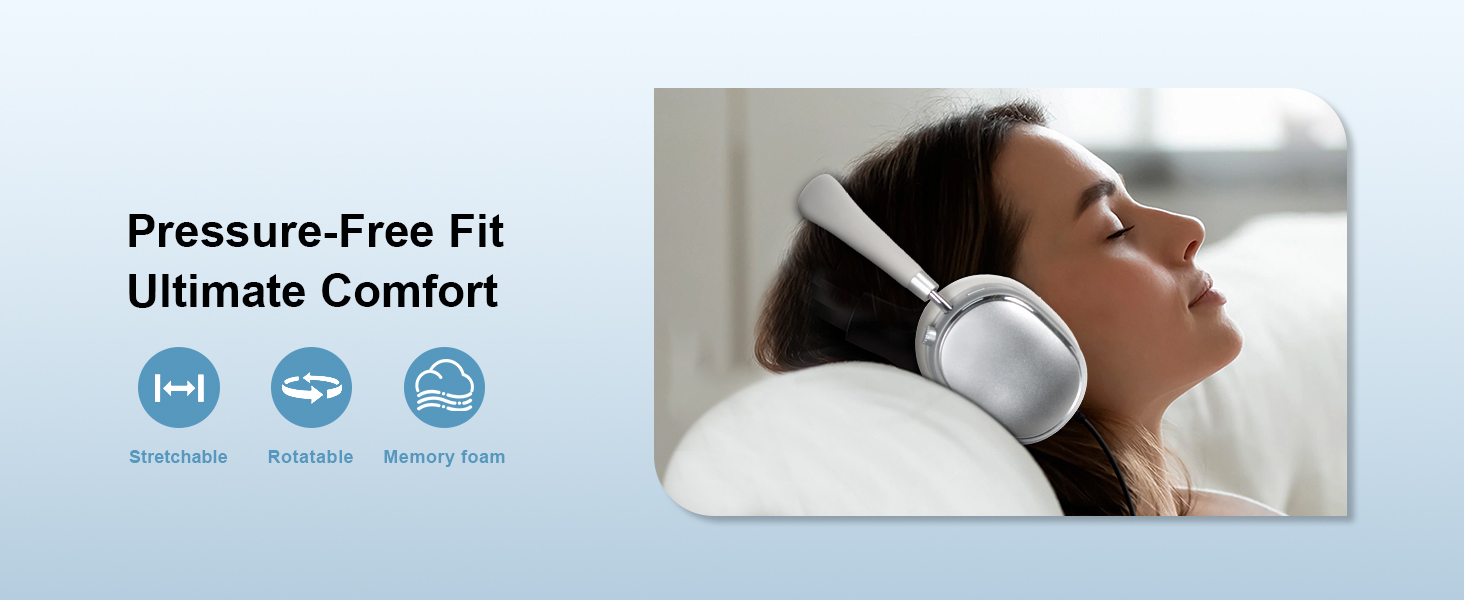
Image 5.2: Multi-functional Knob Control for volume adjustment.
- വോളിയം ക്രമീകരണം: ശബ്ദം കൂട്ടാൻ നോബ് ഘടികാരദിശയിലും, കുറയ്ക്കാൻ എതിർ ഘടികാരദിശയിലും തിരിക്കുക.
- പ്ലേ/താൽക്കാലികമായി നിർത്തുക: നോബ് ഒരിക്കൽ അമർത്തുക.
- ഉത്തരം/അവസാന കോൾ: നോബ് ഒരിക്കൽ അമർത്തുക.
- അടുത്ത ട്രാക്ക്: Press the knob twice.
- മുമ്പത്തെ ട്രാക്ക്: Press the knob three times.
- വോയ്സ് അസിസ്റ്റന്റ് (സിരി) സജീവമാക്കുക: Press the knob four times.
- പുന et സജ്ജമാക്കുക: 10 സെക്കൻഡ് നേരത്തേക്ക് നോബ് അമർത്തിപ്പിടിക്കുക.
Note: Knob functions are only available in wireless connection mode.
5.3 ആക്ടീവ് നോയ്സ് റദ്ദാക്കലും (ANC) ട്രാൻസ്പരൻസി മോഡും
The NC95 headphones feature Hybrid Active Noise Cancellation and Transparency Mode, controlled by a dedicated button.
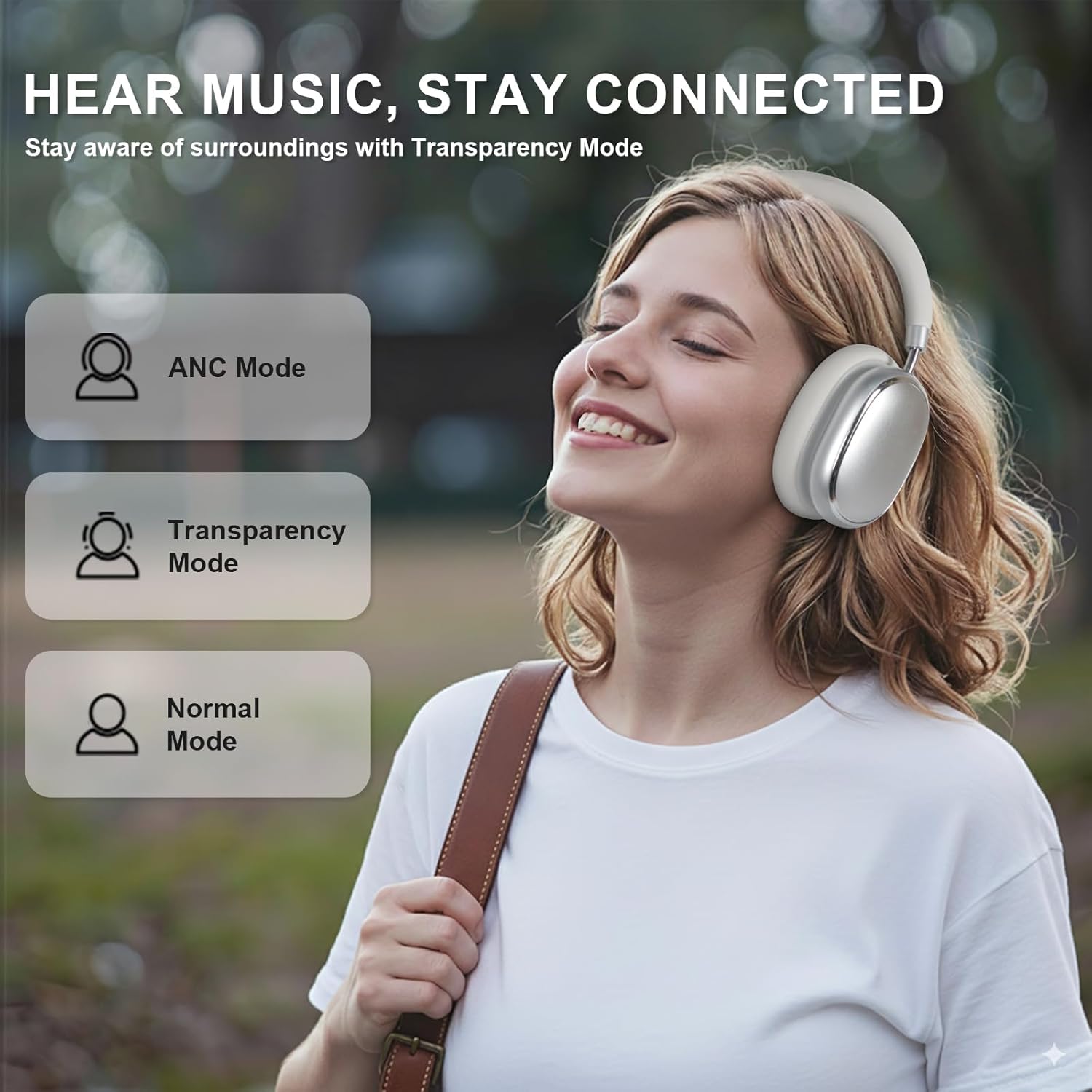
Image 5.3: ANC, Transparency, and Normal modes.

Image 5.4: Noise reduction effectiveness.
- ANC മോഡ്: Press the ANC button once to activate Hybrid Active Noise Cancellation, reducing ambient noise by up to 35dB.
- സുതാര്യത മോഡ്: Press the ANC button again to switch to Transparency Mode, allowing you to hear your surroundings without removing the headphones.
- സാധാരണ മോഡ്: Press the ANC button a third time to return to Normal Mode, with ANC and Transparency off.
Note: ANC mode is only available in wireless connection mode.
5.4 വയർഡ് കണക്ഷൻ
For a wired audio experience or when battery is low, use the 3.5mm audio cable.
- 3.5mm ഓഡിയോ കേബിളിന്റെ ഒരറ്റം ഹെഡ്ഫോണുകളിലെ ഓഡിയോ ജാക്കുമായി ബന്ധിപ്പിക്കുക.
- മറ്റേ അറ്റം നിങ്ങളുടെ ഉപകരണത്തിന്റെ 3.5mm ഓഡിയോ ഔട്ട്പുട്ടിലേക്ക് ബന്ധിപ്പിക്കുക.
- In wired mode, the knob control functions for volume, playback, and calls are not available.
Image 5.5: Wired connection with 3.5mm audio cable.
5.5 കോൾ മാനേജ്മെന്റ്
When connected via Bluetooth, you can manage calls using the knob control.
- ഉത്തരം/അവസാന കോൾ: നോബ് ഒരിക്കൽ അമർത്തുക.
- കോൾ നിരസിക്കുക: 2 സെക്കൻഡ് നേരത്തേക്ക് നോബ് അമർത്തിപ്പിടിക്കുക.

Image 5.6: Clear hands-free calls with built-in microphones.
6. പരിപാലനം
6.1 വൃത്തിയാക്കൽ
- മൃദുവായതും ഉണങ്ങിയതുമായ തുണി ഉപയോഗിച്ച് ഹെഡ്ഫോണുകൾ തുടയ്ക്കുക.
- കഠിനമായ രാസവസ്തുക്കളോ ഉരച്ചിലുകളോ ഉപയോഗിക്കരുത്.
- ഏതെങ്കിലും ദ്വാരങ്ങളിൽ ഈർപ്പം കയറുന്നത് ഒഴിവാക്കുക.
6.2 സംഭരണം
- Store the headphones in the provided PU bag when not in use to protect them from dust and scratches.
- തീവ്രമായ താപനിലയിലോ ഉയർന്ന ആർദ്രതയിലോ സൂക്ഷിക്കുന്നത് ഒഴിവാക്കുക.
6.3 Detachable Ear Cushions
The ear cushions are detachable for easy cleaning and replacement, ensuring long-term use.

Image 6.1: Detachable ear cushions for easy care.
7. പ്രശ്നപരിഹാരം
If you encounter issues with your NC95 headphones, refer to the following common solutions:
| പ്രശ്നം | സാധ്യമായ കാരണം | പരിഹാരം |
|---|---|---|
| ഹെഡ്ഫോണുകൾ ഓണാകുന്നില്ല | കുറഞ്ഞ ബാറ്ററി | ഹെഡ്ഫോണുകൾ പൂർണ്ണമായും ചാർജ് ചെയ്യുക. |
| ബ്ലൂടൂത്ത് വഴി ജോടിയാക്കാൻ കഴിയില്ല | ഹെഡ്ഫോണുകൾ ജോടിയാക്കൽ മോഡിൽ ഇല്ല; ഉപകരണ ബ്ലൂടൂത്ത് ഓഫാണ്; ഇടപെടൽ | Ensure headphones are in pairing mode (flashing LED). Turn device Bluetooth off and on. Move closer to the device. |
| ശബ്ദമില്ല | Volume too low; Incorrect audio source; Loose wired connection | Increase volume on headphones and device. Check audio output settings on your device. Re-insert 3.5mm cable firmly. |
| ANC ഫലപ്രദമായി പ്രവർത്തിക്കുന്നില്ല. | ANC not activated; Environmental noise too high | Press the ANC button to cycle through modes. ANC is most effective against low-frequency noise. |
| ആപ്പ് കണക്ഷൻ പ്രശ്നങ്ങൾ | Bluetooth not connected; App glitch | Ensure headphones are connected via Bluetooth. Restart the app or your phone. |
പ്രശ്നം നിലനിൽക്കുകയാണെങ്കിൽ, ദയവായി ഉപഭോക്തൃ പിന്തുണയുമായി ബന്ധപ്പെടുക.
8 സ്പെസിഫിക്കേഷനുകൾ
| ഫീച്ചർ | വിശദാംശങ്ങൾ |
|---|---|
| മോഡലിൻ്റെ പേര് | NC95 |
| ശബ്ദ നിയന്ത്രണം | ഹൈബ്രിഡ് നോയ്സ് റദ്ദാക്കൽ |
| ഫ്രീക്വൻസി പ്രതികരണം | 20 ഹെർട്സ് - 20 കിലോ ഹെർട്സ് |
| സംവേദനക്ഷമത | 105 ഡി.ബി |
| പ്രതിരോധം | 32 ഓം |
| ഹെഡ്ഫോണുകൾ ജാക്ക് | 3.5 mm ജാക്ക് |
| കണക്റ്റിവിറ്റി ടെക്നോളജി | Wireless (Bluetooth), Wired |
| വയർലെസ് കമ്മ്യൂണിക്കേഷൻ ടെക്നോളജി | ബ്ലൂടൂത്ത് 5.3 |
| ബ്ലൂടൂത്ത് ശ്രേണി | 15 മീറ്റർ |
| ഓഡിയോ ലേറ്റൻസി | 50 മില്ലിസെക്കൻഡ് |
| ഓഡിയോ ഡ്രൈവർ വലിപ്പം | 40 മില്ലിമീറ്റർ |
| നിയന്ത്രണ തരം | App Control, Push Button, Knob |
| ബാറ്ററി ലൈഫ് | Up to 65 Hours (ANC playback) |
| ചാർജിംഗ് സമയം | 2.5 മണിക്കൂർ |
| ജല പ്രതിരോധ നില | വാട്ടർ റെസിസ്റ്റൻ്റ് അല്ല |
| ഇനത്തിൻ്റെ ഭാരം | 1.28 പൗണ്ട് |
| നിർമ്മാതാവ് | FOFUN |
9. വാറൻ്റിയും പിന്തുണയും
9.1 വാറൻ്റി വിവരങ്ങൾ
For detailed warranty information, please refer to the documentation included with your purchase or contact FOFUN customer service directly. Warranty terms may vary by region and retailer.
9.2 ഉപഭോക്തൃ പിന്തുണ
If you require further assistance or have questions not covered in this manual, please contact FOFUN customer support through their official channels. You can also visit the T-Fun Store on Amazon അധിക ഉറവിടങ്ങൾക്കായി.