
1. ആമുഖം
This manual provides detailed instructions for the installation, operation, and maintenance of your Dhiedas Smart Cabinet Lock. This biometric electronic digital lock offers multiple unlocking methods for enhanced security and convenience in various furniture types.

Figure 1: Dhiedas Smart Cabinet Lock
2. പാക്കേജ് ഉള്ളടക്കം
നിങ്ങളുടെ പാക്കേജിൽ എല്ലാ ഘടകങ്ങളും ഉണ്ടെന്ന് ഉറപ്പാക്കുക:
- Smart Cabinet Lock Unit
- 2 x RFID കാർഡുകൾ
- 3M Adhesive Stickers (for installation)
- Screws (optional, for installation)
- ഇംഗ്ലീഷ് ഉപയോക്തൃ മാനുവൽ
- Double Door Accessory (if applicable)
- Positioning Card (for drilling guidance)

Figure 2: Included components for installation
3. സവിശേഷതകൾ
- 5-ഇൻ-1 അൺലോക്കിംഗ് രീതികൾ: Fingerprint (up to 100), Passcode (up to 20), Bluetooth App, RFID (13.56 MHz), and Apple Watch compatibility.
- Invisible Mounting: Can be installed with 3M adhesive tape without drilling or damaging furniture, or with screws for a more permanent fixture.
- നീണ്ട ബാറ്ററി ലൈഫ്: Powered by 2 AA batteries (not included), lasting up to a year thanks to energy-saving technology.
- അടിയന്തര പവർ: Features a USB-C port for emergency power supply if batteries deplete.
- നീണ്ടുനിൽക്കുന്ന നിർമ്മാണം: Made of robust zinc alloy, offering resistance against breaking and picking for high security.
- ബഹുമുഖ ആപ്ലിക്കേഷൻ: Suitable for single-door cabinets, drawers, wall cabinets, liquor cabinets, pantries, desks, metal boxes, and more.
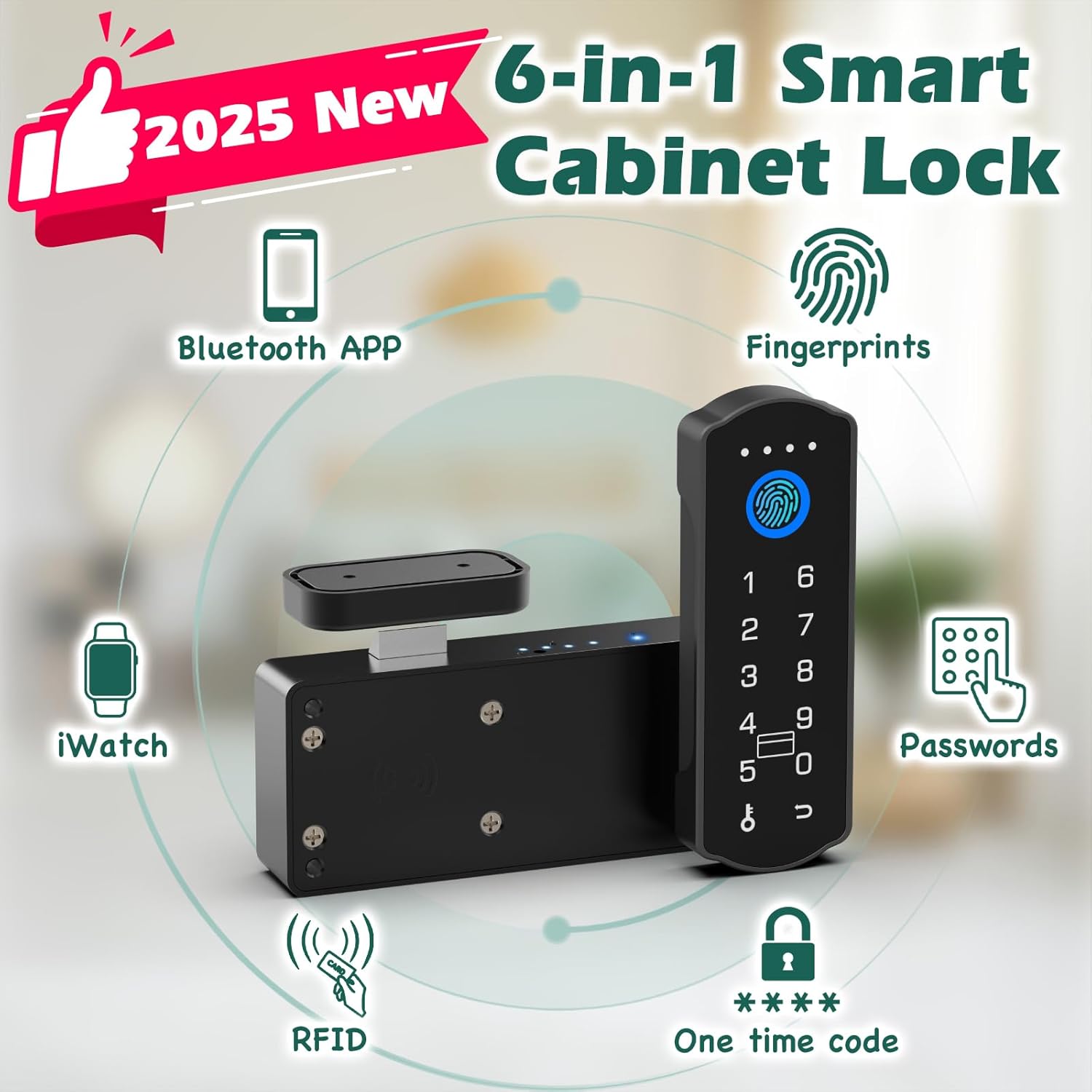
ചിത്രം 3: ഓവർview of unlocking methods

Figure 4: Child safety application of the lock
4. സജ്ജീകരണവും ഇൻസ്റ്റാളേഷനും
The Dhiedas Smart Cabinet Lock offers two primary installation methods: adhesive mounting or screw mounting. No drilling is required for adhesive installation.
4.1. ഇൻസ്റ്റലേഷനായി തയ്യാറെടുക്കുന്നു
- Ensure the cabinet or drawer surface is clean and dry.
- Insert 2 AA batteries (not included) into the main lock unit.
- Determine the optimal placement for the lock unit and the strike plate on your cabinet or drawer.
4.2. Adhesive Mounting (No Drilling)
- Peel the protective film from the 3M adhesive stickers.
- Attach the adhesive stickers to the back of the main lock unit and the strike plate.
- Carefully align and press the main lock unit onto the inside of the cabinet/drawer.
- Align and press the strike plate onto the cabinet frame or adjacent drawer, ensuring proper engagement with the lock bolt when closed.
4.3. Screw Mounting (Optional)
- Use the provided positioning card to mark the drilling points for the main lock unit and the strike plate.
- അടയാളപ്പെടുത്തിയ സ്ഥാനങ്ങളിൽ പൈലറ്റ് ദ്വാരങ്ങൾ തുരത്തുക.
- Secure the main lock unit and the strike plate using the provided screws.

Figure 5: Installation steps for the smart cabinet lock
5. പ്രവർത്തന നിർദ്ദേശങ്ങൾ
The Dhiedas Smart Cabinet Lock offers multiple ways to unlock your cabinet or drawer.
5.1. ഫിംഗർപ്രിന്റ് അൺലോക്കിംഗ്
- Register your fingerprints via the Bluetooth app (refer to app instructions for details).
- Place your registered finger on the fingerprint sensor on the lock's keypad.
- The lock will unlock if the fingerprint is recognized.

Figure 6: Fingerprint unlocking in action
5.2. പാസ്കോഡ് അൺലോക്ക് ചെയ്യുന്നു
- Set up passcodes through the Bluetooth app.
- കീപാഡിൽ നിങ്ങളുടെ രജിസ്റ്റർ ചെയ്ത പാസ്കോഡ് നൽകുക.
- Press the unlock button (or designated key) to confirm.
- The lock will unlock if the passcode is correct.

Figure 7: Setting up and using passcodes
5.3. Bluetooth App Unlocking
- Download the dedicated Bluetooth app on your smartphone.
- Pair your lock with the app (follow in-app instructions).
- Within Bluetooth range (5-6m), use the app interface to remotely unlock the cabinet.
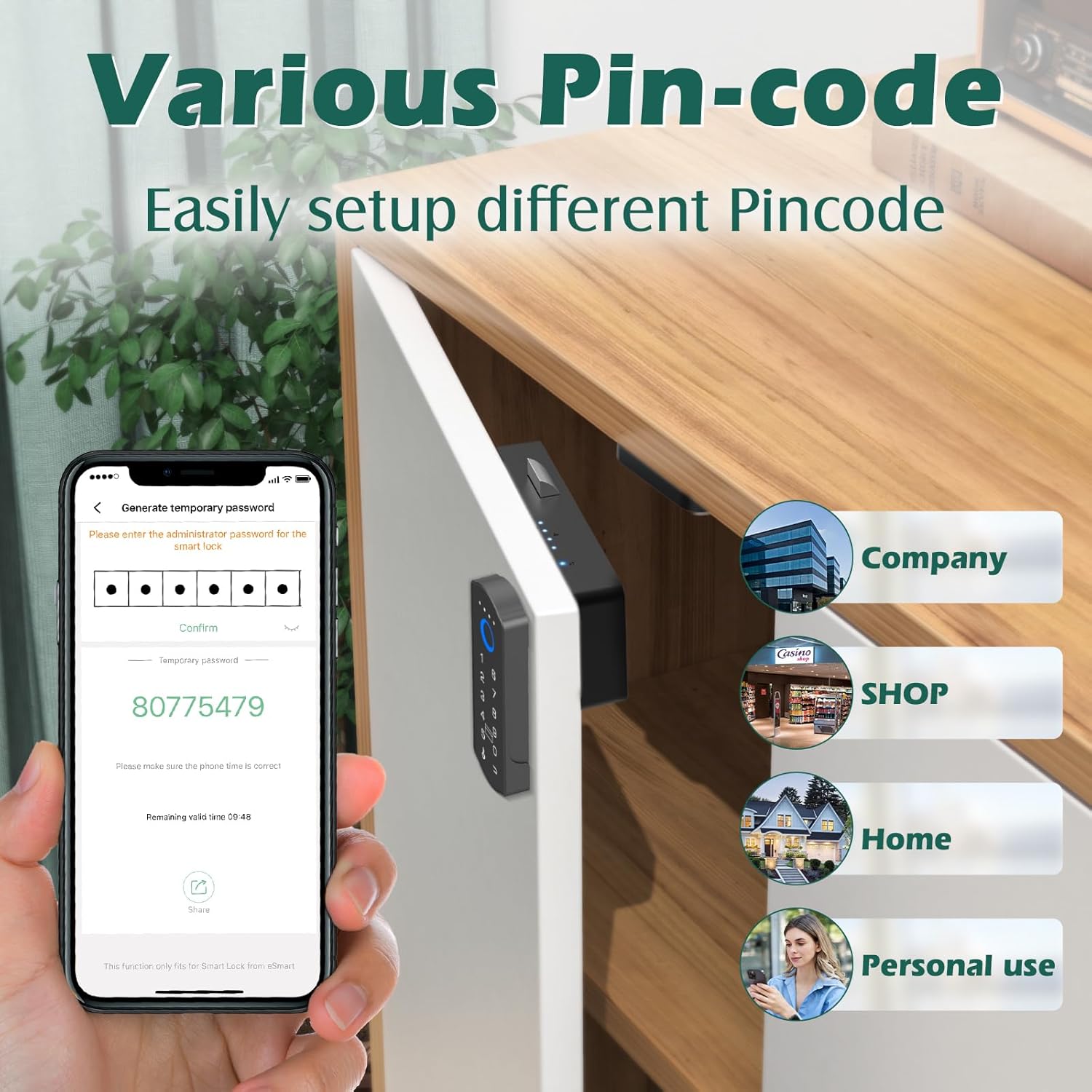
Figure 8: Remote unlocking via Bluetooth app
5.4. RFID കാർഡ് അൺലോക്ക് ചെയ്യൽ
- Register the provided RFID cards with the lock via the app.
- Tap a registered RFID card against the designated RFID reader area on the lock.
- വിജയകരമായി തിരിച്ചറിഞ്ഞാൽ ലോക്ക് അൺലോക്ക് ചെയ്യും.

Figure 9: Unlocking with an RFID card
5.5. Apple Watch Unlocking
- Ensure your Apple Watch is paired with your smartphone and the lock's app.
- Use the Apple Watch app interface to send an unlock command to the lock.

Figure 10: Unlocking via Apple Watch
6. പരിപാലനം
6.1. ബാറ്ററി മാറ്റിസ്ഥാപിക്കൽ
The lock is powered by 2 AA batteries. When the battery indicator shows low power, replace both batteries promptly to ensure continuous operation.
6.2. അടിയന്തര വൈദ്യുതി വിതരണം
If the batteries die completely, connect a USB-C cable to the emergency power port on the keypad and a power source (e.g., power bank) to temporarily power the lock and unlock it.
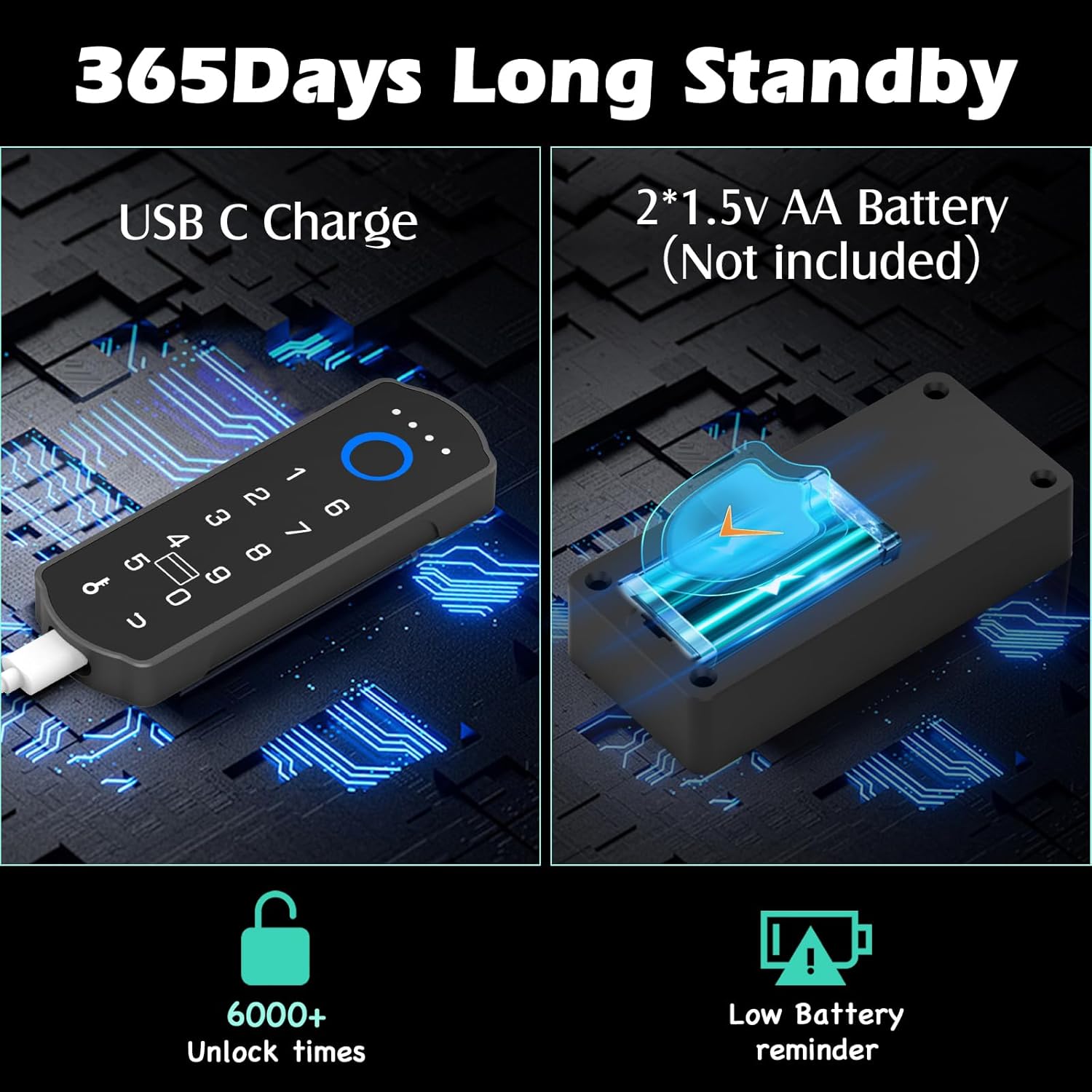
Figure 11: Battery and emergency power features
6.3. വൃത്തിയാക്കൽ
മൃദുവായതും ഉണങ്ങിയതുമായ തുണി ഉപയോഗിച്ച് ലോക്കിന്റെ പ്രതലം തുടയ്ക്കുക. ഫിനിഷിനോ ഇലക്ട്രോണിക് ഘടകങ്ങൾക്കോ കേടുവരുത്തുന്ന അബ്രാസീവ് ക്ലീനറുകളോ ലായകങ്ങളോ ഉപയോഗിക്കുന്നത് ഒഴിവാക്കുക.
7. പ്രശ്നപരിഹാരം
- ലോക്ക് പ്രതികരിക്കുന്നില്ല: Check battery levels. Use the USB-C emergency power if needed. Ensure the lock is properly installed and not obstructed.
- വിരലടയാളം തിരിച്ചറിയാൻ കഴിഞ്ഞില്ല: Ensure your finger is clean and dry. Try re-registering your fingerprint through the app.
- പാസ്കോഡ് പ്രവർത്തിക്കുന്നില്ല: Verify the entered passcode is correct. Ensure the lock is not in a temporary lockout state due to multiple incorrect attempts.
- ആപ്പ് കണക്റ്റിവിറ്റി പ്രശ്നങ്ങൾ: Ensure Bluetooth is enabled on your device and the lock is within range. Restart the app or your device if necessary.
- RFID card not working: Ensure the card is properly registered. Try tapping the card firmly against the sensor.
8 സ്പെസിഫിക്കേഷനുകൾ
| ഫീച്ചർ | വിശദാംശങ്ങൾ |
|---|---|
| ബ്രാൻഡ് | ധിദാസ് |
| മോഡൽ നമ്പർ | A1BFPC-SB |
| ലോക്ക് തരം | Biometric, Keypad, RFID |
| അൺലോക്ക് രീതികൾ | Fingerprint, Passcode, Bluetooth App, RFID, Apple Watch |
| മെറ്റീരിയൽ | ലോഹം, സിങ്ക് |
| ഇനത്തിന്റെ അളവുകൾ (L x W x H) | 1.7 x 0.5 x 4.3 ഇഞ്ച് |
| ഇനത്തിൻ്റെ ഭാരം | 0.38 കിലോഗ്രാം |
| പവർ ഉറവിടം | 2 x AA ബാറ്ററികൾ (ഉൾപ്പെടുത്തിയിട്ടില്ല) |
| എമർജൻസി പവർ | യുഎസ്ബി-സി പോർട്ട് |
| കണക്റ്റിവിറ്റി | ബ്ലൂടൂത്ത് |
| ശുപാർശ ചെയ്യുന്ന ഉപയോഗങ്ങൾ | Cabinets, Drawers, Double Door Cabinets, Cupboards, Lockers, Desks, Child Safety |
9. വാറൻ്റിയും പിന്തുണയും
Dhiedas offers 12 months of customer support and lifetime technical service for this product. For any questions or assistance, please contact Dhiedas customer service.