
ആമുഖം
This manual provides detailed instructions for the proper use and maintenance of your ACEFAST H2 Wireless Headset. Designed with advanced Active Noise Cancelling (ANC) technology and Bluetooth 5.3 connectivity, these headphones offer a high-quality audio experience. Please read this manual thoroughly before using the product to ensure optimal performance and longevity.
പാക്കേജ് ഉള്ളടക്കം
- ACEFAST H2 Wireless Headset
- USB-C ചാർജിംഗ് കേബിൾ
- 3.5 എംഎം ഓക്സ് കേബിൾ
- ഉപയോക്തൃ മാനുവൽ (ഈ പ്രമാണം)
ഉൽപ്പന്നം കഴിഞ്ഞുview
Familiarize yourself with the components and controls of your ACEFAST H2 headset.
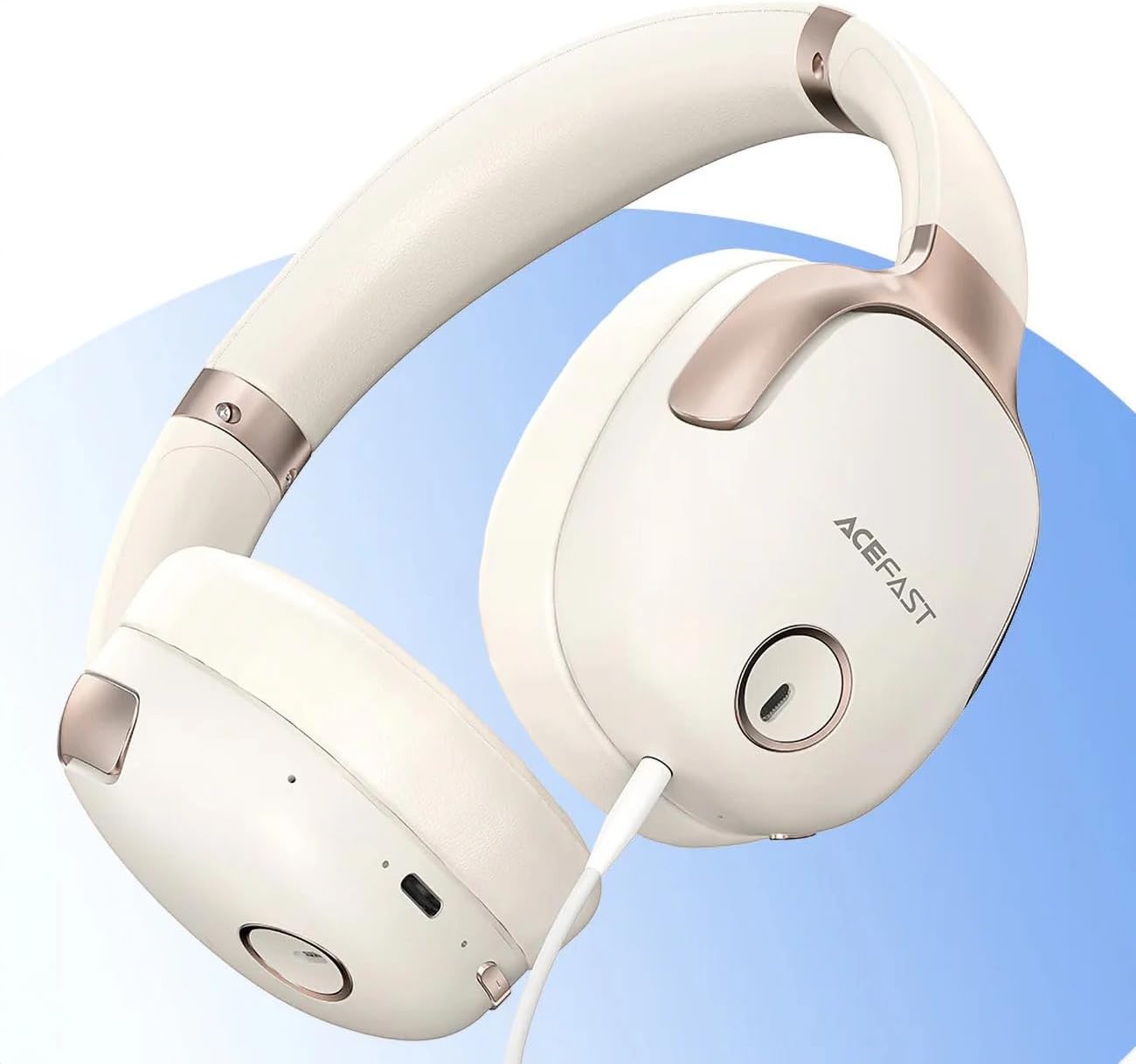
ചിത്രം 1: ACEFAST H2 Headset showing USB-C charging port, 3.5mm audio jack, and control buttons.
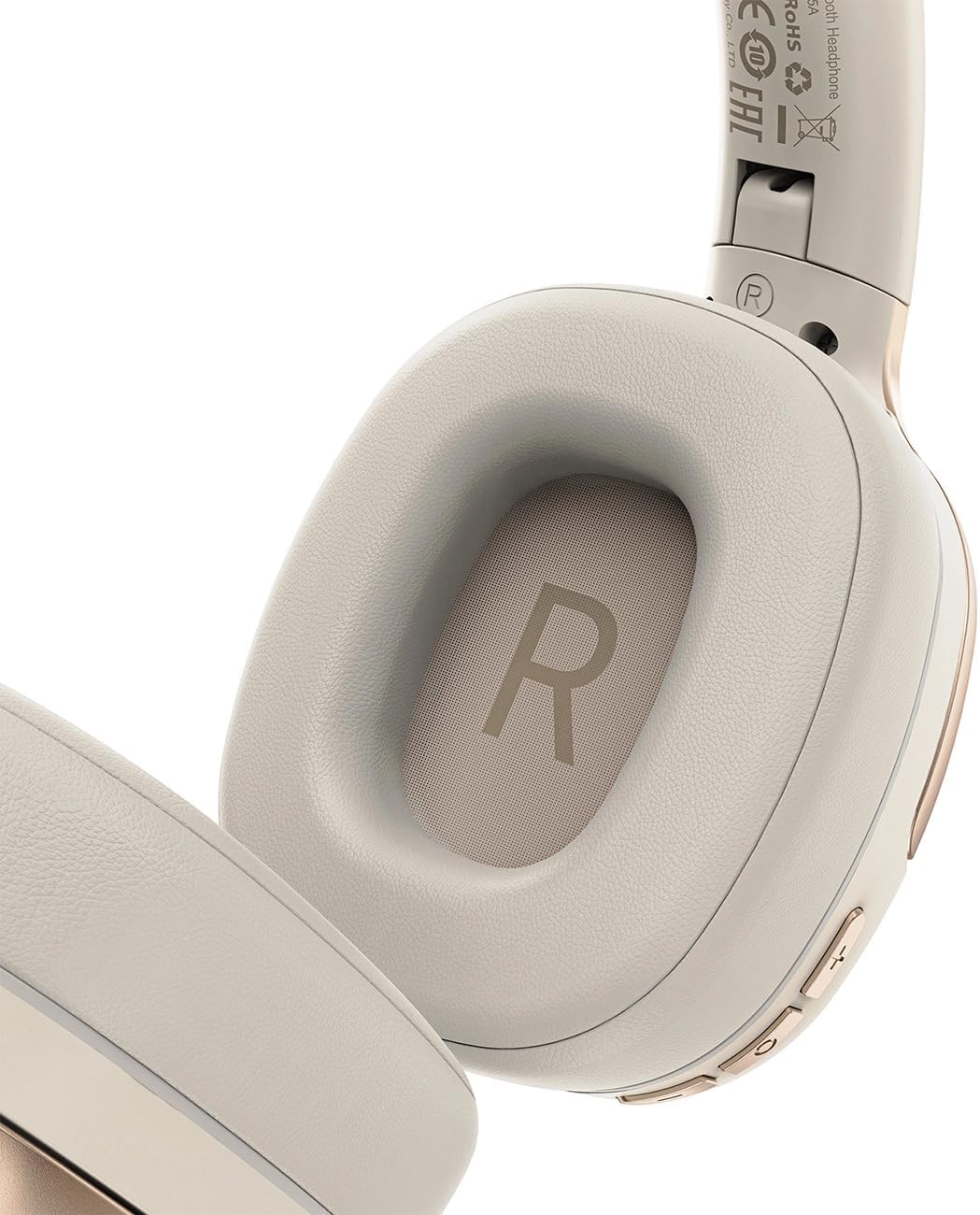
ചിത്രം 2: Interior of the right earcup, indicating proper orientation for wearing.

ചിത്രം 3: Headband adjustment mechanism and ear cup swivel for comfortable fit.

ചിത്രം 4: The foldable design of the headset for easy storage and transport.
പ്രധാന ഘടകങ്ങൾ:
- പവർ/മൾട്ടി-ഫംഗ്ഷൻ ബട്ടൺ: Used for power on/off, play/pause, answer/end calls.
- വോളിയം കൂട്ടുക/അടുത്ത ട്രാക്ക് ബട്ടൺ: വോളിയം കൂട്ടാൻ അമർത്തുക, അടുത്ത ട്രാക്കിനായി പിടിക്കുക.
- വോളിയം കുറയ്ക്കൽ/മുമ്പത്തെ ട്രാക്ക് ബട്ടൺ: ശബ്ദം കുറയ്ക്കാൻ അമർത്തുക, മുമ്പത്തെ ട്രാക്കിനായി അമർത്തിപ്പിടിക്കുക.
- ANC ബട്ടൺ: ആക്ടീവ് നോയ്സ് റദ്ദാക്കൽ സജീവമാക്കുന്നു അല്ലെങ്കിൽ നിർജ്ജീവമാക്കുന്നു.
- USB-C ചാർജിംഗ് പോർട്ട്: ഹെഡ്സെറ്റ് ചാർജ് ചെയ്യുന്നതിനായി.
- 3.5mm ഓഡിയോ ജാക്ക്: For wired connection using the Aux cable.
- മൈക്രോഫോൺ: കോളുകൾക്കായി ബിൽറ്റ്-ഇൻ.
- LED സൂചകം: പവർ, ചാർജിംഗ്, ജോടിയാക്കൽ നില എന്നിവ കാണിക്കുന്നു.
സജ്ജമാക്കുക
1. ഹെഡ്സെറ്റ് ചാർജ് ചെയ്യുന്നു
- Connect the provided USB-C charging cable to the headset's USB-C port.
- കേബിളിന്റെ മറ്റേ അറ്റം ഒരു USB പവർ അഡാപ്റ്ററുമായി (ഉൾപ്പെടുത്തിയിട്ടില്ല) അല്ലെങ്കിൽ ഒരു കമ്പ്യൂട്ടറിന്റെ USB പോർട്ടുമായി ബന്ധിപ്പിക്കുക.
- LED ഇൻഡിക്കേറ്റർ ചാർജിംഗ് സ്റ്റാറ്റസ് കാണിക്കും (ഉദാ: ചാർജ് ചെയ്യുമ്പോൾ ചുവപ്പ്, പൂർണ്ണമായും ചാർജ് ചെയ്യുമ്പോൾ നീല).
- A full charge takes approximately 2 hours and provides up to 80 hours of music playback.
2. പവർ ഓൺ/ഓഫ്
- പവർ ഓണാക്കാൻ: Press and hold the Power/Multi-function button for approximately 3 seconds until the LED indicator flashes.
- പവർ ഓഫ് ചെയ്യാൻ: Press and hold the Power/Multi-function button for approximately 5 seconds until the LED indicator turns off.
3. ബ്ലൂടൂത്ത് ജോടിയാക്കൽ
- ഹെഡ്സെറ്റ് പവർ ഓഫ് ആണെന്ന് ഉറപ്പാക്കുക.
- Press and hold the Power/Multi-function button for about 5-7 seconds until the LED indicator flashes red and blue alternately, indicating pairing mode.
- നിങ്ങളുടെ ഉപകരണത്തിൽ (സ്മാർട്ട്ഫോൺ, ടാബ്ലെറ്റ്, കമ്പ്യൂട്ടർ), ബ്ലൂടൂത്ത് പ്രവർത്തനക്ഷമമാക്കി ലഭ്യമായ ഉപകരണങ്ങൾക്കായി തിരയുക.
- Select "ACEFAST H2" from the list of found devices.
- Once paired, the LED indicator will flash blue slowly.
- The headset will automatically connect to the last paired device when powered on, if within range.
4. വയർഡ് കണക്ഷൻ (ഓക്സ് മോഡ്)
- Connect one end of the 3.5mm Aux cable to the headset's 3.5mm audio jack.
- മറ്റേ അറ്റം നിങ്ങളുടെ ഓഡിയോ ഉറവിടത്തിന്റെ 3.5mm ഓഡിയോ ഔട്ട്പുട്ടുമായി ബന്ധിപ്പിക്കുക.
- In wired mode, the headset functions passively, and Bluetooth features are disabled. ANC may still be active if powered on.
പ്രവർത്തന നിർദ്ദേശങ്ങൾ
സംഗീത പ്ലേബാക്ക്
- പ്ലേ/താൽക്കാലികമായി നിർത്തുക: പവർ/മൾട്ടി-ഫംഗ്ഷൻ ബട്ടൺ ഹ്രസ്വമായി അമർത്തുക.
- വോളിയം കൂട്ടുക: വോളിയം അപ്പ് ബട്ടൺ ചുരുക്കി അമർത്തുക.
- വോളിയം താഴേക്ക്: വോളിയം ഡൗൺ ബട്ടൺ ചുരുക്കി അമർത്തുക.
- അടുത്ത ട്രാക്ക്: വോളിയം അപ്പ് ബട്ടൺ ദീർഘനേരം അമർത്തുക.
- മുമ്പത്തെ ട്രാക്ക്: വോളിയം ഡൗൺ ബട്ടൺ ദീർഘനേരം അമർത്തുക.
ഫോൺ കോളുകൾ
- ഉത്തരം/അവസാന കോൾ: പവർ/മൾട്ടി-ഫംഗ്ഷൻ ബട്ടൺ ഹ്രസ്വമായി അമർത്തുക.
- കോൾ നിരസിക്കുക: പവർ/മൾട്ടി-ഫംഗ്ഷൻ ബട്ടൺ ദീർഘനേരം അമർത്തുക.
- വോയ്സ് അസിസ്റ്റന്റ്: Double-press the Power/Multi-function button (if supported by your device).
സജീവ ശബ്ദ റദ്ദാക്കൽ (ANC)
- ANC സജീവമാക്കുക/നിർജ്ജീവമാക്കുക: Press the dedicated ANC button. The LED indicator will change to confirm status.
- ANC reduces ambient noise up to -40dB, providing a quieter listening environment.
മെയിൻ്റനൻസ്
- വൃത്തിയാക്കൽ: ഹെഡ്സെറ്റ് വൃത്തിയാക്കാൻ മൃദുവായതും ഉണങ്ങിയതുമായ തുണി ഉപയോഗിക്കുക. അബ്രസീവ് ക്ലീനറുകളോ ലായകങ്ങളോ ഉപയോഗിക്കരുത്.
- സംഭരണം: Store the headset in a cool, dry place away from direct sunlight and extreme temperatures. When not in use, it is recommended to fold the headset for compact storage.
- ജല പ്രതിരോധം: The headset is IPX4 water-resistant, meaning it is protected against splashing water from any direction. It is not designed for submersion or exposure to heavy rain. Avoid exposing the charging port and audio jack to moisture.
- ബാറ്ററി കെയർ: To preserve battery life, charge the headset fully before long periods of storage and recharge it at least once every three months.
ട്രബിൾഷൂട്ടിംഗ്
| പ്രശ്നം | സാധ്യമായ കാരണം | പരിഹാരം |
|---|---|---|
| ഹെഡ്സെറ്റ് ഓണാക്കുന്നില്ല. | കുറഞ്ഞ ബാറ്ററി. | ഹെഡ്സെറ്റ് പൂർണ്ണമായും ചാർജ് ചെയ്യുക. |
| ഉപകരണവുമായി ജോടിയാക്കാൻ കഴിയില്ല. | Headset not in pairing mode; device Bluetooth off; too far from device. | Ensure headset is in pairing mode (flashing red/blue). Turn on device Bluetooth. Move headset closer to device (within 10 meters). |
| ശബ്ദമില്ല അല്ലെങ്കിൽ മോശം ഓഡിയോ നിലവാരം. | Volume too low; headset not connected; interference; incorrect audio output selected. | Adjust volume on headset and device. Re-pair headset. Move away from sources of interference. Check device's audio output settings. |
| ANC ഫലപ്രദമായി പ്രവർത്തിക്കുന്നില്ല. | ANC സജീവമാക്കിയിട്ടില്ല; അനുയോജ്യമല്ല. | Press the ANC button to activate. Adjust headset for a snug fit over your ears. |
സ്പെസിഫിക്കേഷനുകൾ
| മോഡലിൻ്റെ പേര് | H2 |
| കണക്റ്റിവിറ്റി ടെക്നോളജി | Wireless (Bluetooth 5.3) / Wired (3.5mm Aux) |
| ബ്ലൂടൂത്ത് ശ്രേണി | 10 മീറ്റർ വരെ |
| ശബ്ദ നിയന്ത്രണം | Active Noise Cancellation (ANC) up to -40dB, Environmental Noise Cancelling (ENC) for microphone |
| ബാറ്ററി ലൈഫ് | 80 മണിക്കൂർ വരെ (സംഗീത പ്ലേബാക്ക്) |
| ചാർജിംഗ് സമയം | ഏകദേശം 2 മണിക്കൂർ (USB-C വഴി) |
| ജല പ്രതിരോധം | IPX4 (സ്പ്ലാഷ് റെസിസ്റ്റൻ്റ്) |
| ചെവി പ്ലേസ്മെൻ്റ് | ചെവിയിൽ |
| മെറ്റീരിയൽ | അക്രിലോണിട്രൈൽ ബ്യൂട്ടാഡീൻ സ്റ്റൈറൈൻ (എബിഎസ്) |
| നിറം | ബീജ് |

ചിത്രം 5: Illustration of the dynamic HiFi audio driver components.
വാറൻ്റി വിവരങ്ങൾ
The ACEFAST H2 Wireless Headset comes with a 6 മാസത്തെ നിർമ്മാതാവിന്റെ വാറന്റി വാങ്ങിയ തീയതി മുതൽ. സാധാരണ ഉപയോഗത്തിലുള്ള നിർമ്മാണ വൈകല്യങ്ങളും പ്രവർത്തനക്ഷമതയും ഈ വാറന്റി ഉൾക്കൊള്ളുന്നു. ദുരുപയോഗം, അപകടങ്ങൾ, അനധികൃത പരിഷ്കാരങ്ങൾ, അല്ലെങ്കിൽ സാധാരണ തേയ്മാനം എന്നിവ മൂലമുണ്ടാകുന്ന നാശനഷ്ടങ്ങൾക്ക് ഇത് പരിരക്ഷ നൽകുന്നില്ല. വാറന്റി ക്ലെയിമുകൾക്കായി നിങ്ങളുടെ വാങ്ങലിന്റെ തെളിവ് സൂക്ഷിക്കുക.
പിന്തുണ
For further assistance, technical support, or warranty inquiries, please refer to the contact information provided by your retailer or visit the official ACEFAST website. Ensure you have your product model number (H2) and proof of purchase ready when contacting support.