
SH-01
SH-01 4G Internet Smart Watch Phone User Manual
Model: SH-01 | Brand: Generic
ആമുഖം
The SH-01 Smart Watch Phone is a versatile wearable device designed for modern connectivity and health monitoring. Featuring a 1.99-inch HD full touch screen, Android 9.0 operating system, and 4G LTE support via a Nano SIM card, it allows for direct calls, messages, and app downloads from the Google Play Store. This device also includes dual cameras, GPS navigation, and comprehensive health tracking capabilities such as heart rate, blood oxygen, and sleep monitoring. Its robust design is life waterproof, making it suitable for daily use.

ചിത്രം 1: മുൻഭാഗം view of the SH-01 Smart Watch Phone.
ബോക്സിൽ എന്താണുള്ളത്
Upon unboxing your SH-01 Smart Watch Phone, please ensure all the following items are present:
- SH-01 Smart Watch Phone
- ചാർജിംഗ് കേബിൾ
- Screwdriver (for SIM card tray access)
സ്പെസിഫിക്കേഷനുകൾ
| പരാമീറ്റർ | വിശദാംശങ്ങൾ |
|---|---|
| മോഡൽ | SH-01 |
| സിപിയു | SCL9832E PA2822 |
| ഓപ്പറേറ്റിംഗ് സിസ്റ്റം | ആൻഡ്രോയിഡ് 9.0 |
| റാം | 4 ജിബി |
| ROM | 64 ജിബി |
| സ്ക്രീൻ വലിപ്പം | 1.99 inch HD (400 * 452 pixels) |
| ക്യാമറകൾ | Side Camera 5.0MP, Front Camera 2.0MP |
| ബാറ്ററി | 1000mAh High Density Lithium-ion Battery |
| ചാർജിംഗ് രീതി | കാന്തിക ചാർജിംഗ് |
| സിം കാർഡ് | Single Nano SIM Card |
| കണക്റ്റിവിറ്റി | 4G LTE (GSM, WCDMA, LTE bands), Wi-Fi, Bluetooth 4.2, GPS |
| ജല പ്രതിരോധം | Life Waterproof (reinforced by water resistant rubber) |
| അളവുകൾ | 51.07 x 43.57 x 14.8 എം.എം. |
| ഭാരം (സ്ട്രാപ്പോടുകൂടി) | 60 ഗ്രാം |
സജ്ജമാക്കുക
1 ഉപകരണം ചാർജ് ചെയ്യുന്നു
Before first use, fully charge your SH-01 Smart Watch Phone. Connect the magnetic charging cable to the charging points on the back of the watch and plug the other end into a USB power adapter (not included).
2. ഒരു സിം കാർഡ് ചേർക്കൽ
The SH-01 supports a single Nano SIM card for 4G LTE connectivity. Use the provided screwdriver to open the SIM card tray. Carefully insert the Nano SIM card into the tray, ensuring proper orientation, then close the tray securely.

Figure 2: Illustration of inserting a Nano SIM card into the watch.
3. പ്രാരംഭ പവർ ഓണും സജ്ജീകരണവും
Press and hold the power button to turn on the watch. Follow the on-screen prompts to complete the initial setup, including language selection, Wi-Fi connection, and Google account login.
4. App Installation (GaoFit)
To synchronize health data and notifications with your smartphone, download the "GaoFit" app from your smartphone's app store. Open the app and follow the instructions to pair your SH-01 Smart Watch Phone.
പ്രവർത്തന നിർദ്ദേശങ്ങൾ
1. നാവിഗേഷനും ഇന്റർഫേസും
The SH-01 features a full touch screen. Swipe left/right, up/down to navigate through menus and applications. Tap to select items. The watch also supports customized screen pages and dozens of UI interface options.
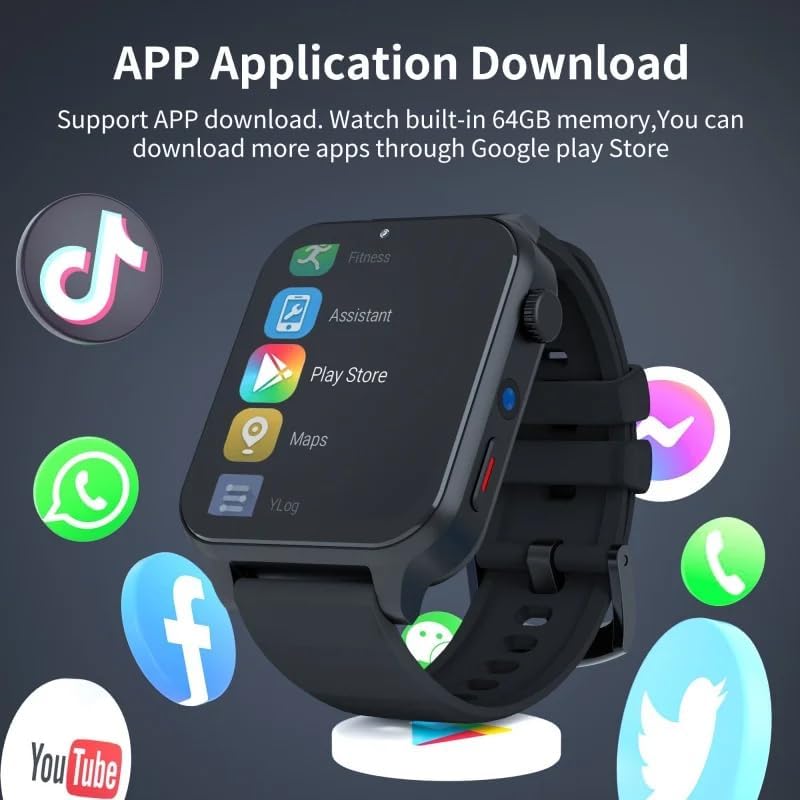
Figure 3: The SH-01 Smart Watch Phone on a display stand, showcasing its screen.
2. കോളുകൾ ചെയ്യുക, സന്ദേശങ്ങൾ അയയ്ക്കുക
With a Nano SIM card inserted, you can directly make and receive calls, and send messages from the watch. Access the Phonebook or Dialer application to initiate communication.
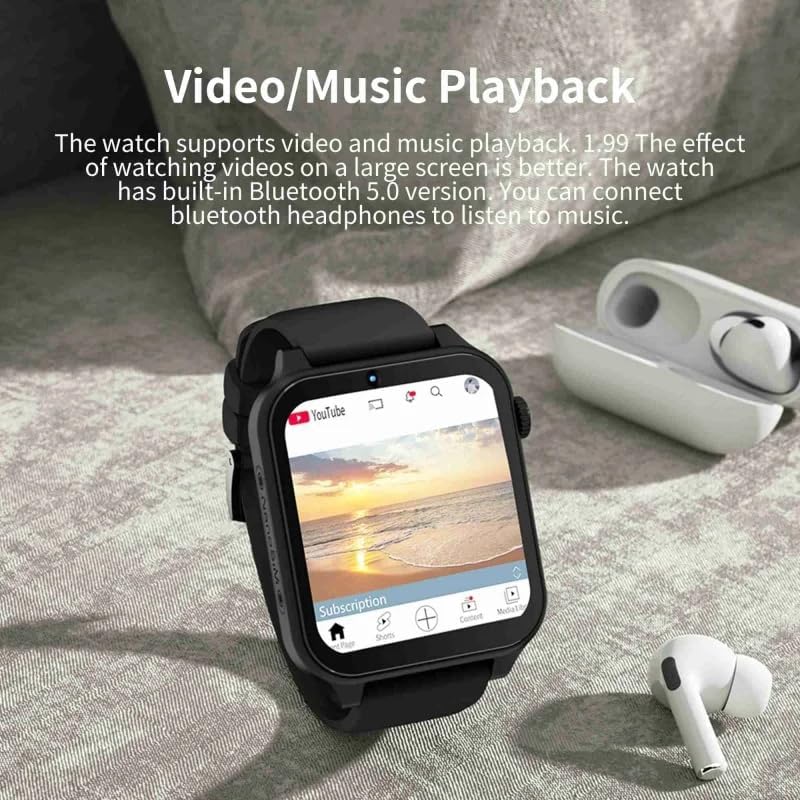
Figure 4: Demonstrating call and message functionality on the watch.
3. App Downloads and Google Play Store
The watch has 64GB of internal memory and runs Android 9.0, allowing you to download various applications through the Google Play Store. Connect to Wi-Fi for optimal download speeds.

Figure 5: The watch screen showing available applications and the Google Play Store icon.
4. ആരോഗ്യ നിരീക്ഷണ സവിശേഷതകൾ
The SH-01 includes sensors for heart rate, blood oxygen, and sleep monitoring. Access these features through their respective applications on the watch. Data can be synchronized to the "GaoFit" app on your smartphone for detailed tracking.

Figure 6: Visual representation of the watch's health monitoring capabilities.
5. Sports Modes and GPS
The watch supports 9 sports modes, including Outdoor Run, Indoor Run, Outdoor Walk, Ride Bike, Play Basketball, Play Football, Play Pingpong, Play Badminton, and Rope Skipping. It also features GPS positioning for accurate tracking during outdoor activities. You can download apps like "Strava" for enhanced sports tracking.
6. Media Playback and Cameras
Enjoy video and music playback directly on the watch's 1.99-inch screen. Connect Bluetooth headphones for audio. The watch is equipped with a 5.0MP side camera and a 2.0MP front camera for photos and video calls, supporting face recognition unlock.

Figure 7: The watch screen showing video content.

Figure 8: Depiction of the dual camera system.
7. മറ്റ് പ്രവർത്തനങ്ങൾ
The SH-01 includes additional features such as Bluetooth connectivity, Weather Forecast, Alarm clock, Calendar, Recorder, Hotspot sharing, and Passometer.
8. ഉൽപ്പന്ന വീഡിയോ
Video 1: Demonstrating the performance, operation, and appearance of the SH-01 Smart Watch Phone.
മെയിൻ്റനൻസ്
1. വൃത്തിയാക്കൽ
Wipe the watch screen and body with a soft, lint-free cloth. For stubborn smudges, slightly dampതുണിയിൽ വെള്ളം ഒഴിക്കുക. കഠിനമായ രാസവസ്തുക്കളോ ഉരച്ചിലുകളോ ഉള്ള വസ്തുക്കൾ ഉപയോഗിക്കുന്നത് ഒഴിവാക്കുക.
2. ജല പ്രതിരോധം
The SH-01 is life waterproof, reinforced by water-resistant rubber. This means it can withstand splashes, rain, and brief immersion during hand washing or face washing. However, it is not suitable for swimming, showering with hot water, or diving. Avoid exposing the watch to high-pressure water or steam.

Figure 9: The watch demonstrating its life waterproof capability.
3. ബാറ്ററി പരിചരണം
To prolong battery life, avoid fully discharging the battery frequently. Charge the watch regularly, and store it in a cool, dry place if not used for extended periods.
ട്രബിൾഷൂട്ടിംഗ്
| പ്രശ്നം | സാധ്യമായ കാരണം / പരിഹാരം |
|---|---|
| വാച്ച് ഓണാകുന്നില്ല | Battery may be depleted. Connect to charger and try again. Ensure charging cable is properly connected. |
| കോളുകൾ വിളിക്കാനോ സ്വീകരിക്കാനോ കഴിയില്ല | Check if Nano SIM card is correctly inserted and activated. Verify network signal strength. Ensure sufficient balance or active plan on SIM card. |
| Apps not downloading | Check Wi-Fi or 4G data connection. Ensure sufficient storage space (64GB ROM). Clear Google Play Store cache. |
| Health data not syncing to phone | Ensure Bluetooth is enabled on both watch and smartphone. Verify the "GaoFit" app is installed and running on your phone. Re-pair the watch with the app if necessary. |
| ടച്ച് സ്ക്രീൻ പ്രതികരിക്കുന്നില്ല | Restart the watch. If the issue persists, perform a factory reset (note: this will erase all data). |
വാറൻ്റിയും പിന്തുണയും
For warranty information and technical support, please refer to the documentation provided at the time of purchase or contact the retailer/manufacturer directly. Keep your proof of purchase for warranty claims.
Ask a question about this manual
Ask about setup, troubleshooting, compatibility, parts, safety, or missing instructions. Manuals+ will review the question and use this page’s manual context to help answer it.