
1. ആമുഖം
Thank you for choosing the AWEI T21 Bluetooth Earbuds. These wireless earbuds are designed to provide a high-quality audio experience with advanced features such as Bluetooth 5.3 connectivity, smart touch controls, and IPX6 waterproofing. This manual will guide you through the setup, operation, and maintenance of your new earbuds.

ചിത്രം: കഴിഞ്ഞുview of AWEI T21 Earbuds key features including Bluetooth 5.3, TWS, HD Microphone, comfortable fit, Type-C fast charging, and touch control.
2. പാക്കേജ് ഉള്ളടക്കം
- AWEI T21 Wireless Bluetooth Headset (Left and Right Earbuds)
- ചാർജിംഗ് കേസ്
- USB-C ചാർജിംഗ് കേബിൾ
- User Instructions (This Manual)
3. സജ്ജീകരണം
3.1 പ്രാരംഭ ചാർജിംഗ്
Before first use, fully charge the earbuds and the charging case. Connect the provided USB-C cable to the charging port on the case and to a power source. The charging case has a 300mAh capacity and takes approximately 1.5 hours to fully charge.

Image: The AWEI T21 charging case with its Type-C fast-fill port, shown connected to a power source.

Image: The AWEI T21 multi-function charging case highlighting its 300mAh capacity, 2.5 hours play time, and 130 hours standby time.
3.2 ഒരു ഉപകരണവുമായി ജോടിയാക്കൽ
- ചാർജിംഗ് കേസ് തുറക്കുക. ഇയർബഡുകൾ സ്വയമേവ ഓണാകുകയും ജോടിയാക്കൽ മോഡിലേക്ക് പ്രവേശിക്കുകയും ചെയ്യും.
- നിങ്ങളുടെ ഉപകരണത്തിൽ (സ്മാർട്ട്ഫോൺ, ടാബ്ലെറ്റ്, ലാപ്ടോപ്പ്), ബ്ലൂടൂത്ത് പ്രവർത്തനക്ഷമമാക്കുക.
- ഇതിനായി തിരയുക "AWEI T21" in the list of available Bluetooth devices and select it to connect.
- കണക്റ്റ് ചെയ്തുകഴിഞ്ഞാൽ, ഒരു സ്ഥിരീകരണ ടോൺ നിങ്ങൾ കേൾക്കും, ഇയർബഡുകൾ ഉപയോഗത്തിന് തയ്യാറാകും.
The earbuds feature Bluetooth 5.3 technology for a fast and stable connection, with a range of up to 10 meters.

Image: AWEI T21 earbuds in their charging case, illustrating instant connection via Bluetooth 5.3 upon removal.
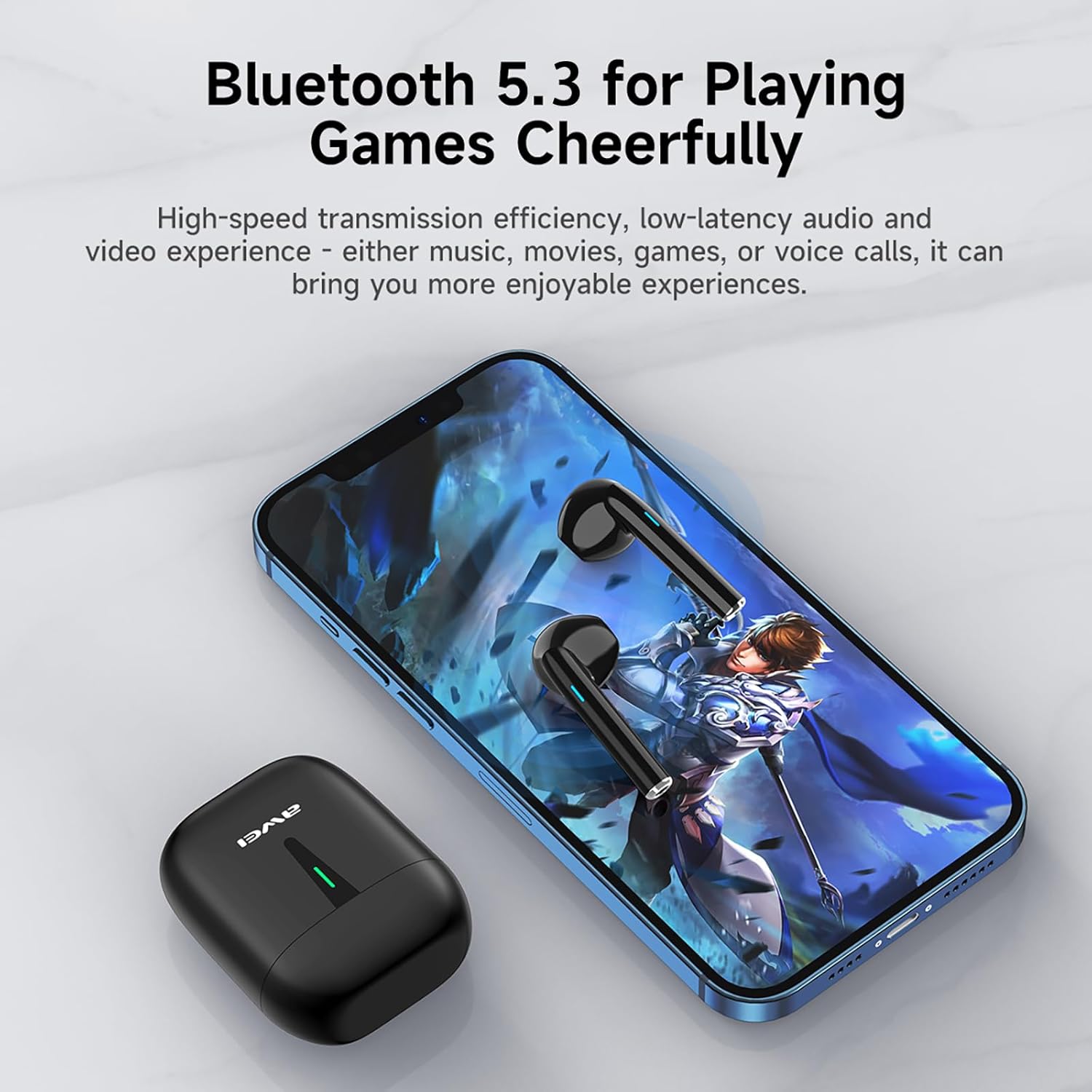
Image: A smartphone displaying a game, with AWEI T21 earbuds and their charging case nearby, emphasizing Bluetooth 5.3 for low-latency audio.
4. പ്രവർത്തന നിർദ്ദേശങ്ങൾ
4.1 പവർ ഓൺ/ഓഫ്
- പവർ ഓൺ: ചാർജിംഗ് കേസിൽ നിന്ന് നീക്കം ചെയ്യുമ്പോൾ ഇയർബഡുകൾ യാന്ത്രികമായി ഓണാകും.
- പവർ ഓഫ്: ഇയർബഡുകൾ സ്വയമേവ ഓഫാക്കി ചാർജ് ചെയ്യാൻ തുടങ്ങുന്നതിന് അവ ചാർജിംഗ് കെയ്സിലേക്ക് തിരികെ വയ്ക്കുക.
4.2 സ്മാർട്ട് ടച്ച് നിയന്ത്രണങ്ങൾ
The AWEI T21 earbuds feature intuitive touch controls on each earbud. Specific touch functions may vary slightly by device, but common controls include:
- പ്ലേ/താൽക്കാലികമായി നിർത്തുക: ഇയർബഡുകളിൽ ഏതെങ്കിലുമൊന്നിൽ ഒറ്റ ടാപ്പ് ചെയ്യുക.
- അടുത്ത ഗാനം: വലതുവശത്തെ ഇയർബഡിൽ രണ്ടുതവണ ടാപ്പ് ചെയ്യുക.
- മുൻ ഗാനം: ഇടതുവശത്തെ ഇയർബഡിൽ രണ്ടുതവണ ടാപ്പ് ചെയ്യുക.
- ഉത്തരം/അവസാന കോൾ: ഇയർബഡുകളിൽ ഏതെങ്കിലുമൊന്നിൽ ഒറ്റ ടാപ്പ് ചെയ്യുക.
- കോൾ നിരസിക്കുക: ഏതെങ്കിലും ഇയർബഡിൽ 2 സെക്കൻഡ് അമർത്തിപ്പിടിക്കുക.
- വോളിയം നിയന്ത്രണം: (Specific gesture not detailed in product info, typically long press or multiple taps. Refer to device settings if needed.)
- വോയ്സ് അസിസ്റ്റന്റിനെ സജീവമാക്കുക: (Specific gesture not detailed in product info, typically triple tap or long press.)
4.3 Monaural and Binaural Modes
The earbuds support both single-ear (monaural) and dual-ear (binaural) usage modes.
- മോണോറൽ മോഡ്: Use one earbud independently while the other is in the charging case. This extends total listening time by allowing you to alternate earbuds.
- ബൈനറൽ മോഡ്: Use both earbuds simultaneously for stereo sound.

Image: Illustration of AWEI T21 earbuds in both monaural (single earbud connected) and binaural (both earbuds connected for stereo) modes.
5. പരിപാലനം
5.1 വൃത്തിയാക്കൽ
- മൃദുവായതും ഉണങ്ങിയതും ലിന്റ് രഹിതവുമായ ഒരു തുണി ഉപയോഗിച്ച് ഇയർബഡുകളും ചാർജിംഗ് കെയ്സും സൌമ്യമായി തുടയ്ക്കുക.
- അബ്രാസീവ് ക്ലീനറുകൾ, ലായകങ്ങൾ, എയറോസോൾ സ്പ്രേകൾ എന്നിവ ഉപയോഗിക്കരുത്.
- ഇയർബഡുകളിലെയും കെയ്സിലെയും ചാർജിംഗ് കോൺടാക്റ്റുകൾ വൃത്തിയുള്ളതും വരണ്ടതുമാണെന്ന് ഉറപ്പാക്കുക.
5.2 ജല പ്രതിരോധം
The AWEI T21 earbuds are rated IPX6 waterproof, meaning they are protected against high-pressure water jets from any direction. This makes them suitable for use during workouts or in light rain. However, they are not designed for submersion in water. Ensure earbuds are dry before placing them back in the charging case.
5.3 സംഭരണം
ഉപയോഗത്തിലില്ലാത്തപ്പോൾ, ഇയർബഡുകൾ ചാർജിംഗ് കേസിൽ സൂക്ഷിക്കുക, അതുവഴി അവയെ സംരക്ഷിക്കുകയും ചാർജ്ജ് ആയി നിലനിർത്തുകയും ചെയ്യുക. ഉയർന്ന താപനിലയിൽ നിന്ന് മാറി തണുത്തതും വരണ്ടതുമായ സ്ഥലത്ത് സൂക്ഷിക്കുക.
6. പ്രശ്നപരിഹാരം
| പ്രശ്നം | സാധ്യമായ പരിഹാരം |
|---|---|
| ഇയർബഡുകൾ ഉപകരണവുമായി ജോടിയാക്കുന്നില്ല. |
|
| ഒരു ഇയർബഡ് മാത്രമാണ് പ്രവർത്തിക്കുന്നത്. |
|
| ഇയർബഡുകൾ ചാർജ് ചെയ്യുന്നില്ല. |
|
| Low sound quality or intermittent connection. |
|
7 സ്പെസിഫിക്കേഷനുകൾ
| മോഡലിൻ്റെ പേര് | T21 |
| ബ്രാൻഡ് | അവേയ് |
| കണക്റ്റിവിറ്റി ടെക്നോളജി | വയർലെസ് (ബ്ലൂടൂത്ത്) |
| ബ്ലൂടൂത്ത് പതിപ്പ് | 5.3 |
| ബ്ലൂടൂത്ത് ശ്രേണി | 10 മീറ്റർ |
| ചെവി പ്ലേസ്മെൻ്റ് | ചെവിയിൽ |
| നിയന്ത്രണ തരം | ടച്ച് നിയന്ത്രണം |
| ജല പ്രതിരോധ നില | IPX6 വാട്ടർപ്രൂഫ് |
| ഇയർബഡ് ബാറ്ററി ലൈഫ് | 6 Hours (continuous use) |
| ചാർജിംഗ് കേസ് കപ്പാസിറ്റി | 300mAh |
| ആകെ പ്ലേടൈം (കേസിനൊപ്പം) | Up to 36 Hours (dual-ear mode), Up to 72 Hours (single-ear alternating) |
| ചാർജിംഗ് സമയം (കേസ്) | 1.5 മണിക്കൂർ (ടൈപ്പ്-സി വഴി) |
| ഓഡിയോ ഡ്രൈവർ തരം | ഡൈനാമിക് ഡ്രൈവർ (10mm സ്പീക്കർ) |
| മെറ്റീരിയൽ | Silicone (ear caps) |
| ഇനത്തിൻ്റെ ഭാരം | 0.09 കിലോഗ്രാം |
| ഉൾപ്പെടുത്തിയ ഘടകങ്ങൾ | USB-C Charging Cable, Wireless Bluetooth Headset, User Instructions, Wireless Bluetooth Headset Charging Case |
8. വാറൻ്റി വിവരങ്ങൾ
The AWEI T21 Bluetooth Earbuds come with a 1 വർഷത്തെ വാറൻ്റി വാങ്ങിയ തീയതി മുതൽ. ഈ വാറന്റി നിർമ്മാണ വൈകല്യങ്ങൾ ഉൾക്കൊള്ളുന്നു. വാറന്റി ക്ലെയിമുകൾക്കായി നിങ്ങളുടെ വാങ്ങലിന്റെ തെളിവ് സൂക്ഷിക്കുക. ദുരുപയോഗം, അപകടങ്ങൾ, അനധികൃത പരിഷ്കാരങ്ങൾ, അല്ലെങ്കിൽ സാധാരണ തേയ്മാനം എന്നിവ മൂലമുണ്ടാകുന്ന നാശനഷ്ടങ്ങൾക്ക് വാറന്റി പരിരക്ഷ നൽകുന്നില്ല.
9. ഉപഭോക്തൃ പിന്തുണ
For further assistance, technical support, or warranty inquiries, please contact Awei customer service through the retailer where you purchased the product or visit the official Awei webബന്ധപ്പെടാനുള്ള വിവരങ്ങൾക്കുള്ള സൈറ്റ്.