

ആമുഖം
This manual provides essential information for the setup, operation, maintenance, and troubleshooting of your Varmilo Sword68 Sakura Aluminum 65% Hotswap Wireless RGB Mechanical Keyboard. Please read this manual thoroughly to ensure proper use and to maximize your keyboard's performance and longevity.
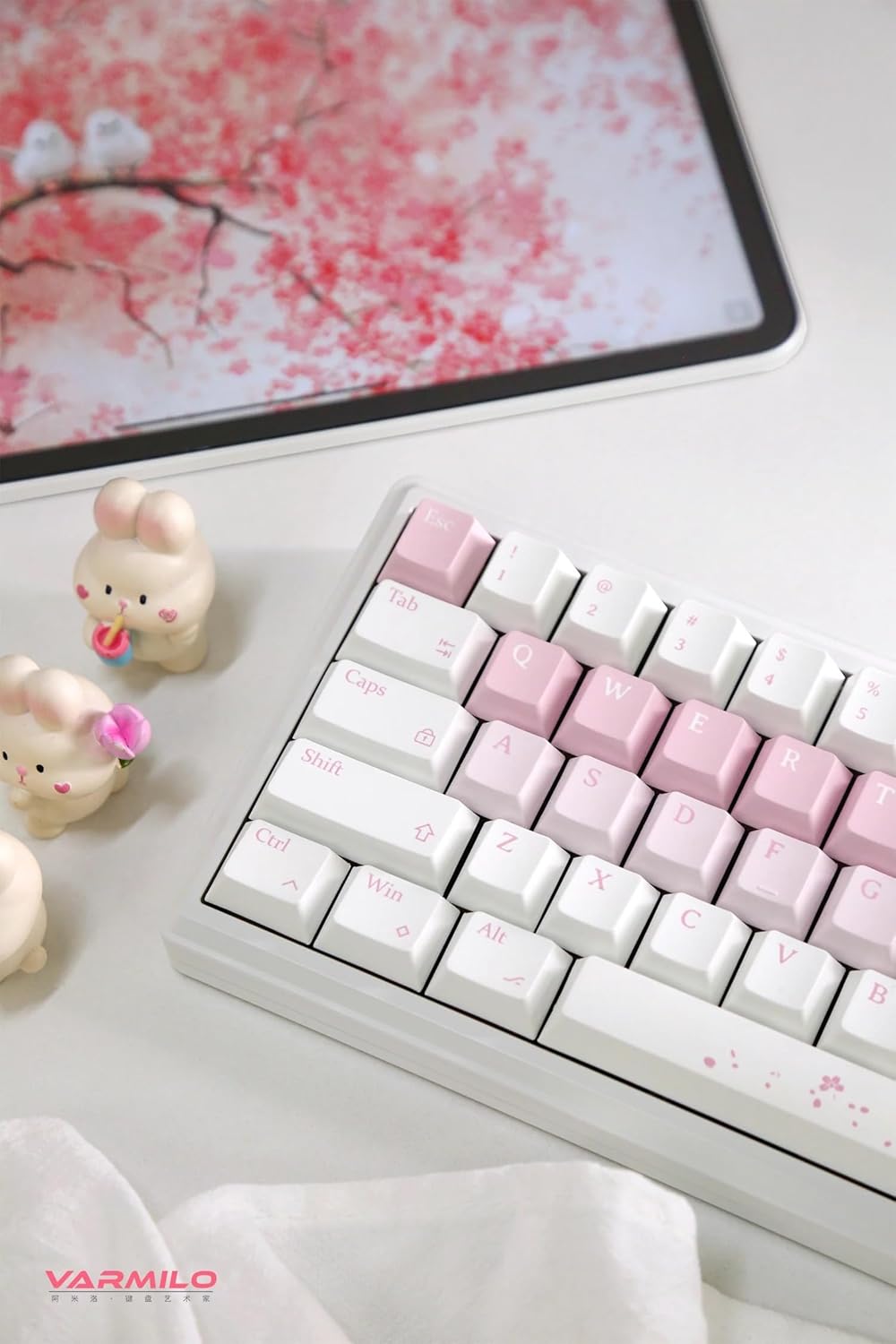
ഈ ചിത്രം ഒരു ഓവർഹെഡ് അവതരിപ്പിക്കുന്നു view of the Varmilo Sword68 Sakura keyboard positioned on a desk. It shows the keyboard in a typical usage environment, accompanied by a tablet displaying a cherry blossom theme and decorative bunny figurines, emphasizing the product's aesthetic appeal and its integration into a personalized workspace.
പാക്കേജ് ഉള്ളടക്കം
അൺബോക്സ് ചെയ്യുമ്പോൾ, എല്ലാ ഘടകങ്ങളും ഉണ്ടെന്ന് ദയവായി പരിശോധിക്കുക:
- Varmilo Sword68 Sakura Mechanical Keyboard
- യുഎസ്ബി-സി കേബിൾ
- Keycap Puller (typically included for hotswap keyboards)
- Switch Puller (typically included for hotswap keyboards)
- ഉപയോക്തൃ മാനുവൽ (ഈ പ്രമാണം)
സജ്ജമാക്കുക
Your Varmilo Sword68 keyboard offers three connectivity options: wired USB-C, Bluetooth 5.0, and 2.4 GHz wireless.
1. വയർഡ് കണക്ഷൻ
- കീബോർഡിൽ USB-C പോർട്ട് കണ്ടെത്തുക.
- നൽകിയിരിക്കുന്ന USB-C കേബിളിന്റെ ഒരു അറ്റം കീബോർഡിലേക്കും മറ്റേ അറ്റം നിങ്ങളുടെ കമ്പ്യൂട്ടറിൽ ലഭ്യമായ ഒരു USB പോർട്ടിലേക്കും ബന്ധിപ്പിക്കുക.
- നിങ്ങളുടെ ഓപ്പറേറ്റിംഗ് സിസ്റ്റം കീബോർഡ് യാന്ത്രികമായി തിരിച്ചറിയും.
2. Wireless Connection (Bluetooth 5.0)
- കീബോർഡ് ആദ്യം ചാർജ് ചെയ്തിട്ടുണ്ടോ അല്ലെങ്കിൽ USB-C വഴി ബന്ധിപ്പിച്ചിട്ടുണ്ടോ എന്ന് ഉറപ്പാക്കുക.
- Switch the keyboard to Bluetooth mode (refer to keyboard's specific switch/key combination for mode selection, usually Fn + a number key).
- On your device (PC, Laptop, Tablet, Smartphone), enable Bluetooth and search for new devices.
- Select "Varmilo Sword68" from the list of available devices to pair.
- ജോടിയാക്കൽ പ്രക്രിയ പൂർത്തിയാക്കാൻ ഏതെങ്കിലും ഓൺ-സ്ക്രീൻ നിർദ്ദേശങ്ങൾ പാലിക്കുക.
3. Wireless Connection (2.4 GHz)
- Locate the 2.4 GHz USB receiver (dongle), typically stored in a compartment on the keyboard or included separately.
- നിങ്ങളുടെ കമ്പ്യൂട്ടറിൽ ലഭ്യമായ USB പോർട്ടിലേക്ക് USB റിസീവർ പ്ലഗ് ചെയ്യുക.
- Switch the keyboard to 2.4 GHz wireless mode (refer to keyboard's specific switch/key combination for mode selection).
- കീബോർഡ് റിസീവറുമായി യാന്ത്രികമായി ബന്ധിപ്പിക്കണം.
കീബോർഡ് ചാർജ് ചെയ്യുന്നു
The keyboard is equipped with a 4000mAh rechargeable battery. Connect the keyboard via the USB-C cable to a powered USB port on your computer or a USB wall adapter. The RGB backlighting may indicate charging status (e.g., pulsing light) and full charge (e.g., solid light).
പ്രവർത്തന നിർദ്ദേശങ്ങൾ
പ്രധാന പ്രവർത്തനങ്ങളും ലേഔട്ടും
The Varmilo Sword68 features a 65% layout with 68 keys. Many functions are accessed via the Fn key combined with other keys. Refer to the keycap legends for specific secondary functions.

This close-up image focuses on the right-hand side of the Varmilo Sword68 Sakura keyboard. It clearly shows the dedicated arrow keys, along with the Delete, Page Up, and Page Down keys. The Enter key is visible, featuring a subtle Sakura design, emphasizing the keyboard's aesthetic theme.
RGB ബാക്ക്ലൈറ്റിംഗ് നിയന്ത്രണം
The keyboard features customizable RGB backlighting. Specific key combinations (e.g., Fn + \ or Fn + അമ്പടയാള കീകൾ) are typically used to cycle through lighting modes, adjust brightness, and change colors. Consult the keyboard's quick guide or software for detailed instructions on RGB customization.
ഇഷ്ടാനുസൃത സോഫ്റ്റ്വെയർ
For advanced customization of RGB lighting, key remapping, and macro creation, download and install the official Varmilo software from the Varmilo website. The software allows for fine-tuning your keyboard experience to your preferences.
ഹോട്ട്-സ്വാപ്പബിൾ പിസിബി
The keyboard's hot-swappable PCB allows you to change mechanical switches without soldering. This feature supports both plate mount and PCB mount stabilizers. Use the provided switch puller to carefully remove switches and insert new ones, ensuring pins are aligned correctly.

This image provides an angled perspective of the Varmilo Sword68 Sakura keyboard, drawing attention to the spacebar which is adorned with a delicate cherry blossom pattern. The photograph also showcases the profile and texture of the white and pink keycaps, giving a sense of the keyboard's overall design and build quality.
മെയിൻ്റനൻസ്
കീബോർഡ് വൃത്തിയാക്കുന്നു
- വൃത്തിയാക്കുന്നതിനുമുമ്പ് നിങ്ങളുടെ കമ്പ്യൂട്ടറിൽ നിന്ന് കീബോർഡ് വിച്ഛേദിക്കുക.
- കീക്യാപ്പുകൾക്കിടയിൽ നിന്ന് പൊടിയും അവശിഷ്ടങ്ങളും നീക്കം ചെയ്യാൻ മൃദുവായ ബ്രഷ് അല്ലെങ്കിൽ കംപ്രസ് ചെയ്ത വായു ഉപയോഗിക്കുക.
- For keycap cleaning, gently remove keycaps using a keycap puller. Clean them with a mild soap solution and a soft cloth, then dry thoroughly before reattaching.
- Wipe the keyboard case with a slightly damp, ലിന്റ് രഹിത തുണി. അമിതമായ ഈർപ്പം ഒഴിവാക്കുക.
സ്വിച്ചും കീക്യാപ്പ് മാറ്റിസ്ഥാപിക്കലും
Due to the hot-swappable design, switches and keycaps can be replaced. Use appropriate tools (keycap puller, switch puller) to avoid damage. Ensure replacement switches are compatible with the PCB's socket type.
ട്രബിൾഷൂട്ടിംഗ്
കീബോർഡ് പ്രതികരിക്കുന്നില്ല
- വയർ: Check USB-C cable connection at both ends. Try a different USB port or cable.
- Wireless (Bluetooth/2.4 GHz): Ensure the keyboard is in the correct wireless mode. Check battery level. Re-pair Bluetooth or re-insert 2.4 GHz dongle.
- നിങ്ങളുടെ കമ്പ്യൂട്ടർ പുനരാരംഭിക്കുക.
RGB Backlighting Not Working/Incorrect
- Ensure RGB is enabled via key combinations.
- Check settings in the Varmilo custom software.
- Verify keyboard is fully charged.
കീകൾ രജിസ്റ്റർ ചെയ്യുന്നില്ല
- For individual keys, carefully remove the keycap and switch. Re-seat the switch firmly into the PCB. If the issue persists, the switch may need replacement.
- കീക്യാപ്പിനോ സ്വിച്ചിനോ കീഴിൽ അവശിഷ്ടങ്ങൾ അടിഞ്ഞുകൂടുന്നില്ലെന്ന് ഉറപ്പാക്കുക.
Connectivity Issues (Wireless)
- കീബോർഡും റിസീവറും/ഉപകരണവും തമ്മിലുള്ള ദൂരം കുറയ്ക്കുക.
- Remove potential sources of interference (other wireless devices, large metal objects).
- Ensure drivers are up to date on your computer.
സ്പെസിഫിക്കേഷനുകൾ
| ഫീച്ചർ | വിശദാംശങ്ങൾ |
|---|---|
| മോഡൽ | Varmilo Sword68 Sakura |
| ലേഔട്ട് | 65% (68 കീകൾ) |
| കേസ് മെറ്റീരിയൽ | Full 6063 Aluminum CNC with Electrophoresis Finish |
| മൗണ്ടിംഗ് ശൈലി | Leaf Spring Gasket Mount |
| കണക്റ്റിവിറ്റി | Wired (USB-C), Bluetooth 5.0, 2.4 GHz Wireless |
| സ്വിച്ചുകൾ | Kailh Prestige Silent (Hot-swappable) |
| കീകാപ്പുകൾ | Double Shot ABS |
| ബാക്ക്ലൈറ്റിംഗ് | RGB |
| ബാറ്ററി ശേഷി | 4000mAh |
| ശബ്ദ ആഗിരണം | 3x Poron foam, 2x PET foam, 1x IXPE foam |
| അനുയോജ്യമായ ഉപകരണങ്ങൾ | ലാപ്ടോപ്പ്, പിസി, ടാബ്ലെറ്റ്, സ്മാർട്ട്ഫോൺ |
| മാതൃരാജ്യം | ചൈന |
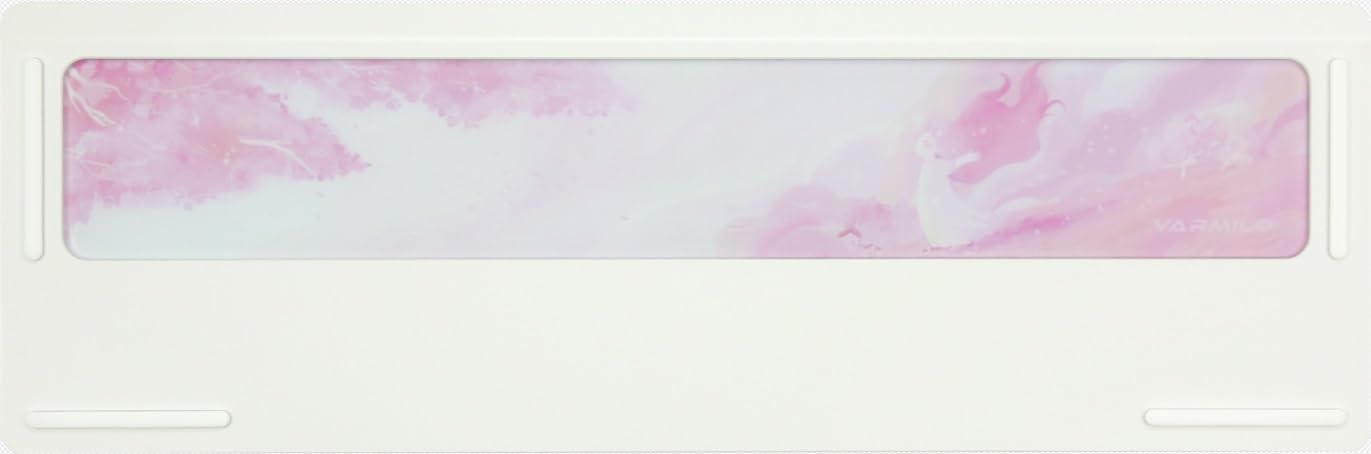
This image displays the underside of the Varmilo Sword68 Sakura keyboard. The prominent feature is the frosted glass weight, which is integrated into the aluminum case and subtly etched with a cherry blossom motif, adding to the keyboard's aesthetic appeal and stability.
വാറൻ്റിയും പിന്തുണയും
Varmilo products are manufactured to high quality standards. For information regarding warranty coverage, please refer to the warranty card included with your product or visit the official Varmilo website. For technical support, troubleshooting assistance beyond this manual, or inquiries about replacement parts, please contact Varmilo customer service through their official channels.
കുറിപ്പ്: വാറന്റി നിബന്ധനകൾ പ്രദേശത്തിനും റീട്ടെയിലറിനും അനുസരിച്ച് വ്യത്യാസപ്പെടാം. വാറന്റി ക്ലെയിമുകൾക്കായി നിങ്ങളുടെ വാങ്ങിയതിന്റെ തെളിവ് സൂക്ഷിക്കുക.