
ABM501
ഉപയോക്തൃ മാനുവൽ
Generic Video Baby Monitor ABM501
ആമുഖം
This user manual provides comprehensive instructions for the safe and effective operation of your Generic Video Baby Monitor ABM501. Please read this manual thoroughly before using the product and retain it for future reference.
The ABM501 is designed to provide reliable monitoring of your baby, featuring a 5-inch HD display, night vision, secure encrypted signal, and enhanced battery life. It includes a camera with pan-tilt-zoom capabilities and a parent unit for convenient monitoring.
പാക്കേജ് ഉള്ളടക്കം
താഴെ ലിസ്റ്റ് ചെയ്തിരിക്കുന്ന എല്ലാ ഇനങ്ങളും നിങ്ങളുടെ പാക്കേജിൽ ഉൾപ്പെടുത്തിയിട്ടുണ്ടെന്ന് ദയവായി പരിശോധിക്കുക:
- 1 x Baby Camera Unit
- 1 x Parent Monitor Unit
- 1 x ഉപയോക്തൃ മാനുവൽ
- 1 x Power Adapter and USB Cable (for camera)
- 1 x Power Adapter and USB Cable (for monitor)
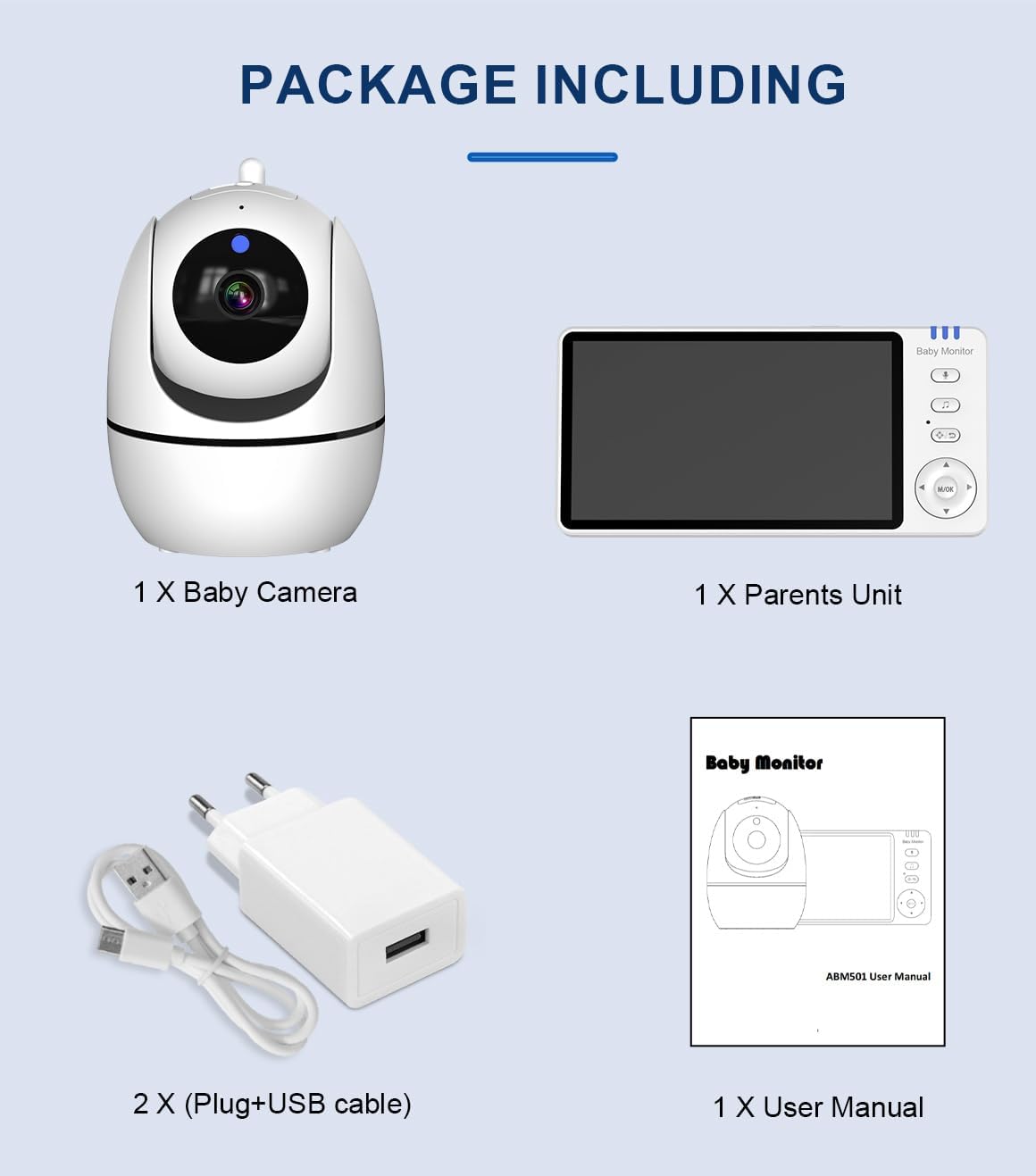
Image: All components included in the ABM501 baby monitor package, neatly laid out.
പ്രധാന സവിശേഷതകൾ
- 5 ഇഞ്ച് എച്ച്ഡി ഡിസ്പ്ലേ: Provides a clear and detailed view നിങ്ങളുടെ കുഞ്ഞിൻറെ.
- രാത്രി കാഴ്ച: Automatic infrared night vision for clear monitoring in low light conditions.
- Pan, Tilt, and Zoom Camera: ക്യാമറകൾ വിദൂരമായി ക്രമീകരിക്കുക view മുറി മുഴുവൻ മൂടാൻ.
- ടു-വേ ഇന്റർകോം: പാരന്റ് യൂണിറ്റിൽ നിന്ന് നിങ്ങളുടെ കുഞ്ഞിനോട് ആശയവിനിമയം നടത്തുക.
- Secure Data Transmission: High-security encrypted signal (FHSS 2.4GHz) for privacy.
- വിപുലീകരിച്ച ശ്രേണി: Up to 400m signal range in open spaces.
- മെച്ചപ്പെടുത്തിയ ബാറ്ററി ലൈഫ്: 3,500 mAh battery capacity for the monitor.
- മുറിയിലെ താപനില നിരീക്ഷണം: Displays the temperature of the baby's room.
- ലാലബികൾ: 8 built-in lullabies to soothe your baby.
- Cry Detection / VOX: Sound activation feature to alert you when your baby cries.
- ഫീഡിംഗ് ഓർമ്മപ്പെടുത്തൽ: Set alarms for feeding times.

Image: Visual representation of the monitor's key functions, such as two-way audio and night vision.
സജ്ജീകരണ ഗൈഡ്
- ക്യാമറയുടെ സ്ഥാനം: Place the baby camera unit in a secure location in your baby's room, ensuring a clear view of the crib. Avoid placing it within reach of the baby.
- ക്യാമറ ബന്ധിപ്പിക്കുക: Plug the power adapter into the camera unit and then into a power outlet. The camera will power on automatically.
- മോണിറ്റർ ചാർജ് ചെയ്യുക: Before first use, fully charge the parent monitor unit by connecting it to the power adapter and a power outlet. The battery indicator will show charging status.
- മോണിറ്റർ പവർ ഓൺ: Press and hold the power button on the parent unit to turn it on.
- ജോടിയാക്കൽ (ആവശ്യമെങ്കിൽ): The camera and monitor are pre-paired at the factory. If they do not connect automatically, refer to the "Troubleshooting" section for pairing instructions.

Image: The baby camera and parent monitor unit, ready for setup.
പ്രവർത്തന നിർദ്ദേശങ്ങൾ
നിരീക്ഷിക്കുകview
Familiarize yourself with the buttons and indicators on the parent unit for optimal use.
Camera Pan, Tilt, and Zoom
Use the directional buttons on the parent unit to remotely control the camera's pan (left/right) and tilt (up/down) movements. The zoom function allows you to get a closer view നിങ്ങളുടെ കുഞ്ഞിൻറെ.
ടു-വേ ഇന്റർകോം
To speak to your baby, press and hold the microphone button on the parent unit. Release the button to listen. This feature allows for comforting communication with your baby.

Image: Demonstrating the two-way intercom feature, allowing parents to speak to their baby through the monitor.
തമാശകൾ
Press the lullaby button on the parent unit to cycle through the 8 pre-programmed lullabies. Press again to stop playback.
മുറിയിലെ താപനില നിരീക്ഷണം
The current room temperature is displayed on the parent unit screen, measured by a sensor on the camera unit. This helps ensure a comfortable environment for your baby.
ഫീഡിംഗ് ഓർമ്മപ്പെടുത്തൽ
Access the menu on the parent unit to set a feeding reminder alarm. This feature helps you maintain a regular feeding schedule for your baby.
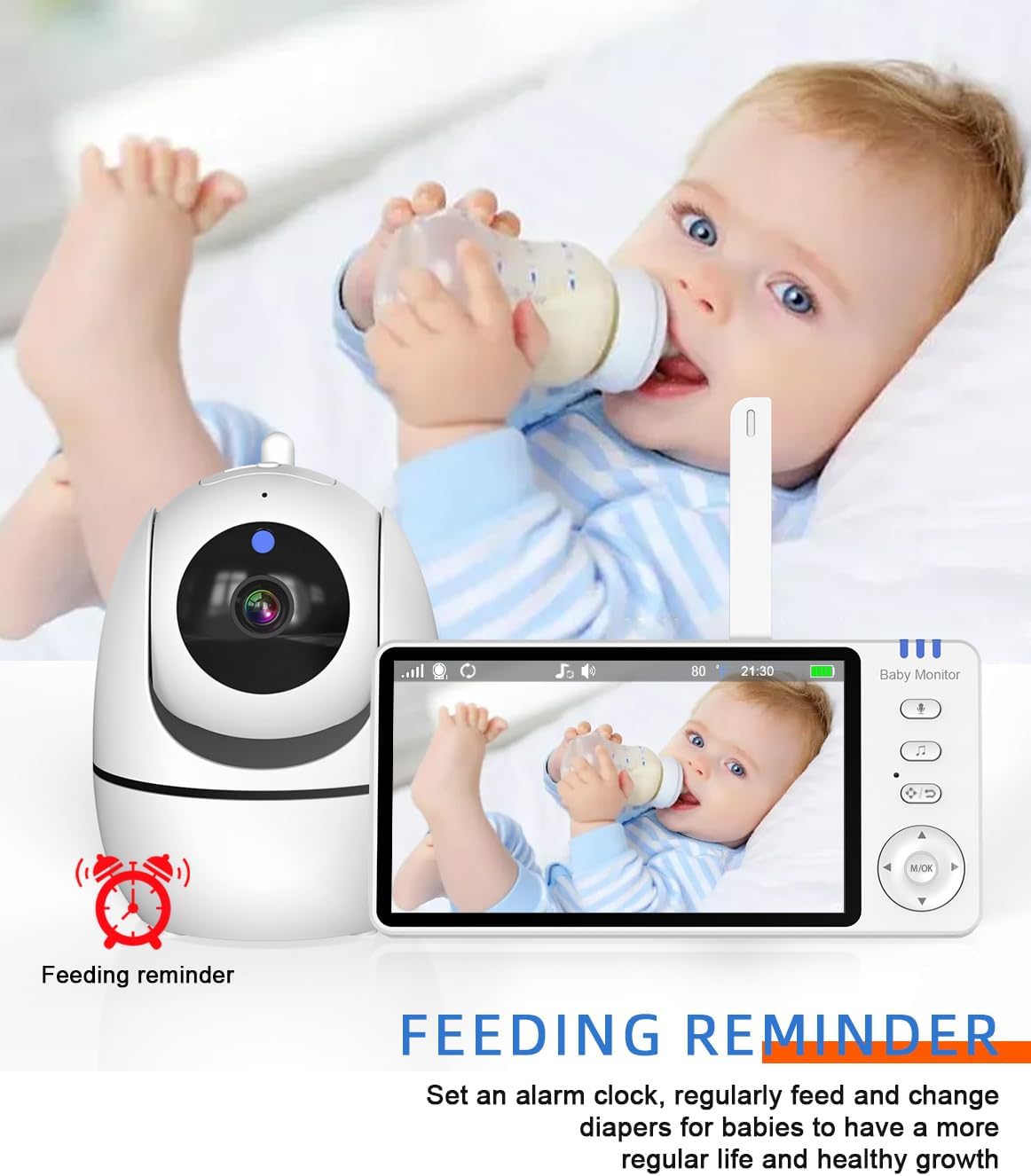
Image: The feeding reminder feature, useful for maintaining a consistent feeding schedule.
VOX (Voice Operated Exchange) Mode
In VOX mode, the monitor screen will automatically turn on and alert you when sound is detected from the baby's room, conserving battery life when the room is quiet.
പരിപാലനവും പരിചരണവും
- വൃത്തിയാക്കൽ: Use a soft, dry cloth to clean the surfaces of the camera and monitor. Do not use abrasive cleaners or solvents.
- സംഭരണം: When not in use for extended periods, store the monitor and camera in a cool, dry place, away from direct sunlight.
- ബാറ്ററി കെയർ: To prolong battery life, avoid fully discharging the monitor's battery frequently. Charge it regularly.
- പരിസ്ഥിതി വ്യവസ്ഥകൾ: Avoid exposing the units to extreme temperatures, humidity, or direct water contact. The product is not water resistant.
ട്രബിൾഷൂട്ടിംഗ്
- No picture/sound on the monitor:
- Ensure both the camera and monitor are powered on and connected to power outlets.
- Check if the camera and monitor are within range. Move them closer if necessary.
- Verify that the monitor's battery is charged.
- Re-pair the camera and monitor if the connection is lost (refer to manual for specific pairing steps if needed, generally found in settings).
- Picture is black and white:
- This indicates that the night vision feature is active due to low light conditions. This is normal operation.
- തടസ്സം അല്ലെങ്കിൽ മോശം സിഗ്നൽ:
- മോണിറ്റർ ക്യാമറയുടെ അടുത്തേക്ക് നീക്കുക.
- Avoid placing the units near other electronic devices that may cause interference (e.g., Wi-Fi routers, microwaves).
- Ensure there are no large obstructions (thick walls, metal objects) between the camera and monitor.
സ്പെസിഫിക്കേഷനുകൾ
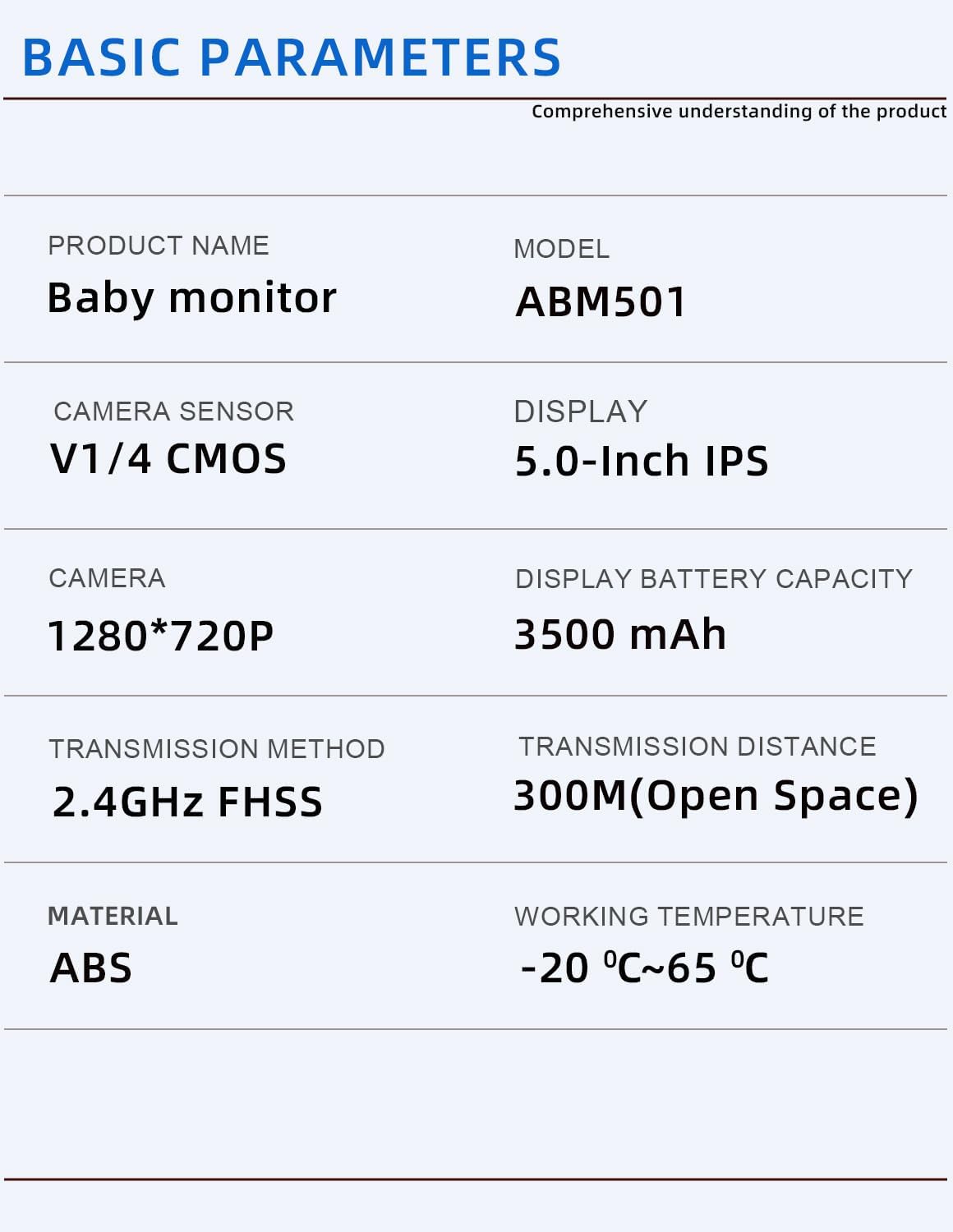
Image: Basic technical parameters of the ABM501 baby monitor.
| ഫീച്ചർ | വിശദാംശങ്ങൾ |
|---|---|
| മോഡലിൻ്റെ പേര് | Video baby monitor ABM501 |
| ഡിസ്പ്ലേ വലിപ്പം | 5.0 ഇഞ്ച് എച്ച്ഡി ഐപിഎസ് |
| ക്യാമറ റെസല്യൂഷൻ | 1280*720P |
| ക്യാമറ സെൻസർ | V1/4 CMOS |
| കണക്റ്റിവിറ്റി ടെക്നോളജി | വയർലെസ് (2.4GHz FHSS) |
| സിഗ്നൽ ശ്രേണി | Up to 400m (open space) / 300M (Open Space) |
| Monitor Battery Capacity | 3500 mAh |
| മെറ്റീരിയൽ | അക്രിലോണിട്രൈൽ ബ്യൂട്ടാഡീൻ സ്റ്റൈറൈൻ (എബിഎസ്) |
| ഇനത്തിന്റെ അളവുകൾ (L x W x H) | 18 x 11 x 13 സെന്റീമീറ്റർ |
| ഇനത്തിൻ്റെ ഭാരം | 649 ഗ്രാം |
| പ്രവർത്തന താപനില | -20°C മുതൽ 65°C വരെ |
| പ്രത്യേക സവിശേഷതകൾ | 2 Way Audio, HD Resolution, Night Vision, Brightness Control, Cry Detection |

Image: Physical dimensions of the camera and monitor units.
വാറൻ്റിയും പിന്തുണയും
Your Generic Video Baby Monitor ABM501 comes with a 1 വർഷത്തെ ലോക്കൽ വാറന്റി വാങ്ങിയ തീയതി മുതൽ നിർമ്മാണ വൈകല്യങ്ങൾക്കെതിരെ.
This warranty covers defects in materials and workmanship under normal use. It does not cover damage caused by misuse, accident, unauthorized modification, or failure to follow the instructions in this manual.
For warranty claims or technical support, please contact the retailer or manufacturer's customer service with your proof of purchase.
Ask a question about this manual
Ask about setup, troubleshooting, compatibility, parts, safety, or missing instructions. Manuals+ will review the question and use this page’s manual context to help answer it.